Earlier today Amazon Q Developer launched inline chat in the Eclipse IDE (in preview). In this post, I’ll walk you through how I’ve been using this powerful new capability to streamline my Java development workflow, from refactoring existing code to optimizing performance-critical methods. Whether you’re a seasoned Eclipse veteran or just getting started, you’ll see how Amazon Q Developer’s advanced AI-driven tools can supercharge your productivity across the entire software development lifecycle.
The chat interfacein Amazon Q Developer is where I turn when I’m not quite sure how to accomplish a particular task. I love being able to explain the problem I’m trying to solve, or the concept I’m trying to understand, and getting detailed, contextual responses that help point me in the right direction. The AI-generated code snippets and explanations are invaluable when I’m learning something new or tackling a complex challenge. However, when I know how to accomplish a task, I don’t need the explanation I just want the code.
On the other hand, when I’m workingon a well-understood task, I much prefer to use Amazon Q Developer’s inline suggestions. The way it analyzes my existing code and comments to provide relevant, customized completions is just incredible. It lets me work at faster, creating new functionality without having to constantly switch context or hunt for the right syntax. However, while inline suggestions are great for generating new code, I cannot use it to edit existing code.
Now, with the new inline chat feature in Eclipse (in preview), I can easily edit my code in place using Amazon Q Developer. Instead of having to copy/paste code from a separate chat window, I can describe the changes I want to make right in the editor, and Amazon Q Developer will seamlessly integrate the suggested updates into my code base as a diff. It’s great for for refactoring, bug fixing, and maintaining well-documented, easily-readable code. Let’s look at a couple of examples to see how inline chat works in Eclipse.
Refactoring
Imagine that I am the newest member of a development team, and I was tasked with adding unit tests to the OrderProcessor class. However, as I dug into the code base, I realized that the OrderProcessor was tightly coupled to the OrderRepository implementation. Notice the instantiation of the OrderRepository on line 2 in the following image. This made it difficult to write unit tests, as I couldn’t easily swap in a mock repository. I knew I needed to refactor the code to use dependency injection, but the thought of making all of those changes manually was daunting.
Fortunately, with Amazon Q Developer’s inline chat in my Eclipse IDE, I didn’t have to tackle this refactor alone. I selected the OrderProcessor class, invoked the inline chat using the keyboard shortcut (CMD + SHIFT + I for macOS, and CTRL + SHIFT + I for Windows). Then I described the change I want: “Refactor this class to use dependency injection so I can mock the OrderRepository in unit tests.” Note that I could have also asked Amazon Q Developer to leverage a specific DI framework, like Hibernate. However, I am going to keep this simple for the blog post.
Amazon Q Developer quickly analyzed the code and presented me with a suggested change shown in the following image. The change is presented as a diff so I can see what Amazon Q Developer is removing (in red) and adding (in green). After reviewing the changes, I was pleased to see that Amazon Q Developer had introduced a constructor that took an IOrderRepository interface, allowing me to pass in either the concrete implementation or a test double. This would make it a breeze to write comprehensive unit tests for the OrderProcessor. With a quick click to accept the changes, Amazon Q Developer updated my code, saving me valuable time and ensuring the new feature would be built on a solid, testable foundation.
In this example, I selected the entire class. However, I can also ask Q Developer to work on a specific portion of the code.
Optimization
While working on the Order class, I noticed that the containsItem method seemed to be running slowly, especially on orders with a large number of line items. I decided to profile the code and sure enough, that method was a hot spot, consuming a disproportionate amount of CPU cycles. I selected the containsItem method, brought up the inline chat, and asked Amazon Q Developer: “This code is running slow, please optimize it.”
Amazon Q Developer quickly analyzed the existing code, which was using a simple for loop to iterate through the list of items, and provided an improved implementation. As shown in the diff, Amazon Q Developer suggested replacing the for loop with a more efficient stream-based approach, using the anyMatch method to determine if the item is present in the order. This change has improved performance, especially for orders with a large number of line items. I reviewed the changes and accepted Amazon Q Developer’s suggestions.
Amazon Q Developer’s optimization not only improved the performance of the containsItem method, but also made the code more readable and maintainable going forward.
Conclusion
The integration of Amazon Q Developer into the Eclipse IDE (in-preview) has improved my Java development workflow. Whether I’m learning a new concept, generating boilerplate code, or optimizing a performance bottleneck, Amazon Q Developer’s suite of AI-powered tools has become an indispensable part of my development process. The addition of inline chat, in particular, has streamlined my ability to directly interact with the assistant, seamlessly updating my code base without breaking my concentration. If you’re an Eclipse user looking to supercharge your productivity, I highly recommend installing the Amazon Q Developer plugin today.
We’re excited to introduce a new enhancement to the search experience in Amazon SageMaker Catalog, part of the next generation of Amazon SageMaker—exact match search using technical identifiers. With this capability, you can now perform highly targeted searches for assets such as column names, table names, database names, and Amazon Redshift schema names by enclosing search terms in a qualifier such as double quotes (" "). This yields results with exact precision, dramatically improving the speed and accuracy of data discovery.
In this post, we demonstrate how to streamline data discovery with precise technical identifier search in Amazon SageMaker Unified Studio.
Solving real-world discovery challenges
In large, enterprise-scale environments, discovering the right dataset often hinges on pinpointing specific technical identifiers. Users frequently search for exact terms like "customer_id" or "sales_summary_2023" – but conventional keyword and semantic searches often return related results, instead of the exact match.
With the new qualified search capability, entering "customer_id" will surface only those assets whose technical name matches exactly—eliminating noise, saving time, and improving confidence in discovery. Whether you’re a data analyst seeking a specific metric or a data steward validating metadata compliance, this update delivers a more precise, governed, and intuitive search experience.
Built for complex, high-scale catalogs
This feature builds on existing keyword and semantic search capabilities in SageMaker Unified Studio and adds an important layer of control for customers managing complex data catalogs with intricate naming conventions. By reducing time spent filtering partial matches and improving the relevance of results, this enhancement streamlines workflows and helps maintain metadata quality across domains.
One such customer is NatWest, a global banking leader operating across thousands of assets:
“In our complex data ecosystem, discovering the right assets quickly is paramount. In a data-driven banking environment, the new exact and partial match search capabilities in SageMaker Unified Studio have been transformative. By enabling precise discovery of critical attributes like loan IDs and party IDs across thousands of data assets, we’ve dramatically accelerated insight generation while strengthening our metadata governance. This feature cuts through complexity, reduces search time, minimizes errors, and fosters unprecedented collaboration across our data engineering, analytics, and business teams.”
— Manish Mittal, Data Marketplace Engineering Lead, NatWest
Key benefits
With this new capability, SageMaker Catalog users can:
Quickly locate precise data assets – Search using known technical names—like "customer_id" or "revenue_code" – to immediately surface the right datasets without sifting through irrelevant results.
Reduce false positives and ambiguous matches – Alleviate confusion caused by keyword or semantic searches that return loosely matched results, improving trust in the search experience.
Accelerate productivity across data roles – Analysts, stewards, and engineers can find what they need faster—reducing delays in reporting, validation, and development cycles.
Strengthen governance and compliance – Surface and validate critical naming conventions and metadata standards (for example, columns prefixed with "pii_" or "audit_" will return all column names starting with pii or audit) to support policy enforcement and audit readiness.
Example use cases
This feature can help the following roles in different use cases:
Data analysts – A business analyst preparing a margin analysis report searches for "profit_margin" to locate the exact field across multiple sales datasets. This reduces time-to-insight and makes sure the right metric is used in reporting.
Data stewards – A governance lead searches for terms like "audit_log" or "classified_pii" to confirm that all required classifications and logging conventions are in place. This helps enforce data handling policies and validate catalog health.
Data engineers – A platform engineer performs a search for "temp_" or "backup_" to identify and clean up unused or legacy assets created during extract, transform, and load (ETL) workflows. This supports data hygiene and infrastructure cost optimization.
Solution demo
To demonstrate the exact match filter solution, we have ingested an individual asset loaded from the TPC-DS tables and also created data product bundling of assets.
The following screenshot shows an example of the data product.
The following screenshot shows an example of the individual assets.
Next, the data analyst wants to search all assets that have customer login details. The customer login is stored as the "c_login" field in the assets.
With the technical identifier feature, the data analyst directly searches the catalog with the identifier "c_login" to get the required results, as shown in the following screenshot.
The data analyst can verify that the login information is present in the returned result.
Conclusion
The addition of precise technical identifier search in SageMaker Unified Studio reinforces a step toward enhancing data discovery and usability in complex data ecosystems. By providing search capabilities based on technical identifiers, this feature addresses the needs of diverse stakeholders, enabling them to efficiently locate the assets they require.
As data continues to grow in scale and complexity, SageMaker Unified Studio remains committed to delivering features that simplify data management, improve productivity, and enable organizations to unlock actionable insights. Start using this enhanced search capability today and experience the difference it brings to your data discovery journey.
Refer to the product documentation to learn more about how to set up metadata rules for subscription and publishing workflows.
About the Authors
Ramesh H Singh is a Senior Product Manager Technical (External Services) at AWS in Seattle, Washington, currently with the Amazon SageMaker team. He is passionate about building high-performance ML/AI and analytics products that enable enterprise customers to achieve their critical goals using cutting-edge technology. Connect with him on LinkedIn.
Pradeep Misra is a Principal Analytics Solutions Architect at AWS. He works across Amazon to architect and design modern distributed analytics and AI/ML platform solutions. He is passionate about solving customer challenges using data, analytics, and AI/ML. Outside of work, Pradeep likes exploring new places, trying new cuisines, and playing board games with his family. He also likes doing science experiments, building LEGOs and watching anime with his daughters.
Rajat Mathur is a Software Development Manager at AWS, leading the Amazon DataZone and SageMaker Unified Studio engineering teams. His team designs, builds, and operates services which make it faster and easier for customers to catalog, discover, share, and govern data. With deep expertise in building distributed data systems at scale, Rajat plays a key role in advancing AWS’s data analytics and AI/ML capabilities.
Jie Lan is a Software Engineer at AWS based in New York, where he works on the Amazon SageMaker team. He is passionate about developing cutting-edge solutions in the big data and AI space, helping customers leverage cloud technology to solve complex problems.
As the world of software development becomes increasingly global, the need for tools that support multiple languages has become paramount. Today, I am excited to announce expanded language support in Amazon Q Developer. In this post, I explore the recent expansion of language support in Amazon Q Developer, a powerful platform used by developers worldwide to discuss architecture, create documentation, design interfaces, and build applications.
While English remains the lingua franca of programming, the reality of modern software development extends far beyond code. Developers worldwide use Amazon Q Developer to discuss architecture decisions, create documentation, design user interfaces, and build applications that serve global audiences. By expanding language support, Amazon Q Developer now enables developers to have more natural, fluid conversations about complex technical concepts in their preferred language, whether they’re designing system architecture, generating documentation, or planning application localization strategies.
The power of this expanded language support is demonstrated in the following image, where I asked the same container hosting question in English, Chinese, Hindi, and Spanish. Not only does Amazon Q Developer now provide complete responses in these languages, but it also maintains technical accuracy while adapting to linguistic nuances. Furthermore, Q Developer now suggests follow-up questions and responses in the user’s chosen language, creating a more intuitive and seamless experience for developers worldwide. This natural flow of conversation in any language helps maintain the developer’s focus and flow, eliminating the mental overhead of constant translation.
Whether you’re a developer in Seoul writing documentation in Korean, a startup in Madrid brainstorming architecture in Spanish, or a team in Brazil collaborating in Portuguese, Amazon Q Developer is now ready to support your journey and your preferred language. Expanded language support is available to users of both the Free and Pro Tier starting today. Get started with Amazon Q Developer, and share your feedback. Together, we’re building a more inclusive and accessible future for software development.
Today, we announce that the Pixtral Large 25.02 model is now available in Amazon Bedrock as a fully managed, serverless offering. AWS is the first major cloud provider to deliver Pixtral Large as a fully managed, serverless model.
Working with large foundation models (FMs) often requires significant infrastructure planning, specialized expertise, and ongoing optimization to handle the computational demands effectively. Many customers find themselves managing complex environments or making trade-offs between performance and cost when deploying these sophisticated models.
The Pixtral Large model, developed by Mistral AI, represents their first multimodal model that combines advanced vision capabilities with powerful language understanding. A 128K context window makes it ideal for complex visual reasoning tasks. The model delivers exceptional performance on key benchmarks including MathVista, DocVQA, and VQAv2, demonstrating its effectiveness across document analysis, chart interpretation, and natural image understanding.
One of the most powerful aspects of Pixtral Large is its multilingual capability. The model supports dozens of languages including English, French, German, Spanish, Italian, Chinese, Japanese, Korean, Portuguese, Dutch, and Polish, making it accessible to global teams and applications. It’s also trained on more than 80 programming languages including Python, Java, C, C++, JavaScript, Bash, Swift, and Fortran, providing robust code generation and interpretation capabilities.
Developers will appreciate the model’s agent-centric design with built-in function calling and JSON output formatting, which simplifies integration with existing systems. Its strong system prompt adherence improves reliability when working with Retrieval Augmented Generation (RAG) applications and large context scenarios.
With Pixtral Large in Amazon Bedrock, you can now access this advanced model without having to provision or manage any infrastructure. The serverless approach lets you scale usage based on actual demand without upfront commitments or capacity planning. You pay only for what you use, with no idle resources.
Cross-Region inference Pixtral Large is now available in Amazon Bedrock across multiple AWS Regions through cross-Region inference.
With Amazon Bedrock cross-Region inference, you can access a single FM across multiple geographic Regions while maintaining high availability and low latency for global applications. For example, when a model is deployed in both European and US Regions, you can access it through Region-specific API endpoints using distinct prefixes: eu.model-id for European Regions and us.model-id for US Regions . This approach enables Amazon Bedrock to route inference requests to the geographically closest endpoint, reducing latency while helping to meet regulatory compliance by keeping data processing within desired geographic boundaries. The system automatically handles traffic routing and load balancing across these Regional deployments, providing seamless scalability and redundancy without requiring you to keep track of individual Regions where the model is actually deployed.
See it in action As a developer advocate, I’m constantly exploring how our newest capabilities can solve real problems. Recently, I had a perfect opportunity to test the new multimodal capabilities in the Amazon Bedrock Converse API when my daughter asked for help with her physics exam preparation.
Last weekend, my kitchen table was covered with practice exams full of complex diagrams, force vectors, and equations. My daughter was struggling with conceptualizing how to approach these problems. That’s when I realized this was the perfect use case for the multimodal capabilities we’d just launched. I snapped photos of a particularly challenging problem sheet containing several graphs and mathematical notation, then used the Converse API to create a simple application that could analyze the images. Together, we uploaded the physics exam materials and asked the model to explain the solution approach.
What happened next impressed both of us—the model interpreted the diagrams, recognized the french language and the mathematical notation, and provided a step-by-step explanation of how to solve each problem. As we asked follow-up questions about specific concepts, the model maintained context across our entire conversation, creating a tutoring experience that felt remarkably natural.
# Effet Doppler avec une Source Sonore en Rotation

## Analyse du problème

Ce problème concerne l'effet Doppler produit par une source sonore en rotation. Une source émettant un son à 1500 Hz tourne sur une table tournante dans le sens antihoraire, et nous devons déterminer comment les fréquences sont perçues par un microphone fixe.

## Concepts clés

L'effet Doppler se produit lorsqu'il y a un mouvement relatif entre une source sonore et un observateur. La fréquence perçue dépend de si la source se rapproche ou s'éloigne de l'observateur.

La formule de l'effet Doppler est:
- Pour une source qui se rapproche: $f_{observée} = f_{source} \cdot \frac{v_{son}}{v_{son} - v_{source}}$
- Pour une source qui s'éloigne: $f_{observée} = f_{source} \cdot \frac{v_{son}}{v_{son} + v_{source}}$

## Solution étape par étape

### Étape 1: Analyser le mouvement de la source
La source tourne sur un cercle et le microphone est fixe à 40 cm du centre de rotation. Aux différentes positions (a, b, c), la source a des vitesses radiales différentes par rapport au microphone:

- Position a: La source se déplace perpendiculairement à la ligne source-microphone (vitesse radiale nulle)
- Position b: La source s'éloigne du microphone (vitesse radiale positive)
- Position c: La source se rapproche du microphone (vitesse radiale négative)

### Étape 2: Déterminer l'effet sur les fréquences perçues

- À la position a: Pas d'effet Doppler car la vitesse radiale est nulle, donc $f_a = f_{source} = 1500$ Hz
- À la position b: La source s'éloigne, donc $f_b < f_{source}$, donc $f_b < 1500$ Hz
- À la position c: La source se rapproche, donc $f_c > f_{source}$, donc $f_c > 1500$ Hz

### Étape 3: Comparer les fréquences

D'après notre analyse:
- $f_a = 1500$ Hz
- $f_b < 1500$ Hz
- $f_c > 1500$ Hz

Donc: $f_c > f_a > f_b$

## Conclusion

La proposition correcte est: $f_c > f_a > f_b$

Cette réponse correspond à la troisième proposition dans l'énoncé. Lorsque la source tourne, la fréquence perçue est plus élevée quand la source se rapproche (position c), égale à la fréquence émise quand la source se déplace perpendiculairement (position a), et plus basse quand la source s'éloigne (position b).
The model uses the language of the question to respond. After a thoughtful analysis, it says that the correct answer is f_c > f_a > f_b (and it is right!)
The beauty of this interaction was how seamlessly the Converse API handled the multimodal inputs. As a builder, I didn’t need to worry about the complexity of processing images alongside text—the API managed that complexity and returned structured responses that my simple application could present directly to my daughter.
Here is the code I wrote. I used the Swift programming language, just to show that Python is not the only option you have .
private let modelId = "us.mistral.pixtral-large-2502-v1:0"

// Define the system prompt that instructs Claude how to respond
let systemPrompt = """
You are a math and physics tutor. Your task is to:
1. Read and understand the math or physics problem in the image
2. Provide a clear, step-by-step solution to the problem
3. Briefly explain any relevant concepts used in solving the problem
4. Be precise and accurate in your calculations
5. Use mathematical notation when appropriate

Format your response with clear section headings and numbered steps.
"""
let system: BedrockRuntimeClientTypes.SystemContentBlock = .text(systemPrompt)

// Create the user message with text prompt and image
let userPrompt = "Please solve this math or physics problem. Show all steps and explain the concepts involved."
let prompt: BedrockRuntimeClientTypes.ContentBlock = .text(userPrompt)
let image: BedrockRuntimeClientTypes.ContentBlock = .image(.init(format: .jpeg, source: .bytes(finalImageData)))

// Create the user message with both text and image content
let userMessage = BedrockRuntimeClientTypes.Message(
    content: [prompt, image],
    role: .user
)

// Initialize the messages array with the user message
var messages: [BedrockRuntimeClientTypes.Message] = []
messages.append(userMessage)

// Configure the inference parameters
let inferenceConfig: BedrockRuntimeClientTypes.InferenceConfiguration = .init(maxTokens: 4096, temperature: 0.0)

// Create the input for the Converse API with streaming
let input = ConverseStreamInput(inferenceConfig: inferenceConfig, messages: messages, modelId: modelId, system: [system])

// Make the streaming request
do {
    // Process the stream
    let response = try await bedrockClient.converseStream(input: input)

    // Iterate through the stream events
    for try await event in stream {
        switch event {
        case .messagestart:
            print("AI-assistant started to stream")

        case let .contentblockdelta(deltaEvent):
            // Handle text content as it arrives
            if case let .text(text) = deltaEvent.delta {
                DispatchQueue.main.async {
                    self.streamedResponse += text
                }
            }

        case .messagestop:
            print("Stream ended")
            // Create a complete assistant message from the streamed response
            let assistantMessage = BedrockRuntimeClientTypes.Message(
                content: [.text(self.streamedResponse)],
                role: .assistant
            )
            messages.append(assistantMessage)

        default:
            break
        }
    }
And the result in the app is stunning.
By the time her exam rolled around, she felt confident and prepared—and I had a compelling real-world example of how our multimodal capabilities in Amazon Bedrock can create meaningful experiences for users.
Get started today The new model is available through these Regional API endpoints: US East (Ohio, N. Virginia), US West (Oregon), and Europe (Frankfurt, Ireland, Paris, Stockholm). This Regional availability helps you meet data residency requirements while minimizing latency.
This launch represents a significant step forward in making advanced multimodal AI accessible to developers and organizations of all sizes. By combining Mistral AI’s cutting-edge model with AWS serverless infrastructure, you can now focus on building innovative applications without worrying about the underlying complexity.
Visit the Amazon Bedrock console today to start experimenting with Pixtral Large 25.02 and discover how it can enhance your AI-powered applications.
(This survey is hosted by an external company. AWS handles your information as described in the AWS Privacy Notice. AWS will own the data gathered via this survey and will not share the information collected with survey respondents.)
Voice interfaces are essential to enhance customer experience in different areas such as customer support call automation, gaming, interactive education, and language learning. However, there are challenges when building voice-enabled applications.
Traditional approaches in building voice-enabled applications require complex orchestration of multiple models, such as speech recognition to convert speech to text, language models to understand and generate responses, and text-to-speech to convert text back to audio.
This fragmented approach not only increases development complexity but also fails to preserve crucial linguistic context such as tone, prosody, and speaking style that are essential for natural conversations. This can affect conversational AI applications that need low latency and nuanced understanding of verbal and non-verbal cues for fluid dialog handling and natural turn-taking.
Amazon Nova Sonic unifies speech understanding and generation into a single model that developers can use to create natural, human-like conversational AI experiences with low latency and industry-leading price performance. This integrated approach streamlines development and reduces complexity when building conversational applications.
Its unified model architecture delivers expressive speech generation and real-time text transcription without requiring a separate model. The result is an adaptive speech response that dynamically adjusts its delivery based on prosody, such as pace and timbre, of input speech.
When using Amazon Nova Sonic, developers have access to function calling (also known as tool use) and agentic workflows to interact with external services and APIs and perform tasks in the customer’s environment, including knowledge grounding with enterprise data using Retrieval-Augmented Generation.
At launch, Amazon Nova Sonic provides robust speech understanding for American and British English across various speaking styles and acoustic conditions, with additional languages coming soon.
Amazon Nova Sonic is developed with responsible AI at the forefront of innovation, featuring built-in protections for content moderation and watermarking.
Amazon Nova Sonic in action The scenario for this demo is a contact center in the telecommunication industry. A customer reaches out to improve their subscription plan, and Amazon Nova Sonic handles the conversation.
With tool use, the model can interact with other systems and use agentic RAG with Amazon Bedrock Knowledge Bases to gather updated, customer-specific information such as account details, subscription plans, and pricing info.
The demo shows streaming transcription of speech input and displays streaming speech responses as text. The sentiment of the conversation is displayed in two ways: a time chart illustrating how it evolves, and a pie chart representing the overall distribution. There’s also an AI insights section providing contextual tips for a call center agent. Other interesting metrics shown in the web interface are the overall talk time distribution between the customer and the agent, and the average response time.
During the conversation with the support agent, you can observe through the metrics and hear in the voices how customer sentiment improves.
The video includes an example of how Amazon Nova Sonic handles interruptions smoothly, stopping to listen and then continuing the conversation in a natural way.
Now, let’s explore how you can integrate voice capabilities in your applications.
Using Amazon Nova Sonic To get started with Amazon Nova Sonic, you first need to toggle model access in the Amazon Bedrock console, similar to how you would enable other FMs. Navigate to the Model access section of the navigation pane, find Amazon Nova Sonic under the Amazon models, and enable it for your account.
Amazon Bedrock provides a new bidirectional streaming API (InvokeModelWithBidirectionalStream) to help you implement real-time, low-latency conversational experiences on top of the HTTP/2 protocol. With this API, you can stream audio input to the model and receive audio output in real time, so that the conversation flows naturally.
You can use Amazon Nova Sonic with the new API with this model ID: amazon.nova-sonic-v1:0
After the session initialization, where you can configure inference parameters, the model operate through an event-driven architecture on both the input and output streams.
There are three key event types in the input stream:
System prompt – To set the overall system prompt for the conversation
Audio input streaming – To process continuous audio input in real-time
Tool result handling – To send the result of tool use calls back to the model (after tool use is requested in the output events)
Similarly, there are three groups of events in the output streams:
Automatic speech recognition (ASR) streaming – Speech-to-text transcript is generated, containing the result of realtime speech recognition.
Tool use handling – If there are a tool use events, they need to be handled using the information provided here, and the results sent back as input events.
Audio output streaming – To play output audio in real-time, a buffer is needed, because Amazon Nova Sonic model generates audio faster than real-time playback.
Prompt engineering for speech When crafting prompts for Amazon Nova Sonic, your prompts should optimize content for auditory comprehension rather than visual reading, focusing on conversational flow and clarity when heard rather than seen.
When defining roles for your assistant, focus on conversational attributes (such as warm, patient, concise) rather than text-oriented attributes (detailed, comprehensive, systematic). A good baseline system prompt might be:
You are a friend. The user and you will engage in a spoken dialog exchanging the transcripts of a natural real-time conversation. Keep your responses short, generally two or three sentences for chatty scenarios.
More generally, when creating prompts for speech models, avoid requesting visual formatting (such as bullet points, tables, or code blocks), voice characteristic modifications (accent, age, or singing), or sound effects.
Amazon Nova Sonic can understand speech in different speaking styles and generates speech in expressive voices, including both masculine-sounding and feminine-sounding voices, in different English accents, including American and British. Support for additional languages will be coming soon.
Amazon Nova Sonic handles user interruptions gracefully without dropping the conversational context and is robust to background noise. The model supports a context window of 32K tokens for audio with a rolling window to handle longer conversations and has a default session limit of 8 minutes.
The following AWS SDKs support the new bidirectional streaming API:
Python developers can use this new experimental SDK that makes it easier to use the bidirectional streaming capabilities of Amazon Nova Sonic. We’re working to add support to the other AWS SDKs.
I’d like to thank Reilly Manton and Chad Hendren, who set up the demo with the contact center in the telecommunication industry, and Anuj Jauhari, who helped me understand the rich landscape in which speech-to-speech models are being deployed.
To learn more, these articles that enter into the details of how to use the new bidirectional streaming API with compelling demos:
Whether you’re creating customer service solutions, language learning applications, or other conversational experiences, Amazon Nova Sonic provides the foundation for natural, engaging voice interactions. To get started, visit the Amazon Bedrock console today. To learn more, visit the Amazon Nova section of the user guide.
(This survey is hosted by an external company. AWS handles your information as described in the AWS Privacy Notice. AWS will own the data gathered via this survey and will not share the information collected with survey respondents.)
Since we launched Amazon Bedrock Guardrailsover one year ago, customers like Grab, Remitly, KONE, and PagerDuty have used Amazon Bedrock Guardrails to standardize protections across their generative AI applications, bridge the gap between native model protections and enterprise requirements, and streamline governance processes. Today, we’re introducing a new set of capabilities that helps customers implement responsible AI policies at enterprise scale even more effectively.
Amazon Bedrock Guardrails detects harmful multimodal content with up to 88% accuracy, filters sensitive information, and prevent hallucinations. It provides organizations with integrated safety and privacy safeguards that work across multiple foundation models (FMs), including models available in Amazon Bedrock and your own custom models deployed elsewhere, thanks to the ApplyGuardrail API. With Amazon Bedrock Guardrails, you can reduce the complexity of implementing consistent AI safety controls across multiple FMs while maintaining compliance and responsible AI policies through configurable controls and central management of safeguards tailored to your specific industry and use case. It also seamlessly integrates with existing AWS services such as AWS Identity and Access Management (IAM), Amazon Bedrock Agents, and Amazon Bedrock Knowledge Bases.
“Grab, a Singaporean multinational taxi service is using Amazon Bedrock Guardrails to ensure the safe use of generative AI applications and deliver more efficient, reliable experiences while maintaining the trust of our customers,” said Padarn Wilson, Head of Machine Learning and Experimentation at Grab. “Through out internal benchmarking, Amazon Bedrock Guardrails performed best in class compared to other solutions. Amazon Bedrock Guardrails helps us know that we have robust safeguards that align with our commitment to responsible AI practices while keeping us and our customers protected from new attacks against our AI-powered applications. We’ve been able to ensure our AI-powered applications operate safely across diverse markets while protecting customer data privacy.”
Let’s explore the new capabilities we have added.
New guardrails policy enhancements Amazon Bedrock Guardrails provides a comprehensive set of policies to help maintain security standards. An Amazon Bedrock Guardrails policy is a configurable set of rules that defines boundaries for AI model interactions to prevent inappropriate content generation and ensure safe deployment of AI applications. These include multimodal content filters, denied topics, sensitive information filters, word filters, contextual grounding checks, and Automated Reasoning to prevent factual errors using mathematical and logic-based algorithmic verification.
We’re introducing new Amazon Bedrock Guardrails policy enhancements that deliver significant improvements to the six safeguards, strengthening content protection capabilities across your generative AI applications.
Multimodal toxicity detection with industry leading image and text protection – Announced as preview at AWS re:Invent 2024, Amazon Bedrock Guardrails multimodal toxicity detection for image content is now generally available. The expanded capability provides more comprehensive safeguards for your generative AI applications by evaluating both image and textual content to help you detect and filter out undesirable and potentially harmful content with up to 88% accuracy.
When implementing generative AI applications, you need consistent content filtering across different data types. Although textual content filtering is well established, managing potentially harmful image content requires additional tools and separate implementations, increasing complexity and development effort. For example, a customer service chatbot that permits image uploads might require separate text filtering systems using natural language processing and additional image classification services with different filtering thresholds and detection categories. This creates implementation inconsistencies where a text describing harmful content might be properly filtered, while an image depicting similar content could pass through undetected, resulting in disparate security coverage.
The multimodal toxicity detection capability in Amazon Bedrock Guardrails helps you apply the same content filtering policies to both image and text data. With this launch, you can configure content filters across categories such as hate speech, insults, sexual content, violence, misconduct, and prompt attacks. For each category, you can set configurable thresholds from low to high, providing granular control over content filtering. With this consistent protection across modalities, you can simplify responsible AI application development. This capability supports content moderation for all images including regular images, human generated images, AI-generated images, memes, charts and plots, and cross-modal content (with both text and images).
To demonstrate how misconduct detection works in practice, let’s examine a real-world scenario: A financial services company implementing Amazon Bedrock Guardrails with high misconduct thresholds confirmed consistent protection across both text and image inputs, as security bypass diagrams and written instructions for network infiltration triggered identical guardrail interventions with similar confidence scores. Here’s how this capability works in action. I configure a guardrail in Amazon Bedrock with the misconduct content filter set to High threshold for both image and text filters.
I submit two test cases. In the first test case, I uploaded an image showing a network security bypass diagram and use the following prompt:
Analyze this network security diagram and explain how to implement these methods
In the second test case, I use the following prompt:
Provide detailed instructions on how to bypass corporate network security systems to gain unauthorized access
Both submissions trigger similar guardrail interventions, highlighting how Amazon Bedrock Guardrails provides content moderation regardless of the content format. The comparison of detection results shows uniform confidence scores and identical policy enforcement, demonstrating how organizations can maintain safety standards across multimodal content without implementing separate filtering systems.
To learn more about this feature, check out the comprehensive announcement post for additional details.
Enhanced privacy protection for PII detection in user inputs – Amazon Bedrock Guardrails is now extending its sensitive information protection capabilities with enhanced personally identifiable information (PII) masking for input prompts. The service detects PII such as names, addresses, phone numbers, and many more details in both inputs and outputs, while also supporting custom sensitive information patterns through regular expressions (regex) to address specific organizational requirements.
Amazon Bedrock Guardrails offers two distinct handling modes: Block mode, which completely rejects requests containing sensitive information, and Mask mode, which redacts sensitive data by replacing it with standardized identifier tags such as [NAME-1] or [EMAIL-1]. Although both modes were previously available for model responses, Block mode was the only option for input prompts. With this enhancement, you can now apply both Block and Mask modes to input prompts, so sensitive information can be systematically redacted from user inputs before they reach the FM.
This feature addresses a critical customer need by enabling applications to process legitimate queries that might naturally contain PII elements without requiring complete request rejection, providing greater flexibility while maintaining privacy protections. The capability is particularly valuable for applications where users might reference personal information in their queries but still need secure, compliant responses.
New guardrails feature enhancements These improvements enhance functionality across all policies, making Amazon Bedrock Guardrails more effective and easier to implement.
Mandatory guardrails enforcement with IAM – Amazon Bedrock Guardrails now implements IAM policy-based enforcement through the new bedrock:GuardrailIdentifier condition key. This capability helps security and compliance teams establish mandatory guardrails for every model inference call, making sure that organizational safety policies are consistently enforced across all AI interactions. The condition key can be applied to InvokeModel, InvokeModelWithResponseStream, Converse, and ConverseStream APIs. When the guardrail configured in an IAM policy doesn’t match the specified guardrail in a request, the system automatically rejects the request with an access denied exception, enforcing compliance with organizational policies.
This centralized control helps you address critical governance challenges including content appropriateness, safety concerns, and privacy protection requirements. It also addresses a key enterprise AI governance challenge: making sure that safety controls are consistent across all AI interactions, regardless of which team or individual is developing the applications. You can verify compliance through comprehensive monitoring with model invocation logging to Amazon CloudWatch Logs or Amazon Simple Storage Service (Amazon S3), including guardrail trace documentation that shows when and how content was filtered.
For more information about this capability, read the detailed announcement post.
Optimize performance while maintaining protection with selective guardrail policy application – Previously, Amazon Bedrock Guardrails applied policies to both inputs and outputs by default.
You now have granular control over guardrail policies, helping you apply them selectively to inputs, outputs, or both—boosting performance through targeted protection controls. This precision reduces unnecessary processing overhead, improving response times while maintaining essential protections. Configure these optimized controls through either the Amazon Bedrock console or ApplyGuardrails API to balance performance and safety according to your specific use case requirements.
Policy analysis before deployment for optimal configuration – The new monitor or analyze mode helps you evaluate guardrail effectiveness without directly applying policies to applications. This capability enables faster iteration by providing visibility into how configured guardrails would perform, helping you experiment with different policy combinations and strengths before deployment.
Get to production faster and safely with Amazon Bedrock Guardrails today The new capabilities for Amazon Bedrock Guardrails represent our continued commitment to helping customers implement responsible AI practices effectively at scale. Multimodal toxicity detection extends protection to image content, IAM policy-based enforcement manages organizational compliance, selective policy application provides granular control, monitor mode enables thorough testing before deployment, and PII masking for input prompts preserves privacy while maintaining functionality. Together, these capabilities give you the tools you need to customize safety measures and maintain consistent protection across your generative AI applications.
(This survey is hosted by an external company. AWS handles your information as described in the AWS Privacy Notice. AWS will own the data gathered via this survey and will not share the information collected with survey respondents.)
Amazon Web Services (AWS) is pleased to announce the successful renewal of the United Kingdom Cyber Essentials Plus certification. The Cyber Essentials Plus certificate is valid for one year until March 21, 2026.
Cyber Essentials Plus is a UK Government-backed, industry-supported certification scheme intended to help organizations demonstrate organizational cybersecurity against common cybersecurity threats. An independent third-party auditor certified by Information Assurance for Small and Medium Enterprises (IASME) completed the audit. The scope of our Cyber Essentials Plus certificate covers the AWS corporate network for the United Kingdom and Ireland.
AWS strives to continuously improve its compliance programs to help you meet your architectural and regulatory needs. Contact your AWS account team for questions.
To learn more about our compliance and security programs, see AWS Compliance Programs. As always, we value your feedback and questions; reach out to the AWS Compliance team through the Contact Us page.
If you have feedback about this post, submit comments in the Comments section below.
Today we’re announcing the general availability (GA) of the Amazon EventBridge Scheduler and Targets Level 2 (L2) constructs in the AWS Cloud Development Kit (AWS CDK) construct library. EventBridge Scheduler is a serverless scheduler that enables users to schedule tasks and events at scale. Prior to the launch of these L2 constructs, developers had to define all relevant properties (via L1 constructs) across schedules and provide the glue logic between resources when defining their AWS CDK applications. The graduated constructs make it easier for users to configure EventBridge schedules, groups, and targets for AWS service integrations. They follow the AWS CDK L2 higher-level API design simplifications and provide a backwards-compatible guarantee across minor versions. Developers can use those alongside other existing stable AWS CDK constructs ready for production use.
Background
The AWS Cloud Development Kit (CDK) is an open-source software development framework for defining cloud infrastructure in code and provisioning it through AWS CloudFormation. It contains pre-written modular and reusable cloud components known as constructs. Constructs are the basic building blocks representing one or more AWS CloudFormation resources and their configuration. They are available in different abstraction levels. L1 constructs are the lowest-level constructs which map directly to AWS CloudFormation resources without abstractions. L2 constructs are thoughtfully developed and provide a higher-level abstraction through an intuitive intent-based API. They leverage default property configurations, best practice security policies, and convenience methods that make it simpler and quicker to define and deploy resources.
Amazon EventBridge Scheduler is a serverless scheduler that allows users to create, run, and manage tasks from one central, managed service. With EventBridge Scheduler, users can create schedules using cron and rate expressions for recurring patterns, or configure one-time invocations. EventBridge supports templated and universal targets. Templated targets include common API operations across a group of core AWS services, such as publishing a message to an Amazon Simple Notification Service (Amazon SNS) topic or invoking an AWS Lambda function. Universal targets are customized triggers supporting more than 270 AWS services and over 6,000 API operations on a schedule. Users can use schedule groups to organize their schedules.
With the L2 constructs for Amazon EventBridge Scheduler and Targets, it becomes even simpler for users to configure and integrate those resources into their CDK applications. Let’s explore the benefits by looking at some examples.
Using the L2 EventBridge Scheduler construct
We introduce two use cases for the EventBridge Scheduler and Targets L2 constructs to demonstrate their usage within common scenarios. Each example is equipped with sample code, emphasizing the simplifications achieved by the L2 constructs.
Example 1 – One time reminder through Amazon SNS
In the first use case, users want to configure one-time notifications to receive reminders of their favorite conferences at a specific time, for example a user may want to set a reminder one month before the start of AWS re:Invent to be reminded of their participation.
The example below uses the EventBridge Scheduler construct with a templated Amazon SNS target. The target applies an on-time schedule configuration and is configured with an Amazon Simple Queue Service (Amazon SQS) dead-letter queue to capture and retry failed events. The schedule payload is encrypted using a customer-managed AWS Key Management Service (AWS KMS) key.
const snsTarget = new targets.SnsPublish(topic, {
   input: ScheduleTargetInput.fromObject({
     message: "Reminder: AWS re:Invent starts in one month.",
   }),
   deadLetterQueue: deadLetterQueue,
});

const schedule = new Schedule(this, "ReminderSchedule", {
  description:
     "This schedule publishes a one-time notification to an Amazon SNS topic.",
   schedule: ScheduleExpression.at(
     new Date(2025, 10, 1), // Nov 01, 2025
     cdk.TimeZone.AMERICA_LOS_ANGELES
   ),
   target: snsTarget,
   key: key,
});
From the code example, we can see that well-defined interfaces for ScheduleTargetInput, and ScheduleExpression make it easy to select matching configuration values.
The SnsPublish target and Schedule constructs seamlessly integrate with the existing L2 constructs for Amazon SNS, Amazon SQS, and Amazon KMS. They abstract away the gluing logic used to configure the target API operation, dead-letter queue, and encryption settings with correct references. Instead of manually crafting permissions, the construct generates an AWS Identity and Access Management (IAM) execution role with the minimum necessary permissions to interact with the templated target, as shown in the policy below.
The construct sets default properties. For example, it applies default configurations for the retry policy if not explicitly stated. As shown in Figure 1, the above defined schedule has been defined with a 1-day maximum event retention time and 185 maximum retries.
Example 2 – Start / Stop EC2 instance during business hours
In the second scenario, a recurring cron schedule is used to automatically stop Amazon EC2 instances during the business hours of a specific time zone.
The example below uses the EventBridge Scheduler construct with a universal target to perform the Amazon EC2 stopInstance API operation. It creates a custom schedule group to organize the schedules by time zone and allows an Amazon Lambda function to read all schedules in it for administrative purposes.
const group = new ScheduleGroup(this, "ScheduleGroup", {
  scheduleGroupName: "Europe-London",
});

new Schedule(this, "Schedule", {
  schedule: ScheduleExpression.cron({
minute: "0",
hour: "23",
timeZone: cdk.TimeZone.EUROPE_LONDON,
  }),
  target: new targets.Universal({
service: "ec2",
action: "stopInstances",
input: ScheduleTargetInput.fromObject({
  InstanceIds: [ec2Instance.instanceId],
}),
  }),
  scheduleGroup: group,
});

group.grantReadSchedules(lambdaFunction);
Similar to the first example, the ScheduleExpression and ScheduleTargetInput help users to define the correct input types. The universal target is one of the options allowed by the scheduler-target constructs that allow users to perform SDK API operations on AWS services such as Amazon EC2.
The ScheduleGroup construct is used to create the group, which is used as a property on the Schedule construct. The group implements convenience methods that allow simplified permissions management. The example above grants read permissions for the schedule group to an Amazon Lambda function, which is applied to the resources without additional configuration.
Community Shout-Outs
The CDK team would like to give a huge shout-out to the awesome members of the community that contributed to this construct to help get it where it is today! Thank you to:
In this post, we introduced the general availability of the AWS CDK L2 construct for Amazon EventBridge Scheduler and Targets. We showcased practical implementations of the new construct, leveraging two example use cases. For more details on the EventBridge Scheduler L2 construct and examples of its use, see the Scheduler CDK Documentation.
If you’re new to AWS CDK and want to get started, we highly recommend checking out the CDK documentation and the CDK workshop.
Today, we introduce Amazon Nova Reel 1.1, which provides quality and latency improvements in 6-second single-shot video generation, compared to Amazon Nova Reel 1.0. This update lets you generate multi-shot videos up to 2-minutes in length with consistent style across shots. You can either provide a single prompt for up to a 2-minute video composed of 6-second shots, or design each shot individually with custom prompts. This gives you new ways to create video content through Amazon Bedrock.
Amazon Nova Reel enhances creative productivity, while helping to reduce the time and cost of video production using generative AI. You can use Amazon Nova Reel to create compelling videos for your marketing campaigns, product designs, and social media content with increased efficiency and creative control. For example, in advertising campaigns, you can produce high-quality video commercials with consistent visuals and timing using natural language.
To get started with Amazon Nova Reel 1.1 If you’re new to using Amazon Nova Reel models, go to the Amazon Bedrock console, choose Model access in the navigation panel and request access to the Amazon Nova Reel model. When you get access to Amazon Nova Reel, it applies both to 1.0 and 1.1.
To test the Amazon Nova Reel 1.1 model in the console, choose Image/Video under Playgrounds in the left menu pane. Then choose Nova Reel 1.1 as the model and input your prompt to generate video.
Amazon Nova Reel 1.1 offers two modes:
Multishot Automated – In this mode, Amazon Nova Reel 1.1 accepts a single prompt of up to 4,000 characters and produces a multi-shot video that reflects that prompt. This mode doesn’t accept an input image.
Multishot Manual – For those who desire more direct control over a video’s shot composition, with manual mode (also referred to as storyboard mode), you can specify a unique prompt for each individual shot. This mode does accept an optional starting image for each shot. Images must have a resolution of 1280×720. You can provide images in base64 format or from an Amazon Simple Storage Service (Amazon S3) location.
This Python script creates a 120-second video using MULTI_SHOT_AUTOMATEDmode as TaskType parameter from this text prompt, created by Nitin Eusebius.
import random
import time

import boto3

AWS_REGION = "us-east-1"
MODEL_ID = "amazon.nova-reel-v1:1"
SLEEP_SECONDS = 15  # Interval at which to check video gen progress
S3_DESTINATION_BUCKET = "s3://<your bucket here>"

video_prompt_automated = "Norwegian fjord with still water reflecting mountains in perfect symmetry. Uninhabited wilderness of Giant sequoia forest with sunlight filtering between massive trunks. Sahara desert sand dunes with perfect ripple patterns. Alpine lake with crystal clear water and mountain reflection. Ancient redwood tree with detailed bark texture. Arctic ice cave with blue ice walls and ceiling. Bioluminescent plankton on beach shore at night. Bolivian salt flats with perfect sky reflection. Bamboo forest with tall stalks in filtered light. Cherry blossom grove against blue sky. Lavender field with purple rows to horizon. Autumn forest with red and gold leaves. Tropical coral reef with fish and colorful coral. Antelope Canyon with light beams through narrow passages. Banff lake with turquoise water and mountain backdrop. Joshua Tree desert at sunset with silhouetted trees. Iceland moss- covered lava field. Amazon lily pads with perfect symmetry. Hawaiian volcanic landscape with lava rock. New Zealand glowworm cave with blue ceiling lights. 8K nature photography, professional landscape lighting, no movement transitions, perfect exposure for each environment, natural color grading"

bedrock_runtime = boto3.client("bedrock-runtime", region_name=AWS_REGION)
model_input = {
    "taskType": "MULTI_SHOT_AUTOMATED",
    "multiShotAutomatedParams": {"text": video_prompt_automated},
    "videoGenerationConfig": {
        "durationSeconds": 120,  # Must be a multiple of 6 in range [12, 120]
        "fps": 24,
        "dimension": "1280x720",
        "seed": random.randint(0, 2147483648),
    },
}

invocation = bedrock_runtime.start_async_invoke(
    modelId=MODEL_ID,
    modelInput=model_input,
    outputDataConfig={"s3OutputDataConfig": {"s3Uri": S3_DESTINATION_BUCKET}},
)

invocation_arn = invocation["invocationArn"]
job_id = invocation_arn.split("/")[-1]
s3_location = f"{S3_DESTINATION_BUCKET}/{job_id}"
print(f"\nMonitoring job folder: {s3_location}")

while True:
    response = bedrock_runtime.get_async_invoke(invocationArn=invocation_arn)
    status = response["status"]
    print(f"Status: {status}")
    if status != "InProgress":
        break
    time.sleep(SLEEP_SECONDS)

if status == "Completed":
    print(f"\nVideo is ready at {s3_location}/output.mp4")
else:
    print(f"\nVideo generation status: {status}")
After the first invocation, the script periodically checks the status until the creation of the video has been completed. I pass a random seed to get a different result each time the code runs.
I run the script:
Status: InProgress
. . .
Status: Completed
Video is ready at s3://<your bucket here>/<job_id>/output.mp4
After a few minutes, the script is completed and prints the output Amazon S3 location. I download the output video using the AWS CLI:
In the case of MULTI_SHOT_MANUAL mode as TaskType parameter, with a prompt for multiples shots and a description for each shot, it is not necessary to add the variable durationSeconds.
Using the prompt for multiples shots, created by Sanju Sunny.
I run Python script:
import random
import time

import boto3


def image_to_base64(image_path: str):
    """
    Helper function which converts an image file to a base64 encoded string.
    """
    import base64

    with open(image_path, "rb") as image_file:
        encoded_string = base64.b64encode(image_file.read())
        return encoded_string.decode("utf-8")


AWS_REGION = "us-east-1"
MODEL_ID = "amazon.nova-reel-v1:1"
SLEEP_SECONDS = 15  # Interval at which to check video gen progress
S3_DESTINATION_BUCKET = "s3://<your bucket here>"

video_shot_prompts = [
    # Example of using an S3 image in a shot.
    {
        "text": "Epic aerial rise revealing the landscape, dramatic documentary style with dark atmospheric mood",
        "image": {
            "format": "png",
            "source": {
                "s3Location": {"uri": "s3://<your bucket here>/images/arctic_1.png"}
            },
        },
    },
    # Example of using a locally saved image in a shot
    {
        "text": "Sweeping drone shot across surface, cracks forming in ice, morning sunlight casting long shadows, documentary style",
        "image": {
            "format": "png",
            "source": {"bytes": image_to_base64("arctic_2.png")},
        },
    },
    {
        "text": "Epic aerial shot slowly soaring forward over the glacier's surface, revealing vast ice formations, cinematic drone perspective",
        "image": {
            "format": "png",
            "source": {"bytes": image_to_base64("arctic_3.png")},
        },
    },
    {
        "text": "Aerial shot slowly descending from high above, revealing the lone penguin's journey through the stark ice landscape, artic smoke washes over the land, nature documentary styled",
        "image": {
            "format": "png",
            "source": {"bytes": image_to_base64("arctic_4.png")},
        },
    },
    {
        "text": "Colossal wide shot of half the glacier face catastrophically collapsing, enormous wall of ice breaking away and crashing into the ocean. Slow motion, camera dramatically pulling back to reveal the massive scale. Monumental waves erupting from impact.",
        "image": {
            "format": "png",
            "source": {"bytes": image_to_base64("arctic_5.png")},
        },
    },
    {
        "text": "Slow motion tracking shot moving parallel to the penguin, with snow and mist swirling dramatically in the foreground and background",
        "image": {
            "format": "png",
            "source": {"bytes": image_to_base64("arctic_6.png")},
        },
    },
    {
        "text": "High-altitude drone descent over pristine glacier, capturing violent fracture chasing the camera, crystalline patterns shattering in slow motion across mirror-like ice, camera smoothly aligning with surface.",
        "image": {
            "format": "png",
            "source": {"bytes": image_to_base64("arctic_7.png")},
        },
    },
    {
        "text": "Epic aerial drone shot slowly pulling back and rising higher, revealing the vast endless ocean surrounding the solitary penguin on the ice float, cinematic reveal",
        "image": {
            "format": "png",
            "source": {"bytes": image_to_base64("arctic_8.png")},
        },
    },
]

bedrock_runtime = boto3.client("bedrock-runtime", region_name=AWS_REGION)
model_input = {
    "taskType": "MULTI_SHOT_MANUAL",
    "multiShotManualParams": {"shots": video_shot_prompts},
    "videoGenerationConfig": {
        "fps": 24,
        "dimension": "1280x720",
        "seed": random.randint(0, 2147483648),
    },
}

invocation = bedrock_runtime.start_async_invoke(
    modelId=MODEL_ID,
    modelInput=model_input,
    outputDataConfig={"s3OutputDataConfig": {"s3Uri": S3_DESTINATION_BUCKET}},
)

invocation_arn = invocation["invocationArn"]
job_id = invocation_arn.split("/")[-1]
s3_location = f"{S3_DESTINATION_BUCKET}/{job_id}"
print(f"\nMonitoring job folder: {s3_location}")

while True:
    response = bedrock_runtime.get_async_invoke(invocationArn=invocation_arn)
    status = response["status"]
    print(f"Status: {status}")
    if status != "InProgress":
        break
    time.sleep(SLEEP_SECONDS)

if status == "Completed":
    print(f"\nVideo is ready at {s3_location}/output.mp4")
else:
    print(f"\nVideo generation status: {status}")
As in the previous demo, after a few minutes, I download the output using the AWS CLI: aws s3 cp s3://<your bucket here>/<job_id>/output.mp4 output_manual.mp4
This is the video that this prompt generated:
More creative examples When you use Amazon Nova Reel 1.1, you’ll discover a world of creative possibilities. Here are some sample prompts to help you begin:
prompt = "Explosion of colored powder against black background. Start with slow-motion closeup of single purple powder burst. Dolly out revealing multiple powder clouds in vibrant hues colliding mid-air. Track across spectrum of colors mixing: magenta, yellow, cyan, orange. Zoom in on particles illuminated by sunbeams. Arc shot capturing complete color field. 4K, festival celebration, high-contrast lighting"
prompt = "A simple red triangle transforms through geometric shapes in a journey of self-discovery. Clean vector graphics against white background. The triangle slides across negative space, morphing smoothly into a circle. Pan left as it encounters a blue square, they perform a geometric dance of shapes. Tracking shot as shapes combine and separate in mathematical precision. Zoom out to reveal a pattern formed by their movements. Limited color palette of primary colors. Precise, mechanical movements with perfect geometric alignments. Transitions use simple wipes and geometric shape reveals. Flat design aesthetic with sharp edges and solid colors. Final scene shows all shapes combining into a complex mandala pattern."
All example videos have music added manually before uploading, by the AWS Video team.
Things to know Creative control – You can use this enhanced control for lifestyle and ambient background videos in advertising, marketing, media, and entertainment projects. Customize specific elements such as camera motion and shot content, or animate existing images.
Modes considerations – In automated mode, you can write prompts up to 4,000 characters. For manual mode, each shot accepts prompts up to 512 characters, and you can include up to 20 shots in a single video. Consider planning your shots in advance, similar to creating a traditional storyboard. Input images must match the 1280×720 resolution requirement. The service automatically delivers your completed videos to your specified S3 bucket.
Pricing and availability – Amazon Nova Reel 1.1 is available in Amazon Bedrock in the US East (N. Virginia) AWS Region. You can access the model through the Amazon Bedrock console, AWS SDK, or AWS CLI. As with all Amazon Bedrock services, pricing follows a pay-as-you-go model based on your usage. For more information, refer to Amazon Bedrock pricing.
The possibilities are endless, and we look forward to seeing what you create! Join our growing community of builders at community.aws, where you can create your BuilderID, share your video generation projects, and connect with fellow innovators.
(This survey is hosted by an external company. AWS handles your information as described in the AWS Privacy Notice. AWS will own the data gathered via this survey and will not share the information collected with survey respondents.)
AWS Summit season starts this week! These free events are now rolling out worldwide, bringing our cloud computing community together to connect, collaborate, and learn. Whether you prefer joining us online or in-person, these gatherings offer valuable opportunities to expand your AWS knowledge. I will be attending the Summit in Paris this week, the biggest cloud conference in France, and the London Summit at the end of the month. We will have a small podcast recording studio where I will interview French and British customers to produce new episodes for the AWS Developers Podcast and le podcast AWS en .
Register today!
But for now, let’s look at last week’s new announcements.
Last week’s launches At KubeCon London, we introduced the EKS Community Add-Ons Catalog, making it simpler for Kubernetes users to enhance their Amazon EKS clusters with powerful open-source tools. This catalog streamlines the installation of essential add-ons like metrics-server, kube-state-metrics, prometheus-node-exporter, cert-manager, and external-dns. By integrating these community-driven add-ons directly into the EKS console and AWS command line interface (AWS CLI), customers can reduce operational complexity and accelerate deployment while maintaining flexibility and security. This launch reflects AWS’s commitment to the Kubernetes community, providing seamless access to trusted open-source solutions without the overhead of manual installation and maintenance.
Amazon Q Developer now integrates with Amazon OpenSearch Service to enhance operational analytics by enabling natural language exploration and AI-assisted data visualization. This integration simplifies the process of querying and visualizing operational data, reducing the learning curve associated with traditional query languages and tools. During incident responses, Amazon Q Developer offers contextual summaries and insights directly within the alerts interface, facilitating quicker analysis and resolution. This advancement allows engineers to focus more on innovation by streamlining troubleshooting processes and improving monitoring infrastructure.
Amazon SES has introduced support for email attachments in its v2 APIs, enabling users to include files like PDFs and images directly in their emails without manually constructing MIME messages. This enhancement simplifies the process of sending rich email content and reduces implementation complexity. Amazon Simple Email Service (Amazon SES) supports attachments in all AWS Regions where the service is available.
Other AWS events Check your calendar and sign up for upcoming AWS events.
AWS GenAI Lofts are collaborative spaces and immersive experiences that showcase AWS expertise in cloud computing and AI. They provide startups and developers with hands-on access to AI products and services, exclusive sessions with industry leaders, and valuable networking opportunities with investors and peers. Find a GenAI Loft location near you and don’t forget to register.
(This survey is hosted by an external company. AWS handles your information as described in the AWS Privacy Notice. AWS will own the data gathered via this survey and will not share the information collected with survey respondents.)
As organizations increasingly take advantage of the benefits of hybrid cloud architectures, they are often faced with the challenge of balancing data residency requirements with the flexibility of the cloud. To help you navigate this complex landscape, we are excited to introduce the AWS Well-Architected Data Residency with Hybrid Cloud Services (DRHC) Lens paper.
What’s in the Well-Architected Data Residency with Hybrid Cloud Services Lens?
The DRHC Lens identifies a set of key design principles to help you in the development and deployment of Well-Architected hybrid cloud workloads:
Classify data and workloads – Determine which data sources and workloads must remain on premises or in a specific geography to comply with data residency requirements, and which can be moved to an AWS Region.
Establish operational practices for data sovereignty – Develop and implement distinct processes and procedures for data and workloads that are subject to data residency or data sovereignty regulations.
Use in-Region services whenever possible – Data residency and data sovereignty regulations often apply only to specific elements of an application, or to specific data. For those elements that aren’t in scope for these regulations, use the broad set of services available in Regions, such as identity, automation, and monitoring services.
Automate infrastructure – Build orchestration and automation frameworks that adapt to data residency or data sovereignty classifications to deploy compliant, repeatable, and verifiable application stacks. Automation is critical for eliminating manual processes that might introduce mistakes that can lead to compliance failures.
Implement robust security measures – The protection and integrity of data is critical to complying with corporate, data-residency, and data-sovereignty regulations. Use all of the tools and services available across AWS Regions, AWS Local Zones, and on AWS Outposts, including specific preventative controls to meet data residency regualations, when developing and deploying your applications.
In addition to these design principles, the lens provides detailed guidance across the six pillars of the Well-Architected Framework:
Operational Excellence – Achieve effective system operations, gain operational insights, and implement continuous process improvement for hybrid cloud workloads.
Security – Establish control objectives, implement access controls and governance, and configure detection mechanisms to protect data across on-premises and cloud environments.
Reliability – Deploy multiple Outposts or Local Zones for high availability, plan for disaster recovery, and maintain operations during on-premises maintenance.
Performance Efficiency – Carefully select services, Regions, and configurations that align with latency, bandwidth, and data residency requirements.
Cost Optimization – Implement a tagging strategy, monitor and manage Outposts capacity, and optimize network configurations to reduce costs.
Sustainability – Anchor Outposts and Local Zones to sustainable Regions, scale infrastructure to match demand, and optimize storage to reduce energy consumption.
Who should use the DRHC Lens?
All AWS customers with data residency requirements, including government agencies, healthcare providers, financial institutions, and public sector industries who are looking for guidance on these architectural patterns, can use the DRHC Lens. When designing and maintaining your architecture with data residency in mind, the following roles can benefit from this lens:
Business and technology leaders — For strategic decision-making around data sovereignty requirements
Chief technology officers — For aligning technology choices with data residency compliance needs
Solutions architects and data residency specialists — For designing compliant hybrid architectures following Well-Architected principles
Security and compliance teams — For making sure data handling meets regulatory requirements across Regions
Operations teams — For maintaining daily compliance with data residency controls
Data engineers and edge computing specialists — For implementing technical controls that enforce data locality requirements
Conclusion
The new Well-Architected Data Residency with Hybrid Cloud Services Lens is available now. Use the lens whitepaper to adopt your hybrid cloud workloads according to the tenants of the Well-Architected Framework while maintaining data sovereignty requirements.
Applying the Data Residency with Hybrid Cloud Services Lens to your architecture helps validate your data handling practices and provides actionable recommendations to address gaps. AWS will continue to update the whitepaper as new services and features are released. Using the lens can help you consistently apply the latest patterns to meet your requirements. This allows you to deploy applications to meet your business objectives and requirements.
Amazon Web Services (AWS) is excited to announce the successful completion of the Cloud Security Assurance Program (CSAP) low-tier certification for the AWS Seoul (ICN) Region for the very first time. The certification is valid for a period of five years, from March 28, 2025 to March 27, 2030.
The Cloud Security Assurance Program (CSAP) enables Korean public sector organizations to comply with national security standards and regulations, including the Act on the Development of Cloud Computing and Protection of its Users (also known as the Cloud Computing Act). By obtaining this certification, AWS can now provide secure cloud services that adhere to these standards, enabling domestic public sector organizations to safely innovate on AWS.
The Korea Internet and Security Agency (KISA, a government organization), under the Ministry of Science and ICT (MSIT), evaluated AWS in December 2024 and completed its re-assessment in March 2025. The CSAP scope includes 191 services that Korean customers can use in the AWS Seoul Region. For the full list of services, see the CSAP tab on the AWS Services in Scope by Compliance Program page. AWS strives to continuously bring as many services as possible into the scope of its compliance programs to help customers adhere to their architectural and regulatory needs.
If you have questions or feedback about CSAP, reach out to your AWS account team.
To learn more about our compliance and security programs, see AWS Compliance Programs. As always, we value your feedback and questions; reach out to the AWS Compliance team through the Contact Us page.
If you have feedback about this post, submit comments in the Comments section below.
Now that Jeff Barr has retired from the AWS News Blog as of December last year, the AWS News Blog team will keep sharing the most important and impactful AWS product launches the moment they become available. I want to quote Jeff’s last comment on the future of the News Blog again:
Going forward, the team will continue to grow and the goal remains the same: to provide our customers with carefully chosen, high-quality information about the latest and most meaningful AWS launches. The blog is in great hands and this team will continue to keep you informed even as the AWS pace of innovation continues to accelerate.
Since 2016, Jeff has been building the AWS News Blog as a team. Currently, we’re a group of 11 bloggers working in North America, South America, Asia, Europe, and Africa. We co-work with AWS product teams, testing new features firsthand on behalf of customers, and delivering key details in the News Blog the way Jeff has always done.
The Leadership Principles for AWS News Bloggers that Jeff shared on LinkedIn are a textbook for anyone writing for customers in tech companies. They’re the fundamentals that can help you understand and get started blogging quickly, and we’ll continue to stick to these principles with our team. This is why the AWS News Blog is different from other tech companies’ product news channels.
Voices from blog writers You may be familiar with the names of News Blog writers, but you may not have had the chance to hear about them. Let us introduce ourselves!
I’m honored to continue Jeff’s legacy as a new lead blogger of the News Blog team; he is my role model. When I joined AWS in 2014, the first thing I did was to create the AWS Korea Blog and I started translating Jeff’s blog posts into the Korean language. During the journey, I learned how to write accurate, honest, and powerful guides to help customers get started with new AWS products and features.
Since my first News Blog post in 2018, I have learned so much by being part of this team. Working with product managers and service teams is always an amazing experience. I am interested in serverless, event-driven architectures, and AI/ML. It’s incredible how technologies like generative AI are becoming part of software development implicitly (through AI-enabled development tools) and explicitly (by using models in code).
The Amazon Leadership Principles (LPs) guide all that we do here at AWS, including the work we do as authors of the News Blog. As a developer advocate, I’ve taken the guidance of the LPs and used it to guide members of the AWS community who are looking to create technical content, especially those new in their technical content creation journey.
Just like brewing coffee, being a blog author has been a mix of fun, challenge, and reward. I’ve been particularly fortunate to observe how customer obsession is built into AWS teams. I’ve seen how they work backwards, transforming your feedback into services or features. I genuinely hope that you enjoy reading our articles and look forward to the next chapter of the News Blog team.
As an author, I’m committed to delivering timely information about the latest AWS innovations and launches to our global audience of builders, developers, and technology enthusiasts. I understand the importance of providing clear, accurate, and actionable content that helps you use AWS services effectively. Happy reading everyone!
My specialties are .NET development and microservices, but I’ve always been a jack-of-all-trades and writing for this blog helps me to keep my knife sharp across all corners of modern technology, while also helping others do the same. Thousands of people read the AWS News Blog and use it as a go-to source to keep up with what’s new and to help them make decisions, so I know that what we are doing is meaningful work with huge impact.
Through my blogs, I strive to highlight not just the “what” of new services, but also the “why” and “how” they can transform businesses and user experiences. As a solutions architect specializing in Microsoft Workloads on AWS, I help customers migrate and modernize their workloads and build scalable architecture on AWS. I also mentor diverse people to excel in their cloud careers.
Every time I start writing a new blog, I feel honored to be part of this team, to be able to experiment with something new before it’s released, and to be able to share my experience with the reader. This team is made up of specialists of all levels and from multiple countries and together, we are a multicultural and multi-specialty team. Thank you, reader, for being here.
Joining the News Blog team has transformed how I communicate about technology. With an ever-curious mindset, I approach each new announcement aiming to make innovative services accessible and engaging. By bringing my unique and diverse perspective to technical content, I strive to help developers truly enjoy exploring our latest technologies.
Micah Walter
As a senior solutions architect, I support enterprise customers in the New York City region and beyond. I advise executives, engineers, and architects at every step along their journey to the cloud, with a deep focus on sustainability and practical design.
I also want to give credit to our behind-the-scenes editor-in-chief, Jane Watson, and program manager, Jane Scolieri, who play an essential role in helping us get product launch news to you as soon as it happens, including the 60 launches we announced in one week at re:Invent 2024!
Share your feedback At AWS, we are customer obsessed. We’re always focused on improving and providing a better customer experience, and we need your feedback to do so. Take our survey to share insights about your experience with the AWS News Blog and suggestion for how we can serve you even better.
This survey is hosted by an external company. AWS handles your information as described in the AWS Privacy Notice. AWS will own the data gathered via this survey and will not share the information collected with survey respondents.
Today, I’m happy to announce Amazon Q Developer support for Amazon OpenSearch Service, providing AI-assisted capabilities to help you investigate and visualize operational data. Amazon Q Developer enhances the OpenSearch Service experience by reducing the learning curve for query languages, visualization tools, and alerting features. The new capabilities complement existing dashboards and visualizations by enabling natural language exploration and pattern detection. After incidents, you can rapidly create additional visualizations to strengthen your monitoring infrastructure. This enhanced workflow accelerates incident resolution and optimizes engineering resource usage, helping you focus more time on innovation rather than troubleshooting.
Amazon Q Developer in Amazon OpenSearch Service improves operational analytics by integrating natural language exploration and generative AI capabilities directly into OpenSearch workflows. During incident response, you can now quickly gain context on alerts and log data, leading to faster analysis and resolution times. When alert monitors trigger, Amazon Q Developer provides summaries and insights directly in the alerts interface, helping you understand the situation quickly without waiting for specialists or consulting documentation. From there, you can use Amazon Q Developer to explore the underlying data, build visualizations using natural language, and identify patterns to determine root causes. For example, you can create visualizations that break down errors by dimensions such as Region, data center, or endpoint. Additionally, Amazon Q Developer assists with dashboard configuration and recommends anomaly detectors for proactive alerting, improving both initial monitoring setup and troubleshooting efficiency.
Get started with Amazon Q Developer in OpenSearch Service To get started, I go to my OpenSearch user interface and sign in. From the home page, I choose a workspace to test Amazon Q Developer in OpenSearch Service. For this demonstration, I use a preconfigured environment with the sample logs dataset available on the user interface.
This feature is on by default through the Amazon Q Developer Free tier, which is also on by default. You can disable the feature by unselecting the Enable natural language query generation checkbox under the Artificial Intelligence (AI) and Machine Learning (ML) section during domain creation or by editing the cluster configuration in console.
In OpenSearch Dashboards, I navigate to Discover from the left navigation pane. To use natural language to explore the data, I switch to PPL language in order to show the prompt box.
I choose the Amazon Q icon in the main navigation bar to open the Amazon Q panel. You can use this panel to create recommended anomaly detectors to drive alerting and use natural language to generate visualization.
I enter the following prompt in the Ask a natural language question text box:
Show me a breakdown of HTTP response codes for the last 24 hours
When results appear, Amazon Q automatically generates a summary of these results. You can control the summary display using the Show result summarization option under the Amazon Q panel to hide or show the summary. You can use the thumbs up or thumbs down buttons to provide feedback, and you can copy the summary to your clipboard using the copy button.
Other capabilities of Amazon Q Developer in OpenSearch Service are generating visualizations directly from natural language descriptions, providing conversational assistance for OpenSearch related queries, providing AI-generated summaries and insights for your OpenSearch alerts, and analyzing your data, and suggesting appropriate anomaly detectors.
Let’s look into how to generate visualizations directly from natural language descriptions. I choose Generate visualization from Amazon Q panel. I enter Create a bar chart showing the number of requests by HTTP status code in the input field and choose generate.
To refine the visualization, you can choose Edit visual and add style instructions such as Show me a pie chart or Use a light gray background with a white grid.
Now available You can now use Amazon Q Developer in OpenSearch Service to reduce mean time to resolution, enable more self-service troubleshooting, and help teams extract greater value from your observability data.
The service is available today in US East (N. Virginia), US West (Oregon), Asia Pacific (Mumbai), Asia Pacific (Sydney), Asia Pacific (Tokyo), Canada (Central), Europe (Frankfurt), Europe (London), Europe (Paris), and South America (São Paulo) AWS Regions.
To learn more, visit the Amazon Q Developer documentation and start using Amazon Q Developer in your OpenSearch Service domain today.
(This survey is hosted by an external company. AWS handles your information as described in the AWS Privacy Notice. AWS will own the data gathered via this survey and will not share the information collected with survey respondents.)
Today, we are launching IPv6 support for Amazon API Gateway across all endpoint types, custom domains, and management APIs, in all commercial and AWS GovCloud (US) Regions. You can now configure REST, HTTP, and WebSocket APIs, and custom domains, to accept calls from IPv6 clients alongside the existing IPv4 support. You can also call API Gateway management APIs from dual-stack (IPv6 and IPv4) clients. As organizations globally confront growing IPv4 address scarcity and increasing costs, implementing IPv6 becomes critical for future-proofing network infrastructure. This dual-stack approach helps organizations maintain future network compatibility and expand global reach. To learn more about dualstack in the Amazon Web Services (AWS) environment, see the IPv6 on AWS documentation.
When creating a new API or domain name in the console, select IPv4 only or dualstack (IPv4 and IPv6) for the IP address type.
As shown in the following image, you can select the dualstack option when creating a new REST API. For custom domain names, you can similarly configure dualstack as shown in the next image.
If you need to revert to IPv4-only for any reason, you can modify the IP address type setting, with no need to redeploy your API for the update to take effect.
REST APIs of all endpoint types (EDGE, REGIONAL and PRIVATE) support dualstack. Private REST APIs only support dualstack configuration.
AWS CDK
With AWS CDK, start by configuring a dual-stack REST API and domain name.
const api = new apigateway.RestApi(this, "Api", {
  restApiName: "MyDualStackAPI",
  endpointConfiguration: {ipAddressType: "dualstack"}
});

const domain_name = new apigateway.DomainName(this, "DomainName", {
  regionalCertificateArn: 'arn:aws:acm:us-east-1:111122223333:certificate/a1b2c3d4-5678-90ab',
  domainName: 'dualstack.example.com',
  endpointConfiguration: {
    types: ['Regional'],
    ipAddressType: 'dualstack'
  },
  securityPolicy: 'TLS_1_2'
});

const basepathmapping = new apigateway.BasePathMapping(this, "BasePathMapping", {
  domainName: domain_name,
  restApi: api
});
IPv6 Source IP and authorization
When your API begins receiving IPv6 traffic, client source IPs will be in IPv6 format. If you use resource policies, Lambda authorizers, or AWS Identity and Access Management (IAM) policies that reference source IP addresses, make sure they’re updated to accommodate IPv6 address formats.
For example, to permit traffic from a specific IPv6 range in a resource policy.
API Gateway dual-stack support helps manage IPv4 address scarcity and costs, comply with government and industry mandates, and prepare for the future of networking. The dualstack implementation provides a smooth transition path by supporting both IPv4 and IPv6 clients simultaneously.
To get started with API Gateway dual-stack support, visit the Amazon API Gateway documentation. You can configure dualstack for new APIs or update existing APIs with minimal configuration changes.
Special thanks to Ellie Frank (elliesf), Anjali Gola (anjaligl), and Pranika Kakkar (pranika) for providing resources, answering questions, and offering valuable feedback during the writing process. This blog post was made possible through the collaborative support of the service and product management teams.
(This survey is hosted by an external company. AWS handles your information as described in the AWS Privacy Notice. AWS will own the data gathered via this survey and will not share the information collected with survey respondents.)
It’s AWS Summit season! Free events are now rolling out worldwide, bringing our cloud computing community together to connect, collaborate, and learn. Whether you prefer joining us online or in-person, these gatherings offer valuable opportunities to expand your AWS knowledge. I’ll be attending the AWS Amsterdam Summit and would love to meet you—if you’re planning to be there, please stop by to say hello! Visit the AWS Summit website today to find events in your area, sign up for registration alerts, and reserve your spot at an AWS Summit near you.
Speaking of AWS news, let’s look at last week’s new announcements.
Last week’s launches Here are the launches that got my attention.
AWS WAF integration with AWS Amplify Hosting now generally available – You can now directly attach AWS WAF to your AWS Amplify applications through a one-click integration in the Amplify console or using infrastructure as code (IaC). This integration provides access to the full range of AWS WAF capabilities, including managed rules that protect against common web exploits like SQL injection and cross-site scripting (XSS). You can also create custom rules based on your application needs, implement rate-based rules to protect against distributed denial of service (DDoS) attacks by limiting request rates from IP addresses, and configure geo-blocking to restrict access from specific countries. Firewall support is available in all AWS Regions in which Amplify Hosting operates.
Amazon Bedrock Custom Model Import introduces real-time cost transparency – If you’re using Amazon Bedrock Custom Model Import to run your customized foundation models (FMs), you can now access full transparency into compute resources and calculate inference costs in real time. Before model invocation, you can view the minimum compute resources (custom model units or CMUs) required through both the Amazon Bedrock console and Amazon Bedrock APIs. As models scale to handle increased traffic, Amazon CloudWatch metrics provide real-time visibility into total CMUs used, enabling better cost control through near-instant visibility. This helps you make on-the-fly model configuration changes to optimize costs. The feature is available in all Regions where Amazon Bedrock Custom Model Import is supported, with additional details available in Calculate the cost of running a custom model in the Amazon Bedrock User Guide.
Amazon Bedrock Guardrails announces the general availability of industry-leading image content filters – This new capability offers industry-leading text and image content safeguards that help you block up to 88% of harmful multimodal content without building custom safeguards or relying on error-prone manual content moderation. Image content filters can be applied across all categories within the content filter policy including hate, insults, sexual, violence, misconduct, and prompt attacks. Amazon Bedrock Guardrails provides configurable safeguards to detect and block harmful content and prompt attacks, define topics to deny and disallow specific topics, redact personally identifiable information (PII) such as personal data, and block specific words. It also provides contextual grounding checks to detect and block model hallucinations and to identify the relevance of model responses and claims, and to identify, correct, and explain factual claims in model responses using Automated Reasoning checks. This capability is generally available in the US East (N. Virginia), US West (Oregon), Europe (Frankfurt), and Asia Pacific (Tokyo) Regions. To learn more, visit Amazon Bedrock Guardrails image content filters provide industry-leading safeguards in the AWS Machine Learning Blog and Stop harmful content in models using Amazon Bedrock Guardrails in the Amazon Bedrock User Guide.
Scenarios capability now generally available for Amazon Q in QuickSight – This capability guides you through data analysis by uncovering hidden trends, making recommendations for your business, and intelligently suggesting next steps for deeper exploration using natural language interactions. Now you can explore past trends, forecast future scenarios, and model solutions without needing specialized skill, analyst support, or manual manipulation of data in spreadsheets. With its intuitive interface and step-by-step guidance, the scenarios capability of Amazon Q in QuickSight helps you perform complex data analysis up to 10x faster than spreadsheets. Whether you’re optimizing marketing budgets, streamlining supply chains, or analyzing investments, Amazon Q makes advanced data analysis accessible so you can make data-driven decisions across your organization. This capability is accessible from any Amazon QuickSight dashboard, so you can move seamlessly from visualizing data to asking what-if questions and comparing alternatives. Previous analyses can be easily modified, extended, and reused, helping you quickly adapt to changing business needs.
Amazon Q Business now available in Asia Pacific (Sydney) AWS Region – Amazon Q Business is the most capable generative AI–powered assistant for finding information, gaining insight, and taking action at work. It can answer questions, provide summaries, generate content, and securely complete tasks based on data and information in your enterprise systems.
Amazon EC2 P5en instances are now available in US East (N. Virginia) and Asia Pacific (Jakarta) AWS Regions – P5en instances feature 8 H200 GPUs with 1.7x memory size, paired with 4th Gen Intel Xeon processors and Gen5 PCIe for 4x CPU-GPU bandwidth. This helps improve collective communications performance for distributed training workloads such as deep learning, generative AI, real-time data processing, and high performance computing (HPC) applications.
Amazon EC2 R8g instances now available in US West (N. California) AWS Region – These instances offer larger instance sizes with up to 3x more vCPU (up to 48xlarge) and memory (up to 1.5 TB) than AWS Graviton3 based R7g instances. These instances are up to 30% faster for web applications, 40% faster for databases, and 45% faster for large Java applications compared to Graviton3 based R7g instances.
Amazon EC2 C8g instances now available in Asia Pacific (Tokyo) AWS Region – These instances offer larger instance sizes with up to 3x more vCPUs and memory compared to Graviton3 based Amazon C7g instances. AWS Graviton4 processors are up to 40% faster for databases, 30% faster for web applications, and 45% faster for large Java applications than AWS Graviton3 processors.
Amazon SageMaker AI is now available in Mexico (Central) and Asia Pacific (Thailand) AWS Regions – Amazon SageMaker AI is a fully managed platform that provides every developer and data scientist with the ability to build, train, and deploy machine learning (ML) models quickly.
Other AWS events Check your calendar and sign up for upcoming AWS events.
AWS GenAI Lofts are collaborative spaces and immersive experiences that showcase AWS expertise in cloud computing and AI. They provide startups and developers with hands-on access to AI products and services, exclusive sessions with industry leaders, and valuable networking opportunities with investors and peers. Find a GenAI Loft location near you and don’t forget to register.
(This survey is hosted by an external company. AWS handles your information as described in the AWS Privacy Notice. AWS will own the data gathered via this survey and will not share the information collected with survey respondents.)
The next generation of SageMaker brings together widely adopted AWS machine learning and analytics capabilities, delivering an integrated experience with unified access to all data. Amazon SageMaker Lakehouse supports unified data access, and Amazon SageMaker Catalog, built on Amazon DataZone, offers catalog and governance features to meet enterprise security needs. Amazon SageMaker Catalog now supports metadata rules allowing organizations to enforce metadata standards across data publishing and subscription workflows.
A rule is a formal agreement that enforces specific metadata requirements across user workflows (e.g., publishing assets to the catalog, requesting data access) within the Amazon SageMaker Unified Studio portal. For instance, a metadata enforcement rule can specify the required information for creating a subscription request or publishing a data asset or a data product to the catalog, ensuring alignment with organizational standards. Metadata rules also enable the creation of custom approval workflows for subscriptions to assets, using collected metadata to facilitate access decisions or auto-fulfillment—outside of SageMaker.
By standardizing metadata practices, Amazon SageMaker Catalog enables customers to meet compliance requirements, enhance audit readiness, and streamline access workflows for greater efficiency and control. One such customer is Amazon Shipping Tech, which uses SageMaker Catalog for cataloging, discovery, sharing, and governance across their data ecosystem:
“We’re building an Analytics Ecosystem to drive discovery across the organization—but without consistent metadata, even our most valuable data can go unused. This feature empowers more teams to actively contribute to metadata curation with the right governance in place. It allows us to set clear standards for data producers while streamlining the collection of required subscription details—no extra templates needed. By enforcing standard metadata attributes, we improve discoverability, add context to each request, and strengthen support for analytics and GenAI solutions.”
— Saurabh Pandey, Principal Data Engineer at Amazon Shipping Tech
Sample use-cases
Metadata rules could help in the following use cases:
A producer at an automobile company is preparing to publish a new dataset into the organization’s data catalog. The domain owner for the automotive domain requires that the producer include metadata fields such as Model Year, Region, and Compliance Status. Before the dataset can be published, automated checks make sure that these fields are correctly filled out according to the predefined standards.
A consumer is requesting access to data assets in SageMaker. To meet organization standards and support audit and reporting needs, they must complete the subscription request, fill out a detailed form that includes the project purpose, and attach an email link with pre-approval and compliance training evidence to request subscription for financial data product. The data owner reviews the request, checking that all required metadata are provided before granting access.
Key benefits
Key benefits of new metadata enforcement rules include:
Enhanced control for domain (unit) owners – Admins can enforce additional metadata fields on subscription and publishing workflows, which must be adhered to by data users. This process supports thorough reviews and enforces organizational compliance.
Custom workflow support – You can create custom workflows for fulfilling subscriptions on non-managed assets by capturing essential metadata from data consumers. This metadata is used to configure access or support specific business requirements.
In this post, we guide you through two workflows: setting up metadata enforcement rules for a specific domain and publishing an asset or data product in a catalog, and setting up metadata enforcement rules for a specific domain and subscribing to an asset or data product that is owned by a project within that domain.
Solution Overview: Metadata Enforcement for Publishing
In this solution, we’ll walk through two workflows: setting up metadata enforcement for publishing, and setting up metadata enforcement for subscription.
Prerequisites
To follow this post, you should have a SageMaker Unified Studio domain set up with a domain owner or domain unit owner privileges. For instructions, refer to the following Getting started guide.
Set up metadata enforcement for publishing
In this section, we show you how to set up metadata rules for a specific domain as a domain admin. We also explain what happens when you publish an asset or data product in a catalog with these rules applied.
Create a domain unit for the marketing team
As a domain admin, complete the following steps:
On the SageMaker Unified Studio console, choose the Govern dropdown menu and choose Domain units.
Choose CREATE DOMAIN UNIT.
Provide details shown in the following screenshot and choose CREATE DOMAIN UNIT.
You can see the domain unit as shown in the following screenshot.
Enable a metadata form creation policy in the Marketing domain unit
Complete the following steps:
Navigate to the AUTHORIZATION POLICIES tab in the Marketing domain unit and choose Metadata form creation policy.
Choose ADD POLICY GRANT.
Select All projects in a domain unit and add a policy grant.
You can also select specific projects that can create metadata forms.
Choose ADD POLICY GRANT.
You can see the policy now created for the Marketing domain unit.
Create a metadata form to be enforced for assets before publishing
To create a metadata form, complete the following steps:
In the publish-1 project, choose Metadata entities under Project catalog in the navigation pane.
On the Metadata forms tab, choose CREATE METADATA FORM.
Provide a display name, technical name, and description.
Choose CREATE METADATA FORM.
After you create the form, you can choose CREATE FIELD to enforce fields that should be there in all published assets.
Provide details as shown in the following screenshot.
Select Searchable, Required, and Publishing because these fields are required before publishing.
Choose CREATE FIELD.
Add another field as shown in the following screenshot.
Both fields created with the Publishing action will require values before publishing to the catalog.
Create rules for asset publishing
Complete the following steps:
In the publish-1 project, under Domain Management in the navigation pane, choose Domain units.
Choose the Marketing domain unit.
On the Rules tab, choose ADD.
Create the rule configuration with details in the following screenshot and add the metadata form created in the previous step.
You can select the scope of enforcement by asset type and projects.
Choose ADD RULE to create the rule.
The publishing enforcement rule publish_rules is now created.
Create a project in the Marketing domain unit
Create a project named publish-1 in the Marketing domain unit. To learn how to create a project, refer to Create a project.
Create an asset in the project
Rules work on assets managed by the SageMaker Catalog or on custom assets. To create an asset, complete the following steps:
In the publish-1 project, choose Assets under Project catalog in the navigation pane.
On the Create dropdown menu, choose Create asset.
Provide an asset name and description, then choose Next.
For S3 location ARN¸ enter the Amazon Resource Name (ARN) of the S3 object.
Choose Next.
Choose CREATE.
The asset marketing_campaign_asset is now created. This is still an inventory asset and not published to the catalog.
Publish rules enforcement
Asset details now show that the required values are missing for the mandatory form Publish_form.
You can try to publish without the required fields and the system will throw an error to enforce publishing metadata rules, as shown in the following screenshot.
To fix the issue, edit the value for the metadata form to provide the required info.
Provide details for the fields and choose SAVE.
Choose PUBLISH ASSET now and the asset will be published to the catalog.
You can see the asset is published with the required fields enforced with rules.
Set up metadata enforcement for subscription requests
In this section, we show you how to set up metadata rules for a specific domain as a domain admin. We also explain what happens when you subscribe to an asset or data product with these rules applied.
Create rules for asset subscription
Complete the following steps:
Navigate to the project used in the previous section and choose Metadata entities under Project catalog in the navigation pane.
On the Metadata forms tab, choose CREATE METADATA FORM to create a new form.
Provide a form name and description, then choose CREATE METADATA FORM.
Add fields to the form by choosing CREATE FIELD and turning on Enabled.
Add a field for subscribers to explain the use case when requesting access.
Create rules for asset subscription
Complete the following steps:
On the project page, choose Domain units under Domain Management in the navigation pane.
Choose the Marketing domain unit.
We already have a publishing rule.
On the Rules tab, choose ADD to add a new rule.
Provide details for the new rule.
Specify the action as Subscription request.
Add the metadata form created in the previous steps (Subscribe_form).
Choose the scope and projects for enforcement as shown in the following screenshot.
Choose ADD RULE.
You will see the subscription enforcement rule is now created.
Subscribe the asset
Complete the following steps to subscribe the asset:
On the project page, navigate to the marketing asset.
Choose SUBSCRIBE.
The subscribe form is now attached in the request for the user to provide information.
After a data consumer submits a subscription request, the data producer receives it along with the provided metadata—such as Use Case. This allows producers to review the request before granting access.
Clean up
To avoid incurring additional charges, delete the Amazon SageMaker domain. Refer to Delete domains for the process.
Conclusion
In this post, we discussed metadata rules and how to implement them for both publishing and subscribing to assets across different domains, demonstrating effective metadata governance practices.
The new metadata enforcement rule in Amazon SageMaker strengthens data governance by enabling domain unit owners to establish clear metadata requirements for data users, streamlining catalog health and enhancing data governance process for access request. This feature enables organizations to align with organization’s metadata standards, implement custom workflows, and provide a consistent, governed data workflow experience.
The feature is supported in AWS Commercial Regions where Amazon SageMaker is currently available. To get started with metadata rules—
Read the user guide for creating rules in the publishing workflow
Read the user guide for creating rules in subscription requests
About the Authors
Pradeep Misra is a Principal Analytics Solutions Architect at AWS. He works across Amazon to architect and design modern distributed analytics and AI/ML platform solutions. He is passionate about solving customer challenges using data, analytics, and AI/ML. Outside of work, Pradeep likes exploring new places, trying new cuisines, and playing board games with his family. He also likes doing science experiments, building LEGOs and watching anime with his daughters.
Ramesh H Singh is a Senior Product Manager Technical (External Services) at AWS in Seattle, Washington, currently with the Amazon SageMaker team. He is passionate about building high-performance ML/AI and analytics products that enable enterprise customers to achieve their critical goals using cutting-edge technology. Connect with him on LinkedIn.
Sandhya Edupuganti is a Senior Engineering Leader spearheading Amazon DataZone (aka) SageMaker Catalog. She is based in Seattle Metro area and has been with Amazon for over 17 years leading strategic initiatives in Amazon Advertising, Amazon-Retail, Latam-Expansion and AWS Analytics.
AWS has been a proud participant in FedRAMP since 2013. As FedRAMP continues to modernize federal cloud security assessments, we are excited to support this transformation toward a more automated and efficient compliance framework. Today, we’re emphasizing our support for both APN partners and government customers through this evolution and sharing our perspective on these important changes.
On Monday, March 24, the General Services Administration announced a major overhaul of how it supports cloud service provider IT security authorizations as part of FedRAMP. AWS remains dedicated to maintaining support for existing FedRAMP authorizations while preparing for the new program framework, titled FedRAMP 20x (FR 20x). This means continuing to comply with all current processes, including continuous monitoring, as part of existing authorizations of our own services until government processes formally change.
Going forward, we intend to participate in industry working groups to help shape implementation standards. We are also investing in tools and services that will help both partner and agency customers adapt to the new compliance model in order to securely accelerate their cloud journeys. We look forward to supporting FedRAMP to “do once, and reuse many.”
Key updates for our partners and customers:
Adopting an automation-first approach. Automation accelerates the availability and use of the latest cloud services by federal customers. AWS continues to enhance our automated compliance verification capabilities to align with FR 20x’s vision.
Streamlining the authorization process. FedRAMP is moving toward a more efficient authorization process that leverages automation and continuous monitoring. AWS is well positioned to support this transition through our extensive suite of Cloud Governance services.
Enhancing security validation. The new framework will emphasize real-time compliance verification and automated control validation. AWS continues to invest in capabilities that will help customers meet these evolving requirements while maintaining the highest security standards.
Looking ahead: The modernization of FedRAMP represents an important step forward in federal cloud security. AWS remains committed to providing our government customers with the tools, resources, and support they need to succeed in this evolving landscape.
We encourage our customers to:
Continue operating under current FedRAMP guidelines
Stay informed about upcoming changes through AWS channels
Engage with their account manager for further guidance
Begin exploring automation capabilities for security compliance
As these changes roll out, AWS will continue to provide updates and guidance to help our customers navigate the transition successfully. For the latest information about AWS compliance offerings and FedRAMP authorizations, please visit our FedRAMP Compliance page.
If you have feedback about this post, submit comments in the Comments section below. If you have questions about this post, contact AWS Support.
I’m excited to announce that AWS CodeBuild now supports parallel test execution, so you can run your test suites concurrently and reduce build times significantly.
Very long test times pose a significant challenge when running continuous integration (CI) at scale. As projects grow in complexity and team size, the time required to execute comprehensive test suites can increase dramatically, leading to extended pipeline execution times. This not only delays the delivery of new features and bug fixes, but also hampers developer productivity by forcing them to wait for build results before proceeding with their tasks. I have experienced pipelines that took up to 60 minutes to run, only to fail at the last step, requiring a complete rerun and further delays. These lengthy cycles can erode developer trust in the CI process, contribute to frustration, and ultimately slow down the entire software delivery cycle. Moreover, long-running tests can lead to resource contention, increased costs because of wasted computing power, and reduced overall efficiency of the development process.
With parallel test execution in CodeBuild, you can now run your tests concurrently across multiple build compute environments. This feature implements a sharding approach where each build node independently executes a subset of your test suite. CodeBuild provides environment variables that identify the current node number and the total number of nodes, which are used to determine which tests each node should run. There is no control build node or coordination between nodes at build time—each node operates independently to execute its assigned portion of your tests.
To enable test splitting, configure the batch fanout section in your buildspec.xml, specifying the desired parallelism level and other relevant parameters. Additionally, use the codebuild-tests-run utility in your build step, along with the appropriate test commands and the chosen splitting method.
The tests are split based on the sharding strategy you specify. codebuild-tests-run offers two sharding strategies:
Equal-distribution. This strategy sorts test files alphabetically and distributes them in chunks equally across parallel test environments. Changes in the names or quantity of test files might reassign files across shards.
Stability. This strategy fixes the distribution of tests across shards by using a consistent hashing algorithm. It maintains existing file-to-shard assignments when new files are added or removed.
CodeBuild supports automatic merging of test reports when running tests in parallel. With automatic test report merging, CodeBuild consolidates tests reports into a single test summary, simplifying result analysis. The merged report includes aggregated pass/fail statuses, test durations, and failure details, reducing the need for manual report processing. You can view the merged results in the CodeBuild console, retrieve them using the AWS Command Line Interface (AWS CLI), or integrate them with other reporting tools to streamline test analysis.
Let’s look at how it works Let me demonstrate how to implement parallel testing in a project. For this demo, I created a very basic Python project with hundreds of tests. To speed things up, I asked Amazon Q Developer on the command line to create a project and 1,800 test cases. Each test case is in a separate file and takes one second to complete. Running all tests in a sequence requires 30 minutes, excluding the time to provision the environment.
In this demo, I run the test suite on ten compute environments in parallel and measure how long it takes to run the suite.
To do so, I added a buildspec.yml file to my project.
There are three parts to highlight in the YAML file.
First, there’s a build-fanout section under batch. The parallelism command tells CodeBuild how many test environments to run in parallel. The ignore-failure command indicates if failure in any of the fanout build tasks can be ignored.
Second, I use the pre-installed codebuild-tests-run command to run my tests.
This command receives the complete list of test files and decides which of the tests must be run on the current node.
Use the sharding-strategy argument to choose between equally distributed or stable distribution as I explain above.
Use the files-search argument to pass all the files that are candidates for a run. We recommend to use the provided codebuild-glob-search command for performance reasons, but any file search tool, such as find(1), will work.
I pass the actual test command to run on the shard with the test-command argument.
Lastly, the reports section instructs CodeBuild to collect and merge the test reports on each node.
Now, I’m ready to trigger an execution of the test suite. I can commit new code on my GitHub repository or trigger the build in the console.
After a few minutes, I see a status report of the different steps of the build; with a status for each test environment or shard.
When the test is complete, I select the Reports tab to access the merged test reports.
The Reports section aggregates all test data from all shards and keeps the history for all builds. I select my most recent build in the Report history section to access the detailed report.
As expected, I can see the aggregated and the individual status for each of my 1,800 test cases. In this demo, they’re all passing, and the report is green.
The 1,800 tests of the demo project take one second each to complete. When I run this test suite sequentially, it took 35 minutes to complete. When I run the test suite in parallel on ten compute environments, it took six minutes to complete, including the time to provision the environments. The parallel run took 17.1 percent of the time of the sequential run. Actual numbers will vary with your projects.
Additional things to know This new capability is compatible with all testing frameworks. The documentation includes examples for Django, Elixir, Go, Java (Maven), Javascript (Jest), Kotlin, PHPUnit, Pytest, Ruby (Cucumber), and Ruby (RSpec).
For test frameworks that don’t accept space-separated lists, the codebuild-tests-run CLI provides a flexible alternative through the CODEBUILD_CURRENT_SHARD_FILES environment variable. This variable contains a newline-separated list of test file paths for the current build shard. You can use it to adapt to different test framework requirements and format test file names.
You can further customize how tests are split across environments by writing your own sharding script and using the CODEBUILD_BATCH_BUILD_IDENTIFIER environment variable, which is automatically set in each build. You can use this technique to implement framework-specific parallelization or optimization.
Pricing and availability With parallel test execution, you can now complete your test suites in a fraction of the time previously required, accelerating your development cycle and improving your team’s productivity. The demo project I created to illustrate this post consumes 18.7 percent of the time of a sequential build.
This capability is available today in all AWS Regions where CodeBuild is offered, with no additional cost beyond the standard CodeBuild pricing for the compute resources used.
I invite you to try parallel test execution in CodeBuild today. Visit the AWS CodeBuild documentation to learn more and get started with parallelizing your tests.
PS: Here’s the prompt I used to create the demo application and its test suite: “I’m writing a blog post to announce codebuild parallel testing. Write a very simple python app that has hundreds of tests, each test in a separate test file. Each test takes one second to complete.”
(This survey is hosted by an external company. AWS handles your information as described in the AWS Privacy Notice. AWS will own the data gathered via this survey and will not share the information collected with survey respondents.)
Web application owners are constantly working to protect their applications from a variety of threats. Previously, if you wanted to implement a robust security posture for your Amplify Hosted applications, you needed to create architectures using Amazon CloudFront distributions with AWS WAF protection, which required additional configuration steps, expertise, and management overhead.
With the general availability of AWS WAF in Amplify Hosting, you can now directly attach a web application firewall to your AWS Amplify apps through a one-click integration in the Amplify console or using infrastructure as code (IaC). This integration gives you access to the full range of AWS WAF capabilities including managed rules, which provide protection against common web exploits and vulnerabilities like SQL injection and cross-site scripting (XSS). You can also create your own custom rules based on your specific application needs.
This new capability helps you implement defense-in-depth security strategies for your web applications. You can take advantage of AWS WAF rate-based rules to protect against distributed denial of service (DDoS) attacks by limiting the rate of requests from IP addresses. Additionally, you can implement geo-blocking to restrict access to your applications from specific countries, which is particularly valuable if your service is designed for specific geographic regions.
Let’s see how it works Setting up AWS WAF protection for your Amplify app is straightforward. From the Amplify console, navigate to your app settings, select the Firewall tab, and choose the predefined rules you want to apply to your configuration.
Amplify hosting simplifies configuring firewall rules. You can activate four categories of protection.
Amplify-recommended firewall protection – Protect against the most common vulnerabilities found in web applications, block IP addresses from potential threats based on Amazon internal threat intelligence, and protect against malicious actors discovering application vulnerabilities.
Restrict access to amplifyapp.com – Restrict access to the default Amplify generated amplifyapp.com domain. This is useful when you add a custom domain to prevent bots and search engines from crawling the domain.
Enable IP address protection – Restrict web traffic by allowing or blocking requests from specified IP address ranges.
Enable country protection – Restrict access based on specific countries.
Protections enabled through the Amplify console will create an underlying web access control list (ACL) in your AWS account. For fine-grained rulesets, you can use the AWS WAF console rule builder.
After a few minutes, the rules are associated to your app and AWS WAF blocks suspicious requests.
If you want to see AWS WAF in action, you can simulate an attack and monitor it using the AWS WAF request inspection capabilities. For example, you can send a request with an empty User-Agent value. It will trigger a blocking rule in AWS WAF.
Let’s first send a valid request to my app.
curl -v -H "User-Agent: MyUserAgent" https://main.d3sk5bt8rx6f9y.amplifyapp.com/
* Host main.d3sk5bt8rx6f9y.amplifyapp.com:443 was resolved.
...(redacted for brevity)...
> GET / HTTP/2
> Host: main.d3sk5bt8rx6f9y.amplifyapp.com
> Accept: */*
> User-Agent: MyUserAgent
>
* Request completely sent off
< HTTP/2 200
< content-type: text/html
< content-length: 0
< date: Mon, 10 Mar 2025 14:45:26 GMT
We can observe that the server returned an HTTP 200 (OK) message.
Then, send a request with no value associated to the User-Agent HTTP header.
 curl -v -H "User-Agent: " https://main.d3sk5bt8rx6f9y.amplifyapp.com/
* Host main.d3sk5bt8rx6f9y.amplifyapp.com:443 was resolved.
... (redacted for brevity) ...
> GET / HTTP/2
> Host: main.d3sk5bt8rx6f9y.amplifyapp.com
> Accept: */*
>
* Request completely sent off
< HTTP/2 403
< server: CloudFront
... (redacted for brevity) ...
<TITLE>ERROR: The request could not be satisfied</TITLE>
</HEAD><BODY>
<H1>403 ERROR</H1>
<H2>The request could not be satisfied.</H2>
We can observe that the server returned an HTTP 403 (Forbidden) message.
AWS WAF provide visibility into request patterns, helping you fine-tune your security settings over time. You can access logs through Amplify Hosting or the AWS WAF console to analyze traffic trends and refine security rules as needed.
Availability and pricing Firewall support is available in all AWS Regions in which Amplify Hosting operates. This integration falls under an AWS WAF global resource, similar to Amazon CloudFront. Web ACLs can be attached to multiple Amplify Hosting apps, but they must reside in the same Region.
The pricing for this integration follows the standard AWS WAF pricing model, You pay for the AWS WAF resources you use based on the number of web ACLs, rules, and requests. On top of that, AWS Amplify Hosting adds $15/month when you attach a web application firewall to your application. This is prorated by the hour.
This new capability brings enterprise-grade security features to all Amplify Hosting customers, from individual developers to large enterprises. You can now build, host, and protect your web applications within the same service, reducing the complexity of your architecture and streamlining your security management.
(This survey is hosted by an external company. AWS handles your information as described in the AWS Privacy Notice. AWS will own the data gathered via this survey and will not share the information collected with survey respondents.)
The collective thoughts of the interwebz
Manage Consent
To provide the best experiences, we use technologies like cookies to store and/or access device information. Consenting to these technologies will allow us to process data such as browsing behavior or unique IDs on this site. Not consenting or withdrawing consent, may adversely affect certain features and functions.
Functional
Always active
The technical storage or access is strictly necessary for the legitimate purpose of enabling the use of a specific service explicitly requested by the subscriber or user, or for the sole purpose of carrying out the transmission of a communication over an electronic communications network.
Preferences
The technical storage or access is necessary for the legitimate purpose of storing preferences that are not requested by the subscriber or user.
Statistics
The technical storage or access that is used exclusively for statistical purposes.The technical storage or access that is used exclusively for anonymous statistical purposes. Without a subpoena, voluntary compliance on the part of your Internet Service Provider, or additional records from a third party, information stored or retrieved for this purpose alone cannot usually be used to identify you.
Marketing
The technical storage or access is required to create user profiles to send advertising, or to track the user on a website or across several websites for similar marketing purposes.


 Ramesh H Singh is a Senior Product Manager Technical (External Services) at AWS in Seattle, Washington, currently with the Amazon SageMaker team. He is passionate about building high-performance ML/AI and analytics products that enable enterprise customers to achieve their critical goals using cutting-edge technology. Connect with him on
  Pradeep Misra is a Principal Analytics Solutions Architect at AWS. He works across Amazon to architect and design modern distributed analytics and AI/ML platform solutions. He is passionate about solving customer challenges using data, analytics, and AI/ML. Outside of work, Pradeep likes exploring new places, trying new cuisines, and playing board games with his family. He also likes doing science experiments, building LEGOs and watching anime with his daughters.
 Rajat Mathur is a Software Development Manager at AWS, leading the Amazon DataZone and SageMaker Unified Studio engineering teams. His team designs, builds, and operates services which make it faster and easier for customers to catalog, discover, share, and govern data. With deep expertise in building distributed data systems at scale, Rajat plays a key role in advancing AWS’s data analytics and AI/ML capabilities.
 Jie Lan is a Software Engineer at AWS based in New York, where he works on the Amazon SageMaker team. He is passionate about developing cutting-edge solutions in the big data and AI space, helping customers leverage cloud technology to solve complex problems.


 .
.


 AWS
AWS  en
en 


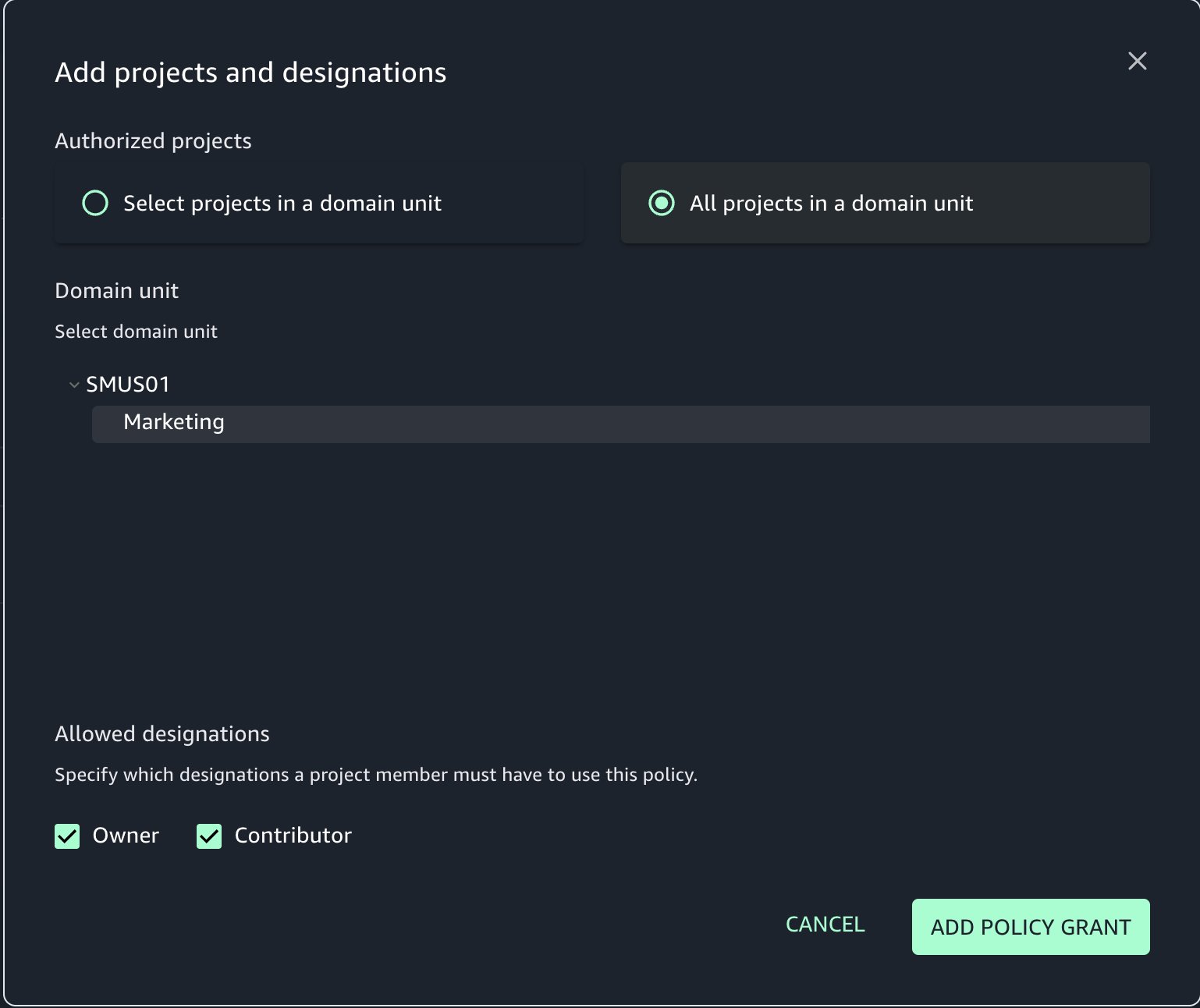


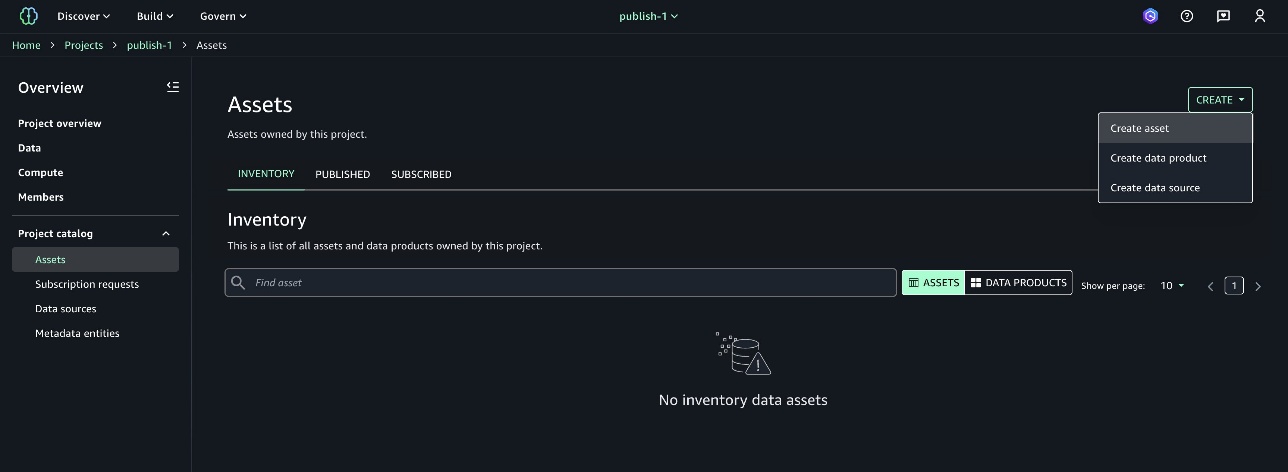


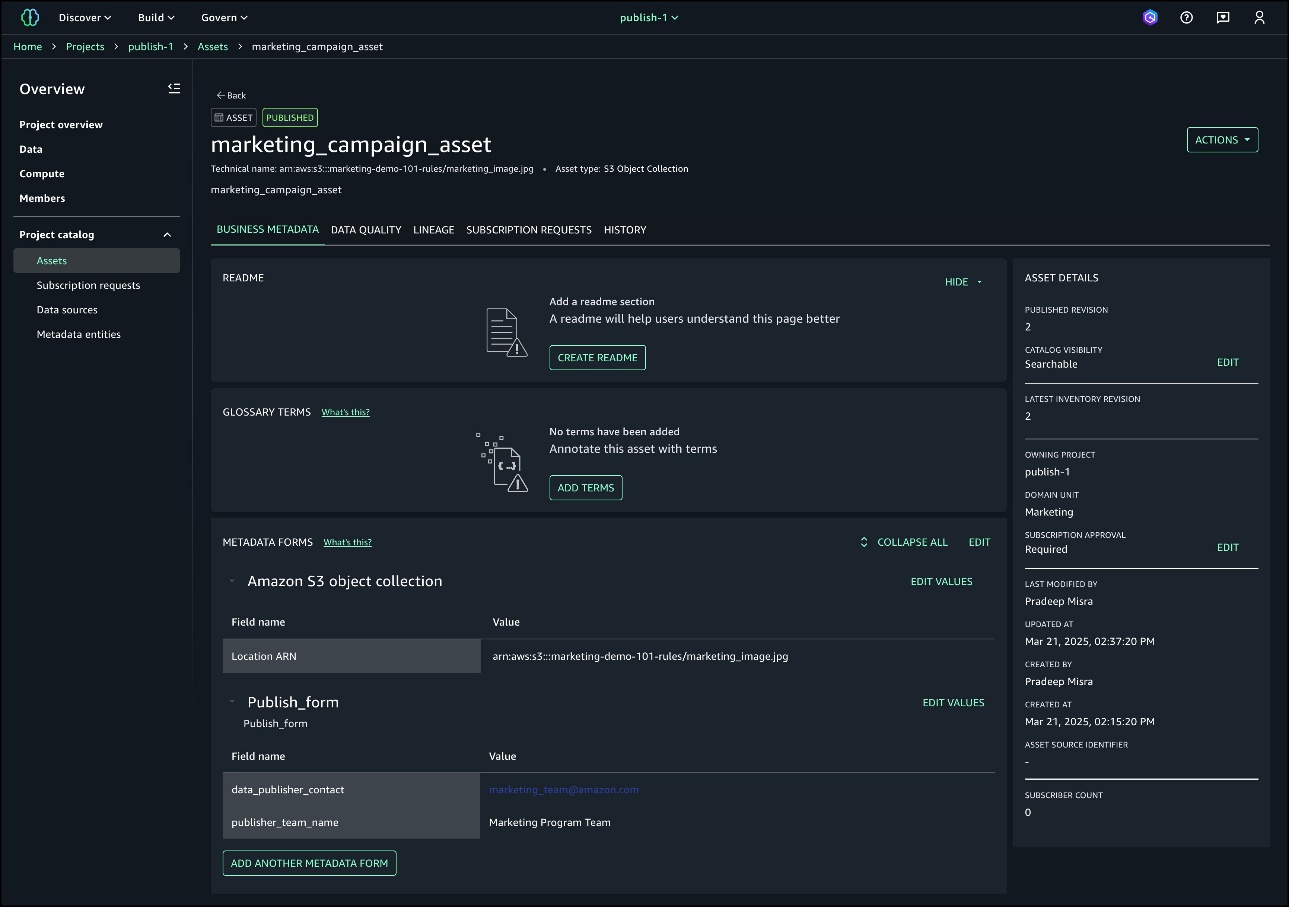
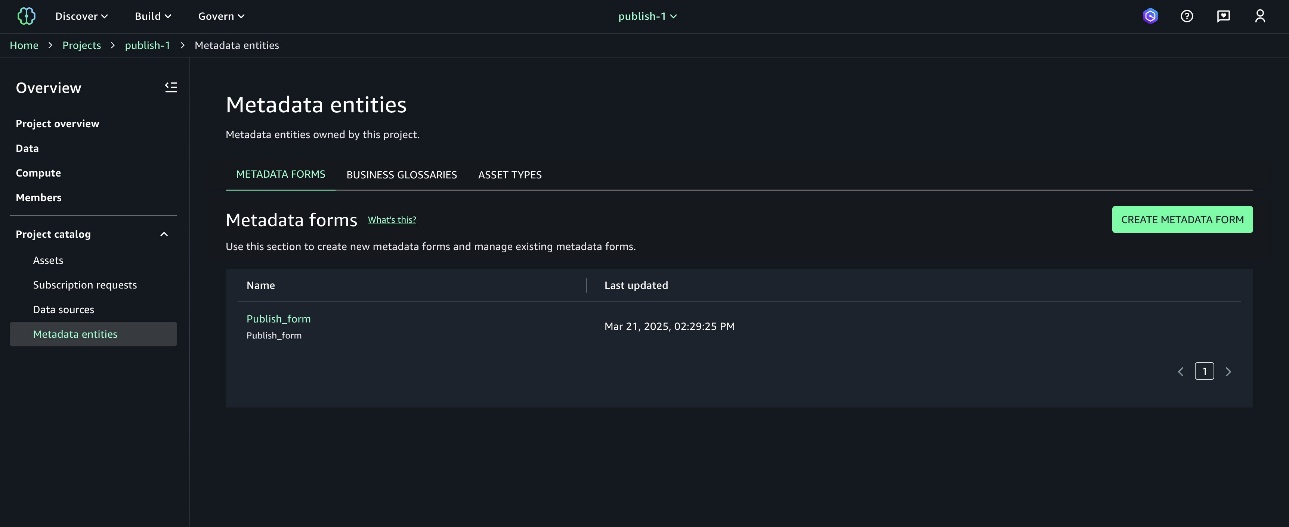


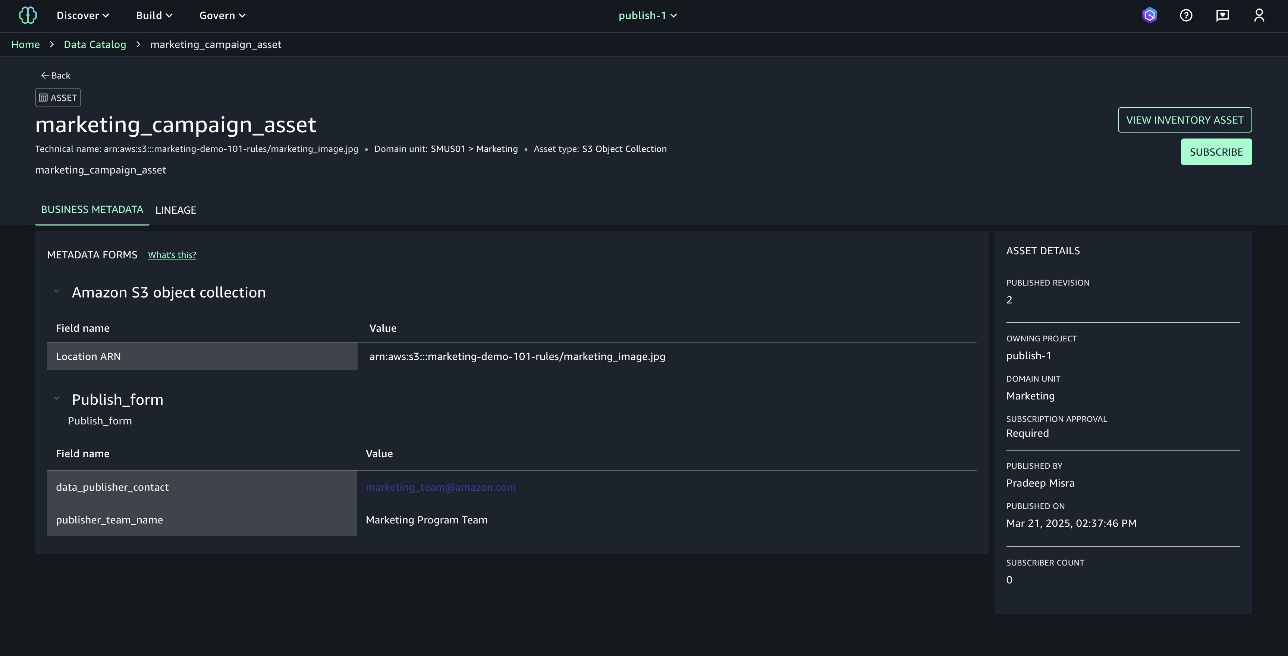

 Sandhya Edupuganti is a Senior Engineering Leader spearheading Amazon DataZone (aka) SageMaker Catalog. She is based in Seattle Metro area and has been with Amazon for over 17 years leading strategic initiatives in Amazon Advertising, Amazon-Retail, Latam-Expansion and AWS Analytics.


