Zero-ETL integrations help unify your data across applications and data sources for holistic insights and breaking data silos. They provide a fully managed, no-code, near real-time solution for making petabytes of transactional data available in Amazon Redshift within seconds of data being written into Amazon Relational Database Service (Amazon RDS) for MySQL. This eliminates the need to create your own ETL jobs simplifying data ingestion, reducing your operational overhead and potentially lowering your overall data processing costs. Last year, we announced the general availability of zero-ETL integration with Amazon Redshift for Amazon Aurora MySQL-Compatible Edition as well as the availability in preview of Aurora PostgreSQL-Compatible Edition, Amazon DynamoDB, and RDS for MySQL.
I am happy to announce that Amazon RDS for MySQL zero-ETL with Amazon Redshift is now generally available. This release also includes new features such as data filtering, support for multiple integrations, and the ability to configure zero-ETL integrations in your AWS CloudFormation template.
In this post, I’ll show how you can get started with data filtering and consolidating your data across multiple databases and data warehouses. For a step-by-step walkthrough on how to set up zero-ETL integrations, see this blog post for a description of how to set one up for Aurora MySQL-Compatible, which offers a very similar experience.
Data filtering Most companies, no matter the size, can benefit from adding filtering to their ETL jobs. A typical use case is to reduce data processing and storage costs by selecting only the subset of data needed to replicate from their production databases. Another is to exclude personally identifiable information (PII) from a report’s dataset. For example, a business in healthcare might want to exclude sensitive patient information when replicating data to build aggregate reports analyzing recent patient cases. Similarly, an e-commerce store may want to make customer spending patterns available to their marketing department, but exclude any identifying information. Conversely, there are certain cases when you might not want to use filtering, such as when making data available to fraud detection teams that need all the data in near real time to make inferences. These are just a few examples, so I encourage you to experiment and discover different use cases that might apply to your organization.
There are two ways to enable filtering in your zero-ETL integrations: when you first create the integration or by modifying an existing integration. Either way, you will find this option on the “Source” step of the zero-ETL creation wizard.
You apply filters by entering filter expressions that can be used to either include or exclude databases or tables from the dataset in the format of database*.table*. You can add multiple expressions and they will be evaluated in order from left to right.
If you’re modifying an existing integration, the new filtering rules will apply from that point in time on after you confirm your changes and Amazon Redshift will drop tables that are no longer part of the filter.
Create multiple zero-ETL integrations from a single database You are now also able to configure up integrations from a single RDS for MySQL database to up to 5 Amazon Redshift data warehouses. The only requirement is that you must wait for the first integration to finish setting up successfully before adding others.
This allows you to share transactional data with different teams while providing them ownership over their own data warehouses for their specific use cases. For example, you can also use this in conjunction with data filtering to fan out different sets of data to development, staging, and production Amazon Redshift clusters from the same Amazon RDS production database.
Another interesting scenario where this could be really useful is consolidation of Amazon Redshift clusters by using zero-ETL to replicate to different warehouses. You could also use Amazon Redshift materialized views to explore your data, power your Amazon Quicksight dashboards, share data, train jobs in Amazon SageMaker, and more.
Conclusion RDS for MySQL zero-ETL integrations with Amazon Redshift allows you to replicate data for near real-time analytics without needing to build and manage complex data pipelines. It is generally available today with the ability to add filter expressions to include or exclude databases and tables from the replicated data sets. You can now also set up multiple integrations from the same source RDS for MySQL database to different Amazon Redshift warehouses or create integrations from different sources to consolidate data into one data warehouse.
This zero-ETL integration is available for RDS for MySQL versions 8.0.32 and later, Amazon Redshift Serverless, and Amazon Redshift RA3 instance types in supported AWS Regions.
In addition to using the AWS Management Console, you can also set up a zero-ETL integration via the AWS Command Line Interface (AWS CLI) and by using an AWS SDK such as boto3, the official AWS SDK for Python.
The AWS Glue Data Catalog now enhances managed table optimization of Apache Iceberg tables by automatically removing data files that are no longer needed. Along with the Glue Data Catalog’s automated compaction feature, these storage optimizations can help you reduce metadata overhead, control storage costs, and improve query performance.
Iceberg creates a new version called a snapshot for every change to the data in the table. Iceberg has features like time travel and rollback that allow you to query data lake snapshots or roll back to previous versions. As more table changes are made, more data files are created. In addition, any failures during writing to Iceberg tables will create data files that aren’t referenced in snapshots, also known as orphan files. Time travel features, though useful, may conflict with regulations like GDPR that require permanent data deletion. Because time travel allows accessing data through historical snapshots, additional safeguards are needed to maintain compliance with data privacy laws. To control storage costs and comply with regulations, many organizations have created custom data pipelines that periodically expire snapshots in a table that are no longer needed and remove orphan files. However, building these custom pipelines is time-consuming and expensive.
With this launch, you can enable Glue Data Catalog table optimization to include snapshot and orphan data management along with compaction. You can enable this by providing configurations such as a default retention period and maximum days to keep orphan files. The Glue Data Catalog monitors tables daily, removes snapshots from table metadata, and removes the data files and orphan files that are no longer needed. The Glue Data Catalog honors retention policies for Iceberg branches and tags referencing snapshots. You can now get an always-optimized Amazon Simple Storage Service (Amazon S3) layout by automatically removing expired snapshots and orphan files. You can view the history of data, manifest, manifest lists, and orphan files deleted from the table optimization tab on the AWS Glue Data Catalog console.
In this post, we show how to enable managed retention and orphan file deletion on an Apache Iceberg table for storage optimization.
Solution overview
For this post, we use a table called customer in the iceberg_blog_db database, where data is added continuously by a streaming application—around 10,000 records (file size less than 100 KB) every 10 minutes, which includes change data capture (CDC) as well. The customer table data and metadata are stored in the S3 bucket. Because the data is updated and deleted as part of CDC, new snapshots are created for every change to the data in the table.
Managed compaction is enabled on this table for query optimization, which results in new snapshots being created when compaction rewrites several small files into a few compacted files, leaving the old small files in storage. This results in data and metadata in Amazon S3 growing at a rapid pace, which can become cost-prohibitive.
Snapshots are timestamped versions of an iceberg table. Snapshot retention configurations allow customers to enforce how long to retain snapshots and how many snapshots to retain. Configuring a snapshot retention optimizer can help manage storage overhead by removing older, unnecessary snapshots and their underlying files.
Orphan files are files that are no longer referenced by the Iceberg table metadata. These files can accumulate over time, especially after operations like table deletions or failed ETL jobs. Enabling orphan file deletion allows AWS Glue to periodically identify and remove these unnecessary files, freeing up storage.
The following diagram illustrates the architecture.
In the following sections, we demonstrate how to enable managed retention and orphan file deletion on the AWS Glue managed Iceberg table.
Prerequisite
Have an AWS account. If you don’t have an account, you can create one.
Set up resources with AWS CloudFormation
This post includes a CloudFormation template for a quick setup. You can review and customize it to suit your needs. The template generates the following resources:
An S3 bucket to store the dataset, Glue job scripts, and so on
Data Catalog database
An AWS Glue job that creates and modifies sample customer data in your S3 bucket with a Trigger every 10 mins
To launch the CloudFormation stack, complete the following steps:
Sign in to the AWS CloudFormation console.
Choose Launch Stack.
Choose Next.
Leave the parameters as default or make appropriate changes based on your requirements, then choose Next.
Review the details on the final page and select I acknowledge that AWS CloudFormation might create IAM resources.
Choose Create.
This stack can take around 5-10 minutes to complete, after which you can view the deployed stack on the AWS CloudFormation console.
Note down the role glueroleouput value that will be used when enabling optimization setup.
From the Amazon S3 console, note the Amazon S3 bucket and you can monitor how the data will be continuously updated every 10 mins with the AWS Glue Job.
Enable snapshot retention
We want to remove metadata and data files of snapshots older than 1 day and the number of snapshots to retain a maximum of 1. To enable snapshot expiry, you enable snapshot retention on the customer table by setting the retention configuration as shown in the following steps, and AWS Glue will run background operations to perform these table maintenance operations, enforcing these settings one time per day.
Sign in to the AWS Glue console as an administrator.
Under Data Catalog in the navigation pane, choose Tables.
Search for and select the customer table.
On the Actions menu, choose Enable under Optimization.
Specify your optimization settings by selecting Snapshot retention.
Under Optimization configuration, select Customize settings and provide the following:
For IAM role, choose role created as CloudFormation resource.
Set Snapshot retention period as 1 day.
Set Minimum snapshots to retain as 1.
Choose Yes for Delete expire files.
Select the acknowledgement check box and choose Enable.
We want to remove metadata and data files that aren’t referenced of snapshots older than 1 day and the number of snapshots to retain a maximum of 1. Complete the steps to enable orphan file deletion on the customer table, and AWS Glue will run background operations to perform these table maintenance operations enforcing these settings one time per day.
Under Optimization configuration, select Customize settings and provide the following:
For IAM role, choose role created as CloudFormation resource.
Set Delete orphan file period as 1 day.
Select the acknowledgement check box and choose Enable.
Alternatively, you can use the AWS CLI to enable orphan file deletion:
The following metrics show a steep increase in the bucket size as streaming of customer data happens along with CDC, leading to an increase in the metadata and data objects as snapshots are created. When snapshot retention (“snapshotRetentionPeriodInDays“: 1, “numberOfSnapshotsToRetain“: 50) and orphan file deletion (“orphanFileRetentionPeriodInDays“: 1) enabled, there is drop in the total bucket size for the customer prefix and the total number of objects as the maintenance takes place, eventually leading to optimized storage.
Clean up
To avoid incurring future charges, delete the resources you created in the Glue, Data Catalog, and S3 bucket used for storage.
Conclusion
Two of the key features of Iceberg are time travel and rollbacks, allowing you to query data at previous points in time and roll back unwanted changes to your tables. This is facilitated through the concept of Iceberg snapshots, which are a complete set of data files in the table at a point in time. With these new releases, the Data Catalog now provides storage optimizations that can help you reduce metadata overhead, control storage costs, and improve query performance.
A special thanks to everyone who contributed to the launch: Sangeet Lohariwala, Arvin Mohanty, Juan Santillan, Sandya Krishnanand, Mert Hocanin, Yanting Zhang and Shyam Rathi.
About the Authors
Sandeep Adwankar is a Senior Product Manager at AWS. Based in the California Bay Area, he works with customers around the globe to translate business and technical requirements into products that enable customers to improve how they manage, secure, and access data.
Srividya Parthasarathy is a Senior Big Data Architect on the AWS Lake Formation team. She enjoys building data mesh solutions and sharing them with the community.
Paul Villena is a Senior Analytics Solutions Architect in AWS with expertise in building modern data and analytics solutions to drive business value. He works with customers to help them harness the power of the cloud. His areas of interests are infrastructure as code, serverless technologies, and coding in Python.
Developing secure products and services is imperative for organizations that are looking to strengthen operational resilience and build customer trust. However, system design often prioritizes performance, functionality, and user experience over security. This approach can lead to vulnerabilities across the supply chain.
As security threats continue to evolve, the concept of Secure by Design (SbD) is gaining importance in the effort to mitigate vulnerabilities early, minimize risks, and recognize security as a core business requirement. We’re excited to share a whitepaper we recently authored with SANS Institute called Building Security from the Ground up with Secure by Design, which addresses SbD strategy and explores the effects of SbD implementations.
The whitepaper contains context and analysis that can help you take a proactive approach to product development that facilitates foundational security. Key considerations include the following:
Integrating SbD into the software development lifecycle (SDLC)
Supporting SbD with automation
Reinforcing defense-in-depth
Applying SbD to artificial intelligence (AI)
Identifying threats in the design phase with threat modeling
Using SbD to simplify compliance with requirements and standards
Planning for the short and long term
Establishing a culture of security
While the journey to a Secure by Design approach is an iterative process that is different for every organization, the whitepaper details five key action items that can help set you on the right path. We encourage you to download the whitepaper and gain insight into how you can build secure products with a multi-layered strategy that meaningfully improves your technical and business outcomes. We look forward to your feedback and to continuing the journey together.
Today, we are pleased to announce Amazon Elastic Kubernetes Service (EKS) support in Amazon SageMaker HyperPod — purpose-built infrastructure engineered with resilience at its core for foundation model (FM) development. This new capability enables customers to orchestrate HyperPod clusters using EKS, combining the power of Kubernetes with Amazon SageMaker HyperPod‘s resilient environment designed for training large models. Amazon SageMaker HyperPod helps efficiently scale across more than a thousand artificial intelligence (AI) accelerators, reducing training time by up to 40%.
Amazon SageMaker HyperPod now enables customers to manage their clusters using a Kubernetes-based interface. This integration allows seamless switching between Slurm and Amazon EKS for optimizing various workloads, including training, fine-tuning, experimentation, and inference. The CloudWatch Observability EKS add-on provides comprehensive monitoring capabilities, offering insights into CPU, network, disk, and other low-level node metrics on a unified dashboard. This enhanced observability extends to resource utilization across the entire cluster, node-level metrics, pod-level performance, and container-specific utilization data, facilitating efficient troubleshooting and optimization.
Launched at re:Invent 2023, Amazon SageMaker HyperPod has become a go-to solution for AI startups and enterprises looking to efficiently train and deploy large scale models. It is compatible with SageMaker’s distributed training libraries, which offer Model Parallel and Data Parallel software optimizations that help reduce training time by up to 20%. SageMaker HyperPod automatically detects and repairs or replaces faulty instances, enabling data scientists to train models uninterrupted for weeks or months. This allows data scientists to focus on model development, rather than managing infrastructure.
The integration of Amazon EKS with Amazon SageMaker HyperPod uses the advantages of Kubernetes, which has become popular for machine learning (ML) workloads due to its scalability and rich open-source tooling. Organizations often standardize on Kubernetes for building applications, including those required for generative AI use cases, as it allows reuse of capabilities across environments while meeting compliance and governance standards. Today’s announcement enables customers to scale and optimize resource utilization across more than a thousand AI accelerators. This flexibility enhances the developer experience, containerized app management, and dynamic scaling for FM training and inference workloads.
Amazon EKS support in Amazon SageMaker HyperPod strengthens resilience through deep health checks, automated node recovery, and job auto-resume capabilities, ensuring uninterrupted training for large scale and/or long-running jobs. Job management can be streamlined with the optional HyperPod CLI, designed for Kubernetes environments, though customers can also use their own CLI tools. Integration with Amazon CloudWatch Container Insights provides advanced observability, offering deeper insights into cluster performance, health, and utilization. Additionally, data scientists can use tools like Kubeflow for automated ML workflows. The integration also includes Amazon SageMaker managed MLflow, providing a robust solution for experiment tracking and model management.
At a high level, Amazon SageMaker HyperPod cluster is created by the cloud admin using the HyperPod cluster API and is fully managed by the HyperPod service, removing the undifferentiated heavy lifting involved in building and optimizing ML infrastructure. Amazon EKS is used to orchestrate these HyperPod nodes, similar to how Slurm orchestrates HyperPod nodes, providing customers with a familiar Kubernetes-based administrator experience.
Let’s explore how to get started with Amazon EKS support in Amazon SageMaker HyperPod I start by preparing the scenario, checking the prerequisites, and creating an Amazon EKS cluster with a single AWS CloudFormation stack following the Amazon SageMaker HyperPod EKS workshop, configured with VPC and storage resources.
To create and manage Amazon SageMaker HyperPod clusters, I can use either the AWS Management Console or AWS Command Line Interface (AWS CLI). Using the AWS CLI, I specify my cluster configuration in a JSON file. I choose the Amazon EKS cluster created previously as the orchestrator of the SageMaker HyperPod Cluster. Then, I create the cluster worker nodes that I call “worker-group-1”, with a private Subnet,NodeRecovery set to Automatic to enable automatic node recoveryand for OnStartDeepHealthChecks I add InstanceStress and InstanceConnectivity to enable deep health checks.
Once the cluster is ready, I can access the SageMaker HyperPod cluster nodes. For most operations, I can use kubectl commands to manage resources and jobs from my development environment, using the full power of Kubernetes orchestration while benefiting from SageMaker HyperPod’s managed infrastructure. On this occasion, for advanced troubleshooting or direct node access, I use AWS Systems Manager (SSM) to log into individual nodes, following the instructions in the Access your SageMaker HyperPod cluster nodes page.
Finally, in the SageMaker Console, I can view the Status and Kubernetes version of recently added EKS clusters, providing a comprehensive overview of my SageMaker HyperPod environment.
Things to know Here are some key things you should know about Amazon EKS support in Amazon SageMaker HyperPod:
Resilient Environment – This integration provides a more resilient training environment with deep health checks, automated node recovery, and job auto-resume. SageMaker HyperPod automatically detects, diagnoses, and recovers from faults, allowing you to continually train foundation models for weeks or months without disruption. This can reduce training time by up to 40%.
Enhanced GPU Observability – Amazon CloudWatch Container Insights provides detailed metrics and logs for your containerized applications and microservices. This enables comprehensive monitoring of cluster performance and health.
Scientist-Friendly Tool – This launch includes a custom HyperPod CLI for job management, Kubeflow Training Operators for distributed training, Kueue for scheduling, and integration with SageMaker Managed MLflow for experiment tracking. It also works with SageMaker’s distributed training libraries, which provide Model Parallel and Data Parallel optimizations to significantly reduce training time. These libraries, combined with auto-resumption of jobs, enable efficient and uninterrupted training of large models.
Flexible Resource Utilization – This integration enhances developer experience and scalability for FM workloads. Data scientists can efficiently share compute capacity across training and inference tasks. You can use your existing Amazon EKS clusters or create and attach new ones to HyperPod compute, bring your own tools for job submission, queuing and monitoring.
To get started with Amazon SageMaker HyperPod on Amazon EKS, you can explore resources such as the SageMaker HyperPod EKS Workshop, the aws-do-hyperpod project, and the awsome-distributed-training project. This release is generally available in the AWS Regions where Amazon SageMaker HyperPod is available except Europe(London). For pricing information, visit the Amazon SageMaker Pricing page.
This blog post was a collaborative effort. I would like to thank Manoj Ravi, Adhesh Garg, Tomonori Shimomura, Alex Iankoulski, Anoop Saha, and the entire team for their significant contributions in compiling and refining the information presented here. Their collective expertise was crucial in creating this comprehensive article.
Last week, the latest AWS Heroes arrived! AWS Heroes are amazing technical experts who generously share their insights, best practices, and innovative solutions to help others.
The AWS GenAI Lofts are in full swing with San Francisco and São Paulo open now, and London, Paris, and Seoul coming in the next couple of months. Here’s an insider view from a workshop in San Francisco last week.
Last week’s launches Here are the launches that got my attention.
Amazon Managed Service for Apache Flink – Now supports Apache Flink 1.20. You can upgrade to benefit from bug fixes, performance improvements, and new functionality added by the Flink community.
AWS Glue – Now provides job queuing. If quotas or limits are insufficient to start a Glue job, AWS Glue will now automatically queue the job and wait for limits to free up.
Amazon Bedrock Agents – Now supports Anthropic Claude 3.5 Sonnet, including Anthropic recommended tool use for function calling which can improve developer and end user experience.
Amazon SageMaker – Introducing sagemaker-core, a new Python SDK that provides an object-oriented interface for interacting with SageMaker resources such as TrainingJob, Model, and Endpoint resource classes.
Amazon WorkSpaces Pools – You can now bring your Windows 10 or 11 licenses and provide a consistent desktop experience when switching between on-premise and virtual desktops.
Amazon Redshift – Now the Amazon Redshift Data API support session reuse to retain the context of a session from one query execution to another, reducing connection setup latency on repeated queries to the same data warehouse.
Other AWS news Here are some additional projects, blog posts, and news items that you might find interesting:
Amazon Q Developer Code Challenge – At the 2024 AWS Summit in Sydney, we put two teams (one using Amazon Q Developer, one not) in a battle of coding prowess, starting with basic math and string manipulation, up to including complex algorithms and intricate ciphers. Here are the results.
Upcoming AWS events Check your calendars and sign up for upcoming AWS events:
AWS Summits – Join free online and in-person events that bring the cloud computing community together to connect, collaborate, and learn about AWS. AWS Summits for this year are coming to an end. There are two more left that you can still register: Toronto (September 11), and Ottawa (October 9).
AWS Community Days – Join community-led conferences that feature technical discussions, workshops, and hands-on labs driven by expert AWS users and industry leaders from around the world. Upcoming AWS Community Days are in the SF Bay Area (September 13), where our own Antje Barth is a keynote speaker, Argentina (September 14), Armenia (September 14), and DACH (in Munich on September 17).
AWS GenAI Lofts – Collaborative spaces and immersive experiences that showcase AWS’s cloud and AI expertise, while providing startups and developers with hands-on access to AI products and services, exclusive sessions with industry leaders, and valuable networking opportunities with investors and peers. Find a GenAI Loft location near you and don’t forget to register.
This blog post is written by Pranav Chachra, Principal Product Manager, AWS.
In 2019, AWS introduced Zone Groups for AWS Local Zones. Today, we’re announcing that we are working on extending the Zone Group construct to Availability Zones (AZs).
Zone Groups were launched to help users of AWS Local Zones identify related groups of Local Zones that reside in the same geography. For example, the two interconnected Local Zones in Los Angeles (us-west-2-lax-1a and us-west-2-lax-1b) make up the us-west-2-lax-1 Zone Group. These Zone Groups are used for opting in to the Local Zones, as shown in the following image.
In October 2024, we will extend the Zone Group construct to AZs with a consistent naming format across all AWS Regions. This update will help you differentiate group of Local Zones and AZs based on their unique GroupName, improving manageability and clarity. For example, the Zone Group of AZs in the US West (Oregon) Region will now be referred to as us-west-2-zg-1, where us-west-2 indicates the Region, and zg-1 indicates it is the group of AZs in the Region. This new identifier (such as us-west-2-zg-1) will replace the current naming (such as us-west-2) for the GroupName available through the DescribeAvailabilityZones API. The names for the Local Zones Groups (such as us-west-2-lax-1) will remain the same as before.
For example, when you list your AZs, you see the current naming (such as us-west-2) for the GroupName of AZs in the US West (Oregon) Region:
The new identifier (such as us-west-2-zg-1) will replace the current naming for the GroupName of AZs, as shown in the following image.
At AWS we remain committed to responding to customer feedback and we continuously improve our services based upon that feedback. If you have questions or need further assistance, contact AWS Support on the community forums and through AWS Support.
The Agence du Numérique en Santé (ANS), the French governmental agency for health, introduced the HDS certification to strengthen the security and protection of personal health data. By achieving this certification, AWS demonstrates our continuous commitment to adhere to the heightened expectations for cloud service providers.
The following 24 Regions are in scope for this certification:
US East (N. Virginia)
US East (Ohio)
US West (N. California)
US West (Oregon)
Asia Pacific (Hong Kong)
Asia Pacific (Hyderabad)
Asia Pacific (Jakarta)
Asia Pacific (Mumbai)
Asia Pacific (Osaka)
Asia Pacific (Seoul)
Asia Pacific (Singapore)
Asia Pacific (Sydney)
Asia Pacific (Tokyo)
Canada (Central)
Europe (Frankfurt)
Europe (Ireland)
Europe (London)
Europe (Milan)
Europe (Paris)
Europe (Stockholm)
Europe (Zurich)
Middle East (UAE)
Israel (Tel Aviv)
South America (São Paulo)
The HDS certification demonstrates that AWS provides a framework for technical and governance measures to secure and protect personal health data according to HDS requirements. Our customers who handle personal health data can continue to manage their workloads in HDS-certified Regions with confidence.
For up-to-date information, including when additional Regions are added, visit the AWS Compliance Programs page and choose HDS.
AWS strives to continuously meet your architectural and regulatory needs. If you have questions or feedback about HDS compliance, reach out to your AWS account team.
To learn more about our compliance and security programs, see AWS Compliance Programs. As always, we value your feedback and questions; reach out to the AWS Compliance team through the Contact Us page.
If you have feedback about this post, submit comments in the Comments section below.
Starting today, you can use three new text-to-image models from Stability AI in Amazon Bedrock: Stable Image Ultra, Stable Diffusion 3 Large, and Stable Image Core. These models greatly improve performance in multi-subject prompts, image quality, and typography and can be used to rapidly generate high-quality visuals for a wide range of use cases across marketing, advertising, media, entertainment, retail, and more.
These models excel in producing images with stunning photorealism, boasting exceptional detail, color, and lighting, addressing common challenges like rendering realistic hands and faces. The models’ advanced prompt understanding allows it to interpret complex instructions involving spatial reasoning, composition, and style.
The three new Stability AI models available in Amazon Bedrock cover different use cases:
Stable Image Ultra – Produces the highest quality, photorealistic outputs perfect for professional print media and large format applications. Stable Image Ultra excels at rendering exceptional detail and realism.
Stable Diffusion 3 Large – Strikes a balance between generation speed and output quality. Ideal for creating high-volume, high-quality digital assets like websites, newsletters, and marketing materials.
Stable Image Core – Optimized for fast and affordable image generation, great for rapidly iterating on concepts during ideation.
This table summarizes the model’s key features:
Features
Stable Image Ultra
Stable Diffusion 3 Large
Stable Image Core
Parameters
16 billion
8 billion
2.6 billion
Input
Text
Text or image
Text
Typography
Tailored for large-scale display
Tailored for large-scale display
Versatility and readability across different sizes and applications
Visual aesthetics
Photorealistic image output
Highly realistic with finer attention to detail
Good rendering; not as detail-oriented
One of the key improvements of Stable Image Ultra and Stable Diffusion 3 Large compared to Stable Diffusion XL (SDXL) is text quality in generated images, with fewer errors in spelling and typography thanks to its innovative Diffusion Transformer architecture, which implements two separate sets of weights for image and text but enables information flow between the two modalities.
Here are a few images created with these models.
Stable Image Ultra – Prompt: photo, realistic, a woman sitting in a field watching a kite fly in the sky, stormy sky, highly detailed, concept art, intricate, professional composition.
Stable Diffusion 3 Large – Prompt: comic-style illustration, male detective standing under a streetlamp, noir city, wearing a trench coat, fedora, dark and rainy, neon signs, reflections on wet pavement, detailed, moody lighting.
Stable Image Core – Prompt: professional 3d render of a white and orange sneaker, floating in center, hovering, floating, high quality, photorealistic.
Use cases for the new Stability AI models in Amazon Bedrock Text-to-image models offer transformative potential for businesses across various industries and can significantly streamline creative workflows in marketing and advertising departments, enabling rapid generation of high-quality visuals for campaigns, social media content, and product mockups. By expediting the creative process, companies can respond more quickly to market trends and reduce time-to-market for new initiatives. Additionally, these models can enhance brainstorming sessions, providing instant visual representations of concepts that can spark further innovation.
For e-commerce businesses, AI-generated images can help create diverse product showcases and personalized marketing materials at scale. In the realm of user experience and interface design, these tools can quickly produce wireframes and prototypes, accelerating the design iteration process. The adoption of text-to-image models can lead to significant cost savings, increased productivity, and a competitive edge in visual communication across various business functions.
Here are some example use cases across different industries:
Advertising and Marketing
Stable Image Ultra for luxury brand advertising and photorealistic product showcases
Stable Diffusion 3 Large for high-quality product marketing images and print campaigns
Use Stable Image Core for rapid A/B testing of visual concepts for social media ads
E-commerce
Stable Image Ultra for high-end product customization and made-to-order items
Stable Diffusion 3 Large for most product visuals across an e-commerce site
Stable Image Core to quickly generate product images and keep listings up-to-date
Media and Entertainment
Stable Image Ultra for ultra-realistic key art, marketing materials, and game visuals
Stable Diffusion 3 Large for environment textures, character art, and in-game assets
Stable Image Core for rapid prototyping and concept art exploration
Using the new Stability AI models in the Amazon Bedrock console In the Amazon Bedrock console, I choose Model access from the navigation pane to enable access the three new models in the Stability AI section.
Now that I have access, I choose Image in the Playgrounds section of the navigation pane. For the model, I choose Stability AI and Stable Image Ultra.
As prompt, I type:
A stylized picture of a cute old steampunk robot with in its hands a sign written in chalk that says "Stable Image Ultra in Amazon Bedrock".
I leave all other options to their default values and choose Run. After a few seconds, I get what I asked. Here’s the image:
Using Stable Image Ultra with the AWS CLI While I am still in the console Image playground, I choose the three small dots in the corner of the playground window and then View API request. In this way, I can see the AWS Command Line Interface (AWS CLI) command equivalent to what I just did in the console:
aws bedrock-runtime invoke-model \
--model-id stability.stable-image-ultra-v1:0 \
--body "{\"prompt\":\"A stylized picture of a cute old steampunk robot with in its hands a sign written in chalk that says \\\"Stable Image Ultra in Amazon Bedrock\\\".\",\"mode\":\"text-to-image\",\"aspect_ratio\":\"1:1\",\"output_format\":\"jpeg\"}" \
--cli-binary-format raw-in-base64-out \
--region us-west-2 \
invoke-model-output.txt
To use Stable Image Core or Stable Diffusion 3 Large, I can replace the model ID.
The previous command outputs the image in Base64 format inside a JSON object in a text file.
To get the image with a single command, I write the output JSON file to standard output and use the jq tool to extract the encoded image so that it can be decoded on the fly. The output is written in the img.png file. Here’s the full command:
aws bedrock-runtime invoke-model \
--model-id stability.stable-image-ultra-v1:0 \
--body "{\"prompt\":\"A stylized picture of a cute old steampunk robot with in its hands a sign written in chalk that says \\\"Stable Image Ultra in Amazon Bedrock\\\".\",\"mode\":\"text-to-image\",\"aspect_ratio\":\"1:1\",\"output_format\":\"jpeg\"}" \
--cli-binary-format raw-in-base64-out \
--region us-west-2 \
/dev/stdout | jq -r '.images[0]' | base64 --decode > img.png
Using Stable Image Ultra with AWS SDKs Here’s how you can use Stable Image Ultra with the AWS SDK for Python (Boto3). This simple application interactively asks for a text-to-image prompt and then calls Amazon Bedrock to generate the image.
import base64
import boto3
import json
import os

MODEL_ID = "stability.stable-image-ultra-v1:0"

bedrock_runtime = boto3.client("bedrock-runtime", region_name="us-west-2")

print("Enter a prompt for the text-to-image model:")
prompt = input()

body = {
    "prompt": prompt,
    "mode": "text-to-image"
}
response = bedrock_runtime.invoke_model(modelId=MODEL_ID, body=json.dumps(body))

model_response = json.loads(response["body"].read())

base64_image_data = model_response["images"][0]

i, output_dir = 1, "output"
if not os.path.exists(output_dir):
    os.makedirs(output_dir)
while os.path.exists(os.path.join(output_dir, f"img_{i}.png")):
    i += 1

image_data = base64.b64decode(base64_image_data)

image_path = os.path.join(output_dir, f"img_{i}.png")
with open(image_path, "wb") as file:
    file.write(image_data)

print(f"The generated image has been saved to {image_path}")
The application writes the resulting image in an output directory that is created if not present. To not overwrite existing files, the code checks for existing files to find the first file name available with the img_<number>.png format.
Customer voices Learn from Ken Hoge, Global Alliance Director, Stability AI, how Stable Diffusion models are reshaping the industry from text-to-image to video, audio, and 3D, and how Amazon Bedrock empowers customers with an all-in-one, secure, and scalable solution.
Step into a world where reading comes alive with Nicolette Han, Product Owner, Stride Learning. With support from Amazon Bedrock and AWS, Stride Learning’s Legend Library is transforming how young minds engage with and comprehend literature using AI to create stunning, safe illustrations for children stories.
The AWS Heroes program recognizes outstanding individuals who are making meaningful contributions within the AWS community. These technical experts generously share their insights, best practices, and innovative solutions to help others create efficiencies and build faster on AWS. Heroes are thought leaders who have demonstrated a commitment to empowering the broader AWS community through their significant contributions and leadership.
Meet our newest cohort of AWS Heroes!
Faye Ellis – London, United Kingdom
Community Hero Faye Ellis is a Principal Training Architect at Pluralsight, where she specializes in helping organizations and individuals to develop their AWS skills, and has taught AWS to millions of people worldwide. She is also committed to make a rewarding cloud career achievable for people all around the world. With over a decade of experience in the IT industry, she uses her expertise in designing and supporting mission critical systems to help explain cloud technology in a way that is accessible and easy to understand.
Ilanchezhian Ganesamurthy – Chennai, India
Community Hero Ilanchezhian Ganesamurthy is currently the Director – Generative AI (GenAI) and Conversational AI (CAI) at Tietoevry, a leading Nordic IT services company. Since 2015, he has been actively involved with the AWS User Group India, and in 2018, he took on the role of co-organizer for the AWS User Group Chennai, which has grown to 4,800 members. Ilan champions diversity and inclusion, recognizing the importance of fostering the next generation of cloud experts. He is a strong supporter of AWS Cloud Clubs, leveraging his industry connections to help the Chennai chapter organize events and networking to empower aspiring cloud professionals.
Jaehyun Shin – Seoul, Korea
Community Hero Jaehyun Shin is a Site Reliability Engineer at MUSINSA, a Korean online fashion retailer. In 2017, he joined the AWS Korea User Group (AWSKRUG), where he has since served as a co-owner of the AWSKRUG Serverless and Seongsu Groups. During this time, Jaehyun was an AWS Community Builder, leveraging his expertise to mentor and nurture new Korea User Group leaders. He has also been an active event organizer for AWS Community Days and hands-on labs, further strengthening the AWS community in Korea.
Jimmy Dahlqvist – Malmö, Sweden
Serverless Hero Jimmy Dahlqvist is a Lead Cloud Architect and Advisor at Sigma Technology Cloud, an AWS Advanced Tier Services Partner and one of Sweden’s major consulting companies. In 2024, he started Serverless-Handbook as the home base of all his serverless adventures. Jimmy is also an AWS Certification Subject Matter Expert, and regularly participates in workshops ensuring AWS Certifications are fair for everyone.
Lee Gilmore – Newcastle, United Kingdom
Serverless Hero Lee Gilmore is a Principal Solutions Architect at Leighton, an AWS Consulting Partner based in Newcastle, North East England. With over two decades of experience in the tech industry, he has spent the past ten years specializing in serverless and cloud-native technologies. Lee is passionate about domain-driven design and event-driven architectures, which are central to his work. Additionally, he regularly authors in-depth articles on serverlessadvocate.com, shares open-source full solutions on GitHub, and frequently speaks at both local and international events.
Maciej Walkowiak – Berlin, Germany
DevTools Hero Maciej Walkowiak is an independent Java consultant based in Berlin, Germany. For nearly two decades, he has been helping companies ranging from startups to enterprises in architecting and developing fast, scalable, and easy-to-maintain Java applications. The great majority of these applications are based on the Spring Framework and Spring Boot, which are his favorite tools for building software. Since 2015, he has been deeply involved in the Spring ecosystem, and leads the Spring Cloud AWS project on GitHub—the bridge between AWS APIs and the Spring programming model.
Minoru Onda – Tokyo, Japan
Community Hero Minoru Onda is a Technology Evangelist at KDDI Agile Development Center Corporation (KAG). He joined the Japan AWS User Group (JAWS-UG) in 2021 and now leads the operations of three communities: the Tokyo chapter, the SRE chapter, and NW-JAWS. In recent years, he has been focusing on utilizing Generative AI on AWS, and co-authored an introductory technical book on Amazon Bedrock with community members, which was published in Japan.
Learn More
Visit the AWS Heroes website if you’d like to learn more about the AWS Heroes program or to connect with a Hero near you.
Data is a key driver for your business. Data volume can increase significantly over time, and it often requires concurrent consumption of large compute resources. Data integration workloads can become increasingly concurrent as more and more applications demand access to data at the same time. In AWS, hundreds of thousands of customers use AWS Glue, a serverless data integration service, for integrating data across multiple data sources at scale. AWS Glue jobs can be triggered asynchronously via a schedule or event, or started synchronously, on-demand.
Your AWS account has quotas, also referred to as limits, which are the maximum number of service resources for your AWS account. AWS Glue quotas helps guarantee the availability of AWS Glue resources and prevents accidental over provisioning of resources. However, with large or spiky workloads, it can be challenging to manage job run concurrency or Data Processing Units (DPU) to stay under the service quotas. Traditionally, when you hit the quota of concurrent Glue job runs, your jobs fail immediately.
Today, we are pleased to announce the general availability of AWS Glue job queuing. Job queuing increases scalability and improves the customer experience of managing AWS Glue jobs. With this new capability, you no longer need to manage concurrency of your AWS Glue job runs and attempt retries just to avoid job failures due to high concurrency. You can simply start your jobs, and when the job runs are in Waiting state, the AWS Glue job queuing feature staggers jobs automatically whenever possible. This increases your job success rates and the experience for large concurrency workloads.
This post demonstrates how job queuing helps you scale your Glue workloads and how job queuing works.
Use cases and benefits for job queuing
The following are common data integration use cases where many concurrent job runs are needed:
Many different data sources need to be read in parallel
Multiple large datasets need to be processed concurrently
Data is processed in an event-driven fashion, and many events occur at the same time
AWS Glue has the following service quotas per Region and account related to concurrent usage:
Max concurrent job runs per account
Max concurrent job runs per job
Max task DPUs per account
You can also configure maximum concurrency for individual jobs.
In the aforementioned typical use cases, when you run a job through the StartJobRun API or AWS Glue console, you may hit the upper limit defined at any of the discussed places. If this happens, your job fails immediately due to errors like ConcurrentRunsExceededException returned by the AWS Glue API endpoint.
Job queuing helps those typical use cases without forcing you to manage concurrency between all your job runs. You no longer need to make manual retries when you get ConcurrentRunsExceededException. Job queuing enqueues job runs when you hit the limit and automatically reattempts job runs when resources free up. It simplifies your daily operation and reduces latency for the retries. It also allows you to scale more with AWS Glue jobs.
In the next section, we describe how job queuing is configured.
Configure job queuing for Glue jobs
To enable job queuing on the AWS Glue Studio console, complete the following steps:
Open AWS Glue console.
Choose Jobs.
Choose your job.
Choose the Job details tab.
For Job Run Queuing, select Enable job runs to be queued to run later when they cannot run immediately due to service quotas
Choose Save.
In the next section, we describe how job queuing works.
How AWS Glue jobs work with job queuing
In the current job run lifecycle, the job-level and account-level limits are checked when a job starts, and the job moves to a Failed state when these limits are reached. With job queuing, your job run state goes into a Waiting state to be reattempted instead of Failed. The Waiting state means that job run is queued for retry after the limits have been exceeded or resources were not unavailable. Job queueing is another retry mechanism in addition to the customer-specified max retry.
AWS Glue job queuing will improve the success rates of job runs and reduce failures due to limits, but it doesn’t guarantee job run success. Limits and resources could still be unavailable by the time the reattempt run starts.
The following screenshot shows that two job runs are in the Waiting state:
The following limits are covered by job queuing:
Max concurrent job runs per account exceeded
Max concurrent job runs per job exceeded (which includes the account-level service quota as well as the configured parameter on the job)
Max concurrent DPUs exceeded
Resource unavailable due to IP address exhaustion in VPCs
The retry mechanism is configured to retry for a maximum of 15 minutes or 10 attempts, whichever comes first.
Here’s the state transition diagram for job runs when job queuing is enabled.
Considerations
Keep in mind the following considerations:
AWS Glue Flex jobs are not supported
With job queuing enabled, the parameter MaxRetries is not configurable for the same job
Conclusion
In this post, we described how the new job queuing capability helps you scale your AWS Glue job workload. You can start leveraging job queuing for your new jobs or existing jobs today. We are looking forward to hearing your feedback.
About the authors
Noritaka Sekiyama is a Principal Big Data Architect on the AWS Glue team. He works based in Tokyo, Japan. He is responsible for building software artifacts to help customers. In his spare time, he enjoys cycling with his road bike.
Gyan Radhakrishnan is a Software Development Engineer on the AWS Glue team. He is working on designing and building end-to-end solutions for data intensive applications.
Simon Kern is a Software Development Engineer on the AWS Glue team. He is enthusiastic about serverless technologies, data engineering and building great services.
Dana Adylova is a Software Development Engineer on the AWS Glue team. She is working on building software for supporting data intensive applications. In her spare time, she enjoys knitting and reading sci-fi.
Matt Su is a Senior Product Manager on the AWS Glue team. He enjoys helping customers uncover insights and make better decisions using their data with AWS Analytic services. In his spare time, he enjoys skiing and gardening.
With the arrival of September, AWS re:Invent 2024 is now 3 months away and I am very excited for the new upcoming services and announcements at the conference. I remember attending re:Invent 2019, just before the COVID-19 pandemic. It was the biggest in-person re:Invent with 60,000+ attendees and it was my second one. It was amazing to be in that atmosphere! Registration is now open for AWS re:Invent 2024. Come join us in Las Vegas for five exciting days of keynotes, breakout sessions, chalk talks, interactive learning opportunities, and career-changing connections!
Now let’s look at the last week’s new announcements.
Last week’s launches Here are the launches that got my attention.
Announcing AWS Parallel Computing Service – AWS Parallel Computing Service (AWS PCS) is a new managed service that lets you run and scale high performance computing (HPC) workloads on AWS. You can build scientific and engineering models and run simulations using a fully managed Slurm scheduler with built-in technical support and a rich set of customization options. Tailor your HPC environment to your specific needs and integrate it with your preferred software stack. Build complete HPC clusters that integrates compute, storage, networking, and visualization resources, and seamlessly scale from zero to thousands of instances. To learn more, visit AWS Parallel Computing Service and read Channy’s blog post.
Amazon EC2 status checks now support reachability health of attached EBS volumes – You can now use Amazon EC2 status checks to directly monitor if the Amazon EBS volumes attached to your instances are reachable and able to complete I/O operations. With this new status check, you can quickly detect attachment issues or volume impairments that may impact the performance of your applications running on Amazon EC2 instances. You can further integrate these status checks within Auto Scaling groups to monitor the health of EC2 instances and replace impacted instances to ensure high availability and reliability of your applications. Attached EBS status checks can be used along with the instance status and system status checks to monitor the health of your instances. To learn more, refer to the Status checks for Amazon EC2 instances documentation.
Amazon QuickSight now supports sharing views of embedded dashboards – You can now share views of embedded dashboards in Amazon QuickSight. This feature allows you to enable more collaborative capabilities in your application with embedded QuickSight dashboards. Additionally, you can enable personalization capabilities such as bookmarks for anonymous users. You can share a unique link that displays only your changes while staying within the application, and use dashboard or console embedding to generate a shareable link to your application page with QuickSight’s reference encapsulated using the QuickSight Embedding SDK. QuickSight Readers can then send this shareable link to their peers. When their peer accesses the shared link, they are taken to the page on the application that contains the embedded QuickSight dashboard. For more information, refer to Embedded view documentation.
Amazon Q Business launches IAM federation for user identity authentication – Amazon Q Business is a fully managed service that deploys a generative AI business expert for your enterprise data. You can use the Amazon Q Business IAM federation feature to connect your applications directly to your identity provider to source user identity and user attributes for these applications. Previously, you had to sync your user identity information from your identity provider into AWS IAM Identity Center, and then connect your Amazon Q Business applications to IAM Identity Center for user authentication. At launch, Amazon Q Business IAM federation will support the OpenID Connect (OIDC) and SAML2.0 protocols for identity provider connectivity. To learn more, visit Amazon Q Business documentation.
Amazon Bedrock now supports cross-Region inference – Amazon Bedrock announces support for cross-Region inference, an optional feature that enables you to seamlessly manage traffic bursts by utilizing compute across different AWS Regions. If you are using on-demand mode, you’ll be able to get higher throughput limits (up to 2x your allocated in-Region quotas) and enhanced resilience during periods of peak demand by using cross-Region inference. By opting in, you no longer have to spend time and effort predicting demand fluctuations. Instead, cross-Region inference dynamically routes traffic across multiple Regions, ensuring optimal availability for each request and smoother performance during high-usage periods. You can control where your inference data flows by selecting from a pre-defined set of Regions, helping you comply with applicable data residency requirements and sovereignty laws. Find the list at Supported Regions and models for cross-Region inference. To get started, refer to the Amazon Bedrock documentation or this Machine Learning blog.
We launched existing services and instance types in additional Regions:
Amazon EC2 C6gd and R6gd instances are now available in AWS Europe (Spain) Region. C6gd instances are ideal for compute-intensive workloads such as high performance computing (HPC), batch processing, and CPU-based machine learning inference. R6gd instances are built for running memory-intensive workloads such as open-source databases, in-memory caches, and real time big data analytics.
AWS Config conformance packs now available in 12 additional AWS Regions. Conformance packs allow you to bundle AWS Config rules and their associated remediation actions into a single package, simplifying deployment at scale. These capabilities have been added to the following Regions: Asia Pacific (Jakarta), Africa (Cape Town), Middle East (UAE), Asia Pacific (Hyderabad), Asia Pacific (Osaka), Europe (Milan), Israel (Tel Aviv), Canada West (Calgary), Europe (Spain), Europe (Zurich), AWS GovCloud (US-East), and AWS GovCloud (US-West).
Other AWS events AWS GenAI Lofts are collaborative spaces and immersive experiences that showcase AWS’s cloud and AI expertise, while providing startups and developers with hands-on access to AI products and services, exclusive sessions with industry leaders, and valuable networking opportunities with investors and peers. Find a GenAI Loft location near you and don’t forget to register.
credit: Antje Barth
Upcoming AWS events Check your calendar and sign up for upcoming AWS events:
AWS Summits are free online and in-person events that bring the cloud computing community together to connect, collaborate, and learn about AWS. AWS Summits for this year are coming to an end. There are 3 more left that you can still register: Jakarta (September 5), Toronto (September 11), and Ottawa (October 9).
AWS Community Days feature technical discussions, workshops, and hands-on labs led by expert AWS users and industry leaders from around the world. While AWS Summits 2024 are almost over, AWS Community Days are in full swing. Upcoming AWS Community Days are in Belfast (September 6), SF Bay Area (September 13), where our own Antje Barth is a keynote speaker, Argentina (September 14), and Armenia (September 14).
Today we are announcing AWS Parallel Computing Service (AWS PCS), a new managed service that helps customers set up and manage high performance computing (HPC) clusters so they seamlessly run their simulations at virtually any scale on AWS. Using the Slurm scheduler, they can work in a familiar HPC environment, accelerating their time to results instead of worrying about infrastructure.
In November 2018, we introduced AWS ParallelCluster, an AWS supported open-source cluster management tool that helps you to deploy and manage HPC clusters in the AWS Cloud. With AWS ParallelCluster, customers can also quickly build and deploy proof of concept and production HPC compute environments. They can use AWS ParallelCluster Command-Line interface, API, Python library, and the user interface installed from open source packages. They are responsible for updates, which can include tearing down and redeploying clusters. Many customers, though, have asked us for a fully managed AWS service to eliminate operational jobs in building and operating HPC environments.
AWS PCS simplifies HPC environments managed by AWS and is accessible through the AWS Management Console, AWS SDK, and AWS Command-Line Interface (AWS CLI). Your system administrators can create managed Slurm clusters that use their compute and storage configurations, identity, and job allocation preferences. AWS PCS uses Slurm, a highly scalable, fault-tolerant job scheduler used across a wide range of HPC customers, for scheduling and orchestrating simulations. End users such as scientists, researchers, and engineers can log in to AWS PCS clusters to run and manage HPC jobs, use interactive software on virtual desktops, and access data. You can bring their workloads to AWS PCS quickly, without significant effort to port code.
You can use fully managed NICE DCV remote desktops for remote visualization, and access job telemetry or application logs to enable specialists to manage your HPC workflows in one place.
AWS PCS is designed for a wide range of traditional and emerging, compute or data-intensive, engineering and scientific workloads across areas such as computational fluid dynamics, weather modeling, finite element analysis, electronic design automation, and reservoir simulations using familiar ways of preparing, executing, and analyzing simulations and computations.
Getting started with AWS Parallel Computing Service To try out AWS PCS, you can use our tutorial for creating a simple cluster in the AWS documentation. First, you create a virtual private cloud (VPC) with an AWS CloudFormation template and shared storage in Amazon Elastic File System (Amazon EFS) within your account for the AWS Region where you will try AWS PCS. To learn more, visit Create a VPC and Create shared storage in the AWS documentation.
1. Create a cluster In the AWS PCS console, choose Create cluster, a persistent resource for managing resources and running workloads.
Next, enter your cluster name and choose the controller size of your Slurm scheduler. You can choose Small (up to 32 nodes and 256 jobs), Medium (up to 512 nodes and 8,192 jobs), or Large (up to 2,048 nodes and 16,384 jobs) for the limits of cluster workloads. In the Networking section, choose your created VPC, subnet to launch the cluster, and security group applied to your cluster.
Optionally, you can set the Slurm configuration such as an idle time before compute nodes will scale down, a Prolog and Epilog scripts directory on launched compute nodes, and a resource selection algorithm parameter used by Slurm.
Choose Create cluster. It takes some time for the cluster to be provisioned.
2. Create compute node groups After creating your cluster, you can create compute node groups, a virtual collection of Amazon Elastic Compute Cloud (Amazon EC2) instances that AWS PCS uses to provide interactive access to a cluster or run jobs in a cluster. When you define a compute node group, you specify common traits such as EC2 instance types, minimum and maximum instance count, target VPC subnets, Amazon Machine Image (AMI), purchase option, and custom launch configuration. Compute node groups require an instance profile to pass an AWS Identity and Access Management (IAM) role to an EC2 instance and an EC2 launch template that AWS PCS uses to configure EC2 instances it launches. To learn more, visit Create a launch template And Create an instance profile in the AWS documentation.
To create a compute node group in the console, go to your cluster and choose the Compute node groups tab and the Create compute node group button.
You can create two compute node groups: a login node group to be accessed by end users and a job node group to run HPC jobs.
To create a compute node group running HPC jobs, enter a compute node name and select a previously-created EC2 launch template, IAM instance profile, and subnets to launch compute nodes in your cluster VPC.
Next, choose your preferred EC2 instance types to use when launching compute nodes and the minimum and maximum instance count for scaling. I chose the hpc6a.48xlarge instance type and scale limit up to eight instances. For a login node, you can choose a smaller instance, such as one c6i.xlarge instance. You can also choose either the On-demand or Spot EC2 purchase option if the instance type supports. Optionally, you can choose a specific AMI.
3. Create and run your HPC jobs After creating your compute node groups, you submit a job to a queue to run it. The job remains in the queue until AWS PCS schedules it to run on a compute node group, based on available provisioned capacity. Each queue is associated with one or more compute node groups, which provide the necessary EC2 instances to do the processing.
To create a queue in the console, go to your cluster and choose the Queues tab and the Create queue button.
Enter your queue name and choose your compute node groups assigned to your queue.
Choose Create and wait while the queue is being created.
To run a job using Slurm, you prepare a submission script that specifies the job requirements and submit it to a queue with the sbatch command. Typically, this is done from a shared directory so the login and compute nodes have a common space for accessing files.
You can connect a fully-managed NICE DCV remote desktop for visualization. To get started, use the CloudFormation template from HPC Recipes for AWS GitHub repository.
In this example, I used the OpenFOAMmotorBike simulation to calculate the steady flow around a motorcycle and rider. This simulation was run with 288 cores of three hpc6a instances. The output can be visualized in the ParaView session after logging in to the web interface of DCV instance.
Finally, after you are done HPC jobs with the cluster and node groups that you created, you should delete the resources that you created to avoid unnecessary charges. To learn more, visit Delete your AWS resources in the AWS documentation.
Things to know Here are a couple of things that you should know about this feature:
Slurm versions – AWS PCS initially supports Slurm 23.11 and offers mechanisms designed to enable customers to upgrade their Slurm major versions once new versions are added. Additionally, AWS PCS is designed to automatically update the Slurm controller with patch versions. To learn more, visit Slurm versions in the AWS documentation.
Capacity Reservations – You can reserve EC2 capacity in a specific Availability Zone and for a specific duration using On-Demand Capacity Reservations to make sure that you have the necessary compute capacity available when you need it. To learn more, visit Capacity Reservations in the AWS documentation.
Now available AWS Parallel Computing Service is now available in the US East (N. Virginia), AWS US East (Ohio), US West (Oregon), Asia Pacific (Singapore), Asia Pacific (Sydney), Asia Pacific (Tokyo), Europe (Frankfurt), Europe (Ireland), Europe (Stockholm) Regions.
AWS PCS launches all resources in your AWS account. You will be billed appropriately for those resources. For more information, see the AWS PCS Pricing page.
Give it a try and send feedback to AWS re:Post or through your usual AWS Support contacts.
For a full list of AWS services that are certified under ISO and CSA Star, see the AWS ISO and CSA STAR Certified page. Customers can also access the certifications in the AWS Management Console through AWS Artifact.
If you have feedback about this post, submit comments in the Comments section below.
We continue to expand the scope of our assurance programs at Amazon Web Services (AWS) and are pleased to announce that the Summer 2024 System and Organization Controls (SOC) 1 report is now available. The report covers 177 services over the 12-month period of July 1, 2023–June 30, 2024, so that customers have a full year of assurance with the report. This report demonstrates our continuous commitment to adhere to the heightened expectations for cloud service providers.
Going forward, we will issue SOC reports covering a 12-month period each quarter as follows:
AWS strives to continuously bring services into the scope of its compliance programs to help you meet your architectural and regulatory needs. If you have questions or feedback about SOC compliance, reach out to your AWS account team.
To learn more about our compliance and security programs, see AWS Compliance Programs. As always, we value your feedback and questions; reach out to the AWS Compliance team through the Contact Us page.
If you have feedback about this post, submit comments in the Comments section below.
In March of last year, Jeff Barr announced the plan for an AWS Region in Malaysia. Today, I’m pleased to share the general availability of the AWS Asia Pacific (Malaysia) Region with three Availability Zones and API name ap-southeast-5.
The AWS Asia Pacific (Malaysia) Region is the first infrastructure Region in Malaysia and the thirteenth Region in Asia Pacific, joining the existing Asia Pacific Regions in Hong Kong, Hyderabad, Jakarta, Melbourne, Mumbai, Osaka, Seoul, Singapore, Sydney, and Tokyo and the Mainland China Beijing and Ningxia Regions.
The Petronas Twin Towers in the heart of Kuala Lumpur’s central business district.
The new AWS Region in Malaysia will play a pivotal role in supporting the Malaysian government’s strategic Madani Economy Framework. This initiative aims to improve the living standards of all Malaysians by 2030 while supporting innovation in Malaysia and across ASEAN. The construction and operation of the new AWS Region is estimated to add approximately $12.1 billion (MYR 57.3 billion) to Malaysia’s gross domestic product (GDP) and will support an average of more than 3,500 full-time equivalent jobs at external businesses annually through 2038.
The AWS Region in Malaysia will help to meet the high demand for cloud services while supporting innovation in Malaysia and across Southeast Asia.
AWS in Malaysia In 2016, Amazon Web Services (AWS) established a presence with its first AWS office in Malaysia. Since then, AWS has provided continuous investments in infrastructure and technology to help drive digital transformations in Malaysia in support of hundreds of thousands of active customers each month.
Amazon CloudFront – In 2017, AWS announced the launch of the first edge location in Malaysia, which helps improve performance and availability for end users. Today, there are four Amazon CloudFront locations in Malaysia.
AWS Direct Connect – To continue helping our customers in Malaysia improve application performance, secure data, and reduce networking costs, in 2017, AWS announced the opening of additional Direct Connect locations in Malaysia. Today, there are two AWS Direct Connect locations in Malaysia.
AWS Outposts – As a fully managed service that extends AWS infrastructure and AWS services, AWS Outposts is ideal for applications that need to run on-premises to meet low latency requirements. Since 2020, customers in Malaysia have been able to order AWS Outposts to be installed at their datacenters and on-premises locations.
AWS customers in Malaysia Cloud adoption in Malaysia has been steadily gaining momentum in recent years. Here are some examples of AWS customers in Malaysia and how they are using AWS for various workloads:
PayNet – PayNet is Malaysia’s national payments network and shared central infrastructure for the financial market in Malaysia. PayNet uses AWS to run critical national payment workloads, including the MyDebit online cashless payments system and e-payment reporting.
Pos Malaysia Berhad (Pos Malaysia) – Pos Malaysia is the national post and parcel service provider, holding the sole mandate to deliver services under the universal postal service obligation for Malaysia. They migrated critical applications to AWS, which increased their business agility and ability to deliver enhanced customer experiences. Also, they scaled their compute capacity to handle deliveries to more than 11 million addresses and a network of more than 3,500 retail touchpoints using Amazon Elastic Compute Cloud (Amazon EC2) and Amazon Elastic Block Store (Amazon EBS), ensuring disruption-free services.
Deriv – Deriv, one of the world’s largest online brokers, is using Amazon Q Business to increase productivity, efficiency, and innovation in its operations across customer support, marketing, and recruiting departments. With Amazon Q Business, Deriv has been able to boost productivity and reduce onboarding time by 45 percent.
Asia Pacific University – As one of the leading tech universities in Malaysia, Asia Pacific University (APU) uses AWS serverless technology such as Lambda to reduce operational costs. The automated scalability of AWS services has led to high availability and faster deployment that ensure APU’s applications and services are accessible to the students and staff at all times, enhancing the overall user experience.
Aerodyne – Aerodyne Group is a DT3 (Drone Tech, Data Tech, and Digital Transformation) solutions provider of drone-based enterprise solutions. They’re running their DRONOS software as a service (SaaS) platform on AWS to help drone operators worldwide grow their businesses.
Building cloud skills together AWS and various organizations in Malaysia have been working closely to build necessary cloud skills for builders in Malaysia. Here are some of the initiatives:
Program AKAR powered by AWS re/Start – Program AKAR is the first financial services-aligned cloud skills program initiated by AWS and PayNet. This new program aims to bridge the growing skills gap in Malaysia’s digital economy by equipping university students with transferrable skills for careers in the sector. As part of this initial collaboration, PayNet, AWS re/Start, and WEPS have committed to starting the program with 100 students in 2024, with the first 50 from Asia Pacific University serving as a pilot.
AWS Academy — AWS Academy aims to bridge the gap between industry and academia by preparing students for industry-recognized certifications and careers in the cloud with a free and ready-to-teach cloud computing curriculum. AWS Academy currently runs courses in 48 Malaysian universities, covering various domains. Since 2018, 23,000 students have been trained through this program.
AWS Skills Guild at PETRONAS – PETRONAS, a global energy and solutions provider with a presence in over 50 countries, has been an AWS customer since 2014. AWS is also collaborating with PETRONAS to train their employees using the AWS Skills Guild program.
AWS’s contribution to sustainability in Malaysia With The Climate Pledge, Amazon is committed to reaching net-zero carbon across its business by 2040 and is on a path to powering its operations with 100 percent renewable energy by 2025.
In September 2023, AWS announced its collaboration with Petronas and Gentari, a global clean energy company, to accelerate sustainability and decarbonization efforts in the global energy transition. Shortly after, in December 2023, AWS customer PKT Logistics Group became the first Malaysian company to join over 300 global companies in The Climate Pledge to accelerate the world’s path to net-zero carbon.
In July 2024, AWS and Zero Waste Management collaborated on the first-ever AWS InCommunities Malaysia initiative, Green Wira Programme, to train educators to build sustainability initiatives in schools to advance Malaysia’s sustainable future.
Amazon is committed to investing and innovating across its businesses to help create a more sustainable future.
Things to know AWS Community in Malaysia – Malaysia is also home to one AWS Hero, nine AWS Community Builders and about 9,000 community members of three AWS User Groups in various cities in Malaysia. If you’re interested in joining AWS User Groups Malaysia, visit their Meetup and Facebook pages.
AWS Global footprint – With this launch, AWS now spans 108 Availability Zones within 34 geographic Regions around the world. We have also announced plans for 18 more Availability Zones and six more AWS Regions in Mexico, New Zealand, the Kingdom of Saudi Arabia, Taiwan, Thailand, and the AWS European Sovereign Cloud.
Available now – The new Asia Pacific (Malaysia) Region is ready to support your business, and you can find a detailed list of the services available in this Region on the AWS Services by Region page.
To learn more, please visit the AWS Global Infrastructure page, and start building on ap-southeast-5!
This post is written by James Ngai, Senior Product Manager, AWS Lambda, and Aneel Murari, Senior Specialist SA, Serverless.
Today, AWS Lambda is announcing new recursive loop detection APIs that allow you to set recursive loop detection configuration on individual Lambda functions. This allows you to turn off recursive loop detection on functions that intentionally use recursive patterns, avoiding disruption of these workloads. You can use these APIs to avoid disruption to any intentionally recursive workflows as Lambda expands support of recursive loop detection to other AWS services.
Overview
AWS Lambda functions are triggered in response to events generated by various AWS services. These Lambda functions may interact with other AWS services by invoking the corresponding service APIs. Typically, the service and resource that generates the triggering event is distinct from the service and resource that the Lambda function calls. However, due to coding errors or configuration issues, there may be situations where these two resources are the same, leading to an infinite or recursive loop. Such misconfigurations can result in runaway workloads, which can incur unplanned usage and charges to your AWS account. For example, a Lambda function processes messages from an Amazon Simple Notification Service (SNS) topic but then puts the resulting notification back to the same SNS topic. This causes an infinite loop.
Lambda provides a built-in preventative guardrail that detects and stops functions running in a recursive or infinite loop between Lambda, Amazon Simple Queue Service (SQS), and SNS. This feature, known as recursive loop detection, is enabled by default for all Lambda functions. This serves as a protective mechanism against unintended usage and unexpected billing from runaway workloads.
Lambda uses an AWS X-Ray trace header primitive called “lineage” to track the number of times a function has been invoked with an event. When your function code sends an event using a supported AWS SDK version, Lambda increments the counter in the lineage header. If your function is then invoked with the same triggering event more than 16 times, Lambda stops the next invocation for that event and emits an Amazon CloudWatchRecursiveInvocationsDropped metric. If the function is invoked synchronously, Lambda returns a RecursiveInvocationException to the caller. For asynchronous invocations, Lambda sends the event to a dead-letter queue or on-failure destination if one is configured.
Although AWS generally discourages this practice due to the possibility of runaway workloads, some customers intentionally employ recursive patterns in their workflows. Previously, customers that run workloads that intentionally use recursive patterns could only opt-out of recursive loop detection on a per-account basis by contacting AWS Support. With these new APIs, customers can selectively opt-out of recursive loop detection on individual functions while maintaining this preventative guardrail for the remaining functions in their account that do not use recursive code.
Today we are introducing two new API actions for recursive loop detection:
GetFunctionRecursiveConfig returns details about a function’s recursive loop detection configuration.
PutFunctionRecursiveConfig sets the recursive loop detection configuration for a function. By default, recursive loop detection is turned ON for all functions.
If you turn recursive loop detection off for a function, the metric for RecursiveInvocationsDropped is no longer emitted for that function.
Turning off recursive loop detection on your function means that Lambda no longer prevents recursive invocations caused by misconfiguration. This may lead to unexpected usage and billing to your AWS account. You should explore alternate ways of architecting your workload that do not use recursive patterns. AWS recommends you exercise caution when turning off this guardrail feature.
Setting recursive loop detection configuration on a function using the Lambda Console
You can get recursive loop detection configuration in the AWS Lambda console:
In the AWS Lambda Console, navigate to the Functions page. Select the function that uses intentionally recursive patterns.
Select Configuration. You can find recursive loop detection controls under the Concurrency and recursion detection section.
Recursive loop detection controls in the Lambda console
Recursive loop detection is turned on by default for all functions. You can change the recursive loop detection configuration of a function by choosing Edit.
To turn off recursive loop detection for a function, select Allow recursive loops and select Save.
Setting to allow recursive loops
Setting recursive loop detection configuration using the AWS CLI
You can get the current recursion loop detection configuration of a Lambda function by using the following CLI command:
Make sure to set appropriate values for AWS_REGION and FUNCTION_NAME in the previous commands. Setting the put-function-recursion-config parameter to Allow turns off the default behavior of detecting recursive loops. Set this value to Terminate to switch back to default behavior.
Setting recursive loop detection configuration using AWS CloudFormation
You can control the recursive loop detection configuration for a Lambda function by setting the RecursiveLoop resource property in CloudFormation. Setting the value of this property to Allow turns off the default behavior of automatically detecting recursive loops. Set this property to Terminate if you want to switch it back to the default behavior. The following CloudFormation snippet shows RecursiveLoop set to Allow.
Extending recursive loop detection to additional AWS services
Today, recursive loop detection detects and stops loops between Lambda, SQS, and SNS after approximately 16 invocations. Lambda plans to extend support for recursive loop detection to additional AWS services. Using the APIs, you can turn off recursive loop detection for specific functions that use recursive patterns so that they are not impacted when Lambda expands recursive loop detection to additional AWS services in the future.
One way you can identify functions that use recursive patterns is by using the CloudWatch metricRecursiveInvocationsDropped.
Set a CloudWatch alarm on all Lambda functions for the CloudWatch metric RecursiveInvocationsDropped. Configure the alarm to trigger when the metric is greater than a threshold of zero. Refer to CloudWatch documentation to set alarms. You can use the following CLI command to set this alarm:
When Lambda detects recursive invocations, it will emit the RecursiveInvocationsDropped metric, which will trigger the alarm. Note that Lambda will only detect and stop recursive invocations if all the services within the loop support recursive loop detection.
Navigate to the CloudWatch Console and determine which function has emitted the RecursiveInvocationsDropped metric. On the Browse tab, under Metrics, choose to view metrics By Function Name and search for RecursiveInvocationsDropped. This will list all functions that have emitted that metric.
RecursiveInvocationsDropped metric
Determine if recursion is the intended pattern for that function. If so, use the recursive loop detection API to turn off recursive loop detection for this function.
Conclusion
Lambda recursive loop detection automatically detects and stops recursive invocations between Lambda and supported services, preventing runaway workloads. In most cases, you should architect your workloads to avoid any recursive loops. In rare and special circumstances, you may want to turn off the default behavior on a case-by-case basis. The recursive loop detection APIs allow you to set recursive loop detection configuration on individual functions.
This feature is available in all AWS Regions where Lambda supports recursive loop detection.
Starting today, you can build applications on macOS with AWS CodeBuild. You can now build artifacts on managed Apple M2 machines that run on macOS 14 Sonoma. AWS CodeBuild is a fully managed continuous integration service that compiles source code, runs tests, and produces ready-to-deploy software packages.
Building, testing, signing, and distributing applications for Apple systems (iOS, iPadOS, watchOS, tvOS, and macOS) requires the use of Xcode, which runs exclusively on macOS. When you build for Apple systems in the AWS Cloud, it is very likely you configured your continuous integration and continuous deployment (CI/CD) pipeline to run on Amazon Elastic Cloud Compute (Amazon EC2) Mac instances.
The pipeline starts when there is a new commit or pull request on the source code repository. The repository agent installed on the machine triggers various scripts to configure the environment, build and test the application, and eventually deploy it to App Store Connect.
Amazon EC2 Mac drastically simplifies the management and automation of macOS machines. As I like to describe it, an EC2 Mac instance has all the things I love from Amazon EC2 (Amazon Elastic Block Store (Amazon EBS) volumes, snapshots, virtual private clouds (VPCs), security groups, and more) applied to Mac minis running macOS in the cloud.
However, customers are left with two challenges. The first is to prepare the Amazon Machine Image (AMI) with all the required tools for the build. A minimum build environment requires Xcode, but it is very common to install Fastlane (and Ruby), as well as other build or development tools and libraries. Most organizations require multiple build environments for multiple combinations of macOS and Xcode versions.
The second challenge is to scale your build fleet according to the number and duration of builds. Large organizations typically have hundreds or thousands of builds per day, requiring dozens of build machines. Scaling in and out of that fleet helps to save on costs. EC2 Mac instances are reserved for your dedicated use. One instance is allocated to one dedicated host. Scaling a fleet of dedicated hosts requires a specific configuration.
To address these challenges and simplify the configuration and management of your macOS build machines, today we introduce CodeBuild for macOS.
CodeBuild for macOS is based on the recently introduced reserved capacity fleet, which contains instances powered by Amazon EC2 that are maintained by CodeBuild. With reserved capacity fleets, you configure a set of dedicated instances for your build environment. These machines remain idle, ready to process builds or tests immediately, which reduces build durations. With reserved capacity fleets, your machines are always running and will continue to incur costs as long as they’re provisioned.
CodeBuild provides a standard disk image (AMI) to run your builds. It contains preinstalled versions of Xcode, Fastlane, Ruby, Python, Node.js, and other popular tools for a development and build environment. The full list of tools installed is available in the documentation. Over time, we will provide additional disk images with updated versions of these tools. You can also bring your own custom disk image if you desire.
In addition, CodeBuild makes it easy to configure auto scaling. You tell us how much capacity you want, and we manage everything from there.
Let’s see CodeBuild for macOS in action To show you how it works, I create a CI/CD pipeline for my pet project: getting started with AWS Amplify on iOS. This tutorial and its accompanying source code explain how to create a simple iOS app with a cloud-based backend. The app uses a GraphQL API (AWS AppSync), a NoSQL database (Amazon DynamoDB), a file-based storage (Amazon Simple Storage Service (Amazon S3)), and user authentication (Amazon Cognito). AWS Amplify for Swift is the piece that glues all these services together.
Configuring a new CI/CD pipeline with CodeBuild for macOS involves the following high-level steps:
Create the build project.
Create the dedicated fleet of machines.
Configure one or more build triggers.
Add a pipeline definition file (buildspec.yaml) to the project.
To get started, I open the AWS Management Console, select CodeBuild, and select Create project.
I enter a Project name and configure the connection to the Source code repository. I use GitHub in this example. CodeBuild also supports GitLab and BitBucket. The documentation has an up-to-date list of supported source code repositories.
For the Provisioning model, I select Reserved capacity. This is the only model where Amazon EC2 Mac instances are available. I don’t have a fleet defined yet, so I decide to create one on the flight while creating the build project. I select Create fleet.
On the Compute fleet configuration page, I enter a Compute fleet name and select macOS as Operating system. Under Compute, I select the amount of memory and the quantity of vCPUs needed for my build project, and the number of instances I want under Capacity.
For this example, I am happy to use the Managed image. It includes Xcode 15.4 and the simulator runtime for iOS 17.5, among other packages. You can read the list of packages preinstalled on this image in the documentation.
When finished, I select Create fleet to return to the CodeBuild project creation page.
As a next step, I tell CodeBuild to create a new service role to define the permissions I want for my build environment. In the context of this project, I must include permissions to pull an Amplify configuration and access AWS Secrets Manager. I’m not sharing step-by-step instructions to do so, but the sample project code contains the list of the permissions I added.
I can choose between providing my set of build commands in the project definition or in a buildspec.yaml file included in my project. I select the latter.
This is optional, but I want to upload the build artifact to an S3 bucket where I can archive each build. In the Artifact 1 – Primary section, I therefore select Amazon S3 as Type, and I enter a Bucket name and artifact Name. The file name to upload is specified in the buildspec.yaml file.
Down on the page, I configure the project trigger to add a GitHub WebHook. This will configure CodeBuild to start the build every time a commit or pull request is sent to my project on GitHub.
Finally, I select the orange Create project button at the bottom of the page to create this project.
Testing my builds My project already includes build scripts to prepare the build, build the project, run the tests, and deploy it to Apple’s TestFlight.
I add a buildspec.yaml file at the root of my project to orchestrate these existing scripts.
I add this file to my Git repository and push it to GitHub with the following command: git commit -am "add buildpsec" buildpec.yaml
On the console, I can observe that the build has started.
When I select the build, I can see the log files or select Phase details to receive a high-level status of each phase of the build.
When the build is successful, I can see the iOS application IPA file uploaded to my S3 bucket.
The last build script that CodeBuild executes uploads the binary to App Store Connect. I can observe new builds in the TestFlight section of the App Store Connect.
Things to know It takes 8-10 minutes to prepare an Amazon EC2 Mac instance and to accept the very first build. This is not specific to CodeBuild. The builds you submit during the machine preparation time are queued and will be run in order as soon as the machine is available.
CodeBuild for macOS works with reserved fleets. Contrary to on-demand fleets, where you pay per minute of build, reserved fleets are charged for the time the build machines are reserved for your exclusive usage, even when no builds are running. The capacity reservation follows the Amazon EC2 Mac 24-hour minimum allocation period, as required by the Software License Agreement for macOS (article 3.A.ii).
A fleet of machines can be shared across CodeBuild projects on your AWS account. The machines in the fleet are reserved for your exclusive use. Only CodeBuild can access the machines.
CodeBuild cleans the working directory between builds, but the machines are reused for other builds. It allows you to use the CodeBuild local cache mechanism to quickly restore selected files after a build. If you build different projects on the same fleet, be sure to reset any global state, such as the macOS keychain, and build artifacts, such as the SwiftPM and Xcode package caches, before starting a new build.
When you work with custom build images, be sure they are built for a 64-bit Mac-Arm architecture. You also must install and start the AWS Systems Manager Agent (SSM Agent). CodeBuild uses the SSM Agent to install its own agent and to manage the machine. Finally, make sure the AMI is available to the CodeBuild organization ARN.
CodeBuild for macOS is available in the following AWS Regions: US East (Ohio, N. Virginia), US West (Oregon), Asia Pacific (Sydney), and Europe (Frankfurt). These are the same Regions that offer Amazon EC2 Mac M2 instances.
You know what I find more exciting than the Amazon Prime Day sale? Finding out how Amazon Web Services (AWS) makes it all happen. Every year, I wait eagerly for Jeff Barr’s annual post to read the chart-topping metrics. The scale never ceases to amaze me.
This year, Channy Yun and Jeff Barr bring us behind the scenes of how AWS powered Prime Day 2024 for record-breaking sales. I will let you read the post for full details, but one metric that blows my mind every year is that of Amazon Aurora. On Prime Day, 6,311 Amazon Aurora database instances processed more than 376 billion transactions, stored 2,978 terabytes of data, and transferred 913 terabytes of data.
Last week’s launches Here are some launches that got my attention:
General availability of Amazon Elastic Compute Cloud (Amazon EC2) EC2 G6e instances– Powered by NVIDIA L40S Tensor Core GPUs, G6e instances can be used for a wide range of ML and spatial computing use cases. You can use G6e instances to deploy large language models (LLMs) with up to 13B parameters and diffusion models for generating images, video, and audio.
Drag-and-drop UI for Amazon SageMaker Pipelines – With this launch, you can now quickly create, execute, and monitor an end-to-end AI/ML workflow to train, fine-tune, evaluate, and deploy models without writing code. You can drag and drop various steps of the workflow and connect them together in the UI to compose an AI/ML workflow.
Document-level sync reports in Amazon Q Business– This new feature of Amazon Q Business provides you with a comprehensive document-level report including granular indexing status, metadata, and access control list (ACL) details for every document processed during a data source sync job. You have the visibility of the status of the documents Amazon Q Business attempted to crawl and index as well as the ability to troubleshoot why certain documents were not returned with the expected answers.
Regional expansion of AWS Services Here are some of the expansions of AWS services into new AWS Regions that happened this week:
Amazon VPC Lattice is now available in 7 additional Regions – Amazon VPC Lattice is now available in US West (N. California), Africa (Cape Town), Europe (Milan), Europe (Paris), Asia Pacific (Mumbai), Asia Pacific (Seoul), and South America (São Paulo). With this launch, Amazon VPC Lattice is now generally available in 18 AWS Regions.
AWS Wickr is now available in the Europe (Zurich) Region – AWS Wickr adds Europe (Zurich) to the US East (N. Virginia), Asia Pacific (Singapore), Asia Pacific (Sydney), Asia Pacific (Tokyo), Canada (Central), Europe (London), Europe (Frankfurt), and Europe (Stockholm) Regions that it’s available in.
Upcoming AWS events Check your calendars and sign up for these AWS events:
AWS re:Invent 2024 – Dive into the first-round session catalog. Explore all the different learning opportunities at AWS re:Invent this year and start building your agenda today. You’ll find sessions for all interests and learning styles.
AWS Summits – The 2024 AWS Summit season is starting to wrap up! Join free online and in-person events that bring the cloud computing community together to connect, collaborate, and learn about AWS. Register in your nearest city: Jakarta (September 5), and Toronto (September 11).
AWS Community Days – Join community-led conferences that feature technical discussions, workshops, and hands-on labs led by expert AWS users and industry leaders from around the world: Colombia (August 24), New York (August 28), Belfast (September 6), and Bay Area (September 13).
AWS GenAI Lofts – Meet AWS AI experts and attend talks, workshops, fireside chats, and Q&As with industry leaders. All lofts are free and are carefully curated to offer something for everyone to help you accelerate your journey with AI. There are lofts scheduled in San Francisco (August 14–September 27), São Paulo (September 2–November 20), London (September 30–October 25), Paris (October 8–November 25), and Seoul (November).
When using cryptography to protect data, protocol designers often prefer symmetric keys and algorithms for their speed and efficiency. However, when data is exchanged across an untrusted network such as the internet, it becomes difficult to ensure that only the exchanging parties can know the same key. Asymmetric key pairs and algorithms help to solve this problem by allowing a public key to be shared over an untrusted network. And by using a key agreement scheme, two parties can use each other’s public key in combination with their own private key to each derive the same shared secret.
In this blog post we provide an overview of the new API action and explain how it can help you establish secure communications by exchanging only public keys to obtain a derived shared secret. We then show example commands to demonstrate how AWS KMS and OpenSSL can be used by two parties to derive a shared secret.
With this new DeriveSharedSecret API action, customers can take an external party’s public key and, in combination with a private key that resides within AWS KMS, derive a shared secret which can be used to derive a symmetric encryption key with a key derivation function (KDF). Customers can then use this symmetric encryption key to encrypt data locally within their application.
The same external party can combine their own related private key with the customer’s corresponding public key from AWS KMS to derive the same shared secret.
Now that both parties have the same shared secret, they can generate a symmetric encryption key that can be used to encrypt and decrypt the data they exchange.
DeriveSharedSecret offers a simple and secure way for customers to use their private key from within their application, enabling new asymmetric cryptography use cases for keys protected by AWS KMS, such as elliptic curve integrated encryption scheme (ECIES) or end-to-end encryption (E2EE) schemes.
AWS KMS DeriveSharedSecret overview
The AWS KMS API Reference documentation covers the DeriveSharedSecret API action in more detail than we include in this post. We broadly describe how to interact with the API action, using the following steps:
Create an elliptic curve (ECC) KMS key, selecting that the key be used for KEY_AGREEMENT and choosing one of the supported key specs. You will not be able to modify existing ECC keys to be used for key agreement.
Have another party create an elliptic curve key that matches the key spec you defined for your KMS key.
Retrieve the public key associated with your KMS key by using the existing GetPublicKey API action.
Exchange public keys through a trusted means of exchange with the other party. Note that DeriveSharedSecret expects a base64-encoded DER-formatted public key.
Use the other party’s public key as an input, along with your specified KEY_AGREEMENT key. The only key agreement algorithm supported by AWS KMS at launch is ECDH.
The other party should use the public key retrieved from AWS KMS and the private key associated with their generated ECC key pair to derive a shared secret.
The result of the preceding steps is that both parties have the same output without exchanging secret information. Only public keys were exchanged between the two parties. The output of DeriveSharedSecret is the raw shared secret. This shared secret is the multiplication of points on the elliptic curves and can result in many more bytes than are needed for an encryption key. We recommend that customers use a KDF, following the National Institute of Standards and Technology (NIST) SP800-56A Rev. 3 section 5.8 guidance, to derive encryption keys from this shared secret.
For the purposes of this post, we will demonstrate the steps by using the AWS CLI and OpenSSL command line. AWS has incorporated best practices for customers within the AWS Encryption SDK. You can find more details at AWS KMS ECDH keyrings.
Example use case
An example use case where you might wish to use ECDH key agreement is for end-to-end encryption. Although protocols exist that provide a secure framework for secure communications (for example, within AWS Wickr), we will highlight the simplified high-level steps behind some of these protocols. In our example use case, Alice and Bob are both part of a messaging network. This network is managed by a centralized service, and this service must not be able to access Alice or Bob’s unencrypted messages.
Figure 1: High-level architecture for the service described in the example use case
As shown in Figure 1, Alice and Bob each have an ECC key pair and participate in the secret derivation by using ECDH, through the following steps:
Alice registers her public key in the centralized key storage service. A detailed discussion of the key storage service is beyond the scope of this post.
Bob, an AWS KMS user, calls the AWS KMS GetPublicKey action to obtain the public key for the ECC KMS key pair.
Bob registers his public key in the same centralized key storage service.
Alice, who wants to exchange encrypted messages with Bob, retrieves Bob’s public key from the centralized key storage service.
Bob gets a notification that Alice wants to communicate with him, and he retrieves Alice’s public key from the centralized key storage service.
Using Bob’s public key and her private key, Alice derives a shared secret by using her cryptography provider.
Using Alice’s public key and his private key, Bob derives a shared secret by using DeriveSharedSecret.
Alice and Bob now have an identical shared secret. From this shared secret, she can create a symmetric encryption key by using a suitable KDF. The symmetric encryption key can be used to create ciphertext that can be sent to Bob.
Example use case walkthrough
You can use the following steps to create a KMS key for ECDH use and derive a shared secret by using AWS KMS. For our demonstration purposes, the user Alice (from our example use case) is using OpenSSL as the cryptography tool. We will show how the AWS KMS user Bob and OpenSSL user Alice can derive a shared secret by using each other’s public key.
General prerequisites
You must have the following prerequisites in place in order to implement the solution:
AWS CLI — The latest version is recommended. The example here uses aws-cli/2.15.40 and aws-cli/1.32.110.
Both parties (Alice and Bob, from our example use case) have an ECC key on the same curve. The steps in the next section, Key creation prerequisite, explain how these keys can be created.
Key creation prerequisite
Alice and Bob must use the same ECC curve during key creation. The DeriveSharedSecret API action supports curves ECC_NIST_P256, ECC_NIST_P384, and ECC_NIST_P521, which map to P-256, P-384, and P-521 respectively in OpenSSL. The curves that AWS KMS supports are the curves approved by the U.S. National Institute of Standards and Technology (NIST). Additionally, AWS KMS supports the SM2 key spec only in Amazon Web Services China Regions.
Bob creates an asymmetric KMS key for key agreement purposes
Bob creates a key pair in AWS KMS by using the CreateKey API action. In the following example, Bob creates an ECC key pair with ECC_NIST_P256 for the KeySpec parameter and KEY_AGREEMENT for the KeyUsage parameter.
You can follow the Creating asymmetric KMS keys documentation to see how to use the AWS Management Console to create a KMS key pair with the same properties as shown here. This example creates a KMS key with a default KMS key policy. You should review and configure your key policy according to the principle of least privilege, as appropriate for your environment.
Note: When a KMS key is created, it will be logged by AWS CloudTrail, a service that monitors and records activity within your account. API calls to the AWS KMS service are logged in CloudTrail, which you can use to audit access to KMS keys.
To allow your KMS key to be identified by a human-readable string rather than by the KeyId value, you can create an alias for the KMS key (replace the target-key-id value of a1b2c3d4-5678-90ab-cdef-EXAMPLE11111 with your KeyId value). This makes it easier to use and manage your KMS keys.
Bob creates an alias for his KMS key by using the CLI with the following command:
The following sections outline the steps that Alice and Bob will follow to share their public keys, retrieve one another’s public key, and then derive the same shared secret using AWS KMS and OpenSSL. The shared secrets derived by Alice and Bob respectively are then compared to show that they both derived the same shared secret.
Step 1: Alice generates and registers her OpenSSL public key with a central service
AWS KMS expects the public key in DER format. Therefore, in this example Alice creates a DER-format public key by using her ECC private key. Alice runs the following command to produce a DER-format file that contains her public key:
The file openssl_ecc_public_key.bin.der will have the public key in DER format, which Alice can store in the centralized key storage service (or send to anyone she would like to communicate with). Details about the centralized key storage service are beyond the scope of this post.
Step 2: Bob obtains the public key for his ECC KMS Key
To retrieve a copy of the public key for his ECC KMS key, Bob uses the GetPublicKey API action. Bob calls this API by using the AWS CLI command get-public-key, as follows:
The returned PublicKey value is a DER-encoded X.509 public key. Because the AWS CLI is being used, the public key output is base64-encoded for readability purposes. This base64-encoded value is decoded by using the base64 command, and the decoded value is stored in the output file. The file kms_ecdh_public_key.der contains the DER-encoded public key.
Note: If you call this API by using one of the AWS SDKs, such as Boto3, then the returned PublicKey value is not base64-encoded.
In our example use case, Alice is using OpenSSL, which expects the public key in PEM format. Bob converts his DER-format public key into PEM format by using the following command:
The file kms_ecdh_public_key.pem contains the public key in PEM format.
Step 3: Bob registers his public key with the centralized key storage service
Bob saves his public key in PEM format, obtained in Step 2, in the centralized key storage service.
Step 4: Alice retrieves Bob’s public key to derive a shared secret
To perform ECDH key agreement, the two parties involved (Alice and Bob, in our example use case) need to exchange their public key with each other. Alice, who wants to send encrypted messages to Bob, retrieves Bob’s public key from the centralized key storage service.
Bob’s public key, kms_ecdh_public_key.pem, is already in PEM format as expected by OpenSSL.
Step 5: Bob retrieves Alice’s public key to derive a shared secret
To perform ECDH key agreement, the two parties involved, Alice and Bob, need to exchange their public key with each other. Bob gets a notification that Alice wants to communicate with him, and he retrieves Alice’s public key from the centralized key storage service.
Alice’s public key, openssl_ecc_public_key.bin.der, is already in DER format as expected by AWS KMS.
Step 6: Alice uses OpenSSL to derive the shared secret
Alice, using her private key and Bob’s public key, can derive the shared secret by using OpenSSL. Alice derives the shared secret by using the OpenSSL pkeyutl command with the derive option, as follows:
The file openssl.ss will have the shared secret in binary format.
Step 7: Bob uses AWS KMS to derive the shared secret
Bob, using his private key (which remains securely within AWS KMS) and Alice’s public key, can derive the shared secret by using AWS KMS. The following example shows how Bob uses the DeriveSharedSecret API action with the AWS CLI command derive-shared-secret. At launch, the only supported key agreement algorithm is ECDH. Bob passes Alice’s public key for the PublicKey parameter.
Because the AWS CLI is being used, the returned SharedSecret value is base64-encoded for readability purposes. Using the base64 --decode command, the decoded binary format is stored to the file.
Note: If you call this API by using one of the AWS SDKs, such as Boto3, then the returned SharedSecret value is not base64-encoded.
The file kms.ss will have the shared secret in binary format.
Step 8: Using the shared secret and a suitable KDF, Alice derives an encryption key to encrypt her communication to Bob
You can use the following command to compare the two files containing the derived shared secrets that were obtained in Steps 6 and 7 and verify that they are identical:
diff -qs openssl.ss kms.ss
Because these files are identical, we can see that the same secret was derived using both AWS KMS and OpenSSL.
Using the shared secret, Alice should then derive a symmetric encryption key by using a suitable KDF. She can use this symmetric encryption key to encrypt data and send the ciphertext to Bob.
This blog post does not cover the steps to derive that symmetric encryption key, because that can be a complex topic depending on your use case. However, we note that you should not use the raw shared secret as an encryption key because it is not uniform. In other words, the shared secret has a lot of entropy, but the byte string itself is not random.
NIST recommends that you use a KDF function over the raw shared secret (value Z as described in section 5.8 of NIST SP800-56A Rev. 3). The KDFs that are recommended are described in more detail in NIST SP800-56C Rev. 2. One such example is OpenSSL Single Step KDF (SSKDF) EVP_KDF-SS, but using this KDF involves choosing the other values, such as FixedInfo, carefully.
To help customers make the right choice for the resulting KDF to use on the shared secret, the AWS Encryption SDK now includes AWS KMS ECDH keyrings. The keyring is a construct within the AWS Encryption SDK that you implement within your code. The keyring handles the management of encryption keys while applying best practices to protect your data. You can use the keyring to reference your KMS keys for key agreement, and then call a function to encrypt data. Data will be encrypted by using a derived shared wrapping key following NIST recommendations, and the Encryption SDK applies key commitment to the ciphertext.
Summary
In this blog post, we highlighted how you can use the recently launched DeriveSharedSecret API action to securely derive a shared secret. You’ve seen how ECDH can be used between two parties without having to share secret information across untrusted networks. We explained how you can audit your AWS KMS key usage through AWS CloudTrail logs. We highlighted that you would need to use a KDF to generate a symmetric encryption key from the shared secret. We strongly recommend that you use the AWS Encryption SDK to encrypt your data, which helps make sure that the recommended NIST key derivation functions are used for generating symmetric encryption keys.
If you have feedback about this post, submit comments in the Comments section below. If you have questions about this post, contact AWS Support.
Amazon DataZone has announced a set of new data governance capabilities—domain units and authorization policies—that enable you to create business unit-level or team-level organization and manage policies according to your business needs. With the addition of domain units, users can organize, create, search, and find data assets and projects associated with business units or teams. With authorization policies, those domain unit users can set access policies for creating projects and glossaries, and using compute resources within Amazon DataZone.
As an Amazon DataZone administrator, you can now create domain units (such as Sales or Marketing) under the top-level domain and assign domain unit owners to further manage the data team’s structure. Amazon DataZone users can log in to the portal to browse and search the catalog by domain units, and subscribe to data produced by specific business units. Additionally, authorization policies can be configured for a domain unit permitting actions such as who can create projects, metadata forms, and glossaries within their domain units. Authorized portal users can then log in to the Amazon DataZone portal and create entities such as projects and create metadata forms using the authorized projects.
Amazon DataZone enables you to discover, access, share, and govern data at scale across organizational boundaries, reducing the undifferentiated heavy lifting of making data and analytics tools accessible to everyone in the organization. With Amazon DataZone, data users like data engineers, data scientists, and data analysts can share and access data across AWS accounts using a unified data portal, allowing them to discover, use, and collaborate on this data across their teams and organizations. Additionally, data owners and data stewards can make data discovery simpler by adding business context to data while balancing access governance to the data in the UI.
In this post, we discuss common approaches to structuring domain units, use cases that customers in the healthcare and life sciences (HCLS) industry encounter, and how to get started with the new domain units and authorization policies features from Amazon DataZone.
Approaches to structuring domain units
Domains are top-level entities that encompass multiple domain units as sub-entities, each with specific policies. Organizations can adopt different approaches when defining and structuring domains and domain units. Some strategies align these units with data domains, whereas others follow organizational structures or lines of business. In this section, we explore a few examples of domains, domain units, and how to organize data assets and products within these constructs.
Domains aligned with the organization
Domain units can be built using the organizational structure, lines of businesses, or use cases. For example, HCLS organizations typically have a range of domains that encompass various aspects of their operations and services. Customers are using domains and domain units to improve searchability and findability of data assets within an organized tree-like structure, and enable individual organizational units to control their own authorization policies.
One of the core benefits of organizing entities as domain units is to enable search and self-service access across various domain units. The following are some common domain units within the HCLS sector:
Commercials – Commercial aspects of products or services related to the life sciences and activities such as market analysis, product positioning, pricing, distribution, and customer engagement. There could be several child domain units, such as contract research organization.
Research and development – Pharmaceutical and medical device development. Some examples of child domain units include drug discovery and clinical trials management.
Clinical services – Hospital and clinic management. Examples of child domain units include physician and nursing services.
Revenue cycle management – Patient billing and claims processing. Examples of child domain units include insurance and payer relations.
The following are common domains and domain units that apply across industries:
Supply chain and logistics – Procurement and inventory management.
Regulatory compliance and quality assurance – Compliance with industry specific regulations, quality management systems, and accreditation.
Marketing – Strategies, techniques, and practices aimed at promoting products, services, or ideas to potential customers. Some examples of child domain units are campaigns and events.
Sales – Sales process, key performance indicators (KPIs), and metrics.
For example, one of our customers, AWS Data Platform, uses Amazon DataZone to provide secure, trusted, convenient, and fast access to AWS business data.
“At AWS, our vision is to provide customers with reliable, secure, and self-service access to exabyte-scale data while ensuring data governance and compliance. With Amazon DataZone domain units, we are able to organize a vast and growing number of datasets to align with the organizational structure of the customers my teams serve internally. This simplifies data discovery and helps us organize business units’ data in a hierarchical manner for data-driven decision-making at AWS. Amazon DataZone authorization policies coupled with domain units enable a powerful yet flexible way of decentralizing data governance and helps tailor access policies to individual business units. With these features, we are able to reduce the undifferentiated heavy lift while building and managing data products.”
– Arnaud Mauvais, Director of Software Development at AWS.
Domains aligned with data ownership
The term data domain is crucial within the realm of data governance. It signifies a distinct field or classification of data that an organization oversees and regulates. Data domains form a foundational pillar in data governance frameworks. The concept of data domains plays a pivotal role in data governance, empowering organizations to systematically structure, administer, and harness their data assets. This strategic approach aligns data resources with business goals, fostering informed decision-making processes.
You can either define each data domain as a top-level domain or define a top-level data domain (for example, Organization) with several child domain units, such as:
Customer data – This domain unit includes all data related to customers, such as customer profiles. Several other child domain units with policies can be built within customer domain units, such as customer interactions and profiles.
Financial data – This domain unit encompasses data related to financial information.
Human resources data – This domain unit includes employee-related data.
Product data – This domain unit covers data related to products or services offered by the organization.
Authorization policies for domains and domain units
Amazon DataZone domain units provide you with a robust and flexible data governance solution tailored to your organizational structure. These domain units empower individual business lines or teams to establish their own authorization policies, enabling self-service governance over critical actions such as publishing data assets and utilizing compute resources within Amazon DataZone. The authorization policies enabled by domain units allow you to grant granular access rights to users and groups, empowering them to manage domain units, project memberships, and creation of content such as projects, metadata forms, glossaries and custom asset types.
Domain governance authorization policies help organizations maintain data privacy, confidentiality, and integrity by controlling and limiting access to sensitive or critical data. They also support data-driven decision-making by making sure authorized users have appropriate access to the information they need to perform their duties. Similarly, authorization policies can help organizations govern the management of organizational domains, collaboration, and metadata. These policies can help define roles like data governance owner, data product owners, and data stewards.
Additionally, these policies facilitate metadata management, glossary administration, and domain ownership, so data governance practices are aligned with the specific needs and requirements of each business line or team. By using domain units and their associated authorization policies, organizations can decentralize data governance responsibilities while maintaining a consistent and controlled approach to data asset and metadata management. This distributed governance model promotes ownership and accountability within individual business lines, fostering a culture of data stewardship and enabling more agile and responsive data management practices.
Use cases for domain units
Amazon DataZone domain units help customers in various industries securely and efficiently govern their data, collaborate on important data management initiatives, and help in complying with relevant regulations. These capabilities are particularly valuable for customers in industries with strict data privacy and security requirements, such as HCLS, financial services, and the public sector. Amazon DataZone domain units enable you to maintain control over your data while facilitating seamless collaboration and helping you adhere to regulations like Health Insurance Portability and Accountability Act (HIPAA), General Data Protection Regulation (GDPR), and others specific to your industry.
The following are key benefits of Amazon DataZone domain units for HCLS customers:
Secure and compliant data sharing – Amazon DataZone domain units help provide a secure mechanism for you to share sensitive data, such as protected health information (PHI) and personally identifiable information (PII). This helps organizations with regulatory requirements maintain the privacy and security of their data.
Scalable and flexible data management – Amazon DataZone domain units offer a scalable and flexible data management solution that enables you to manage and curate your data, while also enabling efficient data discovery and access.
Streamlined collaboration and governance – The platform provides a centralized and controlled environment for teams to collaborate on data-driven projects. It enables effective data governance, allowing you to define and enforce policies, provide clarity on who has access to data, and maintain control over sensitive information.
Granular authorization policies – Amazon DataZone domain units allow you to define and enforce fine-grained authorization policies, maintain tight control over your data, and streamline data-driven collaboration and governance across your teams.
Solution overview
On the AWS Management Console, the administrator (AWS account user) creates the Amazon DataZone domain. As the creator of the domain, they can choose to add other single sign-on (SSO) and AWS Identity and Access Management (IAM) users as owners to manage the domain. Under the domain, domain units (such as Sales, Marketing, and Finance) can be created to reflect a hierarchy that aligns with the organization’s data ecosystem. Ownership of these domain units can be assigned to business leaders, who may expand a hierarchy representing their data teams and later set policies that enable users and projects to perform specific actions. With the domain structure in place, you can organize your assets under appropriate domain units. The organization of assets to domain units starts with projects being assigned to a domain unit at time of creation and assets then being cataloged within the project. Catalog consumers then browse the domain hierarchy to find assets related to specific business functions. They can also search for assets using a domain unit as a search facet.
Domain units set the foundation for how authorization policies permit users to perform actions in Amazon DataZone, such as who can create and join projects. Amazon DataZone creates a set of managed authorization policies for every domain unit, and domain unit owners create grants within a policy to users and projects.
There are two Amazon DataZone entities that have policies created on them. The first is a domain unit where the owners can decide who may perform actions such as creating domains, projects, joining projects, creating metadata forms, and so on. The policies have an option to cascade the grant down through child domain units. These policies are managed through the Amazon DataZone portal, and their grants can be applied to two principal types:
User-based policies – These policies grant users (IAM, SSO, and SSO groups) permission to perform an action (such as create domain units and projects, join projects, and take ownership of domain units and projects)
Project-based policies – These policies grant a project permission to perform an action (such as create metadata forms, glossaries, or custom asset types)
The second Amazon DataZone entity is a blueprint (defines the tools and services for Amazon DataZone environments), where a data platform user (AWS account user) who owns the Amazon DataZone blueprint can decide which projects use their resources through environment profile creation on the Amazon DataZone portal. There are two approaches to specify which projects can use the blueprint to create an environment profile:
Account users can use domain units as a delegation mechanism to pass the trust of using the blueprint to a business leader (domain unit owner) on the Amazon DataZone portal
Account users can directly grant a specific project permission to use the blueprint
These policies can be managed through the console and Amazon DataZone portal.
The following figure is an example domain structure for the ABC Corp domain. Domain units are created under the ABC Corp domain with domain unit owners assigned. Authorization policies are applied for each domain unit and dictate the actions users and projects can perform.
In the following sections, we walk through the steps to get started with the data management governance capabilities in Amazon DataZone.
Create an Amazon DataZone domain
With Amazon DataZone, administrators log in to the console and create an Amazon DataZone domain. Additional domain unit owners can be added to help manage the domain. For more information, refer to Managing Amazon DataZone domains and user access.
Create domain units to represent your business units
To create a domain unit, complete the following steps:
Log in to the DataZone data portal and choose Domain in toolbar to view your domain units.
As the domain unit owner, choose Create Domain Unit.
Provide your domain unit details (representing different lines of business).
You can create additional domain units in a nested fashion.
For each domain unit, assign owners to manage the domain unit and its authorization policies.
Apply authorization policies so domain units can self-govern
Amazon DataZone managed authorization policies are available for every domain unit, and domain unit owners can grant access through that policy to users and projects. Policies are either user-based (granted to users) or project-based (granted to projects).
On the Authorization Policies tab of a domain unit, grant authorization policies to users or projects permitting them to perform certain actions. For this example, we choose Project creation policy for the Sales domain.
Choose Add Policy Grant to add either select users and groups, all users, or all groups.
With this, a Sales team member can log in to the data portal and create projects under the Sales domain.
Conclusion
In this post, we discussed common approaches to structuring domain units, use cases that customers in the HCLS industry encounter, and how to get started with the new domain units and authorization policies features from Amazon DataZone.
Domain units provide clean separation between data areas, making the discoverability of data efficient for users. Authorization policies, in combination with domain units, provide the governance layer controlling access to the data and provide control over how the data is cataloged. Together, Amazon DataZone domain units and authorization policies make organization and governance possible across your data.
Amazon DataZone domain units and authorization policies are available in all AWS Regions where Amazon DataZone is available. To learn more, refer to Working with domain units.
About the Authors
David Victoria is a Senior Technical Product Manager with Amazon DataZone at AWS. He focuses on improving administration and governance capabilities needed for customers to support their analytics systems. He is passionate about helping customers realize the most value from their data in a secure, governed manner. Outside of work, he enjoys hiking, traveling, and making his newborn baby laugh.
Nora O Sullivan is a Senior Solutions Architect at AWS. She focuses on helping HCLS customers choose the right AWS services for their data and analytics needs so they can derive value from their data. Outside of work, she enjoys golfing and discovering new wines and authors.
Navneet Srivastava, a Principal Specialist and Analytics Strategy Leader, develops strategic plans for building an end-to-end analytical strategy for large biopharma, healthcare, and life sciences organizations. Navneet is responsible for helping life sciences organizations and healthcare companies deploy data governance and analytical applications, electronic medical records, devices, and AI/ML-based applications while educating customers about how to build secure, scalable, and cost-effective AWS solutions. His expertise spans across data analytics, data governance, AI, ML, big data, and healthcare-related technologies.
The collective thoughts of the interwebz
Manage Consent
To provide the best experiences, we use technologies like cookies to store and/or access device information. Consenting to these technologies will allow us to process data such as browsing behavior or unique IDs on this site. Not consenting or withdrawing consent, may adversely affect certain features and functions.
Functional
Always active
The technical storage or access is strictly necessary for the legitimate purpose of enabling the use of a specific service explicitly requested by the subscriber or user, or for the sole purpose of carrying out the transmission of a communication over an electronic communications network.
Preferences
The technical storage or access is necessary for the legitimate purpose of storing preferences that are not requested by the subscriber or user.
Statistics
The technical storage or access that is used exclusively for statistical purposes.The technical storage or access that is used exclusively for anonymous statistical purposes. Without a subpoena, voluntary compliance on the part of your Internet Service Provider, or additional records from a third party, information stored or retrieved for this purpose alone cannot usually be used to identify you.
Marketing
The technical storage or access is required to create user profiles to send advertising, or to track the user on a website or across several websites for similar marketing purposes.


 Sandeep Adwankar is a Senior Product Manager at AWS. Based in the California Bay Area, he works with customers around the globe to translate business and technical requirements into products that enable customers to improve how they manage, secure, and access data.
 Srividya Parthasarathy is a Senior Big Data Architect on the AWS Lake Formation team. She enjoys building data mesh solutions and sharing them with the community.
 Paul Villena is a Senior Analytics Solutions Architect in AWS with expertise in building modern data and analytics solutions to drive business value. He works with customers to help them harness the power of the cloud. His areas of interests are infrastructure as code, serverless technologies, and coding in Python.


 Noritaka Sekiyama is a Principal Big Data Architect on the AWS Glue team. He works based in Tokyo, Japan. He is responsible for building software artifacts to help customers. In his spare time, he enjoys cycling with his road bike.
 Gyan Radhakrishnan is a Software Development Engineer on the AWS Glue team. He is working on designing and building end-to-end solutions for data intensive applications.
 Simon Kern is a Software Development Engineer on the AWS Glue team. He is enthusiastic about serverless technologies, data engineering and building great services.
 Dana Adylova is a Software Development Engineer on the AWS Glue team. She is working on building software for supporting data intensive applications. In her spare time, she enjoys knitting and reading sci-fi.
 Matt Su is a Senior Product Manager on the AWS Glue team. He enjoys helping customers uncover insights and make better decisions using their data with AWS Analytic services. In his spare time, he enjoys skiing and gardening.


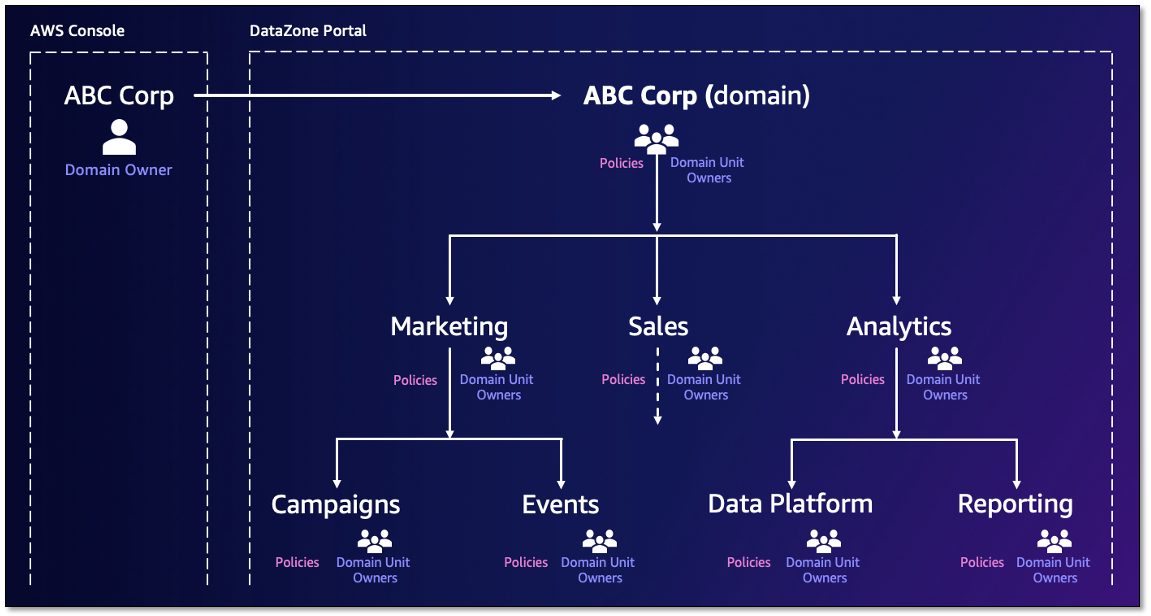
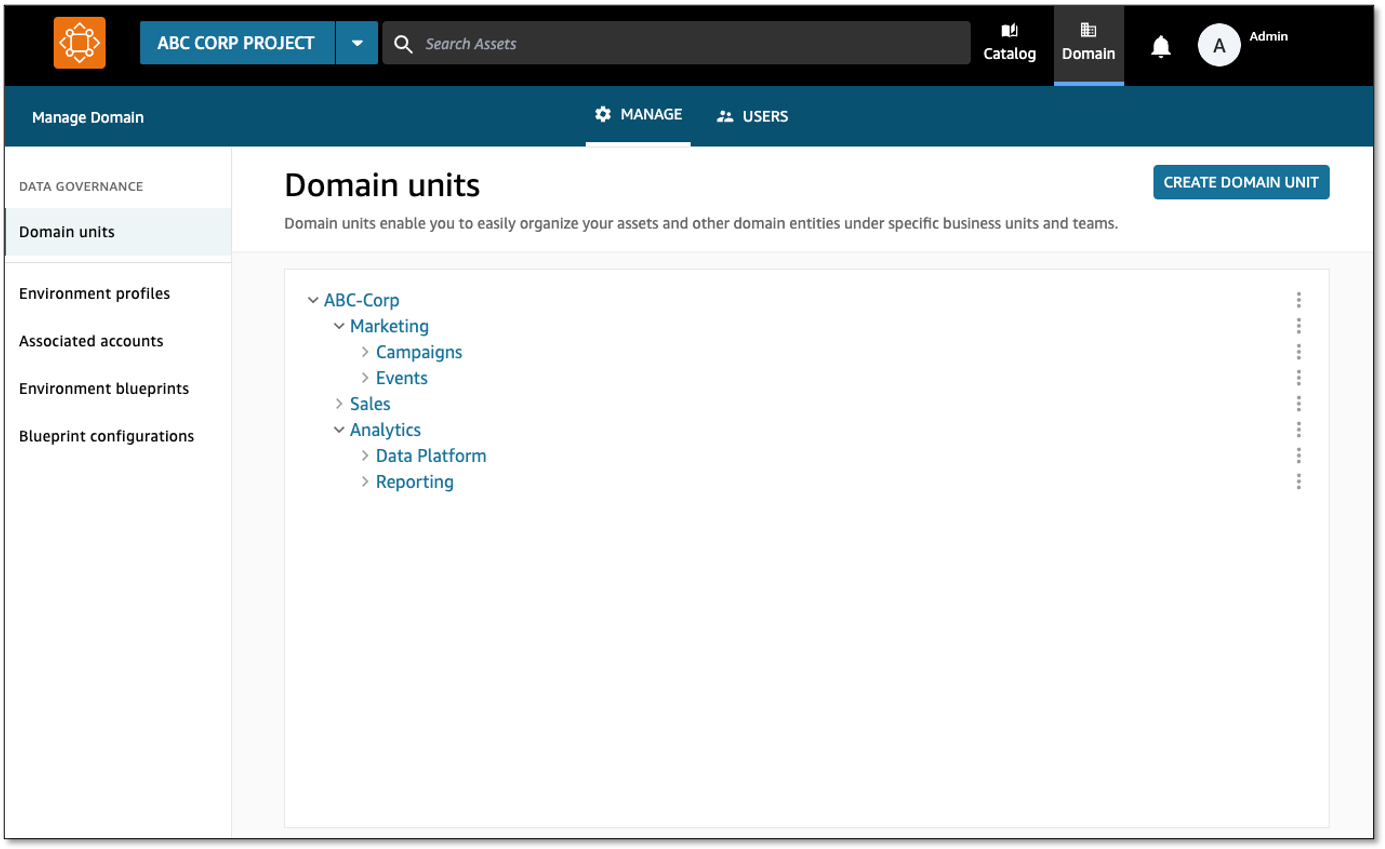
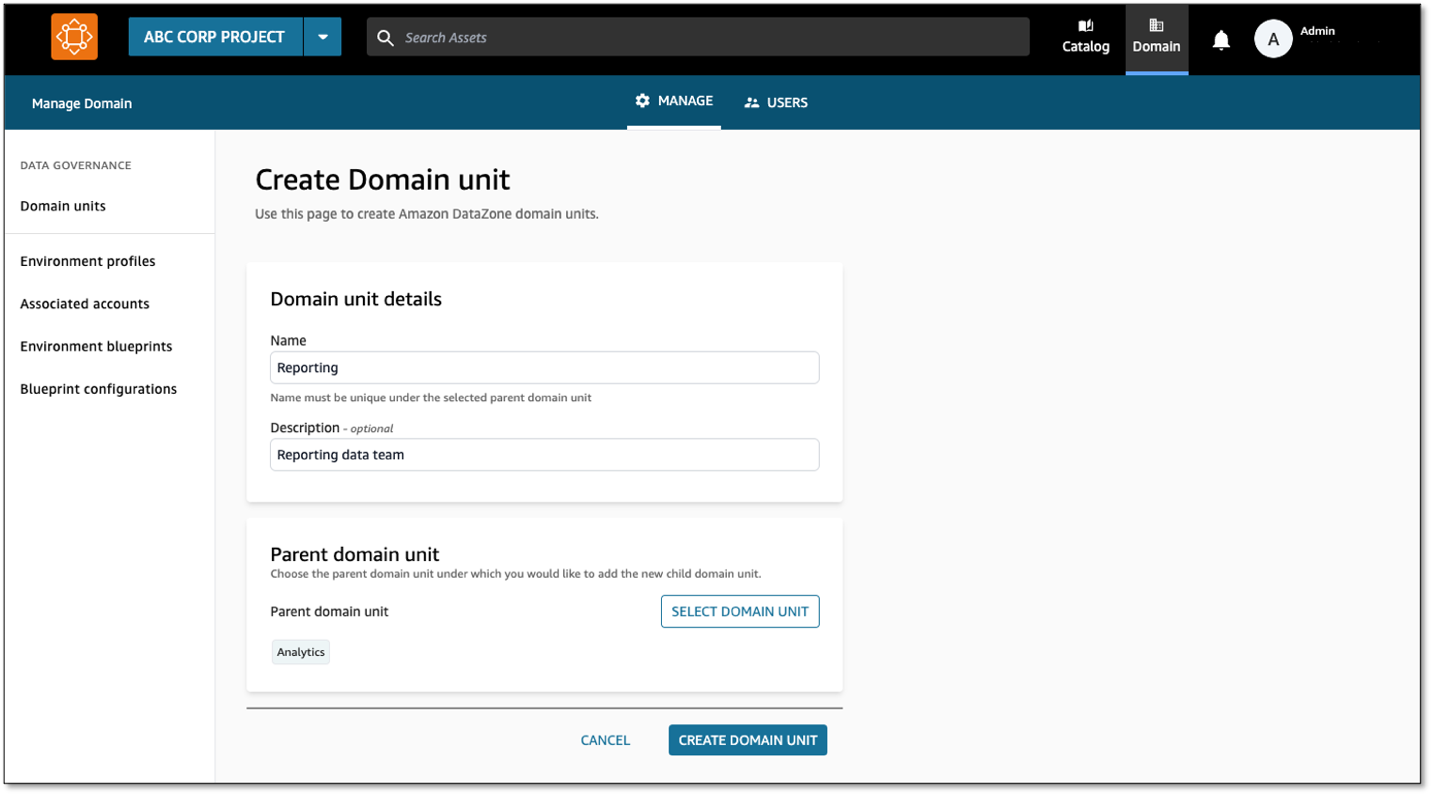
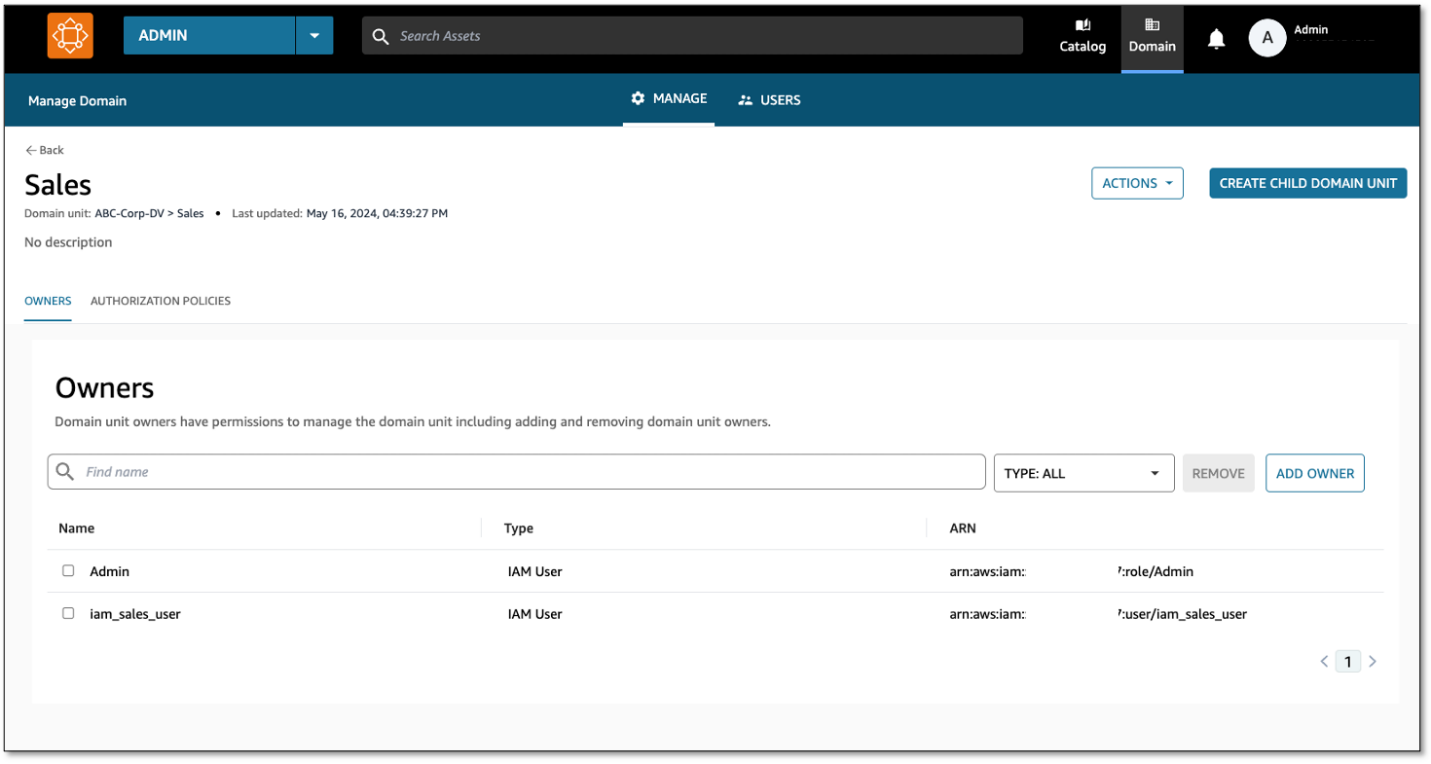
 David Victoria is a Senior Technical Product Manager with Amazon DataZone at AWS. He focuses on improving administration and governance capabilities needed for customers to support their analytics systems. He is passionate about helping customers realize the most value from their data in a secure, governed manner. Outside of work, he enjoys hiking, traveling, and making his newborn baby laugh.
 Nora O Sullivan is a Senior Solutions Architect at AWS. She focuses on helping HCLS customers choose the right AWS services for their data and analytics needs so they can derive value from their data. Outside of work, she enjoys golfing and discovering new wines and authors.
 Navneet Srivastava, a Principal Specialist and Analytics Strategy Leader, develops strategic plans for building an end-to-end analytical strategy for large biopharma, healthcare, and life sciences organizations. Navneet is responsible for helping life sciences organizations and healthcare companies deploy data governance and analytical applications, electronic medical records, devices, and AI/ML-based applications while educating customers about how to build secure, scalable, and cost-effective AWS solutions. His expertise spans across data analytics, data governance, AI, ML, big data, and healthcare-related technologies.