Tag Archives: news

Qualcomm Teases New Data Center CPUs and AI Inference Accelerators in the Works

Post Syndicated from Ryan Smith original https://www.servethehome.com/qualcomm-teases-new-data-center-cpus-and-ai-inference-accelerators-in-the-works/

Closing out their hour-long, AI-focused Computex keynote, Qualcomm CEO Cristiano Amon ended his presentation with a brief teaser of what’s in store for the server side of Qualcomm’s hardware business. The company has repeatedly dabbled in the server market with products such as their Cloud AI 100 inference accelerators. But thus far Qualcomm has not […]

The post Qualcomm Teases New Data Center CPUs and AI Inference Accelerators in the Works appeared first on ServeTheHome.

NVIDIA Announces NVLink Fusion: Bringing NVLink to Third-Party CPUs and Accelerators

Post Syndicated from Ryan Smith original https://www.servethehome.com/nvidia-announces-nvlink-fusion-bringing-nvlink-to-third-party-cpus-and-accelerators/

As part of today’s headline Computex keynote, NVIDIA announced a new member in their suite of NVLink interconnect technologies: NVLink Fusion. And this latest entry may be the most interesting yet, as NVIDIA is taking a big step towards opening up the NVLink ecosystem to third-party CPUs and accelerators, releasing IP and hardware designed to […]

The post NVIDIA Announces NVLink Fusion: Bringing NVLink to Third-Party CPUs and Accelerators appeared first on ServeTheHome.

Qualcomm Computex 2025 Live Coverage

Post Syndicated from Ryan Smith original https://www.servethehome.com/qualcomm-computex-2025-live-coverage/

The second major Computex keynote for the day comes from Qualcomm, who is quickly becoming a regular presenter at the show. This year’s keynote is being presented by company CEO Cristiano Amon, and the theme is “The heart of your PC.” Qualcomm is making it clear from the start that this year’s keynote is going […]

The post Qualcomm Computex 2025 Live Coverage appeared first on ServeTheHome.

NVIDIA Computex 2025 Keynote Live Coverage

Post Syndicated from Ryan Smith original https://www.servethehome.com/nvidia-computex-2025-keynote-live-coverage/

Kicking off today is the annual Computex tradeshow in Taiwan. Home to countless system and device manufacturers, Computex is a cornucopia of consumer electronics, and these days is also the biggest PC-centric show of the year. And even though it takes place in May, barely half-way through the year, the show routinely sets the stage […]

The post NVIDIA Computex 2025 Keynote Live Coverage appeared first on ServeTheHome.

New Amazon EC2 P6-B200 instances powered by NVIDIA Blackwell GPUs to accelerate AI innovations

Post Syndicated from Channy Yun (윤석찬) original https://aws.amazon.com/blogs/aws/new-amazon-ec2-p6-b200-instances-powered-by-nvidia-blackwell-gpus-to-accelerate-ai-innovations/

Today, we’re announcing the general availability of Amazon Elastic Compute Cloud (Amazon EC2) P6-B200 instances powered by NVIDIA B200 to address customer needs for high performance and scalability in artificial intelligence (AI), machine learning (ML), and high performance computing (HPC) applications.

Amazon EC2 P6-B200 instances accelerate a broad range of GPU-enabled workloads but are especially well-suited for large-scale distributed AI training and inferencing for foundation models (FMs) with reinforcement learning (RL) and distillation, multimodal training and inference, and HPC applications such as climate modeling, drug discovery, seismic analysis, and insurance risk modeling.
When combined with Elastic Fabric Adapter (EFAv4) networking, hyperscale clustering by EC2 UltraClusters, and advanced virtualization and security capabilities by AWS Nitro System, you can train and serve FMs with increased speed, scale, and security. These instances also deliver up to two times the performance for AI training (time to train) and inference (tokens/sec) compared to EC2 P5en instances.
You can accelerate time-to-market for training FMs and deliver faster inference throughput, which lowers inference cost and helps increase adoption of generative AI applications as well as increased processing performance for HPC applications.

EC2 P6-B200 instances specifications
New EC2 P6-B200 instances provide eight NVIDIA B200 GPUs with 1440 GB of high bandwidth GPU memory, 5th Generation Intel Xeon Scalable processors (Emerald Rapids), 2 TiB of system memory, and 30 TB of local NVMe storage.

Here are the specs for EC2 P6-B200 instances:

Instance size GPUs (NVIDIA B200) GPU
memory (GB)
vCPUs GPU Peer to peer (GB/s) Instance storage (TB) Network bandwidth (Gbps) EBS bandwidth (Gbps)
P6-b200.48xlarge 8 1440 HBM3e 192 1800 8 x 3.84 NVMe SSD 8 x 400 100

These instances feature up to 125 percent improvement in GPU TFLOPs, 27 percent increase in GPU memory size, and 60 percent increase in GPU memory bandwidth compared to P5en instances.

P6-B200 instances in action
You can use P6-B200 instances in the US West (Oregon) AWS Region through EC2 Capacity Blocks for ML. To reserve your EC2 Capacity Blocks, choose Capacity Reservations on the Amazon EC2 console.

Select Purchase Capacity Blocks for ML and then choose your total capacity and specify how long you need the EC2 Capacity Block for p6-b200.48xlarge instances. The total number of days that you can reserve EC2 Capacity Blocks is 1-14 days, 21 days, 28 days, or multiples of 7 up to 182 days. You can choose your earliest start date for up to 8 weeks in advance.

Now, your EC2 Capacity Block will be scheduled successfully. The total price of an EC2 Capacity Block is charged up front, and the price doesn’t change after purchase. The payment will be billed to your account within 12 hours after you purchase the EC2 Capacity Blocks. To learn more, visit Capacity Blocks for ML in the Amazon EC2 User Guide.

When launching P6-B200 instances, you can use AWS Deep Learning AMIs (DLAMI) to support EC2 P6-B200 instances. DLAMI provides ML practitioners and researchers with the infrastructure and tools to quickly build scalable, secure, distributed ML applications in preconfigured environments.

To run instances, you can use AWS Management Console, AWS Command Line Interface (AWS CLI) or AWS SDKs.

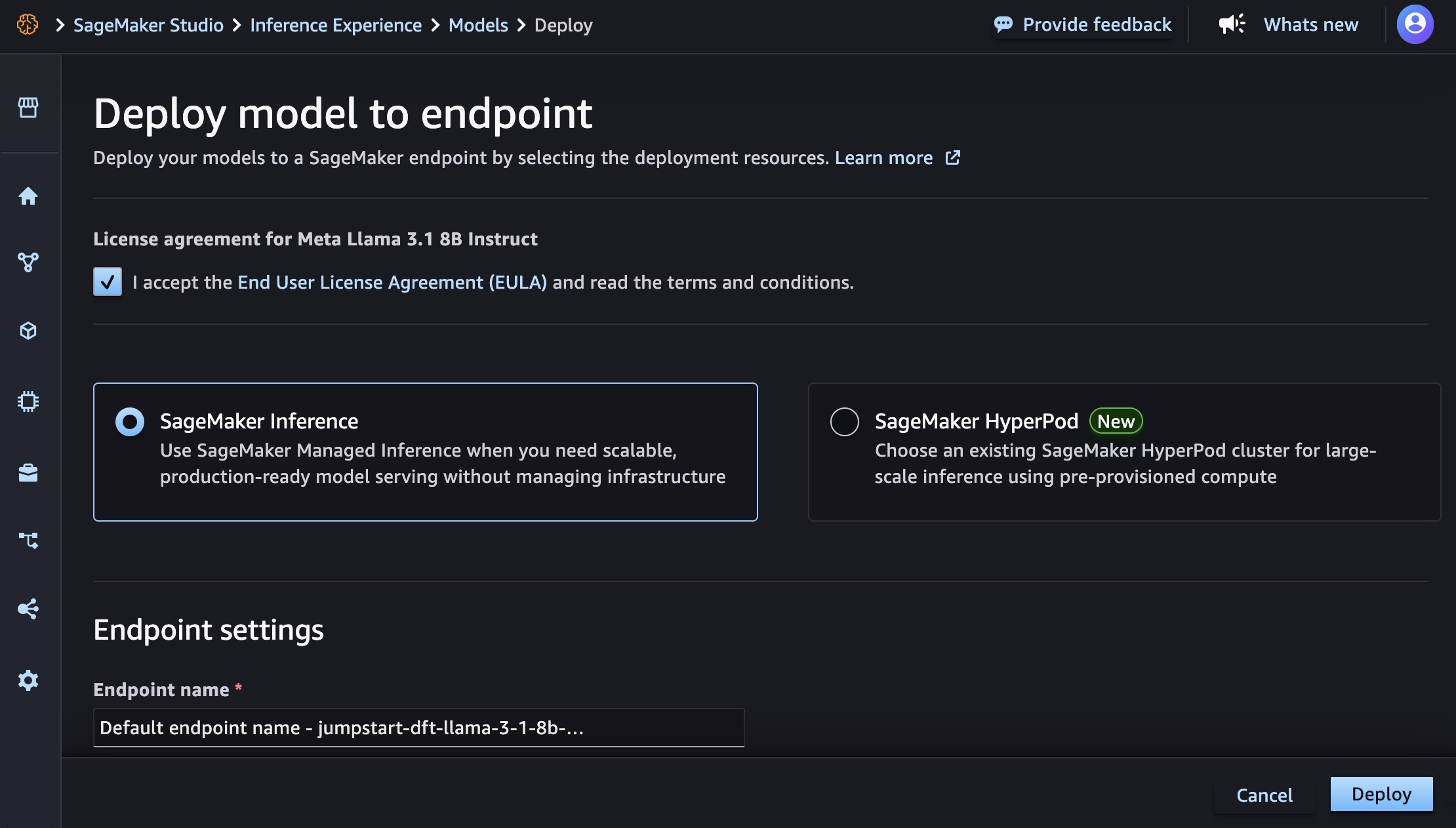
You can integrate EC2 P6-B200 instances seamlessly with various AWS managed services such as Amazon Elastic Kubernetes Services (Amazon EKS), Amazon Simple Storage Service (Amazon S3), and Amazon FSx for Lustre. Support for Amazon SageMaker HyperPod is also coming soon.

Now available
Amazon EC2 P6-B200 instances are available today in the US West (Oregon) Region and can be purchased as EC2 Capacity blocks for ML.

Give Amazon EC2 P6-B200 instances a try in the Amazon EC2 console. To learn more, refer to the Amazon EC2 P6 instance page and send feedback to AWS re:Post for EC2 or through your usual AWS Support contacts.

Channy


How is the News Blog doing? Take this 1 minute survey!

(This survey is hosted by an external company. AWS handles your information as described in the AWS Privacy Notice. AWS will own the data gathered via this survey and will not share the information collected with survey respondents.)

Accelerate CI/CD pipelines with the new AWS CodeBuild Docker Server capability

Post Syndicated from Donnie Prakoso original https://aws.amazon.com/blogs/aws/accelerate-ci-cd-pipelines-with-the-new-aws-codebuild-docker-server-capability/

Starting today, you can use AWS CodeBuild Docker Server capability to provision a dedicated and persistent Docker server directly within your CodeBuild project. With Docker Server capability, you can accelerate your Docker image builds by centralizing image building to a remote host, which reduces wait times and increases overall efficiency.

From my benchmark, with this Docker Server capability, I reduced the total building time by 98 percent, from 24 minutes and 54 seconds to 16 seconds. Here’s a quick look at this feature from my AWS CodeBuild projects.

AWS CodeBuild is a fully managed continuous integration service that compiles source code, runs tests, and produces software packages ready for deployment. Building Docker images is one of the most common use cases for CodeBuild customers, and the service has progressively improved this experience over time by releasing features such as Docker layer caching and reserved capacity features to improve Docker build performance.

With the new Docker Server capability, you can reduce build time for your applications by providing a persistent Docker server with consistent caching. When enabled in a CodeBuild project, a dedicated Docker server is provisioned with persistent storage that maintains your Docker layer cache. This server can handle multiple concurrent Docker build operations, with all builds benefiting from the same centralized cache.

Using AWS CodeBuild Docker Server
Let me walk you through a demonstration that showcases the benefits with the new Docker Server capability.

For this demonstration, I’m building a complex, multi-layered Docker image based on the official AWS CodeBuild curated Docker images repository, specifically the Dockerfile for building a standard Ubuntu image. This image contains numerous dependencies and tools required for modern continuous integration and continuous delivery (CI/CD) pipelines, making it a good example of the type of large Docker builds that development teams regularly perform.


# Copyright 2020-2024 Amazon.com, Inc. or its affiliates. All Rights Reserved.
#
# Licensed under the Amazon Software License (the "License"). You may not use this file except in compliance with the License.
# A copy of the License is located at
#
#    http://aws.amazon.com/asl/
#
# or in the "license" file accompanying this file.
# This file is distributed on an "AS IS" BASIS, WITHOUT WARRANTIES OR CONDITIONS OF ANY KIND, express or implied.
# See the License for the specific language governing permissions and limitations under the License.
FROM public.ecr.aws/ubuntu/ubuntu:20.04 AS core

ARG DEBIAN_FRONTEND="noninteractive"

# Install git, SSH, Git, Firefox, GeckoDriver, Chrome, ChromeDriver,  stunnel, AWS Tools, configure SSM, AWS CLI v2, env tools for runtimes: Dotnet, NodeJS, Ruby, Python, PHP, Java, Go, .NET, Powershell Core,  Docker, Composer, and other utilities
COMMAND REDACTED FOR BREVITY
# Activate runtime versions specific to image version.
RUN n $NODE_14_VERSION
RUN pyenv  global $PYTHON_39_VERSION
RUN phpenv global $PHP_80_VERSION
RUN rbenv  global $RUBY_27_VERSION
RUN goenv global  $GOLANG_15_VERSION

# Configure SSH
COPY ssh_config /root/.ssh/config
COPY runtimes.yml /codebuild/image/config/runtimes.yml
COPY dockerd-entrypoint.sh /usr/local/bin/dockerd-entrypoint.sh
COPY legal/bill_of_material.txt /usr/share/doc/bill_of_material.txt
COPY amazon-ssm-agent.json /etc/amazon/ssm/amazon-ssm-agent.json

ENTRYPOINT ["/usr/local/bin/dockerd-entrypoint.sh"]

This Dockerfile creates a comprehensive build environment with multiple programming languages, build tools, and dependencies – exactly the type of image that would benefit from persistent caching.

In the build specification (buildspec), I use the docker buildx build . command:

version: 0.2
phases:
  build:
    commands:
      - cd ubuntu/standard/5.0
      - docker buildx build -t codebuild-ubuntu:latest .

To enable the Docker Server capability, I navigate to the AWS CodeBuild console and select Create project. I can also enable this capability when editing existing CodeBuild projects.

I fill in all details and configuration. In the Environment section, I select Additional configuration.

Then, I scroll down and find Docker server configuration and select Enable docker server for this project. When I select this option, I can choose a compute type configuration for the Docker server. When I’m finished with the configurations, I create this project.

Now, let’s see the Docker Server capability in action.

The initial build takes approximately 24 minutes and 54 seconds to complete because it needs to download and compile all dependencies from scratch. This is expected for the first build of such a complex image.

For subsequent builds with no code changes, the build takes only 16 seconds and that shows 98% reduction in build time.

Looking at the logs, I can see that with Docker Server, most layers are pulled from the persistent cache:

The persistent caching provided by the Docker Server maintains all layers between builds, which is particularly valuable for large, complex Docker images with many layers. This demonstrates how Docker Server can dramatically improve throughput for teams running numerous Docker builds in their CI/CD pipelines.

Additional things to know
Here are a couple of things to note:

  • Architecture support – The feature is available for both x86 (Linux) and ARM builds.
  • Pricing – To learn more about pricing for Docker Server capability, refer to the AWS CodeBuild pricing page.
  • Availability – This feature is available in all AWS Regions where AWS CodeBuild is offered. For more information about the AWS Regions where CodeBuild is available, see the AWS Regions page.

You can learn more about the Docker Server feature in the AWS CodeBuild documentation.

Happy building! —

Donnie Prakoso


How is the News Blog doing? Take this 1 minute survey!

(This survey is hosted by an external company. AWS handles your information as described in the AWS Privacy Notice. AWS will own the data gathered via this survey and will not share the information collected with survey respondents.)

Accelerate the modernization of Mainframe and VMware workloads with AWS Transform

Post Syndicated from Matheus Guimaraes original https://aws.amazon.com/blogs/aws/accelerate-the-modernization-of-mainframe-and-vmware-workloads-with-aws-transform/

Generative AI has brought many new possibilities to organizations. It has equipped them with new abilities to retire technical debt, modernize legacy systems, and build agile infrastructure to help unlock the value that is trapped in their internal data. However, many enterprises still rely heavily on legacy IT infrastructure, particularly mainframes and VMware-based systems. These platforms have been the backbone of critical operations for decades, but they hinder organizations’ ability to innovate, scale effectively, and reduce technical debt in an era where cloud-first strategies dominate. The need to modernize these workloads is clear, but the journey has traditionally been complex and risky.

The complexity spans multiple dimensions. Financially, organizations face mounting licensing costs and expensive migration projects. Technically, they must untangle legacy dependencies while meeting compliance requirements. Organizationally, they must manage the transition of teams who’ve built careers around legacy systems and navigate undocumented institutional knowledge.

AWS Transform directly addresses these challenges with purpose-built agentic AI that accelerates and de-risks your legacy modernization. It automates the assessment, planning, and transformation of both mainframe and VMware workloads into cloud based architectures, streamlining the entire process. Through intelligent insights, automated code transformation, and human-in-the-loop workflows, organizations can now tackle even the most challenging modernization projects with greater confidence and efficiency.

Mainframe workload migration
AWS Transform for mainframe is the first agentic AI service for modernizing mainframe workloads at scale. The specialized mainframe agent accelerates mainframe modernization by automating complex, resource-intensive tasks across every phase of modernization — from initial assessment to final deployment. It streamlines the migration of legacy applications built on IBM z/OS Db2, including COBOL, CICS, DB2, and VSAM, to modern cloud environments–cutting modernization timelines from years to months.

Let’s look at a few examples of how AWS Transform can help you through different aspects of the migration process.

Code analysis – AWS Transform provides comprehensive insights into your codebase, automatically examining mainframe codebases, creating detailed dependency graphs, measuring code complexity, and identifying component relationships

Documentation – AWS Transform for mainframe creates comprehensive technical and functional documentation of mainframe applications, preserving critical knowledge about features, program logic, and data flows. You can interact with the generated documentation through an AI-powered chat interface to discover and retrieve information quickly.

Business rule extraction – AWS Transform extracts and presents complex logic in plain language so you can gain visibility into business processes embedded within legacy applications. This enables both business and technical stakeholders to gain a greater understanding of application functionality.

Code decomposition – AWS Transform offers sophisticated code decomposition tools, including interactive dependency graphs and domain separation capabilities, enabling users to visualize and modify relationships between components while identifying key business functions. The solution also streamlines migration planning through an interactive wave sequence planner that considers user preferences to generate optimized migration strategies.

Modernization Wave Planning – With its specialized agent, AWS Transform for mainframe creates prioritized modernization wave sequences based on code and data dependencies, code volume, and business priorities. It enables modernization teams to make data-driven, customized migration plans that align to their specific organizational needs.

Code refactoring – AWS Transform can refactor millions of lines of mainframe code in minutes, converting COBOL, VSAM, and DB2 systems into modern Java Spring Boot applications while maintaining functional equivalence and transforming CICS transactions into web services and JCL batch processes into Groovy scripts. The solution provides high-quality output through configurable settings and bundled runtime capabilities, producing Java code that emphasizes readability, maintainability, and technical excellence.

Deployments – AWS Transform provides customizable deployment templates that streamline the deployment process through user-defined inputs. For added efficiency, the solution bundles the selected runtime version with the migrated application, enabling seamless deployment as a complete package.

By integrating intelligent documentation analysis, business rules extraction, and human-in-the-loop collaboration capabilities, AWS Transform helps organizations accelerate their mainframe transformation while reducing risk and maintaining business continuity.

VMware modernization
With rapid changes in VMware licensing and support model, organizations are increasingly exploring alternatives despite the difficulties associated with migrating and modernizing VMware workloads. This is aggravated by the fact that the accumulation of technical debt typically creates complex, poorly documented environments managed by multiple teams, leading to vendor lock-in and collaboration challenges that hinder migration efforts further.

AWS Transform is the first agentic AI service for VMware modernization of its kind that helps you to overcome those difficulties. It can offset risk and accelerate the modernization of VMware workloads by automating application discovery, dependency mapping, migration planning, network conversion, and EC2 instance optimization, reducing manual effort and accelerating cloud adoption.

The process is organized into four phases: inventory discovery, wave planning, network conversion, and server migration. It uses agentic AI capabilities to analyze and map complex VMware environments, converting network configurations into AWS built-in constructs and helps you to orchestrate dependency-aware migration waves for seamless cutovers. In addition, it also provides a collaborative web interface that keeps AWS teams, partners, and customers aligned throughout the modernization journey.

Let’s take a quick tour to see how this works.

Setting up
Before you can start using the service, you must first enable it by navigating to the AWS Transform console. AWS Transform requires AWS IAM Identity Center (IdC) to manage users and setup appropriate permissions. If you don’t yet have IdC set up it will ask you to configure it first and return to the AWS Transform console later to continue the process.

With IdC available, you can then proceed to choosing the encryption settings. AWS Transform gives you the option to use a default AWS managed key or you can use your own custom keys through AWS Key Management Service (AWS KMS).

After completing this step, AWS Transform will be enabled. You can manage admin access to the console by navigating to Users and using the search box to find them. You must create users or groups in IdC first if they don’t already exist. The service console will help admins provision users who will get access to the web app. Each provisioned user receives an email with a link to set password and get their personalized URL for the webapp.

You interact with AWS Transform through a dedicated web experience. To get the url, navigate to Settings where you can check your configurations and copy the links to the AWS Transform web experience where you and your teams can start using the service.

Discovery
AWS Transform can discover your VMware environment either automatically through AWS Application Discovery Service collectors or you can provide your own data by importing existing RVTools export files.

To get started, choose the Create or select connectors task and provide the account IDs for one or more AWS accounts that will be used for discovery. This will generate links that you can follow to authorize each account for usage within AWS Transform. You can then move on to the Perform discovery task, where you can choose to install AWS Application Discovery Service collectors or upload your own files such as exports from RVTools.

Provisioning
The steps for the provisioning phase are similar to the ones described earlier for discovery. You connect target AWS accounts by entering their account IDs and validating the authorization requests which will then enable the next steps such as the Generate VPC configuration step. Here, you can import your RVTools files or NSX exports from Import/Export from NSX, if applicable, and enable AWS Transform to understand your networking requirements.

You should then continue working through the job plan until you reach the point where it’s ready to deploy your Amazon Virtual Private Cloud (Amazon VPC). All the infrastructure as code (IaC) code is stored in Amazon Simple Storage Service (Amazon S3) buckets in the target AWS account.

Review the proposed changes and, if you’re happy, start the deployment process of the AWS resources to the target accounts.

Deployment
AWS Transform requires you to set up AWS Application Migration Service (MGN) in the target AWS accounts to automate the migration process. Choose the Initiate VM migration task and use the link to navigate to the service console, then follow the instructions to configure it.

After setting up service permissions, you’ll proceed to the implementation phase of the waves created by AWS Transform and start the migration process. For each wave, you’ll first be asked to make various choices such as setting the sizing preference and tenancy for the Amazon Elastic Compute Cloud (Amazon EC2) instances. Confirm your selections and continue following the instructions given by AWS Transform until you reach the Deploy replication agents stage, where you can start the migration for that wave.

After you start the waves migration process, you can switch to the dashboard at any time to check on progress.

With its agentic AI capabilities, AWS Transform offers a powerful solution for accelerating and de-risking mainframe and VMware modernization workloads. By automating complex assessment and transformation processes, AWS Transform reduces the time associated with legacy system migration while minimizing the potential for errors and business disruption enabling more agile, efficient, and future-ready IT environments within your organization.

Things to know
Availability –  AWS Transform for mainframe is available in US East (N. Virginia) and Europe (Frankfurt) Regions. AWS Transform for VMware offers different availability options for data collection and migrations. Please refer to the AWS Transform for VMware FAQ for more details.

Pricing –  Currently, we offer our core features—including assessment and transformation—at no cost to AWS customers.

Here are a few links for further reading.

Dive deeper into mainframe modernization and learn more about about AWS Transform for mainframe.

Explore more about VMware modernization and how to get started with your VMware migration journey.

Check out this interactive demo of AWS Transform for mainframe and this interactive demo of AWS Transform for VMware.

Matheus Guimaraes | @codingmatheus


How is the News Blog doing? Take this 1 minute survey!

(This survey is hosted by an external company. AWS handles your information as described in the AWS Privacy Notice. AWS will own the data gathered via this survey and will not share the information collected with survey respondents.)

AWS Weekly Roundup: South America expansion, Q Developer in OpenSearch, and more (May 12, 2025)

Post Syndicated from Micah Walter original https://aws.amazon.com/blogs/aws/aws-weekly-roundup-south-america-expansion-q-developer-in-opensearch-and-more-may-12-2025/

I’ve always been fascinated by how quickly we’re able to stand up new Regions and Availability Zones at AWS. Today there are 36 launched Regions and 114 launched Availability Zones. That’s amazing!

This past week at AWS was marked by significant expansion to our global infrastructure. The announcement of a new Region in the works for South America means customers will have more options for meeting their low latency and data residency requirements. Alongside the expansion, AWS announced the availability of numerous instance types in additional Regions.

In addition to the infrastructure expansion, AWS is also expanding the reach of Amazon Q Developer into Amazon OpenSearch Service.

Last week’s launches

Instance announcements

AWS expanded instance availability for an array of instance types across additional Regions.

Additional updates

Upcoming events

We are in the middle of AWS Summit season! AWS Summits run throughout the summer in cities all around the world. Be sure to check the calendar to find out when a AWS Summit is happening near you. Here are the remaining Summits for May, 2025.


How is the News Blog doing? Take this 1 minute survey!

(This survey is hosted by an external company. AWS handles your information as described in the AWS Privacy Notice. AWS will own the data gathered via this survey and will not share the information collected with survey respondents.)

In the works – AWS South America (Chile) Region

Post Syndicated from Elizabeth Fuentes original https://aws.amazon.com/blogs/aws/coming-soon-aws-south-america-chile-region/

Today, Amazon Web Services (AWS) announced plans to launch a new AWS Region in Chile by the end of 2026. The AWS South America (Chile) Region will consist of three Availability Zones at launch, bringing AWS infrastructure and services closer to customers in Chile. This new Region joins the AWS South America (São Paulo) and AWS Mexico (Central) Regions as our third AWS Region in Latin America. Each Availability Zone is separated by a meaningful distance to support applications that need low latency while significantly reducing the risk of a single event impacting availability.

Skyline of Santiago de Chile with modern office buildings in the financial district in Las Condes

The new AWS Region will bring advanced cloud technologies, including artificial intelligence (AI) and machine learning (ML), closer to customers in Latin America. Through high-bandwidth, low-latency network connections over dedicated, fully redundant fiber, the Region will support applications requiring synchronous replication while giving you the flexibility to run workloads and store data locally to meet data residency requirements.

AWS in Chile
In 2017, AWS established an office in Santiago de Chile to support local customers and partners. Today, there are business development teams, solutions architects, partner managers, professional services consultants, support staff, and personnel in various other roles working in the Santiago office.

As part of our ongoing commitment to Chile, AWS has invested in several infrastructure offerings throughout the country. In 2019, AWS launched an Amazon CloudFront edge location in Chile. This provides a highly secure and programmable content delivery network that accelerates the delivery of data, videos, applications, and APIs to users worldwide with low latency and high transfer speeds.

AWS strengthened its presence in 2021 with two significant additions. First, an AWS Ground Station antenna location in Punta Arenas, offering a fully managed service for satellite communications, data processing, and global satellite operations scaling. Second, AWS Outposts in Chile, bringing fully managed AWS infrastructure and services to virtually any on-premises or edge location for a consistent hybrid experience.

In 2023, AWS further enhanced its infrastructure with two key developments, an AWS Direct Connect location in Chile that lets you create private connectivity between AWS and your data center, office, or colocation environment, and AWS Local Zones in Santiago, placing compute, storage, database, and other select services closer to large population centers and IT hubs. The AWS Local Zone in Santiago helps customers deliver applications requiring single-digit millisecond latency to end users.

The upcoming AWS South America (Chile) Region represents our continued commitment to fueling innovation in Chile. Beyond building infrastructure, AWS plays a crucial role in developing Chile’s digital workforce through comprehensive cloud education initiatives. Through AWS Academy, AWS Educate, and AWS Skill Builder, AWS provides essential cloud computing skills to diverse groups—from students and developers to business professionals and emerging IT leaders. Since 2017, AWS has trained more than two million people across Latin America on cloud skills, including more than 100,000 in Chile.

AWS customers in Chile
AWS customers in Chile have been increasingly moving their applications to AWS and running their technology infrastructure in AWS Regions around the world. With the addition of this new AWS Region, customers will be able to provide even lower latency to end users and use advanced technologies such as generative AI, Internet of Things (IoT), mobile services, banking industry, and more, to drive innovation. This Region will give AWS customers the ability to run their workloads and store their content in Chile.

Here are some examples of customers in Chile using AWS to drive innovation:

The Digital Government Secretariat (SGD) is the Chilean government institution responsible for proposing and coordinating the implementation of the Digital Government Strategy, providing an integrated government approach. SGD coordinates, advises, and provides cross-sector support in the strategic use of digital technologies, data, and public information to improve state administration and service delivery. To fulfill this mission, SGD relies on AWS to operate critical digital platforms including Clave Única (single sign-on), FirmaGob (digital signature), the State Electronic Services Integration Platform (PISEE), DocDigital, SIMPLE, and the Administrative Procedures and Services Catalog (CPAT), among others.

Transbank, Chile’s largest payment solutions ecosystem managing the largest percentage of national transactions, used AWS to significantly reduce time-to-market for new products. Moreover, Transbank implemented multiple AWS-powered solutions, enhancing team productivity and accelerating innovation. These initiatives showcase how financial technology companies can use AWS to drive innovation and operational efficiency. “The new AWS Region in Chile will be very important for us,” said Jorge Rodríguez M., Chief Architecture and Technology Officer (CA&TO) of Transbank. “It will further reduce latency, improve security and expand the possibilities for innovation, allowing us to serve our customers with new and better services and products.”

To learn more about AWS customers in Chile, visit AWS Customer Success Stories.

AWS sustainability efforts in Chile
AWS is committed to water stewardship in Chile through innovative conservation projects. In the Maipo Basin, which provides essential water for the Metropolitan Santiago and Valparaiso regions, AWS has partnered with local farmers and climate-tech company Kilimo to implement water-saving initiatives. The project involves converting 67 hectares of agricultural land from flood to drip irrigation, which will save approximately 200 million liters of water annually.

This water conservation effort supports AWS commitment to be water positive by 2030 and demonstrates our dedication to environmental sustainability in the communities where AWS operate. The project uses efficient drip irrigation systems that deliver water directly to plant root systems through a specialized pipe network, maximizing water efficiency for agricultural use. To learn more about this initiative, read our blog post AWS expands its water replenishment program to China and Chile—and adds projects in the US and Brazil.

AWS community in Chile
The AWS community in Chile is one of the most active in the region, comprising of AWS Community Builders, two AWS User Groups (AWS User Group Chile and AWS Girls Chile), and an AWS Cloud Club. These groups hold monthly events and have organized two AWS Community Days. At the first Community Day, held in 2023, we had the honor of having Jeff Barr as the keynote speaker.

Chile AWS Community Day 2023

Stay tuned
We’ll announce the opening of this and the other Regions in future blog posts, so be sure to stay tuned! To learn more, visit the AWS Region in Chile page.

Eli

Thanks to Leonardo Vilacha for the Chile AWS Community Day 2023 photo.


How is the News Blog doing? Take this 1 minute survey!

(This survey is hosted by an external company. AWS handles your information as described in the AWS Privacy Notice. AWS will own the data gathered via this survey and will not share the information collected with survey respondents.)

Accelerate the transfer of data from an Amazon EBS snapshot to a new EBS volume

Post Syndicated from Channy Yun (윤석찬) original https://aws.amazon.com/blogs/aws/accelerate-the-transfer-of-data-from-an-amazon-ebs-snapshot-to-a-new-ebs-volume/

Today we are announcing the general availability of Amazon Elastic Block Store (Amazon EBS) Provisioned Rate for Volume Initialization, a feature that accelerates the transfer of data from an EBS snapshot, a highly durable backup of volumes stored in Amazon Simple Storage Service (Amazon S3) to a new EBS volume.

With Amazon EBS Provisioned Rate for Volume Initialization, you can create fully performant EBS volumes within a predictable amount of time. You can use this feature to speed up the initialization of hundreds of concurrent volumes and instances. You can also use this feature when you need to recover from an existing EBS Snapshot and need your EBS volume to be created and initialized as quickly as possible. You can use this feature to quickly create copies of EBS volumes with EBS Snapshots in a different Availability Zone, AWS Region, or AWS account. Provisioned Rate for Volume Initialization for each volume is charged based on the full snapshot size and the specified volume initialization rate.

This new feature expedites the volume initialization process by fetching the data from an EBS Snapshot to an EBS volume at a consistent rate that you specify between 100 MiB/s and 300 MiB/s. You can specify this volume initialization rate at which the snapshot blocks are to be downloaded from Amazon S3 to the volume.

With specifying the volume initialization rate, you can create a fully performant volume in a predictable time, enabling increased operational efficiency and visibility on the expected time of completion. If you run utilities like fio/dd to expedite volume initialization for your workflows like application recovery and volume copy for testing and development, it will remove the operational burden of managing such scripts with the consistency and predictability to your workflows.

Get started with specifying the volume initialization rate
To get started, you can choose the volume initialization rate when you launch your EC2 instance or create your volume from the snapshot.

1. Create a volume in the EC2 launch wizard
When launching new EC2 instances in the launch wizard of EC2 console, you can enter a desired Volume initialization rate in the Storage (volumes) section.

You can also set the volume initialization rate when creating and modifying the EC2 Launch Templates.

In the AWS Command Line Interface (AWS CLI), you can add VolumeInitializationRate parameter to the block device mappings when call run-instances command.

aws ec2 run-instances \
    --image-id ami-0abcdef1234567890 \
    --instance-type t2.micro \
    --subnet-id subnet-08fc749671b2d077c \
    --security-group-ids sg-0b0384b66d7d692f9 \
    --key-name MyKeyPair \
    --block-device-mappings file://mapping.json

Contents of mapping.json. This example adds /dev/sdh an empty EBS volume with a size of 8 GiB.

[
    {
        "DeviceName": "/dev/sdh",
        "Ebs": {
            "VolumeSize": 8
            "VolumeType": "gp3",            
            "VolumeInitializationRate": 300
		 } 
     } 
]

To learn more, visit block device mapping options, which defines the EBS volumes and instance store volumes to attach to the instance at launch.

2. Create a volume from snapshots
When you create a volume from snapshots, you can also choose Create volume in the EC2 console and specify the Volume initialization rate.

Confirm your new volume with the initialization rate.

In the AWS CLI, you can use VolumeInitializationRate parameter and when calling create-volume command.

aws ec2 create-volume --region us-east-1 --cli-input-json '{
    "AvailabilityZone": "us-east-1a",
    "VolumeType": "gp3",
    "SnapshotId": "snap-07f411eed12ef613a",
    "VolumeInitializationRate": 300
}'

If the command is run successfully, you will receive the result below.

{
    "AvailabilityZone": "us-east-1a",
    "CreateTime": "2025-01-03T21:44:53.000Z",
    "Encrypted": false,
    "Size": 100,
    "SnapshotId": "snap-07f411eed12ef613a",
    "State": "creating",
    "VolumeId": "vol-0ba4ed2a280fab5f9",
    "Iops": 300,
    "Tags": [],
    "VolumeType": "gp2",
    "MultiAttachEnabled": false,
    "VolumeInitializationRate": 300
}

You can also set the volume initialization rate when replacing root volumes of EC2 instances and provisioning EBS volumes using the EBS Container Storage Interface (CSI) driver.

After creation of the volume, EBS will keep track of the hydration progress and publish an Amazon EventBridge notification for EBS to your account when the hydration completes so that they can be certain when their volume is fully performant.

To learn more, visit Create an Amazon EBS volume and Initialize Amazon EBS volumes in the Amazon EBS User Guide.

Now available
Amazon EBS Provisioned Rate for Volume Initialization is now available and supported for all EBS volume types today. You will be charged based on the full snapshot size and the specified volume initialization rate. To learn more, visit Amazon EBS Pricing page.

To learn more about Amazon EBS including this feature, take the free digital course on the AWS Skill Builder portal. Course includes use cases, architecture diagrams and demos.

Give this feature a try in the Amazon EC2 console today and send feedback to AWS re:Post for Amazon EBS or through your usual AWS Support contacts.

— Channy


How is the News Blog doing? Take this 1 minute survey!

(This survey is hosted by an external company. AWS handles your information as described in the AWS Privacy Notice. AWS will own the data gathered via this survey and will not share the information collected with survey respondents.)

AWS Weekly Roundup: Amazon Nova Premier, Amazon Q Developer, Amazon Q CLI, Amazon CloudFront, AWS Outposts, and more (May 5, 2025)

Post Syndicated from Donnie Prakoso original https://aws.amazon.com/blogs/aws/aws-weekly-roundup-amazon-nova-premier-amazon-q-developer-amazon-q-cli-amazon-cloudfront-aws-outposts-and-more-may-5-2025/

Last week I went to Thailand to attend the AWS Summit Bangkok. It was an energizing and exciting event. We hosted the Developer Lounge, where developers can meet, discuss ideas, enjoy lightning talks, win SWAGs at AWS Builder ID Prize Wheel, take a challenge at Amazon Q Developer Coding Challenge, or learn Generative AI at Learn Amazon Bedrock booth.

Here’s a quick look:

Thank you to AWS Heroes, AWS Community Builders, AWS User Group leaders and developers for your collaboration.

Coming up next in ASEAN is AWS Summit Singapore—make sure you don’t miss it by registering now.

Last Week’s Launches
Here are some launches last week that caught my attention:

  • Amazon Nova Premier Now Generally Available — Amazon Nova Premier, our most capable model for complex tasks and teacher for model distillation, is now generally available in Amazon Bedrock. It excels at complex tasks requiring deep context understanding and multistep planning, while processing text, images, and videos with a 1M token context length. With Nova Premier and Amazon Bedrock Model Distillation, you can create highly capable, cost-effective, and low-latency versions of Nova Pro, Lite, and Micro, for your specific needs.

  • Amazon Q Developer elevates the IDE experience with new agentic coding experience — This new interactive, agentic coding experience for Visual Studio Code allows Q Developer to intelligently take actions on behalf of the developer. Amazon Q Developer introduces an interactive coding experience in Visual Studio Code, offering real-time collaboration for coding, documentation, and testing. It provides transparent reasoning, and supports automated or step-by-step changes in multiple languages.

  • New Foundation Models in Amazon Bedrock — Amazon Bedrock expands its model offerings with two significant additions:
    • Writer’s Palmyra X5 and X4 models feature extensive context windows (1M and 128K tokens respectively) and excel in complex reasoning for enterprise applications. They support multistep tool-calling and adaptive thinking with high reliability standards.
    • Meta’s Llama 4 Scout 17B and Maverick 17B models offer natively multimodal capabilities using mixture-of-experts architecture for enhanced reasoning and image understanding. They support multiple languages and extended context processing, with simplified integration through the Bedrock Converse API.
  • Second-Generation AWS Outposts Racks Released AWS announces the general availability of second-generation Outposts racks with significant enhancements including the latest x86 EC2 instances, simplified networking, and accelerated networking options. These improvements deliver doubled vCPU, memory, and network bandwidth, 40% better performance, and support for ultra-low latency workloads, making them ideal for demanding on-premises deployments.

  • Amazon CloudFront SaaS Manager Launches — Amazon CloudFront SaaS Manager helps SaaS providers and web hosting platforms efficiently manage content delivery across multiple customer domains. The service dramatically reduces operational complexity while providing high-performance content delivery and enterprise-grade security for every customer domain.

  • Amazon Aurora Now Supports PostgreSQL 17 — Amazon Aurora now supports PostgreSQL 17.4, offering community improvements and Aurora-specific enhancements like optimized memory management and faster failovers. The release includes new features for Babelfish, security fixes, and updated extensions, available in all AWS Regions.
  • CloudWatch Introduces Tiered Pricing for Lambda Logs — Amazon CloudWatch launches tiered pricing for AWS Lambda logs and new delivery destinations. Pricing in US East starts at $0.50/GB for CloudWatch and $0.25/GB for S3 and Firehose, both tiering down to $0.05/GB. This update enhances flexibility in log management across all supporting Regions.
  • RDS for MySQL Updates Minor VersionsAmazon RDS for MySQL now supports minor versions 8.0.42 and 8.4.5, delivering security fixes, bug fixes, and performance improvements. Users can upgrade automatically during maintenance windows or use Blue/Green deployments for safer updates.
  • Amazon Bedrock Model Distillation Generally AvailableAmazon Bedrock Model Distillation is now generally available, supporting new models like Amazon Nova and Claude 3.5. It enables smaller models to accurately predict function calling for Agents, delivering up to 500% faster responses and 75% lower costs with minimal accuracy loss for RAG use cases. The service includes automated workflows for data synthesis and student model training.
  • AI Search Flow Builder for Amazon OpenSearch Service Amazon OpenSearch Service now offers an AI search flow builder for OpenSearch 2.19+ domains. This low-code designer enables creation of sophisticated AI-enhanced search flows using AWS and third-party services, supporting use cases like RAG, query rewriting, and semantic encoding.

From Community.AWS
Here’s my personal favorites posts from community.aws:

Upcoming AWS events
Check your calendars and sign up for these upcoming AWS events:

  • AWS Summit — Join free online and in-person events that bring the cloud computing community together to connect, collaborate, and learn about AWS. Register in your nearest city: Poland (6 May), Bengaluru (May 7 – 8), Hong Kong (May 8), Seoul (May 14-15), Singapore (May 29), and Sydney (June 4–5).
  • AWS re:Inforce – Mark your calendars for AWS re:Inforce (June 16–18) in Philadelphia, PA. AWS re:Inforce is a learning conference focused on AWS security solutions, cloud security, compliance, and identity. You can subscribe for event updates now!
  • AWS Partners Events – You’ll find a variety of AWS Partner events that will inspire and educate you, whether you are just getting started on your cloud journey or you are looking to solve new business challenges.
  • AWS Community Days – Join community-led conferences that feature technical discussions, workshops, and hands-on labs led by expert AWS users and industry leaders from around the world: Yerevan, Armenia (May 24), Zurich, Switzerland (May 25), and Bengaluru, India (May 25).

You can browse all upcoming in-person and virtual events.

That’s all for this week. Check back next Monday for another Weekly Roundup!


How is the News Blog doing? Take this 1 minute survey!

(This survey is hosted by an external company. AWS handles your information as described in the AWS Privacy Notice. AWS will own the data gathered via this survey and will not share the information collected with survey respondents.)

Amazon Q Developer in GitHub (in preview) accelerates code generation

Post Syndicated from Matheus Guimaraes original https://aws.amazon.com/blogs/aws/amazon-q-developer-in-github-now-in-preview-with-code-generation-review-and-legacy-transformation-capabilities/

Starting today, you can now use Amazon Q Developer in GitHub in preview! This is fantastic news for the millions of developers who use GitHub on a daily basis, whether at work or for personal projects. They can now use Amazon Q Developer for feature development, code reviews, and Java code migration directly within the GitHub interface.

To demonstrate, I’m going to use Amazon Q Developer to help me create an application from zero called StoryBook Teller. I want this to be an ASP.Core website using .NET 9 that takes three images from the user and uses Amazon Bedrock with Anthropic’s Claude to generate a story based on them.

Let me show you how this works.

Installation

The first thing you need to do is install the Amazon Q Developer application in GitHub, and you can begin using it immediately without connecting to an AWS account.

You’ll then be presented with a choice to add it to all your repositories or select specific ones. In this case, I want to add it to my storybook-teller-demo repo, so I choose Only selected repositories and type in the name to find it.

This is all you need to do to make the Amazon Q Developer app ready to use inside your selected repos. You can verify that the app is installed by navigating to your GitHub account Settings and the app should be listed in the Applications page.

You can choose Configure to view permissions and add Amazon Q Developer to repositories or remove it at any time.

Now let’s use Amazon Q Developer to help us build our application.

Feature development
When Amazon Q Developer is installed into a repository, you can assign GitHub issues to the Amazon Q development agent to develop features for you. It will then generate code using the whole codebase in your repository as context as well as the issue’s description. This is why it’s important to list your requirements as accurately and clearly as possible in your GitHub issues, the same way that you should always strive for anyway.

I have created five issues in my StoryBook Teller repository that cover all my requirements for this app, from creating a skeleton .NET 9 project to implementing frontend and backend.

Let’s use Amazon Q Developer to develop the application from scratch and help us implement all these features!

To begin with, I want Amazon Q Developer to help me create the .NET project. To do this, I open the first issue, and in the Labels section, I find and select Amazon Q development agent.

That’s all there is to it! The issue is now assigned to Amazon Q Developer. After the label is added, the Amazon Q development agent automatically starts working behind the scenes providing progress updates through the comments, starting with one saying, I'm working on it.

As you might expect, the amount of time it takes will depend on the complexity of the feature. When it’s done, it will automatically create a pull request with all the changes.

The next thing I want to do is make sure that the generated code works, so I’m going to download the code changes and run the app locally on my computer.

I go to my terminal and type git fetch origin pull/6/head:pr-6 to get the code for the pull request it created. I double-check the contents and I can see that I do indeed have an ASP.Core project generated using .NET 9, as I expected.

I then run dotnet run and open the app with the URL given in the output.

Brilliant, it works! Amazon Q Developer took care of implementing this one exactly as I wanted based on the requirements I provided in the GitHub issue. Now that I have tested that the app works, I want to review the code itself before I accept the changes.

Code review
I go back to GitHub and open the pull request. I immediately notice that Amazon Q Developer has performed some automatic checks on the generated code.

This is great! It has already done quite a bit of the work for me. However, I want to review it before I merge the pull request. To do that, I navigate to the Files changed tab.

I review the code, and I like what I see! However, looking at the contents of .gitignore, I notice something that I want to change. I can see that Amazon Q Developer made good assumptions and added exclusion rules for Visual Studio (VS) Code files. However, JetBrains Rider is my favorite integrated development environment (IDE) for .NET development, so I want to add rules for it, too.

You can ask Amazon Q Developer to reiterate and make changes by using the normal code review flow in the GitHub interface. In this case, I add a comment to the .gitignore code saying, add patterns to ignore Rider IDE files. I then choose Start a review, which will queue the change in the review.

I select Finish your review and Request changes.

Soon after I submit the review, I’m redirected to the Conversation tab. Amazon Q Developer starts working on it, resuming the same feedback loop and encouraging me to continue with the review process until I’m satisfied.

Every time Q Developer makes changes, it will run the automated checks on the generated code. In this case, the code was somewhat straightforward, so it was expected that the automatic code review wouldn’t raise any issues. But what happens if we have more complex code?

Let’s take another example and use Amazon Q Developer to implement the feature for enabling image uploads on the website. I use the same flow I described in the previous section. However, I notice that the automated checks on the pull request flagged a warning this time, stating that the API generated to support image uploads on the backend is missing authorization checks effectively allowing direct public access. It explains the security risk in detail and provides useful links.

It then automatically generates a suggested code fix.

When it’s done, you can review the code and choose to Commit changes if you’re happy with the changes.

After fixing this and testing it, I’m happy with the code for this issue and move on applying the same process to other ones. I assign the Amazon Q development agent to each one of my remaining issues, wait for it to generate the code, and go through the iterative review process asking it to fix any issues for me along the way. I then test my application at the end of that software cycle and am very pleased to see that Amazon Q Developer managed to handle all issues, from project setup, to boilerplate code, to more complex backend and frontend. A true full-stack developer!

I did notice some things that I wanted to change along the way. For example, it defaulted to using the Invoke API to send the uploaded images to Amazon Bedrock instead of the Converse API. However, because I didn’t state this in my requirements, it had no way of knowing. This highlights the importance of being as precise as possible in your issue’s titles and descriptions to give Q Developer the necessary context and make the development process as efficient as possible.

Having said that, it’s still straightforward to review the generated code on the pull requests, add comments, and let the Amazon Q Developer agent keep working on changes until you’re happy with the final result. Alternatively, you can accept the changes in the pull request and create separate issues that you can assign to Q Developer later when you’re ready to develop them.

Code transformation
You can also transform legacy Java codebases to modern versions with Q Developer. Currently, it can update applications from Java 8 or Java 11 to Java 17, with more options coming in future releases.

The process is very similar to the one I demonstrated earlier in this post, except for a few things.

First, you need to create an issue within a GitHub repository containing a Java 8 or Java 11 application. The title and description don’t really matter in this case. It might even be a short title such as “Migration,” leaving the description empty. Then, on Labels, you assign the Amazon Q transform agent label to the issue.

Much like before, Amazon Q Developer will start working immediately behind the scenes before generating the code on a pull request that you can review. This time, however, it’s the Amazon Q transform agent doing the work which is specialized in code migration and will take all the necessary steps to analyze and migrate the code from Java 8 to Java 17.

Notice that it also needs a workflow to be created, as per the documentation. If you don’t have it enabled yet, it will display clear instructions to help you get everything set up before trying again.

As expected, the amount of time needed to perform a migration depends on the size and complexity of your application.

Conclusion
Using Amazon Q Developer in GitHub is like having a full-stack developer that you can collaborate with to develop new features, accelerate the code review process, and rely on to enhance the security posture and quality of your code. You can also use it to automate migration from Java 8 and 11 applications to Java 17 making it much easier to get started on that migration project that you might have been postponing for a while. Best of all, you can do all this from the comfort of your own GitHub environment.

Now available
You can now start using Amazon Q Developer today for free in GitHub, no AWS account setup needed.

Amazon Q Developer in GitHub is currently in preview.

Matheus Guimaraes | codingmatheus


How is the News Blog doing? Take this 1 minute survey!

(This survey is hosted by an external company. AWS handles your information as described in the AWS Privacy Notice. AWS will own the data gathered via this survey and will not share the information collected with survey respondents.)

Amazon Q Developer elevates the IDE experience with new agentic coding experience

Post Syndicated from Elizabeth Fuentes original https://aws.amazon.com/blogs/aws/amazon-q-developer-elevates-the-ide-experience-with-new-agentic-coding-experience/

Today, Amazon Q Developer introduces a new, interactive, agentic coding experience that is now available in the integrated development environments (IDE) for Visual Studio Code. This experience brings interactive coding capabilities, building upon existing prompt-based features. You now have a natural, real-time collaborative partner working alongside you while writing code, creating documentation, running tests, and reviewing changes.

Amazon Q Developer transforms how you write and maintain code by providing transparent reasoning for its suggestions and giving you the choice between automated modifications or step-by-step confirmation of changes. As a daily user of Amazon Q Developer command line interface (CLI) agent, I’ve experienced firsthand how Amazon Q Developer chat interface makes software development a more efficient and intuitive process. Having an AI-powered assistant only a q chat away in CLI has streamlined my daily development workflow, enhancing the coding process.

The new agentic coding experience in Amazon Q Developer in the IDE seamlessly interacts with your local development environment. You can read and write files directly, execute bash commands, and engage in natural conversations about your code. Amazon Q Developer comprehends your codebase context and helps complete complex tasks through natural dialog, maintaining your workflow momentum while increasing development speed.

Let’s see it in action
To begin using Amazon Q Developer for the first time, follow the steps in the Getting Started with Amazon Q Developer guide to access Amazon Q Developer. When using Amazon Q Developer, you can choose between Amazon Q Developer Pro, a paid subscription service, or Amazon Q Developer Free tier with AWS Builder ID user authentication.

For existing users, update to the new version. Refer to Using Amazon Q Developer in the IDE for activation instructions.

To start, I select the Amazon Q icon in my IDE to open the chat interface. For this demonstration, I’ll create a web application that transforms Jupiter notebooks from the Amazon Nova sample repository into interactive applications.

I send the following prompt: In a new folder, create a web application for video and image generation that uses the notebooks from multimodal-generation/workshop-sample as examples to create the applications. Adapt the code in the notebooks to interact with models. Use existing model IDs

Amazon Q Developer then examines the files: the README file, notebooks, notes, and everything that is in the folder where the conversation is positioned. In our case it’s at the root of the repository.

After completing the repository analysis, Amazon Q Developer initiates the application creation process. Following the prompt requirements, it requests permission to execute the bash command for creating necessary folders and files.

With the folder structure in place, Amazon Q Developer proceeds to build the complete web application.

In a few minutes, the application is complete. Amazon Q Developer provides the application structure and deployment instructions, which can be converted into a README file upon request in the chat.

During my initial attempt to run the application, I encountered an error. I described it in Spanish using Amazon Q chat.

Amazon Q Developer responded in Spanish and gave me the solutions and code modifications in Spanish! I loved it!

After implementing the suggested fixes, the application ran successfully. Now I can create, modify, and analyze images and videos using Amazon Nova through this newly created interface.

The preceding images showcase my application’s output capabilities. Because I asked to modify the video generation code in Spanish, it gave me the message in Spanish.

Things to know
Chatting in natural languages – Amazon Q Developer IDE supports many languages, including English, Mandarin, French, German, Italian, Japanese, Spanish, Korean, Hindi, and Portuguese. For detailed information, visit the Amazon Q Developer User Guide page.

Collaboration and understanding – The system examines your repository structure, files, and documentation while giving you the flexibility to interact seamlessly through natural dialog with your local development environment. This deep comprehension allows for more accurate and contextual assistance during development tasks.

Control and transparency – Amazon Q Developer provides continuous status updates as it works through tasks and lets you choose between automated code modifications or step-by-step review, giving you complete control over the development process.

Availability – Amazon Q Developer interactive, agentic coding experience is now available in the IDE for Visual Studio Code.

Pricing – Amazon Q Developer agentic chat is available in the IDE at no additional cost to both Amazon Q Developer Pro Tier and Amazon Q Developer Free tier users. For detailed pricing information, visit the Amazon Q Developer pricing page.

To learn more about getting started visit the Amazon Q Developer product web page.

— Eli


How is the News Blog doing? Take this 1 minute survey!

(This survey is hosted by an external company. AWS handles your information as described in the AWS Privacy Notice. AWS will own the data gathered via this survey and will not share the information collected with survey respondents.)

Amazon Nova Premier: Our most capable model for complex tasks and teacher for model distillation

Post Syndicated from Danilo Poccia original https://aws.amazon.com/blogs/aws/amazon-nova-premier-our-most-capable-model-for-complex-tasks-and-teacher-for-model-distillation/

Today we’re expanding the Amazon Nova family of foundation models announced at AWS re:Invent with the general availability of Amazon Nova Premier, our most capable model for complex tasks and teacher for model distillation.

Nova Premier joins the existing Amazon Nova understanding models available in Amazon Bedrock. Similar to Nova Lite and Pro, Premier can process input text, images, and videos (excluding audio). With its advanced capabilities, Nova Premier excels at complex tasks that require deep understanding of context, multistep planning, and precise execution across multiple tools and data sources. With a context length of one million tokens, Nova Premier can process extremely long documents or large code bases.

With Nova Premier and Amazon Bedrock Model Distillation, you can create highly capable, cost-effective, and low-latency versions of Nova Pro, Lite, and Micro, for your specific needs. For example, we used Nova Premier to distill Nova Pro for complex tool selection and API calling. The distilled Nova Pro had a 20% higher accuracy for API invocations compared to the base model and consistently matched the performance of the teacher, with the speed and cost benefits of Nova Pro.

Amazon Nova Premier benchmark evaluation
We evaluated Nova Premier on a broad range of benchmarks across text intelligence, visual intelligence, and agentic workflows. Nova Premier is the most capable model in the Nova family as measured across 17 benchmarks as shown in the table below.

Amazon Nova Premier Benchmark Evaluations

Nova Premier is also comparable to the best non-reasoning models in the industry and is equal or better on approximately half of these benchmarks when compared to other models in the same intelligence tier. Details of these evaluations are in the technical report.

Nova Premier is also the fastest and the most cost-effective model in Amazon Bedrock for its intelligence tier. For further details and comparison on pricing, please refer to the Bedrock pricing page.

Nova Premier can also be used as a teacher model for distillation, which means you can transfer its advanced capabilities for a specific use case into smaller, faster, and more efficient models like Nova Pro, Micro, and Lite for production deployments.

Using Amazon Nova Premier
To get started with Nova Premier, you first need to request access to the model in the Amazon Bedrock console. Navigate to Model access in the navigation pane, find Nova Premier, and toggle access.

Console screenshot.

Once you have access, you can use Nova Premier through the Amazon Bedrock Converse API providing in input a list of messages from the user and the assistant. Messages can include text, images, and videos. Here’s an example of a straightforward invocation using the AWS SDK for Python (Boto3):

import boto3
import json

AWS_REGION = "us-east-1"
MODEL_ID = "us.amazon.nova-premier-v1:0"

bedrock_runtime = boto3.client('bedrock-runtime', region_name=AWS_REGION)
messages = [
    {
        "role": "user",
        "content": [
            {
                "text": "Explain the differences between vector databases and traditional relational databases for AI applications."
            }
        ]
    }
]

response = bedrock_runtime.converse(
    modelId=MODEL_ID,
    messages=messages
)

response_text = response["output"]["message"]["content"][-1]["text"]

print(response_text)

This example shows how Nova Premier can provide detailed explanations for complex technical questions. But the real power of Premier comes with its ability to handle sophisticated workflows.

Multi-agent collaboration use case
Let’s explore a more complex scenario that showcases how Nova Premier works a multi-agent collaboration architecture for investment research.

The equity research process typically involves multiple stages: identifying relevant data sources for specific investments, retrieving required information from those sources, and synthesizing the data into actionable insights. This process becomes increasingly complex when dealing with different types of financial instruments like stock indices, individual equities, and currencies.

We can build this type of application using multi-agent collaboration in Amazon Bedrock, with Nova Premier powering the supervisor agent that orchestrates the entire workflow. The supervisor agent analyzes the initial query (for example, “What are the emerging trends in renewable energy investments?”), breaks it down into logical steps, determines which specialized subagents to engage, and synthesizes the final response.

For this scenario, I’ve created a system with the following components:

  1. A supervisor agent powered by Nova Premier
  2. Multiple specialized subagents powered by Nova Pro, each focusing on different financial data sources
  3. Tools that connect to financial databases, market analysis tools, and other relevant information sources

Multi-agent architectural diagram

When I submit a query about emerging trends in renewable energy investments, the supervisor agent powered by Nova Premier does the following:

  1. Analyzes the query to determine the underlying topics and sources to cover
  2. Selects the appropriate subagents specific to those topics and sources
  3. Each subagent retrieves their relevant economic indicators, technical analysis, and market sentiment data
  4. The supervisor agent synthesizes this information into a comprehensive report for review by a financial professional

Utilizing Nova Premier in a multi-agent collaboration architecture such as this streamlines the financial professional’s work and helps them formulate their investment analysis faster. The following video provides a visual description of this scenario.

The key advantage of using Nova Premier for the supervisor role is its accuracy in coordinating complex workflows, so that the right data sources are consulted in the optimal sequence and each subagent receives in input the correct information for their work, resulting in higher quality insights.

Multi-agent collaboration with model distillation
Although Nova Premier provides the highest level of accuracy of its family of models, you might want to optimize latency and cost in production environments. This is where the strength of Nova Premier as a teacher model for distillation becomes interesting. Using Amazon Bedrock Model Distillation, we can customize Nova Micro from the results of Nova Premier for this specific investment research use case.

Unlike traditional fine-tuning that requires human feedback and labeled examples, with model distillation you can generate high-quality training data by having a teacher model produce the desired outputs, streamlining the data acquisition process.

Amazon Bedrock Model Distillation diagram

The process to distill a model involves:

  1. Generating synthetic training data by capturing input and output from Nova Premier runs across multiple financial instruments
  2. Using this data as a reference to train a customized version of Nova Micro through custom fine-tuning tools
  3. Evaluating the difference in latency and performance of the customized Micro model
  4. Deploying the customized Micro model as the supervisor agent in production

With Amazon Bedrock, you can further streamline the process and use invocation logs for data preparation. To do that, you need to set the model invocation logging on and set up an Amazon Simple Storage Service (Amazon S3) bucket as the destination for the logs.

Customer voices
Some of our customers had early access to Nova Premier. This is what they shared with us:

“Amazon Nova Premier has been outstanding in its ability to execute interactive analysis workflows, while still being faster and nearly half the cost compared to other leading models in our tests,” said Curtis Allen, Senior Staff Engineer at Slack, a company bringing conversations, apps, and customers together in one place.

“Implementing new solutions built on top of Amazon Nova has helped us with our mission of democratizing finance for all,” said Dev Tagare, Head of AI and Data at Robinhood Markets, a company on a mission to democratize finance for all. “We’re particularly excited about the ability to explore new avenues like complex multi-agent collaborations that are not just highly performing but also cost effective and fast. The intelligence of Nova Premier and what it can transfer to the other models like Nova Micro, Nova Lite, and Nova Pro unlocks multi-agent collaboration at a performance, price, and speed that will make it accessible to everyday customers.”

“Accelerating real-world AI deployments—not just prototypes—requires the ability to build models that are specialized for the unique needs of real world applications,” said Henry Ehrenberg, co-founder of Snorkel AI, a technology company that empowers data scientists and developers to quickly turn data into accurate and adaptable AI applications. “We’re excited to see AWS pushing efficient model customization forward with Amazon Bedrock Model Distillation and Amazon Nova Premier. These new model capabilities have the potential to accelerate our enterprise customers in building production AI applications, including Q&A applications with multimodal data and more.”

Things to know

Nova Premier is available in Amazon Bedrock in the US East (N. Virginia), US East (Ohio), and US West (Oregon) AWS Regions today via cross-Region inference. With Amazon Bedrock, you only pay for what you use. For more information, visit Amazon Bedrock pricing.

Customers in the US can also access Amazon Nova models at https://nova.amazon.com, a website to easily explore our FMs.

Nova Premier is our best teacher for distilling custom variants of Nova Pro, Micro, and Lite, which means you can capture the capabilities offered by Premier in smaller, faster models for production deployment.

Nova Premier includes built-in safety controls to promote responsible AI use, with content moderation capabilities that help maintain appropriate outputs across a wide range of applications.

To get started with Nova Premier, visit the Amazon Bedrock console today. For more information, see the Amazon Nova User Guide and send feedback to AWS re:Post for Amazon Bedrock. Explore the generative AI section of our community.aws site to see how our Builder communities are using Amazon Bedrock in their solutions.

Danilo


How is the News Blog doing? Take this 1 minute survey!

(This survey is hosted by an external company. AWS handles your information as described in the AWS Privacy Notice. AWS will own the data gathered via this survey and will not share the information collected with survey respondents.)

Announcing second-generation AWS Outposts racks with breakthrough performance and scalability on-premises

Post Syndicated from Micah Walter original https://aws.amazon.com/blogs/aws/announcing-second-generation-aws-outposts-racks-with-breakthrough-performance-and-scalability-on-premises/

Today we’re announcing the general availability of second-generation AWS Outposts racks, which marks the latest innovation from AWS for edge computing. This new generation includes support for the latest x86-powered Amazon Elastic Compute Cloud (Amazon EC2) instances, new simplified network scaling and configuration, and accelerated networking instances designed specifically for ultra-low latency and high-throughput workloads. These enhancements deliver greater performance for a broad range of on-premises workloads, such as core trading systems of financial services and telecom 5G Core workloads.

Customers like athenahealth, FanDuel, First Abu Dhabi Bank, Mercado Libre, Liberty Latin America, Riot Games, Vector Limited, and Wiwynn are already using Outposts racks for workloads that need to stay on-premises. The second-generation Outposts rack can provide low latency, local data processing, or data residency needs, such as game servers for multi-player online games, customer transaction data, medical records, industrial and manufacturing control systems, telecom Business Support Systems (BSS), and edge inference of a variety of machine learning (ML) models. Customers can now take advantage of the latest generation of processors and more advanced configurations of Outposts racks to support faster processing, higher memory capacity, and increased network bandwidth.

Latest generation EC2 instances

We’re excited to announce local support for the latest generation (7th generation) of x86-powered Amazon EC2 instances on AWS Outposts racks, starting with C7i compute-optimized instances, M7i general-purpose instances, and R7i memory-optimized instances. These new instances deliver twice the vCPU, memory, and network bandwidth while providing up to 40% better performance compared to C5, M5, and R5 instances on previous generation Outposts racks. They are powered by 4th Gen Intel Xeon Scalable processors and are ideal for a broad range of on-premises workloads requiring enhanced performance such as larger databases, more memory-intensive applications, advanced real-time big data analytics, high-performance video encoding and streaming, and CPU-based edge inference with more sophisticated ML models. Support for more latest generation EC2 instances, including GPU-enabled instances, is coming soon.

Simplified network scaling and configuration

We’ve completely reimagined networking in our latest Outposts generation, making it simpler and more scalable than ever. At the heart of this upgrade is our new Outposts network rack, which acts as a central hub for all your compute and storage traffic.

This new design brings three major benefits to the table. First, you can now scale your compute resources independently from your networking infrastructure, giving you more flexibility and cost efficiency as your workloads grow. Second, we’ve built in network resilience from the ground up, with the network rack automatically handling device failures to keep your systems running smoothly. Third, connecting to your on-premises environment and AWS Regions is now a breeze – you can configure everything from IP addresses to VLAN and BGP settings through straightforward APIs or our updated console interface.

Image of an AWS Outposts rack device

Specialized Amazon EC2 instances with accelerated networking

We’re introducing a new category of specialized Amazon EC2 instances on Outposts racks with accelerated networking. These instances are purpose built for the most latency-sensitive, compute-intensive, and throughput-intensive mission-critical workloads on-premises. To deliver the best possible performance, in addition to the Outpost logical network, these instances feature a secondary physical network with network accelerator cards connected to top-of-rack (TOR) switches.

First in this category are bmn-sf2e instances, designed for ultra-low latency with deterministic performance. The new instances run on Intel’s latest Sapphire Rapids processors (4th Gen Xeon Scalable), delivering 3.9 GHz sustained performance across all cores with generous memory allocation – 8GB of RAM for every CPU core. We’ve equipped bmn-sf2e instances with AMD Solarflare X2522 network cards that connect directly to top-of-rack switches.

For financial services customers, especially capital market firms, these instances offer deterministic networking through native Layer 2 (L2) multicast, precision time protocol (PTP), and equal cable lengths. This enables customers to meet regulatory requirements around fair trading and equal access while easily connecting to their existing trading infrastructure.

Instance Name vCPUs Memory (DDR5) Network Bandwidth NVMe SSD Storage Accelerated Network Cards Accelerated Bandwidth (Gbps)
bmn-sf2e.metal-16xl 64 512 GiB 25 Gbps 2 x 8 TB (16 TB) 2 100
bmn-sf2e.metal-32xl 128 1024 GiB 50 Gbps 4 x 8 TB (32 TB) 4 200

The second instance type, bmn-cx2, is optimized for high throughput and low latency. This instance features NVIDIA ConnectX-7 400G NICs physically connected to high-speed top-of-rack switches, delivering up to 800 Gbps bare metal network bandwidth operating at near line rate. With native Layer 2 (L2) multicast and hardware PTP support, this instance is ideal for high-throughput workloads like real-time market data distribution, risk analytics, and telecom 5G core network applications.

Instance Name vCPUs Memory (DDR5) Network Bandwidth NVMe SSD Storage Accelerated Network Cards Accelerated Bandwidth (Gbps)
bmn-cx2.metal-48xl 192 1536 GiB 50 Gbps 4 x 4 TB (16 TB) 2 800

Bottom line, the new generation of Outposts racks deliver enhanced performance, scalability, and resiliency for a broad range of on-premises workloads, even for mission-critical workloads with the most stringent latency and throughput requirements. You can make your selection and initiate your order from the AWS Management Console. The new instances maintain consistency with regional deployments by supporting the same APIs, AWS Management Console, automation, governance policies, and security controls in the cloud and on-premises, improving developer productivity and IT efficiency.

Things to know

At launch, second-generation Outposts racks can be shipped to US and Canada and be parented back to 6 AWS Regions including US East (N. Virginia and Ohio), US West (Oregon), EU West (London and France) and Asia Pacific (Singapore). Support for more countries and territories and AWS Regions is coming soon. At launch, second-generation Outposts racks locally support a subset of AWS services found in previous generation Outposts racks. Support for more EC2 instance types and more AWS services is coming soon.

To learn more, visit the AWS Outposts racks product page and user guide. You can also talk to an Outposts expert if you are ready to discuss your on-premises needs.

— Micah;


How is the News Blog doing? Take this 1 minute survey!

(This survey is hosted by an external company. AWS handles your information as described in the AWS Privacy Notice. AWS will own the data gathered via this survey and will not share the information collected with survey respondents.)

Intel Foundry Direct Connect 2025 Make-or-Break Time For Intel

Post Syndicated from Patrick Kennedy original https://www.servethehome.com/intel-foundry-direct-connect-2025-make-or-break-time-for-intel/

We are at the Intel Foundry 2025 event which is a make-or-break moment for Intel as it looks to bolster its semiconductor foundry business

The post Intel Foundry Direct Connect 2025 Make-or-Break Time For Intel appeared first on ServeTheHome.

Llama 4 models from Meta now available in Amazon Bedrock serverless

Post Syndicated from Danilo Poccia original https://aws.amazon.com/blogs/aws/llama-4-models-from-meta-now-available-in-amazon-bedrock-serverless/

The newest AI models from Meta, Llama 4 Scout 17B and Llama 4 Maverick 17B, are now available as a fully managed, serverless option in Amazon Bedrock. These new foundation models (FMs) deliver natively multimodal capabilities with early fusion technology that you can use for precise image grounding and extended context processing in your applications.

Llama 4 uses an innovative mixture-of-experts (MoE) architecture that provides enhanced performance across reasoning and image understanding tasks while optimizing for both cost and speed. This architectural approach enables Llama 4 to offer improved performance at lower cost compared to Llama 3, with expanded language support for global applications.

The models were already available on Amazon SageMaker JumpStart, and you can now use them in Amazon Bedrock to streamline building and scaling generative AI applications with enterprise-grade security and privacy.

Llama 4 Maverick 17B – A natively multimodal model featuring 128 experts and 400 billion total parameters. It excels in image and text understanding, making it suitable for versatile assistant and chat applications. The model supports a 1 million token context window, giving you the flexibility to process lengthy documents and complex inputs.

Llama 4 Scout 17B – A general-purpose multimodal model with 16 experts, 17 billion active parameters, and 109 billion total parameters that delivers superior performance compared to all previous Llama models. Amazon Bedrock currently supports a 3.5 million token context window for Llama 4 Scout, with plans to expand in the near future.

Use cases for Llama 4 models
You can use the advanced capabilities of Llama 4 models for a wide range of use cases across industries:

Enterprise applications – Build intelligent agents that can reason across tools and workflows, process multimodal inputs, and deliver high-quality responses for business applications.

Multilingual assistants – Create chat applications that understand images and provide high-quality responses across multiple languages, making them accessible to global audiences.

Code and document intelligence – Develop applications that can understand code, extract structured data from documents, and provide insightful analysis across large volumes of text and code.

Customer support – Enhance support systems with image analysis capabilities, enabling more effective problem resolution when customers share screenshots or photos.

Content creation – Generate creative content across multiple languages, with the ability to understand and respond to visual inputs.

Research – Build research applications that can integrate and analyze multimodal data, providing insights across text and images.

Using Llama 4 models in Amazon Bedrock
To use these new serverless models in Amazon Bedrock, I first need to request access. In the Amazon Bedrock console, I choose Model access from the navigation pane to toggle access to Llama 4 Maverick 17B and Llama 4 Scout 17B models.

Console screenshot.

The Llama 4 models can be easily integrated into your applications using the Amazon Bedrock Converse API, which provides a unified interface for conversational AI interactions.

Here’s an example of how to use the AWS SDK for Python (Boto3) with Llama 4 Maverick for a multimodal conversation:

import boto3
import json
import os

AWS_REGION = "us-west-2"
MODEL_ID = "us.meta.llama4-maverick-17b-instruct-v1:0"
IMAGE_PATH = "image.jpg"


def get_file_extension(filename: str) -> str:
    """Get the file extension."""
    extension = os.path.splitext(filename)[1].lower()[1:] or 'txt'
    if extension == 'jpg':
        extension = 'jpeg'
    return extension


def read_file(file_path: str) -> bytes:
    """Read a file in binary mode."""
    try:
        with open(file_path, 'rb') as file:
            return file.read()
    except Exception as e:
        raise Exception(f"Error reading file {file_path}: {str(e)}")

bedrock_runtime = boto3.client(
    service_name="bedrock-runtime",
    region_name=AWS_REGION
)

request_body = {
    "messages": [
        {
            "role": "user",
            "content": [
                {
                    "text": "What can you tell me about this image?"
                },
                {
                    "image": {
                        "format": get_file_extension(IMAGE_PATH),
                        "source": {"bytes": read_file(IMAGE_PATH)},
                    }
                },
            ],
        }
    ]
}

response = bedrock_runtime.converse(
    modelId=MODEL_ID,
    messages=request_body["messages"]
)

print(response["output"]["message"]["content"][-1]["text"])

This example demonstrates how to send both text and image inputs to the model and receive a conversational response. The Converse API abstracts away the complexity of working with different model input formats, providing a consistent interface across models in Amazon Bedrock.

For more interactive use cases, you can also use the streaming capabilities of the Converse API:

response_stream = bedrock_runtime.converse_stream(
    modelId=MODEL_ID,
    messages=request_body['messages']
)

stream = response_stream.get('stream')
if stream:
    for event in stream:

        if 'messageStart' in event:
            print(f"\nRole: {event['messageStart']['role']}")

        if 'contentBlockDelta' in event:
            print(event['contentBlockDelta']['delta']['text'], end="")

        if 'messageStop' in event:
            print(f"\nStop reason: {event['messageStop']['stopReason']}")

        if 'metadata' in event:
            metadata = event['metadata']
            if 'usage' in metadata:
                print(f"Usage: {json.dumps(metadata['usage'], indent=4)}")
            if 'metrics' in metadata:
                print(f"Metrics: {json.dumps(metadata['metrics'], indent=4)}")

With streaming, your applications can provide a more responsive experience by displaying model outputs as they are generated.

Things to know
The Llama 4 models are available today with a fully managed, serverless experience in Amazon Bedrock in the US East (N. Virginia) and US West (Oregon) AWS Regions. You can also access Llama 4 in US East (Ohio) via cross-region inference.

As usual with Amazon Bedrock, you pay for what you use. For more information, see Amazon Bedrock pricing.

These models support 12 languages for text (English, French, German, Hindi, Italian, Portuguese, Spanish, Thai, Arabic, Indonesian, Tagalog, and Vietnamese) and English when processing images.

To start using these new models today, visit the Meta Llama models section in the Amazon Bedrock User Guide. You can also explore how our Builder communities are using Amazon Bedrock in their solutions in the generative AI section of our community.aws site.

Danilo


How is the News Blog doing? Take this 1 minute survey!

(This survey is hosted by an external company. AWS handles your information as described in the AWS Privacy Notice. AWS will own the data gathered via this survey and will not share the information collected with survey respondents.)

Reduce your operational overhead today with Amazon CloudFront SaaS Manager

Post Syndicated from Veliswa Boya original https://aws.amazon.com/blogs/aws/reduce-your-operational-overhead-today-with-amazon-cloudfront-saas-manager/

Today, I’m happy to announce the general availability of Amazon CloudFront SaaS Manager, a new feature that helps software-as-a-service (SaaS) providers, web development platform providers, and companies with multiple brands and websites efficiently manage delivery across multiple domains. Customers already use CloudFront to securely deliver content with low latency and high transfer speeds. CloudFront SaaS Manager addresses a critical challenge these organizations face: managing tenant websites at scale, each requiring TLS certificates, distributed denial-of-service (DDoS) protection, and performance monitoring.

With CloudFront Saas Manager, web development platform providers and enterprise SaaS providers who manage a large number of domains will use simple APIs and reusable configurations that use CloudFront edge locations worldwide, AWS WAF, and AWS Certificate Manager. CloudFront SaaS Manager can dramatically reduce operational complexity while providing high-performance content delivery and enterprise-grade security for every customer domain.

How it works
In CloudFront, you can use multi-tenant SaaS deployments, a strategy where a single CloudFront distribution serves content for multiple distinct tenants (users or organizations). CloudFront SaaS Manager uses a new template-based distribution model called a multi-tenant distribution to serve content across multiple domains while sharing configuration and infrastructure. However, if supporting single websites or application, a standard distribution would be better or recommended.

A template distribution defines the base configuration that will be used across domains such as origin configurations, cache behaviors, and security settings. Each template distribution has a distribution tenant to represent domain-specific origin paths or origin domain names including web access control list (ACL) overrides and custom TLS certificates.

Optionally, multiple distribution tenants can use the same connection group that provides the CloudFront routing endpoint that serves content to viewers. DNS records point to the CloudFront endpoint of the connection group using a Canonical Name Record (CNAME).

To learn more, visit Understand how multi-tenant distributions work in the Amazon CloudFront Developer Guide.

CloudFront SaaS Manager in action
I’d like to give you an example to help you understand the capabilities of CloudFront SaaS Manager. You have a company called MyStore, a popular e-commerce platform that helps your customer easily set up and manage an online store. MyStore’s tenants already enjoy outstanding customer service, security, reliability, and ease-of-use with little setup required to get a store up and running, resulting in 99.95 percent uptime for the last 12 months.

Customers of MyStore are unevenly distributed across three different pricing tiers: Bronze, Silver, and Gold, and each customer is assigned a persistent mystore.app subdomain. You can apply these tiers to different customer segments, customized settings, and operational Regions. For example, you can add AWS WAF service in the Gold tier as an advanced feature. In this example, MyStore has decided not to maintain their own web servers to handle TLS connections and security for a growing number of applications hosted on their platform. They are evaluating CloudFront to see if that will help them reduce operational overhead.

Let’s find how as MyStore you configure your customer’s websites distributed in multiple tiers with the CloudFront SaaS Manager. To get started, you can create a multi-tenant distribution that acts as a template corresponding to each of the three pricing tiers the MyStore offers: Bronze, Sliver, and Gold shown in Multi-tenant distribution under the SaaS menu on the Amazon CloudFront console.

To create a multi-tenant distribution, choose Create distribution and select Multi-tenant architecture if you have multiple websites or applications that will share the same configuration. Follow the steps to provide basic details such as a name for your distribution, tags, and wildcard certificate, specify origin type and location for your content such as a website or app, and enable security protections with AWS WAF web ACL feature.

When the multi-tenant distribution is created successfully, you can create a distribution tenant by choosing Create tenant in the Distribution tenants menu in the left navigation pane. You can create a distribution tenant to add your active customer to be associated with the Bronze tier.

Each tenant can be associated with up to one multi-tenant distribution. You can add one or more domains of your customers to a distribution tenant and assign custom parameter values such as origin domains and origin paths. A distribution tenant can inherit the TLS certificate and security configuration of its associated multi-tenant distribution. You can also attach a new certificate specifically for the tenant, or you can override the tenant security configuration.

When the distribution tenant is created successfully, you can finalize this step by updating a DNS record to route traffic to the domain in this distribution tenant and creating a CNAME pointed to the CloudFront application endpoint. To learn more, visit Create a distribution in the Amazon CloudFront Developer Guide.

Now you can see all customers in each distribution tenant to associate multi-tenant distributions.

By increasing customers’ business needs, you can upgrade your customers from Bronze to Silver tiers by moving those distribution tenants to a proper multi-tenant distribution.

During the monthly maintenance process, we identify domains associated with inactive customer accounts that can be safely decommissioned. If you’ve decided to deprecate the Bronze tier and migrate all customers who are currently in the Bronze tier to the Silver tier, then you can delete a multi-tenant distribution to associate the Bronze tier. To learn more, visit Update a distribution or Distribution tenant customizations in the Amazon CloudFront Developer Guide.

By default, your AWS account has one connection group that handles all your CloudFront traffic. You can enable Connection group in the Settings menu in the left navigation pane to create additional connection groups, giving you more control over traffic management and tenant isolation.

To learn more, visit Create custom connection group in the Amazon CloudFront Developer Guide.

Now available
Amazon CloudFront SaaS Manager is available today. To learn about, visit CloudFront SaaS Manager product page and documentation page. To learn about SaaS on AWS, visit AWS SaaS Factory.

Give CloudFront SaaS Manager a try in the CloudFront console today and send feedback to AWS re:Post for Amazon CloudFront or through your usual AWS Support contacts.

Veliswa.
_______________________________________________

How is the News Blog doing? Take this 1 minute survey!

(This survey is hosted by an external company. AWS handles your information as described in the AWS Privacy Notice. AWS will own the data gathered via this survey and will not share the information collected with survey respondents.)

Writer Palmyra X5 and X4 foundation models are now available in Amazon Bedrock

Post Syndicated from Danilo Poccia original https://aws.amazon.com/blogs/aws/writer-palmyra-x5-and-x4-foundation-models-are-now-available-in-amazon-bedrock/

One thing we’ve witnessed in recent months is the expansion of context windows in foundation models (FMs), with many now handling sequence lengths that would have been unimaginable just a year ago. However, building AI-powered applications that can process vast amounts of information while maintaining the reliability and security standards required for enterprise use remains challenging.

For these reasons, we’re excited to announce that Writer Palmyra X5 and X4 models are available today in Amazon Bedrock as a fully managed, serverless offering. AWS is the first major cloud provider to deliver fully managed models from Writer. Palmyra X5 is a new model launched today by Writer. Palmyra X4 was previously available in Amazon Bedrock Marketplace.

Writer Palmyra models offer robust reasoning capabilities that support complex agent-based workflows while maintaining enterprise security standards and reliability. Palmyra X5 features a one million token context window, and Palmyra X4 supports a 128K token context window. With these extensive context windows, these models remove some of the traditional constraints for app and agent development, enabling deeper analysis and more comprehensive task completion.

With this launch, Amazon Bedrock continues to bring access to the most advanced models and the tools you need to build generative AI applications with security, privacy, and responsible AI.

As a pioneer in FM development, Writer trains and fine-tunes its industry leading models on Amazon SageMaker HyperPod. With its optimized distributed training environment, Writer reduces training time and brings its models to market faster.

Palmyra X5 and X4 use cases
Writer Palmyra X5 and X4 are designed specifically for enterprise use cases, combining powerful capabilities with stringent security measures, including System and Organization Controls (SOC) 2, Payment Card Industry Data Security Standard (PCI DSS), and Health Insurance Portability and Accountability Act (HIPAA) compliance certifications.

Palmyra X5 and X4 models excel in various enterprise use cases across multiple industries:

Financial services – Palmyra models power solutions across investment banking and asset and wealth management, including deal transaction support, 10-Q, 10-K and earnings transcript highlights, fund and market research, and personalized client outreach at scale.

Healthcare and life science – Payors and providers use Palmyra models to build solutions for member acquisition and onboarding, appeals and grievances, case and utilization management, and employer request for proposal (RFP) response. Pharmaceutical companies use these models for commercial applications, medical affairs, R&D, and clinical trials.

Retail and consumer goods – Palmyra models enable AI solutions for product description creation and variation, performance analysis, SEO updates, brand and compliance reviews, automated campaign workflows, and RFP analysis and response.

Technology – Companies across the technology sector implement Palmyra models for personalized and account-based marketing, content creation, campaign workflow automation, account preparation and research, knowledge support, job briefs and candidate reports, and RFP responses.

Palmyra models support a comprehensive suite of enterprise-grade capabilities, including:

Adaptive thinking – Hybrid models combining advanced reasoning with enterprise-grade reliability, excelling at complex problem-solving and sophisticated decision-making processes.

Multistep tool-calling – Support for advanced tool-calling capabilities that can be used in complex multistep workflows and agentic actions, including interaction with enterprise systems to perform tasks like updating systems, executing transactions, sending emails, and triggering workflows.

Enterprise-grade reliability – Consistent, accurate results while maintaining strict quality standards required for enterprise use, with models specifically trained on business content to align outputs with professional standards.

Using Palmyra X5 and X4 in Amazon Bedrock
As for all new serverless models in Amazon Bedrock, I need to request access first. In the Amazon Bedrock console, I choose Model access from the navigation pane to enable access to Palmyra X5 and Palmyra X4 models.

Console screenshot

When I have access to the models, I can start building applications with any AWS SDKs using the Amazon Bedrock Converse API. The models use cross-Region inference with these inference profiles:

  • For Palmyra X5: us.writer.palmyra-x5-v1:0
  • For Palmyra X4: us.writer.palmyra-x4-v1:0

Here’s a sample implementation with the AWS SDK for Python (Boto3). In this scenario, there is a new version of an existing product. I need to prepare a detailed comparison of what’s new. I have the old and new product manuals. I use the large input context of Palmyra X5 to read and compare the two versions of the manual and prepare a first draft of the comparison document.

import sys
import os
import boto3
import re

AWS_REGION = "us-west-2"
MODEL_ID = "us.writer.palmyra-x5-v1:0"
DEFAULT_OUTPUT_FILE = "product_comparison.md"

def create_bedrock_runtime_client(region: str = AWS_REGION):
    """Create and return a Bedrock client."""
    return boto3.client('bedrock-runtime', region_name=region)

def get_file_extension(filename: str) -> str:
    """Get the file extension."""
    return os.path.splitext(filename)[1].lower()[1:] or 'txt'

def sanitize_document_name(filename: str) -> str:
    """Sanitize document name."""
    # Remove extension and get base name
    name = os.path.splitext(filename)[0]
    
    # Replace invalid characters with space
    name = re.sub(r'[^a-zA-Z0-9\s\-\(\)\[\]]', ' ', name)
    
    # Replace multiple spaces with single space
    name = re.sub(r'\s+', ' ', name)
    
    # Strip leading/trailing spaces
    return name.strip()

def read_file(file_path: str) -> bytes:
    """Read a file in binary mode."""
    try:
        with open(file_path, 'rb') as file:
            return file.read()
    except Exception as e:
        raise Exception(f"Error reading file {file_path}: {str(e)}")

def generate_comparison(client, document1: bytes, document2: bytes, filename1: str, filename2: str) -> str:
    """Generate a markdown comparison of two product manuals."""
    print(f"Generating comparison for {filename1} and {filename2}")
    try:
        response = client.converse(
            modelId=MODEL_ID,
            messages=[
                {
                    "role": "user",
                    "content": [
                        {
                            "text": "Please compare these two product manuals and create a detailed comparison in markdown format. Focus on comparing key features, specifications, and highlight the main differences between the products."
                        },
                        {
                            "document": {
                                "format": get_file_extension(filename1),
                                "name": sanitize_document_name(filename1),
                                "source": {
                                    "bytes": document1
                                }
                            }
                        },
                        {
                            "document": {
                                "format": get_file_extension(filename2),
                                "name": sanitize_document_name(filename2),
                                "source": {
                                    "bytes": document2
                                }
                            }
                        }
                    ]
                }
            ]
        )
        return response['output']['message']['content'][0]['text']
    except Exception as e:
        raise Exception(f"Error generating comparison: {str(e)}")

def main():
    if len(sys.argv) < 3 or len(sys.argv) > 4:
        cmd = sys.argv[0]
        print(f"Usage: {cmd} <manual1_path> <manual2_path> [output_file]")
        sys.exit(1)

    manual1_path = sys.argv[1]
    manual2_path = sys.argv[2]
    output_file = sys.argv[3] if len(sys.argv) == 4 else DEFAULT_OUTPUT_FILE
    paths = [manual1_path, manual2_path]

    # Check each file's existence
    for path in paths:
        if not os.path.exists(path):
            print(f"Error: File does not exist: {path}")
            sys.exit(1)

    try:
        # Create Bedrock client
        bedrock_runtime = create_bedrock_runtime_client()

        # Read both manuals
        print("Reading documents...")
        manual1_content = read_file(manual1_path)
        manual2_content = read_file(manual2_path)

        # Generate comparison directly from the documents
        print("Generating comparison...")
        comparison = generate_comparison(
            bedrock_runtime,
            manual1_content,
            manual2_content,
            os.path.basename(manual1_path),
            os.path.basename(manual2_path)
        )

        # Save comparison to file
        with open(output_file, 'w') as f:
            f.write(comparison)

        print(f"Comparison generated successfully! Saved to {output_file}")

    except Exception as e:
        print(f"Error: {str(e)}")
        sys.exit(1)

if __name__ == "__main__":
    main()

To learn how to use Amazon Bedrock with AWS SDKs, browse the code samples in the Amazon Bedrock User Guide.

Things to know
Writer Palmyra X5 and X4 models are available in Amazon Bedrock today in the US West (Oregon) AWS Region with cross-Region inference. For the most up-to-date information on model support by Region, refer to the Amazon Bedrock documentation. For information on pricing, visit Amazon Bedrock pricing.

These models support English, Spanish, French, German, Chinese, and multiple other languages, making them suitable for global enterprise applications.

Using the expansive context capabilities of these models, developers can build more sophisticated applications and agents that can process extensive documents, perform complex multistep reasoning, and handle sophisticated agentic workflows.

To start using Writer Palmyra X5 and X4 models today, visit the Writer model section in the Amazon Bedrock User Guide. You can also explore how our Builder communities are using Amazon Bedrock in their solutions in the generative AI section of our community.aws site.

Let us know what you build with these powerful new capabilities!

Danilo


How is the News Blog doing? Take this 1 minute survey!

(This survey is hosted by an external company. AWS handles your information as described in the AWS Privacy Notice. AWS will own the data gathered via this survey and will not share the information collected with survey respondents.)

AWS Weekly Roundup: Amazon Q Developer, AWS Account Management updates, and more (April 28, 2025)

Post Syndicated from Matheus Guimaraes original https://aws.amazon.com/blogs/aws/aws-weekly-roundup-amazon-q-developer-aws-account-management-updates-and-more-april-28-2025/

Summit season is in full throttle! If you haven’t been to an AWS Summit, I highly recommend you check one out that’s nearby. They are large-scale all-day events where you can attend talks, watch interesting demos and activities, connect with AWS and industry people, and more. Best of all, they are free—so all you need to do is register! You can find a list of them here in the AWS Events page. Incidentally, you can also discover other AWS events going in your area on that same page; just use the filters on the side to find something that interests you.

Speaking of AWS Summits, this week is the AWS Summit London (April 30). It’s local for me, and I have been heavily involved in the planning. You do not want to miss this! Make sure to check it out and hopefully I’ll be seeing you there.

Ready to find out some highlights from last week’s exciting AWS launches? Let’s go!

New features and capabilities highlights
Let’s start by looking at some of the enhancements launched last week.

  • Amazon Q Developer releases state of the art agent for feature development — AWS has announced an update to Amazon Q Developer’s software development agent, which achieves state-of-the-art performance on industry benchmarks and can generate multiple candidate solutions for coding problems. This new agent provides more reliable suggestions helping to reduce debugging time and enabling developers to focus on higher-level design and innovation.
  • Amazon Cognito now supports refresh token rotation — Amazon Cognito now supports OAuth 2.0 refresh token rotation, allowing user pool clients to automatically replace existing refresh tokens with new ones at regular intervals, enhancing security without requiring users to re-authenticate. This feature helps customers achieve both seamless user experience and improved security by automatically updating refresh tokens frequently, rather than having to choose between long-lived tokens for convenience, or short-lived tokens for security.
  • Amazon Bedrock Intelligent Prompt Routing is now generally available — Amazon Bedrock’s Intelligent Prompt Routing, now generally available, automatically routes prompts to different foundation models within a model family to optimize response quality and cost. The service now offers increased configurability across multiple model families including Claude (Anthropic), Llama (Meta), and Nova (Amazon), allowing users to choose any two models from a family and set custom routing criteria.
  • Upgrades to Amazon Q Business integrations for M365 Word and Outlook — Amazon Q Business integrations for Microsoft Word and Outlook now have the ability to search company knowledge bases, support image attachments, and handle larger context windows for more detailed prompts. These enhancements enable users to seamlessly access indexed company data and incorporate richer content while working on documents and emails, without needing to switch between different applications or contexts.

Security
There were a few new security improvements released last week, but these are the ones that caught my eye:

  • AWS Account Management now supports account name update via authorized IAM principals — AWS now allows IAM principals to update account names, removing the previous requirement for root user access. This applies to both standalone accounts and member accounts within AWS Organizations, where authorized IAM principals in management and delegated admin accounts can manage account names centrally.
  • AWS Resource Explorer now supports AWS PrivateLink — AWS Resource Explorer now supports AWS PrivateLink across all commercial Regions, enabling secure resource discovery and search capabilities across AWS Regions and accounts within your VPC, without requiring public internet access.
  • Amazon SageMaker Lakehouse now supports attribute based access control — Amazon SageMaker Lakehouse now supports attribute-based access control (ABAC), allowing administrators to manage data access permissions using dynamic attributes associated with IAM identities rather than creating individual policies. This simplifies access management by enabling permissions to be automatically granted to any IAM principal with matching tags, making it more efficient to handle access control as teams grow.

Networking
As you may be aware, there is a growing industry push to adopt IPv6 as the default protocol for new systems while migrating existing infrastructure where possible. This week, two more services have added their support to help customers towards that goal:

Capacity and costs
Customers using Amazon Kinesis Data Streams can enjoy higher default quotas, while Amazon Redshift Serverless customers get a new cost saving opportunity.

For a full list of AWS announcements, be sure to visit the What’s New with AWS? page.

Recommended Learning Resources
Everyone’s talking about MCP recently! Here are two great blog posts that I think will help you catch up and learn more about the possibilities of how to use MCP on AWS.

Our Weekly Roundup is published every Monday to help you keep up with AWS launches, so don’t forget to check it again next week for more exciting news!

Enjoy the rest of your day!


How is the News Blog doing? Take this 1 minute survey!

(This survey is hosted by an external company. AWS handles your information as described in the AWS Privacy Notice. AWS will own the data gathered via this survey and will not share the information collected with survey respondents.)