Tag Archives: news

AWS Weekly Roundup: Cloud Club Captain Applications, Formula 1®, Amazon Nova Prompt Engineering, and more (Feb 24, 2025)

Post Syndicated from Elizabeth Fuentes original https://aws.amazon.com/blogs/aws/aws-weekly-roundup-cloud-club-captain-applications-formula-1-amazon-nova-prompt-engineering-and-more-feb-24-2025/

AWS Developer Day 2025, held on February 20th, showcased how to integrate responsible generative AI into development workflows. The event featured keynotes from AWS leaders including Srini Iragavarapu, Director Generative AI Applications and Developer Experiences, Jeff Barr, Vice President of AWS Evangelism, David Nalley, Director Open Source Marketing of AWS, along with AWS Heroes and technical community members. Watch the full event recording on Developer Day 2025.

Cloud Club

Applications are now open through March 6th for the 2025 AWS Cloud Clubs Captains program. AWS Cloud Clubs are student-led groups for post-secondary and independent students, 18 years old and over. Find a club near you on our Meetup page.

Last week’s launches
Here are some launches that got my attention:

Amplify Hosting announces support for IAM roles for server-side rendered (SSR) applications  AWS Amplify Hosting now supports AWS Identity and Access Management (IAM) roles for SSR applications, enabling secure access to AWS services without managing credentials manually. Learn more in the IAM Compute Roles for Server-Side Rendering with AWS Amplify Hosting blog.

AWS WAF enhances Data Protection and logging experience  AWS WAF expands its Data Protection capabilities allowing sensitive data in logs to be replaced with cryptographic hashes (e.g. ‘ade099751d2ea9f3393f0f’) or a predefined static string (‘REDACTED’) before logs are sent to WAF Sample Logs, Amazon Security Lake, Amazon CloudWatch, or other logging destinations.

Announcing AWS DMS Serverless comprehensive premigration assessments AWS Database Migration Service Serverless (AWS DMS Serverless) now supports premigration assessments for replications to identify potential issues before database migrations begin. The tool analyzes source and target databases, providing recommendations for optimal DMS settings and best practices.

Amazon ECS increases the CPU limit for ECS tasks to 192 vCPUs – Amazon Elastic Container Service (Amazon ECS) now supports CPU limits of up to 192 vCPU for ECS tasks deployed on Amazon Elastic Compute Cloud (Amazon EC2) instances, an increase from the previous 10 vCPU limit. This enhancement allows customers to more effectively manage resource allocation on larger Amazon EC2 instances.

AWS Network Firewall introduces automated domain lists and insightsAWS Network Firewall now provides automated domain lists and insights by analyzing 30 days of HTTP/S traffic. This helps create and maintain allow-list policies more efficiently, at no extra cost.

AWS announces Backup Payment Methods for invoices AWS now enables you to set up backup payment methods that automatically activate if primary payment fails. This helps prevent service interruptions and reduces manual intervention for invoice payments.

Get updated with all the announcements of AWS announcements on the What’s New with AWS? page.

Other AWS news
Here are additional noteworthy items:

AWS Partner Network: Essential training resources for ISV partners To help scale solutions effectively, AWS provides essential training resources for Software Vendors (ISVs) partners in four key areas: AWS Marketplace fundamentals, Foundational Technical Review (FTR), APN Customer Engagement (ACE) program and co-selling, and Partner funding opportunities.

How Formula 1® uses generative AI to accelerate race-day issue resolution Formula 1® (F1) uses Amazon Bedrock to speed up race-day issue resolution, reducing troubleshooting time from weeks to minutes through a chatbot that analyzes root causes and suggests fixes.

How Formula 1® uses generative AI to accelerate race-day issue resolution

Reducing hallucinations in LLM agents with a verified semantic cache using Amazon Bedrock Knowledge Bases This blog introduces a solution using Amazon Bedrock Knowledge Bases and Amazon Bedrock Agents to reduce Large language models (LLMs) hallucinations by implementing a verified semantic cache that checks queries against curated answers before generating new responses, improving accuracy and response times.

Reducing hallucinations in LLM agents with a verified semantic cache using Amazon Bedrock Knowledge Bases

Orchestrate an intelligent document processing workflow using tools in Amazon Bedrock This blog demonstrates an intelligent document processing workflow using Amazon Bedrock tools that combines Anthropic’s Claude 3 Haiku for orchestration and Anthropic’s Claude 3.5 Sonnet (v2) for analysis to handle structured, semi-structured, and unstructured healthcare documents efficiently.

From community.aws
Here are my personal favorites posts from community.aws:

Tracing Amazon Bedrock Agents Learn how to track and analyze Amazon Bedrock Agents workflows using AWS X-Ray for better observability, by Randy D.

Testing Amazon ECS Network Resilience with AWS FISThis article demonstrates how to test network resilience in Amazon ECS using AWS FIS with guidance from Amazon Q Developer, by Sunil Govindankutty

Stop Using Default Arguments in AWS Lambda Functions Discover why your AWS Lambda costs might be spiralling out of control due to a common Python programming practice, by Stuart Clark.

Amazon Nova Prompt Engineering on AWS: A Field Guide by Brooke A field guide for using Amazon Nova models, covering prompt engineering patterns and best practices on AWS, by Brooke Jamieson.

Amazon Nova Prompt Engineering on AWS: A Field Guide by Brooke

Creating Deployment Configurations for EKS with Amazon Q Amazon Q Developer helps create EKS deployments by providing templates and best practices for Kubernetes configs, by Ricardo Tasso.

Processing WhatsApp Multimedia with Amazon Bedrock Agents: Images, Video, and DocumentsI invite you to read my latest blog, which explains how to create a WhatsApp AI assistant using Amazon Bedrock and Amazon Nova models to process multimedia content such as images, videos, documents, and audio.

Processing WhatsApp Multimedia with Amazon Bedrock Agents: Images, Video, and Documents

Upcoming AWS events
Check your calendars and sign up for these upcoming AWS events:

AWS GenAI Lofts – GenAI Lofts offer collaborative spaces and immersive experiences for startups and developers. You can join in-person GenAI Loft San Francisco events such as Hands-on with Agentic Graph RAG Workshop (February 25), Unstructured Data Meetup SF (February 26 – 27) and AI Tinkerers – San Francisco – February 2025 Demos + Science Fair (February 27 – 28). GenAI Loft Berlin has events and workshops on February 24 to March 7 that you can’t miss!

AWS Community Days – Join community-led conferences that feature technical discussions, workshops, and hands-on labs led by expert AWS users and industry leaders from around the world: Milan, Italy (April 2), Bay Area – Security Edition (April 4), Timișoara, Romania (April 10), and Prague, Czeh Republic (April 29).

AWS Innovate: Generative AI + Data – Join a free online conference focusing on generative AI and data innovations. Available in multiple geographic regions: APJC and EMEA (March 6), North America (March 13), Greater China Region (March 14), and Latin America (April 8).

AWS Summits – Join free online and in-person events that bring the cloud computing community together to connect, collaborate, and learn about AWS. Register in your nearest city: Paris (April 9), Amsterdam (April 16), London (April 30), and Poland (May 5).

AWS re:Inforce – AWS re:Inforce (June 16–18) in Philadelphia, PA our annual learning event devoted to all things AWS cloud security. Registration opens in March, and be ready to join more than 5,000 security builders and leaders.

Create your AWS Builder ID and reserve your alias. Builder ID is a universal login credential that gives you access–beyond the AWS Management Console–to AWS tools and resources, including over 600 free training courses, community features, and developer tools such as Amazon Q Developer.

You can browse all upcoming in-person and virtual events.

That’s all for this week. Stay tuned for next week’s Weekly Roundup!

Eli

This post is part of our Weekly Roundup series. Check back each week for a quick roundup of interesting news and announcements from AWS!

AWS Weekly Roundup: AWS Developer Day, Trust Center, Well-Architected for Enterprises, and more (Feb 17, 2025)

Post Syndicated from Channy Yun (윤석찬) original https://aws.amazon.com/blogs/aws/aws-weekly-roundup-aws-developer-day-trust-center-well-architected-for-enterprises-and-more-feb-17-2025/

Join us for the AWS Developer Day on February 20! This virtual event is designed to help developers and teams incorporate cutting-edge yet responsible generative AI across their development lifecycle to accelerate innovation.

In his keynote, Jeff Barr, Vice President of AWS Evangelism, shares his thoughts on the next generation of software development based on generative AI, the skills needed to thrive in this changing environment, and how he sees it evolving in the future.

Get a first look at exciting technical deep-dive and product updates about Amazon Q Developer, AWS Amplify, and GitLab Duo with Amazon Q. You get the chance to explore real-world use cases, live coding demos, interactive sessions, and community spotlight sessions with Christian Bonzelet (AWS Community Builder), Hazel Saenz (AWS Serverless Hero), Matt Lewis (AWS Data Hero), and Johannes Koch (AWS DevTools Hero). Please sign up for this event now!

Last week’s launches
Here are some launches that got my attention:

Updating AWS SDK defaults for AWS STS – As we shared upcoming changes to the AWS Security Token Service (AWS STS) global endpoint to improve the resiliency and performance of your applications, we’re updating two defaults of AWS Software Development Kits (AWS SDKs) and AWS Command Line Interfaces (AWS CLIs) on July 31st 2025 – the default AWS STS service to regional, and the default retry strategy to standard. We recommend that you test your application before the release to avoid an unexpected experience after updating.

Introducing the AWS Trust CenterChris Betz, CISO at Amazon Web Services (AWS), shared AWS Trust Center, a new online resource communicating how we approach securing your assets in the cloud. This resource is a window into our security practices, compliance programs, and data protection controls that demonstrates how we work to earn your trust every day.

AWS CloudTrail network activity events for VPC endpoint – This feature provides you with a powerful tool to enhance your security posture, detect potential threats, and gain deeper insights into your VPC network traffic. This feature addresses your critical needs for comprehensive visibility and control over your AWS environments.

AWS Verified Access support for non-HTTP resources – AWS Verified Access now extends beyond HTTP apps to provide VPN-less, secure access to non-HTTP resources like Amazon Relational Database Service (Amazon RDS) databases, enabling improved security and enhanced user experience for both web applications and database connections. To learn more, visit the Verified Access endpoints page and a video tutorial.

New subnet management of Network Load Balancer (NLB) – NLBs were previously restricted to only adding subnets in new Availability Zones, and they now support full subnet management, including removal of subnets, matching the capabilities of Application Load Balancer (ALB). This enhancement offers organizations greater control over their network architecture and brings consistency to AWS load balancing services.

Meta SAM 2.1 and Falcon 3 models in Amazon SageMaker JumpStart – You can use Meta’s Segment Anything Model (SAM) 2.1 with state-of-the-art video and image segmentation capabilities in a single model. You can also use the Falcon 3 family with five models ranging from 1 to 10 billion parameters, with a focus on enhancing science, math, and coding capabilities. To learn more, visit SageMaker JumpStart pretrained models and Getting started with Amazon SageMaker JumpStart.

For a full list of AWS announcements, be sure to keep an eye on the What’s New with AWS? page.

Other AWS news
Here are some additional news items that you might find interesting:

AWS Documentation updateGreg Wilson, a lead of AWS Documentation, SDK, and CLI teams shared an insightful blog post about the progress, challenges, and what’s next for technical documentation for 200+ AWS services. It includes AWS Decision Guides for choosing the right service for specific needs; optimizing documents for readability, such as doubled code samples; and improving usability, such as dark mode and auto-suggest with top global navigation controls. You can also learn about how we use generative AI to help create technical documents.

AWS Well-Architected for Enterprises – This is a new free digital course designed for technical professionals who architect, build, and operate AWS solutions at scale. This intermediate-level course will help you optimize your cloud architecture while aligning to your business goals. The course takes approximately 1 hour to complete and includes a knowledge check at the end to reinforce your learning.
Integrating AWS with .NET Aspire – The .NET team at AWS has been working on integrations for connecting your .NET applications to AWS resources. Learn about how to automatically deploy AWS application resources using Aspire.Hosting.AWS NuGet package for NET Aspire, an open source framework building cloud-ready applications.

Upcoming AWS events
Check your calendars and sign up for these upcoming AWS events:

AWS Innovate: Generative AI + Data – Join a free online conference focusing on generative AI and data innovations. Available in multiple geographic regions: APJC and EMEA (March 6), North America (March 13), Greater China Region (March 14), and Latin America (April 8).

AWS Summits – Join free online and in-person events that bring the cloud computing community together to connect, collaborate, and learn about AWS. Register in your nearest city: Paris (April 9), Amsterdam (April 16), London (April 30), and Poland (May 5).

AWS GenAI Lofts – GenAI Lofts offer collaborative spaces and immersive experiences for startups and developers. You can join in-person GenAI Loft San Francisco events such as Built on Amazon Bedrock demo nights (April 19), SageMaker Unified Studio Demo for Startups (April 21), and Hands-on with Agentic Graph RAG Workshop (April 25). GenAI Loft Berlin has its Opening Day on February 24 and goes to March 7.

AWS Community Days – Join community-led conferences that feature technical discussions, workshops, and hands-on labs led by expert AWS users and industry leaders from around the world: Karachi, Pakistan (February 22), Milan, Italy (April 2), Bay Area – Security Edition (April 4), Timișoara, Romania (April 10), and Prague, Czeh Republic (April 29).

AWS re:Inforce – Mark your calendars for AWS re:Inforce (June 16–18) in Philadelphia, PA. AWS re:Inforce is a learning conference focused on AWS security solutions, cloud security, compliance, and identity. You can subscribe for event updates now!

You can browse all upcoming in-person and virtual events.

That’s all for this week. Check back next Monday for another Weekly Roundup!

Channy

This post is part of our Weekly Roundup series. Check back each week for a quick roundup of interesting news and announcements from AWS!

AWS CloudTrail network activity events for VPC endpoints now generally available

Post Syndicated from Esra Kayabali original https://aws.amazon.com/blogs/aws/aws-cloudtrail-network-activity-events-for-vpc-endpoints-now-generally-available/

Today, I’m happy to announce the general availability of network activity events for Amazon Virtual Private Cloud (Amazon VPC) endpoints in AWS CloudTrail. This feature helps you to record and monitor AWS API activity traversing your VPC endpoints, helping you strengthen your data perimeter and implement better detective controls.

Previously, it was hard to detect potential data exfiltration attempts and unauthorized access to the resources within your network through VPC endpoints. While VPC endpoint policies could be configured to prevent access from external accounts, there was no built-in mechanism to log denied actions or detect when external credentials were used at a VPC endpoint. This often required you to build custom solutions to inspect and analyze TLS traffic, which could be operationally costly and negate the benefits of encrypted communications.

With this new capability, you can now opt in to log all AWS API activity passing through your VPC endpoints. CloudTrail records these events as a new event type called network activity events, which capture both control plane and data plane actions passing through a VPC endpoint.

Network activity events in CloudTrail provide several key benefits:

  • Comprehensive visibility – Log all API activity traversing VPC endpoints, regardless of the AWS account initiating the action.
  • External credential detection – Identify when credentials from outside your organization are accessing your VPC endpoint.
  • Data exfiltration prevention – Detect and investigate potential unauthorized data movement attempts.
  • Enhanced security monitoring – Gain insights into all AWS API activity at your VPC endpoints without the need to decrypt TLS traffic.
  • Visibility for regulatory compliance – Improve your ability to meet regulatory requirements by tracking all API activity passing through.

Getting started with network activity events for VPC endpoint logging
To enable network activity events, I go to the AWS CloudTrail console and choose Trails in the navigation pane. I choose Create trail to create a new one. I enter a name in the Trail name field and choose an Amazon Simple Storage Service (Amazon S3) bucket to store the event logs. When I create a trail in CloudTrail, I can specify an existing Amazon S3 bucket or create a new bucket to store my trail’s event logs.

If you set Log file SSE-KMS encryption to Enabled, you have two options: Choose New to create a new AWS Key Management Service (AWS KMS) key or choose Existing to choose an existing KMS key. If you chose New, you need to type an alias in the AWS KMS alias field. CloudTrail encrypts your log files with this KMS key and adds the policy for you. The KMS key and Amazon S3 must be in the same AWS Region. For this example, I use an existing KMS key. I enter the alias in the AWS KMS alias field and leave the rest as default for this demo. I choose Next for the next step.

In the Choose log events step, I choose Network activity events under Events. I choose the event source from the list of AWS services, such as cloudtrail.amazonaws.com, ec2.amazonaws.com, kms.amazonaws.com, s3.amazonaws.com, and secretsmanager.amazonaws.com. I add two network activity event sources for this demo. For the first source, I select ec2.amazonaws.com option. For Log selector template, I can use templates for common use cases or create fine-grained filters for specific scenarios. For example, to log all API activities traversing the VPC endpoint, I can choose the Log all events template. I choose Log network activity access denied events template to log only access denied events. Optionally, I can enter a name in the Selector name field to identify the log selector template, such as Include network activity events for Amazon EC2.

As a second example, I choose Custom to create custom filters on multiple fields, such as eventName and vpcEndpointId. I can specify specific VPC endpoint IDs or filter the results to include only the VPC endpoints that match specific criteria. For Advanced event selectors, I choose vpcEndpointId from the Field dropdown, choose equals as Operator, and enter the VPC endpoint ID. When I expand the JSON view, I can see my event selectors as a JSON block. I choose Next and after reviewing the selections, I choose Create trail.

After it’s configured, CloudTrail will begin logging network activity events for my VPC endpoints, helping me analyze and act on this data. To analyze AWS CloudTrail network activity events, you can use the CloudTrail console, AWS Command Line Interface (AWS CLI), and AWS SDK to retrieve relevant logs. You can also use CloudTrail Lake to capture, store and analyze your network activity events. If you are using Trails, you can use Amazon Athena to query and filter these events based on specific criteria. Regular analysis of these events can help you maintain security, comply with regulations, and optimize your network infrastructure in AWS.

Now available
CloudTrail network activity events for VPC endpoint logging provide you with a powerful tool to enhance your security posture, detect potential threats, and gain deeper insights into your VPC network traffic. This feature addresses your critical needs for comprehensive visibility and control over your AWS environments.

Network activity events for VPC endpoints are available in all commercial AWS Regions.

For pricing information, visit AWS CloudTrail pricing.

To get started with CloudTrail network activity events, visit AWS CloudTrail. For more information on CloudTrail and its features, refer to the AWS CloudTrail documentation.

— Esra

AWS Weekly Roundup: AWS Step Functions, AWS CloudFormation, Amazon Q Developer, and more (February 10, 2024)

Post Syndicated from Matheus Guimaraes original https://aws.amazon.com/blogs/aws/aws-weekly-roundup-aws-step-functions-aws-cloudformation-amazon-q-developer-and-more-february-10-2024/

We are well settled into 2025 by now, but many people are still catching up with all the exciting new releases and announcements that came out of re:Invent last year. There have been hundreds of re:Invent recap events around the world since the beginning of the year, including in-person all-day official AWS events with multiple tracks to help you discover and dive deeper into the releases you care about, as well as community and virtual events.

Last month, I was lucky to be a co-host for AWS EMEA re:Invent re:Cap which was a nearly 4-hour livestream with experts featuring demos, whiteboard sessions, and a live Q&A. The good news is that you can now watch it on-demand! We had a great team and thousands of people enjoyed learning through the virtual experience. I recommend you check it out or share it with colleagues who have not been able to attend any re:Invent re:Cap events.

The Korean team also did an amazing job hosting their own virtual re:Invent re:Cap event, and it’s also now available on-demand. So if you speak Korean I do recommend you check it out.

If you’re more of a reader, then we have a treat for you. You can download the full official re:Invent re:Cap deck with all the slides covering releases across all areas by visiting community.aws! While there, you can also check all the upcoming in-person re:Invent re:Cap community events remaining across the globe for a chance to still attend one of those in a city near you.

But as we know, new releases, announcements, and updates don’t stop at re:Invent. Every week there are even more, and this is why we have this Weekly Roundup series that you can read every Monday to get the AWS news highlights from the week before.

So here’s what caught my attention last week.

Last week’s AWS Launches
If you use AWS Step Functions you may be interested in these:

Amazon Q Developer also got a couple of updates:

Here are some other releases that caught my attention this week from a variety of other AWS services:

AWS CloudFormation introduces stack refactoring – You can now split your CloudFormation stacks, move resources from one stack to another, and change the logical name of resources within the same stack. This adds a lot of flexibility enabling you to keep up with changes within your organization and architectures, such as streamlining resource lifecycle management for existing stacks, keeping up with naming convention changes, and other cases. You can refactor your stacks by using the AWS command line interface (CLI) or AWS SDK.

AWS Config now supports 4 new release typesAWS Config is great for monitoring resources across your AWS environment and help you towards ensuring alignment with your company and security policies as well as compliance requirements. It now has four new types of resources enabling you to monitor Amazon VPC block public access settings, any exceptions made within those settings, as well as monitor S3 Express One Zone bucket policies and directory bucket settings.

Automated recovery of Microsoft SQL Server on EC2 instan ces with VSS – You can now use a new feature called Volume Shadow Copy Services (VSS) to backup Microsoft SQL Server databases to Amazon Elastic Block Store (EBS) snapshots while the database is running. You can then use AWS Systems Manager Automation Runbook to set a recovery point of time of your preference and it will restore the database automatically from your VSS-based EBS snapshot without incurring any downtime.

Other updates
Upcoming changes to the AWS Security Token Service (AWS STS) global endpoint – To help improve the resiliency and performance of your applications, we are making changes to the AWS STS global endpoint (https://sts.amazonaws.com), with no action required from customers. Starting in early 2025, requests to the STS global endpoint will be automatically served in the same Region as your AWS deployed workloads. For example, if your application calls sts.amazonaws.com from the US West (Oregon) Region, your calls will be served locally in the US West (Oregon) Region instead of being served by the US East (N. Virginia) Region. These changes will be released in the coming weeks and we will gradually roll it out to AWS Regions that are enabled by default by mid-2025.

Upcoming AWS and community events

AWS Public Sector Day London, February 27 — Join public sector leaders and innovators to explore how AWS is enabling digital transformation in government, education, and healthcare.

AWS Innovate GenAI + Data Edition — A free online conference focusing on generative AI and data innovations. Available in multiple Regions: APJC and EMEA (March 6), North America (March 13), Greater China Region (March 14), and Latin America (April 8).

Browse more upcoming AWS led in-person and virtual developer-focused events.

Looking for some reading recommendations? At the beginning of every year Dr. Werner Vogles, VP and CTO of Amazon, publishes a list of recommended books that he believes should have your attention. This year’s list is looking particularly good in my opinion!

That’s it for this week! For a full list of AWS announcements, be sure to keep an eye on the What’s New with AWS page.

See you next time 🙂

Matheus Guimaraes | @codingmatheus

AWS CodeBuild for macOS adds support for Fastlane

Post Syndicated from Sébastien Stormacq original https://aws.amazon.com/blogs/aws/codebuild-for-macos-adds-support-for-fastlane/

I’m pleased to announce the availability of Fastlane in your AWS CodeBuild for macOS environments. AWS CodeBuild is a fully managed continuous integration service that compiles source code, runs tests, and produces ready-to-deploy software packages.

Fastlane is an open source tool suite designed to automate various aspects of mobile application development. It provides mobile application developers with a centralized set of tools to manage tasks such as code signing, screenshot generation, beta distribution, and app store submissions. It integrates with popular continuous integration and continuous deployment (CI/CD) platforms and supports both iOS and Android development workflows. Although Fastlane offers significant automation capabilities, developers may encounter challenges during its setup and maintenance. Configuring Fastlane can be complex, particularly for teams unfamiliar with the syntax and package management system of Ruby. Keeping Fastlane and its dependencies up to date requires ongoing effort, because updates to mobile platforms or third-party services may necessitate adjustments to existing workflows.

When we introduced CodeBuild for macOS in August 2024, we knew that one of your challenges was to install and maintain Fastlane in your build environment. Although it was possible to manually install Fastlane in a custom build environment, at AWS, we remove the undifferentiated heaving lifting from your infrastructure so you can spend more time on the aspects that matter for your business. Starting today, Fastlane is installed by default, and you can use the familiar command fastlane buildin your buildspec.yaml file.

Fastlane and code signing
To distribute an application on the App Store, developers must sign their binary with a private key generated on the Apple Developer portal. This private key, along with the certificate that validates it, must be accessible during the build process. This can be a challenge for development teams because they need to share the development private key (which allows deployment on selected test devices) among team members. Additionally, the distribution private key (which enables publishing on the App Store) must be available during the signing process before uploading the binary to the App Store.

Fastlane is a versatile build system in that it also helps developers with the management of development and distribution keys and certificates. Developers can use fastlane match to share signing materials in a team and make them securely and easily accessible on individual developers’ machines and on the CI environment. match allows the storage of private keys, the certificates, and the mobile provisioning profiles on a secured share storage. It makes sure that the local build environment, whether it’s a developer laptop or a server machine in the cloud, stays in sync with the shared storage. At build time, it securely downloads the required certificates to sign your app and configures the build machine to allow the codesign utility to pick them up.
match allows the sharing of signing secrets through GitHub, GitLab, Google Cloud Storage, Azure DevOps, and Amazon Simple Storage Service (Amazon S3).

If you already use one of these and you’re migrating your projects to CodeBuild, you don’t have much to do. You only need to make sure your CodeBuild build environment has access to the shared storage (see step 3 in the demo).

Let’s see how it works
If you’re new to Fastlane or CodeBuild, let’s see how it works.

For this demo, I start with an existing iOS project. The project is already configured to be built on CodeBuild. You can refer to my previous blog post, Add macOS to your continuous integration pipelines with AWS CodeBuild, to learn more details.

I’ll show you how to get started in three steps:

  • Import your existing signing materials to a shared private GitHub repository
  • Configure fastlane to build and sign your project
  • Use fastlanewith CodeBuild

Step 1: Import your signing materials

Most of the fastlane documentation I read explains how to create a new key pair and a new certificate to get started. Although this is certainly true for new projects, in real life, you probably already have your project and your signing keys. So, the first step is to import these existing signing materials.

Apple App Store uses different keys and certificates for development and distribution (there are also ad hoc and enterprise certificates, but these are outside the scope of this post). You must have three files for each usage (that’s a total of six files):

  • A .mobileprovision file that you can create and download from the Apple developer console. The provisioning profile links your identity, the app identity, and the entitlements the app might have.
  • A .cer file, which is the certificate emitted by Apple to validate your private key. You can download this from the Apple Developer portal. Select the certificate, then select Download.
  • A .p12 file, which contains your private key. You can download the key when you create it in the Apple Developer portal. If you didn’t download it but have it on your machine, you can export it from the Apple Keychain app. Note that the KeyChain.app is hidden in macOS 15.x. You can open it with open /System/Library/CoreServices/Applications/Keychain\ Access.app. Select the key you want to export and right click to select Export.
Export p12 files from Keychain

When you have these files, create a fastlane/Matchfile file with the following content:

git_url("https://github.com/sebsto/secret.git")
storage_mode("git")
type("development")
# or use appstore to use the distribution signing key and certificate
# type("appstore")

Be sure to replace the URL of your GitHub repository and make sure this repository is private. It will serve as a storage for your signing key and certificate.

Then, I import my existing files with the fastlane match import --type appstore command. I repeat the command for each environment: appstore and development.

The very first time, fastlane prompts me for my Apple Id username and password. It connects to App Store Connect to verify the validity of the certificates or to create new ones when necessary. The session cookie is stored in ~/.fastlane/spaceship/<your apple user id>/cookie.

fastlane match also asks for a password. It uses this password to generate a key to crypt the signing materials on the storage. Don’t forget this password because it will be used at build time to import the signing materials on the build machine.

Here is the command and its output in full:

 fastlane match import --type appstore

[✔] 🚀
[16:43:54]: Successfully loaded '~/amplify-ios-getting-started/code/fastlane/Matchfile' 📄

+-----------------------------------------------------+
| Detected Values from './fastlane/Matchfile'         |
+--------------+--------------------------------------+
| git_url.     | https://github.com/sebsto/secret.git |
| storage_mode | git                                  |
| type         | development                          |
+--------------+--------------------------------------+

[16:43:54]: Certificate (.cer) path:
./secrets/sebsto-apple-dist.cer
[16:44:07]: Private key (.p12) path:
./secrets/sebsto-apple-dist.p12
[16:44:12]: Provisioning profile (.mobileprovision or .provisionprofile) path or leave empty to skip
this file:
./secrets/amplifyiosgettingstarteddist.mobileprovision
[16:44:25]: Cloning remote git repo...
[16:44:25]: If cloning the repo takes too long, you can use the `clone_branch_directly` option in match.
[16:44:27]: Checking out branch master...
[16:44:27]: Enter the passphrase that should be used to encrypt/decrypt your certificates
[16:44:27]: This passphrase is specific per repository and will be stored in your local keychain
[16:44:27]: Make sure to remember the password, as you'll need it when you run match on a different machine
[16:44:27]: Passphrase for Match storage: ********
[16:44:30]: Type passphrase again: ********
security: SecKeychainAddInternetPassword <NULL>: The specified item already exists in the keychain.
[16:44:31]: 🔓 Successfully decrypted certificates repo
[16:44:31]: Repo is at: '/var/folders/14/nwpsn4b504gfp02_mrbyd2jr0000gr/T/d20250131-41830-z7b4ic'
[16:44:31]: Login to App Store Connect ([email protected])
[16:44:33]: Enter the passphrase that should be used to encrypt/decrypt your certificates
[16:44:33]: This passphrase is specific per repository and will be stored in your local keychain
[16:44:33]: Make sure to remember the password, as you'll need it when you run match on a different machine
[16:44:33]: Passphrase for Match storage: ********
[16:44:37]: Type passphrase again: ********
security: SecKeychainAddInternetPassword <NULL>: The specified item already exists in the keychain.
[16:44:39]: 🔒 Successfully encrypted certificates repo
[16:44:39]: Pushing changes to remote git repo...
[16:44:40]: Finished uploading files to Git Repo [https://github.com/sebsto/secret.git]

I verify that Fastlane imported my signing material to my Git repository.

Fastlane match - github repo after import

I can also configure my local machine to use these signing materials during the next build:

» fastlane match appstore 

[✔] 🚀 
[17:39:08]: Successfully loaded '~/amplify-ios-getting-started/code/fastlane/Matchfile' 📄

+-----------------------------------------------------+
|   Detected Values from './fastlane/Matchfile'       |
+--------------+--------------------------------------+
| git_url      | https://github.com/sebsto/secret.git |
| storage_mode | git                                  |
| type         | development                          |
+--------------+--------------------------------------+


+-------------------------------------------------------------------------------------------+
|                                 Summary for match 2.226.0                                 |
+----------------------------------------+--------------------------------------------------+
| type                                   | appstore                                         |
| readonly                               | false                                            |
| generate_apple_certs                   | true                                             |
| skip_provisioning_profiles             | false                                            |
| app_identifier                         | ["com.amazonaws.amplify.mobile.getting-started"] |
| username                               | xxxx@xxxxxxxxx                                   |
| team_id                                | XXXXXXXXXX                                       |
| storage_mode                           | git                                              |
| git_url                                | https://github.com/sebsto/secret.git             |
| git_branch                             | master                                           |
| shallow_clone                          | false                                            |
| clone_branch_directly                  | false                                            |
| skip_google_cloud_account_confirmation | false                                            |
| s3_skip_encryption                     | false                                            |
| gitlab_host                            | https://gitlab.com                               |
| keychain_name                          | login.keychain                                   |
| force                                  | false                                            |
| force_for_new_devices                  | false                                            |
| include_mac_in_profiles                | false                                            |
| include_all_certificates               | false                                            |
| force_for_new_certificates             | false                                            |
| skip_confirmation                      | false                                            |
| safe_remove_certs                      | false                                            |
| skip_docs                              | false                                            |
| platform                               | ios                                              |
| derive_catalyst_app_identifier         | false                                            |
| fail_on_name_taken                     | false                                            |
| skip_certificate_matching              | false                                            |
| skip_set_partition_list                | false                                            |
| force_legacy_encryption                | false                                            |
| verbose                                | false                                            |
+----------------------------------------+--------------------------------------------------+

[17:39:08]: Cloning remote git repo...
[17:39:08]: If cloning the repo takes too long, you can use the `clone_branch_directly` option in match.
[17:39:10]: Checking out branch master...
[17:39:10]: Enter the passphrase that should be used to encrypt/decrypt your certificates
[17:39:10]: This passphrase is specific per repository and will be stored in your local keychain
[17:39:10]: Make sure to remember the password, as you'll need it when you run match on a different machine
[17:39:10]: Passphrase for Match storage: ********
[17:39:13]: Type passphrase again: ********
security: SecKeychainAddInternetPassword <NULL>: The specified item already exists in the keychain.
[17:39:15]: 🔓  Successfully decrypted certificates repo
[17:39:15]: Verifying that the certificate and profile are still valid on the Dev Portal...
[17:39:17]: Installing certificate...

+-------------------------------------------------------------------------+
|                          Installed Certificate                          |
+-------------------+-----------------------------------------------------+
| User ID           | XXXXXXXXXX                                          |
| Common Name       | Apple Distribution: Sebastien Stormacq (XXXXXXXXXX) |
| Organisation Unit | XXXXXXXXXX                                          |
| Organisation      | Sebastien Stormacq                                  |
| Country           | US                                                  |
| Start Datetime    | 2024-10-29 09:55:43 UTC                             |
| End Datetime      | 2025-10-29 09:55:42 UTC                             |
+-------------------+-----------------------------------------------------+

[17:39:18]: Installing provisioning profile...

+-------------------------------------------------------------------------------------------------------------------+
|                                          Installed Provisioning Profile                                           |
+---------------------+----------------------------------------------+----------------------------------------------+
| Parameter           | Environment Variable                         | Value                                        |
+---------------------+----------------------------------------------+----------------------------------------------+
| App Identifier      |                                              | com.amazonaws.amplify.mobile.getting-starte  |
|                     |                                              | d                                            |
| Type                |                                              | appstore                                     |
| Platform            |                                              | ios                                          |
| Profile UUID        | sigh_com.amazonaws.amplify.mobile.getting-s  | 4e497882-d80f-4684-945a-8bfec1b310b9         |
|                     | tarted_appstore                              |                                              |
| Profile Name        | sigh_com.amazonaws.amplify.mobile.getting-s  | amplify-ios-getting-started-dist             |
|                     | tarted_appstore_profile-name                 |                                              |
| Profile Path        | sigh_com.amazonaws.amplify.mobile.getting-s  | /Users/stormacq/Library/MobileDevice/Provis  |
|                     | tarted_appstore_profile-path                 | ioning                                       |
|                     |                                              | Profiles/4e497882-d80f-4684-945a-8bfec1b310  |
|                     |                                              | b9.mobileprovision                           |
| Development Team ID | sigh_com.amazonaws.amplify.mobile.getting-s  | XXXXXXXXXX                                   |
|                     | tarted_appstore_team-id                      |                                              |
| Certificate Name    | sigh_com.amazonaws.amplify.mobile.getting-s  | Apple Distribution: Sebastien Stormacq       |
|                     | tarted_appstore_certificate-name             | (XXXXXXXXXX)                                 |
+---------------------+----------------------------------------------+----------------------------------------------+

[17:39:18]: All required keys, certificates and provisioning profiles are installed 🙌

Step 2: Configure Fastlane to sign your project

I create a Fastlane build configuration file in fastlane/Fastfile (you can use fastlane init command to get started):

default_platform(:ios)

platform :ios do
  before_all do
    setup_ci
  end

  desc "Build and Sign the binary"
  lane :build do
    match(type: "appstore", readonly: true)
    gym(
      scheme: "getting started",
      export_method: "app-store"
    )
  end
end

Make sure that the setup_ci action is added to the before_all section of Fastfile for the match action to function correctly. This action creates a temporary Fastlane keychain with correct permissions. Without this step, you may encounter build failures or inconsistent results.

And I test a local build with the command fastlane build. I enter the password I used when importing my keys and certificate, then I let the system build and sign my project. When everything is correctly configured, it produces a similar output.

...
[17:58:33]: Successfully exported and compressed dSYM file
[17:58:33]: Successfully exported and signed the ipa file:
[17:58:33]: ~/amplify-ios-getting-started/code/getting started.ipa

+---------------------------------------+
|           fastlane summary            |
+------+------------------+-------------+
| Step | Action           | Time (in s) |
+------+------------------+-------------+
| 1    | default_platform | 0           |
| 2    | setup_ci         | 0           |
| 3    | match            | 36          |
| 4    | gym              | 151         |
+------+------------------+-------------+

[17:58:33]: fastlane.tools finished successfully 🎉

Step 3: Configure CodeBuild to use Fastlane

Next, I create a project on CodeBuild. I’m not going into the step-by-step guide to help you to do so. You can refer to my previous post or to the CodeBuild documentation.

There is just one Fastlane-specific configuration. To access the signing materials, Fastlane requires access to three secret values that I’ll pass as environment variables:

  • MATCH_PASSWORD, the password I entered when importing the signing material. Fastlane uses this password to decipher the encrypted files in the GitHub repository
  • FASTLANE_SESSION, the value of the Apple Id session cookie, located at ~/.fastlane/spaceship/<your apple user id>/cookie. The session is valid from a couple of hours to multiple days. When the session expires, reauthenticate with the command fastlane spaceauth from your laptop and update the value of FASTLANE_SESSION with the new value of the cookie.
  • MATCH_GIT_BASIC_AUTHORIZATION, a base 64 encoding of your GitHub username, followed by a colon, followed by a personal authentication token (PAT) to access your private GitHub repository. You can generate PAT on the GitHub console in Your Profile > Settings > Developers Settings > Personal Access Token. I use this command to generate the value of this environment variable: echo -n my_git_username:my_git_pat | base64.

Note that for each of these three values, I can enter the Amazon Resource Name (ARN) of the secret on AWS Secrets Manager or the plain text value. We strongly recommend using Secrets Manager to store security-sensitive values.

I’m a security-conscious user, so I store the three secrets in Secrets Manager with these commands:

aws --region $REGION secretsmanager create-secret --name /CodeBuild/MATCH_PASSWORD --secret-string MySuperSecretPassword
aws --region $REGION secretsmanager create-secret --name /CodeBuild/FASTLANE_SESSION --secret-string $(cat ~/.fastlane/spaceship/my_appleid_username/cookie)
aws --region $REGION secretsmanager create-secret --name /CodeBuild/MATCH_GIT_BASIC_AUTHORIZATION --secret-string $(echo -n my_git_username:my_git_pat | base64)

If your build project refers to secrets stored in Secrets Manager, the build project’s service role must allow the secretsmanager:GetSecretValue action. If you chose New service role when you created your project, CodeBuild includes this action in the default service role for your build project. However, if you chose Existing service role, you must include this action to your service role separately.

For this demo, I use this AWS Identity and Access Management (IAM) policy:

{
	"Version": "2012-10-17",
	"Statement": [
		{
			"Effect": "Allow",
			"Action": [
				"secretsmanager:GetSecretValue"
			],
			"Resource": [
				"arn:aws:secretsmanager:us-east-2:012345678912:secret:/CodeBuild/*"
			]
		}
	]
}

After I created the project in the CodeBuild section of the AWS Management Console, I enter the three environment variables. Notice that the value is the name of the secret in Secrets Manager.

Codebuild - environment variables for Fastlane match

You can also define the environment variables and their Secrets Manager secret name in your buildpsec.yaml file.

Next, I modify the buildspec.yaml file at the root of my project to use fastlane to build and sign the binary. My buildspec.yaml file now looks like this one:

# buildspec.yml
version: 0.2
phases:
  install:
    commands:
      - code/ci_actions/00_install_rosetta.sh
  pre_build:
    commands:
      - code/ci_actions/02_amplify.sh
  build:
    commands:
      - (cd code && fastlane build)
artifacts:
  name: getting-started-$(date +%Y-%m-%d).ipa
  files:
    - 'getting started.ipa'
  base-directory: 'code'

The Rosetta and Amplify scripts are required to receive the Amplify configuration for the backend. If you don’t use AWS Amplify in your project, you don’t need these.

Notice that there is nothing in the build file that downloads the signing key or prepares the keychain in the build environment; fastlane match will do that for me.

I add the new buildspec.yaml file and my ./fastlane directory to Git. I commit and push these files. git commit -m "add fastlane support" && git push

When everything goes well, I can see the build running on CodeBuild and the Succeeded message.

Codebuild - succeed message

Pricing and availability
Fastlane is now pre-installed at no extra cost on all macOS images that CodeBuild uses, in all Regions where CodeBuild for macOS is available. At the time of this writing, these are US East (Ohio, N. Virginia), US West (Oregon), Asia Pacific (Sydney), and Europe (Frankfurt).

In my experience, it takes a bit of time to configure fastlane match correctly. When it’s configured, having it working on CodeBuild is pretty straightforward. Before trying this on CodeBuild, be sure it works on your local machine. When something goes wrong on CodeBuild, triple-check the values of the environment variables and make sure CodeBuild has access to your secrets on AWS Secrets Manager.

Now go build (on macOS)!

AWS Weekly Roundup: DeepSeek-R1, S3 Metadata, Elastic Beanstalk updates, and more (February 3, 2024)

Post Syndicated from Donnie Prakoso original https://aws.amazon.com/blogs/aws/aws-weekly-roundup-deepseek-r1-s3-metadata-elastic-beanstalk-updates-and-more-february-3-2024/

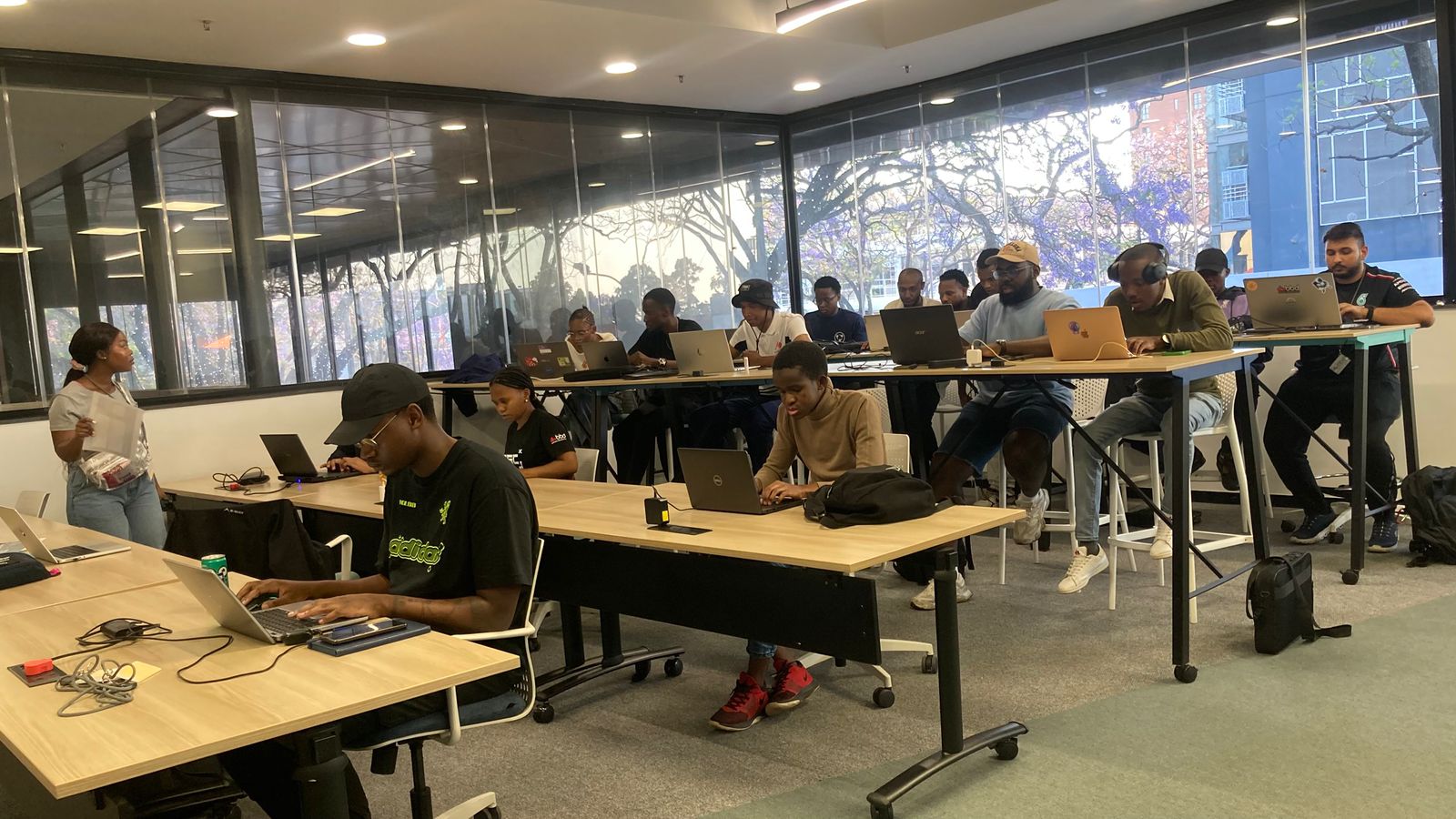
Last week, I had an amazing time attending AWS Community Day Thailand in Bangkok. This event came at an exciting time, following the recent launch of the AWS Asia Pacific (Bangkok) Region. We had over 300 attendees and featured 15 speakers from the community, including an AWS Hero and 4 AWS Community Builders who shared their technical expertise and experiences.

The highlight was definitely Jeff Barr, AWS Vice President & Chief Evangelist, delivering an inspiring keynote titled “Next-Generation Software Development”, which set the perfect tone for the day. The day kicked off with welcoming remarks from Vatsun Thirapatarapong, AWS Country Manager for Thailand, and was made even more special thanks to the tremendous support from both the AWS User Group volunteers and the AWS Thailand team.

Here’s a photo capturing the excitement from the event: 

Last week’s AWS Launches
There are 30+ launches last week and here are some launches that caught my attention:

DeepSeek-R1 models now available on AWS — Channy wrote on how you can now deploy DeepSeek-R1 models in Amazon Bedrock and Amazon SageMaker AI. This helps you to build and scale generative AI applications with minimal infrastructure investment.

Amazon S3 Tables increases table limit to 10,000 per bucket — S3 Tables now supports creating up to 10,000 tables in each table bucket, allowing you to scale up to 100,000 tables across 10 buckets within an AWS Region per account.

Amazon S3 Metadata now generally available — S3 Metadata provides automated and easily queried metadata that updates in near real-time, simplifying business analytics and real-time inference applications. It supports both system-defined and custom metadata, including integration with AWS analytics services.

AWS Amplify adds TypeScript Data client support for Lambda functions — Developers can now use the Amplify Data client within AWS Lambda functions, enabling consistent type-safe data operations across frontend and backend applications.

AWS Elastic Beanstalk adds Python 3.13, .NET 9, and PHP 8.4 support on Amazon Linux 2023 — AWS Elastic Beanstalk brings the latest language features and improvements to application deployments while benefiting from Amazon Linux 2023 enhanced security and performance features.

From community.aws
Here’s my top 5 personal favorites posts from community.aws:

Upcoming AWS and community events
Check your calendars and sign up for upcoming AWS and community events:

  • AWS Korea re:Invent reCap Online, February 2-4 — A virtual event recapping key announcements and innovations from re:Invent 2023 for the Korean audience.
  • AWS Community Days – Join community-led conferences that feature technical discussions, workshops, and hands-on labs. Upcoming AWS Community Day is in Ahmedabad (February 8).
  • AWS Public Sector Day London, February 27 — Join public sector leaders and innovators to explore how AWS is enabling digital transformation in government, education, and healthcare.
  • AWS Innovate GenAI + Data Edition — A free online conference focusing on generative AI and data innovations. Available in multiple Regions: APJC and EMEA (March 6), North America (March 13), Greater China Region (March 14), and Latin America (April 8).

Browse more upcoming AWS led in-person and virtual developer-focused events.

AWS Community re:Invent re:Caps

Lastly, if you want to learn about top announcements and innovations from AWS re:Invent, the AWS Community shares a summary from a community perspective of these announcements so you can get up to speed. Download the AWS Community re:Invent re:Caps deck

That’s all for this week. Check back next Monday for another Weekly Roundup!

Donnie

This post is part of our Weekly Roundup series. Check back each week for a quick roundup of interesting news and announcements from AWS!

DeepSeek-R1 models now available on AWS

Post Syndicated from Channy Yun (윤석찬) original https://aws.amazon.com/blogs/aws/deepseek-r1-models-now-available-on-aws/

During this past AWS re:Invent, Amazon CEO Andy Jassy shared valuable lessons learned from Amazon’s own experience developing nearly 1,000 generative AI applications across the company. Drawing from this extensive scale of AI deployment, Jassy offered three key observations that have shaped Amazon’s approach to enterprise AI implementation.

First is that as you get to scale in generative AI applications, the cost of compute really matters. People are very hungry for better price performance. The second is actually quite difficult to build a really good generative AI application. The third is the diversity of the models being used when we gave our builders freedom to pick what they want to do. It doesn’t surprise us, because we keep learning the same lesson over and over and over again, which is that there is never going to be one tool to rule the world.

As Andy emphasized, a broad and deep range of models provided by Amazon empowers customers to choose the precise capabilities that best serve their unique needs. By closely monitoring both customer needs and technological advancements, AWS regularly expands our curated selection of models to include promising new models alongside established industry favorites. This ongoing expansion of high-performing and differentiated model offerings helps customers stay at the forefront of AI innovation.

This leads us to Chinese AI startup DeepSeek. DeepSeek launched DeepSeek-V3 on December 2024 and subsequently released DeepSeek-R1, DeepSeek-R1-Zero with 671 billion parameters, and DeepSeek-R1-Distill models ranging from 1.5–70 billion parameters on January 20, 2025. They added their vision-based Janus-Pro-7B model on January 27, 2025. The models are publicly available and are reportedly 90-95% more affordable and cost-effective than comparable models. Per Deepseek, their model stands out for its reasoning capabilities, achieved through innovative training techniques such as reinforcement learning.

Today, you can now deploy DeepSeek-R1 models in Amazon Bedrock and Amazon SageMaker AI. Amazon Bedrock is best for teams seeking to quickly integrate pre-trained foundation models through APIs. Amazon SageMaker AI is ideal for organizations that want advanced customization, training, and deployment, with access to the underlying infrastructure. Additionally, you can also use AWS Trainium and AWS Inferentia to deploy DeepSeek-R1-Distill models cost-effectively via Amazon Elastic Compute Cloud (Amazon EC2) or Amazon SageMaker AI.

With AWS, you can use DeepSeek-R1 models to build, experiment, and responsibly scale your generative AI ideas by using this powerful, cost-efficient model with minimal infrastructure investment. You can also confidently drive generative AI innovation by building on AWS services that are uniquely designed for security. We highly recommend integrating your deployments of the DeepSeek-R1 models with Amazon Bedrock Guardrails to add a layer of protection for your generative AI applications, which can be used by both Amazon Bedrock and Amazon SageMaker AI customers.

You can choose how to deploy DeepSeek-R1 models on AWS today in a few ways: 1/ Amazon Bedrock Marketplace for the DeepSeek-R1 model, 2/ Amazon SageMaker JumpStart for the DeepSeek-R1 model, 3/ Amazon Bedrock Custom Model Import for the DeepSeek-R1-Distill models, and 4/ Amazon EC2 Trn1 instances for the DeepSeek-R1-Distill models.

Let me walk you through the various paths for getting started with DeepSeek-R1 models on AWS. Whether you’re building your first AI application or scaling existing solutions, these methods provide flexible starting points based on your team’s expertise and requirements.

1. The DeepSeek-R1 model in Amazon Bedrock Marketplace
Amazon Bedrock Marketplace offers over 100 popular, emerging, and specialized FMs alongside the current selection of industry-leading models in Amazon Bedrock. You can easily discover models in a single catalog, subscribe to the model, and then deploy the model on managed endpoints.

To access the DeepSeek-R1 model in Amazon Bedrock Marketplace, go to the Amazon Bedrock console and select Model catalog under the Foundation models section. You can quickly find DeepSeek by searching or filtering by model providers.

After checking out the model detail page including the model’s capabilities, and implementation guidelines, you can directly deploy the model by providing an endpoint name, choosing the number of instances, and selecting an instance type.

You can also configure advanced options that let you customize the security and infrastructure settings for the DeepSeek-R1 model including VPC networking, service role permissions, and encryption settings. For production deployments, you should review these settings to align with your organization’s security and compliance requirements.

With Amazon Bedrock Guardrails, you can independently evaluate user inputs and model outputs. You can control the interaction between users and DeepSeek-R1 with your defined set of policies by filtering undesirable and harmful content in generative AI applications. The DeepSeek-R1 model in Amazon Bedrock Marketplace can only be used with Bedrock’s ApplyGuardrail API to evaluate user inputs and model responses for custom and third-party FMs available outside of Amazon Bedrock. To learn more, read Implement model-independent safety measures with Amazon Bedrock Guardrails.

Amazon Bedrock Guardrails can also be integrated with other Bedrock tools including Amazon Bedrock Agents and Amazon Bedrock Knowledge Bases to build safer and more secure generative AI applications aligned with responsible AI policies. To learn more, visit the AWS Responsible AI page.

Refer to this step-by-step guide on how to deploy the DeepSeek-R1 model in Amazon Bedrock Marketplace. To learn more, visit Deploy models in Amazon Bedrock Marketplace.

2. The DeepSeek-R1 model in Amazon SageMaker JumpStart
Amazon SageMaker JumpStart is a machine learning (ML) hub with FMs, built-in algorithms, and prebuilt ML solutions that you can deploy with just a few clicks. To deploy DeepSeek-R1 in SageMaker JumpStart, you can discover the DeepSeek-R1 model in SageMaker Unified Studio, SageMaker Studio, SageMaker AI console, or programmatically through the SageMaker Python SDK.

In the Amazon SageMaker AI console, open SageMaker Unified Studio or SageMaker Studio. In case of SageMaker Studio, choose JumpStart and search for “DeepSeek-R1” in the All public models page.

You can select the model and choose deploy to create an endpoint with default settings. When the endpoint comes InService, you can make inferences by sending requests to its endpoint.

You can derive model performance and ML operations controls with Amazon SageMaker AI features such as Amazon SageMaker Pipelines, Amazon SageMaker Debugger, or container logs. The model is deployed in an AWS secure environment and under your virtual private cloud (VPC) controls, helping to support data security.

As like Bedrock Marketpalce, you can use the ApplyGuardrail API in the SageMaker JumpStart to decouple safeguards for your generative AI applications from the DeepSeek-R1 model. You can now use guardrails without invoking FMs, which opens the door to more integration of standardized and thoroughly tested enterprise safeguards to your application flow regardless of the models used.

Refer to this step-by-step guide on how to deploy DeepSeek-R1 in Amazon SageMaker JumpStart. To learn more, visit Discover SageMaker JumpStart models in SageMaker Unified Studio or Deploy SageMaker JumpStart models in SageMaker Studio.

3. DeepSeek-R1-Distill models using Amazon Bedrock Custom Model Import
Amazon Bedrock Custom Model Import provides the ability to import and use your customized models alongside existing FMs through a single serverless, unified API without the need to manage underlying infrastructure. With Amazon Bedrock Custom Model Import, you can import DeepSeek-R1-Distill Llama models ranging from 1.5–70 billion parameters. As I highlighted in my blog post about Amazon Bedrock Model Distillation, the distillation process involves training smaller, more efficient models to mimic the behavior and reasoning patterns of the larger DeepSeek-R1 model with 671 billion parameters by using it as a teacher model.

After storing these publicly available models in an Amazon Simple Storage Service (Amazon S3) bucket or an Amazon SageMaker Model Registry, go to Imported models under Foundation models in the Amazon Bedrock console and import and deploy them in a fully managed and serverless environment through Amazon Bedrock. This serverless approach eliminates the need for infrastructure management while providing enterprise-grade security and scalability.

Refer to this step-by-step guide on how to deploy DeepSeek-R1 models using Amazon Bedrock Custom Model Import. To learn more, visit Import a customized model into Amazon Bedrock.

4. DeepSeek-R1-Distill models using AWS Trainium and AWS Inferentia
AWS Deep Learning AMIs (DLAMI) provides customized machine images that you can use for deep learning in a variety of Amazon EC2 instances, from a small CPU-only instance to the latest high-powered multi-GPU instances. You can deploy the DeepSeek-R1-Distill models on AWS Trainuim1 or AWS Inferentia2 instances to get the best price-performance.

To get started, go to Amazon EC2 console and launch a trn1.32xlarge EC2 instance with the Neuron Multi Framework DLAMI called Deep Learning AMI Neuron (Ubuntu 22.04).

Once you have connected to your launched ec2 instance, install vLLM, an open-source tool to serve Large Language Models (LLMs) and download the DeepSeek-R1-Distill model from Hugging Face. You can deploy the model using vLLM and invoke the model server.

To learn more, refer to this step-by-step guide on how to deploy DeepSeek-R1-Distill Llama models on AWS Inferentia and Trainium.

You can also visit the DeepSeek-R1-Distill-Llama-8B or deepseek-ai/DeepSeek-R1-Distill-Llama-70B model cards on Hugging Face. Choose Deploy and then Amazon SageMaker. From the AWS Inferentia and Trainium tab, copy the example code for deploy DeepSeek-R1-Distill Llama models.

Since the release of DeepSeek-R1, various guides of its deployment for Amazon EC2 and Amazon Elastic Kubernetes Service (Amazon EKS) have been posted. Here is some additional material for you to check out:

Things to know
Here are a few important things to know.

  • Pricing – For publicly available models like DeepSeek-R1, you are charged only the infrastructure price based on inference instance hours you select for Amazon Bedrock Markeplace, Amazon SageMaker JumpStart, and Amazon EC2. For the Bedrock Custom Model Import, you are only charged for model inference, based on the number of copies of your custom model is active, billed in 5-minute windows. To learn more, check out the Amazon Bedrock Pricing, Amazon SageMaker AI Pricing, and Amazon EC2 Pricing pages.
  • Data security – You can use enterprise-grade security features in Amazon Bedrock and Amazon SageMaker to help you make your data and applications secure and private. This means your data is not shared with model providers, and is not used to improve the models. This applies to all models—proprietary and publicly available—like DeepSeek-R1 models on Amazon Bedrock and Amazon SageMaker. To learn more, visit Amazon Bedrock Security and Privacy and Security in Amazon SageMaker AI.

Now available
DeepSeek-R1 is generally available today in Amazon Bedrock Marketplace and Amazon SageMaker JumpStart. You can also use DeepSeek-R1-Distill models using Amazon Bedrock Custom Model Import and Amazon EC2 instances with AWS Trainum and Inferentia chips.

Give DeepSeek-R1 models a try today in the Amazon Bedrock console, Amazon SageMaker AI console, and Amazon EC2 console, and send feedback to AWS re:Post for Amazon Bedrock and AWS re:Post for SageMaker AI or through your usual AWS Support contacts.

Channy

AWS Weekly roundup: EventBridge, SNS FIFO, Amazon Corretto, Amazon Connect, Amazon Bedrock, and more

Post Syndicated from Sébastien Stormacq original https://aws.amazon.com/blogs/aws/aws-weekly-roundup-eventbridge-sns-fifo-amazon-corretto-amazon-connect-amazon-bedrock-and-more/

I counted about 40 new launches from AWS since last week – back to our normal rhythm of releases. Services teams are listening to your feedback and developing little (or big) changes that makes your life easier when working with our services. The ability to support multiple sessions in the AWS Console is my favorite one so far in 2025.

But our teams didn’t stop there, let’s look at the last week’s new announcements.

Last week’s launches

Beside the usual Regional expansion (new capabilities that are now available in a new Region), here are the launches that got my attention.

Amazon EventBridge announces direct delivery to cross-account targetsAmazon EventBridge is now able to deliver events to targets in another AWS account directly without having to send them to the default bus in the target account first. This will simplify so many architectures out there! It supports any target that supports resource-based policies, including AWS Lambda, Amazon Simple Queue Service (Amazon SQS), Amazon Simple Notification Service (Amazon SNS), Amazon Kinesis, and Amazon API Gateway.

Amazon Corretto quaterly update – We announced quarterly security and critical updates for Amazon Corretto Long-Term Supported (LTS) and Feature Release (FR) versions of OpenJDK. Corretto 23.0.2, 21.0.6, 17.0.14, 11.0.26, 8u442 are now available for download. Amazon Corretto is a no-cost, multi-platform, production-ready distribution of OpenJDK. You can download the updates from the Corretto home page or just type apt-get or yum update.

High-throughput mode for Amazon SNS FIFO Topics – Amazon SNS now supports high-throughput mode for SNS FIFO topics, with default throughput matching SNS standard topics across all Regions. When you enable high-throughput mode, SNS FIFO topics will maintain order within message group, while reducing the deduplication scope to the message-group level. With this change, you can leverage up to 30K messages per second (MPS) per account by default in US East (N. Virginia) Region, and 9K MPS per account in US West (Oregon) and Europe (Ireland) Regions, and request quota increases for additional throughput in any Region.

Amazon Connect agent workspace now supports audio optimization for Citrix and Amazon WorkSpaces virtual desktopsAmazon Connect agent workspace now supports the ability to redirect audio from Citrix and Amazon WorkSpaces Virtual Desktop Infrastructure (VDI) environments to a customer service agent’s local device. Audio redirection improves voice quality and reduces latency for voice calls handled on virtual desktops, providing a better experience for both end customers and agents.

Amazon Redshift announces support for History Mode for zero-ETL integrationsThis new capability enables you to build Type 2 Slowly Changing Dimension (SCD 2) tables on your historical data from databases, out-of-the-box in Amazon Redshift, without writing any code. History mode simplifies the process of tracking and analyzing historical data changes, allowing you to gain valuable insights from your data’s evolution over time.

Finally, Amazon Bedrock has its own set of announcements. First, for anyone investing in retrieval-augmented generation, Bedrock now support multimodal content with Cohere Embed 3 Multilingual and Embed 3 English models. This enables you to create embeddings to not only index text, but also images.

Second, read Luma AI’s Ray2 visual AI model now available in Amazon Bedrock. Luma Ray2 is a large-scale video-generation model capable of creating realistic visuals with fluid, natural movement. With Luma Ray2 in Amazon Bedrock, you can generate production-ready video clips with seamless animations, ultrarealistic details, and logical event sequences with natural language prompts, removing the need for technical prompt engineering. Ray2 currently supports 5- and 9-second video generations with 540p and 720p resolution.

And finally, Amazon Bedrock Flows announces preview of multi-turn conversation support. Amazon Bedrock Flows enables you to link foundation models (FMs), Amazon Bedrock Prompts, Amazon Bedrock Agents, Amazon Bedrock Knowledge Bases, Amazon Bedrock Guardrails and other AWS services together to build and scale pre-defined generative AI workflows. This week, the team announced preview of multi-turn conversation support for agent nodes in Flows. This capability enables dynamic, back-and-forth conversations between users and flows, similar to a natural dialogue.

For a full list of AWS announcements, be sure to keep an eye on the What’s New at AWS page.

Other AWS events
Check your calendar and sign up for upcoming AWS events.

AWS Summits season is starting! I’m already working with the local team to prepare content for the Summits in Paris and London. Summits are free online and in-person events that bring the cloud computing community together to connect, collaborate, and learn about AWS. Stay updated by visiting the official AWS Summit website and sign up for notifications to learn when registration opens for events in your area.

AWS GenAI Lofts are collaborative spaces and immersive experiences that showcase AWS expertise in cloud computing and AI. They provide startups and developers with hands-on access to AI products and services, exclusive sessions with industry leaders, and valuable networking opportunities with investors and peers. Find a GenAI Loft location near you, and don’t forget to register.

Browse all upcoming AWS led in-person and virtual events here.

That’s all for this week. Check back next Monday for another Weekly Roundup!

— seb

This post is part of our Weekly Roundup series. Check back each week for a quick roundup of interesting news and announcements from AWS!

Luma AI’s Ray2 video model is now available in Amazon Bedrock

Post Syndicated from Channy Yun (윤석찬) original https://aws.amazon.com/blogs/aws/luma-ai-ray-2-video-model-is-now-available-in-amazon-bedrock/

As we preannounced at AWS re:Invent 2024, you can now use Luma AI Ray2 video model in Amazon Bedrock to generate high-quality video clips from text, creating captivating motion graphics from static concepts. AWS is the first and only cloud provider to offer fully managed models from Luma AI.

On January 16, 2025, Luma AI introduced Luma Ray2, the large–scale video generative model capable of creating realistic visuals with natural, coherent motion with strong understanding of text instructions. Luma Ray2 exhibits advanced capabilities as a result of being trained on Luma’s new multi-modal architecture. It scales to ten times compute of Ray1, enabling it to produce 5 second or 9 second video clips that show fast coherent motion, ultra-realistic details, and logical event sequences with 540p and 720p resolution.

With Luma Ray2 in Amazon Bedrock, you can add high-quality, realistic, production-ready videos generated from text in your generative AI application through a single API. Luma Ray2 video model understands the interactions between people, animals, and objects, and you can create consistent and physically accurate characters through state-of-the-art natural language instruction understanding and reasoning.

You can use Ray2 video generations for content creation, entertainment, advertising, and media use cases, streamlining the creative process, from concept to execution. You can generate smooth, cinematic, and lifelike camera movements that match the intended emotion of the scene. You can rapidly experiment with different camera angles and styles and deliver creative outputs for architecture, fashion, film, graphic design, and music.

Let’s take a look at the impressive video generations by Luma Ray2 that Luma has published.

Get started with Luma Ray2 model in Amazon Bedrock
Before getting started, if you are new to using Luma models, go to the Amazon Bedrock console and choose Model access on the bottom left pane. To access the latest Luma AI models, request access for Luma Ray2 in Luma AI.

To test the Luma AI model in Amazon Bedrock, choose Image/Video under Playgrounds in the left menu pane. Choose Select model, then select Luma AI as the category and Ray as the model.

For video generation models, you should have an Amazon Simple Storage Service (Amazon S3) bucket to store all generated videos. This bucket will be created in your AWS account, and Amazon Bedrock will have read and write permissions for it. Choose Confirm to create a bucket and generate a video.

I will generate a 5-second video with 720P and 24 frames per second with 16:9 aspect ratio for my prompt.

Here is an example prompt and generated video. You can download it stored in the S3 bucket.
a humpback whale swimming through space particles

Here are another featured examples to demonstrate Ray2 model.

Prompt 1: A miniature baby cat is walking and exploring on the surface of a fingertip

Prompt 2: A massive orb of water floating in a backlit forest

Prompt 3: A man plays saxophone by @ziguratt

Prompt 4: Macro closeup of a bee pollinating

To check out more examples and generated videos, visit the Luma Ray2 page.

By choosing View API request in the Bedrock console, you can also access the model using code examples in the AWS Command Line Interface (AWS CLI) and AWS SDKs. You can use luma.ray-v2:0 as the model ID.

Here is a sample of the AWS CLI command:

aws bedrock-runtime invoke-model \
    --model-id luma.ray-v2:0 \
    --region us-west-2 \
    --body "{\"modelInput\":{\"taskType\":\"TEXT_VIDEO\",\"textToVideoParams\":{\"text\":\"a humpback whale swimming through space particles\"},\"videoGenerationConfig\":{\"seconds\":6,\"fps\":24,\"dimension\":\"1280x720\"}},\"outputDataConfig\":{\"s3OutputDataConfig\":{\"s3Uri\":\"s3://your-bucket-name\"}}}"
     invoke-model-output.txt

You can use Converse API examples to generate videos using AWS SDKs to build your applications using various programming languages.

Now available
Luma Ray2 video model is generally available today in Amazon Bedrock in the US West (Oregon) AWS Region. Check the full Region list for future updates. To learn more, check out the Luma AI in Amazon Bedrock product page and the Amazon Bedrock Pricing page.

Give Luma Ray2 a try in the Amazon Bedrock console today, and send feedback to AWS re:Post for Amazon Bedrock or through your usual AWS Support contacts.

Channy

AWS Weekly Roundup: New AWS Mexico (Central) Region, simultaneous sign-in for multiple AWS accounts, and more (January 20, 2025)

Post Syndicated from Esra Kayabali original https://aws.amazon.com/blogs/aws/aws-weekly-roundup-new-aws-mexico-central-region-simultaneous-sign-in-for-multiple-aws-accounts-and-more-january-20-2025/

As winter maintains its hold over where I live in the Netherlands, rare moments of sunlight become precious gifts. This weekend offered one such treasure—while cycling along a quiet canal, golden rays broke through the typically gray Dutch sky, creating a perfect moment of serenity. These glimpses of brightness feel particularly special during January, when daylight can be scarce in our corner of Europe. As we move deeper into 2025, the third week of the new year brings both reflection and forward momentum. While global conversations swirl around technological advancements, it’s these small, personal moments that remind us to pause and appreciate the simple pleasures among our rapidly evolving world.

Let’s look at the last week’s new announcements.

Last week’s launches
Here are the launches that got my attention.

AWS Mexico (Central) Region – In February 2024, we announced plans to expand infrastructure in Mexico, and we’ve now launched the AWS Mexico (Central) Region with three Availability Zones and API code mx-central-1. This marks the first AWS infrastructure Region in Mexico and adds to our growing presence in Latin America. The new Region provides you with local workload management, data storage capabilities, enhanced performance with lower latency, and robust security standards. It features advanced cloud technologies, including cutting-edge artificial intelligence and machine learning (AI/ML) capabilities with purpose-built processors, comprehensive security capabilities with support for 143 security standards and compliance certifications. With this launch, AWS now spans 114 Availability Zones within 36 geographic Regions.

AWS Management Console now supports simultaneous sign-in for multiple AWS accounts – Using multi-session capability in the AWS Management Console, you can now sign-in to multiple AWS accounts and manage your resources in a single browser. You can sign in to up to 5 sessions and this can be any combination of root, AWS Identity and Access Management (IAM), or federated roles in different accounts or in the same account. You can scale your applications using multiple accounts following AWS best-practice guidelines. You can use accounts for different environments, such as development, testing, and production, and compare resource configurations and status across multiple accounts for troubleshooting application issues and other application related jobs.

Introducing new larger sizes on Amazon EC2 Flex instances – We’re announcing the general availability of two new larger sizes (12xlarge and 16xlarge) on Amazon Elastic Compute Cloud (Amazon EC2) Flex (C7i-flex and M7i-flex) instances. The new sizes expand the EC2 Flex portfolio, providing additional compute options to scale up existing workloads or run larger-sized applications that need additional memory. These instances are powered by custom 4th Gen Intel Xeon Scalable processors, which are available only on AWS, and offer up to 15% better performance over comparable x86-based Intel processors used by other cloud providers. Flex instances are the easiest way to get price performance benefits and lower prices for a majority of compute-intensive and general-purpose workloads. They deliver up to 19% better price performance than comparable previous generation instances and are a great first choice for applications that don’t fully utilize the compute resources. Flex instances are ideal for web and application servers, batch processing, enterprise applications, databases, and more. For compute-intensive and general-purpose workloads that need even larger instance sizes (up to 192 vCPUs and 768 GiB memory) or continuous high CPU usage, you can use Amazon EC2 C7i and M7i instances.

Announcing AWS User Notifications general availability on AWS CloudFormation – You can use AWS User Notifications to configure notifications to be sent using the AWS Management Console Notifications Center, email, AWS Chatbot, or mobile push notifications to the AWS Console Mobile App to keep you informed about important events such as Amazon CloudWatch alarms. With this capability, you can define notification configurations as part of your infrastructure-as-code (IaC) practices and specify notification configurations for specific resource types within your AWS CloudFormation templates. For example, you can set up notifications to trigger when an Amazon EC2 Auto Scaling group scales out, an Elastic Load Balancing (ELB) load balancer is provisioned, or an Amazon Relational Database Service (Amazon RDS) database is modified. You have granular control over which events will trigger notifications and who should receive them.

For a full list of AWS announcements, be sure to keep an eye on the What’s New at AWS page.

We launched existing services and instance types in additional Regions:

Other AWS events
Check your calendar and sign up for upcoming AWS events.

AWS Summits are free online and in-person events that bring the cloud computing community together to connect, collaborate, and learn about AWS. Stay updated by visiting the official AWS Summit website and sign up for notifications to learn when registration opens for events in your area.

AWS GenAI Lofts are collaborative spaces and immersive experiences that showcase AWS expertise in cloud computing and AI. They provide startups and developers with hands-on access to AI products and services, exclusive sessions with industry leaders, and valuable networking opportunities with investors and peers. Find a GenAI Loft location near you and don’t forget to register.

Browse all upcoming AWS led in-person and virtual events here.

That’s all for this week. Check back next Monday for another Weekly Roundup!

— Esra

This post is part of our Weekly Roundup series. Check back each week for a quick roundup of interesting news and announcements from AWS!

Change is the Only Constant: 2024 in Review

Post Syndicated from Michael Kammer original https://blog.zabbix.com/change-is-the-only-constant-2024-in-review/29528/

Time waits for no one, and as impossible as it may seem, one of the most consequential years in the history of Zabbix is already in the books. You can be forgiven for feeling at times like we were trying to cram a decade of events into a single year, which is why we’ve prepared this handy look back at the highlights of 2024 – just in case there’s anything you were too busy to notice as it happened!

Re-imagining the product

One of the year’s unquestioned highlights was the long-awaited release of Zabbix Cloud on October 1. As our first new product release since the creation of Zabbix, Zabbix Cloud is designed to provide the Zabbix features our community members know and love, but with easier deployment and management as well as automatic upgrades and easier scalability.

To celebrate the release itself, we held a release party at our Riga HQ with members of our global community who were in town for Zabbix Summit 2024, which kicked off a few days later. The release definitely got our community talking – the level of interest in this new “portable” version of Zabbix exceeded even our highest expectations.

Our team also released Zabbix 7.0 LTS on June 4, packed full of improvements and upgrades that our users have been asking for, including upgraded performance and scalability, new ways to visualize data, faster network discovery speed, and more. We followed that in December with the release of Zabbix 7.2, which added improved monitoring features and workflows as well as a host of new templates.

It can’t be stressed enough – all these new products, innovations, and updates were the result of feedback and suggestions from our global community. We listen, we learn, and we take your ideas to heart!

Security first

In 2024, Zabbix transitioned to the ISO/IEC 27001:2022 certification, with an extended scope to cover Zabbix Cloud. This milestone also includes compliance with ISO/IEC 27017:2015, further enhancing cloud-specific security controls.

Meanwhile, the HackerOne bug bounty program continues to be a success. 2024 brought us 33 valid submissions, and we paid $35,000 in bounties. Out of those, we have already fixed and published 24 vulnerabilities for source code.

The Zabbix CVE (Common Vulnerabilities and Exposures) program and processes are also continuing to mature. Recently, an audit was performed against our organization’s CVE submission for 40 submissions in the NIST NVD (National Vulnerability Database). Not only did we pass the audit and gain contributor status, but Zabbix is currently the only CVE Numbering Authorities (CNA) in Latvia.

Making our presence felt

Our community members piled up the frequent flier miles as we traveled the globe to keep in touch with our ever-expanding community and win over new converts. The events we took part in this year included the following:

• 31 meetings (with first-time visits to many destinations in North America)
• 1 forum in Mexico City
• 18 meetups (both online and in a variety of global locations)
• 4 conferences (Benelux, China, Japan, and Latin America)
• Far too many exhibitions, trade fairs, and expos to list conveniently
• One extremely successful Zabbix Summit in Riga

“The long hours and even longer flights really paid off, as this year was our most successful yet in terms of new business. The events we held in North America were especially helpful in terms of breaking new ground. We understood that we have an amazing Zabbix community in the United States and a much bigger market to work with.” – Ronalds Sulcs, Zabbix Head of Sales

A year of continuous growth

2024 saw us add new team members in every location we operate in, while also recruiting remote workers from nearly every corner of the globe. All told, the team grew by 30 people, which means we are now almost 200 strong! Meanwhile, the Partners team was also operating at full throttle, adding 12 new highly-skilled Certified Partners and 16 Resellers in locations from Australia to Morocco. All partners and resellers were chosen for their unique blend of experience and expertise, and we’re confident that they’ll provide best-in-class knowledge where it’s needed most.

The fact that we’ve managed to build on our status as an employer of choice across three continents while adding an ever-increasing number of quality partners in every corner of the globe speaks to the hard work and competence of our colleagues as well as the quality of the products and services we provide. Congratulations to everyone who did their part to make sure we continue to add talent and expertise!

Giving back

2024 was an exceptionally successful year in terms of bringing our products and services to the world, but we’re proud of the fact that we also managed to export our values of openness, transparency, and a desire to give back to the communities we live and work in. This took multiple forms throughout the year:

• The LatAm team worked with the DEDICA Foundation – Foundation for Digital Development and Open Knowledge to create the Zabbix Innova Challenge. The challenge is designed to encourage creativity and stimulate technological development in local communities through a Hackathon and other activities, with the goal of introducing Zabbix to a new generation of tech talent.
• In December, we made a generous donation to Pārtikas banka “Paēdušai Latvijai” (Food Bank “For a Full Latvia”) in support of their mission of getting nutritious food to communities in need. We also gave to support Bērnu slimnīcas fonds, Latvijas Bērnu fonds, Autisma atbalsta punkts, and Ziedot.lv – all with the goal of supporting children’s health, while our employees in the Riga office prepared gifts for senior citizens at the Rīga Social Care Center Mežciems as part of the “Eņģeļa pasts (Angel’s Mail)” charity project, Santa’s Workshop.
• The end of the year also saw us contribute €50,000 to Dod pieci!, the Latvian charity marathon organized by Latvijas Radio, Latvijas Televīzija, LSM.lv, and Ziedot.lv. The marathon helps make life-saving cancer treatment more affordable.

It’s been our experience that making a difference and donating to good causes reinforces a shared commitment to the company as well as to each other. We’d like to thank and congratulate everyone who took part in our outreach efforts over the past year!

Getting noticed

The news about what we got up to in 2024 seemed to be everywhere, as tech journals, newspapers, and global organizations showered us with positive publicity. At Interop Tokyo 2024, the Zabbix Japan team picked up the prestigious “Best of Show” Grand Prize in the Management and Monitoring category for the Zabbix 7.0 LTS release. The award is granted by a jury made up of some of the world’s most knowledgeable IT and monitoring experts, so recognition was truly an honor.

In Latin America, Milenio published a profile of our CEO and Founder Alexei Vladishev that brought the Zabbix story to thousands of new readers, while Mexico’s Encuentro Vidal marked the occasion of Zabbix Conference Mexico in November with a look at how Zabbix is helping countries in the region on their journey to digital transformation.

Globo published a well-written and informative piece that explored how the Brazilian city of Extrema has been investing in new technologies (with Zabbix prominent among them) in order to better serve the population of the city and make its administration more efficient and transparent.

Carrying our momentum into 2025

As 2025 gets underway, remember to stay on top of Zabbix news by following us on social media, reading our blog, and checking our forum.

“2024 was an eventful year that was full of excitement, growth, and change. It was the year we made Zabbix Cloud a reality, and a true milestone in the growth of our company and our community. I’m sure that everyone in the Zabbix family is excited to see what our 20th Anniversary year of 2025 will bring!” – Alexei Vladishev, Zabbix Founder and CEO


The post Change is the Only Constant: 2024 in Review appeared first on Zabbix Blog.

Now open — AWS Mexico (Central) Region

Post Syndicated from Elizabeth Fuentes original https://aws.amazon.com/blogs/aws/now-open-aws-mexico-central-region/

In February 2024, we announced plans to expand Amazon Web Services (AWS) infrastructure in Mexico. Today, I’m excited to announce the general availability of the AWS Mexico (Central) Region with three Availability Zones and API code mx-central-1. This new AWS Region is the first AWS infrastructure Region in Mexico and adds to our growing presence in Latin America.

The AWS Region in Mexico represents a significant commitment to the country’s digital future. AWS is planning to invest more than $5 billion in Mexico over 15 years. This AWS Region will provide customers with advanced and secure cloud technologies, including cutting-edge artificial intelligence (AI) and machine learning (ML) capabilities with purpose-built processors, while supporting Mexico’s growing digital economy. With this effort, AWS will support an average of more than 7,000 full-time equivalent jobs annually in Mexico, adding more than $10 billion to Mexico’s gross domestic product (GDP). AWS has also launched a $300,000 AWS InCommunities Fund in Queretaro to help local groups, schools, and organizations initiate new community projects.

mexico city

Palacio de Bellas Artes, Mexico City

The AWS Mexico (Central) Region provides organizations in Mexico with a new option to run their workloads and store data locally. Organizations that need data residency capabilities, enhanced performance with lower latency, or robust security standards can now use infrastructure located in Mexico.

AWS in Mexico
AWS has operated infrastructure in Mexico since 2020. The infrastructure includes seven Amazon CloudFront edge locations, AWS Outposts, and strategic offerings such as AWS Local Zones in Queretaro and AWS Direct Connect. These infrastructure offerings help customers run low-latency applications while maintaining secure connectivity.

Performance and Innovation
The AWS Mexico (Central) Region brings AWS infrastructure and services closer to local customers. With this new Region, AWS provides lower latency for customers in Mexico compared to using other AWS Regions. Customers will also be able to use our innovation in purpose-built processors, notably AWS Graviton, that delivers up to 40% better price performance compared to x86-based Amazon EC2 instances across diverse workloads.

This technological advantage extends to our cutting-edge AI and ML capabilities, including:

  • Advanced ML infrastructure with AWS Trainium and AWS Inferentia for scalable generative AI deployment.
  • Purpose-built processors optimized for cloud workloads to deliver best price-performance.

Security and Compliance
AWS provides comprehensive security capabilities with support for 143 security standards and compliance certifications, including PCI-DSS, HIPAA/HITECH, FedRAMP, GDPR, FIPS 140-2, and NIST 800-171. All AWS customers own their data, choose where to store it, and decide if/when to move it. This means customers storing content in the AWS Mexico (Central) Region have the assurance that their content will not leave Mexico, unless they chose to move it.

AWS Customers in Mexico
Leading Mexican organizations are already achieving significant results with AWS. Companies such as Aeroméxico, Banco Santander Mexico, Cinépolis, Grupo Salinas, Kavak, Palace Resorts, and Vector Casa de Bolsa are running mission-critical workloads on AWS. Here are key examples:

BBVA, a leading multinational financial services company, is using AWS to accelerate its data-driven transformation. Using Amazon SageMaker and Amazon Bedrock, BBVA is empowering over 1,000 data scientists to build, train, and deploy machine learning models efficiently. This technology enables BBVA to explore advanced technologies and create innovative financial solutions, supporting their goal of becoming a true data and AI-driven digital organization.

Grupo Multimedios, a leading Mexican media group, is pioneering the use of generative AI, by implementing Amazon Bedrock for their media asset manager (MAM), reducing content research time by 88%, decreasing news generation time by 40%, and increasing content production by 70% (250 additional news items daily). As the fastest-growing media group embracing technological leadership, their AI implementation demonstrates a commitment to innovation while streamlining operations.

Bowhead Health, a digital healthcare company, is revolutionizing cancer research by using Amazon Bedrock to accelerate the research pipeline. The company has built a vast, de-identified dataset that’s ready for analysis without traditional recruitment barriers. Bowhead Health also delivers robust, real-world insights to drive faster breakthroughs in oncology drug development.

SkyAlert, an innovative technology company protecting millions in earthquake-prone areas, transformed its alert system by migrating to AWS in 2018. Before AWS, their system required 20 virtual machines and experienced significant delays during critical moments. Using AWS Lambda, AWS Fargate, and Amazon Pinpoint, they can now scale automatically and deliver messages to users quickly. With the opening of the AWS Mexico (Central) Region, SkyAlert anticipates further improvements to their services with local AWS infrastructure. As Santiago Cantú, Co-Founder of SkyAlert, explains, “The opening of the AWS Region in Mexico is an extremely important event for SkyAlert and for the security of those who trust us. Having local AWS infrastructure will improve our ability to deliver critical alerts, which potentially save lives, even faster and more reliably. This perfectly aligns with our mission to provide the most robust and advanced earthquake early warning system available. The new Region will allow us to take even greater advantage of AWS services, ensuring that we continue to be at the forefront of innovation in disaster preparedness.”

Building Skills Together
AWS has made significant investments in upskilling initiatives in Mexico including:

  • Training over 500,000 individuals in cloud technology since 2017.
  • Collaborating with the the Ministry of Economy to train 138,000 people in digital technology as of 2024.
  • Partnering with universities like Universidad Panamericana and Tec de Monterrey to teach digital skills.
  • Training programs with Canacintra for 20,000 Small and Medium Businesses (SMB) leaders.

AWS Commitment to Sustainability
Amazon is committed to reaching net-zero carbon across its business by 2040. A recent Accenture study shows that running workloads on AWS is up to 4.1 times more energy-efficient than on-premises environments. When workloads are optimized on AWS, the associated carbon footprint can be lowered by up to 99%. The AWS Mexico (Central) Region incorporates sustainable design practices, using air-cooling technology that eliminates the need for cooling water in operations. With this new Region, customers will also benefit from AWS sustainability efforts across its infrastructure. To learn more about sustainability at AWS, visit the AWS Cloud sustainability page.

Things to know
AWS Community in Mexico – The AWS Community in Mexico is one of the most vibrant in Latin America, with 26+ AWS Community Builders and 15 AWS User Groups. These groups are located in Jalisco, Puebla, Monterrey, Mérida, Mexico City, Mexicali, Cancún, León, Querétaro, San Luis Potosí, Ensenada, Saltillo, Tijuana, and Villahermosa, plus a specialized User Group called Embajadoras cloud (Cloud ambassadors) focused on women’s professional development. Together, these groups comprise 9,000+ total members.

AWS Global footprint – With this launch, AWS now spans 114 Availability Zones within 36 geographic Regions.

Available now – The new AWS Mexico (Central) Region is ready to support your business, and you can find a detailed list of the services available in this Region on the AWS Services by Region page.

To start building in mx-central-1, visit the AWS Global Infrastructure page.

Thanks to David Victoria for the AWS Community México 2024 photo.

Eli

AWS Weekly Roundup: New Asia Pacific Region, DynamoDB updates, Amazon Q developer, and more (January 13, 2025)

Post Syndicated from Betty Zheng (郑予彬) original https://aws.amazon.com/blogs/aws/aws-weekly-roundup-new-asia-pacific-region-dynamodb-updates-amazon-q-developer-and-more-january-13-2025/

As we move into the second week of 2025, China is celebrating Laba Festival (腊八节), a traditional holiday, which marks the beginning of Chinese New Year preparations. On this day, Chinese people prepare Laba congee, a special porridge combining various grains, dried fruits, and nuts. This

nutritious mixture symbolizes harmony, prosperity, and good fortune — with each ingredient representing the diversity and abundance of life. This traditional practice dates back to when Buddha achieved enlightenment after consuming rice porridge, making it a symbol of both material and spiritual nourishment. The festival, occurring on the eighth day of the twelfth lunar month, marks the countdown to Spring Festival, China’s most significant traditional holiday celebrating family reunion and renewal.

As our global tech community grows, such cultural celebrations remind us of the importance of inclusive innovation and shared progress.

Last week’s launches

Let’s take a look at what Amazon Web Services (AWS) launched in this week.

New AWS Asia Pacific (Thailand) Region– AWS has expanded its global infrastructure with the launch of the new Asia Pacific (Thailand) AWS Region, featuring three Availability Zones. With this addition, customers in Thailand and throughout Southeast Asia can serve customers with reduced latency while maintaining data residency within Thailand. The newly launched Region supports the complete range of AWS services and strengthens our presence in the rapidly growing ASEAN market.

New AWS Direct Connect location in Bangkok – Following the launch of our Thailand Region, we’ve established a new AWS Direct Connect location in Bangkok and expanded our existing infrastructure. This addition provides customers in Thailand with improved connectivity options and reduced network latency when accessing AWS services.

Database and analytics

Configurable point-in-time recovery periods for Amazon DynamoDBAmazon DynamoDB now enables customizable point-in-time recovery (PITR) periods, which means customers can specify recovery durations ranging from 1 to 35 days on a per-table basis. This enhancement enables organizations to meet precise compliance requirements while maximizing cost-efficiency. The feature is now available across all AWS Regions, including AWS GovCloud (US West) and China Regions. This flexibility in data recovery periods empowers customers to align their backup policies precisely with their business requirements and regulatory obligations.

Amazon MSK Connect APIs with AWS PrivateLinkAmazon Managed Streaming for Apache Kafka Connect (Amazon MSK Connect) APIs now support AWS PrivateLink, giving customers access to MSK Connect APIs through private endpoints within their virtual private cloud (VPC). This enhancement provides increased security and reduced data exposure by keeping traffic within the AWS network.

Generative AI and machine learning

Amazon Q Developer in SageMaker Code EditorAmazon Q Developer is now integrated into the Amazon SageMaker Code Editor integrated development environment (IDE), enhancing the developer’s experience with AI-powered code assistance. Intelligent code suggestions, documentation assistance, and contextual recommendations are now directly available within the SageMaker development environment.

Management and governance

AWS Systems Manager Automation in AWS ChatbotAWS Chatbot now offers 20 additional AWS Systems Manager Automation runbook recommendations, expanding its capabilities for automated operations management. These new recommendations help customers streamline their operational tasks and implement best practices more efficiently through chat-based interactions.

AWS Transit Gateway cost analysis enhancement – We’ve introduced new capabilities for analyzing Transit Gateway data processing charges using cost allocation tags. This feature provides improved visibility and control over networking costs, enabling organizations to track and optimize AWS Transit Gateway usage efficiently. The enhanced cost analysis tools deliver detailed insights into network traffic patterns and associated costs.

Other AWS news and highlights

2024’s most popular DevOps blog posts – The retrospective blog post “The most visited DevOps and Developer Productivity blog posts in 2024” has reached the top one position on this week’s AWS most popular articles chart. This compilation presents the most influential DevOps content from 2024, offering insights into trending topics and best practices. The collection examines key developments in continuous integration and continuous development (CI/CD), infrastructure as code (IaC), and automation practices.

New security course for generative AIAWS Skill Builder has released a new course focusing on securing generative AI applications on AWS. This comprehensive training teaches professionals to implement security best practices for artificial intelligence and machine learning (AI/ML) workloads, addressing data protection, model security, and compliance requirements. The course meets the growing demand for specialized security knowledge in the rapidly evolving field of generative AI.

Amazon Connect Contact Lens free trials – We’re introducing free trials for first-time users of Amazon Connect Contact Lens conversational analytics and performance evaluations. New customers can process up to 100,000 voice minutes monthly at no cost for 2 months, and first-time performance evaluation users receive a 30-day free trial starting with their first evaluation. With this initiative, customers can experience Contact Lens capabilities in their environment without additional costs. The free trials are available across all AWS Regions where Contact Lens is supported.

For a full list of AWS announcements, be sure to keep an eye on the What’s New with AWS page.

Whether you’re a developer, architect, business leader, or you’re starting your cloud journey – and regardless of what 2024 brought your way – 2025 presents new opportunities for everyone.

This post is part of our Weekly Roundup series. Check back each week for a quick roundup of interesting news and announcements from AWS!

Betty

Announcing the new AWS Asia Pacific (Thailand) Region

Post Syndicated from Donnie Prakoso original https://aws.amazon.com/blogs/aws/announcing-the-new-aws-asia-pacific-thailand-region/

Today, we’re pleased to announce that the AWS Asia Pacific (Thailand) Region is now generally available with three Availability Zones and API name ap-southeast-7.

The AWS Asia Pacific (Thailand) Region is the first infrastructure Region in Thailand and the fourteenth Region in Asia Pacific, joining existing Regions in Hong Kong, Hyderabad, Jakarta, Malaysia, Melbourne, Mumbai, Osaka, Seoul, Singapore, Sydney, and Tokyo, as well as the Beijing and Ningxia China Regions.

Lumphini Park, one of the largest green spaces in central Bangkok spanning 142 acres.

The adoption of cloud computing has gained significant momentum in Thailand, driven by evolving business needs and government initiatives such as Thailand 4.0. These initiatives aim to transform Thailand into an innovation-driven economy by using emerging technologies to enhance productivity, competitiveness, and sustainable growth.

The new AWS Region will help startups, enterprises, government agencies, educational institutions, and nonprofit organizations run their applications and serve end users while maintaining data residency in Thailand. This aligns with Thailand’s digital transformation goals and the growing demand for cloud services. Over the next 15 years, Amazon Web Services (AWS) planned investments in Thailand are estimated to contribute $10B to Thailand’s Gross Domestic Product (GDP) and support an estimated average of 11,000 full-time equivalent (FTE) jobs in local Thai businesses annually.

Growing presence of AWS in Thailand
Our journey in Thailand began in 2013 with the first AWS office in Bangkok. Since then, AWS has continuously expanded its infrastructure and services in the country:

Amazon CloudFront – Since 2020, AWS has established six Amazon CloudFront edge locations throughout Thailand. These edge locations are part of the highly secure and programmable AWS content delivery network (CDN), designed to accelerate the delivery of data, videos, applications, and APIs to users worldwide with low latency and high transfer speeds.

AWS Outposts – In the same year, 2020, AWS introduced AWS Outposts to the Thai market. As a fully managed solution, AWS Outposts brings AWS infrastructure and services to virtually any on-premises or edge location, enabling a truly consistent hybrid experience. This service is particularly valuable for workloads that require low latency, local data processing, or local data storage.

AWS Local Zones – In 2022, AWS strengthened its commitment to Thailand by launching AWS Local Zones in Bangkok. This infrastructure deployment places compute, storage, database, and other select services closer to large population, industry, and IT centers. As a result, customers can deliver applications requiring single-digit millisecond latency to end users.

AWS Direct Connect – AWS established a AWS Direct Connect location in Bangkok in 2023 to enhance connectivity options and added a new AWS Direct Connect location with the launch of the AWS Asia Pacific (Thailand) Region. Customers can use AWS Direct Connect to establish secure and dedicated network connections to their AWS resources, providing improved network performance and reduced bandwidth costs.

AWS customer success stories in Thailand
Organizations in Thailand are using our services to drive innovation and transformation. Here are a few examples:

2C2P
2C2P, a leading Thailand-based FinTech startup, chose AWS for its robust security capabilities. As an omnichannel payment service provider in Southeast Asia, the company processes millions of customer payments globally using AWS CloudHSM for cryptographic key management, AWS Shield for distributed denial of service (DDoS) protection, and AWS Secrets Manager to safeguard sensitive credentials.

“Through AWS, we’ve unlocked the power to securely, dynamically, and compliantly scale to meet the surge in payment transaction volumes. AWS CloudHSM plays a pivotal role in fulfilling compliance requirements and propelling us toward accelerated business expansion,” says Myo Zaw, Chief Technology Officer at 2C2P.

aCommerce
aCommerce, the largest ecommerce enabler in Southeast Asia, has revolutionized market intelligence by launching AskIQ, a generative AI–powered feature on AWS. This software as a service (SaaS) platform provides the world’s leading brands with comprehensive competitor and category performance tracking capabilities across Southeast Asia’s largest ecommerce sites.

Leena Chanvirach, VP of Data Products at aCommerce Group, emphasizes the strategic value of their AWS collaboration: “Our collaboration with AWS allows clients to double down on their core competencies and business priorities. This best-of-both-worlds approach gives brands a competitive edge without the burden of building and maintaining sophisticated data infrastructure in-house.”

Ascend Money
Ascend Money, a leading Southeast Asian FinTech company, achieved a 70 percent reduction in compute costs while simultaneously improving application performance by up to 40 percent in certain workloads. Ascend Money implemented a sophisticated compute strategy using Amazon EC2 instances, resulting in significant operational improvements.

“AWS has significantly improved our performance, enabling us to deliver more innovative services to our customers,” says Peerawit Phuangkaeo, Head of Technical Operations at Ascend Money.

Building cloud skills together
AWS has built comprehensive programs for cloud education and skills development in Thailand, training more than 50,000 individuals in cloud skills since 2017. Here are some of the programs:

AWS Skill Builder
AWS Skill Builder is an online learning center where you can learn from AWS experts and build cloud skills online. AWS has made cloud education more accessible to Thai learners by offering more than 600 courses, with 106 courses specifically available in Thai language. The recent launch of the Amazon AI Ready initiative has further expanded the learning opportunities, particularly in the growing field of AI.

AWS Educate
Since its introduction in 2016, AWS Educate has played a transformative role in Thai education. The program has successfully integrated cloud computing into educational curricula across Thailand, providing students with direct access to AWS resources and hands-on experience. The impact has been substantial, with over 20,000 Thai students enrolled in the program. Beyond student education, AWS Educate has invested in training Thai educators, preparing them to deliver engaging and practical cloud computing courses that prepare students for the demands of the digital economy.

AWS Academy
AWS Academy has been instrumental in connecting academic learning with industry needs since its launch in Thailand in 2017. Through strategic partnerships with more than 30 leading universities and colleges across the country, AWS Academy has created a robust pipeline of cloud-skilled professionals. The program provides educational institutions with comprehensive cloud computing curricula that align with industry needs, making sure that students graduate with practical, job-ready skills.

Through these various initiatives and programs, AWS is not just providing educational resources, it’s building a foundation for Thailand’s digital future by helping equip the workforce with the necessary skills to use cloud technologies effectively.

Supporting sustainable innovation in Thailand
The AWS commitment to sustainability extends to supporting innovative companies in Thailand that are driving environmental initiatives.

BODA Technology & Consultancy
BODA, an AWS powered sustainability startup, uses AWS IoT Core to develop AI-powered solutions for energy efficiency optimization. The company has successfully improved operations in over 100,000 buildings and factories across Thailand, enabling these facilities to maximize efficiency while reducing costs and environmental impact.

GSPC Group
GSPC Group, a leading sustainable power company in Thailand, demonstrates how AWS supports the energy sector’s digital transformation. Following the merger between Global Power Synergy Public Company and Glow Energy, the group chose AWS Cloud for migrating its photovoltaic solar plant operations. Working with AWS and AWS Partner Dailitech, GSPC Group has achieved a 20–25 percent reduction in hardware, software, and licensing costs since moving to the cloud.

Things to know
AWS Community in Thailand — Thailand is home to two AWS Heroes, seven AWS Community Builders, and more than 17,000 members of the AWS User Group. If you’re interested in joining AWS User Group Thailand, visit their Facebook page.

AWS Global footprint — AWS now spans 111 Availability Zones within 35 geographic regions worldwide. We have announced plans for 15 more Availability Zones and five more AWS Regions in Germany, Taiwan, Mexico, the Kingdom of Saudi Arabia, and New Zealand. 

The new Asia Pacific (Thailand) Region is ready to support your business. To learn more, visit the AWS Global Infrastructure page and start building on ap-southeast-7!

Happy building!
Donnie