I’ve heard the horror stories, and I’m sure you have too. A company thinks they’re covered because they have replication running, only to realize too late that replication doesn’t protect against data corruption or ransomware. In a disaster scenario, every copy of their critical data is compromised. And then comes the dreaded question: Do we have a backup?
Many teams—even those with seasoned IT professionals—misunderstand the fundamental difference between backup and replication for disaster recovery (DR). Replication is about availability, or keeping systems running with minimal downtime. Backup is about recoverability, or ensuring you can go back to a known good state.
This post breaks down replication, backup, and their respective roles in disaster recovery in a way that’s easy to share with your team, helping to prevent costly misunderstandings.
What is data replication?
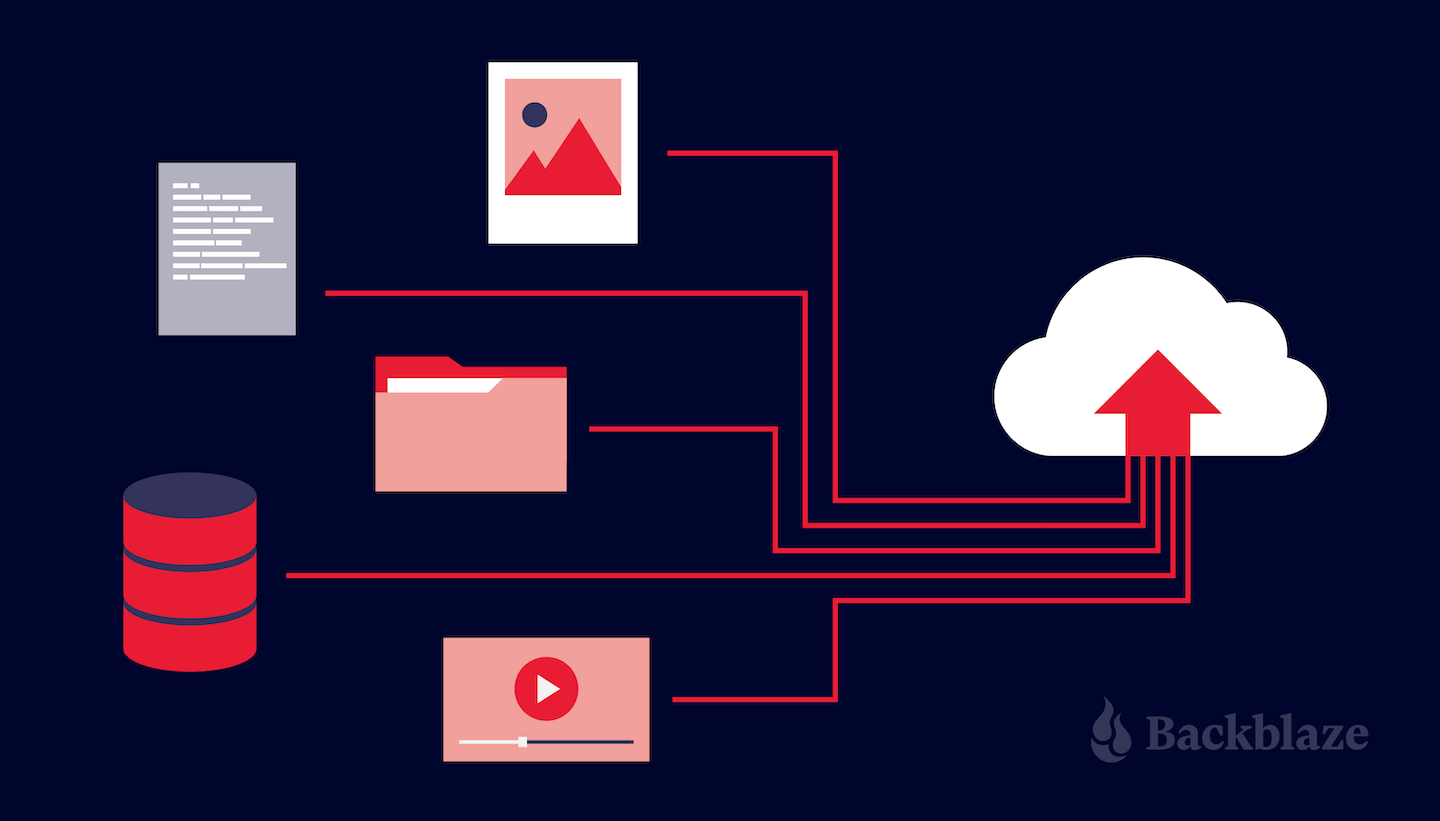
Data replication involves copying and synchronizing data between your primary site and the DR destination in real-time or near real-time. It offers fast failover capabilities as the replicated data at the DR site is constantly updated. However, if malware infects your primary site, it might also replicate to the DR site, rendering the backup compromised.
What is data backup?
Data backup involves creating full and incremental copies of your data and storing them in a separate location from your primary system, typically on a scheduled basis, to prevent loss, corruption, or disasters. A couple key points:
Incremental backups capture changes in data, thus offering a point-in-time recovery option.
Ideally, backups are immutable, meaning they can’t be altered, in order to protect against malware and ransomware by making files and images read-only for safe recovery.
Air-gapped and offline backups can further help resist malware and ransomware attacks by creating a virtual or physical separation from the production network.
Cloud-based backups are a great option for addressing these requirements while offering affordable scaling options as the environment grows.
Replicating backups
A hybrid approach involves replicating your backups to a secondary location, offering a balance between data protection and recovery time. This can be between on-premises and cloud environments, or across multiple cloud targets.
While replicating backups offers additional protection and accessibility for online recovery, the backup images are still subject to ransomware infection. Using immutable backups helps prevent the spread of the infection to recovery sites and backup repositories.
Data backups paired with replication can be an ideal strategy. Full and incremental backups with point-in-time snapshots can provide regular recovery points with replicated copies for remote recovery and additional protection.
Cloud Replication
Backblaze B2 Cloud Replication enables your data to be automatically copied from one location to another for redundancy, compliance, and fast local access. Create 2x backups for a stronger disaster recovery posture. Replicating your Backblaze data is easy and free—no service or egress fees—just the standard Backblaze B2 Cloud Storage rates.
Disaster recovery and backups: Factors to consider when choosing the right approach
The optimal approach to disaster recovery backup and when and how you use replication depends on your specific needs.
For frequently accessed data requiring near-instantaneous recovery, consider a combination of a hot site methodology and real-time data replication. This offers the fastest failover, but can come at a higher cost.
For critical data with acceptable downtime, a warm site with replicated immutable backups at a secondary location (either on-premises or in the cloud) provides a good balance between cost and recovery time. While requiring some manual intervention, it offers protection against malware replicating to the DR site.
For less critical data or archival purposes, cold storage with periodic backups is a cost-effective option. Backups offer a historical record and are less susceptible to malware infection compared to replicated data, particularly if Object Lock is enabled for immutability.
Data replication is important, but it should not be seen as a substitute for backups. Backups offer a required safety net, providing a point-in-time recovery option even if the replicated data is compromised. Selecting the right disaster recovery backup strategy depends on a careful evaluation of your company’s specific needs, budget, and risk tolerance.
By understanding the pros and cons of each option, you can make an informed decision that ensures optimal protection for your critical data in the face of unforeseen disruptions.
It looks like a very sophisticated attack against the Dubai-based exchange Bybit:
Bybit officials disclosed the theft of more than 400,000 ethereum and staked ethereum coins just hours after it occurred. The notification said the digital loot had been stored in a “Multisig Cold Wallet” when, somehow, it was transferred to one of the exchange’s hot wallets. From there, the cryptocurrency was transferred out of Bybit altogether and into wallets controlled by the unknown attackers.
[…]
…a subsequent investigation by Safe found no signs of unauthorized access to its infrastructure, no compromises of other Safe wallets, and no obvious vulnerabilities in the Safe codebase. As investigators continued to dig in, they finally settled on the true cause. Bybit ultimately said that the fraudulent transaction was “manipulated by a sophisticated attack that altered the smart contract logic and masked the signing interface, enabling the attacker to gain control of the ETH Cold Wallet.”
The announcement on the Bybit website is almost comical. This is the headline: “Incident Update: Unauthorized Activity Involving ETH Cold Wallet.”
This hack sets a new precedent in crypto security by bypassing a multisig cold wallet without exploiting any smart contract vulnerability. Instead, it exploited human trust and UI deception:
Multisigs are no longer a security guarantee if signers can be compromised.
Cold wallets aren’t automatically safe if an attacker can manipulate what a signer sees.
Supply chain and UI manipulation attacks are becoming more sophisticated.
The Bybit hack has shattered long-held assumptions about crypto security. No matter how strong your smart contract logic or multisig protections are, the human element remains the weakest link. This attack proves that UI manipulation and social engineering can bypass even the most secure wallets. The industry needs to move to end to end prevention, each transaction must be validated.
The Linux kernel supports attaching BPF programs to many operations.
This is generally safe because the BPF verifier ensures
that BPF programs can’t misuse kernel resources, run indefinitely, or otherwise
escape their boundaries. There is continuing tension, however, between trying
to expand the capabilities of BPF programs and ensuring that the verifier can
handle every edge case. On February 14, Juntong Deng
shared a proof-of-concept patch set that
adds some run-time checks to BPF to make it possible in the future to interrupt
a running BPF program.
As engineers, we’re obsessed with efficiency and automating anything we find ourselves doing more than twice. If you’ve ever done this, you know that the happy path is always easy, but the second the inputs get complex, automation becomes really hard. This is because computers have traditionally required extremely specific instructions in order to execute.
The state of AI models available to us today has changed that. We now have access to computers that can reason, and make judgement calls in lieu of specifying every edge case under the sun.
That’s what AI agents are all about.
Today we’re excited to share a few announcements on how we’re making it eveneasier to build AI agents on Cloudflare, including:
agents-sdk — a new JavaScript framework for building AI agents
Updates to Workers AI: structured outputs, tool calling, and longer context windows for Workers AI, Cloudflare’s serverless inference engine
We truly believe that Cloudflare is the ideal platform for building Agents and AI applications (more on why below), and we’re constantly working to make it better — you can expect to see more announcements from us in this space in the future.
Before we dive deep into the announcements, we wanted to give you a quick primer on agents. If you are familiar with agents, feel free to skip ahead.
What are agents?
Agents are AI systems that can autonomously execute tasks by making decisions about tool usage and process flow. Unlike traditional automation that follows predefined paths, agents can dynamically adapt their approach based on context and intermediate results. Agents are also distinct from co-pilots (e.g. traditional chat applications) in that they can fully automate a task, as opposed to simply augmenting and extending human input.
Agents → non-linear, non-deterministic (can change from run to run)
Workflows → linear, deterministic execution paths
Co-pilots → augmentative AI assistance requiring human intervention
Example: booking vacations
If this is your first time working with, or interacting with agents, this example will illustrate how an agent works within a context like booking a vacation.
Imagine you’re trying to book a vacation. You need to research flights, find hotels, check restaurant reviews, and keep track of your budget.
Traditional workflow automation
A traditional automation system follows a predetermined sequence: it can take inputs such as dates, location, and budget, and make calls to predefined APIs in a fixed order. However, if any unexpected situations arise, such as flights being sold out, or the specified hotels being unavailable, it cannot adapt.
AI co-pilot
A co-pilot acts as an intelligent assistant that can provide hotel and itinerary recommendations based on your preferences. If you have questions, it can understand and respond to natural language queries and offer guidance and suggestions. However, it is unable to take the next steps to execute the end-to-end action on its own.
Agent
An agent combines AI’s ability to make judgements and call the relevant tools to execute the task. An agent’s output will be nondeterministic given: real-time availability and pricing changes, dynamic prioritization of constraints, ability to recover from failures, and adaptive decision-making based on intermediate results. In other words, if flights or hotels are unavailable, an agent can reassess and suggest a new itinerary with altered dates or locations, and continue executing your travel booking.
agents-sdk — the framework for building agents
You can now add agent powers to any existing Workers project with just one command:
$ npm i agents-sdk
… or if you want to build something from scratch, you can bootstrap your project with the agents-starter template:
$ npm create cloudflare@latest agents-starter --template=cloudflare/agents-starter
// ... and then deploy it
$ npm run deploy
agents-sdk is a framework that allows you to build agents — software that can autonomously execute tasks — and deploy them directly into production on Cloudflare Workers.
Your agent can start with the basics and act on HTTP requests…
import { Agent } from "agents-sdk";

export class IntelligentAgent extends Agent {
  async onRequest(request) {
    // Transform intention into response
    return new Response("Ready to assist.");
  }
}
Although this is just the initial release of agents-sdk, we wanted to ship more than just a thin wrapper over an existing library. Agents can communicate with clients in real time, persist state, execute long-running tasks on a schedule, send emails, run asynchronous workflows, browse the web, query data from your Postgres database, call AI models, and support human-in-the-loop use-cases. All of this works today, out of the box.
For example, you can build a powerful chat agent with the AIChatAgent class:
// src/index.ts
export class Chat extends AIChatAgent<Env> {
  /**
   * Handles incoming chat messages and manages the response stream
   * @param onFinish - Callback function executed when streaming completes
   */
  async onChatMessage(onFinish: StreamTextOnFinishCallback<any>) {
    // Create a streaming response that handles both text and tool outputs
    return agentContext.run(this, async () => {
      const dataStreamResponse = createDataStreamResponse({
        execute: async (dataStream) => {
          // Process any pending tool calls from previous messages
          // This handles human-in-the-loop confirmations for tools
          const processedMessages = await processToolCalls({
            messages: this.messages,
            dataStream,
            tools,
            executions,
          });

          // Initialize OpenAI client with API key from environment
          const openai = createOpenAI({
            apiKey: this.env.OPENAI_API_KEY,
          });

          // Cloudflare AI Gateway
          // const openai = createOpenAI({
          //   apiKey: this.env.OPENAI_API_KEY,
          //   baseURL: this.env.GATEWAY_BASE_URL,
          // });

          // Stream the AI response using GPT-4
          const result = streamText({
            model: openai("gpt-4o-2024-11-20"),
            system: `
              You are a helpful assistant that can do various tasks. If the user asks, then you can also schedule tasks to be executed later. The input may have a date/time/cron pattern to be input as an object into a scheduler The time is now: ${new Date().toISOString()}.
              `,
            messages: processedMessages,
            tools,
            onFinish,
            maxSteps: 10,
          });

          // Merge the AI response stream with tool execution outputs
          result.mergeIntoDataStream(dataStream);
        },
      });

      return dataStreamResponse;
    });
  }
  async executeTask(description: string, task: Schedule<string>) {
    await this.saveMessages([
      ...this.messages,
      {
        id: generateId(),
        role: "user",
        content: `scheduled message: ${description}`,
      },
    ]);
  }
}

export default {
  async fetch(request: Request, env: Env, ctx: ExecutionContext) {
    if (!env.OPENAI_API_KEY) {
      console.error(
        "OPENAI_API_KEY is not set, don't forget to set it locally in .dev.vars, and use `wrangler secret bulk .dev.vars` to upload it to production"
      );
      return new Response("OPENAI_API_KEY is not set", { status: 500 });
    }
    return (
      // Route the request to our agent or return 404 if not found
      (await routeAgentRequest(request, env)) ||
      new Response("Not found", { status: 404 })
    );
  },
} satisfies ExportedHandler<Env>;
… and connect to your Agent with any React-based front-end with the useAgent hook that can automatically establish a bidirectional WebSocket, sync client state, and allow you to build Agent-based applications without a mountain of bespoke code:
We spent some time thinking about the production story here too: an agent framework that absolves itself of the hard parts — durably persisting state, handling long-running tasks & loops, and horizontal scale — is only going to get you so far. Agents built with agents-sdk can be deployed directly to Cloudflare and run on top of Durable Objects — which you can think of as stateful micro-servers that can scale to tens of millions — and are able to run wherever they need to. Close to a user for low-latency, close to your data, and/or anywhere in between.
agents-sdk also exposes:
Integration with React applications via a useAgent hook that can automatically set up a WebSocket connection between your app and an agent
An AIChatAgent extension that makes it easier to build intelligent chat agents
State management APIs via this.setState as well as a native sql API for writing and querying data within each Agent
State synchronization between frontend applications and the agent state
Agent routing, enabling agent-per-user or agent-per-workflow use-cases. Spawn millions (or tens of millions) of agents without having to think about how to make the infrastructure work, provision CPU, or scale out storage.
Over the coming weeks, expect to see even more here: tighter integration with email APIs to enable more human-in-the-loop use-cases, hooks into WebRTC for voice & video interactivity, a built-in evaluation (evals) framework, and the ability to self-host agents on your own infrastructure.
We’re aiming high here: we think this is just the beginning of what agents are capable of, and we think we can make Workers the best place (but not the only place) to build & run them.
JSON mode, longer context windows, and improved tool calling in Workers AI
When users express needs conversationally, tool calling converts these requests into structured formats like JSON that APIs can understand and process, allowing the AI to interact with databases, services, and external systems. This is essential for building agents, as it allows users to express complex intentions in natural language, and AI to decompose these requests, call appropriate tools, evaluate responses and deliver meaningful outcomes.
When using tool calling or building AI agents, the text generation model must respond with valid JSON objects rather than natural language. Today, we’re adding JSON mode support to Workers AI, enabling applications to request a structured output response when interacting with AI models. Here’s a request to @cf/meta/llama-3.1-8b-instruct-fp8-fast using JSON mode:
As you can see, the model is complying with the JSON schema definition in the request and responding with a validated JSON object. JSON mode is compatible with OpenAI’s response_format implementation:
We will continue extending this list to keep up with new, and requested models.
Lastly, we are changing how we restrict the size of AI requests to text generation models, moving from byte-counts to token-counts, introducing the concept of context window and raising the limits of the models in our catalog.
In generative AI, the context window is the sum of the number of input, reasoning, and completion or response tokens a model supports. You can now find the context window limit on each model page in our developer documentation and decide which suits your requirements and use case.
JSON mode is also the perfect companion when using function calling. You can use structured JSON outputs with traditional function calling or the Vercel AI SDK via the workers-ai-provider.
workers-ai-provider 0.1.1
One of the most common ways to build with AI tooling today is by using the popular AI SDK. Cloudflare’s provider for the AI SDK makes it easy to use Workers AI the same way you would call any other LLM, directly from your code.
A key part of building agents is using LLMs for routing, and making decisions on which tools to call next, and summarizing structured and unstructured data. All of these things need to happen quickly, as they are on the critical path of the user-facing experience.
Workers AI, with its globally distributed fleet of GPUs, is a perfect fit for smaller, low-latency LLMs, so we’re excited to make it easy to use with tools developers are already familiar with.
Why build agents on Cloudflare?
Since launching Workers in 2017, we’ve been building a platform to allow developers to build applications that are fast, scalable, and cost-efficient from day one. We took a fundamentally different approach from the way code was previously run on servers, making a bet about what the future of applications was going to look like — isolates running on a global network, in a way that was truly serverless. No regions, no concurrency management, no managing or scaling infrastructure.
The release of Workers was just the beginning, and we continued shipping primitives to extend what developers could build. Some more familiar, like a key-value store (Workers KV), and some that we thought would play a role in enabling net new use cases like Durable Objects. While we didn’t quite predict AI agents (though “Agents” was one of the proposed names for Durable Objects), we inadvertently created the perfect platform for building them.
What do we mean by that?
A platform that only charges you for what you use (regardless of how long it takes)
To be able to run agents efficiently, you need a system that can seamlessly scale up and down to support the constant stop, go, wait patterns. Agents are basically long-running tasks, sometimes waiting on slow reasoning LLMs and external tools to execute. With Cloudflare, you don’t have to pay for long-running processes when your code is not executing. Cloudflare Workers is designed to scale down and only charge you for CPU time, as opposed to wall-clock time.
In many cases, especially when calling LLMs, the difference can be in orders of magnitude — e.g. 2–3 milliseconds of CPU vs. 10 seconds of wall-clock time. When building on Workers, we pass that difference on to you as cost savings.
Serverless AI Inference
We took a similar serverless approach when it comes to inference itself. When you need to call an AI model, you need it to be instantaneously available. While the foundation model providers offer APIs that make it possible to just call the LLM, if you’re running open-source models, LoRAs, or self-trained models, most cloud providers today require you to pre-provision resources for what your peak traffic will look like. This means that the rest of the time, you’re still paying for GPUs to sit there idle. With Workers AI, you can pay only when you’re calling our inference APIs, as opposed to unused infrastructure. In fact, you don’t have to think about infrastructure at all, which is the principle at the core of everything we do.
A platform designed for durable execution
Durable Objects and Workflows provide a robust programming model that ensures guaranteed execution for asynchronous tasks that require persistence and reliability. This makes them ideal for handling complex operations like long-running deep thinking LLM calls, human-in-the-loop approval processes, or interactions with unreliable third-party APIs. By maintaining state across requests and automatically handling retries, these tools create a resilient foundation for building sophisticated AI agents that can perform complex, multistep tasks without losing context or progress, even when operations take significant time to complete.
Lastly, new and updated agents documentation
Did you catch all of that?
No worries if not: we’ve updated our agents documentation to include everything we talked about above, from breaking down the basics of agents, to showing you how to tackle foundational examples of building with agents.
We’ve also updated our Workers prompt with knowledge of the agents-sdk library, so you can use Cursor, Windsurf, Zed, ChatGPT or Claude to help you build AI Agents and deploy them to Cloudflare.
Can’t wait to see what you build!
We’re just getting started, and we love to see all that you build. Please join our Discord, ask questions, and tell us what you’re building.
Modern organizations grapple with the complex task of securing sensitive data in sprawling hybrid and multi-cloud environments. Due to insufficient visibility and governance, data is often misplaced, duplicated, or left exposed. This fragmented environment makes it difficult for teams to accurately assess data exposure risks, comply with stringent privacy regulations, and continuously track sensitive data across locations, owners, and usage.
Without a consistent, holistic view of where sensitive data resides and how it is managed, organizations face significant security, compliance, and operational risks. To solve this challenge and make sense of their data security posture, organizations typically start by discovering and gaining visibility into data stored across their IT estate and work to classify the type of data and associated risk of exposure.
Modern enterprises typically rely on various data classification sources, including CSP-native detection services (such as Amazon Macie, MSFT Defender for Cloud, or GCP Security Command Center), third-party DSPM tools, custom classification policies, or by manually tagging native cloud resources. When discrepancies arise, security teams face a critical question: Which classification should they trust and how can they manage these classifications efficiently at scale? To help solve this persistent challenge, we’re excited to announce sensitive data discovery and data-centric risk prioritization in Exposure Command, empowering teams to implement data-centric risk prioritization as a cornerstone of their security strategy.
Automated Data Classification Leveraging Existing Tagging Frameworks
With this update, Exposure Command offers teams the ability to ingest data classifications and findings from native data security services offered by cloud providers such as AWS Macie, Microsoft Defender for Cloud, and Google Cloud Security Command Center. This enhancement enables organizations to centralize sensitive data insights across their cloud environments, providing a unified view of data risks and exposures. By leveraging these integrations, security teams can automate data classification ingestion, enhance risk assessment, and take proactive remediation steps to secure sensitive information in their cloud infrastructures.
We don’t just stop at support for native services, however, as we also offer the ability to ingest tags directly, whether from the Cloud Service Provider (CSP) or via IaC templates such as Terraform. With automated cloud-native tagging, organizations can establish a single source of truth for data classification, ensuring that security teams can quickly assess and respond to risks tied to sensitive information.
By taking a tag-based classification strategy, organizations can:
Standardize classification across cloud resources with custom tag schemas for severity, data type, and compliance requirements.
Ensure consistency by automating tag propagation across related resources.
Leverage version control to track classification changes over time for audit and compliance purposes.
Infrastructure as Code Integration for Seamless Classification
Exposure Command makes it easy to implement and enforce consistent data classification directly within cloud infrastructure deployment workflows. With native Terraform resource tagging, automated tag inheritance, and customizable classification schemas, security teams can automate classification at scale. Version control ensures auditability and change tracking, helping organizations maintain a dynamic, risk-aware classification framework that evolves with their cloud environment.
Sensitive Data Discovery Meets Risk Prioritization
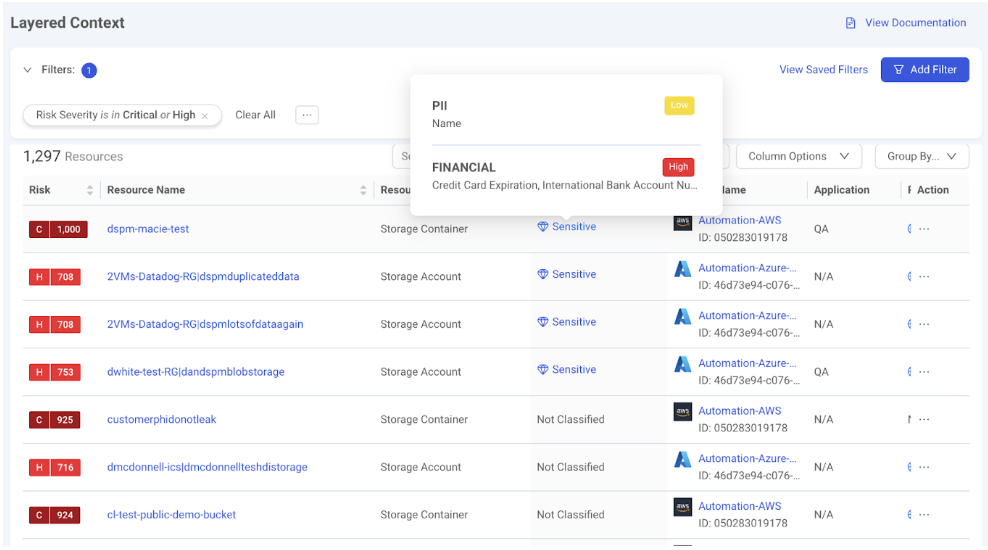
Exposure Command enables teams to take a data-centric approach to risk prioritization by incorporating insights into sensitive data exposures alongside Layered Context and Attack Path Analysis, ensuring that organizations focus on the risks that could lead to real-world breaches. By layering asset criticality, exploitability, and risk posture with insights into sensitive data exposure, security teams can focus on protecting crown jewel data assets.
Taking a Data-Centric Approach to Risk Prioritization with Layered Context
Layered Context is a multi-dimensional risk prioritization model that moves beyond traditional vulnerability management by integrating sensitive data insights, threat intelligence, and business impact analysis into a unified view of risk. Rather than prioritizing based solely on CVSS scores, this approach ensures security teams focus on the exposures that pose the highest real-world risk, not just those that appear severe on paper.
By layering in sensitive data awareness, Exposure Command allows teams to see not just which systems are vulnerable, but which ones expose high-value data whether it’s customer PII, financial records, intellectual property, or regulated information. This makes it possible to prioritize remediation based on both exploitability and potential business impact.
Understanding Paths for Lateral Movement and Unwanted Access to Sensitive Data
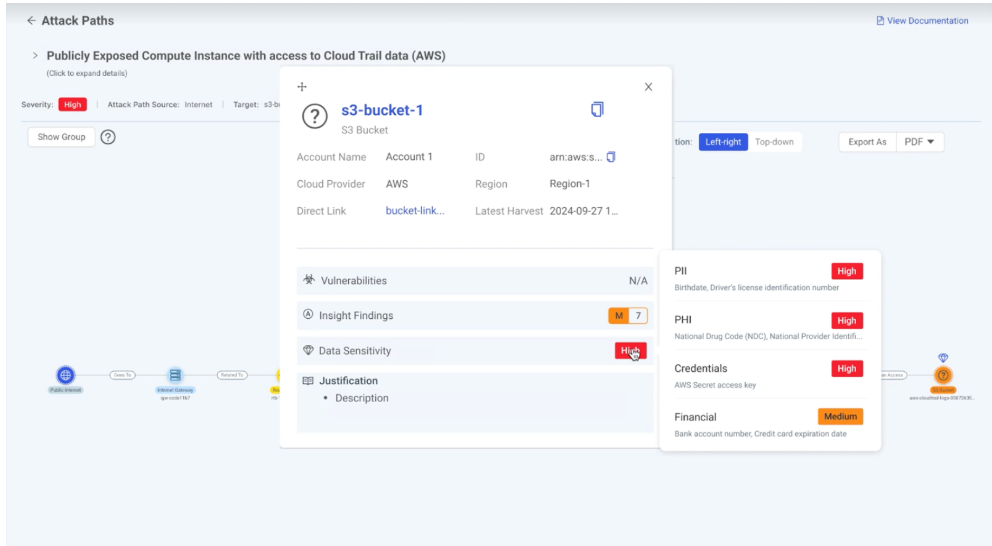
Attackers don’t just exploit vulnerabilities – they chain weaknesses together to reach high-value data. Exposure Command’s Attack Path Analysis goes beyond simply identifying risky assets; it maps how an attacker could move through the environment to access sensitive data. By visualizing lateral movement opportunities, privilege escalation paths, and gaps in data protection, security teams can preemptively block attack routes before they’re exploited.
Instead of just highlighting vulnerable systems, it maps how attackers could exploit weaknesses to access sensitive customer information, financial records, or intellectual property. This data-centric approach shifts remediation from a focus on CVSS scores to business impact-driven security, ensuring that teams address the most critical exposures first.
By revealing hidden exploitation paths, Exposure Command identifies chained vulnerabilities, lateral movement risks, and privilege escalation opportunities that could allow attackers to reach high-value data. A misconfiguration on a low-risk asset might seem harmless – until it’s linked to a cloud storage bucket containing sensitive data. With attack path visualization, security teams can better understand attack scenarios, block lateral movement, and proactively shut down high-risk pathways before they can be exploited – moving from reactive patching to proactive breach prevention.
Why Data-Centric Risk Prioritization Matters
Traditional risk management often overlooks the nuances of sensitive data exposure, relying on static vulnerability metrics. By embedding sensitive data insights directly into risk prioritization workflows, Rapid7 Exposure Command shifts the paradigm to focus on what matters most: safeguarding critical data assets.
This approach ensures that security efforts are aligned with business priorities, enabling organizations to:
Protect customer and proprietary information.
Mitigate the risk of data breaches and non-compliance penalties.
Enhance collaboration between security, IT, and risk management teams.
Take Command of Your Sensitive Data Risks
With sensitive data discovery now part of Exposure Command, Rapid7 is empowering organizations to bolster their security strategies. Whether you’re a financial institution safeguarding customer data or a healthcare provider ensuring patient privacy, this innovation provides the tools you need to protect what matters most.
Ready to elevate your risk management program? Learn how Rapid7 Exposure Command can help you integrate data-centric risk prioritization into your security operations.
Rapid7 provides unmatched attack surface visibility through the Command Platform, helping security teams identify, prioritize, and remediate risk across hybrid environments. Surface Command is the only solution available that combines native external and internal scanning into a single unified view of your attack surface, enriched with telemetry from third party security and ITOps tools via more than 120 out-of-the-box connectors.
Exposure Command builds on this foundational attack surface visibility, layering on adversary-aware risk prioritization and integrated remediation workflows that make it easy for security teams to anticipate where attackers are going to target, pinpoint their most pressing exposures and act swiftly and collaboratively to address issues before they can be exploited.
Now, we’re taking this a step further with three key innovations designed to strengthen risk prioritization, streamline remediation, and ensure sensitive data remains protected.
Expanding Already Unmatched Attack Surface Visibility and Context to Sensitive Data
Sensitive data is a prime target for attackers, yet security teams often struggle to track where it resides and how exposed it is. Sensitive Data Discovery in Exposure Command delivers continuous visibility into sensitive data across multicloud environments, ensuring that security teams can proactively protect high-value assets.
With native ingestion from CSP security services like AWS Macie, GCP DLP, and Microsoft Defender, as well as Infrastructure-as-Code (IaC) tagging support, security teams can classify sensitive data from the start, eliminating manual, error-prone processes and improving data hygiene.
These insights feed directly into our risk scoring and prioritization methodology, with sensitive data insights woven directly into Layered Context and Attack Path Analysis, enabling teams to identify and focus on the exposures that put sensitive information at risk.
Improving Program Efficiency and Efficacy with AI-driven Vulnerability Scoring
The exponential growth of vulnerabilities has outpaced the ability of vendors and agencies like NVD to provide timely CVSS scores. This leaves security teams struggling to assess the severity of vulnerabilities, particularly with the volume of CVEs escalating rapidly. To bridge this gap, we’re introducing AI-driven CVSS scoring, a powerful capability that leverages an advanced machine learning model to:
Analyze vulnerability data from trusted sources and historical expert assessments
Generate accurate, intelligence-driven CVSS scores to fill in vendor and agency gaps
Feed into our Active Risk scoring model to help security teams cut through the noise and make informed decisions faster and with confidence
With this innovation, the accuracy of Active Risk scores have improved by 17%, ensuring greater consistency and actionable insights. The model’s predictive capabilities achieve a remarkable 87% accuracy in severity classification, making it an indispensable tool in today’s fast-evolving threat environment.
Streamlined Remediation with Surface Command and Remediation Hub
Security teams don’t just need to find risks. They need to fix them, and fix them fast, but it’s usually not within their purview to actually take the ultimate action to resolve the issue at its root. Security teams often need to communicate with stakeholders across the organization – often on the infrastructure or DevOps teams – to convince them that there is a pressing risk that needs their attention.
Overcoming this burden of proof – because it’s often not a simple task to convince others around the organization to share your sense of urgency – can be challenging to say the least. In order to clear that hurdle, it requires irrefutable evidence with clarifying context to inspire action.
Our newly-expanded Surface Command and Remediation Hub integration ensures that remediation guidance is embedded directly within asset inventory and detail pages, eliminating the need to switch between platforms to gather and share the contextual information needed to address risk fast.
By deepening the integration between Surface Command and Remediation Hub, security teams benefit from:
Faster mean-time-to-remediate (MTTR) by bringing prioritized remediation guidance directly into the asset inventory and detail pages within Surface Command
Deeper asset context at the time of remediation, including insights from third-party security and ITOps tooling
Improved collaboration by providing security teams and stakeholders with enriched context for quicker decision-making
Ready to Take the Next Step?
Rapid7’s approach combines cutting-edge technology and comprehensive data insights to help organizations focus on what truly matters. By addressing high-impact risks and safeguarding critical assets, teams can reduce their exposure to threats while improving operational efficiency.
Rapid7’s enhanced platform capabilities empower organizations to modernize their risk management strategies. By integrating sensitive data insights, leveraging GenAI-driven prioritization, and expanding remediation workflows, we provide the tools you need to stay ahead of threats and proactively eliminate exposures across your entire attack surface.
This strategy also streamlines collaboration, enabling security, IT, and risk management teams to work together seamlessly with shared context and priorities. Ultimately, aligning risk management practices with real-world threats and business objectives ensures greater resilience and security.
Learn how Rapid7 can help you adopt a threat-aware approach to threat and exposure management. It’s time to transform your security strategy and protect what matters most.
AI has become a pervasive term that is heard with trepidation, excitement, and often a furrowed brow in school staffrooms. For educators, there is pressure to use AI applications for productivity — to save time, to help create lesson plans, to write reports, to answer emails, etc. There is also a lot of interest in using AI tools in the classroom, for example, to personalise or augment teaching and learning. However, without understanding AI technology, neither productivity nor personalisation are likely to be successful as teachers and students alike must be critical consumers of these new ways of working to be able to use them productively.
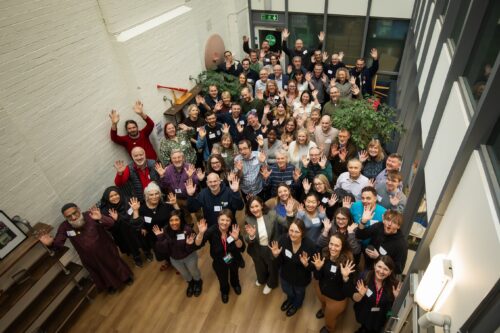
Fifty teachers and researchers share knowledge about teaching about AI.
In both England and globally, there are few new AI-based curricula being introduced and the drive for teachers and students to learn about AI in schools is lagging, with limited initiatives supporting teachers in what to teach and how to teach it. At the Raspberry Pi Foundation and Raspberry Pi Computing Education Research Centre, we decided it was time to investigate this missing link of teaching about AI, and specifically to discover what the teachers who are leading the way in this topic are doing in their classrooms.
A day of sharing and activities in Cambridge
We organised a day-long, face-to-face symposium with educators who have already started to think deeply about teaching about AI, have started to create teaching resources, and are starting to teach about AI in their classrooms. The event was held in Cambridge, England, on 1 February 2025, at the head office of the Raspberry Pi Foundation.
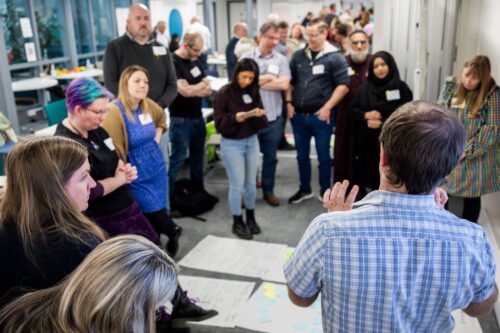
Teachers collaborated and shared their knowledge about teaching about AI.
Over 150 educators and researchers applied to take part in the symposium. With only 50 places available, we followed a detailed protocol, whereby those who had the most experience teaching about AI in schools were selected. We also made sure that educators and researchers from different teaching contexts were selected so that there was a good mix of primary to further education phases represented. Educators and researchers from England, Scotland, and the Republic of Ireland were invited and gathered to share about their experiences. One of our main aims was to build a community of early adopters who have started along the road of classroom-based AI curriculum design and delivery.
Inspiration, examples, and expertise
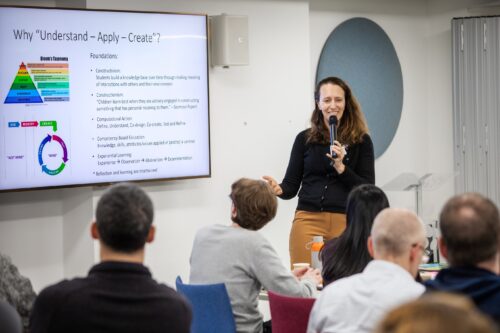
To inspire the attendees with an international perspective of the topics being discussed, Professor Matti Tedre, a visiting academic from Finland, gave a brief overview of the approach to teaching about AI and resources that his research team have developed. In Finland, there is no compulsory distinct computing topic taught, so AI is taught about in other subjects, such as history. Matti showcased tools and approaches developed from the Generation AI research programme in Finland. You can read about the Finnish research programme and Matti’s two month visit to the Raspberry Pi Computing Education Research Centre in our blog.
A Finnish perspective to teaching about AI.
Attendees were asked to talk about, share, and analyse their teaching materials. To model how to analyse resources, Ben Garside from the Raspberry Pi Foundation modelled how to complete the activities using the Experience AI resources as an example. The Experience AI materials have been co-created with Google DeepMind and are a suite of free classroom resources, teacher professional development, and hands-on activities designed to help teachers confidently deliver AI lessons. Aimed at learners aged 11 to 14, the materials are informed by the AI education framework developed at the Raspberry Pi Computing Education Research Centre and are grounded in real-world contexts. We’ve recently released new lessons on AI safety, and we’ve localised the resources for use in many countries including Africa, Asia, Europe, and North America.
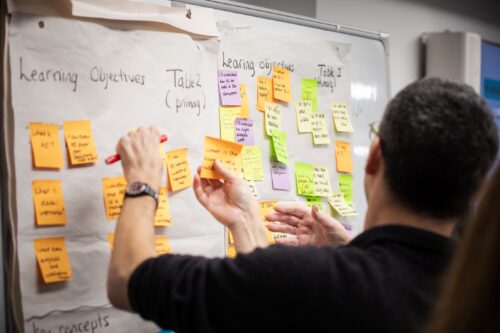
In the morning session, Ben exemplified how to talk about and share learning objectives, concepts, and research underpinning materials using the Experience AI resources and in the afternoon he discussed how he had mapped the Experience AI materials to the UNESCO AI competency framework for students.
UNESCO provide important expertise.
Kelly Shiohira, from UNESCO, kindly attended our session, and gave an invaluable insight into the UNESCO AI competency framework for students. Kelly is one of the framework’s authors and her presentation helped teachers understand how the materials had been developed. The attendees then used the framework to analyse their resources, to identify gaps and to explore what progression might look like in the teaching of AI.
Teachers shared their knowledge about teaching about AI.
Throughout the day, the teachers worked together to share their experience of teaching about AI. They considered the concepts and learning objectives taught, what progression might look like, what the challenges and opportunities were of teaching about AI, what research informed the resources and what research needs to be done to help improve the teaching and learning of AI.
What next?
We are now analysing the vast amount of data that we gathered from the day and we will share this with the symposium participants before we share it with a wider audience. What is clear from our symposium is that teachers have crucial insights into what should be taught to students about AI, and how, and we are greatly looking forward to continuing this journey with them.
As well as the symposium, we are also conducting academic research in this area, you can read more about this in our Annual Report and on our research webpages. We will also be consulting with teachers and AI experts. If you’d like to ensure you are sent links to these blog posts, then sign up to our newsletter. If you’d like to take part in our research and potentially be interviewed about your perspectives on curriculum in AI, then contact us at: [email protected]
We also are sharing the research being done by ourselves and other researchers in the field at our research seminars. This year, our seminar series is on teaching about AI and data science in schools. Please do sign up and come along, or watch some of the presentations that have already been delivered by the amazing research teams who are endeavouring to discover what we should be teaching about AI and how in schools
Докато човек сърфира из социалните мрежи, често попада на мнение, което звучи толкова противоположно на убежденията му, че възкликва:
С този май сме от друга реалност!
Това се случва и когато се свери начинът, по който различни медии отразяват една и съща новина. Интерпретациите на събитието на едно място звучат подобно на ликуване, а на друго – като описание на погребение. Изглежда, сякаш заглавието на класическия научнофантастичен роман „Война на реалности“ от Филип К. Дик се е превърнало в ами… реалност.
Автоматичната реакция е да си кажем, че другата страна е манипулирана. Така либералите в САЩ обясняват как хора с невисоки доходи гласуват против икономическите си интереси за партията на републиканците, подкрепяща дерегулацията в икономиката в полза на богатите. Твърди се, че консерваторите са създали цяла система, сливаща в едно информация и забавление и контролираща целия съзнателен живот на хората вътре в нея. От църквата, която посещават, през телевизията, която гледат, до ехо балона в социалната мрежа, където са се напъхали. Но от другата страна биха отговорили със същото, като обвинят противниците си, че живеят в свой си свят, съчетаващ участие в активистка организация, стриймване на филми с прогресивни послания в Netflix и… пак напъхването в балона.
Кой обаче е в истинския свят и кой, подобно на Алиса, е попаднал в огледалния?
А и пребиваването в информационен балон като че ли не може напълно да обясни ефективността на манипулацията. В продължение на близо половин век българите живяха в тоталитарно общество, почти съвършената затворена система. И все пак голяма част усещаха, че нещата, които се говорят вътре, не са съвсем верни. Макар да проповядваха комунистическата идея, много от партийците не вярваха в нея. Още по-малко гражданите, мъчещи се да се доберат до пиратска видеокасета със западен филм или до долари за пазаруване в „Кореком“.
В наши дни Северна Корея, официално Корейска народнодемократична република (КНДР), е тотална оруелска диктатура, в която информацията е напълно контролирана, и все пак дори там има хора, които се усъмняват и се опитват да избягат от социалистическия рай.
Също така буди удивление фактът, че политическата пропаганда на Путин изглежда по-ефективна от тази на СССР – както когато е насочена към собствените си граждани, така и когато изнася посланията си за гражданите на други страни, от малка България до Съединените щати. Това е странно, тъй като днешната Руска федерация е несъмнено по-слаба от стария Съветски съюз икономически, военно и дори идеологически. Тя не обещава на мишените си по-добър живот от този в западните държави, а се задоволява да громи порядките там. Вместо светло бъдеще, наградата поправославному те чака на оня свят. В случая с руските граждани, мобилизирани във войната в Украйна – след като са дали живота си за вожда.
И все пак това работи.
За да разберем защо се получава така, е необходимо да осъзнаем начина, по който мозъкът ни възприема реалността.
С този проблем се сблъсках, докато пишех докторската си дисертация. В нея сравнявах политическите партии на САЩ и Канада в контекста на идеологическото противопоставяне между либерали и консерватори от последните години. Забелязах, че в Щатите има много силна поляризация както между елитите, така и между избирателите, а в северната им съседка като че ли по-скоро има консенсус между партиите.
Обясненията за тези разлики са наистина комплексни, но силно впечатление прави ролята на медиите, които в Щатите се допуска да са силно пристрастни и не са длъжни да отразяват другите гледни точки. Радикализирането на средностатистическия републикански избирател съвпада почти напълно с възхода на телевизия Fox News. Сред избирателите на демократите има видима корелация с популяризирането на прекалената политическа коректност и все по-честата употреба на социални мрежи от страна на младите хора, тъй като в тях първоначално огромен успех имаше „будното“ ляво, там споделяха публикации и медии, свързани с крайнолиберални виждания. При последните избори в САЩ обаче се видя, че вече и десните владеят новите форми на общуване, а някои дори твърдят, че Барън Тръмп, най-малкият син на Доналд, е научил баща си как да стига до млади бели мъже, потребяващи социални мрежи или играещи видеоигри – като гостува в подкастите, които те слушат.
Направи си сам
Това показва, че медийната манипулация действа, но въпросът е по какъв начин. Истината е изненадваща. Нашият мозък сам си създава картината за реалността. Качествената манипулация не се опитва да изгради цялостна и кохерентна илюзия, напротив – само дава насоки. Умът ни сам свършва останалото.
Осъзнах това, докато превеждах „Изкривените“, хорър роман от Скот Коутън и Кира Брийд-Райсли, съчетаващ научната фантастика с паранормалното. Макар и да е част от трилогия, вдъхновена от поредицата видеоигри „Нощна смяна във „Фреди“, вътре има наблюдения, които намирам за приложими в действителността. Даваше се за пример начинът, по който един човек бива залят от усещания, когато пристъпи в нова къща. Сетивата ни долавят всеки детайл, мозъкът обработва богатата информация и за момент ние сме като замаяни. Но когато се върнем в същата къща скоро след това, елементът на изненада липсва. Причината е, че нашето съзнание има спомен за видяното и използва него, а мозъкът засича промяна само ако забележи нещо, което да отчете като важно.
Този процес е малко опасен, тъй като може да ни подведе. Нека си представим, че човек шофира и е потънал в разговора, който води със спътника си. Ако минат покрай червен знак с бял кръг и по-късно шофиращият се върне към този спомен, ще каже, че е видял STOP, дори ако е липсвал надписът. Мозъкът има навика да допълва това, което му липсва.
Последното се наблюдава и при т.нар. ефект на Мандела, който от много време озадачава експертите. Става дума за феномен на колективното съзнание, в който множество хора са запаметили едно и също нещо така, както то не се е случило. Името е дадено заради многото потребители в интернет, които се кълнат, че имат ясен спомен как Нелсън Мандела умира в затвора по време на апартейда в ЮАР, независимо че това не се е случило. Друг емблематичен пример е прословутото лого на Fruit of the Loom. Не са малко онези, които помнят, че зад купчината плодове има кошница, оформена като рог на изобилието. Но това не е така и никога не е било така. Покемонът Пикачу няма черен връх на опашката си. Старчето – символ на играта „Монополи“, не носи монокъл. И така нататък.
Теоретиците на конспирацията смятат, че причината са вибрации, пренасящи хората в паралелни светове.
Те обвиняват за явлението експериментите на ЦЕРН с големия ускорител на частици. Нали помните страховете, че той ще предизвика черна дупка и ще унищожи планетата? Днес модната идея е, че е направил още по-голяма поразия – надупчил е самата реалност и така хората пропадат в алтернативни вселени.
Тази тема, която дълго време беше запазена територия за фантасти като Роджър Зелазни и Филип Хосе Фармър, набира популярност и сред теоретичните физици. Те смятат, че е възможно да съществуваме в мултивселена от безброй реалности, някои от които почти еднакви с нашата, но с малки разлики. Сериозните учени се съмняват, че контакт между тези измерения е възможен, поради което някои намират идеята по-скоро за философска, макар и подкрепена от математиката. След 2016 г. обаче, когато Тръмп беше избран за пръв път, зевзеци се пошегуваха, че много хора очевидно сме пропаднали в такава вселена. Бих добавил, че в България никога не сме излизали от нея.
Специалистите изразяват скептицизъм към такова фантасмагорично обяснение за ефекта на Мандела. Психолозите считат, че човешката памет по принцип е ненадеждна и се влияе много силно от сугестия. Това е една от причините свидетелските показания да не се смятат за достатъчни в съда. Освен това мозъкът сам си добавя каквото му липсва. Много хора помнят Пикачу с черно връхче на опашката просто защото им изглежда по-добре така. Помислете си колко по-хубави са любимите ви детски филмчета в спомените ви, отколкото ако ги намерите в YouTube и си ги пуснете в действителност.
Докарани до информационно изтощение
Но да кажа за техниката на манипулация, описана в „Изкривените“. Злодеите, чието име носи книгата, са роботи, оставени от създателя си нарочно недооформени и покрити с желатинова маса. Те имат вградени чипове, които претоварват мозъка на жертвите си с високочестотен дисхармоничен звук. Съсипан от това, умът на жертвите доизгражда образа на роботите и ги вижда като напълно завършени зверове.
По сходен начин се получава и в реалния живот. Вместо от дисхармоничен тон разумът ни се пренапряга от безкрайните потоци информация. Социалните мрежи, чиито фийд дуумскролваме като хипнотизирани. Телевизиите, заливащи ни с емисии и коментарни студиа, пречупени през призмата на угодното за собственика им. Сайтовете, съобщаващи новините „първи“ и „извънредно“.
Изтощеното ни съзнание не може да обработи всичко. За да се справи, то започва да филтрира онази част от полученото, която съответства на изградените ни разбирания за света и намира за важна. Най-вече заплахите. Забелязваме това, което ни обезпокоява, и започваме да го екстраполираме, докато не ни задуши. Смятате, че ЛГБТИ+ правата се увеличават прекалено бързо? Манипулаторите ще ви намекнат, че предстои приемане и на педофилията, а умът ви ще свърши останалата работа. Боите се, че расизмът се завръща? Ще отразят няколко изолирани случая и ще повярвате, че САЩ отново са се върнали във времената отпреди век.
Така действа и режимът на Путин – с откъслечни, но многобройни и внимателно подбрани примери от действителността в САЩ и в страните от Европейския съюз, които, събрани заедно, карат жертвите на пропагандата му да си изградят превратни представи, все едно в тези държави царят Содом и Гомор. Но той далеч не е единственият, използващ подобни техники.
Къде тогава остава истината?
Сетивата ни не са напълно надеждни. Възприемаме действителността индивидуално и дори споделената реалност е илюзия на съзнанието – всъщност всеки има собствена представа за нея. Обективните факти съществуват, но възприемането им е ограничено от способностите на човешкия мозък. Не е случаен цитатът, приписван от Марк Твен на Бенджамин Дизраели, че съществуват лъжи, ужасни лъжи и статистика. Онзи, който умее да борави с нея изкусно, може да я прочете както дяволът евангелието. А после мнозина да му повярват.
Да разгледаме примера с деветката, която друг вижда като шестица. Казват, че истината може да се установи, ако се намери написалият я, който да каже коя цифра е имал предвид. Семиотиците обаче биха възразили, че намерението на автора невинаги е от значение, важното е какво казва текстът. Така е и с повечето въпроси, които ни разделят в културните войни днес. Дали политиките по многообразие се борят с расизма, или го обръщат срещу европеидната раса? Сладкарят в правото си ли е да откаже да опече торта на гей двойка заради християнските си вярвания, или всъщност осъществява дискриминация? И ако се пренесем на родна почва, Русия освободила ли е България от вековния османски гнет, или на свой ред се е опитала да я зароби, завършвайки този процес през комунизма?
Отговорите на тези въпроси са като шестица или деветка в зависимост от убежденията ни и от това, което ни трябва в момента. За да разплетем гордиевия възел, ще трябва да признаем ограниченията на собственото ни съзнание. Само така ще можем да потърсим компромис по спорните въпроси, така че отделните представи за общото ни битие да станат по-поносими за всички.
To provide the best experiences, we use technologies like cookies to store and/or access device information. Consenting to these technologies will allow us to process data such as browsing behavior or unique IDs on this site. Not consenting or withdrawing consent, may adversely affect certain features and functions.
Functional
Always active
The technical storage or access is strictly necessary for the legitimate purpose of enabling the use of a specific service explicitly requested by the subscriber or user, or for the sole purpose of carrying out the transmission of a communication over an electronic communications network.
Preferences
The technical storage or access is necessary for the legitimate purpose of storing preferences that are not requested by the subscriber or user.
Statistics
The technical storage or access that is used exclusively for statistical purposes.The technical storage or access that is used exclusively for anonymous statistical purposes. Without a subpoena, voluntary compliance on the part of your Internet Service Provider, or additional records from a third party, information stored or retrieved for this purpose alone cannot usually be used to identify you.
Marketing
The technical storage or access is required to create user profiles to send advertising, or to track the user on a website or across several websites for similar marketing purposes.