Tag Archives: generative AI

Knowledge Bases now delivers fully managed RAG experience in Amazon Bedrock

Post Syndicated from Antje Barth original https://aws.amazon.com/blogs/aws/knowledge-bases-now-delivers-fully-managed-rag-experience-in-amazon-bedrock/

Back in September, we introduced Knowledge Bases for Amazon Bedrock in preview. Starting today, Knowledge Bases for Amazon Bedrock is generally available.

With a knowledge base, you can securely connect foundation models (FMs) in Amazon Bedrock to your company data for Retrieval Augmented Generation (RAG). Access to additional data helps the model generate more relevant, context-specific, and accurate responses without continuously retraining the FM. All information retrieved from knowledge bases comes with source attribution to improve transparency and minimize hallucinations. If you’re curious how this works, check out my previous post that includes a primer on RAG.

With today’s launch, Knowledge Bases gives you a fully managed RAG experience and the easiest way to get started with RAG in Amazon Bedrock. Knowledge Bases now manages the initial vector store setup, handles the embedding and querying, and provides source attribution and short-term memory needed for production RAG applications. If needed, you can also customize the RAG workflows to meet specific use case requirements or integrate RAG with other generative artificial intelligence (AI) tools and applications.

Fully managed RAG experience
Knowledge Bases for Amazon Bedrock manages the end-to-end RAG workflow for you. You specify the location of your data, select an embedding model to convert the data into vector embeddings, and have Amazon Bedrock create a vector store in your account to store the vector data. When you select this option (available only in the console), Amazon Bedrock creates a vector index in Amazon OpenSearch Serverless in your account, removing the need to manage anything yourself.

Knowledge bases for Amazon Bedrock

Vector embeddings include the numeric representations of text data within your documents. Each embedding aims to capture the semantic or contextual meaning of the data. Amazon Bedrock takes care of creating, storing, managing, and updating your embeddings in the vector store, and it ensures your data is always in sync with your vector store.

Amazon Bedrock now also supports two new APIs for RAG that handle the embedding and querying and provide the source attribution and short-term memory needed for production RAG applications.

With the new RetrieveAndGenerate API, you can directly retrieve relevant information from your knowledge bases and have Amazon Bedrock generate a response from the results by specifying a FM in your API call. Let me show you how this works.

Use the RetrieveAndGenerate API
To give it a try, navigate to the Amazon Bedrock console, create and select a knowledge base, then select Test knowledge base. For this demo, I created a knowledge base that has access to a PDF of Generative AI on AWS. I choose Select Model to specify a FM.

Knowledge Bases for Amazon Bedrock

Then, I ask, “What is Amazon Bedrock?”

Knowledge Bases for Amazon Bedrock

Behind the scenes, Amazon Bedrock converts the queries into embeddings, queries the knowledge base, and then augments the FM prompt with the search results as context information and returns the FM-generated response to my question. For multi-turn conversations, Knowledge Bases manages the short-term memory of the conversation to provide more contextual results.

Here’s a quick demo of how to use the APIs with the AWS SDK for Python (Boto3).

def retrieveAndGenerate(input, kbId):
    return bedrock_agent_runtime.retrieve_and_generate(
        input={
            'text': input
        },
        retrieveAndGenerateConfiguration={
            'type': 'KNOWLEDGE_BASE',
            'knowledgeBaseConfiguration': {
                'knowledgeBaseId': kbId,
                'modelArn': 'arn:aws:bedrock:us-east-1::foundation-model/anthropic.claude-instant-v1'
                }
            }
        )

response = retrieveAndGenerate("What is Amazon Bedrock?", "AES9P3MT9T")["output"]["text"]

The output of the RetrieveAndGenerate API includes the generated response, the source attribution, and the retrieved text chunks. In my demo, the API response looks like this (with some of the output redacted for brevity):


{ ... 
    'output': {'text': 'Amazon Bedrock is a managed service from AWS that ...'}, 
    'citations': 
        [{'generatedResponsePart': 
             {'textResponsePart': 
                 {'text': 'Amazon Bedrock is ...', 'span': {'start': 0, 'end': 241}}
             }, 
	      'retrievedReferences': 
			[{'content':
                 {'text': 'All AWS-managed service API activity...'}, 
				 'location': {'type': 'S3', 's3Location': {'uri': 's3://data-generative-ai-on-aws/gaia.pdf'}}}, 
		     {'content': 
			      {'text': 'Changing a portion of the image using ...'}, 
				  'location': {'type': 'S3', 's3Location': {'uri': 's3://data-generative-ai-on-aws/gaia.pdf'}}}, ...]
        ...}]
}

The generated response looks like this:

Amazon Bedrock is a managed service that offers a serverless experience for generative AI through a simple API. It provides access to foundation models from Amazon and third parties for tasks like text generation, image generation, and building conversational agents. Data processed through Amazon Bedrock remains private and encrypted.

Customize RAG workflows
If you want to process the retrieved text chunks further, see the relevance scores of the retrievals, or develop your own orchestration for text generation, you can use the new Retrieve API. This API converts user queries into embeddings, searches the knowledge base, and returns the relevant results, giving you more control to build custom workflows on top of the semantic search results.

Use the Retrieve API
In the Amazon Bedrock console, I toggle the switch to disable Generate responses.

Knowledge Bases for Amazon Bedrock

Then, I ask again, “What is Amazon Bedrock?” This time, the output shows me the retrieval results with links to the source documents where the text chunks came from.

Knowledge Bases for Amazon Bedrock

Here’s how to use the Retrieve API with boto3.

import boto3

bedrock_agent_runtime = boto3.client(
    service_name = "bedrock-agent-runtime"
)

def retrieve(query, kbId, numberOfResults=5):
    return bedrock_agent_runtime.retrieve(
        retrievalQuery= {
            'text': query
        },
        knowledgeBaseId=kbId,
        retrievalConfiguration= {
            'vectorSearchConfiguration': {
                'numberOfResults': numberOfResults
            }
        }
    )

response = retrieve("What is Amazon Bedrock?", "AES9P3MT9T")["retrievalResults"]

The output of the Retrieve API includes the retrieved text chunks, the location type and URI of the source data, and the scores of the retrievals. The score helps to determine chunks that match more closely with the query.

In my demo, the API response looks like this (with some of the output redacted for brevity):

[{'content': {'text': 'Changing a portion of the image using ...'},
  'location': {'type': 'S3',
   's3Location': {'uri': 's3://data-generative-ai-on-aws/gaia.pdf'}},
  'score': 0.7329834},
 {'content': {'text': 'back to the user in natural language. For ...'},
  'location': {'type': 'S3',
   's3Location': {'uri': 's3://data-generative-ai-on-aws/gaia.pdf'}},
  'score': 0.7331088},
...]
		 

To further customize your RAG workflows, you can define a custom chunking strategy and select a custom vector store.

Custom chunking strategy – To enable effective retrieval from your data, a common practice is to first split the documents into manageable chunks. This enhances the model’s capacity to comprehend and process information more effectively, leading to improved relevant retrievals and generation of coherent responses. Knowledge Bases for Amazon Bedrock manages the chunking of your documents.

When you configure the data source for your knowledge base, you can now define a chunking strategy. Default chunking splits data into chunks of up to 200 tokens and is optimized for question-answer tasks. Use default chunking when you are not sure of the optimal chunk size for your data.

You also have the option to specify a custom chunk size and overlap with fixed-size chunking. Use fixed-size chunking if you know the optimal chunk size and overlap for your data (based on file attributes, accuracy testing, and so on). An overlap between chunks in the recommended range of 0–20 percent can help improve accuracy. Higher overlap can lead to decreased relevancy scores.

If you select to create one embedding per document, Knowledge Bases keeps each file as a single chunk. Use this option if you don’t want Amazon Bedrock to chunk your data, for example, if you want to chunk your data offline using an algorithm that is specific to your use case. Common use cases include code documentation.

Custom vector store – You can also select a custom vector store. The available vector database options include vector engine for Amazon OpenSearch Serverless, Pinecone, and Redis Enterprise Cloud. To use a custom vector store, you must create a new, empty vector database from the list of supported options and provide the vector database index name as well as index field and metadata field mappings. This vector database will need to be for exclusive use with Amazon Bedrock.

Knowledge Bases for Amazon Bedrock

Integrate RAG with other generative AI tools and applications
If you want to build an AI assistant that can perform multistep tasks and access company data sources to generate more relevant and context-aware responses, you can integrate Knowledge Bases with Agents for Amazon Bedrock. You can also use the Knowledge Bases retrieval plugin for LangChain to integrate RAG workflows into your generative AI applications.

Availability
Knowledge bases for Amazon Bedrock is available today in AWS Regions US East (N. Virginia) and US West (Oregon).

Learn more

— Antje

Amazon CodeWhisperer offers new AI-powered code remediation, IaC support, and integration with Visual Studio

Post Syndicated from Irshad Buchh original https://aws.amazon.com/blogs/aws/amazon-codewhisperer-offers-new-ai-powered-code-remediation-iac-support-and-integration-with-visual-studio/

Today, we’re announcing the general availability of artificial intelligence (AI)-powered code remediation and infrastructure as code (IaC) support for Amazon CodeWhisperer, an AI-powered productivity tool for the IDE and command line. Amazon CodeWhisperer is also now available in Visual Studio, in preview. These new enhancements to Amazon CodeWhisperer help to enable faster and more efficient software development by offloading undifferentiated work and delivering more automation, security, efficiency, and accelerated code delivery for customers, and provides this support in more places where developers love to work.

AI-powered code remediation – Since its launch, Amazon CodeWhisperer has identified hard-to-find security vulnerabilities with built-in security scans. It now provides generative AI-powered code suggestions to help remediate identified security and code quality issues. Built-in security scanning is designed to detect issues such as exposed credentials and log injection. Generative AI-powered code suggestions are designed to remediate the identified vulnerabilities, and are tailored to your application code so that you can quickly accept fixes with confidence. When a security scan is completed in CodeWhisperer, you are presented with code suggestions that you can simply accept to close the identified vulnerabilities quickly. Generative AI-powered code suggestions speed up the process of addressing security issues, so you can focus on higher-value work instead of manually reviewing code line by line to find the correct solution. You do not need to perform any additional setup in Amazon CodeWhisperer to start using this capability.

Security scanning is available for Java, Python, JavaScript, and now available for TypeScript, C#, AWS CloudFormation (YAML, JSON), AWS CDK (TypeScript, Python), and HashiCorp Terraform (HCL). Code suggestions to remediate vulnerabilities are currently available for code written in Java, Python, and JavaScript.

ACR- image

Infrastructure as code (IaC) – Amazon CodeWhisperer announces support for IaC, now encompassing AWS CloudFormation (YAML, JSON), AWS CDK (Typescript, Python), and HashiCorp Terraform (HCL). This update enhances the efficiency of IaC script development, allowing developers and DevOps teams to write infrastructure code seamlessly. With support for multiple IaC languages, CodeWhisperer promotes collaboration and consistency across diverse teams. This marks a significant advancement in cloud infrastructure development, offering a more streamlined and productive coding experience for users.

IaC

Visual Studio – Amazon CodeWhisperer is now available in Visual Studio 2022 (preview). Developers can build applications faster with real-time code suggestions for C#. Get started with the Individual Tier for free by installing the AWS Toolkit extension and signing in with an AWS Builder ID.

reference-tracker-vs

CodeWhisperer also helps developers code responsibly by flagging code suggestions that may resemble publicly available code. CodeWhisperer will provide the repository URL and license when code similar to public code.

code-suggestion-vs

Finally, Amazon CodeWhisperer recently previewed (11/20) a new time-saving capability for the command line interface. Now, Amazon CodeWhisperer adds typeahead code completions and inline documentation for hundreds of popular CLIs like Git, npm, AWS CLI, and Docker. It also adds the ability for you to translate natural language to shell code. For more details, read Introducing Amazon CodeWhisperer for command line.

Learn more
Amazon CodeWhisperer

Go build!

— Irshad

Use natural language to query Amazon CloudWatch logs and metrics (preview)

Post Syndicated from Danilo Poccia original https://aws.amazon.com/blogs/aws/use-natural-language-to-query-amazon-cloudwatch-logs-and-metrics-preview/

To make it easy to interact with your operational data, Amazon CloudWatch is introducing today natural language query generation for Logs and Metrics Insights. With this capability, powered by generative artificial intelligence (AI), you can describe in English the insights you are looking for, and a Logs or Metrics Insights query will be automatically generated.

This feature provides three main capabilities for CloudWatch Logs and Metrics Insights:

  • Generate new queries from a description or a question to help you get started easily.
  • Query explanation to help you learn the language including more advanced features.
  • Refine existing queries using guided iterations.

Let’s see how these work in practice with a few examples. I’ll cover logs first and then metrics.

Generate CloudWatch Logs Insights queries with natural language
In the CloudWatch console, I select Log Insights in the Logs section. I then select the log group of an AWS Lambda function that I want to investigate.

I choose the Query generator button to open a new Prompt field where I enter what I need using natural language:

Tell me the duration of the 10 slowest invocations

Then, I choose Generate new query. The following Log Insights query is automatically generated:

fields @timestamp, @requestId, @message, @logStream, @duration 
| filter @type = "REPORT" and @duration > 1000
| sort @duration desc
| limit 10

Console screenshot.

I choose Run query to see the results.

Console screenshot.

I find that now there’s too much information in the output. I prefer to see only the data I need, so I enter the following sentence in the Prompt and choose Update query.

Show only timestamps and latency

The query is updated based on my input and only the timestamp and duration are returned:

fields @timestamp, @duration 
| filter @type = "REPORT" and @duration > 1000
| sort @duration desc
| limit 10

I run the updated query and get a result that is easier for me to read.

Console screenshot.

Now, I want to know if there are any errors in the log. I enter this sentence in the Prompt and generate a new query:

Count the number of ERROR messages

As requested, the generated query is counting the messages that contain the ERROR string:

fields @message
| filter @message like /ERROR/
| stats count()

I run the query and find out that there are more errors than I expected. I need more information.

Console screenshot.

I use this prompt to update the query and get a better distribution of the errors:

Show the errors per hour

The updated query uses the bin() function to group the result in one hour intervals.

fields @timestamp, @message
| filter @message like /ERROR/
| stats count(*) by bin(1h)

Let’s see a more advanced query about memory usage. I select the log groups of a few Lambda functions and type:

Show invocations with the most over-provisioned memory grouped by log stream

Before generating the query, I choose the gear icon to toggle the options to include my prompt and an explanation as comment. Here’s the result (I split the explanation over multiple lines for readability):

# Show invocations with the most over-provisioned memory grouped by log stream

fields @logStream, @memorySize/1000/1000 as memoryMB, @maxMemoryUsed/1000/1000 as maxMemoryUsedMB, (@memorySize/1000/1000 - @maxMemoryUsed/1000/1000) as overProvisionedMB 
| stats max(overProvisionedMB) as maxOverProvisionedMB by @logStream 
| sort maxOverProvisionedMB desc

# This query finds the amount of over-provisioned memory for each log stream by
# calculating the difference between the provisioned and maximum memory used.
# It then groups the results by log stream and calculates the maximum
# over-provisioned memory for each log stream. Finally, it sorts the results
# in descending order by the maximum over-provisioned memory to show
# the log streams with the most over-provisioned memory.

Now, I have the information I need to understand these errors. On the other side, I also have EC2 workloads. How are those instances running? Let’s look at some metrics.

Generate CloudWatch Metrics Insights queries with natural language
In the CloudWatch console, I select All metrics in the Metrics section. Then, in the Query tab, I use the Editor. If you prefer, the Query generator is available also in the Builder.

I choose Query generator like before. Then, I enter what I need using plain English:

Which 10 EC2 instances have the highest CPU utilization?

I choose Generate new query and get a result using the Metrics Insights syntax.

SELECT AVG("CPUUtilization")
FROM SCHEMA("AWS/EC2", InstanceId)
GROUP BY InstanceId
ORDER BY AVG() DESC
LIMIT 10

To see the graph, I choose Run.

Console screenshot.

Well, it looks like my EC2 instances are not doing much. This result shows how those instances are using the CPU, but what about storage? I enter this in the prompt and choose Update query:

How about the most EBS writes?

The updated query replaces the average CPU utilization with the sum of bytes written to all EBS volumes attached to the instance. It keeps the limit to only show the top 10 results.

SELECT SUM("EBSWriteBytes")
FROM SCHEMA("AWS/EC2", InstanceId)
GROUP BY InstanceId
ORDER BY SUM() DESC
LIMIT 10

I run the query and, by looking at the result, I have a better understanding of how storage is being used by my EC2 instances.

Try entering some requests and run the generated queries over your logs and metrics to see how this works with your data.

Things to know
Amazon CloudWatch natural language query generation for logs and metrics is available in preview in the US East (N. Virginia) and US West (Oregon) AWS Regions.

There is no additional cost for using natural language query generation during the preview. You only pay for the cost of running the queries according to CloudWatch pricing.

Generated queries are produced by generative AI and dependent on factors including the data selected and available in your account. For these reasons, your results may vary.

When generating a query, you can include your original request and an explanation of the query as comments. To do so, choose the gear icon in the bottom right corner of the query edit window and toggle those options.

This new capability can help you generate and update queries for logs and metrics, saving you time and effort. This approach allows engineering teams to scale their operations without worrying about specific data knowledge or query expertise.

Use natural language to analyze your logs and metrics with Amazon CloudWatch.

— Danilo

Amazon Transcribe Call Analytics adds new generative AI-powered call summaries (preview)

Post Syndicated from Veliswa Boya original https://aws.amazon.com/blogs/aws/amazon-transcribe-call-analytics-adds-new-generative-ai-powered-call-summaries-preview/

We are announcing generative artificial intelligence (AI)-powered call summarization in Amazon Transcribe Call Analytics in preview. Powered by Amazon Bedrock, this feature helps businesses improve customer experience, and agent and supervisor productivity by automatically summarizing customer service calls. Amazon Transcribe Call Analytics provides machine learning (ML)-powered analytics that allows contact centers to understand the sentiment, trends, and policy compliance of customer conversations to improve their experience and identify crucial feedback. A single API call is all it takes to extract transcripts, rich insights, and summaries from your customer conversations.

We understand that as a business, you want to maintain an accurate historical record of key conversation points, including action items associated with each conversation. To do this, agents summarize notes after the conversation has ended and enter these in their CRM system, a process that is time-consuming and subject to human error. Now imagine the customer trust erosion that follows when the agent fails to correctly capture and act upon important action items discussed during conversations.

How it works
Starting today, to assist agents and supervisors with the summarization of customer conversations, Amazon Transcribe Call Analytics will generate a concise summary of a contact center interaction that captures key components such as why the customer called, how the issue was addressed, and what follow-up actions were identified. After completing a customer interaction, agents can directly proceed to help the next customer since they don’t have to summarize a conversation, resulting in reduced customer wait times and improved agent productivity. Further, supervisors can review the summary when investigating a customer issue to get a gist of the conversation, without having to listen to the entire call recording or read the transcript.

Exploring Amazon Transcribe Call Analytics in the console
To see how this works visually, I first create an Amazon Simple Storage Service (Amazon S3) bucket in the relevant AWS Region. I then upload the audio file to the S3 bucket.

Audio file in S3 bucket

To create an analytics job that transcribes the audio and provides additional analytics about the conversation that the customer and the agent were having, I go to the Amazon Transcribe Call Analytics console. I select Post-call Analytics in the left hand navigation bar and then choose Create job.

Create Post-call analytics job

Next I enter a job name making sure to keep the language settings based on the language in the audio file.

Job settings

In the Amazon S3 URI path, I provide the link to the audio file uploaded in the first screenshot shown in this post.

Audio file details

In Role name, I select Create an IAM role which will have access to the Amazon S3 bucket, then choose Next.

Create IAM Role

I enable Generative call summarization, and then choose Create job.

Configure job

After a few minutes, the job’s status will change from In progress to Complete, indicating that it was completed successfully.

Job status

Select the job, and the next screen will show the transcript and a new tab, Generative call summarization – preview.

You can also download the transcript to view the analytics and summary.

Now available
Generative call summarization in Amazon Transcribe Call Analytics is available today in English in US East (N. Virginia) and US West (Oregon).

With generative call summarization in Amazon Transcribe Call Analytics, you pay as you go and are billed monthly based on tiered pricing. For more information, see Amazon Transcribe pricing.

Learn more:

– Veliswa

Your DevOps and Developer Productivity guide to re:Invent 2023

Post Syndicated from Anubhav Rao original https://aws.amazon.com/blogs/devops/your-devops-and-developer-productivity-guide-to-reinvent-2023/

Your DevOps and Developer Productivity guide to re:Invent 2023

ICYMI – AWS re:Invent is less than a week away! We can’t wait to join thousands of builders in person and virtually for another exciting event. Still need to save your spot? You can register here.

With so much planned for the DevOps and Developer Productivity (DOP) track at re:Invent, we’re highlighting the most exciting sessions for technology leaders and developers in this post. Sessions span intermediate (200) through expert (400) levels of content in a mix of interactive chalk talks, hands-on workshops, and lecture-style breakout sessions.

You will experience the future of efficient development at the DevOps and Developer Productivity track and get a chance to talk to AWS experts about exciting services, tools, and new AI capabilities that optimize and automate your software development lifecycle. Attendees will leave re:Invent with the latest strategies to accelerate development, use generative AI to improve developer productivity, and focus on high-value work and innovation.

How to reserve a seat in the sessions

Reserved seating is available for registered attendees to secure seats in the sessions of their choice. Reserve a seat by signing in to the attendee portal and navigating to Event, then Sessions.

Do not miss the Innovation Talk led by Vice President of AWS Generative Builders, Adam Seligman. In DOP225-INT Build without limits: The next-generation developer experience at AWS, Adam will provide updates on the latest developer tools and services, including generative AI-powered capabilities, low-code abstractions, cloud development, and operations. He’ll also welcome special guests to lead demos of key developer services and showcase how they integrate to increase productivity and innovation.

DevOps and Developer Productivity breakout sessions

What are breakout sessions?

AWS re:Invent breakout sessions are lecture-style and 60 minutes long. These sessions are delivered by AWS experts and typically reserve 10–15 minutes for Q&A at the end. Breakout sessions are recorded and made available on-demand after the event.

Level 200 — Intermediate

DOP201 | Best practices for Amazon CodeWhisperer Generative AI can create new content and ideas, including conversations, stories, images, videos, and music. Learning how to interact with generative AI effectively and proficiently is a skill worth developing. Join this session to learn about best practices for engaging with Amazon CodeWhisperer, which uses an underlying foundation model to radically improve developer productivity by generating code suggestions in real time.

DOP202 | Realizing the developer productivity benefits of Amazon CodeWhisperer Developers spend a significant amount of their time writing undifferentiated code. Amazon CodeWhisperer radically improves productivity by generating code suggestions in real time to alleviate this burden. In this session, learn how CodeWhisperer can “write” much of this undifferentiated code, allowing developers to focus on business logic and accelerate the pace of their innovation.

DOP205 | Accelerate development with Amazon CodeCatalyst In this session, explore the newest features in Amazon CodeCatalyst. Learn firsthand how these practical additions to CodeCatalyst can simplify application delivery, improve team collaboration, and speed up the software development lifecycle from concept to deployment.

DOP206 | AWS infrastructure as code: A year in review AWS provides services that help with the creation, deployment, and maintenance of application infrastructure in a programmatic, descriptive, and declarative way. These services help provide rigor, clarity, and reliability to application development. Join this session to learn about the new features and improvements for AWS infrastructure as code with AWS CloudFormation and AWS Cloud Development Kit (AWS CDK) and how they can benefit your team.

DOP207 | Build and run it: Streamline DevOps with machine learning on AWS While organizations have improved how they deliver and operate software, development teams still run into issues when performing manual code reviews, looking for hard-to-find defects, and uncovering security-related problems. Developers have to keep up with multiple programming languages and frameworks, and their productivity can be impaired when they have to search online for code snippets. Additionally, they require expertise in observability to successfully operate the applications they build. In this session, learn how companies like Fidelity Investments use machine learning–powered tools like Amazon CodeWhisperer and Amazon DevOps Guru to boost application availability and write software faster and more reliably.

DOP208 | Continuous integration and delivery for AWS AWS provides one place where you can plan work, collaborate on code, build, test, and deploy applications with continuous integration/continuous delivery (CI/CD) tools. In this session, learn about how to create end-to-end CI/CD pipelines using infrastructure as code on AWS.

DOP209 | Governance and security with infrastructure as code In this session, learn how to use AWS CloudFormation and the AWS CDK to deploy cloud applications in regulated environments while enforcing security controls. Find out how to catch issues early with cdk-nag, validate your pipelines with cfn-guard, and protect your accounts from unintended changes with CloudFormation hooks.

DOP210 | Scale your application development with Amazon CodeCatalyst Amazon CodeCatalyst brings together everything you need to build, deploy, and collaborate on software into one integrated software development service. In this session, discover the ways that CodeCatalyst helps developers and teams build and ship code faster while spending more time doing the work they love.

DOP211 | Boost developer productivity with Amazon CodeWhisperer Generative AI is transforming the way that developers work. Writing code is already getting disrupted by tools like Amazon CodeWhisperer, which enhances developer productivity by providing real-time code completions based on natural language prompts. In this session, get insights into how to evaluate and measure productivity with the adoption of generative AI–powered tools. Learn from the AWS Disaster Recovery team who uses CodeWhisperer to solve complex engineering problems by gaining efficiency through longer productivity cycles and increasing velocity to market for ongoing fixes. Hear how integrating tools like CodeWhisperer into your workflows can boost productivity.

DOP212 | New AWS generative AI features and tools for developers Explore how generative AI coding tools are changing the way developers and companies build software. Generative AI–powered tools are boosting developer and business productivity by automating tasks, improving communication and collaboration, and providing insights that can inform better decision-making. In this session, see the newest AWS tools and features that make it easier for builders to solve problems with minimal technical expertise and that help technical teams boost productivity. Walk through how organizations like FINRA are exploring generative AI and beginning their journey using these tools to accelerate their pace of innovation.

DOP220 | Simplify building applications with AWS SDKs AWS SDKs play a vital role in using AWS services in your organization’s applications and services. In this session, learn about the current state and the future of AWS SDKs. Explore how they can simplify your developer experience and unlock new capabilities. Discover how SDKs are evolving, providing a consistent experience in multiple languages and empowering you to do more with high-level abstractions to make it easier to build on AWS. Learn how AWS SDKs are built using open source tools like Smithy, and how you can use these tools to build your own SDKs to serve your customers’ needs.

DevOps and Developer Productivity chalk talks

What are chalk talks?

Chalk Talks are highly interactive sessions with a small audience. Experts lead you through problems and solutions on a digital whiteboard as the discussion unfolds. Each begins with a short lecture (10–15 minutes) delivered by an AWS expert, followed by a 45- or 50-minute Q&A session with the audience.

Level 300 — Advanced

DOP306 | Streamline DevSecOps with a complete software development service Security is not just for application code—the automated software supply chains that build modern software can also be exploited by attackers. In this chalk talk, learn how you can use Amazon CodeCatalyst to incorporate security tests into every aspect of your software development lifecycle while maintaining a great developer experience. Discover how CodeCatalyst’s flexible actions-based CI/CD workflows streamline the process of adapting to security threats.

DOP309-R | AI for DevOps: Modernizing your DevOps operations with AWS As more organizations move to microservices architectures to scale their businesses, applications increasingly have become distributed, requiring the need for even greater visibility. IT operations professionals and developers need more automated practices to maintain application availability and reduce the time and effort required to detect, debug, and resolve operational issues. In this chalk talk, discover how you can use AWS services, including Amazon CodeWhisperer, Amazon CodeGuru and Amazon DevOps Guru, to start using AI for DevOps solutions to detect, diagnose, and remedy anomalous application behavior.

DOP310-R | Better together: GitHub Actions, Amazon CodeCatalyst, or AWS CodeBuild Learn how combining GitHub Actions with Amazon CodeCatalyst or AWS CodeBuild can maximize development efficiency. In this chalk talk, learn about the tradeoffs of using GitHub Actions runners hosted on Amazon EC2 or Amazon ECS with GitHub Actions hosted on CodeCatalyst or CodeBuild. Explore integration with other AWS services to enhance workflow automation. Join this talk to learn how GitHub Actions on AWS can take your development processes to the next level.

DOP311 | Building infrastructure as code with AWS CloudFormation AWS CloudFormation helps you manage your AWS infrastructure as code, increasing automation and supporting infrastructure-as-code best practices. In this chalk talk, learn the fundamentals of CloudFormation, including templates, stacks, change sets, and stack dependencies. See a demo of how to describe your AWS infrastructure in a template format and provision resources in an automated, repeatable way.

DOP312 | Creating custom constructs with AWS CDK Join this chalk talk to get answers to your questions about creating, publishing, and sharing your AWS CDK constructs publicly and privately. Learn about construct levels, how to test your constructs, how to discover and use constructs in your AWS CDK projects, and explore Construct Hub.

DOP313-R | Multi-account and multi-Region deployments at scale Many AWS customers are implementing multi-account strategies to more easily manage their cloud infrastructure and improve their security and compliance postures. In this chalk talk, learn about various options for deploying resources into multiple accounts and AWS Regions using AWS developer tools, including AWS CodePipeline, AWS CodeDeploy, and Amazon CodeCatalyst.

DOP314 | Simplifying cloud infrastructure creation with the AWS CDK The AWS Cloud Development Kit (AWS CDK) is an open source software development framework for defining cloud infrastructure in code and provisioning it through AWS CloudFormation. In this chalk talk, get an introduction to the AWS CDK and see a demo of how it can simplify infrastructure creation. Through code examples and diagrams, see how the AWS CDK lets you use familiar programming languages for declarative infrastructure definition. Also learn how it provides higher-level abstractions and constructs over native CloudFormation.

DOP317 | Applying Amazon’s DevOps culture to your team In this chalk talk, learn how Amazon helps its developers rapidly release and iterate software while maintaining industry-leading standards on security, reliability, and performance. Learn about the culture of two-pizza teams and how to maintain a culture of DevOps in a large enterprise. Also, discover how you can help build such a culture at your own organization.

DOP318 | Testing for resilience with AWS Fault Injection Simulator As cloud-based systems grow in scale and complexity, there is increased need to test distributed systems for resiliency. AWS Fault Injection Simulator (FIS) allows you to stress test your applications to understand failure modes and build more resilient services. Through code examples and diagrams, see how to set up and run fault injection experiments on AWS. By the end of this session, understand how FIS helps identify weaknesses and validate improvements to build more resilient cloud-based systems.

DOP319-R | Zero-downtime deployment strategies AWS services support a wealth of deployment options to meet your needs, ranging from in-place updates to blue/green deployment to continuous configuration with feature flags. In this chalk talk, hear about multiple options for deploying changes to Amazon EC2, Amazon ECS, and AWS Lambda compute platforms using AWS CodeDeploy, AWS AppConfig, AWS CloudFormation, AWS Cloud Development Kit (AWS CDK), and Amazon CodeCatalyst.

DOP320 | Build a path to production with Amazon CodeCatalyst blueprints Amazon CodeCatalyst uses blueprints to configure your software projects in the service. Blueprints instruct CodeCatalyst on how to set up a code repository with working sample code, define cloud infrastructure, and run pre-configured CI/CD workflows for your project. In this session, learn how blueprints in CodeCatalyst can give developers a compliant software service they’ll want to use on AWS.

DOP321-R | Code faster with Amazon CodeWhisperer Traditionally, building applications requires developers to spend a lot of time manually writing code and trying to learn and keep up with new frameworks, SDKs, and libraries. In the last three years, AI models have grown exponentially in complexity and sophistication, enabling the creation of tools like Amazon CodeWhisperer that can generate code suggestions in real time based on a natural language description of the task. In this session, learn how CodeWhisperer can accelerate and enhance your software development with code generation, reference tracking, security scans, and more.

DOP324 | Accelerating application development with AWS client-side tools Did you know AWS has more than just services? There are dozens of AWS client-side tools and libraries designed to make developing quality applications easier. In this chalk talk, explore some of the tools available in your development workspace. Learn more about command line tooling (AWS CLI), libraries (AWS SDK), IDE integrations, and application frameworks that can accelerate your AWS application development. The audience helps set the agenda so there’s sure to be something for every builder.

DevOps and Developer Productivity workshops

What are workshops?

Workshops are two-hour interactive learning sessions where you work in small group teams to solve problems using AWS services. Each workshop starts with a short lecture (10–15 minutes) by the main speaker, and the rest of the time is spent working as a group.

Level 300 — Advanced

DOP301 | Boost your application availability with AIOps on AWS As applications become increasingly distributed and complex, developers and IT operations teams can benefit from more automated practices to maintain application availability and reduce the time and effort spent detecting, debugging, and resolving operational issues manually. In this workshop, learn how AWS AIOps solutions can help you make the shift toward more automation and proactive mechanisms so your IT team can innovate faster. The workshop includes use cases spanning multiple AWS services such as AWS Lambda, Amazon DynamoDB, Amazon API Gateway, Amazon RDS, and Amazon EKS. Learn how you can reduce MTTR and quickly identify issues within your AWS infrastructure. You must bring your laptop to participate.

DOP302 | Build software faster with Amazon CodeCatalyst In this workshop, learn about creating continuous integration and continuous delivery (CI/CD) pipelines using Amazon CodeCatalyst. CodeCatalyst is a unified software development service on AWS that brings together everything teams need to plan, code, build, test, and deploy applications with continuous CI/CD tools. You can utilize AWS services and integrate AWS resources into your projects by connecting your AWS accounts. With all of the stages of an application’s lifecycle in one tool, you can deliver quality software quickly and confidently. You must bring your laptop to participate.

DOP303-R | Continuous integration and delivery on AWS In this workshop, learn to create end-to-end continuous integration and continuous delivery (CI/CD) pipelines using AWS Cloud Development Kit (AWS CDK). Review the fundamental concepts of continuous integration, continuous deployment, and continuous delivery. Then, using TypeScript/Python, define an AWS CodePipeline, AWS CodeBuild, and AWS CodeCommit workflow. You must bring your laptop to participate.

DOP304 | Develop AWS CDK resources to deploy your applications on AWS In this workshop, learn how to build and deploy applications using infrastructure as code with AWS Cloud Development Kit (AWS CDK). Create resources using AWS CDK and learn maintenance and operations tips. In addition, get an introduction to building your own constructs. You must bring your laptop to participate.

DOP305 | Develop AWS CloudFormation templates to manage your infrastructure In this workshop, learn how to develop and test AWS CloudFormation templates. Create CloudFormation templates to deploy and manage resources and learn about CloudFormation language features that allow you to reuse and extend templates for many scenarios. Explore testing tools that can help you validate your CloudFormation templates, including cfn-lint and CloudFormation Guard. You must bring your laptop to participate.

DOP307-R | Hands-on with Amazon CodeWhisperer In this workshop, learn how to build applications faster and more securely with Amazon CodeWhisperer. The workshop begins with several examples highlighting how CodeWhisperer incorporates your comments and existing code to produce results. Then dive into a series of challenges designed to improve your productivity using multiple languages and frameworks. You must bring your laptop to participate.

DOP308 | Enforcing development standards with Amazon CodeCatalyst In this workshop, learn how Amazon CodeCatalyst can accelerate the application development lifecycle within your organization. Discover how your cloud center of excellence (CCoE) can provide standardized code and workflows to help teams get started quickly and securely. In addition, learn how to update projects as organization standards evolve. You must bring your laptop to participate.

Level 400 — Expert

DOP401 | Get better at building AWS CDK constructs In this workshop, dive deep into how to design AWS CDK constructs, which are reusable and shareable cloud components that help you meet your organization’s security, compliance, and governance requirements. Learn how to build, test, and share constructs representing a single AWS resource, as well as how to create higher-level abstractions that include built-in defaults and allow you to provision multiple AWS resources. You must bring your laptop to participate.

DevOps and Developer Productivity builders’ sessions

What are builders’ sessions?

These 60-minute group sessions are led by an AWS expert and provide an interactive learning experience for building on AWS. Builders’ sessions are designed to create a hands-on experience where questions are encouraged.

Level 300 — Advanced

DOP322-R | Accelerate data science coding with Amazon CodeWhisperer Generative AI removes the heavy lifting that developers experience today by writing much of the undifferentiated code, allowing them to build faster. Helping developers code faster could be one of the most powerful uses of generative AI that we will see in the coming years—and this framework can also be applied to data science projects. In this builders’ session, explore how Amazon CodeWhisperer accelerates the completion of data science coding tasks with extensions for JupyterLab and Amazon SageMaker. Learn how to build data processing pipeline and machine learning models with the help of CodeWhisperer and accelerate data science experiments in Python. You must bring your laptop to participate.

Level 400 — Expert

DOP402-R | Manage dev environments at scale with Amazon CodeCatalyst Amazon CodeCatalyst Dev Environments are cloud-based environments that you can use to quickly work on the code stored in the source repositories of your project. They are automatically created with pre-installed dependencies and language-specific packages so you can work on a new or existing project right away. In this session, learn how to create secure, reproducible, and consistent environments for VS Code, AWS Cloud9, and JetBrains IDEs. You must bring your laptop to participate.

DOP403-R | Hands-on with Amazon CodeCatalyst: Automating security in CI/CD pipelines In this session, learn how to build a CI/CD pipeline with Amazon CodeCatalyst and add the necessary steps to secure your pipeline. Learn how to perform tasks such as secret scanning, software composition analysis (SCA), static application security testing (SAST), and generating a software bill of materials (SBOM). You must bring your laptop to participate.

DevOps and Developer Productivity lightning talks

What are lightning talks?

Lightning talks are short, 20-minute demos led from a stage.

DOP221 | Amazon CodeCatalyst in real time: Deploying to production in minutes In this follow-up demonstration to DOP210, see how you can use an Amazon CodeCatalyst blueprint to build a production-ready application that is set up for long-term success. See in real time how to create a project using a CodeCatalyst Dev Environment and deploy it to production using a CodeCatalyst workflow.

DevOps and Developer Productivity code talks

What are code talks?

Code talks are 60-minute, highly-interactive discussions featuring live coding. Attendees are encouraged to dig in and ask questions about the speaker’s approach.

DOP203 | The future of development on AWS This code talk includes a live demo and an open discussion about how builders can use the latest AWS developer tools and generative AI to build production-ready applications in minutes. Starting at an Amazon CodeCatalyst blueprint and using integrated AWS productivity and security capabilities, see a glimpse of what the future holds for developing on AWS.

DOP204 | Tips and tricks for coding with Amazon CodeWhisperer Generative AI tools that can generate code suggestions, such as Amazon CodeWhisperer, are growing rapidly in popularity. Join this code talk to learn how CodeWhisperer can accelerate and enhance your software development with code generation, reference tracking, security scans, and more. Learn best practices for prompt engineering, and get tips and tricks that can help you be more productive when building applications.

Want to stay connected?

Get the latest updates for DevOps and Developer Productivity by following us on Twitter and visiting the AWS devops blog.

Build scalable and serverless RAG workflows with a vector engine for Amazon OpenSearch Serverless and Amazon Bedrock Claude models

Post Syndicated from Fraser Sequeira original https://aws.amazon.com/blogs/big-data/build-scalable-and-serverless-rag-workflows-with-a-vector-engine-for-amazon-opensearch-serverless-and-amazon-bedrock-claude-models/

In pursuit of a more efficient and customer-centric support system, organizations are deploying cutting-edge generative AI applications. These applications are designed to excel in four critical areas: multi-lingual support, sentiment analysis, personally identifiable information (PII) detection, and conversational search capabilities. Customers worldwide can now engage with the applications in their preferred language, and the applications can gauge their emotional state, mask sensitive personal information, and provide context-aware responses. This holistic approach not only enhances the customer experience but also offers efficiency gains, ensures data privacy compliance, and drives customer retention and sales growth.

Generative AI applications are poised to transform the customer support landscape, offering versatile solutions that integrate seamlessly with organizations’ operations. By combining the power of multi-lingual support, sentiment analysis, PII detection, and conversational search, these applications promise to be a game-changer. They empower organizations to deliver personalized, efficient, and secure support services while ultimately driving customer satisfaction, cost savings, data privacy compliance, and revenue growth.

Amazon Bedrock and foundation models like Anthropic Claude are poised to enable a new wave of AI adoption by powering more natural conversational experiences. However, a key challenge that has emerged is tailoring these general purpose models to generate valuable and accurate responses based on extensive, domain-specific datasets. This is where the Retrieval Augmented Generation (RAG) technique plays a crucial role.

RAG allows you to retrieve relevant data from databases or document repositories to provide helpful context to large language models (LLMs). This additional context helps the models generate more specific, high-quality responses tuned to your domain.

In this post, we demonstrate building a serverless RAG workflow by combining the vector engine for Amazon OpenSearch Serverless with an LLM like Anthropic Claude hosted by Amazon Bedrock. This combination provides a scalable way to enable advanced natural language capabilities in your applications, including the following:

  • Multi-lingual support – The solution uses the ability of LLMs like Anthropic Claude to understand and respond to queries in multiple languages without any additional training needed. This provides true multi-lingual capabilities out of the box, unlike traditional machine learning (ML) systems that need training data in each language.
  • Sentiment analysis – This solution enables you to detect positive, negative, or neutral sentiment in text inputs like customer reviews, social media posts, or surveys. LLMs can provide explanations for the inferred sentiment, describing which parts of the text contributed to a positive or negative classification. This explainability helps build trust in the model’s predictions. Potential use cases could include analyzing product reviews to identify pain points or opportunities, monitoring social media for brand sentiment, or gathering feedback from customer surveys.
  • PII detection and redaction – The Claude LLM can be accurately prompted to identify various types of PII like names, addresses, Social Security numbers, and credit card numbers and replace it with placeholders or generic values while maintaining readability of the surrounding text. This enables compliance with regulations like GDPR and prevents sensitive customer data from being exposed. This also helps automate the labor-intensive process of PII redaction and reduces risk of exposed customer data across various use cases, such as the following:
    • Processing customer support tickets and automatically redacting any PII before routing to agents.
    • Scanning internal company documents and emails to flag any accidental exposure of customer PII.
    • Anonymizing datasets containing PII before using the data for analytics or ML, or sharing the data with third parties.

Through careful prompt engineering, you can accomplish the aforementioned use cases with a single LLM. The key is crafting prompt templates that clearly articulate the desired task to the model. Prompting allows us to tap into the vast knowledge already present within the LLM for advanced natural language processing (NLP) tasks, while tailoring its capabilities to our particular needs. Well-designed prompts unlock the power and potential of the model.

With the vector database capabilities of Amazon OpenSearch Serverless, you can store vector embeddings of documents, allowing ultra-fast, semantic (rather than keyword) similarity searches to find the most relevant passages to augment prompts.

Read on to learn how to build your own RAG solution using an OpenSearch Serverless vector database and Amazon Bedrock.

Solution overview

The following architecture diagram provides a scalable and fully managed RAG-based workflow for a wide range of generative AI applications, such as language translation, sentiment analysis, PII data detection and redaction, and conversational AI. This pre-built solution operates in two distinct stages. The initial stage involves generating vector embeddings from unstructured documents and saving these embeddings within an OpenSearch Serverless vectorized database index. In the second stage, user queries are forwarded to the Amazon Bedrock Claude model along with the vectorized context to deliver more precise and relevant responses.

In the following sections, we discuss the two core functions of the architecture in more detail:

  • Index domain data
  • Query an LLM with enhanced context

Index domain data

In this section, we discuss the details of the data indexing phase.

Generate embeddings with Amazon Titan

We used Amazon Titan embeddings model to generate vector embeddings. With 1,536 dimensions, the embeddings model captures semantic nuances in meaning and relationships. Embeddings are available via the Amazon Bedrock serverless experience; you can access it using a single API and without managing any infrastructure. The following code illustrates generating embeddings using a Boto3 client.

import boto3
bedrock_client = boto3.client('bedrock-runtime')

## Generate embeddings with Amazon Titan Embeddings model
response = bedrock_client.invoke_model(
            body = json.dumps({"inputText": 'Hello World'}),
            modelId = 'amazon.titan-embed-text-v1',
            accept = 'application/json',
            contentType = 'application/json'
)
result = json.loads(response['body'].read())
embeddings = result.get('embedding')
print(f'Embeddings -> {embeddings}')

Store embeddings in an OpenSearch Serverless vector collection

OpenSearch Serverless offers a vector engine to store embeddings. As your indexing and querying needs fluctuate based on workload, OpenSearch Serverless automatically scales up and down based on demand. You no longer have to predict capacity or manage infrastructure sizing.

With OpenSearch Serverless, you don’t provision clusters. Instead, you define capacity in the form of Opensearch Capacity Units (OCUs). OpenSearch Serverless will scale up to the maximum number of OCUs defined. You’re charged for a minimum of 4 OCUs, which can be shared across multiple collections sharing the same AWS Key Management Service (AWS KMS) key.

The following screenshot illustrates how to configure capacity limits on the OpenSearch Serverless console.

Query an LLM with domain data

In this section, we discuss the details of the querying phase.

Generate query embeddings

When a user queries for data, we first generate an embedding of the query with Amazon Titan embeddings. OpenSearch Serverless vector collections employ an Approximate Nearest Neighbors (A-NN) algorithm to find document embeddings closest to the query embeddings. The A-NN algorithm uses cosine similarity to measure the closeness between the embedded user query and the indexed data. OpenSearch Serverless then returns the documents whose embeddings have the smallest distance, and therefore the highest similarity, to the user’s query embedding. The following code illustrates our vector search query:

vector_query = {
                "size": 5,
                "query": {"knn": {"embedding": {"vector": embedded_search, "k": 2}}},
                "_source": False,
                "fields": ["text", "doc_type"]
            } 

Query Anthropic Claude models on Amazon Bedrock

OpenSearch Serverless finds relevant documents for a given query by matching embedded vectors. We enhance the prompt with this context and then query the LLM. In this example, we use the AWS SDK for Python (Boto3) to invoke models on Amazon Bedrock. The AWS SDK provides the following APIs to interact with foundational models on Amazon Bedrock:

The following code invokes our LLM:

import boto3
bedrock_client = boto3.client('bedrock-runtime')
# model_id could be 'anthropic.claude-v2', 'anthropic.claude-v1','anthropic.claude-instant-v1']
response = bedrock_client.invoke_model_with_response_stream(
        body=json.dumps(prompt),
        modelId=model_id,
        accept='application/json',
        contentType='application/json'
    )

Prerequisites

Before you deploy the solution, review the prerequisites.

Deploy the solution

The code sample along with the deployment steps are available in the GitHub repository. The following screenshot illustrates deploying the solution using AWS CloudShell.

Test the solution

The solution provides some sample data for indexing, as shown in the following screenshot. You can also index custom text. Initial indexing of documents may take some time because OpenSearch Serverless has to create a new vector index and then index documents. Subsequent requests are faster. To delete the vector index and start over, choose Reset.

The following screenshot illustrates how you can query your domain data in multiple languages after it’s indexed. You could also try out sentiment analysis or PII data detection and redaction on custom text. The response is streamed over Amazon API Gateway WebSockets.

Clean up

To clean up your resources, delete the following AWS CloudFormation stacks via the AWS CloudFormation console:

  • LlmsWithServerlessRagStack
  • ApiGwLlmsLambda

Conclusion

In this post, we provided an end-to-end serverless solution for RAG-based generative AI applications. This not only offers you a cost-effective option, particularly in the face of GPU cost and hardware availability challenges, but also simplifies the development process and reduces operational costs.

Stay up to date with the latest advancements in generative AI and start building on AWS. If you’re seeking assistance on how to begin, check out the Generative AI Innovation Center.


About the authors

Fraser Sequeira is a Startups Solutions Architect with AWS based in Mumbai, India. In his role at AWS, Fraser works closely with startups to design and build cloud-native solutions on AWS, with a focus on analytics and streaming workloads. With over 10 years of experience in cloud computing, Fraser has deep expertise in big data, real-time analytics, and building event-driven architecture on AWS. He enjoys staying on top of the latest technology innovations from AWS and sharing his learnings with customers. He spends his free time tinkering with new open source technologies.

Kenneth Walsh is a New York-based Sr. Solutions Architect whose focus is AWS Marketplace. Kenneth is passionate about cloud computing and loves being a trusted advisor for his customers. When he’s not working with customers on their journey to the cloud, he enjoys cooking, audiobooks, movies, and spending time with his family and dog.

Max Winter is a Principal Solutions Architect for AWS Financial Services clients. He works with ISV customers to design solutions that allow them to leverage the power of AWS services to automate and optimize their business. In his free time, he loves hiking and biking with his family, music and theater, digital photography, 3D modeling, and imparting a love of science and reading to his two nearly-teenagers.

Manjula Nagineni is a Senior Solutions Architect with AWS based in New York. She works with major financial service institutions, architecting and modernizing their large-scale applications while adopting AWS Cloud services. She is passionate about designing big data workloads cloud-natively. She has over 20 years of IT experience in software development, analytics, and architecture across multiple domains such as finance, retail, and telecom.

Build AI apps with PartyRock and Amazon Bedrock

Post Syndicated from Jeff Barr original https://aws.amazon.com/blogs/aws/build-ai-apps-with-partyrock-and-amazon-bedrock/

If you are ready to learn more about Generative AI while having fun and building cool stuff, check out PartyRock.aws . You can experiment, learn all about prompt engineering, build mini-apps, and share them with your friends — all without writing any code or creating an AWS account. You can also start with an app that has been shared with you and remix it to further enhance and customize it.

Using PartyRock
To get started, I visit https://partyrock.aws/ , click Sign in, and log in using my Apple, Amazon, or Google account:

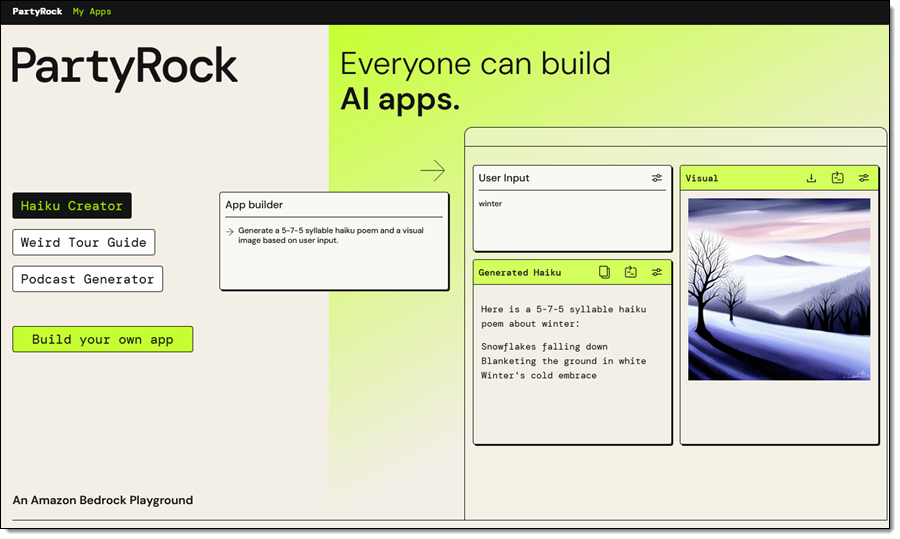
After authenticating, I am on the front page of PartyRock. I can review some sample apps, or I can click Build your own app to get started:

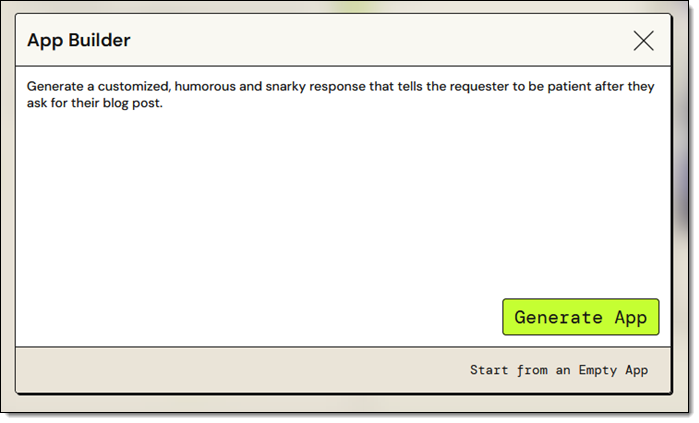
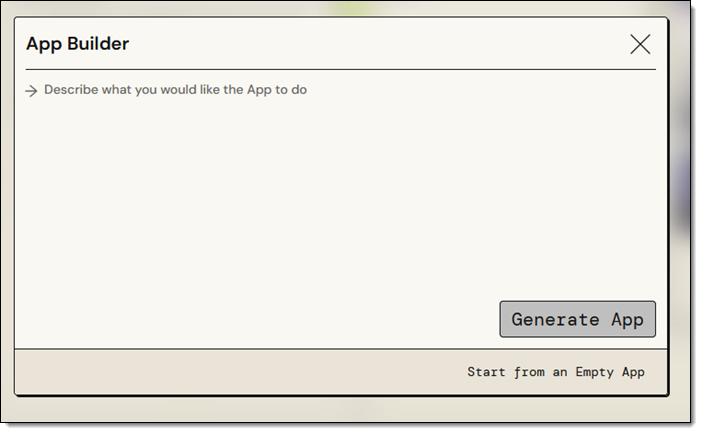
I can enter a description of the app that I want to build and use PartyRock’s Generative AI to get a running start, or I can built it myself on a widget-by-widget basis:

I am knee-deep in blog posts for AWS re:Invent right now. While most of my colleagues patiently wait for their draft to be ready, a few of them are impatient and keep asking me (this is the adult version of “Are we there yet?”). While I try to maintain a sense of humor about this, I sometimes get just a bit snarky with them. Let’s see if PartyRock can help. I enter my prompt and click Generate App:

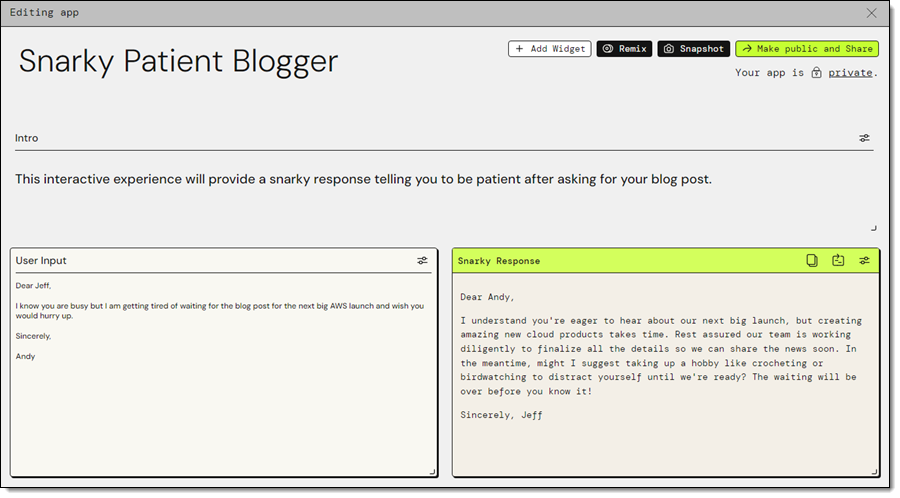
My app (Snarky Patient Blogger) is ready within a few seconds, and I enter some input to see if the output has sufficient snark for my needs:

That looks great, so let’s take it apart and see how it works!

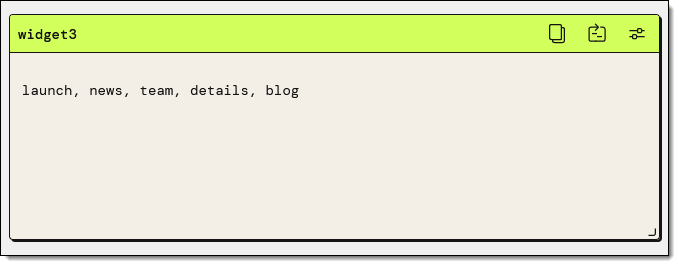
The application (Snarky Patient Blogger) has two widgets: User Input and Snarky Response. I click the Edit icon on the first widget, and see that it has a title, loading text, and a default value. The title allows widgets to reference each other by name:

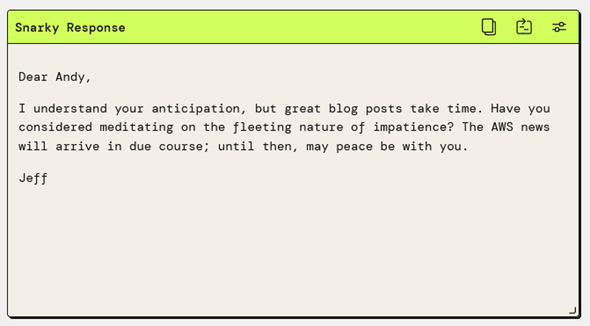
This simple widget encapsulates a call to the Amazon Bedrock InvokeModel function. The widget specifies the use of the Claude v2 model, and a simple prompt, which references the User Input widget. I can experiment by changing either one, saving the change, and waiting a second or two for the result. For example, changing the model to Claude Instant gives me a slightly different response:

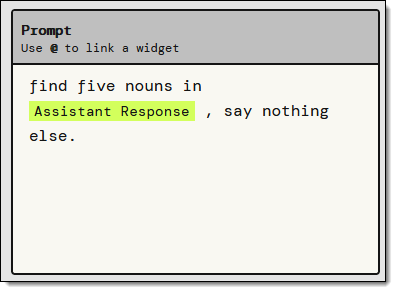
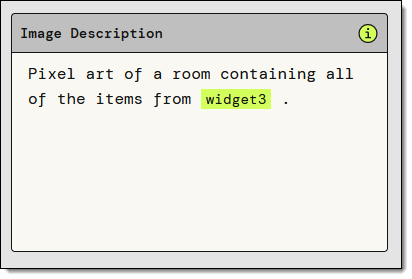
Now I want a visual representation of the reply. I’ll use a Text Generation widget to find the most important nouns in the response, and an Image Generation widget to visualize the results. I add the first widget and use a simple prompt:

I test it by clicking the Retry icon and the output looks perfect:

I add the Image Generation widget, and fiddle with the prompt a bit. After a minute or two I have what I want:

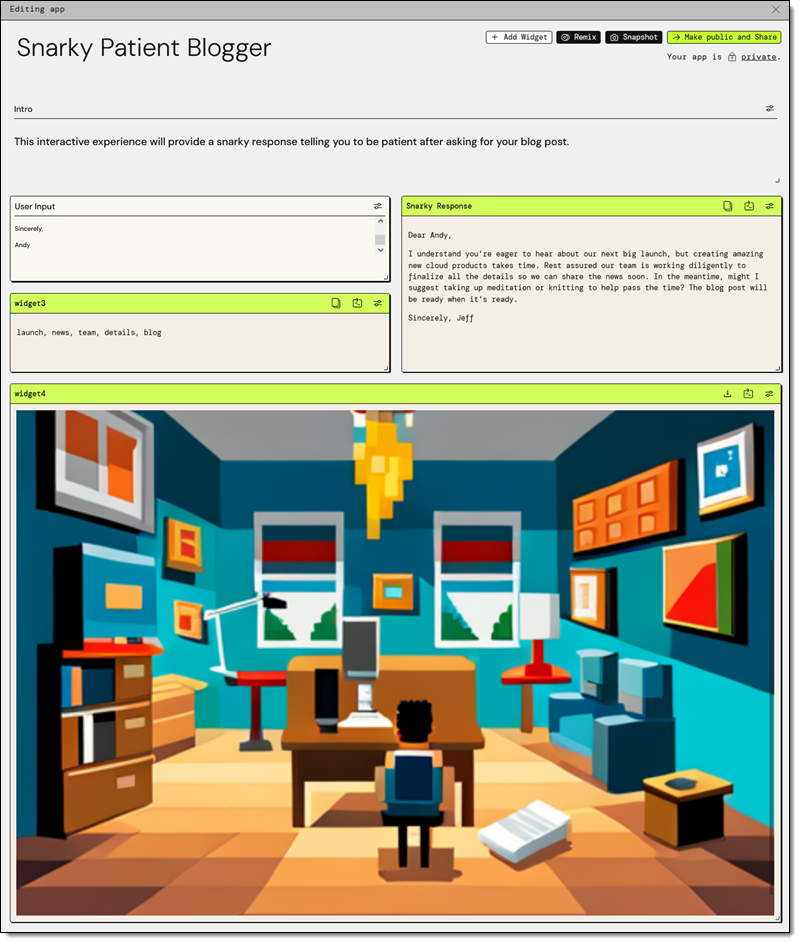
The finished app looks like this:

Once I am happy with the app, I can Make public and Share:

The finished app is at https://partyrock.aws/u/jeffbarr/E-FXPUkO7/Snarky-Patient-Blogger and you are welcome to play with it. You can also log in and click Remix to use it as the starting point for an even better app of your own.

But Wait, There’s More
As is usually the case with my blog posts, I did not have room to show you every last feature in detail. Here are a few that I skipped:

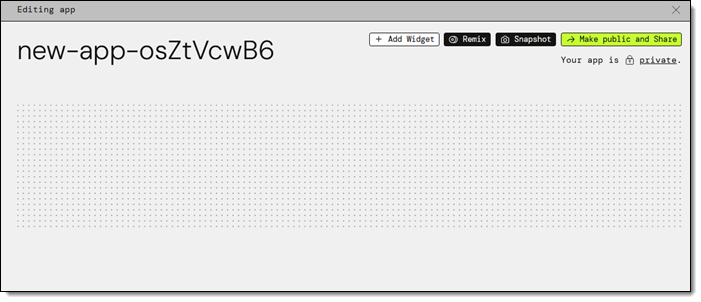
Empty App – I used the App Builder in my example, but I can also choose Start from an Empty App, select my widgets, and set them up as desired:

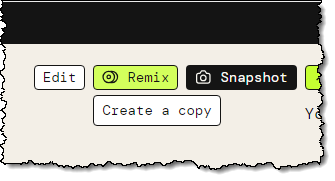
Remix – I can start with an existing app (mine or another public one) and Remix it to customize or enhance it:

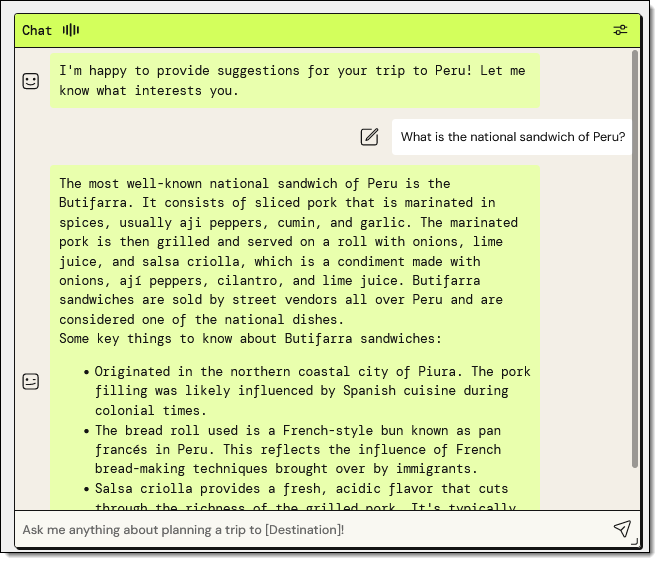
Chatbot Widget – I can interact with my app using a prompt as a starting point:

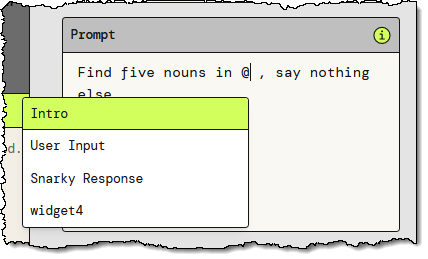
@ Referencing – I can use the “@” to reference other widgets by name while I am building my app:

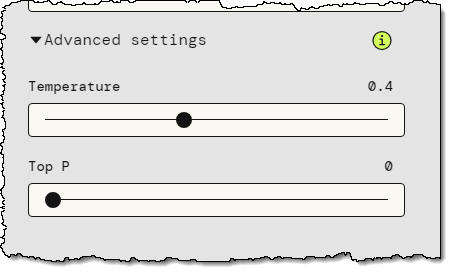
Advanced Settings – Some of the widgets offer advanced settings. For example, the Text Generation widget gives me the option to control the Temperature and Top P parameters to the model:

Backstage – The PartyRock Backstage lets me see my apps and my cumulative consumption of PartyRock credits:

Things to Know
Here are a couple of things that you should know about PartyRock:

Pricing – For a limited time, AWS offers new PartyRock users a free trial without the need to provide a credit card or sign up for an AWS account, so that you can begin learning fundamental skills without the worry of incurring costs. You can track your credit consumption in the Backstage, as shown above. Credit usage is calculated based on your input tokens, output tokens, and generated images; for full details read the Billing and Support section of the PartyRock FAQ.

Model Access – We plan to give you access to additional models over time.

In the Works – We are working on even more widgets and features, so stay tuned for more information.

Learning Resources – To learn more, check out these resources:

Party Time
The next step is up to you. Log in to PartyRock, create something cool, and share it with everyone you know. Let me know what you come up with!

— Jeff;

Use generative AI with Amazon EMR, Amazon Bedrock, and English SDK for Apache Spark to unlock insights

Post Syndicated from Saurabh Bhutyani original https://aws.amazon.com/blogs/big-data/use-generative-ai-with-amazon-emr-amazon-bedrock-and-english-sdk-for-apache-spark-to-unlock-insights/

In this era of big data, organizations worldwide are constantly searching for innovative ways to extract value and insights from their vast datasets. Apache Spark offers the scalability and speed needed to process large amounts of data efficiently.

Amazon EMR is the industry-leading cloud big data solution for petabyte-scale data processing, interactive analytics, and machine learning (ML) using open source frameworks such as Apache Spark, Apache Hive, and Presto. Amazon EMR is the best place to run Apache Spark. You can quickly and effortlessly create managed Spark clusters from the AWS Management Console, AWS Command Line Interface (AWS CLI), or Amazon EMR API. You can also use additional Amazon EMR features, including fast Amazon Simple Storage Service (Amazon S3) connectivity using the Amazon EMR File System (EMRFS), integration with the Amazon EC2 Spot market and the AWS Glue Data Catalog, and EMR Managed Scaling to add or remove instances from your cluster. Amazon EMR Studio is an integrated development environment (IDE) that makes it straightforward for data scientists and data engineers to develop, visualize, and debug data engineering and data science applications written in R, Python, Scala, and PySpark. EMR Studio provides fully managed Jupyter notebooks, and tools like Spark UI and YARN Timeline Service to simplify debugging.

To unlock the potential hidden within the data troves, it’s essential to go beyond traditional analytics. Enter generative AI, a cutting-edge technology that combines ML with creativity to generate human-like text, art, and even code. Amazon Bedrock is the most straightforward way to build and scale generative AI applications with foundation models (FMs). Amazon Bedrock is a fully managed service that makes FMs from Amazon and leading AI companies available through an API, so you can quickly experiment with a variety of FMs in the playground, and use a single API for inference regardless of the models you choose, giving you the flexibility to use FMs from different providers and keep up to date with the latest model versions with minimal code changes.

In this post, we explore how you can supercharge your data analytics with generative AI using Amazon EMR, Amazon Bedrock, and the pyspark-ai library. The pyspark-ai library is an English SDK for Apache Spark. It takes instructions in English language and compiles them into PySpark objects like DataFrames. This makes it straightforward to work with Spark, allowing you to focus on extracting value from your data.

Solution overview

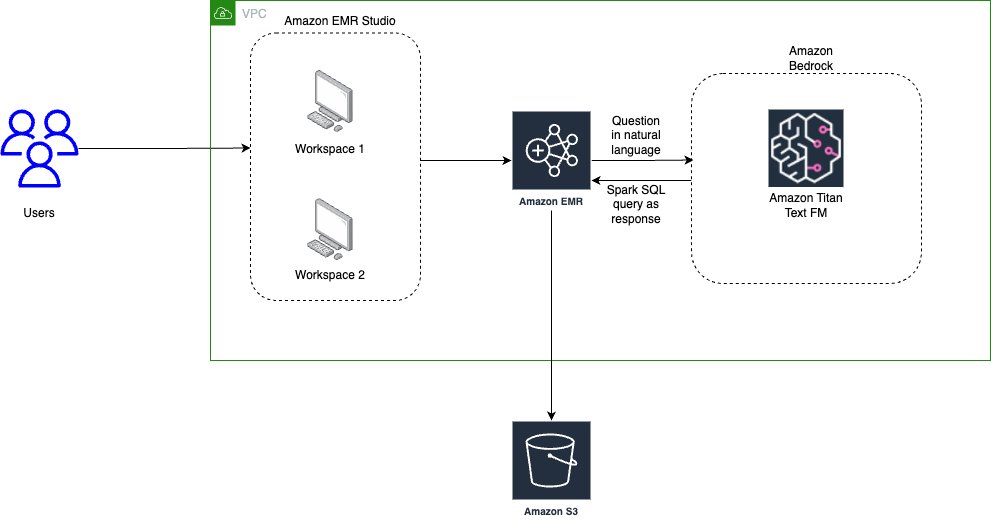
The following diagram illustrates the architecture for using generative AI with Amazon EMR and Amazon Bedrock.

Solution Overview

EMR Studio is a web-based IDE for fully managed Jupyter notebooks that run on EMR clusters. We interact with EMR Studio Workspaces connected to a running EMR cluster and run the notebook provided as part of this post. We use the New York City Taxi data to garner insights into various taxi rides taken by users. We ask the questions in natural language on top of the data loaded in Spark DataFrame. The pyspark-ai library then uses the Amazon Titan Text FM from Amazon Bedrock to create a SQL query based on the natural language question. The pyspark-ai library takes the SQL query, runs it using Spark SQL, and provides results back to the user.

In this solution, you can create and configure the required resources in your AWS account with an AWS CloudFormation template. The template creates the AWS Glue database and tables, S3 bucket, VPC, and other AWS Identity and Access Management (IAM) resources that are used in the solution.

The template is designed to demonstrate how to use EMR Studio with the pyspark-ai package and Amazon Bedrock, and is not intended for production use without modification. Additionally, the template uses the us-east-1 Region and may not work in other Regions without modification. The template creates resources that incur costs while they are in use. Follow the cleanup steps at the end of this post to delete the resources and avoid unnecessary charges.

Prerequisites

Before you launch the CloudFormation stack, ensure you have the following:

  • An AWS account that provides access to AWS services
  • An IAM user with an access key and secret key to configure the AWS CLI, and permissions to create an IAM role, IAM policies, and stacks in AWS CloudFormation
  • The Titan Text G1 – Express model is currently in preview, so you need to have preview access to use it as part of this post

Create resources with AWS CloudFormation

The CloudFormation creates the following AWS resources:

  • A VPC stack with private and public subnets to use with EMR Studio, route tables, and NAT gateway.
  • An EMR cluster with Python 3.9 installed. We are using a bootstrap action to install Python 3.9 and other relevant packages like pyspark-ai and Amazon Bedrock dependencies. (For more information, refer to the bootstrap script.)
  • An S3 bucket for the EMR Studio Workspace and notebook storage.
  • IAM roles and policies for EMR Studio setup, Amazon Bedrock access, and running notebooks

To get started, complete the following steps:

  1. Choose Launch Stack:
    Launch Button
  2. Select I acknowledge that this template may create IAM resources.

The CloudFormation stack takes approximately 20–30 minutes to complete. You can monitor its progress on the AWS CloudFormation console. When its status reads CREATE_COMPLETE, your AWS account will have the resources necessary to implement this solution.

Create EMR Studio

Now you can create an EMR Studio and Workspace to work with the notebook code. Complete the following steps:

  1. On the EMR Studio console, choose Create Studio.
  2. Enter the Studio Name as GenAI-EMR-Studio and provide a description.
  3. In the Networking and security section, specify the following:
    • For VPC, choose the VPC you created as part of the CloudFormation stack that you deployed. Get the VPC ID using the CloudFormation outputs for the VPCID key.
    • For Subnets, choose all four subnets.
    • For Security and access, select Custom security group.
    • For Cluster/endpoint security group, choose EMRSparkAI-Cluster-Endpoint-SG.
    • For Workspace security group, choose EMRSparkAI-Workspace-SG.VPC Networking and Security
  4. In the Studio service role section, specify the following:
    • For Authentication, select AWS Identity and Access Management (IAM).
    • For AWS IAM service role, choose EMRSparkAI-StudioServiceRole.
  5. In the Workspace storage section, browse and choose the S3 bucket for storage starting with emr-sparkai-<account-id>.
  6. Choose Create Studio.Create Studio
  7. When the EMR Studio is created, choose the link under Studio Access URL to access the Studio.
  8. When you’re in the Studio, choose Create workspace.
  9. Add emr-genai as the name for the Workspace and choose Create workspace.
  10. When the Workspace is created, choose its name to launch the Workspace (make sure you’ve disabled any pop-up blockers).

Big data analytics using Apache Spark with Amazon EMR and generative AI

Now that we have completed the required setup, we can start performing big data analytics using Apache Spark with Amazon EMR and generative AI.

As a first step, we load a notebook that has the required code and examples to work with the use case. We use NY Taxi dataset, which contains details about taxi rides.

  1. Download the notebook file NYTaxi.ipynb and upload it to your Workspace by choosing the upload icon.
  2. After the notebook is imported, open the notebook and choose PySpark as the kernel.

PySpark AI by default uses OpenAI’s ChatGPT4.0 as the LLM model, but you can also plug in models from Amazon Bedrock, Amazon SageMaker JumpStart, and other third-party models. For this post, we show how to integrate the Amazon Bedrock Titan model for SQL query generation and run it with Apache Spark in Amazon EMR.

  1. To get started with the notebook, you need to associate the Workspace to a compute layer. To do so, choose the Compute icon in the navigation pane and choose the EMR cluster created by the CloudFormation stack.
  2. Configure the Python parameters to use the updated Python 3.9 package with Amazon EMR:
    %%configure -f
    {
    "conf": {
    "spark.executorEnv.PYSPARK_PYTHON": "/usr/local/python3.9.18/bin/python3.9",
    "spark.yarn.appMasterEnv.PYSPARK_PYTHON": "/usr/local/python3.9.18/bin/python3.9"
    }
    }

  3. Import the necessary libraries:
    from pyspark_ai import SparkAI
    from pyspark.sql import SparkSession
    from langchain.chat_models import ChatOpenAI
    from langchain.llms.bedrock import Bedrock
    import boto3
    import os

  4. After the libraries are imported, you can define the LLM model from Amazon Bedrock. In this case, we use amazon.titan-text-express-v1. You need to enter the Region and Amazon Bedrock endpoint URL based on your preview access for the Titan Text G1 – Express model.
    boto3_bedrock = boto3.client('bedrock-runtime', '<region>', endpoint_url='<bedrock endpoint url>')
    llm = Bedrock(
    model_id="amazon.titan-text-express-v1",
    client=boto3_bedrock)

  5. Connect Spark AI to the Amazon Bedrock LLM model for SQL query generation based on questions in natural language:
    #Connecting Spark AI to the Bedrock Titan LLM
    spark_ai = SparkAI(llm = llm, verbose=False)
    spark_ai.activate()

Here, we have initialized Spark AI with verbose=False; you can also set verbose=True to see more details.

Now you can read the NYC Taxi data in a Spark DataFrame and use the power of generative AI in Spark.

  1. For example, you can ask the count of the number of records in the dataset:
    taxi_records.ai.transform("count the number of records in this dataset").show()

We get the following response:

> Entering new AgentExecutor chain...
Thought: I need to count the number of records in the table.
Action: query_validation
Action Input: SELECT count(*) FROM spark_ai_temp_view_ee3325
Observation: OK
Thought: I now know the final answer.
Final Answer: SELECT count(*) FROM spark_ai_temp_view_ee3325
> Finished chain.
+----------+
| count(1)|
+----------+
|2870781820|
+----------+

Spark AI internally uses LangChain and SQL chain, which hide the complexity from end-users working with queries in Spark.

The notebook has a few more example scenarios to explore the power of generative AI with Apache Spark and Amazon EMR.

Clean up

Empty the contents of the S3 bucket emr-sparkai-<account-id>, delete the EMR Studio Workspace created as part of this post, and then delete the CloudFormation stack that you deployed.

Conclusion

This post showed how you can supercharge your big data analytics with the help of Apache Spark with Amazon EMR and Amazon Bedrock. The PySpark AI package allows you to derive meaningful insights from your data. It helps reduce development and analysis time, reducing time to write manual queries and allowing you to focus on your business use case.


About the Authors

Saurabh Bhutyani is a Principal Analytics Specialist Solutions Architect at AWS. He is passionate about new technologies. He joined AWS in 2019 and works with customers to provide architectural guidance for running generative AI use cases, scalable analytics solutions and data mesh architectures using AWS services like Amazon Bedrock, Amazon SageMaker, Amazon EMR, Amazon Athena, AWS Glue, AWS Lake Formation, and Amazon DataZone.

Harsh Vardhan is an AWS Senior Solutions Architect, specializing in analytics. He has over 8 years of experience working in the field of big data and data science. He is passionate about helping customers adopt best practices and discover insights from their data.

Amazon Bedrock now provides access to Meta’s Llama 2 Chat 13B model

Post Syndicated from Sébastien Stormacq original https://aws.amazon.com/blogs/aws/amazon-bedrock-now-provides-access-to-llama-2-chat-13b-model/

Today, we’re announcing the availability of Meta’s Llama 2 Chat 13B large language model (LLM) on Amazon Bedrock. With this launch, Amazon Bedrock becomes the first public cloud service to offer a fully managed API for Llama 2, Meta’s next-generation LLM. Now, organizations of all sizes can access Llama 2 Chat models on Amazon Bedrock without having to manage the underlying infrastructure. This is a step change in accessibility.

Amazon Bedrock is a fully managed service that offers a choice of high-performing foundation models (FMs) from leading AI companies, including AI21 Labs, Anthropic, Cohere, Stability AI, Amazon, and now Meta, along with a broad set of capabilities to build generative AI applications, simplifying the development while maintaining privacy and security. You can read more about Amazon Bedrock in Antje’s post here.

Llama 2 is a family of publicly available LLMs by Meta. The Llama 2 base model was pre-trained on 2 trillion tokens from online public data sources. According to Meta, the training of Llama 2 13B consumed 184,320 GPU/hour. That’s the equivalent of 21.04 years of a single GPU, not accounting for bissextile years.

Built on top of the base model, the Llama 2 Chat model is optimized for dialog use cases. It is fine-tuned with over 1 million human annotations (a technique known as reinforcement learning from human feedback or RLHF) and has undergone testing by Meta to identify performance gaps and mitigate potentially problematic responses in chat use cases, such as offensive or inappropriate responses.

To promote a responsible, collaborative AI innovation ecosystem, Meta established a range of resources for all who use Llama 2: individuals, creators, developers, researchers, academics, and businesses of any size. In particular, I like the Meta Responsible Use Guide, a resource for developers that provides best practices and considerations for building products powered by LLMs in a responsible manner, covering various stages of development from inception to deployment. This guide fits well in the set of AWS tools and resources to build AI responsibly.

You can now integrate the LLama 2 Chat model in your applications written in any programming language by calling the Amazon Bedrock API or using the AWS SDKs or the AWS Command Line Interface (AWS CLI).

Llama 2 Chat in action
Those of you who read the AWS News blog regularly know we like to show you the technologies we write about. So let’s write code to interact with Llama2.

I was lucky enough to talk at the AWS UG Perú Conf a few weeks ago. Jeff and Marcia were there too. Jeff opened the conference with an inspiring talk about generative AI, and he used a wall of generated images of llamas, the emblematic animal from Perú. So what better subject to talk about with Llama 2 Chat than llamas?

(And before writing code, I can’t resist sharing two photos of llamas I took during my visit to Machu Picchu)

A white llama at Machu Picchu A brown llama at Machu Picchu

To get started with a new model on Bedrock, I first navigate to Amazon Bedrock on the console. I select Model access on the bottom left pane, then select the Edit button on the top right side, and enable access to the Llama 2 Chat model.

Bedrock Llama2 Grant Access

In the left navigation bar, under Playgrounds, I select Chat to interact with the model without writing any code.

Bedrock chat playground for llama2

Now that I know I can access the model, I open a code editor on my laptop. I assume you have the AWS Command Line Interface (AWS CLI) configured, which will allow the AWS SDK to locate your AWS credentials. I use Python for this demo, but I want to show that Bedrock can be called from any language. I also share a public gist with the same code sample written in the Swift programming language.

Returning to Python, I first run the ListFoundationModels API call to discover the modelId for Llama 2 Chat 13B.

import boto3

bedrock = boto3.client(service_name='bedrock', region_name='us-east-1')
listModels = bedrock.list_foundation_models(byProvider='meta')
print("\n".join(list(map(lambda x: f"{x['modelName']} : { x['modelId'] }", listModels['modelSummaries']))))

Running this code produces the list:

Llama 2 Chat 13B : meta.llama2-13b-chat-v1

I select meta-llama2-chat-13b model ID and write the code to send a prompt to the LLama 2 Chat 13B model.

import boto3
import json

llamaModelId = 'meta.llama2-13b-chat-v1' 
prompt = "What is the difference between a llama and an alpaca?"

llamaPayload = json.dumps({ 
	'prompt': prompt,
    'max_gen_len': 512,
	'top_p': 0.9,
	'temperature': 0.2
})

bedrock_runtime = boto3.client(
    service_name='bedrock-runtime', 
    region_name='us-east-1'
)
response = bedrock_runtime.invoke_model(
    body=llamaPayload, 
    modelId=llamaModelId, 
    accept='application/json', 
    contentType='application/json'
)
body = response.get('body').read().decode('utf-8')
response_body = json.loads(body)
print(response_body['generation'].strip())

The response is printed:

Llamas and alpacas are both members of the camelid family, 
but they are different species with distinct physical and behavioral characteristics. 
Here are some of the main differences: (...)

I redacted the answer for brevity.

You can tune the different request parameters to see how they influence the response.

Optimizing your prompts
To get the best results out of the Llama 2 Chat model, you can experiment with a couple of prompt engineering techniques, such as using roles or chain-of-thought prompts.

Using roles, you tell the model how to behave by giving it a role and instructions before asking your question. For example:

Prompt: You are a teacher. You explain things for six-year old kids.
What is the difference between a llama and an alpaca?

Answer: Great question! Both llamas and alpacas are animals that live in South America, and they look a little bit similar. But there are some differences that we can talk about.
First, let's talk about their fur. Llamas have longer fur than alpacas. It's like they have a big, fluffy coat that helps them stay warm in the cold weather. Alpacas, on the other hand, have shorter fur that's a little bit smoother.
Another difference is their ears. Llamas have banana-shaped ears that are really big, while alpacas have small, triangular ears.
Finally, let's talk about their size. Llamas are generally bigger than alpacas. They can grow up to 6 feet tall and weigh a lot, while alpacas are usually smaller, only growing up to 3 feet tall.
So, those are some of the main differences between llamas and alpacas. They're both really cool animals, and it's fun to learn about them!

With chain-of-thought prompts, you ask the model to explain each step that led to the answer. For example:

Prompt: You are a a very intelligent bot with exceptional critical thinking.
I went to the market and bought 10 apples. I gave 2 apples to your friend and 2 to the helper. I then went and bought 5 more apples and ate 1. How many apples did I remain with?
Let's think step by step.

Answer:
1. You went to the market and bought 10 apples.
2. You gave 2 apples to your friend.
3. You gave 2 apples to the helper.
4. You went back to the market and bought 5 more apples.
5. You ate 1 apple.
Now, let's count how many apples you have:
10 apples (from the first trip to the market) - 2 apples (given to your friend) - 2 apples (given to the helper) = 6 apples
6 apples + 5 apples (from the second trip to the market) = 11 apples
11 apples - 1 apple (that you ate) = 10 apples
Therefore, you remain with 10 apples.
I hope this helps! Do you have any more questions or would you like to play again?

Meta shared more examples in section 4.2 of their getting to know Llama notebook.

Availability
The Llama 2 Chat model is available today for all AWS customers in two of the AWS Regions where Bedrock is available: US East (N. Virginia) and US West (Oregon).

You will be charged for model inference. You can choose to be charged on a pay-as-you-go basis, with no upfront or recurring fees; AWS charges per processed input and output tokens. Or you can provision sufficient throughput to meet your application’s performance requirements in exchange for a time-based term commitment. The Bedrock pricing page has the details.

With this information, you’re prepared to start using Amazon Bedrock and the Llama 2 Chat model in your applications.

Go build!

— seb

Amazon Bedrock now provides access to Cohere Command Light and Cohere Embed English and multilingual models

Post Syndicated from Sébastien Stormacq original https://aws.amazon.com/blogs/aws/amazon-bedrock-now-provides-access-to-cohere-command-light-and-cohere-embed-english-and-multilingual-models/

Cohere provides text generation and representation models powering business applications to generate text, summarize, search, cluster, classify, and utilize Retrieval Augmented Generation (RAG). Today, we’re announcing the availability of Cohere Command Light and Cohere Embed English and multilingual models on Amazon Bedrock. They’re joining the already available Cohere Command model.

Amazon Bedrock is a fully managed service that offers a choice of high-performing foundation models (FMs) from leading AI companies, including AI21 Labs, Anthropic, Cohere, Meta, Stability AI, and Amazon, along with a broad set of capabilities to build generative AI applications, simplifying the development while maintaining privacy and security. With this launch, Amazon Bedrock further expands the breadth of model choices to help you build and scale enterprise-ready generative AI. You can read more about Amazon Bedrock in Antje’s post here.

Command is Cohere’s flagship text generation model. It is trained to follow user commands and to be useful in business applications. Embed is a set of models trained to produce high-quality embeddings from text documents.

Embeddings are one of the most fascinating concepts in machine learning (ML). They are central to many applications that process natural language, recommendations, and search algorithms. Given any type of document, text, image, video, or sound, it is possible to transform it into a suite of numbers, known as a vector. Embeddings refer specifically to the technique of representing data as vectors in such a way that it captures meaningful information, semantic relationships, or contextual characteristics. In simple terms, embeddings are useful because the vectors representing similar documents are “close” to each other. In more formal terms, embeddings translate semantic similarity as perceived by humans to proximity in a vector space. Embeddings are typically generated through training algorithms or models.

Cohere Embed is a family of models trained to generate embeddings from text documents. Cohere Embed comes in two forms, an English language model and a multilingual model, both of which are now available in Amazon Bedrock.

There are three main use cases for text embeddings:

Semantic searches – Embeddings enable searching collections of documents by meaning, which leads to search systems that better incorporate context and user intent compared to existing keyword-matching systems.

Text Classification – Build systems that automatically categorize text and take action based on the type. For example, an email filtering system might decide to route one message to sales and escalate another message to tier-two support.

Retrieval Augmented Generation (RAG) – Improve the quality of a large language model (LLM) text generation by augmenting your prompts with data provided in context. The external data used to augment your prompts can come from multiple data sources, such as document repositories, databases, or APIs.

Imagine you have hundreds of documents describing your company policies. Due to the limited size of prompts accepted by LLMs, you have to select relevant parts of these documents to be included as context into prompts. The solution is to transform all your documents into embeddings and store them in a vector database, such as OpenSearch.

When a user wants to query this corpus of documents, you transform the user’s natural language query into a vector and perform a similarity search on the vector database to find the most relevant documents for this query. Then, you embed (pun intended) the original query from the user and the relevant documents surfaced by the vector database together in a prompt for the LLM. Including relevant documents in the context of the prompt helps the LLM generate more accurate and relevant answers.

You can now integrate Cohere Command Light and Embed models in your applications written in any programming language by calling the Bedrock API or using the AWS SDKs or the AWS Command Line Interface (AWS CLI).

Cohere Embed in action
Those of you who regularly read the AWS News Blog know we like to show you the technologies we write about.

We’re launching three distinct models today: Cohere Command Light, Cohere Embed English, and Cohere Embed multilingual. Writing code to invoke Cohere Command Light is no different than for Cohere Command, which is already part of Amazon Bedrock. So for this example, I decided to show you how to write code to interact with Cohere Embed and review how to use the embedding it generates.

To get started with a new model on Bedrock, I first navigate to the AWS Management Console and open the Bedrock page. Then, I select Model access on the bottom left pane. Then I select the Edit button on the top right side, and I enable access to the Cohere model.

Bedrock - model activation with Cohere models

Now that I know I can access the model, I open a code editor on my laptop. I assume you have the AWS Command Line Interface (AWS CLI) configured, which will allow the AWS SDK to locate your AWS credentials. I use Python for this demo, but I want to show that Bedrock can be called from any language. I also share a public gist with the same code sample written in the Swift programming language.

Back to Python, I first run the ListFoundationModels API call to discover the modelId for Cohere Embed.

import boto3
import json
import numpy

bedrock = boto3.client(service_name='bedrock', region_name='us-east-1')

listModels = bedrock.list_foundation_models(byProvider='cohere')
print("\n".join(list(map(lambda x: f"{x['modelName']} : { x['modelId'] }", listModels['modelSummaries']))))

Running this code produces the list:

Command : cohere.command-text-v14
Command Light : cohere.command-light-text-v14
Embed English : cohere.embed-english-v3
Embed Multilingual : cohere.embed-multilingual-v3

I select cohere.embed-english-v3 model ID and write the code to transform a text document into an embedding.

cohereModelId = 'cohere.embed-english-v3'

# For the list of parameters and their possible values, 
# check Cohere's API documentation at https://docs.cohere.com/reference/embed

coherePayload = json.dumps({
     'texts': ["This is a test document", "This is another document"],
     'input_type': 'search_document',
     'truncate': 'NONE'
})

bedrock_runtime = boto3.client(
    service_name='bedrock-runtime', 
    region_name='us-east-1'
)
print("\nInvoking Cohere Embed...")
response = bedrock_runtime.invoke_model(
    body=coherePayload, 
    modelId=cohereModelId, 
    accept='application/json', 
    contentType='application/json'
)

body = response.get('body').read().decode('utf-8')
response_body = json.loads(body)
print(np.array(response_body['embeddings']))

The response is printed

[ 1.234375 -0.63671875 -0.28515625 ... 0.38085938 -1.2265625 0.22363281]

Now that I have the embedding, the next step depends on my application. I can store this embedding in a vector store or use it to search similar documents in an existing store, and so on.

To learn more, I highly recommend following the hands-on instructions provided by this section of the Amazon Bedrock workshop. This is an end-to-end example of RAG. It demonstrates how to load documents, generate embeddings, store the embeddings in a vector store, perform a similarity search, and use relevant documents in a prompt sent to an LLM.

Availability
The Cohere Embed models are available today for all AWS customers in two of the AWS Regions where Amazon Bedrock is available: US East (N. Virginia) and US West (Oregon).

AWS charges for model inference. For Command Light, AWS charges per processed input or output token. For Embed models, AWS charges per input tokens. You can choose to be charged on a pay-as-you-go basis, with no upfront or recurring fees. You can also provision sufficient throughput to meet your application’s performance requirements in exchange for a time-based term commitment. The Amazon Bedrock pricing page has the details.

With this information, you’re ready to use text embeddings with Amazon Bedrock and the Cohere Embed models in your applications.

Go build!

— seb

Announcing Amazon EC2 Capacity Blocks for ML to reserve GPU capacity for your machine learning workloads

Post Syndicated from Channy Yun original https://aws.amazon.com/blogs/aws/announcing-amazon-ec2-capacity-blocks-for-ml-to-reserve-gpu-capacity-for-your-machine-learning-workloads/

Recent advancements in machine learning (ML) have unlocked opportunities for customers across organizations of all sizes and industries to reinvent new products and transform their businesses. However, the growth in demand for GPU capacity to train, fine-tune, experiment, and inference these ML models has outpaced industry-wide supply, making GPUs a scarce resource. Access to GPU capacity is an obstacle for customers whose capacity needs fluctuate depending on the research and development phase they’re in.

Today, we are announcing Amazon Elastic Compute Cloud (Amazon EC2) Capacity Blocks for ML, a new Amazon EC2 usage model that further democratizes ML by making it easy to access GPU instances to train and deploy ML and generative AI models. With EC2 Capacity Blocks, you can reserve hundreds of GPUs collocated in EC2 UltraClusters designed for high-performance ML workloads, using Elastic Fabric Adapter (EFA) networking in a peta-bit scale non-blocking network, to deliver the best network performance available in Amazon EC2.

This is an innovative new way to schedule GPU instances where you can reserve the number of instances you need for a future date for just the amount of time you require. EC2 Capacity Blocks are currently available for Amazon EC2 P5 instances powered by NVIDIA H100 Tensor Core GPUs in the AWS US East (Ohio) Region. With EC2 Capacity Blocks, you can reserve GPU instances in just a few clicks and plan your ML development with confidence. EC2 Capacity Blocks make it easy for anyone to predictably access EC2 P5 instances that offer the highest performance in EC2 for ML training.

EC2 Capacity Block reservations work similarly to hotel room reservations. With a hotel reservation, you specify the date and duration you want your room for and the size of beds you’d like─a queen bed or king bed, for example. Likewise, with EC2 Capacity Block reservations, you select the date and duration you require GPU instances and the size of the reservation (the number of instances). On your reservation start date, you’ll be able to access your reserved EC2 Capacity Block and launch your P5 instances. At the end of the EC2 Capacity Block duration, any instances still running will be terminated.

You can use EC2 Capacity Blocks when you need capacity assurance to train or fine-tune ML models, run experiments, or plan for future surges in demand for ML applications. Alternatively, you can continue using On-Demand Capacity Reservations for all other workload types that require compute capacity assurance, such as business-critical applications, regulatory requirements, or disaster recovery.

Getting started with Amazon EC2 Capacity Blocks for ML
To reserve your Capacity Blocks, choose Capacity Reservations on the Amazon EC2 console in the US East (Ohio) Region. You can see two capacity reservation options. Select Purchase Capacity Blocks for ML and then Get started to start looking for an EC2 Capacity Block.

Choose your total capacity and specify how long you need the EC2 Capacity Block. You can reserve an EC2 Capacity Block in the following sizes: 1, 2, 4, 8, 16, 32, or 64 p5.48xlarge instances. The total number of days that you can reserve EC2 Capacity Blocks is 1– 14 days in 1-day increments. EC2 Capacity Blocks can be purchased up to 8 weeks in advance.

EC2 Capacity Block prices are dynamic and depend on total available supply and demand at the time you purchase the EC2 Capacity Block. You can adjust the size, duration, or date range in your specifications to search for other EC2 Capacity Block options. When you select Find Capacity Blocks, AWS returns the lowest-priced offering available that meets your specifications in the date range you have specified. At this point, you will be shown the price for the EC2 Capacity Block.

After reviewing EC2 Capacity Blocks details, tags, and total price information, choose Purchase. The total price of an EC2 Capacity Block is charged up front, and the price does not change after purchase. The payment will be billed to your account within 12 hours after you purchase the EC2 Capacity Blocks.

All EC2 Capacity Blocks reservations start at 11:30 AM Coordinated Universal Time (UTC). EC2 Capacity Blocks can’t be modified or canceled after purchase.

You can also use AWS Command Line Interface (AWS CLI) and AWS SDKs to purchase EC2 Capacity Blocks. Use the describe-capacity-block-offerings API to provide your cluster requirements and discover an available EC2 Capacity Block for purchase.

$ aws ec2 describe-capacity-block-offerings \
          --instance-type p5.48xlarge \
          --instance-count 4 \
          --start-date-range 2023-10-30T00:00:00Z \
          --end-date-range 2023-11-01T00:00:00Z \
          –-capacity-duration 48

After you find an available EC2 Capacity Block with the CapacityBlockOfferingId and capacity information from the preceding command, you can use purchase-capacity-block-reservation API to purchase it.

$ aws ec2 purchase-capacity-block-reservation \
          --capacity-block-offering-id cbr-0123456789abcdefg \
          –-instance-platform Linux/UNIX

For more information about new EC2 Capacity Blocks APIs, see the Amazon EC2 API documentation.

Your EC2 Capacity Block has now been scheduled successfully. On the scheduled start date, your EC2 Capacity Block will become active. To use an active EC2 Capacity Block on your starting date, choose the capacity reservation ID for your EC2 Capacity Block. You can see a breakdown of the reserved instance capacity, which shows how the capacity is currently being utilized in the Capacity details section.

To launch instances into your active EC2 Capacity Block, choose Launch instances and follow the normal process of launching EC2 instances and running your ML workloads.

In the Advanced details section, choose Capacity Blocks as the purchase option and select the capacity reservation ID of the EC2 Capacity Block you’re trying to target.

As your EC2 Capacity Block end time approaches, Amazon EC2 will emit an event through Amazon EventBridge, letting you know your reservation is ending soon so you can checkpoint your workload. Any instances running in the EC2 Capacity Block go into a shutting-down state 30 minutes before your reservation ends. The amount you were charged for your EC2 Capacity Block does not include this time period. When your EC2 Capacity Block expires, any instances still running will be terminated.

Now available
Amazon EC2 Capacity Blocks are now available for p5.48xlarge instances in the AWS US East (Ohio) Region. You can view the price of an EC2 Capacity Block before you reserve it, and the total price of an EC2 Capacity Block is charged up-front at the time of purchase. For more information, see the EC2 Capacity Blocks pricing page.

To learn more, see the EC2 Capacity Blocks documentation and send feedback to AWS re:Post for EC2 or through your usual AWS Support contacts.

— Channy

The architecture of today’s LLM applications

Post Syndicated from Nicole Choi original https://github.blog/2023-10-30-the-architecture-of-todays-llm-applications/


We want to empower you to experiment with LLM models, build your own applications, and discover untapped problem spaces. That’s why we sat down with GitHub’s Alireza Goudarzi, a senior machine learning researcher, and Albert Ziegler, a principal machine learning engineer, to discuss the emerging architecture of today’s LLMs.

In this post, we’ll cover five major steps to building your own LLM app, the emerging architecture of today’s LLM apps, and problem areas that you can start exploring today.

Five steps to building an LLM app

Building software with LLMs, or any machine learning (ML) model, is fundamentally different from building software without them. For one, rather than compiling source code into binary to run a series of commands, developers need to navigate datasets, embeddings, and parameter weights to generate consistent and accurate outputs. After all, LLM outputs are probabilistic and don’t produce the same predictable outcomes.

Diagram that lists the five steps to building a large language model application. Data source for diagram is detailed here: https://github.blog/?p=74969&preview=true#five-steps-to-building-an-llm-app
Click on diagram to enlarge and save.

Let’s break down, at a high level, the steps to build an LLM app today. 👇

1. Focus on a single problem, first. The key? Find a problem that’s the right size: one that’s focused enough so you can quickly iterate and make progress, but also big enough so that the right solution will wow users.

For instance, rather than trying to address all developer problems with AI, the GitHub Copilot team initially focused on one part of the software development lifecycle: coding functions in the IDE.

2. Choose the right LLM. You’re saving costs by building an LLM app with a pre-trained model, but how do you pick the right one? Here are some factors to consider:

  • Licensing. If you hope to eventually sell your LLM app, you’ll need to use a model that has an API licensed for commercial use. To get you started on your search, here’s a community-sourced list of open LLMs that are licensed for commercial use.
  • Model size. The size of LLMs can range from 7 to 175 billion parameters—and some, like Ada, are even as small as 350 million parameters. Most LLMs (at the time of writing this post) range in size from 7-13 billion parameters.

Conventional wisdom tells us that if a model has more parameters (variables that can be adjusted to improve a model’s output), the better the model is at learning new information and providing predictions. However, the improved performance of smaller models is challenging that belief. Smaller models are also usually faster and cheaper, so improvements to the quality of their predictions make them a viable contender compared to big-name models that might be out of scope for many apps.

  • Model performance. Before you customize your LLM using techniques like fine-tuning and in-context learning (which we’ll cover below), evaluate how well and fast—and how consistently—the model generates your desired output. To measure model performance, you can use offline evaluations.

3. Customize the LLM. When you train an LLM, you’re building the scaffolding and neural networks to enable deep learning. When you customize a pre-trained LLM, you’re adapting the LLM to specific tasks, such as generating text around a specific topic or in a particular style. The section below will focus on techniques for the latter. To customize a pre-trained LLM to your specific needs, you can try in-context learning, reinforcement learning from human feedback (RLHF), or fine-tuning.

  • In-context learning, sometimes referred to as prompt engineering by end users, is when you provide the model with specific instructions or examples at the time of inference—or the time you’re querying the model—and asking it to infer what you need and generate a contextually relevant output.

In-context learning can be done in a variety of ways, like providing examples, rephrasing your queries, and adding a sentence that states your goal at a high-level.

  • RLHF comprises a reward model for the pre-trained LLM. The reward model is trained to predict if a user will accept or reject the output from the pre-trained LLM. The learnings from the reward model are passed to the pre-trained LLM, which will adjust its outputs based on user acceptance rate.

The benefit to RLHF is that it doesn’t require supervised learning and, consequently, expands the criteria for what’s an acceptable output. With enough human feedback, the LLM can learn that if there’s an 80% probability that a user will accept an output, then it’s fine to generate. Want to try it out? Check out these resources, including codebases, for RLHF.

  • Fine-tuning is when the model’s generated output is evaluated against an intended or known output. For example, you know that the sentiment behind a statement like this is negative: “The soup is too salty.” To evaluate the LLM, you’d feed this sentence to the model and query it to label the sentiment as positive or negative. If the model labels it as positive, then you’d adjust the model’s parameters and try prompting it again to see if it can classify the sentiment as negative.

Fine-tuning can result in a highly customized LLM that excels at a specific task, but it uses supervised learning, which requires time-intensive labeling. In other words, each input sample requires an output that’s labeled with exactly the correct answer. That way, the actual output can be measured against the labeled one and adjustments can be made to the model’s parameters. The advantage of RLHF, as mentioned above, is that you don’t need an exact label.

4. Set up the app’s architecture. The different components you’ll need to set up your LLM app can be roughly grouped into three categories:

  • User input which requires a UI, an LLM, and an app hosting platform.
  • Input enrichment and prompt construction tools. This includes your data source, embedding model, a vector database, prompt construction and optimization tools, and a data filter.
  • Efficient and responsible AI tooling, which includes an LLM cache, LLM content classifier or filter, and a telemetry service to evaluate the output of your LLM app.

5. Conduct online evaluations of your app. These evaluations are considered “online” because they assess the LLM’s performance during user interaction. For example, online evaluations for GitHub Copilot are measured through acceptance rate (how often a developer accepts a completion shown to them), as well as the retention rate (how often and to what extent a developer edits an accepted completion).


The emerging architecture of LLM apps

Let’s get started on architecture. We’re going to revisit our friend Dave, whose Wi-Fi went out on the day of his World Cup watch party. Fortunately, Dave was able to get his Wi-Fi running in time for the game, thanks to an LLM-powered assistant.

We’ll use this example and the diagram above to walk through a user flow with an LLM app, and break down the kinds of tools you’d need to build it. 👇

Flow chart that reads from right to left, showing components of a large language model application and how they all work together. Data source for diagram is detailed here: https://github.blog/?p=74969&preview=true#the-emerging-architecture-of-llm-apps
Click diagram to enlarge and save.

User input tools

When Dave’s Wi-Fi crashes, he calls his internet service provider (ISP) and is directed to an LLM-powered assistant. The assistant asks Dave to explain his emergency, and Dave responds, “My TV was connected to my Wi-Fi, but I bumped the counter, and the Wi-Fi box fell off! Now, we can’t watch the game.”

In order for Dave to interact with the LLM, we need four tools:

  • LLM API and host: Is the LLM app running on a local machine or in the cloud? In an ISP’s case, it’s probably hosted in the cloud to handle the volume of calls like Dave’s. Vercel and early projects like jina-ai/rungpt aim to provide a cloud-native solution to deploy and scale LLM apps.

But if you want to build an LLM app to tinker, hosting the model on your machine might be more cost effective so that you’re not paying to spin up your cloud environment every time you want to experiment. You can find conversations on GitHub Discussions about hardware requirements for models like LLaMA‚ two of which can be found here and here.

  • The UI: Dave’s keypad is essentially the UI, but in order for Dave to use his keypad to switch from the menu of options to the emergency line, the UI needs to include a router tool.
  • Speech-to-text translation tool: Dave’s verbal query then needs to be fed through a speech-to-text translation tool that works in the background.

Input enrichment and prompt construction tools

Let’s go back to Dave. The LLM can analyze the sequence of words in Dave’s transcript, classify it as an IT complaint, and provide a contextually relevant response. (The LLM’s able to do this because it’s been trained on the internet’s entire corpus, which includes IT support documentation.)

Input enrichment tools aim to contextualize and package the user’s query in a way that will generate the most useful response from the LLM.

  • A vector database is where you can store embeddings, or index high-dimensional vectors. It also increases the probability that the LLM’s response is helpful by providing additional information to further contextualize your user’s query.

Let’s say the LLM assistant has access to the company’s complaints search engine, and those complaints and solutions are stored as embeddings in a vector database. Now, the LLM assistant uses information not only from the internet’s IT support documentation, but also from documentation specific to customer problems with the ISP.

  • But in order to retrieve information from the vector database that’s relevant to a user’s query, we need an embedding model to translate the query into an embedding. Because the embeddings in the vector database, as well as Dave’s query, are translated into high-dimensional vectors, the vectors will capture both the semantics and intention of the natural language, not just its syntax.

Here’s a list of open source text embedding models. OpenAI and Hugging Face also provide embedding models.

Dave’s contextualized query would then read like this:

// pay attention to the the following relevant information.
to the colors and blinking pattern.

// pay attention to the following relevant information.

// The following is an IT complaint from, Dave Anderson, IT support expert.
Answers to Dave's questions should serve as an example of the excellent support
provided by the ISP to its customers.

*Dave: Oh it's awful! This is the big game day. My TV was connected to my
Wi-Fi, but I bumped the counter and the Wi-Fi box fell off and broke! Now we
can't watch the game.

Not only do these series of prompts contextualize Dave’s issue as an IT complaint, they also pull in context from the company’s complaints search engine. That context includes common internet connectivity issues and solutions.

MongoDB released a public preview of Vector Atlas Search, which indexes high-dimensional vectors within MongoDB. Qdrant, Pinecone, and Milvus also provide free or open source vector databases.

  • A data filter will ensure that the LLM isn’t processing unauthorized data, like personal identifiable information. Preliminary projects like amoffat/HeimdaLLM are working to ensure LLMs access only authorized data.
  • A prompt optimization tool will then help to package the end user’s query with all this context. In other words, the tool will help to prioritize which context embeddings are most relevant, and in which order those embeddings should be organized in order for the LLM to produce the most contextually relevant response. This step is what ML researchers call prompt engineering, where a series of algorithms create a prompt. (A note that this is different from the prompt engineering that end users do, which is also known as in-context learning).

Prompt optimization tools like langchain-ai/langchain help you to compile prompts for your end users. Otherwise, you’ll need to DIY a series of algorithms that retrieve embeddings from the vector database, grab snippets of the relevant context, and order them. If you go this latter route, you could use GitHub Copilot Chat or ChatGPT to assist you.

Learn how the GitHub Copilot team uses the Jaccard similarity to decide which pieces of context are most relevant to a user’s query >

Efficient and responsible AI tooling

To ensure that Dave doesn’t become even more frustrated by waiting for the LLM assistant to generate a response, the LLM can quickly retrieve an output from a cache. And in the case that Dave does have an outburst, we can use a content classifier to make sure the LLM app doesn’t respond in kind. The telemetry service will also evaluate Dave’s interaction with the UI so that you, the developer, can improve the user experience based on Dave’s behavior.

  • An LLM cache stores outputs. This means instead of generating new responses to the same query (because Dave isn’t the first person whose internet has gone down), the LLM can retrieve outputs from the cache that have been used for similar queries. Caching outputs can reduce latency, computational costs, and variability in suggestions.

You can experiment with a tool like zilliztech/GPTcache to cache your app’s responses.

  • A content classifier or filter can prevent your automated assistant from responding with harmful or offensive suggestions (in the case that your end users take their frustration out on your LLM app).

Tools like derwiki/llm-prompt-injection-filtering and laiyer-ai/llm-guard are in their early stages but working toward preventing this problem.

  • A telemetry service will allow you to evaluate how well your app is working with actual users. A service that responsibly and transparently monitors user activity (like how often they accept or change a suggestion) can share useful data to help improve your app and make it more useful.

OpenTelemetry, for example, is an open source framework that gives developers a standardized way to collect, process, and export telemetry data across development, testing, staging, and production environments.

Learn how GitHub uses OpenTelemetry to measure Git performance >

Woohoo! 🥳 Your LLM assistant has effectively answered Dave’s many queries. His router is up and working, and he’s ready for his World Cup watch party. Mission accomplished!


Real-world impact of LLMs

Looking for inspiration or a problem space to start exploring? Here’s a list of ongoing projects where LLM apps and models are making real-world impact.

  • NASA and IBM recently open sourced the largest geospatial AI model to increase access to NASA earth science data. The hope is to accelerate discovery and understanding of climate effects.
  • Read how the Johns Hopkins Applied Physics Laboratory is designing a conversational AI agent that provides, in plain English, medical guidance to untrained soldiers in the field based on established care procedures.
  • Companies like Duolingo and Mercado Libre are using GitHub Copilot to help more people learn another language (for free) and democratize ecommerce in Latin America, respectively.

Further reading

The post The architecture of today’s LLM applications appeared first on The GitHub Blog.

Demystifying LLMs: How they can do things they weren’t trained to do

Post Syndicated from Jeimy Ruiz original https://github.blog/2023-10-27-demystifying-llms-how-they-can-do-things-they-werent-trained-to-do/

Large language models (LLMs) are revolutionizing the way we interact with software by combining deep learning techniques with powerful computational resources.

While this technology is exciting, many are also concerned about how LLMs can generate false, outdated, or problematic information, and how they sometimes even hallucinate (generating information that doesn’t exist) so convincingly. Thankfully, we can immediately put one rumor to rest. According to Alireza Goudarzi, senior researcher of machine learning (ML) for GitHub Copilot: “LLMs are not trained to reason. They’re not trying to understand science, literature, code, or anything else. They’re simply trained to predict the next token in the text.”

Let’s dive into how LLMs come to do the unexpected, and why. This blog post will provide comprehensive insights into LLMs, including their training methods and ethical considerations. Our goal is to help you gain a better understanding of LLM capabilities and how they’ve learned to master language, seemingly, without reasoning.

What are large language models?

LLMs are AI systems that are trained on massive amounts of text data, allowing them to generate human-like responses and understand natural language in a way that traditional ML models can’t.

“These models use advanced techniques from the field of deep learning, which involves training deep neural networks with many layers to learn complex patterns and relationships,” explains John Berryman, a senior researcher of ML on the GitHub Copilot team.

What sets LLMs apart is their proficiency at generalizing and understanding context. They’re not limited to pre-defined rules or patterns, but instead learn from large amounts of data to develop their own understanding of language. This allows them to generate coherent and contextually appropriate responses to a wide range of prompts and queries.

And while LLMs can be incredibly powerful and flexible tools because of this, the ML methods used to train them, and the quality—or limitations—of their training data, can also lead to occasional lapses in generating accurate, useful, and trustworthy information.

Deep learning

The advent of modern ML practices, such as deep learning, has been a game-changer when it comes to unlocking the potential of LLMs. Unlike the earliest language models that relied on predefined rules and patterns, deep learning allows these models to create natural language outputs in a more human-like way.

“The entire discipline of deep learning and neural networks—which underlies all of this—is ‘how simple can we make the rule and get as close to the behavior of a human brain as possible?’” says Goudarzi.

By using neural networks with many layers, deep learning enables LLMs to analyze and learn complex patterns and relationships in language data. This means that these models can generate coherent and contextually appropriate responses, even in the face of complex sentence structures, idiomatic expressions, and subtle nuances in language.

While the initial pre-training equips LLMs with a broad language understanding, fine-tuning is where they become versatile and adaptable. “When developers want these models to perform specific tasks, they provide task descriptions and examples (few-shot learning) or task descriptions alone (zero-shot learning). The model then fine-tunes its pre-trained weights based on this information,” says Goudarzi. This process helps it adapt to the specific task while retaining the knowledge it gained from its extensive pre-training.

But even with deep learning’s multiple layers and attention mechanisms enabling LLMs to generate human-like text, it can also lead to overgeneralization, where the model produces responses that may not be contextually accurate or up to date.

Why LLMs aren’t always right

There are several factors that shed light on why tools built on LLMs may be inaccurate at times, even while sounding quite convincing.

Limited knowledge and outdated information

LLMs often lack an understanding of the external world or real-time context. They rely solely on the text they’ve been trained on, and they don’t possess an inherent awareness of the world’s current state. “Typically this whole training process takes a long time, and it’s not uncommon for the training data to be two years out of date for any given LLM,” says Albert Ziegler, principal researcher and member of the GitHub Next research and development team.

This limitation means they may generate inaccurate information based on outdated assumptions, since they can’t verify facts or events in real-time. If there have been developments or changes in a particular field or topic after they have been trained, LLMs may not be aware of them and may provide outdated information. This is why it’s still important to fact check any responses you receive from an LLM, regardless of how fact-based it may seem.

Lack of context

One of the primary reasons LLMs sometimes provide incorrect information is the lack of context. These models rely heavily on the information given in the input text, and if the input is ambiguous or lacks detail, the model may make assumptions that can lead to inaccurate responses.

Training data biases and limitations

LLMs are exposed to massive unlabelled data sets of text during pre-training that are diverse and representative of the language the model should understand. Common sources of data include books, articles, websites—even social media posts!

Because of this, they may inadvertently produce responses that reflect these biases or incorrect information present in their training data. This is especially concerning when it comes to sensitive or controversial topics.

“Their biases tend to be worse. And that holds true for machine learning in general, not just for LLMs. What machine learning does is identify patterns, and things like stereotypes can turn into extremely convenient shorthands. They might be patterns that really exist, or in the case of LLMs, patterns that are based on human prejudices that are talked about or implicitly used,” says Ziegler.

If a model is trained on a dataset that contains biased or discriminatory language, it may generate responses that are also biased or discriminatory. This can have real-world implications, such as reinforcing harmful stereotypes or discriminatory practices.

Overconfidence

LLMs don’t have the ability to assess the correctness of the information they generate. Given their deep learning, they often provide responses with a high degree of confidence, prioritizing generating text that appears sensible and flows smoothly—even when the information is incorrect!

Hallucinations

LLMs can sometimes “hallucinate” information due to the way they generate text (via patterns and associations). Sometimes, when they’re faced with incomplete or ambiguous queries, they try to complete them by drawing on these patterns, sometimes generating information that isn’t accurate or factual. Ultimately, hallucinations are not supported by evidence or real-world data.

For example, imagine that you ask ChatGPT about a historical issue in the 20th century. Instead, it describes a meeting between two famous historical figures who never actually met!

In the context of GitHub Copilot, Ziegler explains that “the typical hallucinations we encounter are when GitHub Copilot starts talking about code that’s not even there. Our mitigation is to make it give enough context to every piece of code it talks about that we can check and verify that it actually exists.”

But the GitHub Copilot team is already thinking about how to use hallucinations to their advantage in a “top-down” approach to coding. Imagine that you’re tackling a backlog issue, and you’re looking for GitHub Copilot to give you suggestions. As Johan Rosenkilde, principal researcher for GitHub Next, explains, “ideally, you’d want it to come up with a sub-division of your complex problem delegated to nicely delineated helper functions, and come up with good names for those helpers. And after suggesting code that calls the (still non-existent) helpers, you’d want it to suggest the implementation of them too!”

This approach to hallucination would be like getting the blueprint and the building blocks to solve your coding challenges.

Ethical use and responsible advocacy of LLMs

It’s important to be aware of the ethical considerations that come along with using LLMs. That being said, while LLMs have the potential to generate false information, they’re not intentionally fabricating or deceiving. Instead, these arise from the model’s attempts to generate coherent and contextually relevant text based on the patterns and information it has learned from its training data.

The GitHub Copilot team has developed a few tools to help detect harmful content. Goudarzi says “First, we have a duplicate detection filter, which helps us detect matches between generated code and all open source code that we have access to, filtering such suggestions out. Another tool we use is called Responsible AI (RAI), and it’s a classifier that can filter out abusive words. Finally, we also separately filter out known unsafe patterns.”

Understanding the deep learning processes behind LLMs can help users grasp their limitations—as well as their positive impact. To navigate these effectively, it’s crucial to verify information from reliable sources, provide clear and specific input, and exercise critical thinking when interpreting LLM-generated responses.

As Berryman reminds us, “the engines themselves are amoral. Users can do whatever they want with them and that can run the gamut of moral to immoral, for sure. But by being conscious of these issues and actively working towards ethical practices, we can ensure that LLMs are used in a responsible and beneficial manner.”

Developers, researchers, and scientists continuously work to improve the accuracy and reliability of these models, making them increasingly valuable tools for the future. All of us can advocate for the responsible and ethical use of LLMs. That includes promoting transparency and accountability in the development and deployment of these models, as well as taking steps to mitigate biases and stereotypes in our own corners of the internet.

The post Demystifying LLMs: How they can do things they weren’t trained to do appeared first on The GitHub Blog.

Unstructured data management and governance using AWS AI/ML and analytics services

Post Syndicated from Sakti Mishra original https://aws.amazon.com/blogs/big-data/unstructured-data-management-and-governance-using-aws-ai-ml-and-analytics-services/

Unstructured data is information that doesn’t conform to a predefined schema or isn’t organized according to a preset data model. Unstructured information may have a little or a lot of structure but in ways that are unexpected or inconsistent. Text, images, audio, and videos are common examples of unstructured data. Most companies produce and consume unstructured data such as documents, emails, web pages, engagement center phone calls, and social media. By some estimates, unstructured data can make up to 80–90% of all new enterprise data and is growing many times faster than structured data. After decades of digitizing everything in your enterprise, you may have an enormous amount of data, but with dormant value. However, with the help of AI and machine learning (ML), new software tools are now available to unearth the value of unstructured data.

In this post, we discuss how AWS can help you successfully address the challenges of extracting insights from unstructured data. We discuss various design patterns and architectures for extracting and cataloging valuable insights from unstructured data using AWS. Additionally, we show how to use AWS AI/ML services for analyzing unstructured data.

Why it’s challenging to process and manage unstructured data

Unstructured data makes up a large proportion of the data in the enterprise that can’t be stored in a traditional relational database management systems (RDBMS). Understanding the data, categorizing it, storing it, and extracting insights from it can be challenging. In addition, identifying incremental changes requires specialized patterns and detecting sensitive data and meeting compliance requirements calls for sophisticated functions. It can be difficult to integrate unstructured data with structured data from existing information systems. Some view structured and unstructured data as apples and oranges, instead of being complementary. But most important of all, the assumed dormant value in the unstructured data is a question mark, which can only be answered after these sophisticated techniques have been applied. Therefore, there is a need to being able to analyze and extract value from the data economically and flexibly.

Solution overview

Data and metadata discovery is one of the primary requirements in data analytics, where data consumers explore what data is available and in what format, and then consume or query it for analysis. If you can apply a schema on top of the dataset, then it’s straightforward to query because you can load the data into a database or impose a virtual table schema for querying. But in the case of unstructured data, metadata discovery is challenging because the raw data isn’t easily readable.

You can integrate different technologies or tools to build a solution. In this post, we explain how to integrate different AWS services to provide an end-to-end solution that includes data extraction, management, and governance.

The solution integrates data in three tiers. The first is the raw input data that gets ingested by source systems, the second is the output data that gets extracted from input data using AI, and the third is the metadata layer that maintains a relationship between them for data discovery.

The following is a high-level architecture of the solution we can build to process the unstructured data, assuming the input data is being ingested to the raw input object store.

Unstructured Data Management - Block Level Architecture Diagram

The steps of the workflow are as follows:

  1. Integrated AI services extract data from the unstructured data.
  2. These services write the output to a data lake.
  3. A metadata layer helps build the relationship between the raw data and AI extracted output. When the data and metadata are available for end-users, we can break the user access pattern into additional steps.
  4. In the metadata catalog discovery step, we can use query engines to access the metadata for discovery and apply filters as per our analytics needs. Then we move to the next stage of accessing the actual data extracted from the raw unstructured data.
  5. The end-user accesses the output of the AI services and uses the query engines to query the structured data available in the data lake. We can optionally integrate additional tools that help control access and provide governance.
  6. There might be scenarios where, after accessing the AI extracted output, the end-user wants to access the original raw object (such as media files) for further analysis. Additionally, we need to make sure we have access control policies so the end-user has access only to the respective raw data they want to access.

Now that we understand the high-level architecture, let’s discuss what AWS services we can integrate in each step of the architecture to provide an end-to-end solution.

The following diagram is the enhanced version of our solution architecture, where we have integrated AWS services.

Unstructured Data Management - AWS Native Architecture

Let’s understand how these AWS services are integrated in detail. We have divided the steps into two broad user flows: data processing and metadata enrichment (Steps 1–3) and end-users accessing the data and metadata with fine-grained access control (Steps 4–6).

  1. Various AI services (which we discuss in the next section) extract data from the unstructured datasets.
  2. The output is written to an Amazon Simple Storage Service (Amazon S3) bucket (labeled Extracted JSON in the preceding diagram). Optionally, we can restructure the input raw objects for better partitioning, which can help while implementing fine-grained access control on the raw input data (labeled as the Partitioned bucket in the diagram).
  3. After the initial data extraction phase, we can apply additional transformations to enrich the datasets using AWS Glue. We also build an additional metadata layer, which maintains a relationship between the raw S3 object path, the AI extracted output path, the optional enriched version S3 path, and any other metadata that will help the end-user discover the data.
  4. In the metadata catalog discovery step, we use the AWS Glue Data Catalog as the technical catalog, Amazon Athena and Amazon Redshift Spectrum as query engines, AWS Lake Formation for fine-grained access control, and Amazon DataZone for additional governance.
  5. The AI extracted output is expected to be available as a delimited file or in JSON format. We can create an AWS Glue Data Catalog table for querying using Athena or Redshift Spectrum. Like the previous step, we can use Lake Formation policies for fine-grained access control.
  6. Lastly, the end-user accesses the raw unstructured data available in Amazon S3 for further analysis. We have proposed integrating Amazon S3 Access Points for access control at this layer. We explain this in detail later in this post.

Now let’s expand the following parts of the architecture to understand the implementation better:

  • Using AWS AI services to process unstructured data
  • Using S3 Access Points to integrate access control on raw S3 unstructured data

Process unstructured data with AWS AI services

As we discussed earlier, unstructured data can come in a variety of formats, such as text, audio, video, and images, and each type of data requires a different approach for extracting metadata. AWS AI services are designed to extract metadata from different types of unstructured data. The following are the most commonly used services for unstructured data processing:

  • Amazon Comprehend – This natural language processing (NLP) service uses ML to extract metadata from text data. It can analyze text in multiple languages, detect entities, extract key phrases, determine sentiment, and more. With Amazon Comprehend, you can easily gain insights from large volumes of text data such as extracting product entity, customer name, and sentiment from social media posts.
  • Amazon Transcribe – This speech-to-text service uses ML to convert speech to text and extract metadata from audio data. It can recognize multiple speakers, transcribe conversations, identify keywords, and more. With Amazon Transcribe, you can convert unstructured data such as customer support recordings into text and further derive insights from it.
  • Amazon Rekognition – This image and video analysis service uses ML to extract metadata from visual data. It can recognize objects, people, faces, and text, detect inappropriate content, and more. With Amazon Rekognition, you can easily analyze images and videos to gain insights such as identifying entity type (human or other) and identifying if the person is a known celebrity in an image.
  • Amazon Textract – You can use this ML service to extract metadata from scanned documents and images. It can extract text, tables, and forms from images, PDFs, and scanned documents. With Amazon Textract, you can digitize documents and extract data such as customer name, product name, product price, and date from an invoice.
  • Amazon SageMaker – This service enables you to build and deploy custom ML models for a wide range of use cases, including extracting metadata from unstructured data. With SageMaker, you can build custom models that are tailored to your specific needs, which can be particularly useful for extracting metadata from unstructured data that requires a high degree of accuracy or domain-specific knowledge.
  • Amazon Bedrock – This fully managed service offers a choice of high-performing foundation models (FMs) from leading AI companies like AI21 Labs, Anthropic, Cohere, Meta, Stability AI, and Amazon with a single API. It also offers a broad set of capabilities to build generative AI applications, simplifying development while maintaining privacy and security.

With these specialized AI services, you can efficiently extract metadata from unstructured data and use it for further analysis and insights. It’s important to note that each service has its own strengths and limitations, and choosing the right service for your specific use case is critical for achieving accurate and reliable results.

AWS AI services are available via various APIs, which enables you to integrate AI capabilities into your applications and workflows. AWS Step Functions is a serverless workflow service that allows you to coordinate and orchestrate multiple AWS services, including AI services, into a single workflow. This can be particularly useful when you need to process large amounts of unstructured data and perform multiple AI-related tasks, such as text analysis, image recognition, and NLP.

With Step Functions and AWS Lambda functions, you can create sophisticated workflows that include AI services and other AWS services. For instance, you can use Amazon S3 to store input data, invoke a Lambda function to trigger an Amazon Transcribe job to transcribe an audio file, and use the output to trigger an Amazon Comprehend analysis job to generate sentiment metadata for the transcribed text. This enables you to create complex, multi-step workflows that are straightforward to manage, scalable, and cost-effective.

The following is an example architecture that shows how Step Functions can help invoke AWS AI services using Lambda functions.

AWS AI Services - Lambda Event Workflow -Unstructured Data

The workflow steps are as follows:

  1. Unstructured data, such as text files, audio files, and video files, are ingested into the S3 raw bucket.
  2. A Lambda function is triggered to read the data from the S3 bucket and call Step Functions to orchestrate the workflow required to extract the metadata.
  3. The Step Functions workflow checks the type of file, calls the corresponding AWS AI service APIs, checks the job status, and performs any postprocessing required on the output.
  4. AWS AI services can be accessed via APIs and invoked as batch jobs. To extract metadata from different types of unstructured data, you can use multiple AI services in sequence, with each service processing the corresponding file type.
  5. After the Step Functions workflow completes the metadata extraction process and performs any required postprocessing, the resulting output is stored in an S3 bucket for cataloging.

Next, let’s understand how can we implement security or access control on both the extracted output as well as the raw input objects.

Implement access control on raw and processed data in Amazon S3

We just consider access controls for three types of data when managing unstructured data: the AI-extracted semi-structured output, the metadata, and the raw unstructured original files. When it comes to AI extracted output, it’s in JSON format and can be restricted via Lake Formation and Amazon DataZone. We recommend keeping the metadata (information that captures which unstructured datasets are already processed by the pipeline and available for analysis) open to your organization, which will enable metadata discovery across the organization.

To control access of raw unstructured data, you can integrate S3 Access Points and explore additional support in the future as AWS services evolve. S3 Access Points simplify data access for any AWS service or customer application that stores data in Amazon S3. Access points are named network endpoints that are attached to buckets that you can use to perform S3 object operations. Each access point has distinct permissions and network controls that Amazon S3 applies for any request that is made through that access point. Each access point enforces a customized access point policy that works in conjunction with the bucket policy that is attached to the underlying bucket. With S3 Access Points, you can create unique access control policies for each access point to easily control access to specific datasets within an S3 bucket. This works well in multi-tenant or shared bucket scenarios where users or teams are assigned to unique prefixes within one S3 bucket.

An access point can support a single user or application, or groups of users or applications within and across accounts, allowing separate management of each access point. Every access point is associated with a single bucket and contains a network origin control and a Block Public Access control. For example, you can create an access point with a network origin control that only permits storage access from your virtual private cloud (VPC), a logically isolated section of the AWS Cloud. You can also create an access point with the access point policy configured to only allow access to objects with a defined prefix or to objects with specific tags. You can also configure custom Block Public Access settings for each access point.

The following architecture provides an overview of how an end-user can get access to specific S3 objects by assuming a specific AWS Identity and Access Management (IAM) role. If you have a large number of S3 objects to control access, consider grouping the S3 objects, assigning them tags, and then defining access control by tags.

S3 Access Points - Unstructured Data Management - Access Control

If you are implementing a solution that integrates S3 data available in multiple AWS accounts, you can take advantage of cross-account support for S3 Access Points.

Conclusion

This post explained how you can use AWS AI services to extract readable data from unstructured datasets, build a metadata layer on top of them to allow data discovery, and build an access control mechanism on top of the raw S3 objects and extracted data using Lake Formation, Amazon DataZone, and S3 Access Points.

In addition to AWS AI services, you can also integrate large language models with vector databases to enable semantic or similarity search on top of unstructured datasets. To learn more about how to enable semantic search on unstructured data by integrating Amazon OpenSearch Service as a vector database, refer to Try semantic search with the Amazon OpenSearch Service vector engine.

As of writing this post, S3 Access Points is one of the best solutions to implement access control on raw S3 objects using tagging, but as AWS service features evolve in the future, you can explore alternative options as well.


About the Authors

Sakti Mishra is a Principal Solutions Architect at AWS, where he helps customers modernize their data architecture and define their end-to-end data strategy, including data security, accessibility, governance, and more. He is also the author of the book Simplify Big Data Analytics with Amazon EMR. Outside of work, Sakti enjoys learning new technologies, watching movies, and visiting places with family.

Bhavana Chirumamilla is a Senior Resident Architect at AWS with a strong passion for data and machine learning operations. She brings a wealth of experience and enthusiasm to help enterprises build effective data and ML strategies. In her spare time, Bhavana enjoys spending time with her family and engaging in various activities such as traveling, hiking, gardening, and watching documentaries.

Sheela Sonone is a Senior Resident Architect at AWS. She helps AWS customers make informed choices and trade-offs about accelerating their data, analytics, and AI/ML workloads and implementations. In her spare time, she enjoys spending time with her family—usually on tennis courts.

Daniel Bruno is a Principal Resident Architect at AWS. He had been building analytics and machine learning solutions for over 20 years and splits his time helping customers build data science programs and designing impactful ML products.
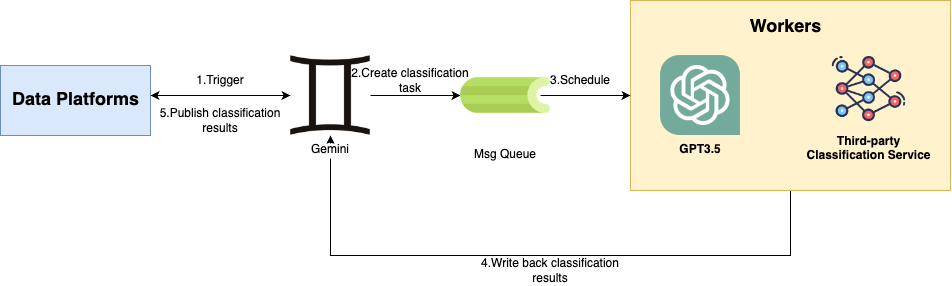
LLM-powered data classification for data entities at scale

Post Syndicated from Grab Tech original https://engineering.grab.com/llm-powered-data-classification

Editor’s note: This post was originally published in October 2023 and has been updated to reflect Grab’s partnership with the Infocomm Media Development Authority as part of its Privacy Enhancing Technology Sandbox that concluded in March 2024.

Introduction

At Grab, we deal with PetaByte-level data and manage countless data entities ranging from database tables to Kafka message schemas. Understanding the data inside is crucial for us, as it not only streamlines the data access management to safeguard the data of our users, drivers and merchant-partners, but also improves the data discovery process for data analysts and scientists to easily find what they need.

The Caspian team (Data Engineering team) collaborated closely with the Data Governance team on automating governance-related metadata generation. We started with Personal Identifiable Information (PII) detection and built an orchestration service using a third-party classification service. With the advent of the Large Language Model (LLM), new possibilities dawned for metadata generation and sensitive data identification at Grab. This prompted the inception of the project, which aimed to integrate LLM classification into our existing service. In this blog, we share insights into the transformation from what used to be a tedious and painstaking process to a highly efficient system, and how it has empowered the teams across the organisation.

For ease of reference, here’s a list of terms we’ve used and their definitions:

  • Data Entity: An entity representing a schema that contains rows/streams of data, for example, database tables, stream messages, data lake tables.
  • Prediction: Refers to the model’s output given a data entity, unverified manually.
  • Data Classification: The process of classifying a given data entity, which in the context of this blog, involves generating tags that represent sensitive data or Grab-specific types of data.
  • Metadata Generation: The process of generating the metadata for a given data entity. In this blog, since we limit the metadata to the form of tags, we often use this term and data classification interchangeably.
  • Sensitivity: Refers to the level of confidentiality of data. High sensitivity means that the data is highly confidential. The lowest level of sensitivity often refers to public-facing or publicly-available data.

Background

When we first approached the data classification problem, we aimed to solve something more specific – Personal Identifiable Information (PII) detection. Initially, to protect sensitive data from accidental leaks or misuse, Grab implemented manual processes and campaigns targeting data producers to tag schemas with sensitivity tiers. These tiers ranged from Tier 1, representing schemas with highly sensitive information, to Tier 4, indicating no sensitive information at all. As a result, half of all schemas were marked as Tier 1, enforcing the strictest access control measures.

The presence of a single Tier 1 table in a schema with hundreds of tables justifies classifying the entire schema as Tier 1. However, since Tier 1 data is rare, this implies that a large volume of non-Tier 1 tables, which ideally should be more accessible, have strict access controls.

Shifting access controls from the schema-level to the table-level could not be done safely due to the lack of table classification in the data lake. We could have conducted more manual classification campaigns for tables, however this was not feasible for two reasons:

  1. The volume, velocity, and variety of data had skyrocketed within the organisation, so it took significantly more time to classify at table level compared to schema level. Hence, a programmatic solution was needed to streamline the classification process, reducing the need for manual effort.
  2. App developers, despite being familiar with the business scope of their data, interpreted internal data classification policies and external data regulations differently, leading to inconsistencies in understanding.

A service called Gemini (named before Google announced the Gemini model!) was built internally to automate the tag generation process using a third party data classification service. Its purpose was to scan the data entities in batches and generate column/field level tags. These tags would then go through a review process by the data producers. The data governance team provided classification rules and used regex classifiers, alongside the third-party tool’s own machine learning classifiers, to discover sensitive information.

After the implementation of the initial version of Gemini, a few challenges remained.

  1. The third-party tool did not allow customisations of its machine learning classifiers, and the regex patterns produced too many false positives during our evaluation.
  2. Building in-house classifiers would require a dedicated data science team to train a customised model. They would need to invest a significant amount of time to understand data governance rules thoroughly and prepare datasets with manually labelled training data.

LLM came up on our radar following its recent “iPhone moment” with ChatGPT’s explosion onto the scene. It is trained using an extremely large corpus of text and contains trillions of parameters. It is capable of conducting natural language understanding tasks, writing code, and even analysing data based on requirements. The LLM naturally solves the mentioned pain points as it provides a natural language interface for data governance personnel. They can express governance requirements through text prompts, and the LLM can be customised effortlessly without code or model training.

Methodology

In this section, we dive into the implementation details of the data classification workflow. Please refer to the diagram below for a high-level overview:

Figure 1 – Overview of data classification workflow

This diagram illustrates how data platforms, the metadata generation service (Gemini), and data owners work together to classify and verify metadata. Data platforms trigger scan requests to the Gemini service to initiate the tag classification process. After the tags are predicted, data platforms consume the predictions, and the data owners are notified to verify these tags.

Orchestration

Figure 2 – Architecture diagram of the orchestration service Gemini

Our orchestration service, Gemini, manages the data classification requests from data platforms. From the diagram, the architecture contains the following components:

  1. Data platforms: These platforms are responsible for managing data entities and initiating data classification requests.
  2. Gemini: This orchestration service communicates with data platforms, schedules and groups data classification requests.
  3. Classification engines: There are two available engines (a third-party classification service and GPT3.5) for executing the classification jobs and return results. Since we are still in the process of evaluating two engines, both of the engines are working concurrently.

When the orchestration service receives requests, it helps aggregate the requests into reasonable mini-batches. Aggregation is achievable through the message queue at fixed intervals. In addition, a rate limiter is attached at the workflow level. It allows the service to call the Cloud Provider APIs with respective rates to prevent the potential throttling from the service providers.

Specific to LLM orchestration, there are two limits to be mindful of. The first one is the context length. The input length cannot surpass the context length, which was 4000 tokens for GPT3.5 at the time of development (or around 3000 words). The second one is the overall token limit (since both the input and output share the same token limit for a single request). Currently, all Azure OpenAI model deployments share the same quota under one account, which is set at 240K tokens per minute.

Classification

In this section, we focus on LLM-powered column-level tag classification. The tag classification process is defined as follows:

Given a data entity with a defined schema, we want to tag each field of the schema with metadata classifications that follow an internal classification scheme from the data governance team. For example, the field can be tagged as a <particular kind of business metric> or a <particular type of personally identifiable information (PII). These tags indicate that the field contains a business metric or PII.

We ask the language model to be a column tag generator and to assign the most appropriate tag to each column. Here we showcase an excerpt of the prompt we use:

You are a database column tag classifier, your job is to assign the most appropriate tag based on table name and column name. The database columns are from a company that provides ride-hailing, delivery, and financial services. Assign one tag per column. However not all columns can be tagged and these columns should be assigned <None>. You are precise, careful and do your best to make sure the tag assigned is the most appropriate.

The following is the list of tags to be assigned to a column. For each line, left hand side of the : is the tag and right hand side is the tag definition

…
<Personal.ID> : refers to government-provided identification numbers that can be used to uniquely identify a person and should be assigned to columns containing "NRIC", "Passport", "FIN", "License Plate", "Social Security" or similar. This tag should absolutely not be assigned to columns named "id", "merchant id", "passenger id", “driver id" or similar since these are not government-provided identification numbers. This tag should be very rarely assigned.

<None> : should be used when none of the above can be assigned to a column.
…

Output Format is a valid json string, for example:

[{
        "column_name": "",
        "assigned_tag": ""
}]

Example question

`These columns belong to the "deliveries" table

        1. merchant_id
        2. status
        3. delivery_time`

Example response

[{
        "column_name": "merchant_id",
        "assigned_tag": "<Personal.ID>"
},{
        "column_name": "status",
        "assigned_tag": "<None>"
},{
        "column_name": "delivery_time",
        "assigned_tag": "<None>"
}]

We also curated a tag library for LLM to classify. Here is an example:

Column-level Tag Definition
Personal.ID Refers to external identification numbers that can be used to uniquely identify a person and should be assigned to columns containing “NRIC”, “Passport”, “FIN”, “License Plate”, “Social Security” or similar.
Personal.Name Refers to the name or username of a person and should be assigned to columns containing “name”, “username” or similar.
Personal.Contact_Info Refers to the contact information of a person and should be assigned to columns containing “email”, “phone”, “address”, “social media” or similar.
Geo.Geohash Refers to a geohash and should be assigned to columns containing “geohash” or similar.
None Should be used when none of the above can be assigned to a column.

The output of the language model is typically in free text format, however, we want the output in a fixed format for downstream processing. Due to this nature, prompt engineering is a crucial component to make sure downstream workflows can process the LLM’s output.

Here are some of the techniques we found useful during our development:

  1. Articulate the requirements: The requirement of the task should be as clear as possible, LLM is only instructed to do what you ask it to do.
  2. Few-shot learning: By showing the example of interaction, models understand how they should respond.
  3. Schema Enforcement: Leveraging its ability of understanding code, we explicitly provide the DTO (Data Transfer Object) schema to the model so that it understands that its output must conform to it.
  4. Allow for confusion: In our prompt we specifically added a default tag – the LLM is instructed to output the default <None> tag when it cannot make a decision or is confused.

Regarding classification accuracy, we found that it is surprisingly accurate with its great semantic understanding. For acknowledged tables, users on average change less than one tag. Also, during an internal survey done among data owners at Grab in September 2023, 80% reported that this new tagging process helped them in tagging their data entities.

Publish and verification

The predictions are published to the Kafka queue to downstream data platforms. The platforms inform respective users weekly to verify the classified tags to improve the model’s correctness and to enable iterative prompt improvement. Meanwhile, we plan to remove the verification mandate for users once the accuracy reaches a certain level.

Figure 3 – Verification message shown in the data platform for user to verify the tags

Impact

Since the new system was rolled out, we have successfully integrated this with Grab’s metadata management platform and production database management platform. Within a month since its rollout, we have scanned more than 20,000 data entities, averaging around 300-400 entities per day.

Using a quick back-of-the-envelope calculation, we can see the significant time savings achieved through automated tagging. Assuming it takes a data owner approximately 2 minutes to classify each entity, we are saving approximately 360 man-days per year for the company. This allows our engineers and analysts to focus more on their core tasks of engineering and analysis rather than spending excessive time on data governance.

The classified tags pave the way for more use cases downstream. These tags, in combination with rules provided by data privacy office in Grab, enable us to determine the sensitivity tier of data entities, which in turn will be leveraged for enforcing the Attribute-based Access Control (ABAC) policies and enforcing Dynamic Data Masking for downstream queries. To learn more about the benefits of ABAC, readers can refer to another engineering blog posted earlier.

Cost wise, for the current load, it is extremely affordable contrary to common intuition. This affordability enables us to scale the solution to cover more data entities in the company.

What’s next?

Prompt improvement

We are currently exploring feeding sample data and user feedback to greatly increase accuracy. Meanwhile, we are experimenting on outputting the confidence level from LLM for its own classification. With confidence level output, we would only trouble users when the LLM is uncertain of its answers. Hopefully this can remove even more manual processes in the current workflow.

Prompt evaluation

To track the performance of the prompt given, we are building analytical pipelines to calculate the metrics of each version of the prompt. This will help the team better quantify the effectiveness of prompts and iterate better and faster.

Scaling out

We are also planning to scale out this solution to more data platforms to streamline governance-related metadata generation to more teams. The development of downstream applications using our metadata is also on the way. These exciting applications are from various domains such as security, data discovery, etc.

Acknowledgements

Grab recently participated in the Singapore government’s regulatory sandbox, where we successfully demonstrated how LLMs can efficiently and effectively perform data classification, allowing Grab to compound the value of its data for innovative use cases while safeguarding sensitive information such as PII.

Join us

Grab is the leading superapp platform in Southeast Asia, providing everyday services that matter to consumers. More than just a ride-hailing and food delivery app, Grab offers a wide range of on-demand services in the region, including mobility, food, package and grocery delivery services, mobile payments, and financial services across 428 cities in eight countries.

Powered by technology and driven by heart, our mission is to drive Southeast Asia forward by creating economic empowerment for everyone. If this mission speaks to you, join our team today!

Securing generative AI: An introduction to the Generative AI Security Scoping Matrix

Post Syndicated from Matt Saner original https://aws.amazon.com/blogs/security/securing-generative-ai-an-introduction-to-the-generative-ai-security-scoping-matrix/

Generative artificial intelligence (generative AI) has captured the imagination of organizations and is transforming the customer experience in industries of every size across the globe. This leap in AI capability, fueled by multi-billion-parameter large language models (LLMs) and transformer neural networks, has opened the door to new productivity improvements, creative capabilities, and more.

As organizations evaluate and adopt generative AI for their employees and customers, cybersecurity practitioners must assess the risks, governance, and controls for this evolving technology at a rapid pace. As security leaders working with the largest, most complex customers at Amazon Web Services (AWS), we’re regularly consulted on trends, best practices, and the rapidly evolving landscape of generative AI and the associated security and privacy implications. In that spirit, we’d like to share key strategies that you can use to accelerate your own generative AI security journey.

This post, the first in a series on securing generative AI, establishes a mental model that will help you approach the risk and security implications based on the type of generative AI workload you are deploying. We then highlight key considerations for security leaders and practitioners to prioritize when securing generative AI workloads. Follow-on posts will dive deep into developing generative AI solutions that meet customers’ security requirements, best practices for threat modeling generative AI applications, approaches for evaluating compliance and privacy considerations, and will explore ways to use generative AI to improve your own cybersecurity operations.

Where to start

As with any emerging technology, a strong grounding in the foundations of that technology is critical to helping you understand the associated scopes, risks, security, and compliance requirements. To learn more about the foundations of generative AI, we recommend that you start by reading more about what generative AI is, its unique terminologies and nuances, and exploring examples of how organizations are using it to innovate for their customers.

If you’re just starting to explore or adopt generative AI, you might imagine that an entirely new security discipline will be required. While there are unique security considerations, the good news is that generative AI workloads are, at their core, another data-driven computing workload, and they inherit much of the same security regimen. The fact is, if you’ve invested in cloud cybersecurity best practices over the years and embraced prescriptive advice from sources like Steve’s top 10, the Security Pillar of the Well-Architected Framework, and the Well-Architected Machine Learning Lens, you’re well on your way!

Core security disciplines, like identity and access management, data protection, privacy and compliance, application security, and threat modeling are still critically important for generative AI workloads, just as they are for any other workload. For example, if your generative AI application is accessing a database, you’ll need to know what the data classification of the database is, how to protect that data, how to monitor for threats, and how to manage access. But beyond emphasizing long-standing security practices, it’s crucial to understand the unique risks and additional security considerations that generative AI workloads bring. This post highlights several security factors, both new and familiar, for you to consider.

With that in mind, let’s discuss the first step: scoping.

Determine your scope

Your organization has made the decision to move forward with a generative AI solution; now what do you do as a security leader or practitioner? As with any security effort, you must understand the scope of what you’re tasked with securing. Depending on your use case, you might choose a managed service where the service provider takes more responsibility for the management of the service and model, or you might choose to build your own service and model.

Let’s look at how you might use various generative AI solutions in the AWS Cloud. At AWS, security is a top priority, and we believe providing customers with the right tool for the job is critical. For example, you can use the serverless, API-driven Amazon Bedrock with simple-to-consume, pre-trained foundation models (FMs) provided by AI21 Labs, Anthropic, Cohere, Meta, stability.ai, and Amazon Titan. Amazon SageMaker JumpStart provides you with additional flexibility while still using pre-trained FMs, helping you to accelerate your AI journey securely. You can also build and train your own models on Amazon SageMaker. Maybe you plan to use a consumer generative AI application through a web interface or API such as a chatbot or generative AI features embedded into a commercial enterprise application your organization has procured. Each of these service offerings has different infrastructure, software, access, and data models and, as such, will result in different security considerations. To establish consistency, we’ve grouped these service offerings into logical categorizations, which we’ve named scopes.

In order to help simplify your security scoping efforts, we’ve created a matrix that conveniently summarizes key security disciplines that you should consider, depending on which generative AI solution you select. We call this the Generative AI Security Scoping Matrix, shown in Figure 1.

The first step is to determine which scope your use case fits into. The scopes are numbered 1–5, representing least ownership to greatest ownership.

Buying generative AI:

  • Scope 1: Consumer app – Your business consumes a public third-party generative AI service, either at no-cost or paid. At this scope you don’t own or see the training data or the model, and you cannot modify or augment it. You invoke APIs or directly use the application according to the terms of service of the provider.
    Example: An employee interacts with a generative AI chat application to generate ideas for an upcoming marketing campaign.
  • Scope 2: Enterprise app – Your business uses a third-party enterprise application that has generative AI features embedded within, and a business relationship is established between your organization and the vendor.
    Example: You use a third-party enterprise scheduling application that has a generative AI capability embedded within to help draft meeting agendas.

Building generative AI:

  • Scope 3: Pre-trained models – Your business builds its own application using an existing third-party generative AI foundation model. You directly integrate it with your workload through an application programming interface (API).
    Example: You build an application to create a customer support chatbot that uses the Anthropic Claude foundation model through Amazon Bedrock APIs.
  • Scope 4: Fine-tuned models – Your business refines an existing third-party generative AI foundation model by fine-tuning it with data specific to your business, generating a new, enhanced model that’s specialized to your workload.
    Example: Using an API to access a foundation model, you build an application for your marketing teams that enables them to build marketing materials that are specific to your products and services.
  • Scope 5: Self-trained models – Your business builds and trains a generative AI model from scratch using data that you own or acquire. You own every aspect of the model.
    Example: Your business wants to create a model trained exclusively on deep, industry-specific data to license to companies in that industry, creating a completely novel LLM.

In the Generative AI Security Scoping Matrix, we identify five security disciplines that span the different types of generative AI solutions. The unique requirements of each security discipline can vary depending on the scope of the generative AI application. By determining which generative AI scope is being deployed, security teams can quickly prioritize focus and assess the scope of each security discipline.

Let’s explore each security discipline and consider how scoping affects security requirements.

  • Governance and compliance – The policies, procedures, and reporting needed to empower the business while minimizing risk.
  • Legal and privacy – The specific regulatory, legal, and privacy requirements for using or creating generative AI solutions.
  • Risk management – Identification of potential threats to generative AI solutions and recommended mitigations.
  • Controls – The implementation of security controls that are used to mitigate risk.
  • Resilience – How to architect generative AI solutions to maintain availability and meet business SLAs.

Throughout our Securing Generative AI blog series, we’ll be referring to the Generative AI Security Scoping Matrix to help you understand how various security requirements and recommendations can change depending on the scope of your AI deployment. We encourage you to adopt and reference the Generative AI Security Scoping Matrix in your own internal processes, such as procurement, evaluation, and security architecture scoping.

What to prioritize

Your workload is scoped and now you need to enable your business to move forward fast, yet securely. Let’s explore a few examples of opportunities you should prioritize.

Governance and compliance plus Legal and privacy

With consumer off-the-shelf apps (Scope 1) and enterprise off-the-shelf apps (Scope 2), you must pay special attention to the terms of service, licensing, data sovereignty, and other legal disclosures. Outline important considerations regarding your organization’s data management requirements, and if your organization has legal and procurement departments, be sure to work closely with them. Assess how these requirements apply to a Scope 1 or 2 application. Data governance is critical, and an existing strong data governance strategy can be leveraged and extended to generative AI workloads. Outline your organization’s risk appetite and the security posture you want to achieve for Scope 1 and 2 applications and implement policies that specify that only appropriate data types and data classifications should be used. For example, you might choose to create a policy that prohibits the use of personal identifiable information (PII), confidential, or proprietary data when using Scope 1 applications.

If a third-party model has all the data and functionality that you need, Scope 1 and Scope 2 applications might fit your requirements. However, if it’s important to summarize, correlate, and parse through your own business data, generate new insights, or automate repetitive tasks, you’ll need to deploy an application from Scope 3, 4, or 5. For example, your organization might choose to use a pre-trained model (Scope 3). Maybe you want to take it a step further and create a version of a third-party model such as Amazon Titan with your organization’s data included, known as fine-tuning (Scope 4). Or you might create an entirely new first-party model from scratch, trained with data you supply (Scope 5).

In Scopes 3, 4, and 5, your data can be used in the training or fine-tuning of the model, or as part of the output. You must understand the data classification and data type of the assets the solution will have access to. Scope 3 solutions might use a filtering mechanism on data provided through Retrieval Augmented Generation (RAG) with the help from Agents for Amazon Bedrock, for example, as an input to a prompt. RAG offers you an alternative to training or fine-tuning by querying your data as part of the prompt. This then augments the context for the LLM to provide a completion and response that can use your business data as part of the response, rather than directly embedding your data in the model itself through fine-tuning or training. See Figure 3 for an example data flow diagram demonstrating how customer data could be used in a generative AI prompt and response through RAG.

In scopes 4 and 5, on the other hand, you must classify the modified model for the most sensitive level of data classification used to fine-tune or train the model. Your model would then mirror the data classification on the data it was trained against. For example, if you supply PII in the fine-tuning or training of a model, then the new model will contain PII. Currently, there are no mechanisms for easily filtering the model’s output based on authorization, and a user could potentially retrieve data they wouldn’t otherwise be authorized to see. Consider this a key takeaway; your application can be built around your model to implement filtering controls on your business data as part of a RAG data flow, which can provide additional data security granularity without placing your sensitive data directly within the model.

From a legal perspective, it’s important to understand both the service provider’s end-user license agreement (EULA), terms of services (TOS), and any other contractual agreements necessary to use their service across Scopes 1 through 4. For Scope 5, your legal teams should provide their own contractual terms of service for any external use of your models. Also, for Scope 3 and Scope 4, be sure to validate both the service provider’s legal terms for the use of their service, as well as the model provider’s legal terms for the use of their model within that service.

Additionally, consider the privacy concerns if the European Union’s General Data Protection Regulation (GDPR) “right to erasure” or “right to be forgotten” requirements are applicable to your business. Carefully consider the impact of training or fine-tuning your models with data that you might need to delete upon request. The only fully effective way to remove data from a model is to delete the data from the training set and train a new version of the model. This isn’t practical when the data deletion is a fraction of the total training data and can be very costly depending on the size of your model.

Risk management

While AI-enabled applications can act, look, and feel like non-AI-enabled applications, the free-form nature of interacting with an LLM mandates additional scrutiny and guardrails. It is important to identify what risks apply to your generative AI workloads, and how to begin to mitigate them.

There are many ways to identify risks, but two common mechanisms are risk assessments and threat modeling. For Scopes 1 and 2, you’re assessing the risk of the third-party providers to understand the risks that might originate in their service, and how they mitigate or manage the risks they’re responsible for. Likewise, you must understand what your risk management responsibilities are as a consumer of that service.

For Scopes 3, 4, and 5—implement threat modeling—while we will dive deep into specific threats and how to threat-model generative AI applications in a future blog post, let’s give an example of a threat unique to LLMs. Threat actors might use a technique such as prompt injection: a carefully crafted input that causes an LLM to respond in unexpected or undesired ways. This threat can be used to extract features (features are characteristics or properties of data used to train a machine learning (ML) model), defame, gain access to internal systems, and more. In recent months, NIST, MITRE, and OWASP have published guidance for securing AI and LLM solutions. In both the MITRE and OWASP published approaches, prompt injection (model evasion) is the first threat listed. Prompt injection threats might sound new, but will be familiar to many cybersecurity professionals. It’s essentially an evolution of injection attacks, such as SQL injection, JSON or XML injection, or command-line injection, that many practitioners are accustomed to addressing.

Emerging threat vectors for generative AI workloads create a new frontier for threat modeling and overall risk management practices. As mentioned, your existing cybersecurity practices will apply here as well, but you must adapt to account for unique threats in this space. Partnering deeply with development teams and other key stakeholders who are creating generative AI applications within your organization will be required to understand the nuances, adequately model the threats, and define best practices.

Controls

Controls help us enforce compliance, policy, and security requirements in order to mitigate risk. Let’s dive into an example of a prioritized security control: identity and access management. To set some context, during inference (the process of a model generating an output, based on an input) first- or third-party foundation models (Scopes 3–5) are immutable. The API to a model accepts an input and returns an output. Models are versioned and, after release, are static. On its own, the model itself is incapable of storing new data, adjusting results over time, or incorporating external data sources directly. Without the intervention of data processing capabilities that reside outside of the model, the model will not store new data or mutate.

Both modern databases and foundation models have a notion of using the identity of the entity making a query. Traditional databases can have table-level, row-level, column-level, or even element-level security controls. Foundation models, on the other hand, don’t currently allow for fine-grained access to specific embeddings they might contain. In LLMs, embeddings are the mathematical representations created by the model during training to represent each object—such as words, sounds, and graphics—and help describe an object’s context and relationship to other objects. An entity is either permitted to access the full model and the inference it produces or nothing at all. It cannot restrict access at the level of specific embeddings in a vector database. In other words, with today’s technology, when you grant an entity access directly to a model, you are granting it permission to all the data that model was trained on. When accessed, information flows in two directions: prompts and contexts flow from the user through the application to the model, and a completion returns from the model back through the application providing an inference response to the user. When you authorize access to a model, you’re implicitly authorizing both of these data flows to occur, and either or both of these data flows might contain confidential data.

For example, imagine your business has built an application on top of Amazon Bedrock at Scope 4, where you’ve fine-tuned a foundation model, or Scope 5 where you’ve trained a model on your own business data. An AWS Identity and Access Management (IAM) policy grants your application permissions to invoke a specific model. The policy cannot limit access to subsets of data within the model. For IAM, when interacting with a model directly, you’re limited to model access.

{
	"Version": "2012-10-17",
	"Statement": {
		"Sid": "AllowInference",
		"Effect": "Allow",
		"Action": [
			"bedrock:InvokeModel"
		],
		"Resource": "arn:aws:bedrock:*::<foundation-model>/<model-id-of-model-to-allow>
	}
}

What could you do to implement least privilege in this case? In most scenarios, an application layer will invoke the Amazon Bedrock endpoint to interact with a model. This front-end application can use an identity solution, such as Amazon Cognito or AWS IAM Identity Center, to authenticate and authorize users, and limit specific actions and access to certain data accordingly based on roles, attributes, and user communities. For example, the application could select a model based on the authorization of the user. Or perhaps your application uses RAG by querying external data sources to provide just-in-time data for generative AI responses, using services such as Amazon Kendra or Amazon OpenSearch Serverless. In that case, you would use an authorization layer to filter access to specific content based on the role and entitlements of the user. As you can see, identity and access management principles are the same as any other application your organization develops, but you must account for the unique capabilities and architectural considerations of your generative AI workloads.

Resilience

Finally, availability is a key component of security as called out in the C.I.A. triad. Building resilient applications is critical to meeting your organization’s availability and business continuity requirements. For Scope 1 and 2, you should understand how the provider’s availability aligns to your organization’s needs and expectations. Carefully consider how disruptions might impact your business should the underlying model, API, or presentation layer become unavailable. Additionally, consider how complex prompts and completions might impact usage quotas, or what billing impacts the application might have.

For Scopes 3, 4, and 5, make sure that you set appropriate timeouts to account for complex prompts and completions. You might also want to look at prompt input size for allocated character limits defined by your model. Also consider existing best practices for resilient designs such as backoff and retries and circuit breaker patterns to achieve the desired user experience. When using vector databases, having a high availability configuration and disaster recovery plan is recommended to be resilient against different failure modes.

Instance flexibility for both inference and training model pipelines are important architectural considerations in addition to potentially reserving or pre-provisioning compute for highly critical workloads. When using managed services like Amazon Bedrock or SageMaker, you must validate AWS Region availability and feature parity when implementing a multi-Region deployment strategy. Similarly, for multi-Region support of Scope 4 and 5 workloads, you must account for the availability of your fine-tuning or training data across Regions. If you use SageMaker to train a model in Scope 5, use checkpoints to save progress as you train your model. This will allow you to resume training from the last saved checkpoint if necessary.

Be sure to review and implement existing application resilience best practices established in the AWS Resilience Hub and within the Reliability Pillar and Operational Excellence Pillar of the Well Architected Framework.

Conclusion

In this post, we outlined how well-established cloud security principles provide a solid foundation for securing generative AI solutions. While you will use many existing security practices and patterns, you must also learn the fundamentals of generative AI and the unique threats and security considerations that must be addressed. Use the Generative AI Security Scoping Matrix to help determine the scope of your generative AI workloads and the associated security dimensions that apply. With your scope determined, you can then prioritize solving for your critical security requirements to enable the secure use of generative AI workloads by your business.

Please join us as we continue to explore these and additional security topics in our upcoming posts in the Securing Generative AI series.

If you have feedback about this post, submit comments in the Comments section below. If you have questions about this post, contact AWS Support.

Want more AWS Security news? Follow us on Twitter.

Matt Saner

Matt Saner

Matt is a Senior Manager leading security specialists at AWS. He and his team help the world’s largest and most complex organizations solve critical security challenges, and help security teams become enablers for their business. Before joining AWS, Matt spent nearly two decades working in the financial services industry, solving various technology, security, risk, and compliance challenges. He highly values life-long learning (security is never static) and holds a Masters in Cybersecurity from NYU. For fun, he’s a pilot who enjoys flying general aviation airplanes.

Mike Lapidakis

Mike Lapidakis

Mike leads the AWS Industries Specialist SA team, comprised of the Security and Compliance, Migration and Modernization, Networking, and Resilience domains. The team helps the largest customers on earth establish a strong foundation to transform their businesses through technical enablement, education, customer advocacy, and executive alignment. Mike has helped organizations modernize on the cloud for over a decade in various architecture and consulting roles.

New Customization Capability in Amazon CodeWhisperer Generates Even Better Suggestions (Preview)

Post Syndicated from Donnie Prakoso original https://aws.amazon.com/blogs/aws/new-customization-capability-in-amazon-codewhisperer-generates-even-better-suggestions-preview/

An AI coding companion, such as Amazon CodeWhisperer, aims to improve developers’ productivity by helping them write code quickly and securely. However, in particular cases, developers need to have code recommendations based on their internal libraries and APIs they extensively use every day.

As most of the existing AI coding companion tools are trained only on open-source codes, they lack the capability to customize the code recommendations using private code repositories. This limitation presents a variety of challenges for developers. Developers have a difficulty learning how to use internal libraries correctly and avoid security problems. For large codebases, it requires hours of reading documentation to understand what code needs to be written to complete the task.

Now in Preview —  Amazon CodeWhisperer Customization Capability
Today, I’m excited to announce Amazon CodeWhisperer customization capability (in preview) that enables organizations to customize CodeWhisperer to generate specific code recommendations from private code repositories. With this feature, developers who are part of Amazon CodeWhisperer Professional tier can now receive real-time code recommendations that include their internal libraries, APIs, packages, classes, and methods.

Let’s say that you’re a developer working for a hypothetical food delivery company called AnyCompany. You’re given a task to process a list of unassigned food deliveries around the driver’s current location. Previously, with CodeWhisperer, it would not know the correct internal APIs to process unassigned food deliveries or getting driver’s current location as this isn’t publicly available information. 

Now, with customization capability, you can ask CodeWhisperer to provide recommendations that include specific code related to the company’s internal services. The following screenshot shows how CodeWhisperer generates codes based on the internal codebase just by writing a set of comments.

With the customization capability of utilizing your internal codebase, CodeWhisperer now understands the intent, determines which internal and public APIs are best suited to the task, and generates code recommendations.

How It Works
The explanation above described how you can use CodeWhisperer customization capability as a developer. Now, let me share how it works and how you can get started. 

To create a customization, you need to complete the following steps as a CodeWhisperer administrator. 

  1. Administer your end users as CodeWhisperer administrator.
  2. Connect to existing repositories. You can connect one or more code repositories in your GitHub, GitLab, or BitBucket account using AWS CodeStar Connections or manually upload all of your codes into an Amazon Simple Storage Service (Amazon S3) bucket.
  3. Create a customization. CodeWhisperer will customize its model based on your codebase.
  4. Activate the customization for your team members. Once the customization is created, you can review and manually activate the customization to make it available automatically in your team members’ IDEs.

This capability provides two main advantages: providing real-time customized code recommendations that are specific to organizations and ensuring the protection of valuable intellectual property. Organizations can now promote the use of code that meets their quality and security standards based on their codes in existing repositories.

Furthermore, CodeWhisperer helps to ensure the security of your codes by providing the option to encrypt your customization data using customer managed keys in AWS Key Management Service (AWS KMS). This customization data will be deleted once the customization job finishes. 

Let’s Get Started
Let me show you how you can use the Amazon CodeWhisperer customization capability.

To get started, I need to create a customization. I need to have administrator access to navigate to the Create customization page on the Amazon CodeWhisperer dashboard.

On the Create customization page, I can connect the desired private code repositories I want CodeWhisperer to train. Currently, CodeWhisperer customization capability supports connection to GitHub, GitLab, and Bitbucket via AWS CodeStar Connections. If I have codes that are not in any code repositories, I can also manually upload my codes into an S3 bucket and define the Amazon S3 URI.

The following screenshot shows that I have existing connections with my code repositories using AWS CodeStar Connections. I can also create a new connection by selecting Create new connection.

Then, I can select Create Customization so CodeWhisperer can start training the model based on the codes available in the connection. The duration to complete this process depends on the size of the code repositories.

When the customization is ready, CodeWhisperer will not activate it automatically. This gives me the flexibility to activate the customizations just when I need them. But before I demonstrate that, I’d like to explain the evaluation score.

In short, the evaluation score helps me to measure the customization’s accuracy in predicting and providing code recommendations based on the codes in my code repositories. It provides a score in one of three categories: 1) Very Good, with a score ranging from 7–10; 2) Fair, with a score ranging from 4–7; and 3) Poor, with a score ranging from 0–4. It’s recommended to activate the customization if the evaluation score is 6 or higher. If the evaluation score is less than desired, I need to make sure that I’m providing enough codes for customization and provide a new code dataset that extensively contains references to internal APIs.

Here, I can see the Evaluation score for my customization is 8, and I’m happy with this result. Then, I can select Activate to start using this customization.

Once I have activated the customizations, I can define the access to selected customizations by selecting Add users. Now, I can give access to the customizations for selected team members who have been added as users for Amazon CodeWhisperer Professional tier. To do that, I can follow the guide from the Administering end users page. 

Then, once my team members sign in via AWS Toolkit in their IDEs, they will see the available customizations and can start using them. 

With Amazon CodeWhisperer, I can create multiple customizations by providing different code repositories. This feature is useful if I want to build customizations for code recommendations for certain teams. 

As administrator, I can also monitor the performance of each of the customizations by navigating to the CodeWhisperer dashboard page. This page summarizes useful data such as user activity, how many lines of code were suggested by CodeWhisperer and accepted by my team members, and how many security scans have successfully been run from IDEs. 

Amazon CodeWhisperer customization capability also follows the supported IDEs as part of AWS Toolkit by Amazon CodeWhisperer, such as Visual Studio Code, IntelliJ JetBrains, Visual Studio, and AWS Cloud9. This feature also provides support for most popular programming languages, including Python, Java, JavaScript, TypeScript, and C#.

Join the Public Preview
By securely leveraging customer’s internal codebase, Amazon CodeWhisperer unlocks the full potential of generative AI-powered coding that is customized to your unique requirements.

Join the public preview now and learn more on how to get started on the Amazon CodeWhisperer Customization page.

Happy coding!
— Donnie

Using Generative AI, Amazon Bedrock and Amazon CodeGuru to Improve Code Quality and Security

Post Syndicated from Marcilio Mendonca original https://aws.amazon.com/blogs/devops/using-generative-ai-amazon-bedrock-and-amazon-codeguru-to-improve-code-quality-and-security/

Automated code analysis plays a key role in improving code quality and compliance. Amazon CodeGuru Reviewer provides automated recommendations that can assist developers in identifying defects and deviation from coding best practices. For instance, CodeGuru Security automatically flags potential security vulnerabilities such as SQL injection, hardcoded AWS credentials and cross-site request forgery, to name a few. After becoming aware of these findings, developers can take decisive action to remediate their code.

On the other hand, determining what the best course of action is to address a particular automated recommendation might not always be obvious. For instance, an apprentice developer may not fully grasp what a SQL injection attack means or what makes the code at hand particularly vulnerable. In another situation, the developer reviewing a CodeGuru recommendation might not be the same developer who wrote the initial code. In these cases, the developer will first need to get familiarized with the code and the recommendation in order to take proper corrective action.

By using Generative AI, developers can leverage pre-trained foundation models to gain insights on their code’s structure, the CodeGuru Reviewer recommendation and the potential corrective actions. For example, Generative AI models can generate text content, e.g., to explain a technical concept such as SQL injection attacks or the correct use of a given library. Once the recommendation is well understood, the Generative AI model can be used to refactor the original code so that it complies with the recommendation. The possibilities opened up by Generative AI are numerous when it comes to improving code quality and security.

In this post, we will show how you can use CodeGuru Reviewer and Bedrock to improve the quality and security of your code. While CodeGuru Reviewer can provide automated code analysis and recommendations, Bedrock offers a low-friction environment that enables you to gain insights on the CodeGuru recommendations and to find creative ways to remediate your code.

Solution Overview

The diagram below depicts our approach and the AWS services involved. It works as follows:

1. The developer pushes code to an AWS CodeCommit repository.
2. The repository is associated with CodeGuru Reviewer, so an automated code review is initiated.
3. Upon completion, the CodeGuru Reviewer console displays a list of recommendations for the code base, if applicable.
4. Once aware of the recommendation and the affected code, the developer navigates to the Bedrock console, chooses a foundation model and builds a prompt (we will give examples of prompts in the next session).
5. Bedrock generates content as a response to the prompt, including code generation.
6. The developer might optionally refine the prompt, for example, to gain further insights on the CodeGuru Reviewer recommendation or to request for alternatives to remediate the code.
7. The model can respond with generated code that addresses the issue which can then be pushed back into the repository.

CodeCommit, CodeGuru and Bedrock used together

CodeCommit, CodeGuru and Bedrock used together

Note that we use CodeCommit in our walkthrough but readers can use any Git sources supported by CodeGuru Reviewer.

Using Generative AI to Improve Code Quality and Security

Next, we’re going to walk you through a scenario where a developer needs to improve the quality of her code after CodeGuru Reviewer has provided recommendations. But before getting there, let’s choose a code repository and set the Bedrock inference parameters.

A good reference of source repository for exploring CodeGuru Reviewer recommendations is the Amazon CodeGuru Reviewer Python Detector repository. The repository contains a comprehensive list of compliant and non-compliant code which fits well in the context of our discussion.

In terms of Bedrock model, we use Anthropic Claude V1 (v1.3) in our analysis which is specialized in content generation including text and code. We set the required model parameters as follows: temperature=0.5, top_p=0.9, top_k=500, max_tokens=2048. We set temperature and top_p parameters so as to give the model a bit more flexibility to generate responses for the same question. Please check the inference parameter definitions on Bedrock’s user guide for further details on these parameters. Given the randomness level specified by our inference parameters, readers experimenting with the prompts provided in this post might observe slightly different answers than the ones presented.

Requirements

  • An AWS account with access to CodeCommit, CodeGuru and Bedrock
  • Bedrock access enabled in the account. On-demand access should be fine (check pricing here).
  • Download and install the AWS CLI and Git (to push code to CodeCommit)

Walkthrough

Follow the steps below to run CodeGuru Reviewer analysis on a repository and to build and run Bedrock prompts.

  • Clone the from GitHub to your local workstation
git clone https://github.com/aws-samples/amazon-codeguru-reviewer-python-detectors.git
  • Create a CodeCommit repository and add a new Git remote
aws codecommit create-repository --repository-name amazon-codeguru-reviewer-python-detectors

cd amazon-codeguru-reviewer-python-detectors/

git remote add codecommit https://git-codecommit.us-east-1.amazonaws.com/v1/repos/amazon-codeguru-reviewer-python-detectors
  • Associate CodeGuru Reviewer with the repository to enable repository analysis
aws codeguru-reviewer associate-repository --repository 'CodeCommit={Name=amazon-codeguru-reviewer-python-detectors}'

Save the association ARN value returned after the command is executed (e.g., arn:aws:codeguru-reviewer:xx-xxxx-x:111111111111:association:e85aa20c-41d76-03b-f788-cefd0d2a3590).

  • Push code to the CodeCommit repository using the codecommit git remote
git push codecommit main:main
  • Trigger CodeGuru Reviewer to run a repository analysis on the repository’s main branch. Use the repository association ARN you noted in a previous step here.
aws codeguru-reviewer create-code-review \
 --name codereview001 \
 --type '{"RepositoryAnalysis": {"RepositoryHead": {"BranchName": "main"}}}' \
 --repository-association-arn arn:aws:codeguru-reviewer:xx-xxxx-x:111111111111:association:e85aa20c-41d76-03b-f788-cefd0d2a3590

Navigate to the CodeGuru Reviewer Console to see the various recommendations provided (you might have to wait a few minutes for the code analysis to run).

Amazon CodeGuru reviewer

Amazon CodeGuru Reviewer

  • On the CodeGuru Reviewer console (see screenshot above), we select the first recommendation on file hashlib_contructor.py, line 12, and take note of the recommendation content: The constructors for the hashlib module are faster than new(). We recommend using hashlib.sha256() instead.
  • Now let’s extract the affected code. Click on the file name link (hashlib_contructor.py in the figure above) to open the corresponding code in the CodeCommit console.
AWS CodeCommit Repository

AWS CodeCommit Repository

  • The blue arrow in the CodeCommit console above indicates the non-compliant code highlighting the specific line (line 12). We select the wrapping python function from lines 5 through 15 to build our prompt. You may want to experiment reducing the scope to a single line or a given block of lines and check if it yields better responses.
Amazon Bedrock Playground Console

Amazon Bedrock Playground Console

  • We then navigate to the Bedrock console (see screenshot above).
    • Search for keyword Bedrock in the AWS console
    • Select the Bedrock service to navigate to the service console
    • Choose Playgrounds, then choose Text
    • Choose model Anthropic Claude V1 (1.3). If you don’t see this model available, please make sure to enable model access.
  • Set the Inference configuration as shown in the screenshot below including temperature, Top P and the other parameters. Please check the inference parameter definitions on Bedrock’s user guide for further details on these parameters.
  • Build a Bedrock prompt using three elements, as illustrated in the screenshot below:
    • The source code copied from CodeCommit
    • The CodeGuru Reviewer recommendation
    • A request to refactor the code to address the code analysis finding
A Prompt in the Amazon Bedrock Playground Console

A Prompt in the Amazon Bedrock Playground Console

  • Press the Run button. Notice that Bedrock will automatically add the words Human (at the top) and Assistant (at the bottom) to the prompt.  Wait a few seconds and a response is generated (in green). The response includes the refactored code and an explanation on how the code was fixed (see screenshot below).
A Prompt Response (or completion) in the Amazon Bedrock Playground Console

A Prompt Response (or completion) in the Amazon Bedrock Playground Console

Note that the original code was refactored to use ashlib.sha256() instead of  using new in the constructor: hashlib.new(‘sha256’, …). Note that the prompt also asks for an explanation on how the refactored code fixes the issue, so the response includes such details. If we were interested in the refactored code only, we could change the prompt and ask that it returns only the refactored code.

Gaining Insights and Improving Code Quality

So far, our walkthrough showed how to navigate through the CodeCommit, CodeGuru Reviewer and Bedrock consoles to gather relevant content that can be used to build and run a Bedrock prompt. We are now going to explore further prompts to gain insights on the code and the recommendations in order to build more specific prompt to refactor the code. We omit screenshots for brevity. Readers can follow the same process outlined in the previous session.

Learning about the code

Let’s now examine another CodeGuru Reviewer recommendation. Specifically, we want to find the SQL Injection vulnerability raised for file, line 12, as shown below.

Sample non-compliant code

Sample non-compliant code

CodeGuru Reviewer provided the following recommendation:

CodeGuru Reviewer recommendation

For the sake of the walkthrough, let’s assume the developer reviewing the code above was not the original developer who built the code. We start by asking Bedrock to explain the code, line by line. Note that we have not included the CodeGuru Reviewer recommendation in the prompt this time as our initial goal is to understand the code.

Prompt:

Source Code:
def execute_query_noncompliant(request):
    import sqlite3
    name = request.GET.get("name")
    query = "SELECT * FROM Users WHERE name = " + name + ";" 
    with sqlite3.connect("example.db") as connection:
        cursor = connection.cursor()
        # Noncompliant: user input is used without sanitization.
        cursor.execute(query)
        connection.commit()
        connection.close()
Request:
Explain the code logic above line by line.

Response:

Sure, here is a line by line explanation of the code:
def execute_query_noncompliant(request):
This defines a function called execute_query_noncompliant that takes a request as an argument.
import sqlite3
This imports the sqlite3 library to connect to a SQLite database.
name = request.GET.get("name")
This gets a "name" query parameter from the request GET parameters.
query = "SELECT * FROM Users WHERE name = " + name + ";"
This constructs an SQL query string by concatenating the name variable into the query. 
So if name was "John", the query would be:
SELECT * FROM Users WHERE name = John;
with sqlite3.connect("example.db") as connection:
This opens a connection to the "example.db" SQLite database.
   cursor = connection.cursor()
This gets a cursor to execute queries on the connection.
    # Noncompliant: user input is used without sanitization.
    cursor.execute(query)
This executes the query on the database. The comment notes that this is noncompliant 
because it uses unsanitized user input in the query.
    connection.commit()
    connection.close()

Bedrock provides a line-by-line explanation of the code including the library being used (sqllite3) and a comment about the code using an unsanitized [MOU1] user input. The explanation is detailed helping the developer to understand the code logic and structure.

The developer now has a good understanding of the code. Let’s now gain insights on why and how the code is vulnerable to SQL Injection.

Prompt:

Source Code:
def execute_query_noncompliant(request):
    import sqlite3
    name = request.GET.get("name")
    query = "SELECT * FROM Users WHERE name = " + name + ";" 
    with sqlite3.connect("example.db") as connection:
        cursor = connection.cursor()
        # Noncompliant: user input is used without sanitization.
        cursor.execute(query)
        connection.commit()
        connection.close()
Request:
Why is the code above vulnerable to SQL injection?

Response:

The code is vulnerable to SQL injection because it directly concatenates 
user input (the name parameter) into an SQL query string. This allows a 
malicious user to inject SQL code into the query.
For example, if the name parameter is passed as:

'; DROP TABLE Users; -- 
Then the resulting SQL query would be:

SELECT * FROM Users WHERE name = ''; DROP TABLE Users; -- ;
This would drop the Users table, causing damage to the database.
To fix this, the user input should be sanitized before being added to the 
SQL query string. This can be done by:

Escaping single quotes in the input:
name = request.GET.get("name").replace("'", "''")
query = f"SELECT * FROM Users WHERE name = '{name}';"

Using parameterized queries:
query = "SELECT * FROM Users WHERE name = ?"
cursor.execute(query, (name,))

Again, the response is detailed. It explains that the user input is being concatenated directly into a query string. It gives an example of a SQL injection attack that could cause the Users table to be dropped. It also provides two options to fix the code including escaping single quotes and using parameterized queries.

We continue to dive deep into SQL injection. Let’s build a prompt to gather further examples of possible SQL injection attacks.

Prompt:

Source Code:
def execute_query_noncompliant(request):
    import sqlite3
    name = request.GET.get("name")
    query = "SELECT * FROM Users WHERE name = " + name + ";" 
    with sqlite3.connect("example.db") as connection:
        cursor = connection.cursor()
        # Noncompliant: user input is used without sanitization.
        cursor.execute(query)
        connection.commit()
        connection.close()
Request:
Provide examples of SQL injection for the code above

Response:

Here are some examples of SQL injection for that code:

If the name parameter is passed as:
'; DROP TABLE Users; -- 

Then the executed query would be:
SELECT * FROM Users WHERE name = ''; DROP TABLE Users; -- ;
This would drop the Users table.

If the name parameter is passed as:
OR 1=1; -- 

Then the executed query would be:
SELECT * FROM Users WHERE name = OR 1=1; -- ;
This would select all rows from the Users table.

If the name parameter is passed as:
'; UPDATE Users SET password = 'hacked' WHERE 1=1; -- 

Then the executed query would be:
SELECT * FROM Users WHERE name = ''; UPDATE Users SET password = 'hacked' WHERE 1=1; -- ;

This would update all passwords in the Users table to 'hacked'.
So in summary, without sanitizing the input, this code is vulnerable to SQL injection attacks 
that can delete data, access unauthorized data, modify data, etc. The input should be sanitized 
by escaping special characters before using in the SQL query.

Bedrock responds by including two new forms of SQL injection attacks, one that lists all records from the Users table and another one that updates all passwords in the table.

At this point, the developer has learned a lot about the code, SQL injection attacks and the CodeGuru Reviewer recommendation. It’s now time to build a prompt to fix the code. We leverage what we learned in previous prompts including the term “parameterized queries”, as suggested by CodeGuru Reviewer, to build a specific request in the prompt. Note that we have also included the CodeGuru Reviewer recommendation in the prompt this time.

Prompt:

Source Code:
def execute_query_noncompliant(request):
    import sqlite3
    name = request.GET.get("name")
    query = "SELECT * FROM Users WHERE name = " + name + ";" 
    with sqlite3.connect("example.db") as connection:
        cursor = connection.cursor()
        # Noncompliant: user input is used without sanitization.
        cursor.execute(query)
        connection.commit()
        connection.close()

Code Analysis Finding: 
It seems that you are constructing an SQL query using formatted strings. This could 
make your code vulnerable to SQL injection attacks, which can lead to loss of critical 
data. We recommend that you use parameterized queries for constructing SQL queries.  
[Learn more](https://cwe.mitre.org/data/definitions/89.html)
Request:
Fix the code above using parameterized query.

Response:

Here is the fixed code using parameterized query:

def execute_query_compliant(request):
   import sqlite3
   name = request.GET.get("name")
   query = "SELECT * FROM Users WHERE name = ?" 
   with sqlite3.connect("example.db") as connection:
      cursor = connection.cursor()
      # Compliant: Parameterized query prevents SQL injection
      cursor.execute(query, (name,)) 
      connection.commit()
      connection.close()

Instead of concatenating the user input directly into the SQL string, we use a ? 
placeholder and pass the user input as a tuple argument to cursor.execute(). This 
prevents SQL injection since the input is treated as a literal value rather than 
part of the SQL syntax.

The response includes a refactored code that uses a parameterized query to prevent SQL injection attacks (cursor.execute(query, (name,)).


We’re excited with the improvements in the code and now decide to go beyond fixing the SQL injection vulnerability. The next prompt asks Bedrock to make two specific improvements to the refactored.

  • Add python type hints
  • Add exception handling

Prompt:

Source Code:
def execute_query_compliant(request):
   import sqlite3
   name = request.GET.get("name")
   query = "SELECT * FROM Users WHERE name = ?" 
   with sqlite3.connect("example.db") as connection:
      cursor = connection.cursor()
      # Compliant: Parameterized query prevents SQL injection
      cursor.execute(query, (name,)) 
      connection.commit()
      connection.close()

Request: 
Add exception handling and type hints to the code above.

Response:

Here is the code with exception handling and type hints:

def execute_query_compliant(request: Request) -> None: 
   """Executes a compliant SQL query"""
   import sqlite3
   name = request.GET.get("name")
   query = "SELECT * FROM Users WHERE name = ?" 
   try:
      with sqlite3.connect("example.db") as connection: 
          cursor: sqlite3.Cursor = connection.cursor()
          # Compliant: Parameterized query prevents SQL injection
          cursor.execute(query, (name,)) 
          connection.commit()
   except sqlite3.Error as e: 
      print(f"SQLite error: {e}")
   finally: 
      connection.close()

I added:

Type hints:
request: Request indicating the request parameter is of type Request

cursor: sqlite3.Cursor indicating cursor is of type sqlite3.Cursor
Exception handling:
A try/except block catching sqlite3.Error exceptions. 
A finally block ensuring the connection is always closed. 
Let me know if you would like me to explain anything in the updated code!

Note that the generated code now includes a try/except/finally block to handle exceptions and type hints for the function parameter and return value.

However, some variables such as name and query are missing type hints. Here, we’d like to call out the importance of human supervision on automatically generated responses. The developer tweaks the previous prompt to ask that “all variables” have type hint added to them.

Prompt:

Source Code:
def execute_query_compliant(request):
   import sqlite3
   name = request.GET.get("name")
   query = "SELECT * FROM Users WHERE name = ?" 
   with sqlite3.connect("example.db") as connection:
      cursor = connection.cursor()
      # Compliant: Parameterized query prevents SQL injection
      cursor.execute(query, (name,)) 
      connection.commit()
      connection.close()

Request: 
Add exception handling and type hints to all variables in the code above.

Response:

Here is the code with exception handling and type hints:

def execute_query_compliant(request: Request) -> None: 
   """Executes a compliant SQL query"""
   import sqlite3
   name: str = request.GET.get("name")
   query: str = "SELECT * FROM Users WHERE name = ?" 
   try:
      with sqlite3.connect("example.db") as connection: 
         cursor: sqlite3.Cursor = connection.cursor()
         # Compliant: Parameterized query prevents SQL injection
         cursor.execute(query, (name,)) 
         connection.commit()
   except sqlite3.Error as e: 
        print(f"SQLite error: {e}")
   finally: 
        connection.close()

The new response refactors the code making sure all variables now have type hint. This shows how little changes to a prompt can produce much better results. In our example, by adding “all variables” to the prompt caused the response to indeed add type hints to all variables in the code provided.

Here is a summary of the activities performed via Bedrock prompting:

  • Gain insights on the code and the CodeGuru recommendation
    • Explain the code logic above line by line.
    • Why is the code above vulnerable to SQL injection?
    • Provide examples of SQL injection for the code above
  • Refactor and Improve the Code
    • Fix the code above using parameterized query
    • Add exception handling and type hints to the code above
    • Add exception handling and type hints to all variables in the code above.

The main takeaway is that by using a static analysis and security testing tool such as CodeGuru Reviewer in combination with a Generative AI service such as Bedrock, developers can significantly improve their code towards best practices and enhanced security. In addition, prompts which are more specific normally yield better results and that’s when CodeGuru Reviewer can be really helpful as it gives developers hints and keywords that can be used to build powerful prompts.

Cleaning Up

Don’t forget to delete the CodeCommit repository created if you no longer need it.

aws codecommit delete-repository -–repository-name amazon-codeguru-reviewer-python-detectors

Conclusion and Call to Action

In this blog, we discussed how CodeGuru Reviewer and Bedrock can be used in combination to improve code quality and security. While CodeGuru Reviewer provides a rich set of recommendations through automated code reviews, Bedrock gives developers the ability to gain deeper insights on the code and the recommendations as well as to refactor the original code to meet compliance and best practices.

We encourage readers to explore new Bedrock prompts beyond the ones introduced in this post and share their feedback with us.

Here are some ideas:

For a sample Python repository we recommend using the Amazon CodeGuru Reviewer Python Detector repository on GitHub which is publicly accessible to readers.

For Java developers, there’s a CodeGuru Reviewer Python Detector for Java repository alternative available.

Note: at the time of the writing of this post, Bedrock’s Anthropic Claude 2.0 model was not yet available so we invite readers to also experiment with the prompts provided using that model.

Special thanks to my colleagues Raghvender Arni and Mahesh Yadav for support and review of this post.
Author: Marcilio Mendonca

Marcilio Mendonca

Marcilio Mendonca is a Sr. Solutions Developer in the Prototyping And Customer Engineering (PACE) team at Amazon Web Services. He is passionate about helping customers rethink and reinvent their business through the art of prototyping, primarily in the realm of modern application development, Serverless and AI/ML. Prior to joining AWS, Marcilio was a Software Development Engineer with Amazon. He also holds a PhD in Computer Science. You can find Marcilio on LinkedIn at https://www.linkedin.com/in/marcilio/. Let’s connect!

AWS ExecLeaders Data and Generative AI Day: Fueling Business Growth with Data and Generative AI

Post Syndicated from Irshad Buchh original https://aws.amazon.com/blogs/aws/aws-execleaders-data-and-generative-ai-day-fueling-business-growth-with-data-and-generative-ai/

Join us on Thursday, October 5, 2023, for a free-to-attend online event, Data and Generative AI Day. AWS will stream the event simultaneously across multiple platforms, including LinkedIn Live and YouTube.

In the realm of generative AI, the power and potential hidden within your organization’s data are more expansive than ever before. Generative AI has the capability to reshape customer interactions, elevate employee productivity, stimulate creative ideation, and drive groundbreaking innovation. However, as a forward-thinking leader, what steps are required to fully harness this data-driven potential and translate it into tangible outcomes?

During this half-day event, AWS experts, partners, customers, and leading startups will provide you insights into their efforts to propel innovation using data and generative AI within the ever-evolving landscape of today. You shall find practical guidance from industry leaders on how to navigate the diverse spectrum of opportunities and challenges presented by this transformative technology, all while gaining a glimpse into what the future holds in store.

Here are some of the highlights you can expect from this event.

Swami Sivasubramanian, VP, Database, Analytics, and ML at AWS, will kick off the event with a keynote session where he will share the blueprint to democratize data and AI for business leaders. Swami will share how leaders can usher in the right mindset, strategy, and tools to translate the promise of generative AI into real business value.

Tom Godden, Director of Enterprise Strategy at AWS, will explore practical strategies for leveraging generative AI to drive business outcomes. He will share the frameworks for identifying opportunities to pilot generative AI across your organization and provide business leaders with a timely understanding of how to employ these powerful emerging capabilities.

Gopinath Sankaran, Vice President, Strategic Cloud Ecosystems at Informatica, will share insights on the impact of generative AI on data management and explore how Informatica’s AI-powered Intelligent Data Management Cloud and AWS AI and Analytics services can power a new wave of insights and experiences.

Diego Saenz, Managing Director of Data & AI at Deloitte, and Jojy Matthew, Principal, Global Financial Services Industry (GFSI) Data, Analytics, & AI at Deloitte, will share what a well-crafted data strategy means to generative AI success. Diego will share practical advice on assessing if your data estate is ready for leveraging generative AI and driving business outcomes.

You will hear from AWS leaders and AWS customers FOX, Salesforce, and Booking.com, as they share their data and generative AI journeys and explain how you can leverage this transformational technology to re-imagine your customer and employee experiences.

Data & Generative AI Day

You can add an event reminder to your calendar by registering on the event page.

See you there.

— Irshad

AWS Weekly Roundup – Amazon Bedrock Is Now Generally Available, Attend AWS Innovate Online, and More – Oct 2, 2023

Post Syndicated from Veliswa Boya original https://aws.amazon.com/blogs/aws/aws-weekly-roundup-amazon-bedrock-is-now-generally-available-attend-aws-innovate-online-and-more-oct-2-2023/

Last week I attended the AWS Summit Johannesburg. This was the first summit to be hosted in my own country and my own city since 2019 so it was very special to have the opportunity to attend. It was great to get to meet with so many of our customers and hear how they are building on AWS.

Now on to the AWS updates. I’ve compiled a few announcements and upcoming events you need to know about. Let’s get started!

Last Week’s Launches
Amazon Bedrock Is Now Generally Available – Amazon Bedrock was announced in preview in April of this year as part of a set of new tools for building with generative AI on AWS. Last week’s announcement of this service being generally available was received with a lot of excitement and customers have already been sharing what they are building with Amazon Bedrock. I quite enjoyed this lighthearted post from AWS Serverless Hero Jones Zachariah Noel about the “Bengaluru with traffic-filled roads” image he produced using Stability AI’s Stable Diffusion XL image generation model on Amazon Bedrock.

Amazon MSK Introduces Managed Data Delivery from Apache Kafka to Your Data Lake – Amazon MSK was released in 2019 to help our customers reduce the work needed to set up, scale, and manage Apache Kafka in production. Now you can continuously load data from an Apache Kafka cluster to Amazon Simple Storage Service (Amazon S3).

Other AWS News
A few more news items and blog posts you might have missed:

The Community.AWS Blog is where builders share and learn with the community of cloud enthusiasts. Contributors to this blog include AWS employees, AWS Heroes, AWS Community Builders, and other members of the AWS Community. Last week, AWS Hero Johannes Koch published this awesome post on how to build a simple website using Flutter that interacts with a serverless backend powered by AppSync-merged APIs.

For a full list of AWS announcements, be sure to keep an eye on the What’s New at AWS page.

Upcoming AWS Events
We have the following upcoming events:

AWS Cloud Days (October 10, 24) – Connect and collaborate with other like-minded folks while learning about AWS at the AWS Cloud Day in Athens and Prague.

AWS Innovate Online (October 19) – Register for AWS Innovate Online to learn how you can build, run, and scale next-generation applications on the most extensive cloud platform. There will be 80+ sessions delivered in five languages and you’ll receive a certificate of attendance to showcase all you’ve learned.

We’re focused on improving our content to provide a better customer experience, and we need your feedback to do so. Take this quick survey to share insights on your experience with the AWS Blog. Note that this survey is hosted by an external company, so the link doesn’t lead to our website. AWS handles your information as described in the AWS Privacy Notice.

– Veliswa