Practical improvement and optimization of software quality requires expert-level knowledge across various subjects. As such, in this blog we shall look at how Amazon Q Developer can help improve your development team productivity and application stability by enabling automation around code optimization by improving your code’s quality, performance, application infrastructure specifications.
The blog will also look at sample prompts that can be used to discover optimization options, control the scope of modifications, choose improvements and iterate through code changes. Being a generative AI–powered software development assistant that integrates with your integrated development environment (IDE), Amazon Q Developer supports in code explanation, code generation, and code improvements such as debugging and optimization. Amazon Q Developer can be configured for IDEs such as Visual Studio Code or Jet Brains IDEs, using AWS Identity and Access Management (IAM) Identity Center or AWS Builder ID.
To illustrate the optimization techniques, we will use the quant-trading sample application from the github aws-samples repo, to look at optimizations across the following domains – 1) Portability 2) Complexity 3) Code Performance 4) Infrastructure 5) Architecture and non-functionals 6) Running on AWS
Please note that as Amazon Q Developer continues to evolve, and due to the non-deterministic nature of Generative AI, the outputs you see when trying this yourself may differ from the examples shown in this blog post.
Amazon Q Developer can assess your code, provide recommendations, and generate an optimized version based on your prompts. A prompt is a natural language text that requests the generative AI to perform a specific task. Among areas you can optimize are portability and complexity.
Portability optimization
To assess portability of your code base, Let us use Portfolio Generator python code from quant-trading sample.
In the Integrated development environment (IDE), select the entire code in the file, open Amazon Q Chat and type your prompt: “Is the selected code portable?”
Amazon Q Developer will generate an assessment of portability of your code, as shown in Figure 1. Any specific improvements possible will also be specified.
Figure 1: Optimize code quality. Assessment and recommendations
Add code snippets directly to the prompt as context, for further response improvements by:
Right click on the IDE
choose “Send to Amazon Q”
Select “Send to Prompt”.
Now, the context includes the code, its portability assessment and recommendations for further improvements.
Ask – “Rewrite code for maximum portability”
However, such a generic prompt would likely result in numerous code modifications chosen by Amazon Q Developer, as shown in Figure 2. To achieve a more specific and higher quality output, in addition to enriched context, the prompt must be more precise and targeted.
Figure 2: Specific optimization – externalizing config.
Ask Amazon Q Developer to perform optimization addressing only hardcoded path values in a specific way.
“Rewrite this code to be more portable. Move hardcoded file paths into a separate JSON configuration file under the node “file-paths”. Leave the rest of the file unchanged.”
Amazon Q Developer will now rewrite a few lines of the code and externalized configuration into a JSON file, as shown in Figure 3.
Figure 3: Specific optimization – externalizing config.
Note: Dialogue with Amazon Q Developer can span several iterations, allowing you to analyze and narrow down to a very specific aspect of your code. This approach will appear in line with pair programming, iteratively collaborating on a better solution.
Continue iterating for optimizations per your code. Examples are – ask “Use YAML format for config.” or “Use path names in config similar to their original values.” or “Add error handling when working with files.”
Such an iterative approach will allow you to gradually apply modifications while preserving control over the scope of changes.
Complexity Optimization
Now let’s analyze and reduce the complexity of the write_portfolio method:
Ask either:
“Can the selected code be simplified?”
“How can I reduce complexity of the selected code?”
Drill down into a specific, scoped optimization.
“Simplify loops, conditions and variables of the selected code.”
Be specific about the kind of optimizations you want Amazon Q Developer to apply (see Figure 4). Example, ask direct prompts such as – “Replace portfolio dictionary with JSON.”
Figure 4: Simplify code example
Code Performance optimization
To improve code performance, we shall leverage Amazon Q Developer’s “Optimize” feature. It initiates a dialogue for code performance optimization via the right-click menu or key shortcut (see Figure 5).
Figure 5: IDE “built-in” feature for code improvement. Amazon Q -> Optimize
The selected code is sent to Amazon Q Developer, which then provides recommendations and generates optimized code.
Let’s now look at how we can use Amazon Q Developer to improve the calculate_weights method.
As shown in Figure 5, Amazon Q Developer explains step-by-step every optimization it suggests. You can further follow-up with a more precise prompt, targeting a specific optimization for a specific code block. For instance, “Optimize only selected method and only avoid unnecessary type conversions. Leave the rest of code unchanged.”
Figure 6: Follow-up with a more specific prompt for performance optimization
You can copy-paste newly generated code or insert it directly at the cursor by choosing “Insert code”.
To achieve even higher precision, include in your prompt what not to do or to avoid.
Infrastructure optimization
Amazon Q Developer also supports Infrastructure as Code (IaC) out of the box, providing expert advice and code generation for CloudFormation, CDK, and Terraform. This allows you to leverage code optimization techniques and patterns for your infrastructure.
As a demonstration, let’s improve portability of the CDK code in lambda.ts by introducing environment variables to inject configurations into the runtime.
To begin,
Start a new chat with a broad question – “Could you recommend techniques to inject system variables into a Lambda container function?” Amazon Q Developer will generally provide options to inject environment variables into an AWS Lambda function.
Send function code to the prompt and ask Amazon Q Developer. This generates the code for injecting environment variables through Lambda runtime by using prompt – “Could you add some deployment variables into the tradingStartStopFunction function?”
Figure 7: Optimizing infrastructure code by introducing environment variables in a Lambda function
Send the entire function to the prompt and ask the following in sequence.
“What are the architecture implications if I call this lambda function daily?”
“How do I optimize this function to be called daily.”
Then, follow up with –“How do I optimize this function to be called every 1 second.”
Figure 8: NFRs and business rules impact architecture enhancements
Compare Amazon Q’s outputs to see how each use case impacts the architectural recommendations, such as introducing caching, batch processing, queues, or concurrency mechanisms.
Following the techniques discussed earlier, you can dive in more specific implementations of suggested architecture enhancements. For example, ask “Implement a mechanism to execute only one instance of lambda function at any given moment of time. Implement cache for SSM Parameter store value, but not for Portfolio table.”
Optimize code to run on AWS
As a versatile developer assistant, Amazon Q Developer excels at helping you adhere to AWS best practices and recommendations.
Let’s examine if our sample – IntradayMomentum Lambda function handler can be improved.
Send the code to the Amazon Q Developer prompt and ask – “Is this lambda handler following AWS recommended best practices?”
Figure 9: Optimize code to run on AWS. AWS-recommended best practices for the Lambda handler
The analysis generated by Amazon Q Developer is based on AWS code, best practices and documentation. Not only does it suggest improvements, but also highlights what’s been done correctly, reinforcing best practices.
Following an iterative technique described earlier, continue asking Amazon Q developer for further recommendations with more specific prompts. For example – “Add exception handling to the code.”
Figure 10: Rewrite code with Best Practices in place. Adding Exception Handling.
Conclusion
In this blog post, we discussed approaches for code optimization with the help of Amazon Q Developer. We explored code optimization from various perspectives, such as code quality, performance, application infrastructure, following best practices, and enhancing architecture. We saw the importance of prompt engineering and context when optimizing code with Amazon Q Developer – a generative AI coding assistant. Starting with open, generic prompts helps build the necessary context and discover optimization options. In contrast, precise and specific follow-up prompts help define the scope of changes and incrementally generate optimized code.
It has never been easier for developers to have a development assistant and start improving code with the help of natural language dialogue, provided by Amazon Q.
About the authors
Roman Martynenko is a Senior Solutions Architect at Amazon Web Services with over 20 years of experience in Software Engineering, Architecture and Cloud technologies. Roman is helping Canadian public sector customers with their cloud journey. He focuses on next-generation developer experience, helping organizations re-imagine the entire Software Development Lifecycle. Outside of work, he enjoys hiking, home automation, and DIY projects.
Karthik Chemudupati is a Principal Technical Account Manager (TAM) with AWS, focused on helping customers achieve cost optimization and operational excellence. He has more than 20 years of IT experience in software engineering, cloud operations and automations. Karthik joined AWS in 2016 as a TAM and worked with more than dozen Enterprise Customers across US-West. Outside of work, he enjoys spending time with his family.
Shardul Vaidya is a Worldwide Partner Solutions Architect with AWS, focused on helping partners and customers build and effectively use Generative AI powered developer experiences. Shardul joined AWS in 2020 as part of their early career talent Solutions Architect team and worked with over a hundred modernization and DevOps partners across the world. Outside of work, he’s a music lover and collects records.
Extracting valuable insights from massive datasets is essential for businesses striving to gain a competitive edge. Enterprise data is brought into data lakes and data warehouses to carry out analytical, reporting, and data science use cases using AWS analytical services like Amazon Athena, Amazon Redshift, Amazon EMR, and so on. Amazon Athena provides interactive analytics service for analyzing the data in Amazon Simple Storage Service (Amazon S3). Amazon Redshift is used to analyze structured and semi-structured data across data warehouses, operational databases, and data lakes. Amazon EMR provides a big data environment for data processing, interactive analysis, and machine learning using open source frameworks such as Apache Spark, Apache Hive, and Presto. These data processing and analytical services support Structured Query Language (SQL) to interact with the data.
Writing SQL queries requires not just remembering the SQL syntax rules, but also knowledge of the tables metadata, which is data about table schemas, relationships among the tables, and possible column values. Large language model (LLM)-based generative AI is a new technology trend for comprehending a large corpora of information and assisting with complex tasks. Can it also help write SQL queries? The answer is yes.
Generative AI models can translate natural language questions into valid SQL queries, a capability known as text-to-SQL generation. Although LLMs can generate syntactically correct SQL queries, they still need the table metadata for writing accurate SQL query. In this post, we demonstrate the critical role of metadata in text-to-SQL generation through an example implemented for Amazon Athena using Amazon Bedrock. We discuss the challenges in maintaining the metadata as well as ways to overcome those challenges and enrich the metadata.
Solution overview
This post demonstrates text-to-SQL generation for Athena using an example implemented using Amazon Bedrock. We use Anthropic’s Claude 2.1 foundation model (FM) in Amazon Bedrock as the LLM. Amazon Bedrock models are invoked using Amazon SageMaker. Working examples are designed to demonstrate how various details included in the metadata influences the SQL generated by the model. These examples use synthetic datasets created in AWS Glue and Amazon S3. After we review the significance of these metadata details, we’ll delve into the challenges encountered in gathering the required level of metadata. Subsequently, we’ll explore strategies for overcoming these challenges.
The examples implemented in the workflow are illustrated in the following diagram.
Figure 1. The solution architecture and workflow.
The workflow follows the following sequence:
A user asks a text-based question which can be answered by querying relevant AWS Glue tables through Athena.
Table metadata is fetched from AWS Glue.
The tables’ metadata and SQL generating instructions are added to the prompt template. The Claude AI model is invoked by passing the prompt and the model parameters.
The Claude AI model translates the user intent (question) to SQL based on the instructions and tables’ metadata.
The generated Athena SQL query is run.
The generated Athena SQL query and the SQL query results are returned to the user.
Prerequisites
These prerequisites are given If you want to try this example yourself. You can skip this prerequisites section if you want to understand the example without implementing it. The example centers on invoking Amazon Bedrock models using SageMaker, so we need to set up a few resources in an AWS Account. The relevant CloudFormation template, Jupyter Notebooks, and details of launching the necessary AWS services are covered in this section. The CloudFormation template creates the SageMaker instance with the necessary S3 bucket and IAM role permissions to run AWS Glue commands, Athena SQL, and invoke Amazon Bedrock AI models. The two Jupyter Notebooks (0_create_tables_with_metadata.ipynb and 1_text-to-sql-for-athena.ipynb) provide working code snippets to create the necessary tables and generate the SQL using the Claude AI model on Amazon Bedrock.
Granting Anthropic’s Claude permissions on Amazon Bedrock
Have an AWS account and sign in using the AWS Management Console.
Open each downloaded Notebook and update the values of the athena_results_bucket, aws_region, and athena_workgroup variables based on the outputs from the texttosqlmetadata CloudFormation
Solution implementation
If you want to try this example yourself, try the CloudFormation template provided in the previous section. In the subsequent sections, we will illustrate how each element of the metadata included in the prompt influences the SQL query generated by the model.
The steps in the 0_create_tables_with_metadata.ipynb Jupyter Notebook create Amazon S3 files with synthetic data for employee and department datasets, creates employee_dtls and department_dtls Glue tables pointing to those S3 buckets, and extracts the following metadata for these two tables.
CREATE EXTERNAL TABLE employee_dtls (
	id int COMMENT 'Employee id',
	name string COMMENT 'Employee name',
	age int COMMENT 'Employee age',
	dept_id int COMMENT 'Employee Departments ID',
	emp_category string COMMENT 'Employee category. Contains TEMP For temporary, PERM for permanent, CONTR for contractors ',
	location_id int COMMENT 'Location identifier of the Employee',
	joining_date date COMMENT 'Joining date of the Employee',
	CONSTRAINT pk_1 PRIMARY KEY  (id) ,
	CONSTRAINT FK_1 FOREIGN KEY (dept_id) REFERENCES department_dtls(id)
)
PARTITIONED BY (
	region_id string COMMENT 'Region identifier. Contains AMER for Americas, EMEA for Europe, the Middle East, and Africa, APAC for Asia Pacific countries'
);

CREATE EXTERNAL TABLE department_dtls (
	id int COMMENT 'Department id',
	name string COMMENT 'Department name',
	location_id int COMMENT 'Location identifier of the Department'
)
The metadata extracted in the previous step provides column descriptions. For the region_id partition column and emp_category column, the description provides possible values along with their meaning. The metadata also has foreign key constraint details. AWS Glue doesn’t provide a way to specify the primary key and foreign key constraints, so use custom keys in the AWS Glue table-level parameters as an alternative to gather primary key and foreign keys while creating the AWS Glue table.
The steps in the 1_text-to-sql-for-athena.ipynb Jupyter notebook create the following wrapper function to interact with Claude FM on Amazon Bedrock to generate SQL based on user-provided text wrapped up in a prompt. This function hard codes the model’s parameters and model ID for demonstrating the basic functionality.
Define the following set of instructions for generating Athena SQL query. These SQL generating instructions specify which compute engine the SQL query should run on and other instructions to guide the model in generating the SQL query. These instructions are included in the prompt sent to the Bedrock model.
athena_sql_generating_instructions = """
Read database schema inside the <database_schema></database_schema> tags which contains a list of table names and their schemas to do the following:
    1. Create a syntactically correct AWS Athena query to answer the question.
    2. For tables with partitions, include the filters on the relevant partition columns.
    3. Include only relevant columns for the given question.
    4. Use only the column names that are listed in the schema description.
    5. Qualify column names with the table name.
    6. Avoid joins to a table if there is no column required from the table.
    7. Convert Strings to Date type while filtering on Date type columns
    8. Return the sql query inside the <SQL></SQL> tab.
"""
Define different prompt templates for demonstrating the importance of metadata in text-to-SQL generation. These templates have placeholders for SQL query generating instructions and tables metadata.
athena_prompt1 = """
Human:  You are an AWS Athena query expert whose output is a valid sql query. You are given the following Instructions for building the AWS Athena query.
<Instructions>
{instruction_dtls}
</Instructions>

Only use the following tables defined within the database_schema and table_schema XML-style tags:

<database_schema>
<table_schema>
CREATE EXTERNAL TABLE employee_dtls (
  id int,
  name string,
  age int ,
  dept_id int,
  emp_category string ,
  location_id int ,
  joining_date date
) PARTITIONED BY (
  region_id string
  )
</table_schema>

<table_schema>
CREATE EXTERNAL TABLE department_dtls (
  id int,
  name string ,
  location_id int
)
</table_schema>
</database_schema>

Question: {question}

Assistant:
"""
Generate the final prompt by passing the question and instruction details as arguments to the prompt template. Then, invoke the model.
question_asked = "List of permanent employees who work in North America and  joined after Jan 1 2024"
prompt_template_for_query_generate = PromptTemplate.from_template(athena_prompt1)
prompt_data_for_query_generate = prompt_template_for_query_generate.format(question=question_asked,instruction_dtls=athena_sql_generating_instructions)
llm_generated_response = interactWithClaude(prompt_data_for_query_generate)
print(llm_generated_response.replace("<sql>", "").replace("</sql>", " ")  )
The model generates the SQL query for the user question by using the instructions and table details provided in the prompt.
SELECT employee_dtls.id, employee_dtls.name, employee_dtls.age, employee_dtls.dept_id, employee_dtls.emp_category
FROM employee_dtls
WHERE employee_dtls.region_id = 'NA'
  AND employee_dtls.emp_category = 'permanent'
  AND employee_dtls.joining_date > CAST('2024-01-01' AS DATE)
Significance of prompts and metadata in text-to-SQL generation
Understanding the details of tables and the data they contain is essential for both human SQL experts and generative AI-based text-to-SQL generation. These details, collectively known as metadata, provide crucial context for writing SQL queries. For the text-to-SQL example implemented in the previous section, we used prompts to convey specific instructions and table metadata to the model, enabling it to perform user tasks effectively. A question arises on what level of details we need to include in the table metadata. To clarify this point, we asked the model to generate SQL query for the same question three times with different prompts each time.
Prompt with no metadata
For the first test, we used a basic prompt containing just the SQL generating instructions and no table metadata. The basic prompt helped the model generate a SQL query for the given question, but it’s not helpful because the model made assumptions about table names, column names, and literal values used in the filter expressions.
Question: List of permanent employees who work in North America and joined after January 1, 2024.
Prompt definition:
Human: You are an Amazon Athena query expert whose output is a valid sql query. You are given the following Instructions for building the Amazon Athena query.
<Instructions>
{instruction_dtls}
</Instructions>

Question: {question}
Assistant:
SQL query generated:
SELECT emp.employee_id, emp.first_name, emp.last_name, emp.department_id
FROM employee emp
WHERE emp.contract = 'Permanent'
AND emp.region = 'North America'
AND CAST(emp.start_date AS  DATE) > CAST('2024-01-01' AS DATE)
Prompt with basic metadata
For solving the problem of assumed table names and column names, we added table metadata in DDL format in the second prompt. As a result, the model used the correct column names and data types and restricted the DATE casting to a literal string value. It got the SQL query syntactically correct, but one issue remains: the model assumed the literal values used in the filter expressions.
Question: List of permanent employees who work in North America and joined after January 1, 2024.
Prompt definition:
Human: You are an Amazon Athena query expert whose output is a valid sql query. You are given the following Instructions for building the Amazon Athena query.
<Instructions>
{instruction_dtls}
</Instructions>

Only use the following tables defined within the database_schema and table_schema XML-style tags:

<database_schema>
<table_schema>
CREATE EXTERNAL TABLE employee_dtls (
  id int,
  name string,
  age int ,
  dept_id int,
  emp_category string ,
  location_id int ,
  joining_date date
) PARTITIONED BY (
  region_id string
  )
</table_schema>

<table_schema>
CREATE EXTERNAL TABLE department_dtls (
  id int,
  name string ,
  location_id int
)
</table_schema>
</database_schema>

Question: {question}
Assistant:
SQL query generated:
SELECT employee_dtls.id, employee_dtls.name, employee_dtls.age, employee_dtls.dept_id, employee_dtls.emp_category
FROM employee_dtls
WHERE employee_dtls.region_id = 'NA'
  AND employee_dtls.emp_category = 'permanent'
  AND employee_dtls.joining_date > CAST('2024-01-01' AS DATE)
Prompt with enriched metadata
Now we need to figure out how to provide the possible values of a column to the model. One way could be including metadata in the column for low cardinality columns. So we added column descriptions along with possible values in the third prompt. As a result, the model included the correct literal values in the filter expressions and gave accurate SQL query.
Question: List of permanent employees who work in North America and joined after Jan 1, 2024.
Prompt definition:
Human: You are an Amazon Athena query expert whose output is a valid sql query. You are given the following Instructions for building the Amazon Athena query.
<Instructions>
{instruction_dtls}
</Instructions>

Only use the following tables defined within the database_schema and table_schema XML-style tags:

<database_schema>
<table_schema>
CREATE EXTERNAL TABLE employee_dtls (
id int COMMENT 'Employee id',
name string COMMENT 'Employee name',
age int COMMENT 'Employee age',
dept_id int COMMENT 'Employee Departments ID',
emp_category string COMMENT 'Employee category. Contains TEMP For temporary, PERM for permanent, CONTR for contractors ',
location_id int COMMENT 'Location identifier of the Employee',
joining_date date  COMMENT 'Employee joining date',
CONSTRAINT pk_1 PRIMARY KEY  (id) ,
CONSTRAINT FK_1 FOREIGN KEY (dept_id) REFERENCES department_dtls(id)
) PARTITIONED BY (
region_id string COMMENT 'Region identifier. Contains AMER for Americas, EMEA for Europe, the Middle East, and Africa, APAC for Asia Pacific countries'
)
</table_schema>

<table_schema>
CREATE EXTERNAL TABLE department_dtls (
id int COMMENT 'Department id',
name string COMMENT 'Department name',
location_id int COMMENT 'Location identifier of the Department'
)
</table_schema>
</database_schema>

Question: {question}
Assistant:
SQL query generated:
SELECT employee_dtls.id,
employee_dtls.name
FROM employee_dtls
WHERE employee_dtls.emp_category = 'PERM'
  AND employee_dtls.region_id = 'AMER'
  AND employee_dtls.joining_date > CAST('2024-01-01' AS DATE)
Prompt with foreign key constraints in the Metadata
Note that when we added the finer details to the metadata of the third prompt, we included foreign key constraints as well. This is done to help the model generate SQL for advanced queries that require joins. Adding foreign key constraints to the metadata helps the model identify the correct columns to be used in the join conditions. To demonstrate this point, we asked the model to write SQL for showing department details along with the employee details. For showing the department details, we need the department_dtls table. The model added department_dtls table to the SQL query and identified the right columns for the join condition based on foreign key constraint details included in the metadata.
Question: List of permanent employees who work in North America and joined after Jan 1, 2024.
SQL query generated:
SELECT
  employee_dtls.name AS employee_name,
  employee_dtls.age,
  department_dtls.name AS department_name
FROM employee_dtls
JOIN department_dtls
  ON employee_dtls.dept_id = department_dtls.id
WHERE
  employee_dtls.emp_category = 'PERM'
  AND employee_dtls.region_id = 'AMER'
  AND employee_dtls.joining_date > CAST('2024-01-01' AS DATE)
Additional observations
Though the model included relevant employee attributes in the SELECT clause, the exact list of attributes it included varied each time. Even for the same prompt definition, the model provided a varying list of attributes. The model randomly used one of the two approaches for casting the string literal value to date type. The first approach uses CAST('2024-01-01' AS DATE) and the second approach uses DATE '2024-01-01'.
Challenges in maintaining the metadata
Now that you understand how maintaining detailed metadata along with foreign key constraints helps the model in generating accurate SQL queries, let’s discuss how you can gather the necessary details of table metadata. The data lake and database catalogs support gathering and querying metadata, including table and column descriptions. However, making sure that these descriptions are accurate and up-to-date poses several practical challenges, such as:
Creating database objects with useful descriptions requires collaboration between technical and business teams to write detailed and meaningful descriptions. As tables undergo schema changes, updating metadata for each change can be time-consuming and requires effort.
Maintaining lists of possible values for the columns requires continuous updates.
Adding data transformation details to metadata can be challenging because of the dispersed nature of this information across data processing pipelines, making it difficult to extract and incorporate into table-level metadata.
Adding data lineage details to metadata faces challenges because of the fragmented nature of this information across data processing pipelines, making extraction and integration into table-level metadata complex.
Specific to the AWS Glue Data Catalog, more challenges arise, such as the following:
Creating AWS Glue tables through crawlers doesn’t automatically generate table or column descriptions, requiring manual updates to table definitions from the AWS Glue console.
Unlike traditional relational databases, AWS Glue tables don’t explicitly define or enforce primary keys or foreign keys. AWS Glue tables operate on a schema-on-read basis, where the schema is inferred from the data when querying. Therefore, there’s no direct support for specifying primary keys, foreign keys, or column descriptions in AWS Glue tables like there is in traditional databases.
Enriching the metadata
Listed here some ways that you can overcome the previously mentioned challenges in maintaining the metadata.
Enhance the table and column descriptions: Documenting table and column descriptions requires a good understanding of the business process, terminology, acronyms, and domain knowledge. The following are the different methods you can use to get these table and column descriptions into the AWS Glue Data Catalog.
Use generative AI to generate better documentation: Enterprises often document their business processes, terminologies, and acronyms and make them accessible through company-specific portals. By following naming conventions for tables and columns, consistency in object names can be achieved, making them more relatable to business terminology and acronyms. Using generative AI models on Amazon Bedrock, you can enhance table and column descriptions by feeding the models with business terminology and acronym definitions along with the database schema objects. This approach reduces the time and effort required to generate detailed descriptions. The recently released metadata feature in Amazon DataZone, AI recommendations for descriptions in Amazon DataZone, is along these principles. After you generate the descriptions, you can update the column descriptions using any of the following options.
From the AWS Glue catalog UI
Using the AWS Glue SDK similar to Step 3a : Create employee_dtls Glue table for querying from Athena in the 0_create_tables_with_metadata.ipynb Jupyter Notebook
For AWS Glue tables cataloged from other databases:
You can add table and column descriptions from the source databases using the crawler in AWS Glue.
You can configure the EnableAdditionalMetadata Crawler option to crawl metadata such as comments and raw data types from the underlying data sources. The AWS Glue crawler will then populate the additional metadata in AWS Glue Data Catalog. This provides a way to document your tables and columns directly from the metadata defined in the underlying database.
Enhance the metadata with data profiling: As demonstrated in the previous section, providing the list of values in the employee category column and their meaning helped in generating the SQL query with more accurate filter conditions. We can provide such a list of values or data characteristics in the column descriptions with the help of data profiling. Data profiling is the process of analyzing and understanding the data and its characteristics as distinct values. By using data profiling insights, we can enhance column descriptions.
Enhance the metadata with details of partitions and a range of partition values: As demonstrated in the previous section, providing the list of partition values and their meaning in the partition column description helped in generating the SQL with more accurate filter conditions. For list partitions, we can add the list of the partition values and their meanings to the partition column description. For range partitions, we can add more context on the grain of the values like daily, monthly, and a specific range of values to the column description.
Enriching the prompt
You can enhance the prompts with query optimization rules like partition pruning. In the athena_sql_generating_instructions, defined as part of the 1_text-to-sql-for-athena.ipynb Jupyter Notebook, we added an instruction “For tables with partitions, include the filters on the relevant partition columns”. This instruction guides the model on how to handle partition pruning. In the example, we observed that the model added the relevant partition filter on the region_id partition column. These partition filters will speed up the SQL query execution and is one of the top query optimization techniques. You can add more such query optimization rules to the instructions. You can enhance these instructions with relevant SQL examples.
Cleanup
To clean up the resources, start by cleaning up the S3 bucket that was created by the CloudFormation stack. Then delete the CloudFormation stack using the following steps.
In the AWS Management Console, choose the name of the currently displayed Region and change it to US West (Oregon).
Navigate to AWS CloudFormation.
Choose Stacks.
Select texttosqlmetadata
Choose Delete.
Conclusion
The example presented in the post highlights the importance of enriched metadata in generating accurate SQL query using the text-to-SQL capabilities of Anthropic’s Claude model on Amazon Bedrock and discusses multiple ways to enrich the metadata. Amazon Bedrock is at the center of this text-to-SQL generation. Amazon Bedrock can help you build various generative AI applications including the metadata generation use case mentioned in the previous section. To get started with Amazon Bedrock, we recommend following the quick start in the GitHub repo and familiarizing yourself with building generative AI applications. After getting familiar with generative AI applications, see the GitHub Text-to-SQL workshop to learn more text-to-SQL techniques. See Build a robust Text-to-SQL solution and Best practices for Text-to-SQL for the recommended architecture and best practices to follow while implementing text-to-SQL generation.
About the author
Naidu Rongali is a Big Data and ML engineer at Amazon. He designs and develops data processing solutions for data intensive analytical systems supporting Amazon retail business. He has been working on integrating generative AI capabilities into the data lake and data warehouse systems using Amazon Bedrock AI models. Naidu has a PG diploma in Applied Statistics from the Indian Statistical Institute, Calcutta and BTech in Electrical and Electronics from NIT, Warangal. Outside of his work, Naidu practices yoga and goes trekking often.
In today’s data-driven world, processing large datasets efficiently is crucial for businesses to gain insights and maintain a competitive edge. Amazon EMR is a managed big data service designed to handle these large-scale data processing needs across the cloud. It allows running applications built using open source frameworks on Amazon Elastic Compute Cloud (Amazon EC2), Amazon Elastic Kubernetes Service (Amazon EKS), or AWS Outposts, or completely serverless. One of the key features of Amazon EMR on EC2 is managed scaling, which dynamically adjusts computing capacity in response to application demands, providing optimal performance and cost-efficiency.
Although managed scaling aims to optimize EMR clusters for best price-performance and elasticity, some use cases require more granular resource allocation. For example, when multiple applications are submitted to the same clusters, resource contention may occur, potentially impacting both performance and cost-efficiency. Additionally, allocating the Application Master (AM) container to non-reliable nodes like Spot can potentially result in loss of the container and immediate shutdown of the entire YARN application, resulting in wasted resources and additional costs for rescheduling the entire YARN application. These uses cases require more granular resource allocation and sophisticated scheduling policies to optimize resource utilization and maintain high performance.
Starting with the Amazon EMR 7.2 release, Amazon EMR on EC2 introduced a new feature called Application Master (AM) label awareness, which allows users to enable YARN node labels to allocate the AM containers within On-Demand nodes only. Because the AM container is responsible for orchestrating the overall job execution, it’s crucial to verify that it gets allocated to a reliable instance and not be subjected to shutdown due to Spot Instance interruption. Additionally, limiting AM containers to On-Demand helps maintain consistent application launch time, because the fulfillment of the On-Demand Instance isn’t prone to unavailable Spot capacity or bid price.
In this post, we explore the key features and use cases where this new functionality can provide significant benefits, enabling cluster administrators to achieve optimal resource utilization, improved application reliability, and cost-efficiency in your EMR on EC2 clusters.
Solution overview
The Application Master label awareness feature in Amazon EMR works in conjunction with YARN node labels, a functionality offered by Hadoop that empowers you to define labels to nodes within a Hadoop cluster. You can use these labels to determine which nodes of the cluster should host specific YARN containers (such as mappers vs. reducers in a MapReduce, or drivers vs. executors in Apache Spark).
This feature is enabled by default when a cluster is launched with Amazon EMR 7.2.0 and later using Amazon EMR managed scaling, and it has been configured to use YARN node labels. The following code is a basic configuration setup that enables this feature:
Within this configuration snippet, we activate the Hadoop node label feature and define a value for the yarn.node-labels.am.default-node-label-expression property. This property defines the YARN node label that will be used to schedule the AM container of each YARN application submitted to the cluster. This specific container plays a key role in maintaining the lifecycle of the workflow, so verifying its placement on reliable nodes in production workloads is crucial, because the unexpected shutdown of this container can result in the shutdown and failure of the entire application.
Currently, the Application Master label awareness feature only supports two predefined node labels that can be specified to allocate the AM container of a YARN job: ON_DEMAND and CORE. When one of these labels is defined using Amazon EMR configurations (see the preceding example code), Amazon EMR automatically creates the corresponding node labels in YARN and labels the instances in the cluster accordingly.
To demonstrate how this feature works, we launch a sample cluster and run some Spark jobs to see how Amazon EMR managed scaling integrates with YARN node labels.
Launch an EMR cluster with Application Manager placement awareness
To perform some tests, you can launch the following AWS CloudFormation stack, which provisions an EMR cluster with managed scaling and the Application Manager placement awareness feature enabled. If this is your first time launching an EMR cluster, make sure to create the Amazon EMR default roles using the following AWS Command Line Interface (AWS CLI) command:
aws emr create-default-roles
To create the cluster, choose Launch Stack:
Provide the following required parameters:
VPC – An existing virtual private cloud (VPC) in your account where the cluster will be provisioned
Subnet – The subnet in your VPC where you want to launch the cluster
SSH Key Name – An EC2 key pair that you use to connect to the EMR primary node
After the EMR cluster has been provisioned, establish a tunnel to the Hadoop Resource Manager web UI to review the cluster configurations. To access the Resource Manager web UI, complete the following steps:
Point your browser to the URL http://<primary-node-public-dns>:8088/, using the public DNS name of your cluster’s primary node.
This will open the Hadoop Resource Manager web UI, where you can see how the cluster has been configured.
YARN node labels
In the CloudFormation stack, you launched a cluster specifying to allocate the AM containers on nodes labeled as ON_DEMAND. If you explore the Resource Manager web UI, you can see that Amazon EMR created two labels in the cluster: ON_DEMAND and SPOT. To review the YARN node labels present in your cluster, you can inspect the Node Labels page, as shown in the following screenshot.
On this page, you can see how the YARN labels were created in Amazon EMR:
During initial cluster creation, default node labels such as ON_DEMAND and SPOT are automatically generated as non-exclusive partitions
The DEFAULT_PARTITION label stays vacant because every node gets labeled based on its market type—either being an On-Demand or Spot Instance
In our example, because we launched a single core node as On-Demand, you can observe a single node assigned to the ON_DEMAND partition, and the SPOT partition remains empty. Because the labels are created as non-exclusive, nodes with these labels can run both containers launched with a specific YARN label and also containers that don’t specify a YARN label. For additional details on YARN node labels, see YARN Node Labels in the Hadoop documentation.
Now that we have discussed how the cluster was configured, we can perform some tests to validate and review the behavior of this feature when using it in combination with managed scaling.
Concurrent application submission with Spot Instances
To test the managed scaling capabilities, we submit a simple SparkPi job configured to utilize all available memory on the single core node initially launched in our cluster:
In the preceding snippet, we tuned specific Spark configurations to utilize all the resources of the cluster nodes launched (you could also achieve this using the maximizeResourceAllocation configuration while launching an EMR cluster). Because the cluster has been launched using m5.xlarge instances, we can launch individual containers up to 12 GB in terms of memory requirements. With these assumptions, the snippet configures the following:
The Spark driver and executors were configured with 10 GB of memory to utilize most of the available memory on the node, in order to have a single container running on each node of our cluster and simplify this example.
The node-labels.am.default-node-label-expression parameter was set to ON_DEMAND, making sure the Spark driver is automatically allocated to the ON_DEMAND partition of our cluster. Because we specified this configuration while launching the cluster, the AM containers are automatically requested to be scheduled on ON_DEMAND labeled instances, so we don’t need to specify it at the job level.
The yarn.executor.nodeLabelExpression=SPOT configuration verifies that the executors operated exclusively on TASK nodes using Spot Instances. Removing this configuration allows the Spark executors to be scheduled both on SPOT and ON_DEMAND labeled nodes.
The dynamicAllocation.maxExecutors setting was set to 1 to delay the processing time of the application and observe the scaling behavior when multiple YARN applications were submitted concurrently in the same cluster.
As the application transitioned to a RUNNING state, we can verify from the YARN Resource Manager UI that its driver placement was automatically assigned to the ON_DEMAND partition of our cluster (see the following screenshot).
Additionally, upon inspecting the YARN scheduler page, we can see that our SPOT partition doesn’t have a resource associated with it because the cluster was launched with just one On-Demand Instance.
Because the cluster didn’t have Spot Instances initially, you can observe from the Amazon EMR console that managed scaling generates a new Spot task group to accommodate the Spark executor requested to run on Spot nodes only (see the following screenshot) . Before this integration, managed scaling didn’t take into account the YARN labels requested by an application, potentially leading to unpredictable scaling behaviors. With this release, managed scaling now considers the YARN labels specified by applications, enabling more predictable and accurate scaling decisions.
While waiting for the launch of the new Spot node, we submitted another SparkPi job with identical specifications. However, because the memory required to allocate the new Spark Driver was 10 GB and such resources were currently unavailable in the ON_DEMAND partition, the application remained in a pending state until resources became available to schedule its container.
Upon detecting the lack of resources to allocate the new Spark driver, Amazon EMR managed scaling commenced scaling the core instance group (On-Demand Instances in our cluster) by launching a new core node. After the new core node was launched, YARN promptly allocated the pending container on the new node, enabling the application to start its processing. Subsequently, the application requested additional Spot nodes to allocate its own executors (see the following screenshot).
This example demonstrates how managed scaling and YARN labels work together to improve the resiliency of YARN applications, while using cost-effective job executions over Spot Instances.
When to use Application Manager placement awareness and managed scaling
You can use this placement awareness feature to improve cost-efficiency by using Spot Instances while protecting the Application Manager from being incorrectly shut down due to Spot interruptions. It’s particularly useful when you want to take advantage of the cost savings offered by Spot Instances while preserving the stability and reliability of your jobs running on the cluster. When working with managed scaling and the placement awareness feature, consider the following best practices:
Maximum cost-efficiency for non-critical jobs – If you have jobs that don’t have strict service level agreement (SLA) requirements, you can force all Spark executors to run on Spot Instances for maximum cost savings. This can be achieved by setting the following Spark configuration:
spark.yarn.executor.nodeLabelExpression=SPOT
Resilient execution for production jobs – For production jobs where you require a more resilient execution, you might consider not setting the yarn.executor.nodeLabelExpression parameter. When no label is specified, executors are dynamically allocated between both On-Demand and Spot nodes, providing a more reliable execution.
Limit dynamic allocation for concurrent applications – When working with managed scaling and clusters with multiple applications running concurrently (for example, an interactive cluster with concurrent user utilization), you should consider setting a maximum limit for Spark dynamic allocation using the dynamicAllocation.maxExecutors setting. This can help manage resources over-provisioning and facilitate predictable scaling behavior across applications running on the same cluster. For more details, see Dynamic Allocation in the Spark documentation.
Managed scaling configurations – Make sure your managed scaling configurations are set up correctly to facilitate efficient scaling of Spot Instances based on your workload requirements. For example, set an appropriate value for Maximum On-Demand instances in managed scaling based on the number of concurrent applications you want to run on the cluster. Additionally, if you’re planning to use your On-Demand Instances for running solely AM containers, we recommend setting scheduler.capacity.maximum-am-resource-percent to 1 using the Amazon EMR capacity-scheduler classification.
Improve startup time of the nodes – If your cluster is subject to frequent scaling events (for example, you have a long-running cluster that can run multiple concurrent EMR steps), you might want to optimize the startup time of your cluster nodes. When trying to get an efficient node startup, consider only installing the minimum required set of application frameworks in the cluster and, whenever possible, avoid installing non-YARN frameworks such as HBase or Trino, which might delay the startup of processing nodes dynamically attached by Amazon EMR managed scaling. Finally, whenever possible, don’t use complex and time-consuming EMR bootstrap actions to avoid increasing the startup time of nodes launched with managed scaling.
By following these best practices, you can take advantage of the cost savings of Spot Instances while maintaining the stability and reliability of your applications, particularly in scenarios where multiple applications are running concurrently on the same cluster.
Conclusion
In this post, we explored the benefits of the new integration between Amazon EMR managed scaling and YARN node labels, reviewed its implementation and usage, and defined a few best practices that can help you get started. Whether you’re running batch processing jobs, stream processing applications, or other YARN workloads on Amazon EMR, this feature can help you achieve substantial cost savings without compromising on performance or reliability.
As you embark on your journey to use Spot Instances in your EMR clusters, remember to follow the best practices outlined in this post, such as setting appropriate configurations for dynamic allocation, node label expressions, and managed scaling policies. By doing so, you can make sure that your applications run efficiently, reliably, and at the lowest possible cost.
About the authors
Lorenzo Ripani is a Big Data Solution Architect at AWS. He is passionate about distributed systems, open source technologies and security. He spends most of his time working with customers around the world to design, evaluate and optimize scalable and secure data pipelines with Amazon EMR.
Miranda Diaz is a Software Development Engineer for EMR at AWS. Miranda works to design and develop technologies that make it easy for customers across the world to automatically scale their computing resources to their needs, helping them achieve the best performance at the optimal cost.
Sajjan Bhattarai is a Senior Cloud Support Engineer at AWS, and specializes in BigData and Machine Learning workloads. He enjoys helping customers around the world to troubleshoot and optimize their data platforms.
Bezuayehu Wate is an Associate Big Data Specialist Solutions Architect at AWS. She works with customers to provide strategic and architectural guidance on designing, building, and modernizing their cloud-based analytics solutions using AWS.
Amazon Redshift has established itself as a highly scalable, fully managed cloud data warehouse trusted by tens of thousands of customers for its superior price-performance and advanced data analytics capabilities. Driven primarily by customer feedback, the product roadmap for Amazon Redshift is designed to make sure the service continuously evolves to meet the ever-changing needs of its users.
Amazon Redshift now enables the secure sharing of data lake tables—also known as external tables or Amazon Redshift Spectrum tables—that are managed in the AWS Glue Data Catalog, as well as Redshift views referencing those data lake tables. This breakthrough empowers data analytics to span the full breadth of shareable data, allowing you to seamlessly share local tables and data lake tables across warehouses, accounts, and AWS Regions—without the overhead of physical data movement or recreating security policies for data lake tables and Redshift views on each warehouse.
By using granular access controls, data sharing in Amazon Redshift helps data owners maintain tight governance over who can access the shared information. In this post, we explore powerful use cases that demonstrate how you can enhance cross-team and cross-organizational collaboration, reduce overhead, and unlock new insights by using this innovative data sharing functionality.
Overview of Amazon Redshift data sharing
Amazon Redshift data sharing allows you to securely share your data with other Redshift warehouses, without having to copy or move the data.
Data shared between warehouses doesn’t require the data to be physically copied or moved—instead, data remains in the original Redshift warehouse, and access is granted to other authorized users as part of a one-time setup. Data sharing provides granular access control, allowing you to control which specific tables or views are shared, and which users or services can access the shared data.
Since consumers access the shared data in-place, they always access the latest state of the shared data. Data sharing even allows for the automatic sharing of new tables created after that datashare was established.
You can share data across different Redshift warehouses within or across AWS accounts, and you can also do cross-region data sharing. This allows you to share data with partners, subsidiaries, or other parts of your organization, and enables the powerful workload isolation use case, as shown in the following diagram. With the seamless integration of Amazon Redshift with AWS Data Exchange, data can also be monetized and shared publicly, and public datasets such as census data can be added to a Redshift warehouse with just a few steps.
Figure 1: Amazon Redshift data sharing between producer and consumer warehouses
The data sharing capabilities in Amazon Redshift also enable the implementation of a data mesh architecture, as shown in the following diagram. This helps democratize data within the organization by reducing barriers to accessing and using data across different business units and teams. For datasets with multiple authors, Amazon Redshift data sharing supports both read and write use cases (write in preview at the time of writing). This enables the creation of 360-degree datasets, such as a customer dataset that receives contributions from multiple Redshift warehouses across different business units in the organization.
Figure 2: Data mesh architecture using Amazon Redshift data sharing
Overview of Redshift Spectrum and data lake tables
In the modern data organization, the data lake has emerged as a centralized repository—a single source of truth where all data within the organization ultimately resides at some point in its lifecycle. Redshift Spectrum enables seamless integration between the Redshift data warehouse and customers’ data lakes, as shown in the following diagram. With Redshift Spectrum, you can run SQL queries directly against data stored in Amazon Simple Storage Service (Amazon S3), without the need to first load that data into a Redshift warehouse. This allows you to maintain a comprehensive view of your data while optimizing for cost-efficiency.
Figure 3: Amazon Redshift bridges the data warehouse and data lake by enabling querying of data lake tables in-place
Redshift Spectrum supports a variety of open file formats, including Parquet, ORC, JSON, and CSV, as well as open table formats such as Apache Iceberg, all stored in Amazon S3. It runs these queries using a dedicated fleet of high-performance servers with low-latency connections to the S3 data lake. Data lake tables can be added to a Redshift warehouse either automatically through the Data Catalog, in the Amazon Redshift Query Editor, or manually using SQL commands.
From a user experience standpoint, there is little difference between querying a local Redshift table vs. a data lake table. SQL queries can be reused verbatim to perform the same aggregations and transformations on data residing in the data lake, as shown in the following examples. Additionally, by using columnar file formats like Parquet and pushing down query predicates, you can achieve further performance enhancements.
The following SQL is for a sample query against local Redshift tables:
SELECT top 10 mylocal_schema.sales.eventid, sum(mylocal_schema.sales.pricepaid) FROM mylocal_schema.sales, event
WHERE mylocal_schema.sales.eventid = event.eventid
AND mylocal_schema.sales.pricepaid > 30
GROUP BY mylocal_schema.sales.eventid
ORDER BY 2 DESC;
The following SQL is for the same query, but against data lake tables:
SELECT top 10 myspectrum_schema.sales.eventid, sum(myspectrum_schema.sales.pricepaid) FROM myspectrum_schema.sales, event
WHERE myspectrum_schema.sales.eventid = event.eventid
AND myspectrum_schema.sales.pricepaid > 30
GROUP BY myspectrum_schema.sales.eventid
ORDER BY 2 desc;
To maintain robust data governance, Redshift Spectrum integrates with AWS Lake Formation, enabling the consistent application of security policies and access controls across both the Redshift data warehouse and S3 data lake. When Lake Formation is used, Redshift producer warehouses first share their data with Lake Formation rather than directly with other Redshift consumer warehouses, and the data lake administrator grants fine-grained permissions for Redshift consumer warehouses to access the shared data. For more information, see Centrally manage access and permissions for Amazon Redshift data sharing with AWS Lake Formation.
In the past, however, sharing data lake tables across Redshift warehouses presented challenges. It wasn’t possible to do so without having to mount the data lake tables on each individual Redshift warehouse and then recreate the related security policies.
This barrier has now been addressed with the introduction of data sharing support for data lake tables. You can now share data lake tables just like any other table, using the built-in data sharing capabilities of Amazon Redshift. By combining the power of Redshift Spectrum data lake integration with the flexibility of Amazon Redshift data sharing, organizations can unlock new levels of cross-team collaboration and insights, while maintaining robust data governance and security controls.
In this post, we describe how to add data lake tables or views to a Redshift datashare, covering two key use cases:
Adding a late-binding view or materialized view to a producer datashare that references a data lake table
Adding a data lake table directly to a producer datashare
The first use case provides greater flexibility and convenience. Consumers can query the shared view without having to configure fine-grained permissions. The configuration, such as defining permissions on data stored in Amazon S3 with Lake Formation, is already handled on the producer side. You only need to add the view to the producer datashare one time, making it a convenient option for both the producer and the consumer.
An additional benefit of this approach is that you can add views to a datashare that join data lake tables with local Redshift tables. When these views are shared, you can relegate the trusted business logic to just the producer side.
Alternatively, you can add data lake tables directly to a datashare. In this case, consumers can query the data lake tables directly or join them with their own local tables, allowing them to add their own conditional logic as needed.
Add a view that references a data lake table to a Redshift datashare
When you create data lake tables that you intend to add to a datashare, the recommended and most common way to do this is to add a view to the datashare that references a data lake table or tables. There are three high-level steps involved:
Add the Redshift view’s schema (the local schema) to the Redshift datashare.
Add the Redshift view (the local view) to the Redshift datashare.
Add the Redshift external schemas (for the tables referenced by the Redshift view) to the Redshift datashare.
The following diagram illustrates the full workflow.
Figure 4: Sharing data lake tables via Amazon Redshift views
The workflow consists of the following steps:
Create a data lake table on the datashare producer. For more information on creating Redshift Spectrum objects, see External schemas for Amazon Redshift Spectrum. Data lake tables to be shared can include Lake Formation registered tables and Data Catalog tables, and if using the Redshift Query Editor, these tables are automatically mounted.
Create a view on the producer that references the data lake table that you created.
Create a datashare, if one doesn’t already exist, and add objects to your datashare, including the view you created that references the data lake table. For more information, see Creating datashares and adding objects (preview).
Add the external schema of the base Redshift table to the datashare (this is true of both local base tables and data lake tables). You don’t have to add a data lake table itself to the datashare.
On the consumer, the administrator makes the view available to consumer database users.
Database consumer users can write queries to retrieve data from the shared view and join it with other tables and views on the consumer.
After these steps are complete, database consumer users with access to the datashare views can reference them in their SQL queries. The following SQL queries are examples for achieving the preceding steps.
Create a data lake table on the producer warehouse:
CREATE VIEW mylocal_db.mylocal_schema.myspectrumview AS SELECT c1 FROM myspectrum_db.myspectrum_schema.v_test
WITH no schema binding;
Add a view to the datashare on the producer warehouse:
ALTER datashare mydatashare ADD SCHEMA mylocal_db.mylocal_schema;
ALTER datashare mydatashare ADD VIEW myspectrumview;
ALTER datashare mydatashare ADD SCHEMA myspectrum_db.myspectrum_schema;
Create a consumer datashare and grant permissions for the view in the consumer warehouse:
CREATE database myspectrum_db FROM datashare myspectrumproducer OF account '123456789012' namespace 'p1234567-8765-4321-p10987654321';
GRANT usage ON database myspectrum_db TO usernames;
Add a data lake table directly to a Redshift datashare
Adding a data lake table to a datashare is similar to adding a view. This process works well for a case where the consumers want the raw data from the data lake table and they want to write queries and join it to tables in their own data warehouse. There are two high-level steps involved:
Add the Redshift external schemas (of the data lake tables to be shared) to the Redshift datashare.
Add the data lake table (the Redshift external table) to the Redshift datashare.
The following diagram illustrates the full workflow.
Figure 5: Sharing data lake tables directly in an Amazon Redshift datashare
The workflow consists of the following steps:
Create a data lake table on the datashare producer.
Add objects to your datashare, including the data lake table you created. In this case, you don’t have any abstraction over the table.
On the consumer, the administrator makes the table available.
Database consumer users can write queries to retrieve data from the shared table and join it with other tables and views on the consumer.
The following SQL queries are examples for achieving the preceding producer steps.
Create a data lake table on the producer warehouse:
Add a data lake schema and table directly to the datashare on the producer warehouse:
ALTER datashare mydatashare ADD SCHEMA myspectrum_db.myspectrum_schema;
ALTER datashare mydatashare ADD TABLE myspectrum_db.myspectrum_schema.test;
Create a consumer datashare and grant permissions for the view in the consumer warehouse:
CREATE database myspectrum_db FROM datashare myspectrumproducer OF account '123456789012' namespace 'p1234567-8765-4321-p10987654321';
GRANT usage ON database myspectrum_db TO usernames;
Security considerations for sharing data lake tables and views
Data lake tables are stored outside of Amazon Redshift, in the data lake, and may not be owned by the Redshift warehouse, but are still referenced within Amazon Redshift. This setup requires special security considerations. Data lake tables operate under the security and governance of both Amazon Redshift and the data lake. For Lake Formation registered tables specifically, the Amazon S3 resources are secured by Lake Formation and made available to consumers using the provided credentials.
The data owner of the data in the data lake tables may want to impose restrictions on which external objects can be added to a datashare. To give data owners more control over whether warehouse users can share data lake tables, you can use session tags in AWS Identity and Access Management (IAM). These tags provide additional context about the user running the queries. For more details on tagging resources, refer to Tags for AWS Identity and Access Management resources.
Audit considerations for sharing data lake tables and views
When sharing data lake objects through a datashare, there are special logging considerations to keep in mind:
Access controls – You can also use CloudTrail log data in conjunction with IAM policies to control access to shared tables, including both Redshift datashare producers and consumers. The CloudTrail logs record details about who accesses shared tables. The identifiers in the log data are available in the ExternalId field under the AssumeRole CloudTrail logs. The data owner can configure additional limitations on data access in an IAM policy by means of actions. For more information about defining data access through policies, see Access to AWS accounts owned by third parties.
Centralized access – Amazon S3 resources such as data lake tables can be registered and centrally managed with Lake Formation. After they’re registered with Lake Formation, Amazon S3 resources are secured and governed by the associated Lake Formation policies and made available using the credentials provided by Lake Formation.
Billing considerations for sharing data lake tables and views
The billing model for Redshift Spectrum differs for Amazon Redshift provisioned and serverless warehouses. For provisioned warehouses, Redshift Spectrum queries (queries involving data lake tables) are billed based on the amount of data scanned during query execution. For serverless warehouses, data lake queries are billed the same as non-data-lake queries. Storage for data lake tables is always billed to the AWS account associated with the Amazon S3 data.
In the case of datashares involving data lake tables, costs are attributed for storing and scanning data lake objects in a datashare as follows:
When a consumer queries shared objects from a data lake, the cost of scanning is billed to the consumer:
When the consumer is a provisioned warehouse, Amazon Redshift uses Redshift Spectrum to scan the Amazon S3 data. Therefore, the Redshift Spectrum cost is billed to the consumer account.
When the consumer is an Amazon Redshift Serverless workgroup, there is no separate charge for data lake queries.
Amazon S3 costs for storage and operations, such as listing buckets, is billed to the account that owns each S3 bucket.
In this post, we explored how Amazon Redshift enhanced data sharing capabilities, including support for sharing data lake tables and Redshift views that reference those data lake tables, empower organizations to unlock the full potential of their data by bringing the full breadth of data assets in scope for advanced analytics. Organizations are now able to seamlessly share local tables and data lake tables across warehouses, accounts, and Regions.
We outlined the steps to securely share data lake tables and views that reference those data lake tables across Redshift warehouses, even those in separate AWS accounts or Regions. Additionally, we covered some considerations and best practices to keep in mind when using this innovative feature.
Sharing data lake tables and views through Amazon Redshift data sharing champions the modern, data-driven organization’s goal to democratize data access in a secure, scalable, and efficient manner. By eliminating the need for physical data movement or duplication, this capability reduces overhead and enables seamless cross-team and cross-organizational collaboration. Unleashing the full potential of your data analytics to span the full breadth of your local tables and data lake tables is just a few steps away.
For more information on Amazon Redshift data sharing and how it can benefit your organization, refer to the following resources:
Please also reach out to your AWS technical account manager or AWS account Solutions Architect. They will be happy to provide additional guidance and support.
About the Authors
Mohammed Alkateb is an Engineering Manager at Amazon Redshift. Prior to joining Amazon, Mohammed had 12 years of industry experience in query optimization and database internals as an individual contributor and engineering manager. Mohammed has 18 US patents, and he has publications in research and industrial tracks of premier database conferences including EDBT, ICDE, SIGMOD and VLDB. Mohammed holds a PhD in Computer Science from The University of Vermont, and MSc and BSc degrees in Information Systems from Cairo University.
Ramchandra Anil Kulkarni is a software development engineer who has been with Amazon Redshift for over 4 years. He is driven to develop database innovations that serve AWS customers globally. Kulkarni’s long-standing tenure and dedication to the Amazon Redshift service demonstrate his deep expertise and commitment to delivering cutting-edge database solutions that empower AWS customers worldwide.
Mark Lyons is a Principal Product Manager on the Amazon Redshift team. He works on the intersection of data lakes and data warehouses. Prior to joining AWS, Mark held product leadership roles with Dremio and Vertica. He is passionate about data analytics and empowering customers to change the world with their data.
Asser Moustafa is a Principal Worldwide Specialist Solutions Architect at AWS, based in Dallas, Texas. He partners with customers worldwide, advising them on all aspects of their data architectures, migrations, and strategic data visions to help organizations adopt cloud-based solutions, maximize the value of their data assets, modernize legacy infrastructures, and implement cutting-edge capabilities like machine learning and advanced analytics. Prior to joining AWS, Asser held various data and analytics leadership roles, completing an MBA from New York University and an MS in Computer Science from Columbia University in New York. He is passionate about empowering organizations to become truly data-driven and unlock the transformative potential of their data.
In today’s data-driven landscape, managing and analyzing vast amounts of data, especially logs, is crucial for organizations to derive insights and make informed decisions. However, handling large data while extracting insights is a significant challenge, prompting organizations to seek scalable solutions without the complexity of infrastructure management.
Amazon OpenSearch Serverless reduces the burden of manual infrastructure provisioning and scaling while still empowering you to ingest, analyze, and visualize your time-series data, simplifying data management and enabling you to derive actionable insights from data.
We recently announced a new capacity level of 30TB for time series data per account per AWS Region. The OpenSearch Serverless compute capacity for data ingestion and search/query is measured in OpenSearch Compute Units (OCUs), which are shared among various collections with the same AWS Key Management Service (AWS KMS) key. To accommodate larger datasets, OpenSearch Serverless now supports up to 500 OCUs per account per Region, each for indexing and search respectively, more than double from the previous limit of 200. You can configure the maximum OCU limits on search and indexing independently, giving you the reassurance of managing costs effectively. You can also monitor real-time OCU usage with Amazon CloudWatch metrics to gain a better perspective on your workload’s resource consumption. With the support for 30TB datasets, you can analyze data at the 30TB level to unlock valuable operational insights and make data-driven decisions to troubleshoot application downtime, improve system performance, or identify fraudulent activities.
This post discusses how you can analyze 30TB time series datasets with OpenSearch Serverless.
Innovations and optimizations to support larger data size and faster responses
Sufficient disk, memory, and CPU resources are crucial for handling extensive data effectively and conducting thorough analysis. These resources are not just beneficial but crucial for our operations. In time series collections, the OCU disk typically contains older shards that are not frequently accessed, referred to as warm shards. We have introduced a new feature called warm shard recovery prefetch. This feature actively monitors recently queried data blocks for a shard. It prioritizes them during shard movements, such as shard balancing, vertical scaling, and deployment activities. More importantly, it accelerates auto-scaling and provides faster readiness for varying search workloads, thereby significantly improving our system’s performance. The results provided later in this post provide details on the improvements.
A few select customers worked with us on early adoption prior to General Availability. In these trials, we observed up to 66% improvement in warm query performance for some customer workloads. This significant improvement shows the effectiveness of our new features. Additionally, we have enhanced the concurrency between coordinator and worker nodes, allowing more requests to be processed as the OCUs increases through auto scaling. This enhancement has resulted in up to a 10% improvement in query performance for hot and warm queries.
We have enhanced our system’s stability to handle time-series collections of up to 30 TB effectively. Our team is committed to improving system performance, as demonstrated by our ongoing enhancements to the auto-scaling system. These improvements comprised of enhanced shard distribution for optimal placement after rollover, auto-scaling policies based on queue length, and a dynamic sharding strategy that adjusts shard count based on ingestion rate.
In the following section we share an example test setup of a 30TB workload that we used internally, detailing the data being used and generated, along with our observations and results. Performance may vary depending on the specific workload.
Ingest the data
You can use the load generation scripts shared in the following workshop, or you can use your own application or data generator to create a load. You can run multiple instances of these scripts to generate a burst in indexing requests. As shown in the following screenshot, we tested with an index, sending approximately 30 TB of data over a period of 15 days. We used our load generator script to send the traffic to a single index, retaining data for 15 days using a data life cycle policy.
Test methodology
We set the deployment type to ‘Enable redundancy’ to enable data replication across Availability Zones. This deployment configuration will lead to 12-24 hours of data in hot storage (OCU disk memory) and the rest in Amazon Simple Storage Service (Amazon S3). With a defined set of search performance and the preceding ingestion expectation, we set the max OCUs to be 500 for both indexing and search.
As part of the testing, we observed auto-scaling behavior and graphed it. The indexing took around 8 hours to get stabilized at 80 OCU.
On the Search side, it took around 2 days to get stabilized at 80 OCU.
Observations:
Ingestion
The ingestion performance achieved was consistently over 2 TB per day
Search
Queries were of two types, with time ranging from 15 minutes to 15 days.
OpenSearch Serverless not only supports a larger data size than prior releases but also introduces performance improvements like warm shard pre-fetch and concurrency optimization for better query response. These features reduce the latency of warm queries and improve auto-scaling to handle varied workloads. We encourage you to take advantage of the 30TB index support and put it to the test! Migrate your data, explore the improved throughput, and take advantage of the enhanced scaling capabilities.
Satish Nandi is a Senior Product Manager with Amazon OpenSearch Service. He is focused on OpenSearch Serverless and has years of experience in networking, security and AI/ML. He holds a Bachelor’s degree in Computer Science and an MBA in Entrepreneurship. In his free time, he likes to fly airplanes and hang gliders and ride his motorcycle.
Milav Shah is an Engineering Leader with Amazon OpenSearch Service. He focuses on search experience for OpenSearch customers. He has extensive experience building highly scalable solutions in databases, real-time streaming and distributed computing. He also possesses functional domain expertise in verticals like Internet of Things, fraud protection, gaming and AI/ML. In his free time, he likes to ride cycle, hike, and play chess.
Qiaoxuan Xue is a Senior Software Engineer at AWS leading the search and benchmarking areas of the Amazon OpenSearch Serverless Project. His passion lies in finding solutions for intricate challenges within large-scale distributed systems. Outside of work, he enjoys woodworking, biking, playing basketball, and spending time with his family and dog.
Prashant Agrawal is a Sr. Search Specialist Solutions Architect with Amazon OpenSearch Service. He works closely with customers to help them migrate their workloads to the cloud and helps existing customers fine-tune their clusters to achieve better performance and save on cost. Before joining AWS, he helped various customers use OpenSearch and Elasticsearch for their search and log analytics use cases. When not working, you can find him traveling and exploring new places. In short, he likes doing Eat → Travel → Repeat.
This post was co-written with Paulo Barbosa, the COO of Banfico.
Introduction
Banfico is a London-based FinTech company, providing market-leading Open Banking regulatory compliance solutions. Over 185 leading Financial Institutions and FinTech companies use Banfico to streamline their compliance process and deliver the future of banking.
Under the EU’s revised PSD2, banks can use application programming interfaces (APIs) to securely share financial data with licensed and approved third-party providers (TPPs), when there is customer consent. For example, this can allow you to track your bank balances across multiple accounts in a single budgeting app.
PSD2 requires that all parties in the open banking system are identified in real time using secured certificates. Banks must also provide a service desk to TPPs, and communicate any planned or unplanned downtime that could impact the shared services.
In this blog post, you will learn how the Red Hat OpenShift Service on AWS helped Banfico deliver their highly secure, available, and scalable Open Banking Directory — a product that enables seamless and compliant connectivity between banks and FinTech companies.
Using this modular architecture, Banfico can also serve other use cases such as confirmation of payee, which is designed to help consumers verify that the name of the recipient account, or business, is indeed the name that they intended to send money to.
Design Considerations
Banfico prioritized the following design principles when building their product:
Scalability: Banfico needed their solution to be able to scale up seamlessly as more financial institutions and TPPs begin to utilize the solution, without any interruption to service.
Leverage Managed Solutions and Minimize Administrative Overhead: The Banfico team wanted to focus on their areas of core competency around the product, financial services regulation, and open banking. They wanted to leverage solutions that could minimize the amount of infrastructure maintenance they have to perform.
Reliability: Because the PSD2 regulations require real-time identification and up-to-date communication about planned or unplanned downtime, reliability was a top priority to enable stable communication channels between TPPs and banks. The Open Banking Directory therefore needed to reach availability of 99.95%.
Security and Compliance: The Open Banking Directory needed to be highly secure, ensuring that sensitive data is protected at all times. This was also important due to Banfico’s ISO27001 certification.
To address these requirements, Banfico decided to partner up with AWS and Red Hat and use the Red Hat OpenShift Service on AWS (ROSA). This is a service operated by Red Hat and jointly supported with AWS to provide fully managed Red Hat OpenShift platform that gives them a scalable, secure, and reliable way to build their product. They also leveraged other AWS Managed Services to minimize infrastructure management tasks and focus on delivering business value for their customers.
To understand how they were able to architect a solution that addressed their needs while following the design considerations, see the following reference architecture diagram.
Banfico’s Open Banking Directory Architecture Overview:
Breakdown of key components:
Red Hat OpenShift Service on AWS (ROSA) cluster: The Banfico Open Banking SaaS key services are built on a ROSA cluster that is deployed across three Availability Zones for high availability and fault tolerance. These key services support the following fundamental business capabilities:
Their core aggregated API platform that integrates with, and provides access to banking information for TPPs.
Facilitating transactions and payment authorizations.
TPP authentication and authorization, more specifically:
Checking if a certain TPP is authorized by each country’s central bank to check account information and initiate payments.
Validating TPP certificates that are issued by Qualified Trust Service Provider (QTSPs), which are: “regulated (Qualified) to provide trusted digital certificates under the electronic Identification and Signature (eIDAS) regulation. PSD2 also requires specific types of eIDAS certificates to be issued.” – Planky Open Banking Glossary
Certificate issuing and management. Banfico is able to issue, manage, and store digital certificates that TPPs can use to interact with Open Banking APIs.
The collection of data from central banks across the world to collect regulated entity details.
Elastic Load Balancer (ELB):A load balancer helps Banfico deliver their highly-available and scalable product. It allows them to route traffic across their containers as they grow, and perform health checks accordingly, and it provides Banfico customers access to the application workloads running on ROSA through the ROSA router layers.
Amazon Elastic File System (Amazon EFS): During the collection of data from central banks, either through APIs or by scraping HTML, Banfico’s workloads and apps use the highly-scalable and durable Amazon EFS for shared storage. Amazon EFS automatically scales and provides high availability, simplifying operations and enabling Banfico to focus on application development and delivery.
Amazon Simple Storage Service (Amazon S3): To store digital certificates issued and managed by Banfico’s Open Banking Directory, they rely on Amazon S3, which is a highly-durable, available, and scalable object storage service.
Amazon Relational Database Service (Amazon RDS):The Open Banking Directory uses Amazon RDS PostgreSQL to store application data coming from their different containerized services. Using Amazon RDS, they are able to have a highly-available managed relational database which they also replicate to a secondary Region for disaster recovery purposes.
AWS Key Management Service (AWS KMS):Banfico uses AWS KMS to encrypt all data stored on the volumes used by Amazon RDS to make sure their data is secured.
AWS Shield: Banfico’s product relies on AWS Shield for DDoS protection, which helps in dynamic detection and automatic inline mitigation.
Amazon Route 53: Amazon Route 53 routes end users to Banfico’s site reliably with globally dispersed Domain Name System (DNS) servers and automatic scaling. They can set up in minutes, and having custom routing policies help Banfico maintain compliance.
Using this architecture and AWS technologies, Banfico is able to deliver their Open Banking Directory to their customers, through a SaaS frontend as shown in the following image.
Conclusion
This AWS solution has proven instrumental in meeting Banfico’s critical business needs, delivering 99.95% availability and scalability. Through the utilization of AWS services, the Open Banking Directory product seamlessly accommodates the entirety of Banfico’s client traffic across Europe. This heightened agility not only facilitates rapid feature deployment (40% faster application development), but also enhances user satisfaction. Looking ahead, Banfico’s Open Banking Directory remains committed to fostering safety and trust within the open banking ecosystem, with AWS standing as a valued partner in Banfico’s journey toward sustained success. Customers who are looking to build their own secure and scalable products in the Financial Services Industry have access industry AWS Specialists; contact us for help in your cloud journey. You can also learn more about AWS services and solutions for financial services by visiting AWS for Financial Services.
Imagine you have some streaming data. It could be from an Internet of Things (IoT) sensor, log data ingestion, or even shopper impression data. Regardless of the source, you have been tasked with acting on the data—alerting or triggering when something occurs. Martin Fowler says: “You can build a simple rules engine yourself. All you need is to create a bunch of objects with conditions and actions, store them in a collection, and run through them to evaluate the conditions and execute the actions.”
A business rules engine (or simply rules engine) is a software system that executes many rules based on some input to determine some output. Simplistically, it’s a lot of “if then,” “and,” and “or” statements that are evaluated on some data. There are many different business rule systems, such as Drools, OpenL Tablets, or even RuleBook, and they all share a commonality: they define rules (collection of objects with conditions) that get executed (evaluate the conditions) to derive an output (execute the actions). The following is a simplistic example:
if (office_temperature) < 50 degrees => send an alert

if (office_temperature) < 50 degrees AND (occupancy_sensor) == TRUE => < Trigger action to turn on heat>
When a single condition or a composition of conditions evaluates to true, it is desired to send out an alert to potentially act on that event (trigger the heat to warm the 50 degrees room).
This post demonstrates how to implement a dynamic rules engine using Amazon Managed Service for Apache Flink. Our implementation provides the ability to create dynamic rules that can be created and updated without the need to change or redeploy the underlying code or implementation of the rules engine itself. We discuss the architecture, the key services of the implementation, some implementation details that you can use to build your own rules engine, and an AWS Cloud Development Kit (AWS CDK) project to deploy this in your own account.
Solution overview
The workflow of our solution starts with the ingestion of the data. We assume that we have some source data. It could be from a variety of places, but for this demonstration, we use streaming data (IoT sensor data) as our input data. This is what we will evaluate our rules on. For example purposes, let’s assume we are looking at data from our AnyCompany Home Thermostat. We’ll see attributes like temperature, occupancy, humidity, and more. The thermostat publishes the respective values every 1 minute, so we’ll base our rules around that idea. Because we’re ingesting this data in near real time, we need a service designed specifically for this use case. For this solution, we use Amazon Kinesis Data Streams.
In a traditional rules engine, there may be a finite list of rules. The creation of new rules would likely involve a revision and redeployment of the code base, a replacement of some rules file, or some overwriting process. However, a dynamic rules engine is different. Much like our streaming input data, our rules can also be streamed as well. Here we can use Kinesis Data Streams to stream our rules as they are created.
At this point, we have two streams of data:
The raw data from our thermostat
The business rules perhaps created through a user interface
The following diagram illustrates we can connect these streams together.
Connecting streams
A typical use case for Managed Service for Apache Flink is to interactively query and analyze data in real time and continuously produce insights for time-sensitive use cases. With this in mind, if you have a rule that corresponds to the temperature dropping below a certain value (especially in winter), it might be critical to evaluate and produce a result as timely as possible.
Apache Flink connectors are software components that move data into and out of a Managed Service for Apache Flink application. Connectors are flexible integrations that let you read from files and directories. They consist of complete modules for interacting with AWS services and third-party systems. For more details about connectors, see Use Apache Flink connectors with Managed Service for Apache Flink.
We use two types of connectors (operators) for this solution:
Sources – Provide input to your application from a Kinesis data stream, file, or other data source
Sinks – Send output from your application to a Kinesis data stream, Amazon Data Firehose stream, or other data destination
Flink applications are streaming dataflows that may be transformed by user-defined operators. These dataflows form directed graphs that start with one or more sources and end in one or more sinks. The following diagram illustrates an example dataflow (source). As previously discussed, we have two Kinesis data streams that can be used as sources for our Flink program.
The following code snippet shows how we have our Kinesis sources set up within our Flink code:
/**
* Creates a DataStream of Rule objects by consuming rule data from a Kinesis
* stream.
*
* @param env The StreamExecutionEnvironment for the Flink job
* @return A DataStream of Rule objects
* @throws IOException if an error occurs while reading Kinesis properties
*/
private DataStream<Rule> createRuleStream(StreamExecutionEnvironment env, Properties sourceProperties)
                throws IOException {
        String RULES_SOURCE = KinesisUtils.getKinesisRuntimeProperty("kinesis", "rulesTopicName");
        FlinkKinesisConsumer<String> kinesisConsumer = new FlinkKinesisConsumer<>(RULES_SOURCE,
                        new SimpleStringSchema(),
                        sourceProperties);
        DataStream<String> rulesStrings = env.addSource(kinesisConsumer)
                        .name("RulesStream")
                        .uid("rules-stream");
        return rulesStrings.flatMap(new RuleDeserializer()).name("Rule Deserialization");
}

/**
* Creates a DataStream of SensorEvent objects by consuming sensor event data
* from a Kinesis stream.
*
* @param env The StreamExecutionEnvironment for the Flink job
* @return A DataStream of SensorEvent objects
* @throws IOException if an error occurs while reading Kinesis properties
*/
private DataStream<SensorEvent> createSensorEventStream(StreamExecutionEnvironment env,
            Properties sourceProperties) throws IOException {
    String DATA_SOURCE = KinesisUtils.getKinesisRuntimeProperty("kinesis", "dataTopicName");
    FlinkKinesisConsumer<String> kinesisConsumer = new FlinkKinesisConsumer<>(DATA_SOURCE,
                    new SimpleStringSchema(),
                    sourceProperties);
    DataStream<String> transactionsStringsStream = env.addSource(kinesisConsumer)
                    .name("EventStream")
                    .uid("sensor-events-stream");

    return transactionsStringsStream.flatMap(new JsonDeserializer<>(SensorEvent.class))
                    .returns(SensorEvent.class)
                    .flatMap(new TimeStamper<>())
                    .returns(SensorEvent.class)
                    .name("Transactions Deserialization");
}
We use a broadcast state, which can be used to combine and jointly process two streams of events in a specific way. A broadcast state is a good fit for applications that need to join a low-throughput stream and a high-throughput stream or need to dynamically update their processing logic. The following diagram illustrates an example how the broadcast state is connected. For more details, see A Practical Guide to Broadcast State in Apache Flink.
This fits the idea of our dynamic rules engine, where we have a low-throughput rules stream (added to as needed) and a high-throughput transactions stream (coming in at a regular interval, such as one per minute). This broadcast stream allows us to take our transactions stream (or the thermostat data) and connect it to the rules stream as shown in the following code snippet:
// Processing pipeline setup
DataStream<Alert> alerts = sensorEvents
    .connect(rulesStream)
    .process(new DynamicKeyFunction())
    .uid("partition-sensor-data")
    .name("Partition Sensor Data by Equipment and RuleId")
    .keyBy((equipmentSensorHash) -> equipmentSensorHash.getKey())
    .connect(rulesStream)
    .process(new DynamicAlertFunction())
    .uid("rule-evaluator")
    .name("Rule Evaluator");
To learn more about the broadcast state, see The Broadcast State Pattern. When the broadcast stream is connected to the data stream (as in the preceding example), it becomes a BroadcastConnectedStream. The function applied to this stream, which allows us to process the transactions and rules, implements the processBroadcastElement method. The KeyedBroadcastProcessFunction interface provides three methods to process records and emit results:
processBroadcastElement() – This is called for each record of the broadcasted stream (our rules stream).
processElement() – This is called for each record of the keyed stream. It provides read-only access to the broadcast state to prevent modifications that result in different broadcast states across the parallel instances of the function. The processElement method retrieves the rule from the broadcast state and the previous sensor event of the keyed state. If the expression evaluates to TRUE (discussed in the next section), an alert will be emitted.
onTimer() – This is called when a previously registered timer fires. Timers can be registered in the processElement method and are used to perform computations or clean up states in the future. This is used in our code to make sure any old data (as defined by our rule) is evicted as necessary.
We can handle the rule in the broadcast state instance as follows:
@Override
public void processBroadcastElement(Rule rule, Context ctx, Collector<Alert> out) throws Exception {
   BroadcastState<String, Rule> broadcastState = ctx.getBroadcastState(RulesEvaluator.Descriptors.rulesDescriptor);
   Long currentProcessTime = System.currentTimeMillis();
   // If we get a new rule, we'll give it insufficient data rule op status
    if (!broadcastState.contains(rule.getId())) {
        outputRuleOpData(rule, OperationStatus.INSUFFICIENT_DATA, currentProcessTime, ctx);
    }
   ProcessingUtils.handleRuleBroadcast(rule, broadcastState);
}

static void handleRuleBroadcast(FDDRule rule, BroadcastState<String, FDDRule> broadcastState)
        throws Exception {
    switch (rule.getStatus()) {
        case ACTIVE:
            broadcastState.put(rule.getId(), rule);
            break;
        case INACTIVE:
            broadcastState.remove(rule.getId());
            break;
    }
}
Notice what happens in the code when the rule status is INACTIVE. This would remove the rule from the broadcast state, which would then no longer consider the rule to be used. Similarly, handling the broadcast of a rule that is ACTIVE would add or replace the rule within the broadcast state. This is allowing us to dynamically make changes, adding and removing rules as necessary.
Evaluating rules
Rules can be evaluated in a variety of ways. Although it’s not a requirement, our rules were created in a Java Expression Language (JEXL) compatible format. This allows us to evaluate rules by providing a JEXL expression along with the appropriate context (the necessary transactions to reevaluate the rule or key-value pairs), and simply calling the evaluate method:
A powerful feature of JEXL is that not only can it support simple expressions (such as those including comparison and arithmetic), it also has support for user-defined functions. JEXL allows you to call any method on a Java object using the same syntax. If there is a POJO with the name SENSOR_cebb1baf_2df0_4267_b489_28be562fccea that has the method hasNotChanged, you would call that method using the expression. You can find more of these user-defined functions that we used within our SensorMapState class.
Let’s look at an example of how this would work, using a rule expression exists that reads as follows:
In this case, the result (or value of isAlertTriggered) is TRUE.
Creating sinks
Much like how we previously created sources, we also can create sinks. These sinks will be used as the end to our stream processing where our analyzed and evaluated results will get emitted for future use. Like our source, our sink is also a Kinesis data stream, where a downstream Lambda consumer will iterate the records and process them to take the appropriate action. There are many applications of downstream processing; for example, we can persist this evaluation result, create a push notification, or update a rule dashboard.
Based on the previous evaluation, we have the following logic within the process function itself:
if (isAlertTriggered) {
    alert = new Alert(rule.getEquipmentName(), rule.getName(), rule.getId(), AlertStatus.START,
            triggeringEvents, currentEvalTime);
    log.info("Pushing {} alert for {}", AlertStatus.START, rule.getName());
}
out.collect(alert);
When the process function emits the alert, the alert response is sent to the sink, which then can be read and used downstream in the architecture:
Although simplified in this example, these code snippets form the basis for taking the evaluation results and sending them elsewhere.
Conclusion
In this post, we demonstrated how to implement a dynamic rules engine using Managed Service for Apache Flink with both the rules and input data streamed through Kinesis Data Streams. You can learn more about it with the e-learning that we have available.
As companies seek to implement near real-time rules engines, this architecture presents a compelling solution. Managed Service for Apache Flink offers powerful capabilities for transforming and analyzing streaming data in real time, while simplifying the management of Flink workloads and seamlessly integrating with other AWS services.
To help you get started with this architecture, we’re excited to announce that we’ll be publishing our complete rules engine code as a sample on GitHub. This comprehensive example will go beyond the code snippets provided in our post, offering a deeper look into the intricacies of building a dynamic rules engine with Flink.
We encourage you to explore this sample code, adapt it to your specific use case, and take advantage of the full potential of real-time data processing in your applications. Check out the GitHub repository, and don’t hesitate to reach out with any questions or feedback as you embark on your journey with Flink and AWS!
About the Authors
Steven Carpenter is a Senior Solution Developer on the AWS Industries Prototyping and Customer Engineering (PACE) team, helping AWS customers bring innovative ideas to life through rapid prototyping on the AWS platform. He holds a master’s degree in Computer Science from Wayne State University in Detroit, Michigan. Connect with Steven on LinkedIn!
Aravindharaj Rajendran is a Senior Solution Developer within the AWS Industries Prototyping and Customer Engineering (PACE) team, based in Herndon, VA. He helps AWS customers materialize their innovative ideas by rapid prototyping using the AWS platform. Outside of work, he loves playing PC games, Badminton and Traveling.
Amazon Web Services (AWS) prioritizes the security, privacy, and performance of its services. AWS is responsible for the security of the cloud and the services it offers, and customers own the security of the hosts, applications, and services they deploy in the cloud. AWS has also been introducing quantum-resistant key exchange in common transport protocols used by our customers in order to provide long-term confidentiality. In this blog post, we elaborate how customer compliance and security configuration responsibility will operate in the post-quantum migration of secure connections to the cloud. We explain how customers are responsible for enabling quantum-resistant algorithms or having these algorithms enabled by default in their applications that connect to AWS. We also discuss how AWS will honor and choose these algorithms (if they are supported on the server side) even if that means the introduction of a small delay to the connection.
Secure connectivity
Security and compliance is a shared responsibility between AWS and the customer. This Shared Responsibility Model can help relieve the customer’s operational burden as AWS operates, manages, and controls the components from the host operating system and virtualization layer down to the physical security of the facilities in which the service operates. The customer assumes responsibility and management of the guest operating system and other associated application software, as well as the configuration of the AWS provided security group firewall. AWS has released Customer Compliance Guides (CCGs) to support customers, partners, and auditors in their understanding of how compliance requirements from leading frameworks map to AWS service security recommendations.
In the context of secure connectivity, AWS makes available secure algorithms in encryption protocols (for example, TLS, SSH, and VPN) for customers that connect to its services. That way AWS is responsible for enabling and prioritizing modern cryptography in connections to the AWS Cloud. Customers, on the other hand, use clients that enable such algorithms and negotiate cryptographic ciphers when connecting to AWS. It is the responsibility of the customer to configure or use clients that only negotiate the algorithms the customer prefers and trusts when connecting.
Prioritizing quantum-resistance or performance?
AWS has been in the process of migrating to post-quantum cryptography in network connections to AWS services. New cryptographic algorithms are designed to protect against a future cryptanalytically relevant quantum computer (CRQC) which could threaten the algorithms we use today. Post-quantum cryptography involves introducing post-quantum (PQ) hybrid key exchanges in protocols like TLS 1.3 or SSH/SFTP. Because both classical and PQ-hybrid exchanges need to be supported for backwards compatibility, AWS will prioritize PQ-hybrid exchanges for clients that support it and classical for clients that have not been upgraded yet. We don’t want to switch a client to classical if it advertises support for PQ.
PQ-hybrid key establishment leverages quantum-resistant key encapsulation mechanisms (KEMs) used in conjunction with classical key exchange. The client and server still do an ECDH key exchange, which gets combined with the KEM shared secret when deriving the symmetric key. For example, clients could perform an ECDH key exchange with curve P256 and post-quantum Kyber-768 from NIST’s PQC Project Round 3 (TLS group identifier X25519Kyber768Draft00) when connecting to AWS Certificate Manager (ACM), AWS Key Management Service (AWS KMS), and AWS Secrets Manager. This strategy combines the high assurance of a classical key exchange with the quantum-resistance of the proposed post-quantum key exchanges, to help ensure that the handshakes are protected as long as the ECDH or the post-quantum shared secret cannot be broken. The introduction of the ML-KEM algorithm adds more data (2.3 KB) to be transferred and slightly more processing overhead. The processing overhead is comparable to the existing ECDH algorithm, which has been used in most TLS connections for years. As shown in the following table, the total overhead of hybrid key exchanges has been shown to be immaterial in typical handshakes over the Internet. (Sources: Blog posts How to tune TLS for hybrid post-quantum cryptography with Kyber and The state of the post-quantum Internet)
Data transferred (bytes)
CPU processing (thousand ops/sec)
Client
Server
ECDH with P256
128
17
17
X25519
64
31
31
ML-KEM-768
2,272
13
25
The new key exchanges introduce some unique conceptual choices that we didn’t have before, which could lead to the peers negotiating classical-only algorithms. In the past, our cryptographic protocol configurations involved algorithms that were widely trusted to be secure. The client and server configured a priority for their algorithms of choice and they picked the more appropriate ones from their negotiated prioritized order. Now, the industry has two families of algorithms, the “trusted classical” and the “trusted post-quantum” algorithms. Given that a CRQC is not available, both classical and post-quantum algorithms are considered secure. Thus, there is a paradigm shift that calls for a decision in the priority vendors should enforce on the client and server configurations regarding the “secure classical” or “secure post-quantum” algorithms.
Figure 1 shows a typical PQ-hybrid key exchange in TLS.
Figure 1: A typical TLS 1.3 handshake
In the example in Figure 1, the client advertises support for PQ-hybrid algorithms with ECDH curve P256 and quantum-resistant ML-KEM-768, ECDH curve P256 and quantum-resistant Kyber-512 Round 3, and classical ECDH with P256. The client also sends a Keyshare value for classical ECDH with P256 and for PQ-hybrid P256+MLKEM768. The Keyshare values include the client’s public keys. The client does not include a Keyshare for P256+Kyber512, because that would increase the size of the ClientHello unnecessarily and because ML-KEM-768 is the ratified version of Kyber Round 3, and so the client chose to only generate and send a P256+MLKEM768 public key. Now let’s say that the server supports ECDH curve P256 and PQ-hybrid P256+Kyber512, but not P256+MLKEM768. Given the groups and the Keyshare values the client included in the ClientHello, the server has the following two options:
Use the client P256 Keyshare to negotiate a classical key exchange, as shown in Figure 1. Although one might assume that the P256+Kyber512 Keyshare could have been used for a quantum-resistant key exchange, the server can pick to negotiate only classical ECDH key exchange with P256, which is not resistant to a CRQC.
Send a Hello Retry Request (HRR) to tell the client to send a PQ-hybrid Keyshare for P256+Kyber512 in a new ClientHello (Figure 2). This introduces a round trip, but it also forces the peers to negotiate a quantum-resistant symmetric key.
Note: A round-trip could take 30-50 ms in typical Internet connections.
Previously, some servers were using the Keyshare value to pick the key exchange algorithm (option 1 above). This generally allowed for faster TLS 1.3 handshakes that did not require an extra round-trip (HRR), but in the post-quantum scenario described earlier, it would mean the server does not negotiate a quantum-resistant algorithm even though both peers support it.
Such scenarios could arise in cases where the client and server don’t deploy the same version of a new algorithm at the same time. In the example in Figure 1, the server could have been an early adopter of the post-quantum algorithm and added support for P256+Kyber512 Round 3. The client could subsequently have upgraded to the ratified post-quantum algorithm with ML-KEM (P256+MLKEM768). AWS doesn’t always control both the client and the server. Some AWS services have adopted the earlier versions of Kyber and others will deploy ML-KEM-768 from the start. Thus, such scenarios could arise while AWS is in the post-quantum migration phase.
Note: In these cases, there won’t be a connection failure; the side-effect is that the connection will use classical-only algorithms although it could have negotiated PQ-hybrid.
These intricacies are not specific to AWS. Other industry peers have been thinking about these issues, and they have been a topic of discussion in the Internet Engineering Task Force (IETF) TLS Working Group. The issue of potentially negotiating a classical key exchange although the client and server support quantum-resistant ones is discussed in the Security Considerations of the TLS Key Share Prediction draft (draft-davidben-tls-key-share-prediction). To address some of these concerns, the Transport Layer Security (TLS) Protocol Version 1.3 draft (draft-ietf-tls-rfc8446bis), which is the draft update of TLS 1.3 (RFC 8446), introduces text about client and server behavior when choosing key exchange groups and the use of Keyshare values in Section 4.2.8. The TLS Key Share Prediction draft also tries to address the issue by providing DNS as a mechanism for the client to use a proper Keyshare that the server supports.
Prioritizing quantum resistance
In a typical TLS 1.3 handshake, the ClientHello includes the client’s key exchange algorithm order of preferences. Upon receiving the ClientHello, the server responds by picking the algorithms based on its preferences.
Figure 2 shows how a server can send a HelloRetryRequest (HRR) to the client in the previous scenario (Figure 1) in order to request the negotiation of quantum-resistant keys by using P256+Kyber512. This approach introduces an extra round trip to the handshake.
Figure 2: An HRR from the server to request the negotiation of mutually supported quantum-resistant keys with the client
AWS services that terminate TLS 1.3 connections will take this approach. They will prioritize quantum resistance for clients that advertise support for it. If the AWS service has added quantum-resistant algorithms, it will honor a client-supported post-quantum key exchange even if that means that the handshake will take an extra round trip and the PQ-hybrid key exchange will include minor processing overhead (ML-KEM is almost performant as ECDH). A typical round trip in regionalized TLS connections today is usually under 50 ms and won’t have material impact to the connection performance. In the post-quantum transition, we consider clients that advertise support for quantum-resistant key exchange to be clients that take the CRQC risk seriously. Thus, the AWS server will honor that preference if the server supports the algorithm.
Pull Request 4526 introduces this behavior in s2n-tls, the AWS open source, efficient TLS library built over other crypto libraries like OpenSSL libcrypto or AWS libcrypto (AWS-LC). When built with s2n-tls, s2n-quic handshakes will also inherit the same behavior. s2n-quic is the AWS open source Rust implementation of the QUIC protocol.
What AWS customers can do to verify post-quantum key exchanges
AWS services that have already adopted the behavior described in this post include AWS KMS, ACM, and Secrets Manager TLS endpoints, which have been supporting post-quantum hybrid key exchange for a few years already. Other endpoints that will deploy quantum-resistant algorithms will inherit the same behavior.
AWS customers that want to take advantage of new quantum-resistant algorithms introduced in AWS services are expected to enable them on the client side or the server side of a customer-managed endpoint. For example, if you are using the AWS Common Runtime (CRT) HTTP client in the AWS SDK for Java v2, you would need to enable post-quantum hybrid TLS key exchanges with the following.
The AWS KMS and Secrets Manager documentation includes more details for using the AWS SDK to make HTTP API calls over quantum-resistant connections to AWS endpoints that support post-quantum TLS.
To confirm that a server endpoint properly prioritizes and enforces the PQ algorithms, you can use an “old” client that sends a PQ-hybrid Keyshare value that the PQ-enabled server does not support. For example, you could use s2n-tls built with AWS-LC (which supports the quantum-resistant KEMs). You could use a client TLS policy (PQ-TLS-1-3-2023-06-01) that is newer than the server’s policy (PQ-TLS-1-0-2021-05-24). That will lead the server to request the client by means of an HRR to send a new ClientHello that includes P256+MLKEM768, as shown following.
The hrr-capture.pcap packet capture will show the negotiation and the HRR from the server.
To confirm that a server endpoint properly implements the post-quantum hybrid key exchanges, you can use a modern client that supports the key exchange and connect against the endpoint. For example, using the s2n-tls client built with AWS-LC (which supports the quantum-resistant KEMs), you could try connecting to a Secrets Manager endpoint by using a post-quantum TLS policy (for example, PQ-TLS-1-2-2023-12-15) and observe the PQ hybrid key exchange used in the output, as shown following.
./bin/s2nc -c PQ-TLS-1-2-2023-12-15 secretsmanager.us-east-1.amazonaws.com 443
CONNECTED:
Handshake: NEGOTIATED|FULL_HANDSHAKE|MIDDLEBOX_COMPAT
Client hello version: 33
Client protocol version: 34
Server protocol version: 34
Actual protocol version: 34
Server name: secretsmanager.us-east-1.amazonaws.com
Curve: NONE
KEM: NONE
KEM Group: SecP256r1Kyber768Draft00
Cipher negotiated: TLS_AES_128_GCM_SHA256
Server signature negotiated: RSA-PSS-RSAE+SHA256
Early Data status: NOT REQUESTED
Wire bytes in: 6699
Wire bytes out: 1674
s2n is ready
Connected to secretsmanager.us-east-1.amazonaws.com:443
Cryptographic migrations can introduce intricacies to cryptographic negotiations between clients and servers. During the migration phase, AWS services will mitigate the risks of these intricacies by prioritizing post-quantum algorithms for customers that advertise support for these algorithms—even if that means a small slowdown in the initial negotiation phase. While in the post-quantum migration phase, customers who choose to enable quantum resistance have made a choice which shows that they consider the CRQC risk as important. To mitigate this risk, AWS will honor the customer’s choice, assuming that quantum resistance is supported on the server side.
If you have feedback about this post, submit comments in the Comments section below. If you have questions about this post, start a new thread on the AWS Security, Identity, & Compliance re:Post or contact AWS Support. For more details regarding AWS PQC efforts, refer to our PQC page.
AWS Network Firewall is a managed firewall service that makes it simple to deploy essential network protections for your virtual private clouds (VPCs) on AWS. Network Firewall automatically scales with your traffic, and you can define firewall rules that provide fine-grained control over network traffic.
When you work with security products in a production environment, you need to maintain a consistent effort to keep the security rules synchronized as you make modifications to your environment. To stay aligned with your organization’s best practices, you should diligently review and update security rules, but this can increase your team’s operational overhead.
Since the launch of Network Firewall, we have added new capabilities that simplify your efforts by using managed rules and automated methods to help keep your firewall rules current. This approach can streamline operations for your team and help enhance security by reducing the risk of failures stemming from manual intervention or customer automation processes. You can apply regularly updated security rules with just a few clicks, enabling a wide range of comprehensive protection measures.
In this blog post, I discuss three features—managed rule groups, prefix lists, and tag-based resource groups—offering an in-depth look at how Network Firewall operates to assist you in keeping your rule sets current and effective.
Prerequisites
If this is your first time using Network Firewall, make sure to complete the following prerequisites. However, if you already created rule groups, a firewall policy, and a firewall, then you can skip this section.
AWS managed rule groups are collections of predefined, ready-to-use rules that AWS maintains on your behalf. You can use them to address common security use cases and help protect your environment from various types of threats. This can help you stay current with the evolving threat landscape and security best practices.
AWS managed rule groups are available for no additional cost to customers who use Network Firewall. When you work with a stateful rule group—a rule group that uses Suricata-compatible intrusion prevention system (IPS) specifications—you can integrate managed rules that help provide protection from botnet, malware, and phishing attempts.
AWS offers two types of managed rule groups: domain and IP rule groups and threat signature rule groups. AWS regularly maintains and updates these rule groups, so you can use them to help protect against constantly evolving security threats.
When you use Network Firewall, one of the use cases is to protect your outbound traffic from compromised hosts, malware, and botnets. To help meet this requirement, you can use the domain and IP rule group. You can select domain and IP rules based on several factors, such as the following:
Domains that are generally legitimate but now are compromised and hosting malware
Domains that are known for hosting malware
Domains that are generally legitimate but now are compromised and hosting botnets
Domains that are known for hosting botnets
The threat signature rule group offers additional protection by supporting several categories of threat signatures to help protect against various types of malware and exploits, denial of service attempts, botnets, web attacks, credential phishing, scanning tools, and mail or messaging attacks.
Figure 1 illustrates the use of AWS managed rules. It shows both the domain and IP rule group and the threat signature rule group, and it includes one specific rule or category from each as a demonstration.
Figure 1: Network Firewall deployed with AWS managed rules
As shown in Figure 1, the process for using AWS managed rules has the following steps:
The Network Firewall policy contains managed rules from the domain and IP rule groups and threat signature rule groups.
If the traffic from a protected subnet passes the checks of the firewall policy as it goes to the Network Firewall endpoint, then it proceeds to the NAT gateway and the internet gateway (depicted with the dashed line in the figure).
If traffic from a protected subnet fails the checks of the firewall policy, the traffic is dropped at the Network Firewall endpoint (depicted with the dotted line).
Inner workings of AWS managed rules
Let’s go deeper into the underlying mechanisms and processes that AWS uses for managed rules. After you configure your firewall with these managed rules, you gain the benefits of the up-to-date rules that AWS manages. AWS pulls updated rule content from the managed rules provider on a fixed cadence for domain-based rules and other managed rule groups.
The Network Firewall team operates a serverless processing pipeline powered by AWS Lambda. This processes the rules from the vendor source, first fetching them so that they can be manipulated and transformed into the managed rule groups. Then the rules are mapped to the appropriate category based on their metadata. The final rules are uploaded to Amazon Simple Storage Service (Amazon S3) to prepare for propagation in each AWS Region.
Finally, Network Firewall processes the rule group content Region by Region, updating the managed rule group object associated with your firewall with the new content from the vendor. For threat signature rule groups, subscribers receive an SNS notification, letting them know that the rules have been updated.
AWS handles the tasks associated with this process so you can deploy and secure your workloads while addressing evolving security threats.
Network Firewall and prefix lists
Network Firewall supports Amazon Virtual Private Cloud (Amazon VPC) prefix lists to simplify management of your firewall rules and policies across your VPCs. With this capability, you can define a prefix list one time and reference it in your rules later. For example, with prefix lists, you can group multiple CIDR blocks into a single object instead of managing them at an individual IP level by creating a prefix list for their specific use case.
AWS offers two types of prefix lists: AWS-managed prefix lists and customer-managed prefix lists. In this post, we focus on customer-managed prefix lists. With customer-managed prefix lists, you can define and maintain your own sets of IP address ranges to meet your specific needs. Although you operate these prefix lists and can add and remove IP addresses, AWS controls and maintains the integration of these prefix lists with Network Firewall.
Figure 2 illustrates Network Firewall deployed with a prefix list.
Figure 2: Network Firewall deployed with prefix list
As shown in Figure 2, we use the same design as in our previous example:
We use a prefix list that is referenced in our rule group.
The traffic from the protected subnet goes through the Network Firewall endpoint and NAT gateway and then to the internet gateway. As it passes through the Network Firewall endpoint, the firewall policy that contains the rule group determines if the traffic is allowed or not according to the policy.
Inner workings of prefix lists
After you configure a rule group that references a prefix list, Network Firewall automatically keeps the associated rules up to date. Network Firewall creates an IP set object that corresponds to this prefix list. This IP set object is how Network Firewall internally tracks the state of the prefix list reference, and it contains both resolved IP addresses from the source and additional metadata that’s associated with the IP set, such as which rule groups reference it. AWS manages these references and uses them to track which firewalls need to be updated when the content of these IP sets change.
The Network Firewall orchestration engine is integrated with prefix lists, and it works in conjunction with Amazon VPC to keep the resolved IPs up to date. The orchestration engine automatically refreshes IPs associated with a prefix list, whether that prefix list is AWS-managed or customer-managed.
When you use a prefix list with Network Firewall, AWS handles a significant portion of the work on your behalf. This managed approach simplifies the process while providing the flexibility that you need to customize the allow or deny list of IP addresses according to your specific security requirements.
Network Firewall and tag-based resource groups
With Network Firewall, you can now use tag-based resource groups to simplify managing your firewall rules. A resource group is a collection of AWS resources that are in the same Region, and that match the criteria specified in the group’s query. A tag-based resource group bases its membership on a query that specifies a list of resource types and tags. Tags are key value pairs that help identify and sort your resources within your organization.
In your stateful firewall rules, you can reference a resource group that you have created for a specific set of Amazon Elastic Compute Cloud (Amazon EC2) instances or elastic network interfaces (ENIs). When these resources change, you don’t have to update your rule group every time. Instead, you can use a tagging policy for the resources that are in your tag-based resource group.
As your AWS environment changes, it’s important to make sure that new resources are using the same egress rules as the current resources. However, managing the changing EC2 instances due to workload changes creates an operational overhead. By using tag-based resource groups in your rules, you can eliminate the need to manually manage the changing resources in your AWS environment.
To use Network Firewall resource groups with a stateful rule group
Create Network Firewall resource groups – Create a resource group for each of two applications. For the example in this blog post, enter the name rg-app-1 for application 1, and rg-app-2 for application 2.
Update your existing rule group that you created as a part of the Prerequisites for this post or create a new rule group. In the IP set references section, select Edit; and in the Resource ID section, choose the resource groups that you created in the previous step (rg-app-1 and rg-app-2).
Now as your EC2 instance or ENIs scale, those resources stay in sync automatically.
Figure 3 illustrates resource groups with a stateful rule group.
Figure 3: Network Firewall deployed with resource groups
As shown in Figure 3, we tagged the EC2 instances as app-1 or app-2. In your stateful rule group, restrict access to a website for app-2, but allow it for app-1:
We use the resource group that is referenced in our rule group.
The traffic from the protected subnet goes through the Network Firewall endpoint and the NAT gateway and then to the internet gateway. As it passes through the Network Firewall endpoint, the firewall policy that contains the rule group referencing the specific resource group determines how to handle the traffic. In the figure, the dashed line shows that the traffic is allowed while the dotted line shows it’s denied based on this rule.
Inner workings of resource groups
For tag-based resource groups, Network Firewall works with resource groups to automatically refresh the contents of the Network Firewall resource groups. Network Firewall first resolves the resources that are associated with the resource group, which are EC2 instances or ENIs that match the tag-based query specified. Then it resolves the IP addresses associated with these resources by calling the relevant Amazon EC2 API.
After the IP addresses are resolved, through either a prefix list or Network Firewall resource group, the IP set is ready for propagation. Network Firewall uploads the refreshed content of the IP set object to Amazon S3, and the data plane capacity (the hardware responsible for packet processing) fetches this new configuration. The stateful firewall engine accepts and applies these updates, which allows your rules to apply to the new IP set content.
By using tag-based resource groups within your workloads, you can delegate a substantial amount of your firewall management tasks to AWS, enhancing efficiency and reducing manual efforts on your part.
Considerations
When you use a managed rule group in your firewall policy, you can edit the following setting: Set rule actions to alert. This will override all rule actions in the rule group to alert which is useful for testing a rule group before using it control your traffic.
When working with prefix lists and resource groups, make sure that you understand the Limits for IP set references.
Conclusion
In this blog post, you learned how to use Network Firewall managed rule groups, prefix lists, and tag-based resource groups to harness the automation and user-friendly capabilities of Network Firewall. You also learned more detail about how AWS operates these features on your behalf, to help you deploy a simple-to-use and secure solution. Enhance your current or new Network Firewall deployments by integrating these features today.
If you have feedback about this post, submit comments in the Comments section below. If you have questions about this post, contact AWS Support.
As organizations increasingly adopt Amazon Q Developer, understanding how developers use it is essential. Diving into specific telemetry events and user-level data clarifies how users interact with Amazon Q Developer, offering insights into feature usage and developer behaviors. This granular view, accessible through logs, is vital for identifying trends, optimizing performance, and enhancing the overall developer experience. This blog is intended to give visibility to key telemetry events logged by Amazon Q Developer and how to explore this data to gain insights.
To help you get started, the following sections will walk through several practical examples that showcase how to extract meaningful insights from AWS CloudTrail. By reviewing the logs, organizations can track usage patterns, identify top users, and empower them to train and mentor other developers, ultimately fostering broader adoption and engagement across teams.
Although the examples here focus on Amazon Athena for querying logs, the methods can be adapted to integrate with other tools like Splunk or Datadog for further analysis. Through this exploration, readers will learn how to query the log data to understand better how Amazon Q Developer is used within your organization.
Solution Overview
This solution leverages Amazon Q Developer’s logs from the Integrated Development Environment (IDE) and terminal, captured in AWS CloudTrail. The logs will be queried directly using Amazon Athena from Amazon Simple Storage Service (Amazon S3) to analyze feature usage, such as in-line code suggestions, chat interactions, and security scanning events.
Analyzing Telemetry Events in Amazon Q Developer
Amazon Athena is used to query the CloudTrail logs directly to analyze this data. By utilizing Athena, queries can be run on existing CloudTrail records, making it simple to extract insights from the data in its current format.
Ensuring CloudTrail is set up to log the data events.
Navigate to the AWS CloudTrail Console.
Edit an Existing Trail:
If you have a trail, verify it is configured to log data events for Amazon CodeWhisperer.
Note: As of 4/30/24, CodeWhisperer has been renamed to Amazon Q Developer. All the functionality previously provided by CodeWhisperer is now part of Amazon Q Developer. However, for consistency, the original API names have been retained.
Click on your existing trail in CloudTrail. Find the Data Events section and click edit.
For CodeWhisperer:
Data event type: CodeWhisperer
Log selector template: Log all events
Save your changes.
Note your “Trail log location.” This S3 bucket will be used in our Athena setup.
If you don’t have an existing trail, follow the instructions in the AWS CloudTrail User Guide to set up a new trail.
Below is a screenshot of the data events addition:
Steps to Create an Athena Table from CloudTrail Logs: This step aims to turn CloudTrail events into a queryable Athena table.
1. Navigate to the AWS Management Console > Athena > Editor.
2. Click on the plus to create a query tab.
3. Run the following query to create a database and table. Note to update the location to your S3 bucket.
-- Step 1: Create a new database (if it doesn't exist)
CREATE DATABASE IF NOT EXISTS amazon_q_metrics;

-- Step 2: Create the external table explicitly within the new database
CREATE EXTERNAL TABLE amazon_q_metrics.cloudtrail_logs (

    userIdentity STRUCT<
        accountId: STRING,
        onBehalfOf: STRUCT<
            userId: STRING,
            identityStoreArn: STRING
        >
    >,
    eventTime STRING,
    eventSource STRING,
    eventName STRING,
    requestParameters STRING,
    requestId STRING,
    eventId STRING,
    resources ARRAY<STRUCT<
        arn: STRING,
        accountId: STRING,
        type: STRING
    >>,
    recipientAccountId STRING

)
ROW FORMAT SERDE 'org.apache.hive.hcatalog.data.JsonSerDe'
STORED AS INPUTFORMAT 'com.amazon.emr.cloudtrail.CloudTrailInputFormat'
OUTPUTFORMAT 'org.apache.hadoop.hive.ql.io.HiveIgnoreKeyTextOutputFormat'
LOCATION 's3://{Insert Bucket Name from CloudTrail}/'
TBLPROPERTIES ('classification'='cloudtrail');
4. Click Run
5. Run a quick query to view the data.
SELECT
    eventTime,
    userIdentity.onBehalfOf.userId AS user_id,
    eventName,
    requestParameters
FROM
    amazon_q_metrics.cloudtrail_logs AS logs
WHERE
    eventName = 'SendTelemetryEvent'
LIMIT 10;
In this section, the significance of the telemetry events captured in the requestParameters field will be explained. The query begins by displaying key fields and their data, offering insights into how users interact with various features of Amazon Q Developer.
Query Breakdown:
eventTime: This field captures the time the event was recorded, providing insights into when specific user interactions took place.
userIdentity.onBehalfOf.userId: This extracts the userId of the user. This is critical for attributing interactions to the correct user, which will be covered in more detail later in the blog.
eventName: The query is filtered on SendTelemetryEvent. Telemetry events are triggered when the user interacts with particular features or when a developer uses the service.
requestParameters: The requestParameters field is crucial because it holds the details of the telemetry events. This field contains a rich set of information depending on the type of interaction and feature the developer uses, which programming languages are used, completion types, or code modifications.
In the context of the SendTelemetryEvent, various telemetry events are captured in the requestParameters field of CloudTrail logs. These events provide insights into user interactions, overall usage, and the effectiveness of Amazon Q Developer’s suggestions. Here are the key telemetry events along with their descriptions:
UserTriggerDecisionEvent
Description: This event is triggered when a user interacts with a suggestion made by Amazon Q Developer. It captures whether the suggestion was accepted or rejected, along with relevant metadata.
Key Fields:
completionType: Whether the completion was a block or a line.
suggestionState: Whether the user accepted, rejected, or discarded the suggestion.
programmingLanguage: The programming language associated with the suggestion.
generatedLine: The number of lines generated by the suggestion.
CodeScanEvent
Description: This event is logged when a code scan is performed. It helps track the scope and result of the scan, providing insights into security and code quality checks.
Key Fields:
codeAnalysisScope: Whether the scan was performed at the file level or the project level.
programmingLanguage: The language being scanned.
CodeScanRemediationsEvent
Description: This event captures user interactions with Amazon Q Developer’s remediation suggestions, such as applying fixes or viewing issue details.
Key Fields:
CodeScanRemediationsEventType: The type of remediation action taken (e.g., viewing details or applying a fix).
includesFix: A boolean indicating whether the user applied a fix.
ChatAddMessageEvent
Description: This event is triggered when a new message is added to an ongoing chat conversation. It captures the user’s intent which refers to the purpose or goal the user is trying to achieve with the chat message. The intent can include various actions, such as suggesting alternate implementations of the code, applying common best practices, improving the quality or performance of the code.
Key Fields:
conversationId: The unique identifier for the conversation.
messageId: The unique identifier for the chat message.
userIntent: The user’s intent, such as improving code or explaining code.
programmingLanguage: The language related to the chat message.
ChatInteractWithMessageEvent
Description: This event captures when users interact with chat messages, such as copying code snippets, clicking links, or hovering over references.
Key Fields:
interactionType: The type of interaction (e.g., copy, hover, click).
interactionTarget: The target of the interaction (e.g., a code snippet or a link).
acceptedCharacterCount: The number of characters from the message that were accepted.
acceptedSnippetHasReference: A boolean indicating if the accepted snippet included a reference.
TerminalUserInteractionEvent
Description: This event logs user interactions with terminal commands or completions in the terminal environment.
Key Fields:
terminalUserInteractionEventType: The type of interaction (e.g., terminal translation or code completion).
isCompletionAccepted: A boolean indicating whether the completion was accepted by the user.
terminal: The terminal environment in which the interaction occurred.
shell: The shell used for the interaction (e.g., Bash, Zsh).
Telemetry events are key to understanding how users engage with Amazon Q Developer. They track interactions such as code completion, security scans, and chat-based suggestions. Analyzing the data in the requestParameters field helps reveal usage patterns and behaviors that offer valuable insights.
By exploring events such as UserTriggerDecisionEvent, ChatAddMessageEvent, TerminalUserInteractionEvent, and others in the schema, organizations can assess the effectiveness of Amazon Q Developer and identify areas for improvement.
Example Queries for Analyzing Developer Engagement
To gain deeper insights into how developers interact with Amazon Q Developer, the following queries can help analyze key telemetry data from CloudTrail logs. These queries track in-line code suggestions, chat interactions, and code-scanning activities. By running these queries, you can uncover valuable metrics such as the frequency of accepted suggestions, the types of chat interactions, and the programming languages most frequently scanned. This analysis helps paint a clear picture of developer engagement and usage patterns, guiding efforts to enhance productivity.
These four examples only cover a sample set of the available telemetry events, but they serve as a starting point for further exploration of Amazon Q Developer’s capabilities.
SELECT
    eventTime,
    userIdentity.onBehalfOf.userId AS user_id,
    eventName,
    json_extract_scalar(requestParameters, '$.telemetryEvent.userTriggerDecisionEvent.suggestionState') AS suggestionState,
    json_extract_scalar(requestParameters, '$.telemetryEvent.userTriggerDecisionEvent.completionType') AS completionType
FROM
    amazon_q_metrics.cloudtrail_logs
WHERE
    eventName = 'SendTelemetryEvent'
    AND json_extract(requestParameters, '$.telemetryEvent.userTriggerDecisionEvent') IS NOT NULL
    AND json_extract_scalar(requestParameters, '$.telemetryEvent.userTriggerDecisionEvent.suggestionState') = 'ACCEPT';
Use Case:This use case focuses on how developers interact with in-line code suggestions by analyzing accepted snippets. It helps identify which users are accepting suggestions, the type of snippets being accepted (blocks or lines), and the programming languages involved. Understanding these patterns can reveal how well Amazon Q Developer aligns with the developers’ expectations.
Query Explanation: The query retrieves the event time, user ID, event name, suggestion state (filtered to show only ACCEPT), and completion type. TotalGeneratedLinesBlockAccept and totalGeneratedLinesLineAccept or discarded suggestions are not included, but this gives an idea of the developers using the service for in-line code suggestions and the lines or blocks they have accepted. Additionally, the programming language field can be extracted to see which languages are used during these interactions.
Query 2: Analyzing Chat Interactions
SELECT
    userIdentity.onBehalfOf.userId AS userId,
    json_extract_scalar(requestParameters, '$.telemetryEvent.chatInteractWithMessageEvent.interactionType') AS interactionType,
    COUNT(*) AS eventCount
FROM
    amazon_q_metrics.cloudtrail_logs
WHERE
    eventName = 'SendTelemetryEvent'
    AND json_extract(requestParameters, '$.telemetryEvent.chatInteractWithMessageEvent') IS NOT NULL
GROUP BY
    userIdentity.onBehalfOf.userId,
    json_extract_scalar(requestParameters, '$.telemetryEvent.chatInteractWithMessageEvent.interactionType')
ORDER BY
    eventCount DESC;
Use Case: This use case looks at how developers use chat options like upvoting, downvoting, and copying code snippets. Understanding the chat usage patterns shows which interactions are most used and how developers engage with Amazon Q Developer chat. As an organization, this insight can help support other developers in successfully leveraging this feature.
Query Explanation: The query provides insights into chat interactions within Amazon Q Developer by retrieving user IDs, interaction types, and event counts. This query aggregates data based on the interactionType field within chatInteractWithMessageEvent, showcasing various user actions such as UPVOTE, DOWNVOTE, INSERT_AT_CURSOR, COPY_SNIPPET, COPY, CLICK_LINK, CLICK_BODY_LINK, CLICK_FOLLOW_UP, and HOVER_REFERENCE.
This analysis highlights how users engage with the chat feature and the interactions, offering a view of interaction patterns. By focusing on the interactionType field, you can better understand how developers interact with the chat feature of Amazon Q Developer.
Query 3: Analyzing Code Scanning Jobs Across Programming Languages
SELECT
    userIdentity.onBehalfOf.userId AS userId,
    json_extract_scalar(requestParameters, '$.telemetryEvent.codeScanEvent.programmingLanguage.languageName') AS programmingLanguage,
    COUNT(json_extract_scalar(requestParameters, '$.telemetryEvent.codeScanEvent.codeScanJobId')) AS jobCount
FROM
    amazon_q_metrics.cloudtrail_logs
WHERE
    eventName = 'SendTelemetryEvent'
    AND json_extract(requestParameters, '$.telemetryEvent.codeScanEvent') IS NOT NULL
GROUP BY
    userIdentity.onBehalfOf.userId,
    json_extract_scalar(requestParameters, '$.telemetryEvent.codeScanEvent.programmingLanguage.languageName')
ORDER BY
    jobCount DESC;
Use Case: Amazon Q Developer includes security scanning, and this section helps determine how the security scanning feature is being used across different users and programming languages within the organization. Understanding these trends provides valuable insights into which users actively perform security scans and the specific languages targeted for these scans.
Query Explanation: The query provides insights into the distribution of code scanning jobs across different programming languages in Amazon Q Developer. It retrieves user IDs and the count of code-scanning jobs by programming language. This analysis focuses on the CodeScanEvent, aggregating data to show the total number of jobs executed per language.
By summing up the number of code scanning jobs per programming language, this query helps to understand which languages are most frequently analyzed. It provides a view of how users are leveraging the code-scanning feature. This can be useful for identifying trends in language usage and optimizing code-scanning practices.
Query 4: Analyzing User Activity across features.
SELECT
    userIdentity.onBehalfOf.userId AS user_id,
    COUNT(DISTINCT CASE
        WHEN json_extract(requestParameters, '$.telemetryEvent.userTriggerDecisionEvent') IS NOT NULL
        THEN eventId END) AS inline_suggestions_count,
    COUNT(DISTINCT CASE
        WHEN json_extract(requestParameters, '$.telemetryEvent.chatInteractWithMessageEvent') IS NOT NULL
        THEN eventId END) AS chat_interactions_count,
    COUNT(DISTINCT CASE
        WHEN json_extract(requestParameters, '$.telemetryEvent.codeScanEvent') IS NOT NULL
        THEN eventId END) AS security_scans_count,
    COUNT(DISTINCT CASE
        WHEN json_extract(requestParameters, '$.telemetryEvent.terminalUserInteractionEvent') IS NOT NULL
        THEN eventId END) AS terminal_interactions_count
FROM
    amazon_q_metrics.cloudtrail_logs
WHERE
    eventName = 'SendTelemetryEvent'
GROUP BY
    userIdentity.onBehalfOf.userId
Use Case:This use case looks at how developers use Amazon Q Developer across different features: in-line code suggestions, chat interactions, security scans, and terminal interactions. By tracking usage, organizations can see overall engagement and identify areas where developers may need more support or training. This helps optimize the use of Amazon Q Developer and helps teams get the most out of the tool.
Query Explanation: Let’s take the other events from the prior queries and additional events to get more detail overall and tie it all together. This expanded query provides a comprehensive view of user activity within Amazon Q Developer by tracking the number of in-line code suggestions, chat interactions, security scans, and terminal interactions performed by each user. By analyzing these events, organizations can gain a better understanding of how developers are using these key features.
By summing up the interactions for each feature, this query helps identify which users are most active in each category, offering insights into usage patterns and areas where additional training or support may be needed.
Enhancing Metrics with Display Names and Usernames
The previous queries had userid as a field; however, many customers would prefer to see a user alias (such as username or display name). The following section illustrates enhancing these metrics by augmenting user IDs with display names and usernames from the AWS IAM Identity Center. This will provide more human-readable user names.
In this example, the export is run locally to enhance user metrics with IAM Identity Center for simplicity. This method works well for demonstrating how to access and work with the data, but it provides a static snapshot of the users at the time of export. In a production environment, an automated solution would be preferable to capture newly added users continuously. For the purposes of this blog, this straightforward approach is used to focus on data access.
To proceed, install Python 3.8+ and Boto3, and configure AWS credentials via the CLI. Then, run the following Python script locally to export the data:
import boto3, csv
# replace this with the region of your IDC instance
RegionName='us-east-1'
# client creation
idstoreclient = boto3.client('identitystore', RegionName)
ssoadminclient = boto3.client('sso-admin', RegionName)

Instances= (ssoadminclient.list_instances()).get('Instances')
InstanceARN=Instances[0].get('InstanceArn')
IdentityStoreId=Instances[0].get('IdentityStoreId')

# query
UserDigestList = []
ListUserResponse = idstoreclient.list_users(IdentityStoreId=IdentityStoreId)
UserDigestList.extend([[user['DisplayName'], user['UserName'], user['UserId']] for user in ListUserResponse['Users']])
NextToken = None
if 'NextToken' in ListUserResponse.keys(): NextToken = ListUserResponse['NextToken']
while NextToken is not None:
    ListUserResponse = idstoreclient.list_users(IdentityStoreId=IdentityStoreId, NextToken=NextToken)
    UserDigestList.extend([[user['DisplayName'], user['UserName'], user['UserId']] for user in ListUserResponse['Users']])
    if 'NextToken' in ListUserResponse.keys(): NextToken = ListUserResponse['NextToken']
    else: NextToken = None

# write the query results to IDCUserInfo.csv
with open('IDCUserInfo.csv', 'w') as CSVFile:
    CSVWriter = csv.writer(CSVFile, quoting=csv.QUOTE_ALL)
    HeaderRow = ['DisplayName', 'UserName', 'UserId']
    CSVWriter.writerow(HeaderRow)
    for UserRow in UserDigestList:
        CSVWriter.writerow(UserRow)
This script will query the IAM Identity Center for all users and write the results to a CSV file, including DisplayName, UserName, and UserId. After generating the CSV file, upload it to an S3 bucket. Please make note of this S3 location.
Steps to Create an Athena Table from the above CSV output: Create a table in Athena to join the existing table with the user details.
1. Navigate to the AWS Management Console > Athena > Editor.
2. Click on the plus to create a query tab.
3. Run the following query to create our table. Note to update the location to your S3 bucket.
CREATE EXTERNAL TABLE amazon_q_metrics.user_data (
    DisplayName STRING,
    UserName STRING,
    UserId STRING
)
ROW FORMAT SERDE 'org.apache.hadoop.hive.serde2.OpenCSVSerde'
WITH SERDEPROPERTIES (
   'separatorChar' = ',',
   'quoteChar'     = '"'
)
STORED AS TEXTFILE
LOCATION 's3://{Update to your S3 object location}/'  -- Path containing CSV file
TBLPROPERTIES ('skip.header.line.count'='1');
4. Click Run
5. Now, let’s run a quick query to verify the data in the new table.
SELECT * FROM amazon_q_metrics.user_data limit 10;
The first query creates an external table in Athena from user data stored in a CSV file in S3. The user_data table has three fields: DisplayName, UserName, and UserId. To specify the correct parsing of the CSV, separatorChar is specified as a comma and quoteChar as a double quote. Additionally, the TBLPROPERTIES (‘skip.header.line.count’=’1’) flag skips the header row in the CSV file, ensuring that column names aren’t treated as data.
The user_data table holds key details: DisplayName (full name), UserName (username), and UserId (unique identifier). This table will be joined with the cloudtrail_q_metrics table using the userId field from the onBehalfOf struct, enriching the interaction logs with human-readable user names and display names instead of user IDs.
In the previous analysis of in-line code suggestions, the focus was on retrieving key metrics related to user interactions with Amazon Q Developer. The query below follows a similar structure but now includes a join with the user_data table to enrich insights with additional user details such as DisplayName and Username.
To include a join with the user_data table in the query, it is necessary to define a shared key between the cloudtrail_logs_amazon_q and user_data tables. For this example, user_id will be used.
SELECT
    logs.eventTime,
    user_data.displayname,  -- Additional field from user_data table
    user_data.username,     -- Additional field from user_data table
    json_extract_scalar(logs.requestParameters, '$.telemetryEvent.userTriggerDecisionEvent.suggestionState') AS suggestionState,
    json_extract_scalar(logs.requestParameters, '$.telemetryEvent.userTriggerDecisionEvent.completionType') AS completionType
FROM
    amazon_q_metrics.cloudtrail_logs AS logs  -- Specified database for cloudtrail_logs
JOIN
    amazon_q_metrics.user_data  -- Specified database for user_data
ON
    logs.userIdentity.onBehalfOf.userId = user_data.userid
WHERE
    logs.eventName = 'SendTelemetryEvent'
    AND json_extract_scalar(logs.requestParameters, '$.telemetryEvent.userTriggerDecisionEvent.suggestionState') = 'ACCEPT';
This approach allows for a deeper analysis by integrating user-specific information with the telemetry data, helping you better understand how different user roles interact with the in-line suggestions and other features of Amazon Q Developer.
Cleanup
If you have been following along with this workflow, it is important to clean up the resources to avoid unnecessary charges. You can perform the cleanup by running the following query in the Amazon Athena console:
-- Step 1: Drop the tables
DROP TABLE IF EXISTS amazon_q_metrics.cloudtrail_logs;
DROP TABLE IF EXISTS amazon_q_metrics.user_data;

-- Step 2: Drop the database after the tables are removed
DROP DATABASE IF EXISTS amazon_q_metrics CASCADE;
This query removes both the cloudtrail_logs and user_data tables, followed by the amazon_q_metrics database.
Remove the S3 objects used to store the CloudTrail logs and user data by navigating to the S3 console, selecting the relevant buckets or objects, and choosing “Delete.”
If a new CloudTrail trail was created, consider deleting it to stop further logging. For instructions, see Deleting a Trail. If an existing trail was used, remove the CodeWhisperer data events to prevent continued logging of those events.
Conclusion
By tapping into Amazon Q Developer’s logging capabilities, organizations can unlock detailed insights that drive better decision-making and boost developer productivity. The ability to analyze user-level interactions provides a deeper understanding of how the service is used.
Now that you have these insights, the next step is leveraging them to drive improvements. For example, organizations can use this data to identify opportunities for Proof of Concepts (PoCs) and pilot programs that further demonstrate the value of Amazon Q Developer. By focusing on areas where engagement is high, you can support the most engaged developers as champions to advocate for the tool across the organization, driving broader adoption.
The true potential of these insights lies in the “art of the possible.” With the data provided, it is up to you to explore how to query or visualize it further. Whether you’re examining metrics for in-line code suggestions, interactions, or security scanning, this foundational analysis is just the beginning.
As Amazon Q Developer continues to evolve, staying updated with emerging telemetry events is crucial for maintaining visibility into the available metrics. You can do this by regularly visiting the official Amazon Q Developer documentation and the Amazon Q Developer’s Changelog to stay up-to-date latest information and insights.
In today’s rapidly evolving digital landscape, enterprises across regulated industries face a critical challenge as they navigate their digital transformation journeys: effectively managing and governing data from legacy systems that are being phased out or replaced. This historical data, often containing valuable insights and subject to stringent regulatory requirements, must be preserved and made accessible to authorized users throughout the organization.
Failure to address this issue can lead to significant consequences, including data loss, operational inefficiencies, and potential compliance violations. Moreover, organizations are seeking solutions that not only safeguard this legacy data but also provide seamless access based on existing user entitlements, while maintaining robust audit trails and governance controls. As regulatory scrutiny intensifies and data volumes continue to grow exponentially, enterprises must develop comprehensive strategies to tackle these complex data management and governance challenges, making sure they can use their historical information assets while remaining compliant and agile in an increasingly data-driven business environment.
In this post, we explore a solution using AWS Lake Formation and AWS IAM Identity Center to address the complex challenges of managing and governing legacy data during digital transformation. We demonstrate how enterprises can effectively preserve historical data while enforcing compliance and maintaining user entitlements. This solution enables your organization to maintain robust audit trails, enforce governance controls, and provide secure, role-based access to data.
Solution overview
This is a comprehensive AWS based solution designed to address the complex challenges of managing and governing legacy data during digital transformation.
In this blog post, there are three personas:
Data Lake Administrator (with admin level access)
User Silver from the Data Engineering group
User Lead Auditor from the Auditor group.
You will see how different personas in an organization can access the data without the need to modify their existing enterprise entitlements.
Note: Most of the steps here are performed by Data Lake Administrator, unless specifically mentioned for other federated/user logins. If the text specifies “You” to perform this step, then it assumes that you are a Data Lake administrator with admin level access.
In this solution you move your historical data into Amazon Simple Storage Service (Amazon S3) and apply data governance using Lake Formation. The following diagram illustrates the end-to-end solution.
The workflow steps are as follows:
You will use IAM Identity Center to apply fine-grained access control through permission sets. You can integrate IAM Identity Center with an external corporate identity provider (IdP). In this post, we have used Microsoft Entra ID as an IdP, but you can use another external IdP like Okta.
The data ingestion process is streamlined through a robust pipeline that combines AWS Database Migration service (AWS DMS) for efficient data transfer and AWS Glue for data cleansing and cataloging.
You will use AWS LakeFormation to preserve existing entitlements during the transition. This makes sure the workforce users retain the appropriate access levels in the new data store.
User personas Silver and Lead Auditor can use their existing IdP credentials to securely access the data using Federated access.
For analytics, Amazon Athena provides a serverless query engine, allowing users to effortlessly explore and analyze the ingested data. Athena workgroups further enhance security and governance by isolating users, teams, applications, or workloads into logical groups.
The following sections walk through how to configure access management for two different groups and demonstrate how the groups access data using the permissions granted in Lake Formation.
Prerequisites
To follow along with this post, you should have the following:
Set up IAM Identity Center with Entra ID as an external IdP.
In this post, we use users and groups in Entra ID. We have created two groups: Data Engineering and Auditor. The user Silver belongs to the Data Engineering and Lead Auditor belongs to the Auditor.
Configure identity and access management with IAM Identity Center
Entra ID automatically provisions (synchronizes) the users and groups created in Entra ID into IAM Identity Center. You can validate this by examining the groups listed on the Groups page on the IAM Identity Center console. The following screenshot shows the group Data Engineering, which was created in Entra ID.
If you navigate to the group Data Engineering in IAM Identity Center, you should see the user Silver. Similarly, the group Auditor has the user Lead Auditor.
You now create a permission set, which will align to your workforce job role in IAM Identity Center. This makes sure that your workforce operates within the boundary of the permissions that you have defined for the user.
On the IAM Identity Center console, choose Permission sets in the navigation pane.
Click Create Permission set. Select Custom permission set and then click Next. In the next screen you will need to specify permission set details.
Provide a permission set a name (for this post, Data-Engineer) while keeping rest of the option values to its default selection.
To enhance security controls, attach the inline policy text described here to Data-Engineer permission set, to restrict the users’ access to certain Athena workgroups. This additional layer of access management makes sure that users can only operate within the designated workgroups, preventing unauthorized access to sensitive data or resources.
For this post, we are using separate Athena workgroups for Data Engineering and Auditors. Pick a meaningful workgroup name (for example, Data-Engineer, used in this post) which you will use during the Athena setup. Provide the AWS Region and account number in the following code with the values relevant to your AWS account.
Edit the inline policy for Data-Engineer permission set. Copy and paste the following JSON policy text, replace parameters for the arn as suggested earlier and save the policy.
The preceding inline policy restricts anyone mapped to Data-Engineer permission sets to only the Data-Engineer workgroup in Athena. The users with this permission set will not be able to access any other Athena workgroup.
Next, you assign the Data-Engineer permission set to the Data Engineering group in IAM Identity Center.
Select AWS accounts in the navigation pane and then select the AWS account (for this post, workshopsandbox).
Select Assign users and groups to choose your groups and permission sets. Choose the group Data Engineering from the list of Groups, then select Next. Choose the permission set Data-Engineer from the list of permission sets, then select Next. Finally review and submit.
Follow the previous steps to create another permission set with the name Auditor.
Use an inline policy similar to the preceding one to restrict access to a specific Athena workgroup for Auditor.
Assign the permission set Auditor to the group Auditor.
This completes the first section of the solution. In the next section, we create the data ingestion and processing pipeline.
Create the data ingestion and processing pipeline
In this step, you create a source database and move the data to Amazon S3. Although the enterprise data often resides on premises, for this post, we create an Amazon Relational Database Service (Amazon RDS) for Oracle instance in a separate virtual private cloud (VPC) to mimic the enterprise setup.
Create an RDS for Oracle DB instance and populate it with sample data. For this post, we use the HR schema, which you can find in Oracle Database Sample Schemas.
Create source and target endpoints in AWS DMS:
The source endpoint demo-sourcedb points to the Oracle instance.
The target endpoint demo-targetdb is an Amazon S3 location where the relational database will be stored in Apache Parquet format.
The source database endpoint will have the configurations required to connect to the RDS for Oracle DB instance, as shown in the following screenshot. The target endpoint for the Amazon S3 location will have an S3 bucket name and folder where the relational database will be stored. Additional connection attributes, like DataFormat, can be provided on the Endpoint settings tab. The following screenshot shows the configurations for demo-targetdb. Set the DataFormat to Parquet for the stored data in the S3 bucket. Enterprise users can use Athena to query the data held in Parquet format. Next, you use AWS DMS to transfer the data from the RDS for Oracle instance to Amazon S3. In large organizations, the source database could be located anywhere, including on premises.
On the AWS DMS console, create a replication instance that will connect to the source database and move the data.
You need to carefully select the class of the instance. It should be proportionate to the volume of the data. The following screenshot shows the replication instance used in this post.
Provide the database migration task with the source and target endpoints, which you created in the previous steps.
The following screenshot shows the configuration for the task datamigrationtask.
After you create the migration task, select your task and start the job.
The full data load process will take a few minutes to complete.
You have data available in Parquet format, stored in an S3 bucket. To make this data accessible for analysis by your users, you need to create an AWS Glue crawler. The crawler will automatically crawl and catalog the data stored in your Amazon S3 location, making it available in Lake Formation.
When creating the crawler, specify the S3 location where the data is stored as the data source.
Provide the database name myappdb for the crawler to catalog the data into.
Run the crawler you created.
After the crawler has completed its job, your users will be able to access and analyze the data in the AWS Glue Data Catalog with Lake Formation securing access.
On the Lake Formation console, choose Databases in the navigation pane.
You will find mayappdb in the list of databases.
Configure data lake and entitlement access
With Lake Formation, you can lay the foundation for a robust, secure, and compliant data lake environment. Lake Formation plays a crucial role in our solution by centralizing data access control and preserving existing entitlements during the transition from legacy systems. This powerful service enables you to implement fine-grained permissions, so your workforce users retain appropriate access levels in the new data environment.
On the Lake Formation console, choose Data lake locations in the navigation pane.
Choose Register location to register the Amazon S3 location with Lake Formation so it can access Amazon S3 on your behalf.
For Amazon S3 path, enter your target Amazon S3 location.
For IAM role¸ keep the IAM role as AWSServiceRoleForLakeFormationDataAccess.
For the Permission mode, select Lake Formation option to manage access.
Create an LF-Tag data classification with the following values:
General – To imply that the data is not sensitive in nature.
Restricted – To imply generally sensitive data.
HighlyRestricted – To imply that the data is highly restricted in nature and only accessible to certain job functions.
Navigate to the database myappdb and on the Actions menu, choose Edit LF-Tags to assign an LF-Tag to the database. Choose Save to apply the change.
As shown in the following screenshot, we have assigned the value General to the myappdb database.
The database myappdb has 7 tables. For simplicity, we work with the table jobs in this post. We apply restrictions to the columns of this table so that its data is visible to only the users who are authorized to view the data.
Navigate to the jobs table and choose Edit schema to add LF-Tags at the column level.
Tag the value HighlyRestricted to the two columns min_salary and max_salary.
Choose Save as new version to apply these changes.
The goal is to restrict access to these columns for all users except Auditor.
Choose Databases in the navigation pane.
Select your database and on the Actions menu, choose Grant to provide permissions to your enterprise users.
For IAM users and roles, choose the role created by IAM Identity Center for the group Data Engineer. Choose the IAM role with prefix AWSResrevedSSO_DataEngineer from the list. This role is created as a result of creating permission sets in IAM identity Center.
In the LF-Tags section, select option Resources matched by LF-Tags. The choose Add LF-Tag key-value pair. Provide the LF-Tag key data classification and the values as General and Restricted. This grants the group of users (Data Engineer) to the database myappdb as long as the group is tagged with the values General and Restricted.
In the Database permissions and Table permissions sections, select the specific permissions you want to give to the users in the group Data Engineering. Choose Grant to apply these changes.
Repeat these steps to grant permissions to the role for the group Auditor. In this example, choose IAM role with prefix AWSResrevedSSO_Auditor and give the data classification LF-tag to all possible values.
This grant implies that the personas logging in with the Auditor permission set will have access to the data that is tagged with the values General, Restricted, and Highly Restricted.
You have now completed the third section of the solution. In the next sections, we demonstrate how the users from two different groups—Data Engineer and Auditor—access data using the permissions granted in Lake Formation.
Log in with federated access using Entra ID
Complete the following steps to log in using federated access:
On the IAM Identity Center console, choose Settings in the navigation pane.
Choose your job function Data-Engineer (this is the permission set from IAM Identity Center).
Perform data analytics and run queries in Athena
Athena serves as the final piece in our solution, working with Lake Formation to make sure individual users can only query the datasets they’re entitled to access. By using Athena workgroups, we create dedicated spaces for different user groups or departments, further reinforcing our access controls and maintaining clear boundaries between different data domains.
You can create Athena workgroup by navigating to Amazon Athena in AWS console.
Select Workgroups from left navigation and choose Create Workgroup.
On the next screen, provide workgroup name Data-Engineer and leave other fields as default values.
For the query result configuration, select the S3 location for the Data-Engineer workgroup.
Chose Create workgroup.
Similarly, create a workgroup for Auditors. Choose a separate S3 bucket for Athena Query results for each workgroup. Ensure that the workgroup name matches with the name used in arn string of the inline policy of the permission sets.
In this setup, users can only view and query tables that align with their Lake Formation granted entitlements. This seamless integration of Athena with our broader data governance strategy means that as users explore and analyze data, they’re doing so within the strict confines of their authorized data scope.
This approach not only enhances our security posture but also streamlines the user experience, eliminating the risk of inadvertent access to sensitive information while empowering users to derive insights efficiently from their relevant data subsets.
Let’s explore how Athena provides this powerful, yet tightly controlled, analytical capability to our organization.
When user Silver accesses Athena, they’re redirected to the Athena console. According to the inline policy in the permission set, they have access to the Data-Engineer workgroup only.
After they select the correct workgroup Data-Engineer from the Workgroup drop-down menu and the myapp database, it displays all columns except two columns. The min_sal and max_sal columns that were tagged as HighlyRestricted are not displayed.
This outcome aligns with the permissions granted to the Data-Engineer group in Lake Formation, making sure that sensitive information remains protected.
If you repeat the same steps for federated access and log in as Lead Auditor, you’re similarly redirected to the Athena console. In accordance with the inline policy in the permission set, they have access to the Auditor workgroup only.
When they select the correct workgroup Auditor from the Workgroup dropdown menu and the myappdb database, the job table will display all columns.
This behavior aligns with the permissions granted to the Auditor workgroup in Lake Formation, making sure all information is accessible to the group Auditor.
Enabling users to access only the data they are entitled to based on their existing permissions is a powerful capability. Large organizations often want to store data without having to modify queries or adjust access controls.
This solution enables seamless data access while maintaining data governance standards by allowing users to use their current permissions. The selective accessibility helps balance organizational needs for storage and data compliance. Companies can store data without compromising different environments or sensitive information.
This granular level of access within data stores is a game changer for regulated industries or businesses seeking to manage data responsibly.
Clean up
To clean up the resources that you created for this post and avoid ongoing charges, delete the following:
IAM Identity Center application in Entra ID
IAM Identity Center configurations
RDS for Oracle and DMS replication instances.
Athena workgroups and the query results in Amazon S3
S3 buckets
Conclusion
This AWS powered solution tackles the critical challenges of preserving, safeguarding, and scrutinizing historical data in a scalable and cost-efficient way. The centralized data lake, reinforced by robust access controls and self-service analytics capabilities, empowers organizations to maintain their invaluable data assets while enabling authorized users to extract valuable insights from them.
By harnessing the combined strength of AWS services, this approach addresses key difficulties related to legacy data retention, security, and analysis. The centralized repository, coupled with stringent access management and user-friendly analytics tools, enables enterprises to safeguard their critical information resources while simultaneously empowering sanctioned personnel to derive meaningful intelligence from these data sources.
If your organization grapples with similar obstacles surrounding the preservation and management of data, we encourage you to explore this solution and evaluate how it could potentially benefit your operations.
For more information on Lake Formation and its data governance features, refer to AWS Lake Formation Features.
About the authors
Manjit Chakraborty is a Senior Solutions Architect at AWS. He is a Seasoned & Result driven professional with extensive experience in Financial domain having worked with customers on advising, designing, leading, and implementing core-business enterprise solutions across the globe. In his spare time, Manjit enjoys fishing, practicing martial arts and playing with his daughter.
Neeraj Roy is a Principal Solutions Architect at AWS based out of London. He works with Global Financial Services customers to accelerate their AWS journey. In his spare time, he enjoys reading and spending time with his family.
Evren Sen is a Principal Solutions Architect at AWS, focusing on strategic financial services customers. He helps his customers create Cloud Center of Excellence and design, and deploy solutions on the AWS Cloud. Outside of AWS, Evren enjoys spending time with family and friends, traveling, and cycling.
Cross-Region deployments provide increased resilience to maintain business continuity during outages, natural disasters, or other operational interruptions. Many large enterprises, design and deploy special plans for readiness during such situations. They rely on solutions built with AWS services and features to improve their confidence and response times. Amazon OpenSearch Service is a managed service for OpenSearch, a search and analytics engine at scale. OpenSearch Service provides high availability within an AWS Region through its Multi-AZ deployment model and provides Regional resiliency with cross-cluster replication. Amazon OpenSearch Serverless is a deployment option that provides on-demand auto scaling, to which we continue to bring in many features.
With the existing cross-cluster replication feature in OpenSearch Service, you designate a domain as a leader and another as a follower, using an active-passive replication model. Although this model offers a way to continue operations during Regional impairment, it requires you to manually configure the follower. Additionally, after recovery, you need to reconfigure the leader-follower relationship between the domains.
In this post, we outline two solutions that provide cross-Region resiliency without needing to reestablish relationships during a failback, using an active-active replication model with Amazon OpenSearch Ingestion (OSI) and Amazon Simple Storage Service (Amazon S3). These solutions apply to both OpenSearch Service managed clusters and OpenSearch Serverless collections. We use OpenSearch Serverless as an example for the configurations in this post.
Solution overview
We outline two solutions in this post. In both options, data sources local to a region write to an OpenSearch ingestion (OSI) pipeline configured within the same region. The solutions are extensible to multiple Regions, but we show two Regions as an example as Regional resiliency across two Regions is a popular deployment pattern for many large-scale enterprises.
You can use these solutions to address cross-Region resiliency needs for OpenSearch Serverless deployments and active-active replication needs for both serverless and provisioned options of OpenSearch Service, especially when the data sources produce disparate data in different Regions.
After you complete these steps, you can create two OSI pipelines one in each Region with the configurations detailed in the following sections.
Use OpenSearch Ingestion (OSI) for cross-Region writes
In this solution, OSI takes the data that is local to the Region it’s in and writes it to the other Region. To facilitate cross-Region writes and increase data durability, we use an S3 bucket in each Region. The OSI pipeline in the other Region reads this data and writes to the collection in its local Region. The OSI pipeline in the other Region follows a similar data flow.
While reading data, you have choices: Amazon SQS or Amazon S3 scans. For this post, we use Amazon SQS because it helps provide near real-time data delivery. This solution also facilitates writing directly to these local buckets in the case of pull-based OSI data sources. Refer to Source under Key concepts to understand the different types of sources that OSI uses.
The following diagram shows the flow of data.
The data flow consists of the following steps:
Data sources local to a Region write their data to the OSI pipeline in their Region. (This solution also supports sources directly writing to Amazon S3.)
OSI writes this data into collections followed by S3 buckets in the other Region.
OSI reads the other Region data from the local S3 bucket and writes it to the local collection.
Collections in both Regions now contain the same data.
The following snippets shows the configuration for the two pipelines.
#pipeline config for cross region writes
version: "2"
write-pipeline:
  source:
    http:
      path: "/logs"
  processor:
    - parse_json:
  sink:
    # First sink to same region collection
    - opensearch:
        hosts: [ "https://abcdefghijklmn.us-east-1.aoss.amazonaws.com" ]
        aws:
          sts_role_arn: "arn:aws:iam::1234567890:role/pipeline-role"
          region: "us-east-1"
          serverless: true
        index: "cross-region-index"
    - s3:
        # Second sink to cross region S3 bucket
        aws:
          sts_role_arn: "arn:aws:iam::1234567890:role/pipeline-role"
          region: "us-east-2"
        bucket: "osi-cross-region-bucket"
        object_key:
          path_prefix: "osi-crw/%{yyyy}/%{MM}/%{dd}/%{HH}"
        threshold:
          event_collect_timeout: 60s
        codec:
          ndjson:
The code for the write pipeline is as follows:
#pipeline config to read data from local S3 bucket
version: "2"
read-write-pipeline:
  source:
    s3:
      # S3 source with SQS
      acknowledgments: true
      notification_type: "sqs"
      compression: "none"
      codec:
        newline:
      sqs:
        queue_url: "https://sqs.us-east-1.amazonaws.com/1234567890/my-osi-cross-region-write-q"
        maximum_messages: 10
        visibility_timeout: "60s"
        visibility_duplication_protection: true
      aws:
        region: "us-east-1"
        sts_role_arn: "arn:aws:iam::123567890:role/pipe-line-role"
  processor:
    - parse_json:
  route:
  # Routing uses the s3 keys to ensure OSI writes data only once to local region
    - local-region-write: "contains(/s3/key, \"osi-local-region-write\")"
    - cross-region-write: "contains(/s3/key, \"osi-cross-region-write\")"
  sink:
    - pipeline:
        name: "local-region-write-cross-region-write-pipeline"
    - pipeline:
        name: "local-region-write-pipeline"
        routes:
        - local-region-write
local-region-write-cross-region-write-pipeline:
  # Read S3 bucket with cross-region-write
  source:
    pipeline:
      name: "read-write-pipeline"
  sink:
   # Sink to local-region managed OpenSearch service
    - opensearch:
        hosts: [ "https://abcdefghijklmn.us-east-1.aoss.amazonaws.com" ]
        aws:
          sts_role_arn: "arn:aws:iam::12345678890:role/pipeline-role"
          region: "us-east-1"
          serverless: true
        index: "cross-region-index"
local-region-write-pipeline:
  # Read local-region write
  source:
    pipeline:
      name: "read-write-pipeline"
  processor:
    - delete_entries:
        with_keys: ["s3"]
  sink:
     # Sink to cross-region S3 bucket
    - s3:
        aws:
          sts_role_arn: "arn:aws:iam::1234567890:role/pipeline-role"
          region: "us-east-2"
        bucket: "osi-cross-region-write-bucket"
        object_key:
          path_prefix: "osi-cross-region-write/%{yyyy}/%{MM}/%{dd}/%{HH}"
        threshold:
          event_collect_timeout: "60s"
        codec:
          ndjson:
To separate management and operations, we use two prefixes, osi-local-region-write and osi-cross-region-write, for buckets in both Regions. OSI uses these prefixes to copy only local Region data to the other Region. OSI also creates the keys s3.bucket and s3.key to decorate documents written to a collection. We remove this decoration while writing across Regions; it will be added back by the pipeline in the other Region.
This solution provides near real-time data delivery across Regions, and the same data is available across both Regions. However, although OpenSearch Service contains the same data, the buckets in each Region contain only partial data. The following solution addresses this.
Use Amazon S3 for cross-Region writes
In this solution, we use the Amazon S3 Region replication feature. This solution supports all the data sources available with OSI. OSI again uses two pipelines, but the key difference is that OSI writes the data to Amazon S3 first. After you complete the steps that are common to both solutions, refer to Examples for configuring live replication for instructions to configure Amazon S3 cross-Region replication. The following diagram shows the flow of data.
The data flow consists of the following steps:
Data sources local to a Region write their data to OSI. (This solution also supports sources directly writing to Amazon S3.)
This data is first written to the S3 bucket.
OSI reads this data and writes to the collection local to the Region.
Amazon S3 replicates cross-Region data and OSI reads and writes this data to the collection.
The following snippets show the configuration for both pipelines.
version: "2"
s3-read-pipeline:
  source:
    s3:
      acknowledgments: true
      notification_type: "sqs"
      compression: "none"
      codec:
        newline:
      # Configure SQS to notify OSI pipeline
      sqs:
        queue_url: "https://sqs.us-east-2.amazonaws.com/1234567890/my-s3-crr-q"
        maximum_messages: 10
        visibility_timeout: "15s"
        visibility_duplication_protection: true
      aws:
        region: "us-east-2"
        sts_role_arn: "arn:aws:iam::1234567890:role/pipeline-role"
  processor:
    - parse_json:
  # Configure OSI sink to move the files from S3 to OpenSearch Serverless
  sink:
    - opensearch:
        hosts: [ "https://abcdefghijklmn.us-east-1.aoss.amazonaws.com" ]
        aws:
          # Role must have access to S3 OpenSearch Pipeline and OpenSearch Serverless
          sts_role_arn: "arn:aws:iam::1234567890:role/pipeline-role"
          region: "us-east-1"
          serverless: true
        index: "cross-region-index"
The configuration for this solution is relatively simpler and relies on Amazon S3 cross-Region replication. This solution makes sure that the data in the S3 bucket and OpenSearch Serverless collection are the same in both Regions.
Impairment scenarios and additional considerations
Let’s consider a Regional impairment scenario. For this use case, we assume that your application is powered by an OpenSearch Serverless collection as a backend. When a region is impaired, these applications can simply failover to the OpenSearch Serverless collection in the other Region and continue operations without interruption, because the entirety of the data present before the impairment is available in both collections.
When the Region impairment is resolved, you can failback to the OpenSearch Serverless collection in that Region either immediately or after you allow some time for the missing data to be backfilled in that Region. The operations can then continue without interruption.
You can automate these failover and failback operations to provide a seamless user experience. This automation is not in scope of this post, but will be covered in a future post.
The existing cross-cluster replication solution, requires you to manually reestablish a leader-follower relationship, and restart replication from the beginning once recovered from an impairment. But the solutions discussed here automatically resume replication from the point where it last left off. If for some reason only Amazon OpenSearch service that is collections or domain were to fail, the data is still available in a local buckets and it will be back filled as soon the collection or domain becomes available.
You can effectively use these solutions in an active-passive replication model as well. In those scenarios, it’s sufficient to have minimum set of resources in the replication Region like a single S3 bucket. You can modify this solution to solve different scenarios using additional services like Amazon Managed Streaming for Apache Kafka (Amazon MSK), which has a built-in replication feature.
In this post, we outlined two solutions that achieve Regional resiliency for OpenSearch Serverless and OpenSearch Service managed clusters. If you need explicit control over writing data cross Region, use solution one. In our experiments with few KBs of data majority of writes completed within a second between two chosen regions. Choose solution two if you need simplicity the solution offers. In our experiments replication completed completely in a few seconds. 99.99% of objects will be replicated within 15 minutes. These solutions also serve as an architecture for an active-active replication model in OpenSearch Service using OpenSearch Ingestion.
Muthu Pitchaimani is a Search Specialist with Amazon OpenSearch Service. He builds large-scale search applications and solutions. Muthu is interested in the topics of networking and security, and is based out of Austin, Texas.
Aruna Govindaraju is an Amazon OpenSearch Specialist Solutions Architect and has worked with many commercial and open source search engines. She is passionate about search, relevancy, and user experience. Her expertise with correlating end-user signals with search engine behavior has helped many customers improve their search experience.
AWS Transfer Family is a secure transfer service that lets you transfer files directly into and out of Amazon Web Services (AWS) storage services using popular protocols such as AS2, SFTP, FTPS, and FTP. When you launch a Transfer Family server, there are multiple options that you can choose depending on what you need to do. In this blog post, I describe six security configuration options that you can activate to fit your needs and provide instructions for each one.
Use our latest security policy to help protect your transfers from newly discovered vulnerabilities
By default, newly created Transfer Family servers use our strongest security policy, but for compatibility reasons, existing servers require that you update your security policy when a new one is issued. Our latest security policy, including our FIPS-based policy, can help reduce your risks of known vulnerabilities such as CVE-2023-48795, also known as the Terrapin Attack. In 2020, we had already removed support for the ChaCha20-Poly1305 cryptographic construction and CBC with Encrypt-then-MAC (EtM) encryption modes, so customers using our later security policies did not need to worry about the Terrapin Attack. Transfer Family will continue to publish improved security policies to offer you the best possible options to help ensure the security of your Transfer Family servers. See Edit server details for instructions on how to update your Transfer Family server to the latest security policy.
Use slashes in session policies to limit access
If you’re using Amazon Simple Storage Service (Amazon S3) as your data store with a Transfer Family server, the session policy for your S3 bucket grants and limits access to objects in the bucket. Amazon S3 is an object store and not a file system, so it has no concept of directories, only prefixes. You cannot, for example, set permissions on a directory the way you might on a file system. Instead, you set session policies on prefixes.
Even though there isn’t a file system, the slash character still plays an important role. Imagine you have a bucket named DailyReports and you’re trying to authorize certain entities to access the objects in that bucket. If your session policy is missing a slash in the Resource section, such as arn:aws:s3:::$DailyReports*, then you should add a slash to make it arn:aws:s3:::$DailyReports/*. Without the slash (/) before the asterisk (*), your session policy might allow access to buckets you don’t intend. For example, if you also have buckets named DailyReports-archive and DailyReports-testing, then a role with permission arn:aws:s3:::$DailyReports* will also grant access to objects in those buckets, which is probably not what you want. A role with permission arn:aws:s3:::$DailyReports/* won’t grant access to objects in your DailyReports-archive bucket, because the slash (/) makes it clear that only objects whose prefix begins with DailyReports/ will match, and all objects in DailyReports-archive will have a prefix of DailyReports-archive/, which won’t match your pattern. To check to see if this is an issue, follow the instructions in Creating a session policy for an Amazon S3 bucket to find your AWS Identity and Access Management (IAM) session policy.
Use scope down policies to back up logical directory mappings
When creating a logical directory mapping with a role that has more access than you intend to give your users, it’s important to use session policies to tailor the access appropriately. This provides an extra layer of protection against accidental changes to your logical directory mapping opening access to files you didn’t intend.
Don’t place NLBs in front of a Transfer Family server
We’ve spoken with many customers who have configured a Network Load Balancer (NLB) to route traffic to their Transfer Family server. Usually, they’ve done this either because they created their server before we offered a way to access it from both inside their VPC and from the internet, or to support FTP on the internet. This not only increases the cost for the customer, it can cause other issues, which we describe in this section.
If you’re using this configuration, we encourage you to move to a VPC endpoint and use an Elastic IP. Placing an NLB in front of your Transfer Family server removes your ability to see the source IP of your users, because Transfer Family will see only the IP address of your NLB. This not only degrades your ability to audit who is accessing your server, it can also impact performance. Transfer Family uses the source IP to shard your connections across our data plane. In the case of FTPS, this means that instead of being able to have 10,000 simultaneous connections, a Transfer Family server with an NLB in front of it would be limited to only 300 simultaneous connections. If you have a use case that requires you to place an NLB in front of your Transfer Family server, reach out to the Transfer Family Product Management team through AWS Support or discuss issues on AWS re:Post, so we can look for options to help you take full advantage of our service.
One of the security challenges with FTPS is that it uses two separate ports to process read/write requests. An analogy to this in the physical world would be going through a drive-thru window where you pay for your food and someone else can cut in front of you to receive your order at the second window. For this reason, security measures have been added to the FTPS protocol over time. In a client-server protocol, there are server-side configurations and client-side configurations.
TLS session resumption helps protect client connections as they hand off between the FTPS control port and the data port. The server sends a unique identifier for each session on the control port, and the client is meant to send that same session identifier back on the data port. This gives the server confidence that it’s talking to the same client on the data port that initiated the session on the control port. Transfer Family endpoints provide three options for session resumption:
Disabled – The server ignores whether the client sends a session ID and doesn’t check that it’s correct, if it is sent. This option exists for backward compatibility reasons, but we don’t recommend it.
Enabled – The server will transmit session IDs and will enforce session IDs if the client uses them, but clients who don’t use session IDs are still allowed to connect. We only recommend this as a transitional state to Enforced to verify client compatibility.
Enforced – Clients must support TLS session resumption, or the server won’t transmit data to them. This is our default and recommended setting.
To use the console to see your TLS session resumption settings:
Sign in to the AWS Management Console in the account where your transfer server runs and go to AWS Transfer Family. Be sure to select the correct AWS Region.
To find your Transfer Family server endpoint, find your Transfer Family server in the console and choose Main Server Details.
Select Additional Details.
Under TLS Session Resumption, you will see if your server is enforcing TLS session resumption.
If some of your users don’t have access to modern FTPS clients that support TLS, you can choose Edit to choose a different option.
Conclusion
Transfer Family offers many benefits to help secure your managed file transfer (MFT) solution as the threat landscape evolves. The steps in this post can help you get the most out of Transfer Family to help protect your file transfers. As the requirements for a secure, compliant architecture for file transfers evolve and threats become more sophisticated, Transfer Family will continue to offer optimized solutions and provide actionable advice on how you can use them. For more information, see Security in AWS Transfer Family and take our self-paced security workshop.
If you have feedback about this post, submit comments in the Comments section below. If you have questions about this post, start a new thread on the AWS Transfer Family re:Post or contact AWS Support.
As a security team lead, your goal is to manage security for your organization at scale and ensure that your team follows AWS Identity and Access Management (IAM)security best practices, such as the principle of least privilege. As your developers build on AWS, you need visibility across your organization to make sure that teams are working with only the required privileges. Now, AWS Identity and Access Management Analyzer offers prescriptive recommendations with actionable guidance that you can share with your developers to quickly refine unused access.
In this post, we show you how to use IAM Access Analyzer recommendations to refine unused access. To do this, we start by focusing on the recommendations to refine unused permissions and show you how to generate the recommendations and the actions you can take. For example, we show you how to filter unused permissions findings, generate recommendations, and remediate issues. Now, with IAM Access Analyzer, you can include step-by-step recommendations to help developers refine unused permissions quickly.
Unused access recommendations
IAM Access Analyzer continuously analyzes your accounts to identify unused access and consolidates findings in a centralized dashboard. The dashboard helps review findings and prioritize accounts based on the volume of findings. The findings highlight unused IAM roles and unused access keys and passwords for IAM users. For active IAM roles and users, the findings provide visibility into unused services and actions. You can learn more about unused access analysis through the IAM Access Analyzer documentation.
For unused IAM roles, access keys, and passwords, IAM Access Analyzer provides quick links in the console to help you delete them. You can use the quick links to act on the recommendations or use export to share the details with the AWS account owner. For overly permissive IAM roles and users, IAM Access Analyzer provides policy recommendations with actionable steps that guide you to refine unused permissions. The recommended policies retain resource and condition context from existing policies, helping you update your policies iteratively.
Throughout this post, we use an IAM role in an AWS account and configure the permissions by doing the following:
We use an inline policy to demonstrate that IAM Access Analyzer unused access recommendations are applicable for that use case. The recommendations are also applicable when using AWS managed policies and customer managed policies.
In your AWS account, after you have configured an unused access analyzer, you can select an IAM role that you have used recently and see if there are unused access permissions findings and recommendations.
In this post we explore three options for generating recommendations for IAM Access Analyzer unused permissions findings: the console, AWS CLI, and AWS API.
Generate recommendations for unused permissions using the console
After you have created an unused access analyzer as described in the prerequisites, wait a few minutes to see the analysis results. Then use the AWS Management Console to view the proposed recommendations for the unused permissions.
To list unused permissions findings
Go to the IAM console and under Access Analyzer, choose Unused access from the navigation pane.
Search for active findings with the type Unused permissions in the search box.
Select Active from the Status drop-down list.
In the search box, select Findings type under Properties.
Select Equals as Operators.
Select Findings Type = Unused permissions.
This list shows the active findings for IAM resources with unused permissions.
Figure 1: Filter on unused permissions in the IAM console
Select a finding to learn more about the unused permissions granted to a given role or user.
To obtain recommendations for unused permissions
On the findings detail page, you will see a list of the unused permissions under Unused permissions.
Following that, there is a new section called Recommendations. The Recommendations section presents two steps to remediate the finding:
Review the existing permissions on the resource.
Create new policies with the suggested refined permissions and detach the existing policies.
Figure 2: Recommendations section
The generation of recommendations is on-demand and is done in the background when you’re using the console. The message Analysis in progress indicates that recommendations are being generated. The recommendations exclude the unused actions from the recommended policies.
When an IAM principal, such as an IAM role or user, has multiple permissions policies attached, an analysis of unused permissions is made for each of permissions policies:
If no permissions have been used, the recommended action is to detach the existing permissions policy.
If some permissions have been used, only the used permissions are kept in the recommended policy, helping you apply the principle of least privilege.
The recommendations are presented for each existing policy in the column Recommended policy. In this example, the existing policies are:
AmazonBedrockReadOnly
AmazonS3ReadOnlyAccess
InlinePolicyListLambda
And the recommended policies are:
None
AmazonS3ReadOnlyAccess-recommended
InlinePolicyListLambda-recommended
Figure 3: Recommended policies
There is no recommended policy for AmazonBedrockReadOnly because the recommended action is to detach it. When hovering over None, the following message is displayed: There are no recommended policies to create for the existing permissions policy.
AmazonS3ReadOnlyAccess and InlinePolicyListLambda and their associated recommended policy can be previewed by choosing Preview policy.
To preview a recommended policy
IAM Access Analyzer has proposed two recommended policies based on the unused actions.
To preview each recommended policy, choose Preview policy for that policy to see a comparison between the existing and recommended permissions.
Choose Preview policy for AmazonS3ReadOnlyAccess-recommended.
The existing policy has been analyzed and the broad permissions—s3:Get* and s3:List*—have been scoped down to detailed permissions in the recommended policy.
The permissions s3:Describe*, s3-object-lambda:Get*, and s3-object-lambda:List* can be removed because they weren’t used.
Figure 4: Preview of the recommended policy for AmazonS3ReadOnlyAccess
Choose Preview policy for InlinePolicyListLambda-recommended to see a comparison between the existing inline policy InlinePolicyListLambda and its recommended version.
The existing permissions, lambda:ListFunctions and lambda:ListLayers, are kept in the recommended policy, as well as the existing condition.
The permissions in lambda:ListAliases and lambda:ListFunctionUrlConfigs can be removed because they weren’t used.
Figure 5: Preview the recommended policy for the existing inline policy InlinePolicyListLambda
To download the recommended policies file
Choose Download JSON to download the suggested recommendations locally.
Figure 6: Download the recommended policies
A .zip file that contains the recommended policies in JSON format will be downloaded.
Figure 7: Downloaded recommended policies as JSON files
The content of the AmazonS3ReadOnlyAccess-recommended-1-2024-07-22T20/08/44.793Z.json file the same as the recommended policy shown in Figure 4.
Generate recommendations for unused permissions using AWS CLI
Use the following code to refine the results by filtering on the type UnusedPermission and selecting only the active findings. Copy the Amazon Resource Name (ARN) of your unused access analyzer and use it to replace the ARN in the following code:
This command provides the following results. For more information about the meaning and structure of the recommendations, see Anatomy of a recommendation later in this post.
Note: The recommendations consider AWS managed policies, customer managed policies, and inline policies. The IAM conditions in the initial policy are maintained in the recommendations if the actions they’re related to are used.
The remediations suggested are to do the following:
Detach AmazonBedrockReadOnly policy because it is unused: DETACH_POLICY
Create a new recommended policy with scoped down permissions from the managed policy AmazonS3ReadOnlyAccess: CREATE_POLICY
Detach AmazonS3ReadOnlyAccess: DETACH_POLICY
Embed a new recommended policy with scoped down permissions from the inline policy: CREATE_POLICY
To generate recommendations for unused permissions using the IAM Access Analyzer API
The findings are generated on-demand. For that purpose, IAM Access Analyzer API GenerateFindingRecommendation can be called with two parameters: the ARN of the analyzer and the finding ID.
After the recommendations are generated, they can be obtained by calling the API GetFindingRecommendation with the same parameters: the ARN of the analyzer and the finding ID.
Use AWS SDK for Python (boto3) for the API call as follows:
The recommendations are generated as actionable guidance that you can follow. They propose new IAM policies that exclude the unused actions, helping you rightsize your permissions.
Anatomy of a recommendation
The recommendations are usually presented in the following way:
Date and time: startedAt, completedAt. Respectively when the API call was made and when the analysis was completed and the results were provided.
Resource ARN: The ARN of the resource being analyzed.
Recommended steps: The recommended steps, such as creating a new policy based on the actions used and detaching the existing policy.
Status: The status of retrieving the finding recommendation. The status values include SUCCEEDED, FAILED, and IN_PROGRESS.
For more information about the structure of recommendations, see the output section of get-finding-recommendation.
Recommended policy review
You must review the recommended policy. The recommended actions depend on the original policy. The original policy will be one of the following:
An AWS managed policy: You need to create a new IAM policy using recommendedPolicy. Attach this newly created policy to your IAM role. Then detach the former policy.
A customer managed policy or an inline policy: Review the policy, verify its scope, consider how often it’s attached to other principals (customer managed policy only), and when you are confident to proceed, use the recommended policy to create a new policy and detach the former policy.
Use cases to consider when reviewing recommendations
During your review process, keep in mind that the unused actions are determined based on the time defined in your tracking period. The following are some use cases you might have where a necessary role or action might be identified as unused (this is not an exhaustive list of use cases). It’s important to review the recommendations based on your business needs. You can also archive some findings related to the use cases such as the ones that follow:
Backup activities: If your tracking period is 28 days and you have a specific role for your backup activities running at the end of each month, you might discover that after 29 days some of the permissions for that backup role are identified as unused.
IAM permissions associated to an infrastructure as code deployment pipeline: You should also consider the permissions associated to specific IAM roles such an IAM for infrastructure as code (IaC) deployment pipeline. Your pipeline can be used to deploy Amazon Simple Storage Service (Amazon S3) buckets based on your internal guidelines. After deployment is complete, the pipeline permissions can become unused after your tracking period, but removing those unused permissions can prevent you from updating your S3 buckets configuration or from deleting it.
IAM roles associated with disaster recovery activities: While it’s recommended to have a disaster recovery plan, the IAM roles used to perform those activities might be flagged by IAM Access Analyzer for having unused permissions or being unused roles.
To apply the suggested recommendations
Of the three original policies attached to IAMRole_IA2_Blog_EC2Role, AmazonBedrockReadOnly can be detached and AmazonS3ReadOnlyAccess and InlinePolicyListLambda can be refined.
DetachAmazonBedrockReadOnly
No permissions are used in this policy, and the recommended action is to detach it from your IAM role. To detach it, you can use the IAM console, the AWS CLI, or the AWS API.
Create a new policy called AmazonS3ReadOnlyAccess-recommended and detach AmazonS3ReadOnlyAccess.
The unused access analyzer has identified unused permissions in the managed policy AmazonS3ReadOnlyAccess and proposed a new policy AmazonS3ReadOnlyAccess-recommended that contains only the used actions. This is a step towards least privilege because the unused actions can be removed by using the recommended policy.
Create a new IAM policy named AmazonS3ReadOnlyAccess-recommended that contains only the following recommended policy or one based on the downloaded JSON file.
Embed a new inline policy InlinePolicyListLambda-recommended and delete InlinePolicyListLambda. This inline policy lists AWS Lambda aliases, functions, layers, and function URLs only when coming from a specific source IP address.
After updating the policies based on the Recommended policy proposed, the finding Status will change from Active to Resolved.
Figure 9: The finding is resolved
Pricing
There is no additional pricing for using the prescriptive recommendations after you have enabled unused access findings.
Conclusion
As a developer writing policies, you can use the actionable guidance provided in recommendations to continually rightsize your policies to include only the roles and actions you need. You can export the recommendations through the console or set up automated workflows to notify your developers about new IAM Access Analyzer findings.
This new IAM Access Analyzer unused access recommendations feature streamlines the process towards least privilege by selecting the permissions that are used and retaining the resource and condition context from existing policies. It saves an impressive amount of time by the actions used by your principals and guiding you to refine them.
By using the IAM Access Analyzer findings and access recommendations, you can quickly see how to refine the permissions granted. We have shown in this blog post how to generate prescriptive recommendations with actionable guidance for unused permissions using AWS CLI, API calls, and the console.
Uncovering AWS Identity and Access Management (IAM) users and roles potentially involved in a security event can be a complex task, requiring security analysts to gather and analyze data from various sources, and determine the full scope of affected resources.
Amazon Detective includes Detective Investigation, a feature that you can use to investigate IAM users and roles to help you determine if a resource is involved in a security event and obtain an in-depth analysis. It automatically analyzes resources in your Amazon Web Services (AWS) environment using machine learning and threat intelligence to identify potential indicators of compromise (IoCs) or suspicious activity. This allows analysts to identify patterns and identify which resources are impacted by security events, offering a proactive approach to threat identification and mitigation. Detective Investigation can help determine if IAM entities have potentially been compromised or involved in known tactics, techniques, and procedures (TTPs) from the MITRE ATT&CK framework, a well adopted framework for security and threat detection. MITRE TTPs are the terms used to describe the behaviors, processes, actions, and strategies used by threat actors engaged in cyberattacks.
In this post, I show you how to use Detective Investigation and how to interpret and use the information provided from an IAM investigation.
Prerequisites
The following are the prerequisites to follow along with this post:
Access to the AWS Management Console with an active AWS account.
Use Detective Investigation to investigate IAM users and roles
To get started with an investigation, sign in to the console. The walkthrough uses three scenarios:
Automated investigations
Investigator persona
Threat hunter persona
In addition to Detective, some of these scenarios also use Amazon GuardDuty, which is an intelligent threat detection service.
Scenario 1: Automated investigations
Automatic investigations are available in Detective. Detective only displays investigation information when you’re running an investigation. You can use the Detective console to see the number of IAM roles and users that were impacted by security events over a set period. In addition to the console, you can use the StartInvestigation API to initiate a remediation workflow or collect information about IAM entities involved or AWS resources compromised.
The Detective summary dashboard, shown in Figure 1, automatically shows you the number of critical investigations, high investigations, and the number of IAM roles and users found in suspicious activities over a period of time. Detective Investigation uses machine learning models and threat intelligence to surface only the most critical issues, allowing you to focus on high-level investigations. It automatically analyzes resources in your AWS environment to identify potential indicators of compromise or suspicious activity.
To get to the dashboard using the Detective console, choose Summary from the navigation pane.
Figure 1: AWS roles and users impacted by a security event
Note: If you don’t have automatic investigations listed in Detective, the View active investigations link won’t display any information. To run a manual investigation, follow the steps in Running a Detective Investigation using the console or API.
If you have an active automatic investigation, choose View active investigations on the Summary dashboard to go to the Investigations page (shown in Figure 2), which shows potential security events identified by Detective. You can select a specific investigation to view additional details in the investigations report summary.
Figure 2: Active investigations that are related to IAM entities
Select a report ID to view its details. Figure 3 shows the details of the selected event under Indicators of compromise along with the AWS role that was involved, period of time, role name, and the recommended mitigation action. The indicators of compromise list includes observed tactics from the MITRE ATT&CK framework, flagged IP addresses involved in potential compromise (if any), impossible travel under the indicators, and the finding group. You can continue your investigation by selecting and reviewing the details of each item from the list of indicators of compromise.
Figure 3: Summary of the selected investigation
Figure 4 shows the lower portion of the selected investigation. Detective maps the investigations to TTPs from the MITRE ATT&CK framework. TTPs are classified according to their severity. The console shows the techniques and actions used. When selecting a specific TTP, you can see the details in the right pane. In this example, the valid cloud credential has IP addresses involved in 34 successful API call attempts.
Figure 4: TTP mappings
Scenario 2: Investigator persona
For this scenario, you have triaged the resources associated with a GuardDuty finding informing you that an IAM user or role has been identified in an anomalous behavior. You need to investigate and analyze the impact this security issue might have had on other resources and ensure that nothing else needs to be remediated.
The example for this use case starts by going to the GuardDuty console and choosing Findings from the navigation pane, selecting a GuardDuty IAM finding, and then choosing the Investigate with Detective link.
Figure 5: List of findings in GuardDuty
Let’s now investigate an IAM user associated with the GuardDuty finding. As shown in Figure 6, you have multiple options for pivoting to Detective, such as the GuardDuty finding itself, the AWS account, the role session, and the internal and external IP addresses.
Figure 6: Options for pivoting to Detective
From the list of Detective options, you can choose Role session, which will help you investigate the IAM role session that was in use when the GuardDuty finding was created. Figure 7 shows the IAM role session page.
Before moving on to the next section, you would scroll down to Resources affected in the GuardDuty finding details panel on the right side of the screen and take note of the Principal ID.
Figure 7: IAM role session page in Detective
A role session consists of an instantiation of an IAM role and the associated set of short-term credentials. A role session involves the following:
When investigating a role session, consider the following questions:
How long has the role been active?
Is the role routinely used?
Has activity changed over that use?
Was the role assumed by multiple users?
Was it assumed by a large number of users? A narrowly used role session might guide your investigation differently from a role session with overlapping use.
You can use the principal ID to get more in-depth details using the Detective search function. Figure 8 shows the search results of an IAM role’s details. To use the search function, choose Search from the navigation pane, select Role session as the type, and enter an exact identifier or identifier with wildcard characters to search for. Note that the search is case sensitive.
When you select the assumed role link, additional information about the IAM role will be displayed, helping to verify if the role has been involved in suspicious activities.
Figure 8: Results of an IAM role details search
Figure 9 shows other findings related to the role. This information is displayed by choosing the Assumed Role link in the search results.
Now you should see a new screen with information specific to the role entity that you selected. Look through the role information and gather evidence that would be important to you if you were investigating this security issue.
Were there other findings associated to the role? Was there newly observed activity during this time in terms of new behavior? Were there resource interaction associated with the role? What permissions did this role have?
Figure 9: Other findings related to the role
In this scenario, you used Detective to investigate an IAM role session. The information that you have gathered about the security findings will help give you a better understanding of other resources that need to be remediated, how to remediate, permissions that need to be scoped down, and root cause analysis insight to include in your action reports.
Scenario 3: Threat hunter persona
Another use case is to aid in threat hunting (searching) activities. In this scenario, suspicious activity has been detected in your organization and you need to find out what resources (that is, what IAM entities) have been communicating with a command-and-control IP address. You can check from the Detective summary page for roles and users with the highest API call volume, which automatically lists the IAM roles and users that were impacted by security events over a set time scope, as shown in Figure 10.
Figure 10: Roles and users with the highest API call volume
From the list of Principal (role or user) options, choose the user or role that you find interesting based on the data presented. Things to consider when choosing the role or user to examine:
Is there a role with a large amount of failed API calls?
Is there a role with an unusual data trend?
After choosing a role from the DetectiveSummary page, you’re taken to the role overview page. Scroll down to the Overall API call volume section to view the overall volume of API calls issued by the resource during the scope time. Detective presents this information to you in a graphical interface without the need to create complex queries.
Figure 11: Graph showing API call volume
In the Overall API call volume, choose the display details for time scope button at the bottom of the section to search through the observed IP addresses, API method by service, and resource.
Figure 12: Overall API call volume during the specified scope time
To see the details for a specific IP address, use the Overall API call volume panel to search through different locations and to determine where the failed API calls came from. Select an IP address to get more granular details (as shown in Figure 13). When looking through this information, think about what this might tell you in your own environment.
Do you know who normally uses this role?
What is this role used for?
Should this role be making calls from various geolocations?
Figure 13: Granular details for the selected IP address
In this scenario, you used Detective to review potentially suspicious activity in your environment related to information assumed to be malicious. If adversaries have assumed the same role with different session names, this gives you more information about how this IAM role was used. If you find information related to the suspicious resources in question, you should conduct a formal search according to your internal incident response playbooks.
Conclusion
In this blog post, I walked you through how to investigate IAM entities (IAM users or rules) using Amazon Detective. You saw different scenarios on how to investigate IAM entities involved in a security event. You also learned about the Detective investigations for IAM feature, which you can use to automatically investigate IAM entities for indicators of compromise (IOCs), helping security analysts determine whether IAM entities have potentially been compromised or involved in known TTPs from the MITRE ATT&CK framework.
In this blog post, I take you on a deep dive into Amazon GuardDuty Runtime Monitoring for EC2 instances and key capabilities that are part of the feature. Throughout the post, I provide insights around deployment strategies for Runtime Monitoring and detail how it can deliver security value by detecting threats against your Amazon Elastic Compute Cloud (Amazon EC2) instances and the workloads you run on them. This post builds on the post by Channy Yun that outlines how to enable Runtime Monitoring, how to view the findings that it produces, and how to view the coverage it provides across your EC2 instances.
Amazon Web Services (AWS) launched Amazon GuardDuty at re:Invent 2017 with a focus on providing customers managed threat detection capabilities for their AWS accounts and workloads. When enabled, GuardDuty takes care of consuming and processing the necessary log data. Since its launch, GuardDuty has continued to expand its threat detection capabilities. This expansion has included identifying new threat types that can impact customer environments, identifying new threat tactics and techniques within existing threat types and expanding the log sources consumed by GuardDuty to detect threats across AWS resources. Examples of this expansion include the ability to detect EC2 instance credentials being used to invoke APIs from an IP address that’s owned by a different AWS account than the one that the associated EC2 instance is running in, and the ability to identify threats to Amazon Elastic Kubernetes Services (Amazon EKS) clusters by analyzing Kubernetes audit logs.
GuardDuty has continued to expand its threat detection capabilities beyond AWS log sources, providing a more comprehensive coverage of customers’ AWS resources. Specifically, customers needed more visibility around threats that might occur at the operating system level of their container and compute instances. To address this customer need, GuardDuty released the Runtime Monitoring feature, beginning with support on Amazon Elastic Kubernetes Service (Amazon EKS) workloads. Runtime Monitoring provides operating system insight for GuardDuty to use in detecting potential threats to workloads running on AWS and enabled the operating system visibility that customers were asking for. At re:Invent 2023, GuardDuty expanded Runtime Monitoring to include Amazon Elastic Container Service (Amazon ECS)—including serverless workloads running on AWS Fargate, and previewed support for Amazon EC2, which became generally available earlier this year. The release of EC2 Runtime Monitoring enables comprehensive compute coverage for GuardDuty across containers and EC2 instances, delivering breadth and depth for threat detection in these areas.
Features and functions
GuardDuty EC2 Runtime Monitoring relies on a lightweight security agent that collects operating system events—such as file access, processes, command line arguments, and network connections—from your EC2 instance and sends them to GuardDuty. After the operating system events are received by GuardDuty, they’re evaluated to identify potential threats related to the EC2 instance. In this section, we explore how GuardDuty is evaluating the runtime events it receives and how GuardDuty presents identified threat information.
Command arguments and event correlation
The runtime security agent enables GuardDuty to create findings that can’t be created using the foundational data sources of VPC Flow Logs, DNS logs, and CloudTrail logs. The security agent can collect detailed information about what’s happening at the instance operating system level that the foundational data sources don’t contain.
With the release of EC2 Runtime Monitoring, additional capabilities have been added to the runtime agent and to GuardDuty. The additional capabilities include collecting command arguments and correlation of events for an EC2 instance. These new capabilities help to rule out benign events and more accurately generate findings that are related to activities that are associated with a potential threat to your EC2 instance.
Command arguments
The GuardDuty security agent collects information on operating system runtime commands (curl, systemctl, cron, and so on) and uses this information to generate findings. The security agent now also collects the command arguments that were used as part of running a command. This additional information gives GuardDuty more capabilities to detect threats because of the additional context related to running a command.
For example, the agent will not only identify that systemctl (which is used to manage services on your Linux instance) was run but also which parameters the command was run with (stop, start, disable, and so on) and for which service the command was run. This level of detail helps identify that a threat actor might be changing security or monitoring services to evade detection.
Event correlation
GuardDuty can now also correlate multiple events collected using the runtime agent to identify scenarios that present themselves as a threat to your environment. There might be events that happen on your instance that, on their own, don’t present themselves as a clear threat. These are referred to as weak signals. However, when these weak signals are considered together and the sequence of commands aligns to malicious activity, GuardDuty uses that information to generate a finding. For example, a download of a file would present itself as a weak signal. If that download of a file is then piped to a shell command and the shell command begins to interact with additional operating system files or network configurations, or run known malware executables, then the correlation of all these events together can lead to a GuardDuty finding.
GuardDuty finding types
GuardDuty Runtime Monitoring currently supports 41 finding types to indicate potential threats based on the operating system-level behavior from the hosts and containers in your Amazon EKS clusters on Amazon EC2, Amazon ECS on Fargate and Amazon EC2, and EC2 instances. These findings are based on the event types that the security agent collects and sends to the GuardDuty service.
Five of these finding types take advantage of the new capabilities of the runtime agent and GuardDuty, which were discussed in the previous section of this post. These five new finding types are the following:
Each GuardDuty finding begins with a threat purpose, which is aligned with MITRE ATT&CK tactics. The Execution finding types are focused on observed threats to the actual running of commands or processes that align to malicious activity. The DefenseEvasion finding types are focused on situations where commands are run that are trying to disable defense mechanisms on the instance, which would normally be used to identify or help prevent the activity of a malicious actor on your instance.
In the following sections, I go into more detail about the new Runtime Monitoring finding types and the types of malicious activities that they are identifying.
Identifying suspicious tools and commands
The SuspiciousTool, SuspiciousCommand, and PtraceAntiDebugging finding types are focused on suspicious activities, or those that are used to evade detection. The approach to identify these types of activities is similar. The SuspiciousTool finding type is focused on tools such as backdoor tools, network scanners, and network sniffers. GuardDuty helps to identify the cases where malicious activities related to these tools are occurring on your instance.
The SuspiciousCommand finding type identifies suspicious commands with the threat purposes of DefenseEvasion or Execution. The DefenseEvasion findings are an indicator of an unauthorized user trying to hide their actions. These actions could include disabling a local firewall, modifying local IP tables, or removing crontab entries. The Execution findings identify when a suspicious command has been run on your EC2 instance. The findings related to Execution could be for a single suspicious command or a series of commands, which, when combined with a series of other commands along with additional context, becomes a clearer indicator of suspicious activity. An example of an Execution finding related to combining multiple commands could be when a file is downloaded and is then run in a series of steps that align with a known malicious pattern.
For the PtraceAntiDebugging finding, GuardDuty is looking for cases where a process on your instance has used the ptrace system call with the PTRACE_TRACEME option, which causes an attached debugger to detach from the running process. This is a suspicious activity because it allows a process to evade debugging using ptrace and is a known technique that malware uses to evade detection.
Identifying running malicious files
The updated GuardDuty security agent can also identify when malicious files are run. With the MaliciousFileExecuted finding type, GuardDuty can identify when known malicious files might have been run on your EC2 instance, providing a strong indicator that malware is present on your instance. This capability is especially important because it allows you to identify known malware that might have been introduced since your last malware scan.
Finding details
All of the findings mentioned so far are consumable through the AWS Management Console for GuardDuty, through the GuardDuty APIs, as Amazon EventBridge messages, or through AWS Security Hub. The findings that GuardDuty generates are meant to not only tell you that a suspicious event has been observed on your instance, but also give you enough context to formulate a response to the finding.
The GuardDuty security agent collects a variety of events from the operating system to use for threat detection. When GuardDuty generates a finding based on observed runtime activities, it will include the details of these observed events, which can help with confirmation on what the threat is and provide you a path for possible remediation steps based on the reported threat. The information provided in a GuardDuty runtime finding can be broken down into three main categories:
Information about the impacted AWS resource
Information about the observed processes that were involved in the activity
Context related to the runtime events that were observed
Impacted AWS resources
In each finding that GuardDuty produces, information about the impacted AWS resource will be included. For EC2 Runtime Monitoring, the key information included will be information about the EC2 instance (such as name, instance type, AMI, and AWS Region), tags that are assigned to the instance, network interfaces, and security groups. This information will help guide your response and investigation to the specific instance that’s identified for the observed threat. It’s also useful in assessing key network configurations of the instance that could assist with confirming whether the network configuration of the instance is correct or assessing how the network configuration might factor into the response.
Process details
For each runtime finding, GuardDuty includes the details that were observed about the process attributed to the threat that the finding is for. Common items that you should expect to see include the name of the executable and the path to the executable that resulted in the finding being created, the ID of the operating system process, when the process started, and which operating system user ran the process. Additionally, process lineage is included in the finding. Process lineage helps identify operating system processes that are related to each other and provides insight into the parent processes that were run leading up to the identified process. Understanding this lineage can give you valuable insight into what the root cause of the malicious process identified in the finding might be; for example, being able to identify which other commands were run that ultimately led to the activation of the executable or command identified in the finding. If the process attributed to the finding is running inside a container, the finding also provides container details such as the container ID and image.
Runtime context
Runtime context provides insight on things such as file system type, flags that were used to control the behavior of the event, name of the potentially suspicious tool, path to the script that generated the finding, and the name of the security service that was disabled. The context information in the finding is intended to help you further understand the runtime activity that was identified as a threat and determine its potential impact and what your response might be. For example, a command that is detected by using the systemctl command to disable the apparmor utility would report the process information related to running the systemctl command, and then the runtime context would contain the name of the actual service that was impacted by the systemctl command call and the options used with the command.
See Runtime Monitoring finding details for a full list of the process and context details that might be present in your runtime findings.
Responding to runtime findings
With GuardDuty findings, it’s a best practice to enable an event-based response that can be invoked as soon as the runtime finding is generated. This approach holds true for runtime related findings as well. For every runtime finding that GuardDuty generates, a copy of the finding is sent to EventBridge. If you use Security Hub, a copy of the finding is sent to Security Hub as well. With EventBridge, you can define a rule with a pattern that matches the finding attributes you want to prioritize and respond to. This pattern could be very broad in looking for all runtime-related findings. Or, it could be more specific, only looking for certain finding types, findings of a certain severity, or even certain attributes related to the process or runtime context of a finding.
After the rule pattern is established, you can define a target that the finding should be sent to. This target can be one of over 20 AWS services, which gives you lots of flexibility in routing the finding into the operational tools or processes that are used by your company. The target could be an AWS Lambda function that’s responsible for evaluating the finding, adding some additional data to the finding, and then sending it to a ticketing or chat tool. The target could be an AWS Systems Manager runbook, which would be used on the actual operating system to perform additional forensics or to isolate or disable any processes that are identified in the finding.
Many customers take a stepped approach in their response to GuardDuty findings. The first step might be to make sure that the finding is enriched with as many supporting details as possible and sent to the right individual or team. This helps whoever’s investigating the finding to confirm that the finding is a true positive, further informing the decision on what action to take.
In addition to having an event-based response to GuardDuty findings, you can investigate each GuardDuty runtime finding in the GuardDuty or Security Hub console. Through the console, you can research the details of the finding and use the information to inform the next steps to respond to or remediate the finding.
Speed to detection
With its close proximity to your workloads, the GuardDuty security agent can produce findings more quickly when compared to processing log sources such as VPC Flow Logs and DNS logs. The security agent collects operating system events and forwards them directly to the GuardDuty service, examining events and generating findings more quickly. This helps you to formulate a response sooner so that you can isolate and stop identified threats to your EC2 instances.
Let’s examine a finding type that can be detected by both the runtime security agent and by the foundational log sources of AWS CloudTrail, VPC Flow Logs, and DNS logs. Backdoor:EC2/C&CActivity.B!DNS and Backdoor:Runtime/C&CActivity.B!DNS are the same finding with one coming from DNS logs and one coming from the runtime security agent. While GuardDuty doesn’t have a service-level agreement (SLA) on the time it takes to consume the findings for a log source or the security agent, testing for these finding types reveals that the runtime finding is generated in just a few minutes. Log file-based findings will take around 15 minutes to produce because of the latency of log file delivery and processing. In the end, these two findings mean the same thing, but the runtime finding will arrive faster and with additional process and context information, helping you implement a response to the threat sooner and improve your ability to isolate, contain, and stop the threat.
Runtime data and flow logs data
When exploring the Runtime Monitoring feature and its usefulness for your organization, a key item to understand is the foundational level of protection for your account and workloads. When you enable GuardDuty the foundational data sources of VPC Flow Logs, DNS logs, and CloudTrail logs are also enabled, and those sources cannot be turned off without fully disabling GuardDuty. Runtime Monitoring provides contextual information that allows for more precise findings that can help with targeted remediation compared to the information provided in VPC Flow Logs. When the Runtime Monitoring agent is deployed onto an instance, the GuardDuty service still processes the VPC Flow Logs and DNS logs for that instance. If, at any point in time, an unauthorized user tampers with your security agent or an instance is deployed without the security agent, GuardDuty will continue to use VPC Flow Logs and DNS logs data to monitor for potential threats and suspicious activity, providing you defense in depth to help ensure you have visibility and coverage for detecting threats.
Note: GuardDuty doesn’t charge you for processing VPC Flow Logs while the Runtime Monitoring agent is active on an instance.
Deployment strategies
There are multiple strategies that you can use to install the GuardDuty security agent on an EC2 instance, and it’s important to use the one that fits best based on how you deploy and maintain instances in your environment. The following are agent installation options that cover managed installation, tag-based installation, and manual installation techniques. The managed installation approach is a good fit for most customers, but the manual options are potentially better if you have existing processes that you want to maintain or you want the more fine-grained features provided by agent installation compared to the managed approach.
Note: GuardDuty requires that each VPC, with EC2 instances running the GuardDuty agent, has a VPC endpoint that allows the agent to communicate with the GuardDuty service. You aren’t charged for the cost of these VPC endpoints. When you’re using the GuardDuty managed agent feature, GuardDuty will automatically create and operate these VPC endpoints for you. For the other agent deployment options listed in this section, or other approaches that you take, you must manually configure the VPC endpoint for each VPC where you have EC2 instances that will run the GuardDuty agent. See Creating VPC endpoint manually for additional details.
GuardDuty-managed installation
If you want to use security agents to monitor runtime activity on your EC2 instances but don’t want to manage the installation and lifecycle of the agent on specific instances, then Automated agent configuration is the option for you. For GuardDuty to successfully manage agent installation, each EC2 instance must meet the operating system architectural requirements of the security agent. Additionally, each instance must have the Systems Manager agent installed and configured with the minimal instance permissions that System Manager requires.
In addition to making sure that your instances are configured correctly, you also need to enable automated agent configuration for your EC2 instances in the Runtime Monitoring section of the GuardDuty console. Figure 1 shows what this step looks like.
Figure 1: Enable GuardDuty automated agent configuration for Amazon EC2
After you have enabled automated agent configuration and have your instances correctly configured, GuardDuty will install and manage the security agent for every instance that is configured.
GuardDuty-managed with explicit tagging
If you want to selectively manage installation of the GuardDuty agent but still want automated deployment and updates, you can use inclusion or exclusion tags to control which instances the agent is installed to.
Inclusion tags allow you to specify which EC2 instances the GuardDuty security agent should be installed to without having to enable automated agent configuration. To use inclusion tags, each instance where the security agent should be installed needs to have a key-value pair of GuardDutyManaged/true. While you don’t need to turn on automated agent configuration to use inclusion tags, each instance that you tag for agent installation needs to have the Systems Manager agent installed and the appropriate permissions attached to the instance using an instance role.
Exclusion tags allow you to enable automated agent configuration, and then selectively manage which instances the agent shouldn’t be deployed to. To use exclusion tags, each instance that shouldn’t have an instance installed needs to have a key-value pair of GuardDutyManaged/false.
You can use selective installation for a variety of use cases. If you’re doing a proof of concept with EC2 Runtime Monitoring, you might want to deploy the solution to a subset of your instances and then gradually onboard additional instances. At times, you might want to limit agent installation to instances that are deployed into certain environments or applications that are a priority for runtime monitoring. Tagging resources associated with these workloads helps ensure that monitoring is in place for resources that you want to prioritize for runtime monitoring. This strategy gives you more fine-grained control but also requires more work and planning to help ensure that the strategy is implemented correctly.
With a tag-based strategy it is important to understand who is allowed to add or remove tags to your EC2 instances as this influences when security controls are enabled or disabled. A review of your IAM roles and policies for tagging permissions is recommended to help ensure that the appropriate principals have access to this tagging capability. This IAM document provides an example of how you may limit tagging capabilities within a policy. The approach you take will depend on how you are using policies within your environment.
Manual agent installation options
If you don’t want to run the Systems Manager agent that powers the automated agent configuration, or if you have your own strategy to install and configure software on your EC2 instances, there are other deployment options that are better suited for your situation. The following are multiple approaches that you can use to manually install the GuardDuty agent for Runtime Monitoring. See Installing the security agent manually for general pointers on the recommended manual installation steps. With manual installation, you’re responsible for updating the GuardDuty security agent when new versions of the agent are released. Updating the agent can often be performed using the same techniques as installing the agent.
EC2 Image Builder
Your EC2 deployment strategy might be to build custom Amazon EC2 machine images that are then used as the approved machine images for your organization’s workloads. One option for installing the GuardDuty runtime agent as part of a machine image build is to use EC2 Image Builder. Image Builder simplifies the building, testing, and deployment of virtual machine and container images for use on AWS. With Image Builder, you define an image pipeline that includes a recipe with a build component for installing the GuardDuty Runtime Monitoring RPM. This approach with Image Builder helps ensure that your pre-built machine image includes the necessary components for EC2 Runtime Monitoring so that the necessary security monitoring is in place as soon as your instances are launched.
Bootstrap
Some customers prefer to configure their EC2 instances as they’re launched. This is commonly done through the user data field of an EC2 instance definition. For EC2 Runtime Monitoring agent installation, you would add the steps related to download and install of the runtime RPM as part of your user data script. The steps that you would add to your user data script are outlined in the Linux Package Managers method of Installing the security agent manually.
Other tools
In addition to the preceding steps, there are other tools that you can use when you want to incorporate the installation of the GuardDuty runtime monitoring agent. Tools such as Packer for building EC2 images, and Ansible, Chef, and Puppet for instance automation can be used to run the necessary steps to install the runtime agent onto the necessary EC2 instances. See Installing the security agent manually for guidance on the installation commands you would use with these tools.
Conclusion
Through customer feedback, GuardDuty has enhanced its threat detection capabilities with the Runtime Monitoring feature and you can now use it to deploy the same security agent across different compute services in AWS for runtime threat detection. Runtime monitoring provides an additional level of visibility that helps you achieve your security goals for your AWS workloads.
This post outlined the GuardDuty EC2 Runtime Monitoring feature, how you can implement the feature on your EC2 instances, and the security value that the feature provides. The insight provided in this post is intended to help you better understand how EC2 Runtime Monitoring can benefit you in achieving your security goals related to identifying and responding to threats.
The AWS Customer Incident Response Team (CIRT) has developed a methodology that you can use to investigate security incidents involving generative AI-based applications. To respond to security events related to a generative AI workload, you should still follow the guidance and principles outlined in the AWS Security Incident Response Guide. However, generative AI workloads require that you also consider some additional elements, which we detail in this blog post.
We start by describing the common components of a generative AI workload and discuss how you can prepare for an event before it happens. We then introduce the Methodology for incident response on generative AI workloads, which consists of seven elements that you should consider when triaging and responding to a security event on a generative AI workload. Lastly, we share an example incident to help you explore the methodology in an applied scenario.
Components of a generative AI workload
As shown in Figure 1, generative AI applications include the following five components:
An organization that owns or is responsible for infrastructure, generative AI applications, and the organization’s private data.
Infrastructure within an organization that isn’t specifically related to the generative AI application itself. This can include databases, backend servers, and websites.
Generative AI applications, which include the following:
Foundation models – AI models with a large number of parameters and trained on a massive amount of diverse data.
Custom models – models that are fine-tuned or trained on an organization’s specific data and use cases, tailored to their unique requirements.
Guardrails – mechanisms or constraints to help make sure that the generative AI application operates within desired boundaries. Examples include content filtering, safety constraints, or ethical guidelines.
Agents – workflows that enable generative AI applications to perform multistep tasks across company systems and data sources.
Knowledge bases – repositories of domain-specific knowledge, rules, or data that the generative AI application can access and use.
Training data – data used to train, fine-tune, or augment the generative AI application’s models, including data for techniques such as retrieval augmented generation (RAG).
Note: Training data is distinct from an organization’s private data. A generative AI application might not have direct access to private data, although this is configured in some environments.
Plugins – additional software components or extensions that you can integrate with the generative AI application to provide specialized functionalities or access to external services or data sources.
Private data refers to the customer’s privately stored, confidential data that the generative AI resources or applications aren’t intended to interact with during normal operation.
Users are the identities that can interact with or access the generative AI application. They can be human or non-human (such as machines).
Figure 1: Common components of an AI/ML workload
Prepare for incident response on generative AI workloads
You should prepare for a security event across three domains: people, process, and technology. For a summary of how to prepare, see the preparation items from the Security Incident Response Guide. In addition, your preparation for a security event that’s related to a generative AI workload should include the following:
People: Train incident response and security operations staff on generative AI – You should make sure that your staff is familiar with generative AI concepts and with the AI/ML services in use at your organization. AWS Skill Builder provides both free and paid courses on both of these subjects.
Process: Develop new playbooks – You should develop new playbooks for security events that are related to a generative AI workload. To learn more about how to develop these, see the following sample playbooks:
Important: Logs can contain sensitive information. To help protect this information, you should set up least privilege access to these logs, like you do for your other security logs. You can also protect sensitive log data with data masking. In Amazon CloudWatch, you can mask data natively through log group data protection policies.
Methodology for incident response on generative AI workloads
After you complete the preparation items, you can use the Methodology for incident response on generative AIworkloads for active response, to help you rapidly triage an active security event involving a generative AI application.
The methodology has seven elements, which we detail in this section. Each element describes a method by which the components can interact with another component or a method by which a component can be modified. Consideration of these elements will help guide your actions during the Operations phase of a security incident, which includes detection, analysis, containment, eradication, and recovery phases.
Access – Determine the designed or intended access patterns for the organization that hosts the components of the generative AI application, and look for deviations or anomalies from those patterns. Consider whether the application is accessible externally or internally because that will impact your analysis.
To help you identify anomalous and potential unauthorized access to your AWS environment, you can use Amazon GuardDuty. If your application is accessible externally, the threat actor might not be able to access your AWS environment directly and thus GuardDuty won’t detect it. The way that you’ve set up authentication to your application will drive how you detect and analyze unauthorized access.
If evidence of unauthorized access to your AWS account or associated infrastructure exists, determine the scope of the unauthorized access, such as the associated privileges and timeline. If the unauthorized access involves service credentials—for example, Amazon Elastic Compute Cloud (Amazon EC2) instance credentials—review the service for vulnerabilities.
Infrastructure changes – Review the supporting infrastructure, such as servers, databases, serverless computing instances, and internal or external websites, to determine if it was accessed or changed. To investigate infrastructure changes, you can analyze CloudTrail logs for modifications of in-scope resources, or analyze other operating system logs or database access logs.
AI changes – Investigate whether users have accessed components of the generative AI application and whether they made changes to those components. Look for signs of unauthorized activities, such as the creation or deletion of custom models, modification of model availability, tampering or deletion of generative AI logging capabilities, tampering with the application code, and removal or modification of generative AI guardrails.
Data store changes – Determine the designed or intended data access patterns, whether users accessed the data stores of your generative AI application, and whether they made changes to these data stores. You should also look for the addition or modification of agents to a generative AI application.
Invocation – Analyze invocations of generative AI models, including the strings and file inputs, for threats, such as prompt injection or malware. You can use the OWASP Top 10 for LLM as a starting point to understand invocation related threats, and you can use invocation logs to analyze prompts for suspicious patterns, keywords, or structures that might indicate a prompt injection attempt. The logs also capture the model’s outputs and responses, enabling behavioral analysis to help identify uncharacteristic or unsafe model behavior indicative of a prompt injection. You can use the timestamps in the logs for temporal analysis to help detect coordinated prompt injection attempts over time and collect information about the user or system that initiated the model invocation, helping to identify the source of potential exploits.
Private data – Determine whether the in-scope generative AI application was designed to have access to private or confidential data. Then look for unauthorized access to, or tampering with, that data.
Agency – Agency refers to the ability of applications to make changes to an organization’s resources or take actions on a user’s behalf. For example, a generative AI application might be configured to generate content that is then used to send an email, invoking another resource or function to do so. You should determine whether the generative AI application has the ability to invoke other functions. Then, investigate whether unauthorized changes were made or if the generative AI application invoked unauthorized functions.
The following table lists some questions to help you address the seven elements of the methodology. Use your answers to guide your response.
Topic
Questions to address
Access
Do you still have access to your computing environment? Is there continued evidence of unauthorized access to your organization?
Infrastructure changes
Were supporting infrastructure resources accessed or changed?
AI changes
Were your AI models, code, or resources accessed or changed?
Data store changes
Were your data stores, knowledge bases, agents, plugins, or training data accessed or tampered with?
Invocation
What data, strings, or files were sent as input to the model? What prompts were sent? What responses were produced?
Private data
What private or confidential data do generative AI resources have access to? Was private data changed or tampered with?
Agency
Can the generative AI application resources be used to start computing services in an organization, or do the generative AI resources have the authority to make changes? Were unauthorized changes made?
Example incident
To see how to use the methodology for investigation and response, let’s walk through an example security event where an unauthorized user compromises a generative AI application that’s hosted on AWS by using credentials that were exposed on a public code repository. Our goal is to determine what resources were accessed, modified, created, or deleted.
To investigate generative AI security events on AWS, these are the main log sources that you should review:
Analysis of access for a generative AI application is similar to that for a standard three-tier web application. To begin, determine whether an organization has access to their AWS account. If the password for the AWS account root user was lost or changed, reset the password. Then, we strongly recommended that you immediately enable a multi-factor authentication (MFA) device for the root user—this should block a threat actor from accessing the root user.
To analyze the infrastructure changes of an application, you should consider both the control plane and data plane. In our example, imagine that Amazon API Gateway was used for authentication to the downstream components of the generative AI application and that other ancillary resources were interacting with your application. Although you could review control plane changes to these resources in CloudTrail, you would need additional logging to be turned on to review changes made on the operating system of the resource. The following are some common names for control plane events that you could find in CloudTrail for this element:
ec2:RunInstances
ec2:StartInstances
ec2:TerminateInstances
ecs:CreateCluster
cloudformation:CreateStack
rds:DeleteDBInstance
rds:ModifyDBClusterSnapshotAttribute
AI changes
Unauthorized changes can include, but are not limited to, system prompts, application code, guardrails, and model availability. Internal user access to the generative AI resources that AWS hosts are logged in CloudTrail and appear with one of the following event sources:
amazonaws.com
amazonaws.com
amazonaws.com
amazonaws.com
The following are a couple examples of the event names in CloudTrail that would represent generative AI resource log tampering in our example scenario:
bedrock:PutModelInvocationLoggingConfiguration
bedrock:DeleteModelInvocationLoggingConfiguration
The following are some common event names in CloudTrail that would represent access to the AI/ML model service configuration:
bedrock:GetFoundationModelAvailability
bedrock:ListProvisionedModelThroughputs
bedrock:ListCustomModels
bedrock:ListFoundationModels
bedrock:ListProvisionedModelThroughput
bedrock:GetGuardrail
bedrock:DeleteGuardrail
In our example scenario, the unauthorized user has gained access to the AWS account. Now imagine that the compromised user has a policy attached that grants them full access to all resources. With this access, the unauthorized user can enumerate each component of Amazon Bedrock and identify the knowledge base and guardrails that are part of the application.
The unauthorized user then requests model access to other foundation models (FMs) within Amazon Bedrock and removes existing guardrails. The access to other foundation models could indicate that the unauthorized user intends to use the generative AI application for their own purposes, and the removal of guardrails minimizes filtering or output checks by the model. AWS recommends that you implement fine-grained access controls by using IAM policies and resource-based policies to restrict access to only the necessary Amazon Bedrock resources, AWS Lambda functions, and other components that the application requires. Also, you should enforce the use of MFA for IAM users, roles, and service accounts with access to critical components such as Amazon Bedrock and other components of your generative AI application.
Data store changes
Typically, you use and access a data store and knowledge base through model invocation, and for Amazon Bedrock, you include the API call bedrock:InvokeModel.
However, if an unauthorized user gains access to the environment, they can create, change, or delete the data sources and knowledge bases that the generative AI applications integrate with. This could cause data or model exfiltration or destruction, as well as data poisoning, and could create a denial-of-service condition for the model. The following are some common event names in CloudTrail that would represent changes to AI/ML data sources in our example scenario:
In this scenario, we have established that the unauthorized user has full access to the generative AI application and that some enumeration took place. The unauthorized user then identified the S3 bucket that was the knowledge base for the generative AI application and uploaded inaccurate data, which corrupted the LLM. For examples of this vulnerability, see the section LLM03 Training Data Poisoning in the OWASP TOP 10 for LLM Applications.
Invocation
Amazon Bedrock uses specific APIs to register model invocation. When a model in Amazon Bedrock is invoked, CloudTrail logs it. However, to determine the prompts that were sent to the generative AI model and the output response that was received from it, you must have configured model invocation logging.
These logs are crucial because they can reveal important information, such as whether a threat actor tried to get the model to divulge information from your data stores or release data that the model was trained or fine-tuned on. For example, the logs could reveal if a threat actor attempted to prompt the model with carefully crafted inputs that were designed to extract sensitive data, bypass security controls, or generate content that violates your policies. Using the logs, you might also learn whether the model was used to generate misinformation, spam, or other malicious outputs that could be used in a security event.
Note: For services such as Amazon Bedrock, invocation logging is disabled by default. We recommend that you enable data events and model invocation logging for generative AI services, where available. However, your organization might not want to capture and store invocation logs for privacy and legal reasons. One common concern is users entering sensitive data as input, which widens the scope of assets to protect. This is a business decision that should be taken into consideration.
In our example scenario, imagine that model invocation wasn’t enabled, so the incident responder couldn’t collect invocation logs to see the model input or output data for unauthorized invocations. The incident responder wouldn’t be able to determine the prompts and subsequent responses from the LLM. Without this logging enabled, they also couldn’t see the full request data, response data, and metadata associated with invocation calls.
Event names in model invocation logs that would represent model invocation logging in Amazon Bedrock include:
bedrock:InvokeModel
bedrock:InvokeModelWithResponseStream
bedrock:Converse
bedrock:ConverseStream
The following is a sample log entry for Amazon Bedrock model invocation logging:
Figure 2: sample model invocation log including prompt and response
Private data
From an architectural standpoint, generative AI applications shouldn’t have direct access to an organization’s private data. You should classify data used to train a generative AI application or for RAG use as data store data and segregate it from private data, unless the generative AI application uses the private data (for example, in the case where a generative AI application is tasked to answer questions about medical records for a patient). One way to help make sure that an organization’s private data is segregated from generative AI applications is to use a separate account and to authenticate and authorize access as necessary to adhere to the principle of least privilege.
Agency
Excessive agency for an LLM refers to an AI system that has too much autonomy or decision-making power, leading to unintended and potentially harmful consequences. This can happen when an LLM is deployed with insufficient oversight, constraints, or alignment with human values, resulting in the model making choices that diverge from what most humans would consider beneficial or ethical.
In our example scenario, the generative AI application has excessive permissions to services that aren’t required by the application. Imagine that the application code was running with an execution role with full access to Amazon Simple Email Service (Amazon SES). This could allow for the unauthorized user to send spam emails on the users’ behalf in response to a prompt. You could help prevent this by limiting permission and functionality of the generative AI application plugins and agents. For more information, see OWASP Top 10 for LLM, evidence of LLM08 Excessive Agency.
During an investigation, while analyzing the logs, both the sourceIPAddress and the userAgent fields will be associated with the generative AI application (for example, sagemaker.amazonaws.com, bedrock.amazonaws.com, or q.amazonaws.com). Some examples of services that might commonly be called or invoked by other services are Lambda, Amazon SNS, and Amazon SES.
Conclusion
To respond to security events related to a generative AI workload, you should still follow the guidance and principles outlined in the AWS Security Incident Response Guide. However, these workloads also require that you consider some additional elements.
You can use the methodology that we introduced in this post to help you address these new elements. You can reference this methodology when investigating unauthorized access to infrastructure where the use of generative AI applications is either a target of unauthorized use, the mechanism for unauthorized use, or both. The methodology equips you with a structured approach to prepare for and respond to security incidents involving generative AI workloads, helping you maintain the security and integrity of these critical applications.
In the era of digital transformation and data-driven decision making, organizations must rapidly harness insights from their data to deliver exceptional customer experiences and gain competitive advantage. Salesforce and Amazon have collaborated to help customers unlock value from unified data and accelerate time to insights with bidirectional Zero Copy data sharing between Salesforce Data Cloud and Amazon Redshift.
In the Part 1 of this series, we discussed how to configure data sharing between Salesforce Data Cloud and customers’ AWS accounts in the same AWS Region. In this post, we discuss the architecture and implementation details of cross-Region data sharing between Salesforce Data Cloud and customers’ AWS accounts.
Solution overview
Salesforce Data Cloud provides a point-and-click experience to share data with a customer’s AWS account. On the AWS Lake Formation console, you can accept the datashare, create the resource link, mount Salesforce Data Cloud objects as data catalog views, and grant permissions to query the live and unified data in Amazon Redshift. Cross-Region data sharing between Salesforce Data Cloud and a customer’s AWS accounts is supported for two deployment scenarios: Amazon Redshift Serverless and Redshift provisioned clusters (RA3).
Cross-Region data sharing with Redshift Serverless
The following architecture diagram depicts the steps for setting up a cross-Region datashare between a Data Cloud instance in US-WEST-2 with Redshift Serverless in US-EAST-1.
Cross-Region data sharing set up consists of the following steps:
The Data Cloud admin identifies the objects to be shared and creates a Data Share in the data cloud provisioned in the US-WEST-2
The Data Cloud admin links the Data Share with the Amazon Redshift Data Share target. This creates an AWS Glue Data Catalog view and a cross-account Lake Formation resource share using the AWS Resource Access Manager (RAM) with the customer’s AWS account in US-WEST-2.
The customer’s Lake Formation admin accepts the datashare invitation in US-WEST-2 from the Lake Formation console and grants default (select and describe) permissions to an AWS Identity and Access Management (IAM) principal.
The Lake Formation admin switches to US-EAST-1 and creates a resource link pointing to the shared database in the US-WEST-2 Region.
The IAM principal can log in to the Amazon Redshift query editor in US-EAST-1 and creates an external schema referencing the datashare resource link. The data can be queried through these external tables.
Cross-Region data sharing with a Redshift provisioned cluster
Cross-Region data sharing across Salesforce Data Cloud and a Redshift provisioned cluster requires additional steps on top of the Serverless set up. Based on the Amazon Redshift Spectrum considerations, the provisioned cluster and the Amazon Simple Storage Service (Amazon S3) bucket must be in the same Region for Redshift external tables. The following architecture depicts a design pattern and steps to share data with Redshift provisioned clusters.
Steps 1–5 in the set up remain the same across Redshift Serverless and provisioned cluster cross-Region sharing. Encryption must be enabled on both Redshift Serverless and the provisioned cluster. Listed below are the additional steps:
Create a table from datashare data with the CREATE TABLE AS SELECT Create a datashare in Redshift serverless and grant access to the Redshift provisioned cluster.
Create a database in the Redshift provisioned cluster and grant access to the target IAM principals. The datashare is ready for query.
The new table needs to be refreshed periodically to get the latest data from the shared Data Cloud objects with this solution.
Considerations when using data sharing in Amazon Redshift
Data sharing is supported for all provisioned RA3 instance types (ra3.16xlarge, ra3.4xlarge, and ra3.xlplus) and Redshift Serverless. It isn’t supported for clusters with DC and DS node types.
For cross-account and cross-Region data sharing, both the producer and consumer clusters and serverless namespaces must be encrypted. However, they don’t need to share the same encryption key.
Data Catalog multi-engine views are generally available in commercial Regions where Lake Formation, the Data Catalog, Amazon Redshift, and Amazon Athena are available.
Cross-Region sharing is available in all LakeFormation supported regions.
Prerequisites
The prerequisites remain the same across same-Region and cross-Region data sharing, which are required before proceeding with the setup.
Configure cross-Region data sharing
The steps to create a datashare, create a datashare target, link the datashare target to the datashare, and accept the datashare in Lake Formation remain the same across same-Region and cross-Region data sharing. Refer to Part 1 of this series to complete the setup.
Cross-Region data sharing with Redshift Serverless
If you’re using Redshift Serverless, complete the following steps:
On the Lake Formation console, choose Databases in the navigation pane.
Choose Create database.
Under Database details¸ select Resource link.
For Resource link name, enter a name for the resource link.
For Shared database’s region, choose the Data Catalog view source Region.
The Shared database and Shared database’s owner ID fields are populated manually from the database metadata.
Choose Create to complete the setup.
The resource link appears on the Databases page on the Lake Formation console, as shown in the following screenshot.
Launch Redshift Query Editor v2 for the Redshift Serverless workspace The cross-region data share tables are auto-mounted and appear under awsdatacatalog. To query, run the following command and create an external schema. Specify the resource link as the Data Catalog database, the Redshift Serverless Region, and the AWS account ID.
CREATE external SCHEMA cross_region_data_share --<<SCHEMA_NAME>>
FROM DATA CATALOG DATABASE 'cross-region-data-share' --<<RESOURCE_LINK_NAME>>
REGION 'us-east-1' --<TARGET_REGION>
IAM_ROLE 'SESSION' CATALOG_ID '<<aws_account_id>>'; --<<REDSHIFT AWS ACCOUNT ID>>
Refresh the schemas to view the external schema created in the dev database
Run the show tables command to check the shared objects under the external database:
SHOW TABLES FROM SCHEMA dev.cross_region_data_share --<<schema name>>
Query the datashare as shown in the following screenshot.
SELECT * FROM dev.cross_region_data_share.churn_modellingcsv_tableaus3_dlm; --<<change schema name & table name>>
Cross-Region data sharing with Redshift provisioned cluster
This section is a continuation of the previous section with additional steps needed for data sharing to work when the consumer is a provisioned Redshift cluster. Refer to Sharing data in Amazon Redshift and Sharing datashares for a deeper understanding of concepts and the implementation steps.
Create a new schema and table in the Redshift Serverless in the consumer Region:
CREATE SCHEMA customer360_data_share;
CREATE TABLE customer360_data_share. customer_churn as
SELECT * from dev.cross_region_data_share.churn_modellingcsv_tableaus3__dlm;
Get the namespace for the Redshift Serverless (producer) and Redshift provisioned cluster (consumer) by running the following query in each cluster:
select current_namespace
Create a datashare in the Redshift Serverless (producer) and grant usage to the Redshift provisioned cluster (consumer). Set the datashare, schema, and table names to the appropriate values, and set the namespace to the consumer namespace.
CREATE DATASHARE customer360_redshift_data_share;
ALTER DATASHARE customer360_redshift_data_share ADD SCHEMA customer360_data_share;
ALTER DATASHARE customer360_redshift_data_share ADD TABLE customer360_data_share.customer_churn;
GRANT USAGE ON DATASHARE customer360_redshift_data_share
TO NAMESPACE '5709a006-6ac3-4a0c-a609-d740640d3080'; --<<Data Share Consumer Namespace>>
Log in as a superuser in the Redshift provisioned cluster, create a database from the datashare, and grant permissions. Refer to managing permissions for Amazon Redshift datashare for detailed guidance.
The datashare is now ready for query.
You can periodically refresh the table you created to get the latest data from the data cloud based on your business requirement.
Conclusion
Zero Copy data sharing between Salesforce Data Cloud and Amazon Redshift represents a significant advancement in how organizations can use their customer 360 data. By eliminating the need for data movement, this approach offers real-time insights, reduced costs, and enhanced security. As businesses continue to prioritize data-driven decision-making, Zero Copy data sharing will play a crucial role in unlocking the full potential of customer data across platforms.
This integration empowers organizations to break down data silos, accelerate analytics, and drive more agile customer-centric strategies. To learn more, refer to the following resources:
Rajkumar Irudayaraj is a Senior Product Director at Salesforce with over 20 years of experience in data platforms and services, with a passion for delivering data-powered experiences to customers.
Sriram Sethuraman is a Senior Manager in Salesforce Data Cloud product management. He has been building products for over 9 years using big data technologies. In his current role at Salesforce, Sriram works on Zero Copy integration with major data lake partners and helps customers deliver value with their data strategies.
Jason Berkowitz is a Senior Product Manager with AWS Lake Formation. He comes from a background in machine learning and data lake architectures. He helps customers become data-driven.
Ravi Bhattiprolu is a Senior Partner Solutions Architect at AWS. Ravi works with strategic ISV partners, Salesforce and Tableau, to deliver innovative and well-architected products and solutions that help joint customers achieve their business and technical objectives.
Avijit Goswami is a Principal Solutions Architect at AWS specialized in data and analytics. He supports AWS strategic customers in building high-performing, secure, and scalable data lake solutions on AWS using AWS managed services and open source solutions. Outside of his work, Avijit likes to travel, hike, watch sports, and listen to music.
Ife Stewart is a Principal Solutions Architect in the Strategic ISV segment at AWS. She has been engaged with Salesforce Data Cloud over the last 2 years to help build integrated customer experiences across Salesforce and AWS. Ife has over 10 years of experience in technology. She is an advocate for diversity and inclusion in the technology field.
Michael Chess is a Technical Product Manager at AWS Lake Formation. He focuses on improving data permissions across the data lake. He is passionate about enabling customers to build and optimize their data lakes to meet stringent security requirements.
Mike Patterson is a Senior Customer Solutions Manager in the Strategic ISV segment at AWS. He has partnered with Salesforce Data Cloud to align business objectives with innovative AWS solutions to achieve impactful customer experiences. In his spare time, he enjoys spending time with his family, sports, and outdoor activities.
The AWS Glue Data Catalog now enhances managed table optimization of Apache Iceberg tables by automatically removing data files that are no longer needed. Along with the Glue Data Catalog’s automated compaction feature, these storage optimizations can help you reduce metadata overhead, control storage costs, and improve query performance.
Iceberg creates a new version called a snapshot for every change to the data in the table. Iceberg has features like time travel and rollback that allow you to query data lake snapshots or roll back to previous versions. As more table changes are made, more data files are created. In addition, any failures during writing to Iceberg tables will create data files that aren’t referenced in snapshots, also known as orphan files. Time travel features, though useful, may conflict with regulations like GDPR that require permanent data deletion. Because time travel allows accessing data through historical snapshots, additional safeguards are needed to maintain compliance with data privacy laws. To control storage costs and comply with regulations, many organizations have created custom data pipelines that periodically expire snapshots in a table that are no longer needed and remove orphan files. However, building these custom pipelines is time-consuming and expensive.
With this launch, you can enable Glue Data Catalog table optimization to include snapshot and orphan data management along with compaction. You can enable this by providing configurations such as a default retention period and maximum days to keep orphan files. The Glue Data Catalog monitors tables daily, removes snapshots from table metadata, and removes the data files and orphan files that are no longer needed. The Glue Data Catalog honors retention policies for Iceberg branches and tags referencing snapshots. You can now get an always-optimized Amazon Simple Storage Service (Amazon S3) layout by automatically removing expired snapshots and orphan files. You can view the history of data, manifest, manifest lists, and orphan files deleted from the table optimization tab on the AWS Glue Data Catalog console.
In this post, we show how to enable managed retention and orphan file deletion on an Apache Iceberg table for storage optimization.
Solution overview
For this post, we use a table called customer in the iceberg_blog_db database, where data is added continuously by a streaming application—around 10,000 records (file size less than 100 KB) every 10 minutes, which includes change data capture (CDC) as well. The customer table data and metadata are stored in the S3 bucket. Because the data is updated and deleted as part of CDC, new snapshots are created for every change to the data in the table.
Managed compaction is enabled on this table for query optimization, which results in new snapshots being created when compaction rewrites several small files into a few compacted files, leaving the old small files in storage. This results in data and metadata in Amazon S3 growing at a rapid pace, which can become cost-prohibitive.
Snapshots are timestamped versions of an iceberg table. Snapshot retention configurations allow customers to enforce how long to retain snapshots and how many snapshots to retain. Configuring a snapshot retention optimizer can help manage storage overhead by removing older, unnecessary snapshots and their underlying files.
Orphan files are files that are no longer referenced by the Iceberg table metadata. These files can accumulate over time, especially after operations like table deletions or failed ETL jobs. Enabling orphan file deletion allows AWS Glue to periodically identify and remove these unnecessary files, freeing up storage.
The following diagram illustrates the architecture.
In the following sections, we demonstrate how to enable managed retention and orphan file deletion on the AWS Glue managed Iceberg table.
Prerequisite
Have an AWS account. If you don’t have an account, you can create one.
Set up resources with AWS CloudFormation
This post includes a CloudFormation template for a quick setup. You can review and customize it to suit your needs. The template generates the following resources:
An S3 bucket to store the dataset, Glue job scripts, and so on
Data Catalog database
An AWS Glue job that creates and modifies sample customer data in your S3 bucket with a Trigger every 10 mins
To launch the CloudFormation stack, complete the following steps:
Sign in to the AWS CloudFormation console.
Choose Launch Stack.
Choose Next.
Leave the parameters as default or make appropriate changes based on your requirements, then choose Next.
Review the details on the final page and select I acknowledge that AWS CloudFormation might create IAM resources.
Choose Create.
This stack can take around 5-10 minutes to complete, after which you can view the deployed stack on the AWS CloudFormation console.
Note down the role glueroleouput value that will be used when enabling optimization setup.
From the Amazon S3 console, note the Amazon S3 bucket and you can monitor how the data will be continuously updated every 10 mins with the AWS Glue Job.
Enable snapshot retention
We want to remove metadata and data files of snapshots older than 1 day and the number of snapshots to retain a maximum of 1. To enable snapshot expiry, you enable snapshot retention on the customer table by setting the retention configuration as shown in the following steps, and AWS Glue will run background operations to perform these table maintenance operations, enforcing these settings one time per day.
Sign in to the AWS Glue console as an administrator.
Under Data Catalog in the navigation pane, choose Tables.
Search for and select the customer table.
On the Actions menu, choose Enable under Optimization.
Specify your optimization settings by selecting Snapshot retention.
Under Optimization configuration, select Customize settings and provide the following:
For IAM role, choose role created as CloudFormation resource.
Set Snapshot retention period as 1 day.
Set Minimum snapshots to retain as 1.
Choose Yes for Delete expire files.
Select the acknowledgement check box and choose Enable.
We want to remove metadata and data files that aren’t referenced of snapshots older than 1 day and the number of snapshots to retain a maximum of 1. Complete the steps to enable orphan file deletion on the customer table, and AWS Glue will run background operations to perform these table maintenance operations enforcing these settings one time per day.
Under Optimization configuration, select Customize settings and provide the following:
For IAM role, choose role created as CloudFormation resource.
Set Delete orphan file period as 1 day.
Select the acknowledgement check box and choose Enable.
Alternatively, you can use the AWS CLI to enable orphan file deletion:
The following metrics show a steep increase in the bucket size as streaming of customer data happens along with CDC, leading to an increase in the metadata and data objects as snapshots are created. When snapshot retention (“snapshotRetentionPeriodInDays“: 1, “numberOfSnapshotsToRetain“: 50) and orphan file deletion (“orphanFileRetentionPeriodInDays“: 1) enabled, there is drop in the total bucket size for the customer prefix and the total number of objects as the maintenance takes place, eventually leading to optimized storage.
Clean up
To avoid incurring future charges, delete the resources you created in the Glue, Data Catalog, and S3 bucket used for storage.
Conclusion
Two of the key features of Iceberg are time travel and rollbacks, allowing you to query data at previous points in time and roll back unwanted changes to your tables. This is facilitated through the concept of Iceberg snapshots, which are a complete set of data files in the table at a point in time. With these new releases, the Data Catalog now provides storage optimizations that can help you reduce metadata overhead, control storage costs, and improve query performance.
A special thanks to everyone who contributed to the launch: Sangeet Lohariwala, Arvin Mohanty, Juan Santillan, Sandya Krishnanand, Mert Hocanin, Yanting Zhang and Shyam Rathi.
About the Authors
Sandeep Adwankar is a Senior Product Manager at AWS. Based in the California Bay Area, he works with customers around the globe to translate business and technical requirements into products that enable customers to improve how they manage, secure, and access data.
Srividya Parthasarathy is a Senior Big Data Architect on the AWS Lake Formation team. She enjoys building data mesh solutions and sharing them with the community.
Paul Villena is a Senior Analytics Solutions Architect in AWS with expertise in building modern data and analytics solutions to drive business value. He works with customers to help them harness the power of the cloud. His areas of interests are infrastructure as code, serverless technologies, and coding in Python.
The collective thoughts of the interwebz
Manage Consent
To provide the best experiences, we use technologies like cookies to store and/or access device information. Consenting to these technologies will allow us to process data such as browsing behavior or unique IDs on this site. Not consenting or withdrawing consent, may adversely affect certain features and functions.
Functional
Always active
The technical storage or access is strictly necessary for the legitimate purpose of enabling the use of a specific service explicitly requested by the subscriber or user, or for the sole purpose of carrying out the transmission of a communication over an electronic communications network.
Preferences
The technical storage or access is necessary for the legitimate purpose of storing preferences that are not requested by the subscriber or user.
Statistics
The technical storage or access that is used exclusively for statistical purposes.The technical storage or access that is used exclusively for anonymous statistical purposes. Without a subpoena, voluntary compliance on the part of your Internet Service Provider, or additional records from a third party, information stored or retrieved for this purpose alone cannot usually be used to identify you.
Marketing
The technical storage or access is required to create user profiles to send advertising, or to track the user on a website or across several websites for similar marketing purposes.


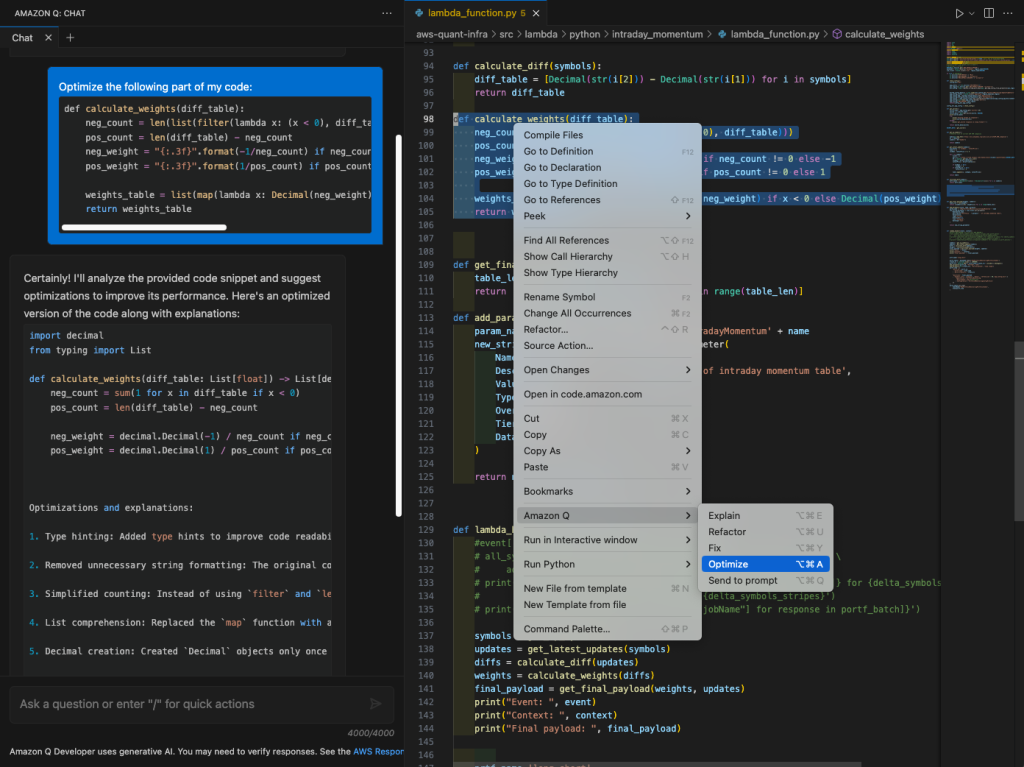


 Roman Martynenko is a Senior Solutions Architect at Amazon Web Services with over 20 years of experience in Software Engineering, Architecture and Cloud technologies. Roman is helping Canadian public sector customers with their cloud journey. He focuses on next-generation developer experience, helping organizations re-imagine the entire Software Development Lifecycle. Outside of work, he enjoys hiking, home automation, and DIY projects.
 Karthik Chemudupati is a Principal Technical Account Manager (TAM) with AWS, focused on helping customers achieve cost optimization and operational excellence. He has more than 20 years of IT experience in software engineering, cloud operations and automations. Karthik joined AWS in 2016 as a TAM and worked with more than dozen Enterprise Customers across US-West. Outside of work, he enjoys spending time with his family.
 Shardul Vaidya is a Worldwide Partner Solutions Architect with AWS, focused on helping partners and customers build and effectively use Generative AI powered developer experiences. Shardul joined AWS in 2020 as part of their early career talent Solutions Architect team and worked with over a hundred modernization and DevOps partners across the world. Outside of work, he’s a music lover and collects records.

 Naidu Rongali is a Big Data and ML engineer at Amazon. He designs and develops data processing solutions for data intensive analytical systems supporting Amazon retail business. He has been working on integrating generative AI capabilities into the data lake and data warehouse systems using Amazon Bedrock AI models. Naidu has a PG diploma in Applied Statistics from the Indian Statistical Institute, Calcutta and BTech in Electrical and Electronics from NIT, Warangal. Outside of his work, Naidu practices yoga and goes trekking often.


 Miranda Diaz is a Software Development Engineer for EMR at AWS. Miranda works to design and develop technologies that make it easy for customers across the world to automatically scale their computing resources to their needs, helping them achieve the best performance at the optimal cost.
 Sajjan Bhattarai is a Senior Cloud Support Engineer at AWS, and specializes in BigData and Machine Learning workloads. He enjoys helping customers around the world to troubleshoot and optimize their data platforms.
 Bezuayehu Wate is an Associate Big Data Specialist Solutions Architect at AWS. She works with customers to provide strategic and architectural guidance on designing, building, and modernizing their cloud-based analytics solutions using AWS.


 Mohammed Alkateb is an Engineering Manager at Amazon Redshift. Prior to joining Amazon, Mohammed had 12 years of industry experience in query optimization and database internals as an individual contributor and engineering manager. Mohammed has 18 US patents, and he has publications in research and industrial tracks of premier database conferences including EDBT, ICDE, SIGMOD and VLDB. Mohammed holds a PhD in Computer Science from The University of Vermont, and MSc and BSc degrees in Information Systems from Cairo University.
 Ramchandra Anil Kulkarni is a software development engineer who has been with Amazon Redshift for over 4 years. He is driven to develop database innovations that serve AWS customers globally. Kulkarni’s long-standing tenure and dedication to the Amazon Redshift service demonstrate his deep expertise and commitment to delivering cutting-edge database solutions that empower AWS customers worldwide.
 Mark Lyons is a Principal Product Manager on the Amazon Redshift team. He works on the intersection of data lakes and data warehouses. Prior to joining AWS, Mark held product leadership roles with Dremio and Vertica. He is passionate about data analytics and empowering customers to change the world with their data.
 Asser Moustafa is a Principal Worldwide Specialist Solutions Architect at AWS, based in Dallas, Texas. He partners with customers worldwide, advising them on all aspects of their data architectures, migrations, and strategic data visions to help organizations adopt cloud-based solutions, maximize the value of their data assets, modernize legacy infrastructures, and implement cutting-edge capabilities like machine learning and advanced analytics. Prior to joining AWS, Asser held various data and analytics leadership roles, completing an MBA from New York University and an MS in Computer Science from Columbia University in New York. He is passionate about empowering organizations to become truly data-driven and unlock the transformative potential of their data.


 Satish Nandi is a Senior Product Manager with Amazon OpenSearch Service. He is focused on OpenSearch Serverless and has years of experience in networking, security and AI/ML. He holds a Bachelor’s degree in Computer Science and an MBA in Entrepreneurship. In his free time, he likes to fly airplanes and hang gliders and ride his motorcycle.
 Milav Shah is an Engineering Leader with Amazon OpenSearch Service. He focuses on search experience for OpenSearch customers. He has extensive experience building highly scalable solutions in databases, real-time streaming and distributed computing. He also possesses functional domain expertise in verticals like Internet of Things, fraud protection, gaming and AI/ML. In his free time, he likes to ride cycle, hike, and play chess.
 Qiaoxuan Xue is a Senior Software Engineer at AWS leading the search and benchmarking areas of the Amazon OpenSearch Serverless Project. His passion lies in finding solutions for intricate challenges within large-scale distributed systems. Outside of work, he enjoys woodworking, biking, playing basketball, and spending time with his family and dog.
 Prashant Agrawal is a Sr. Search Specialist Solutions Architect with Amazon OpenSearch Service. He works closely with customers to help them migrate their workloads to the cloud and helps existing customers fine-tune their clusters to achieve better performance and save on cost. Before joining AWS, he helped various customers use OpenSearch and Elasticsearch for their search and log analytics use cases. When not working, you can find him traveling and exploring new places. In short, he likes doing Eat → Travel → Repeat.


 Steven Carpenter is a Senior Solution Developer on the AWS Industries Prototyping and Customer Engineering (PACE) team, helping AWS customers bring innovative ideas to life through rapid prototyping on the AWS platform. He holds a master’s degree in Computer Science from Wayne State University in Detroit, Michigan.
  Aravindharaj Rajendran is a Senior Solution Developer within the AWS Industries Prototyping and Customer Engineering (PACE) team, based in Herndon, VA. He helps AWS customers materialize their innovative ideas by rapid prototyping using the AWS platform. Outside of work, he loves playing PC games, Badminton and Traveling.


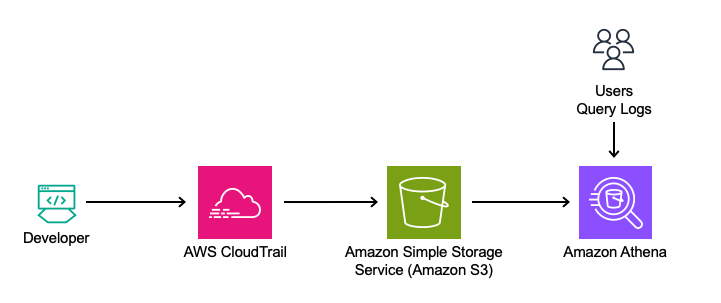
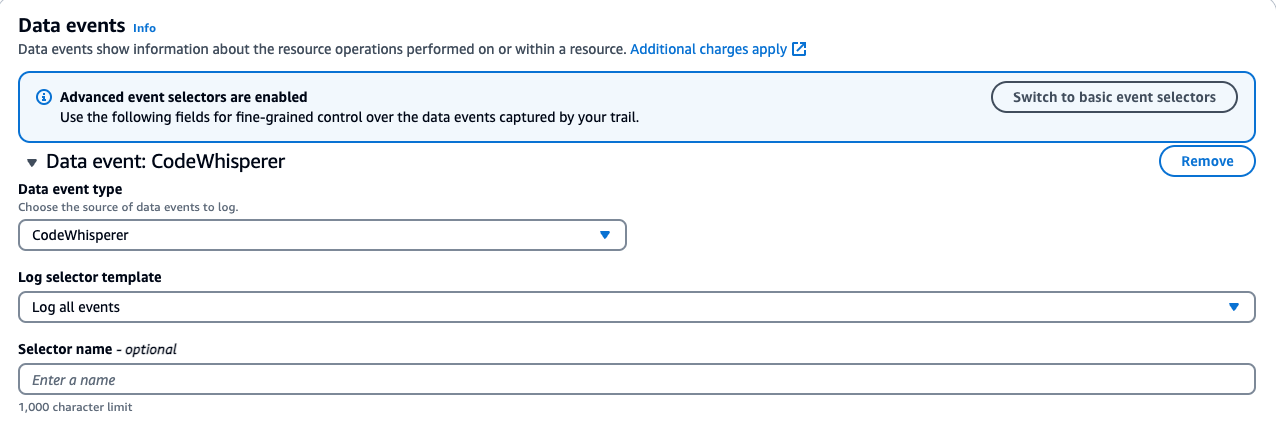


 Manjit Chakraborty is a Senior Solutions Architect at AWS. He is a Seasoned & Result driven professional with extensive experience in Financial domain having worked with customers on advising, designing, leading, and implementing core-business enterprise solutions across the globe. In his spare time, Manjit enjoys fishing, practicing martial arts and playing with his daughter.
 Neeraj Roy is a Principal Solutions Architect at AWS based out of London. He works with Global Financial Services customers to accelerate their AWS journey. In his spare time, he enjoys reading and spending time with his family.


 Muthu Pitchaimani is a Search Specialist with Amazon OpenSearch Service. He builds large-scale search applications and solutions. Muthu is interested in the topics of networking and security, and is based out of Austin, Texas.
 Aruna Govindaraju is an Amazon OpenSearch Specialist Solutions Architect and has worked with many commercial and open source search engines. She is passionate about search, relevancy, and user experience. Her expertise with correlating end-user signals with search engine behavior has helped many customers improve their search experience.


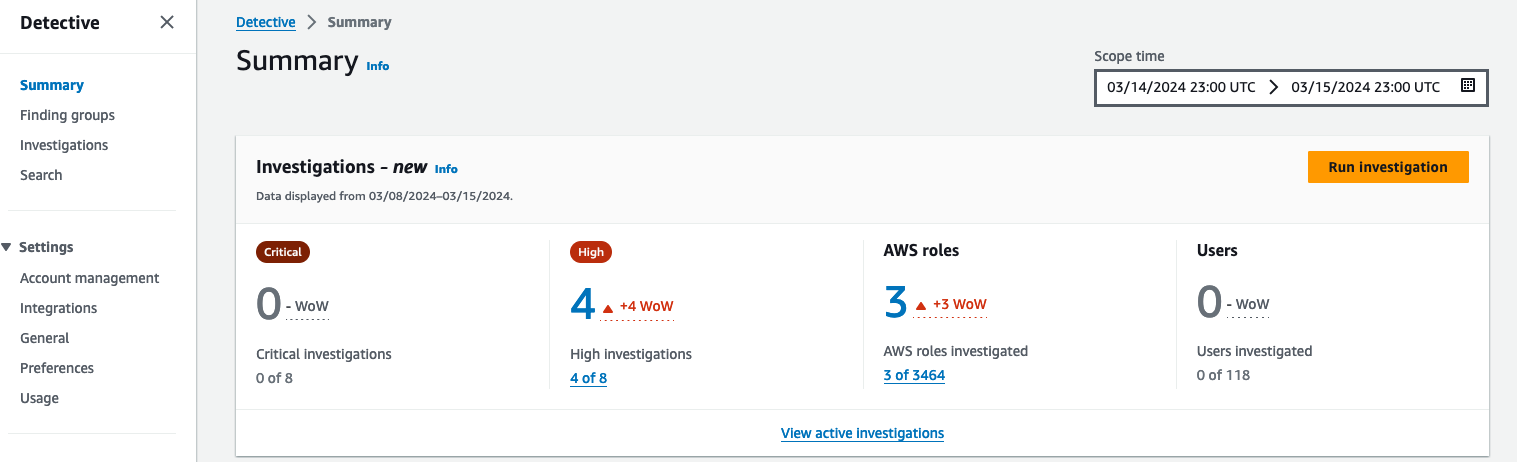
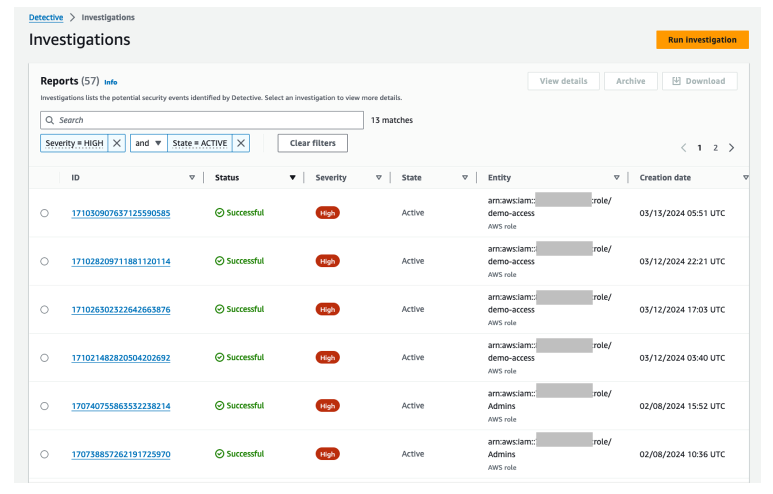
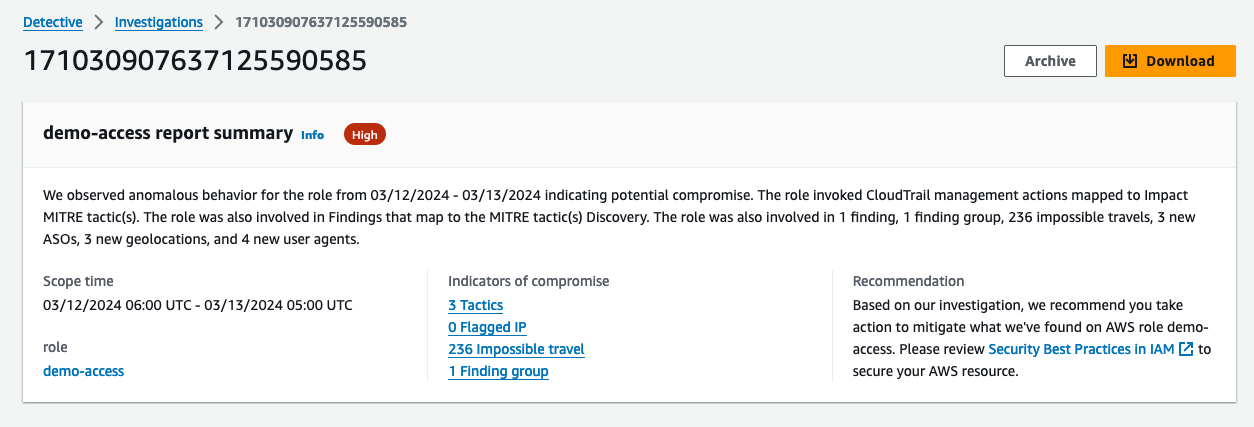
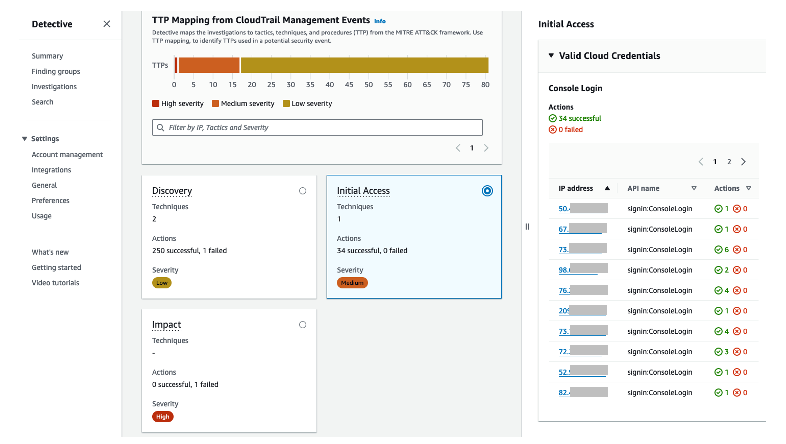
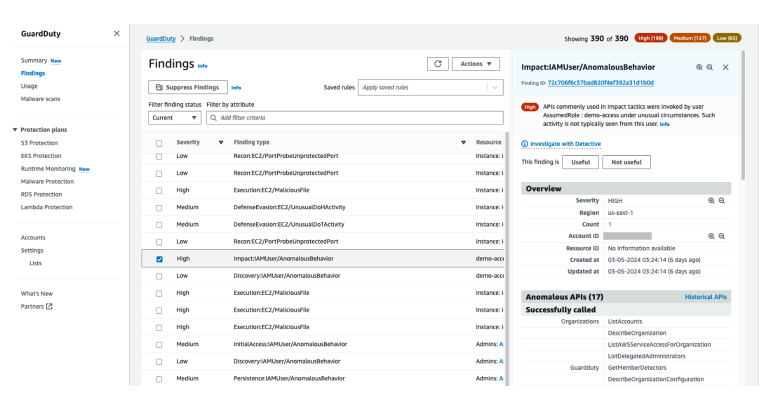
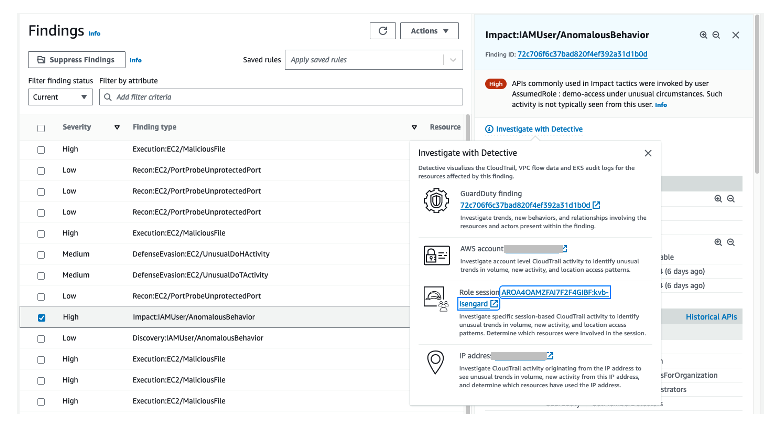
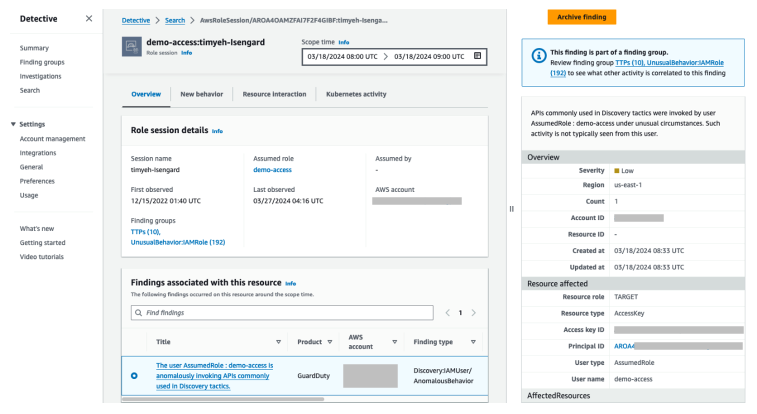
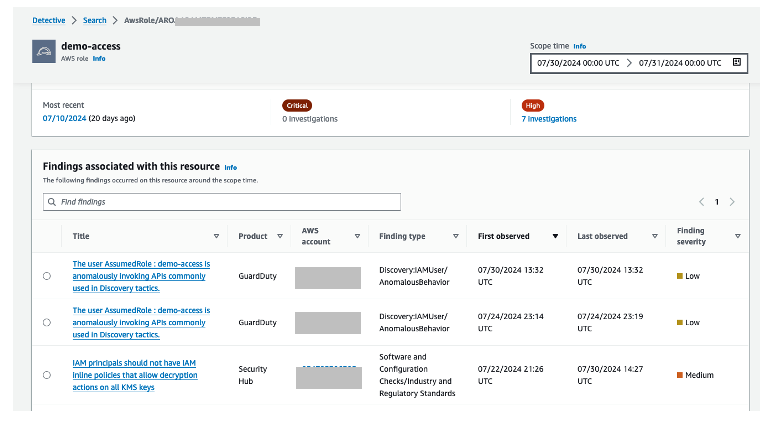
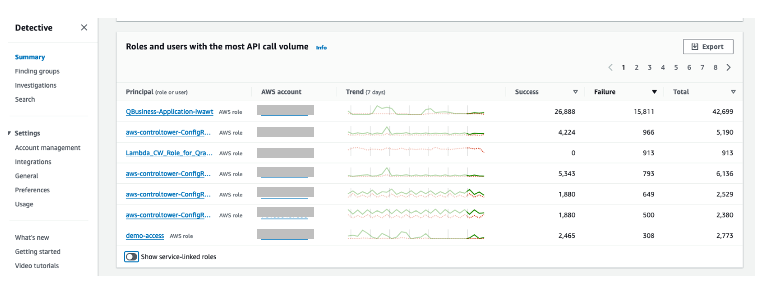
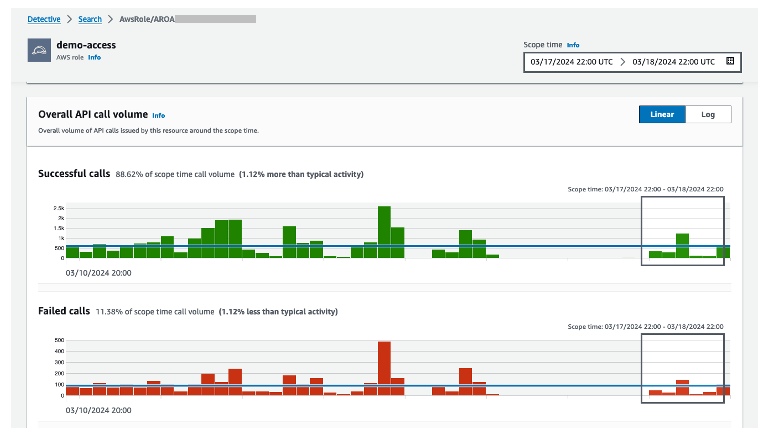
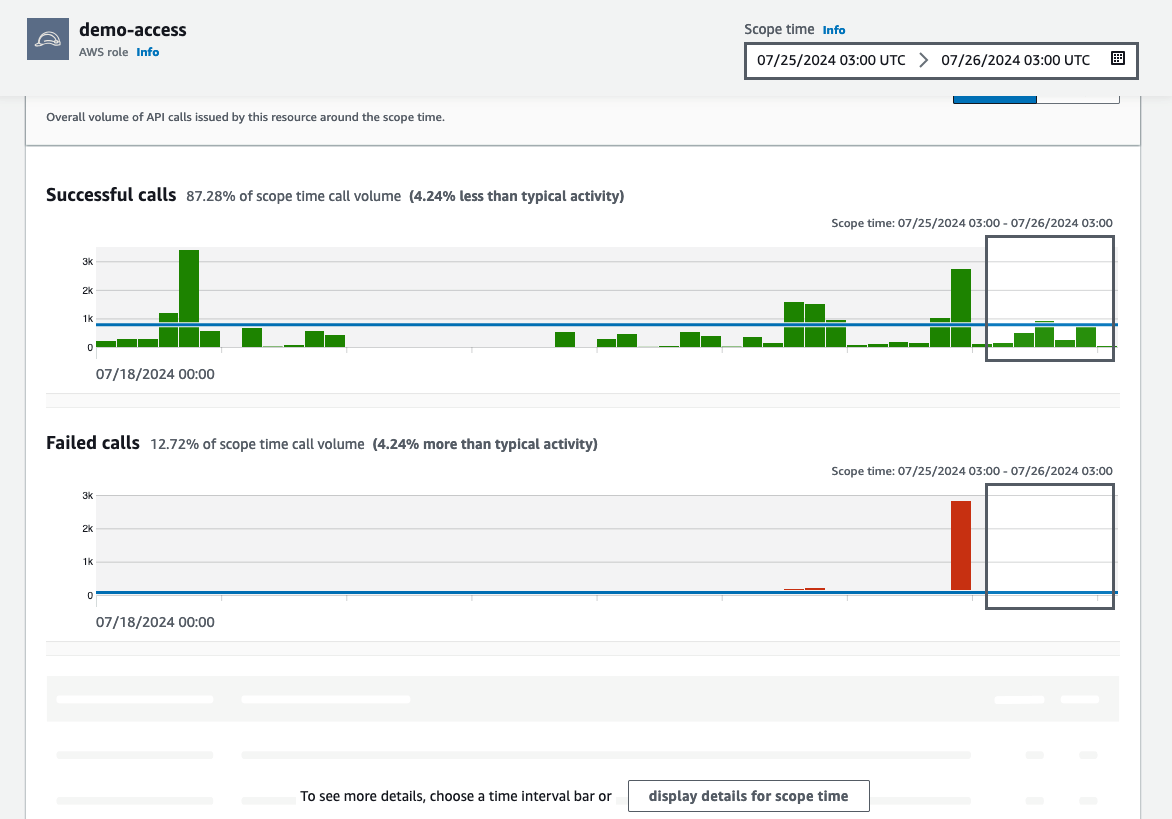 Figure 12: Overall API call volume during the specified scope time
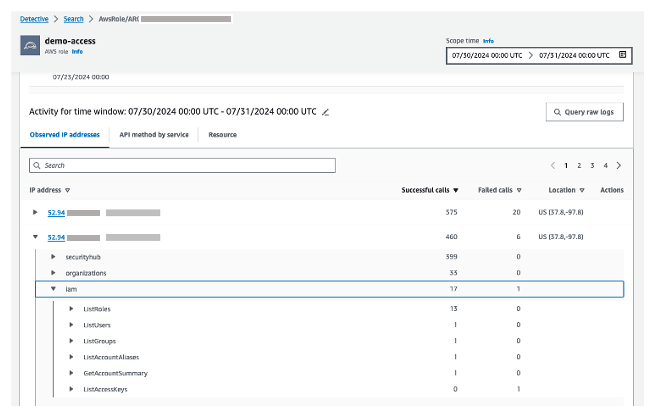


 Rajkumar Irudayaraj is a Senior Product Director at Salesforce with over 20 years of experience in data platforms and services, with a passion for delivering data-powered experiences to customers.
 Sriram Sethuraman is a Senior Manager in Salesforce Data Cloud product management. He has been building products for over 9 years using big data technologies. In his current role at Salesforce, Sriram works on Zero Copy integration with major data lake partners and helps customers deliver value with their data strategies.
 Jason Berkowitz is a Senior Product Manager with AWS Lake Formation. He comes from a background in machine learning and data lake architectures. He helps customers become data-driven.
 Ravi Bhattiprolu is a Senior Partner Solutions Architect at AWS. Ravi works with strategic ISV partners, Salesforce and Tableau, to deliver innovative and well-architected products and solutions that help joint customers achieve their business and technical objectives.
 Avijit Goswami is a Principal Solutions Architect at AWS specialized in data and analytics. He supports AWS strategic customers in building high-performing, secure, and scalable data lake solutions on AWS using AWS managed services and open source solutions. Outside of his work, Avijit likes to travel, hike, watch sports, and listen to music.
 Ife Stewart is a Principal Solutions Architect in the Strategic ISV segment at AWS. She has been engaged with Salesforce Data Cloud over the last 2 years to help build integrated customer experiences across Salesforce and AWS. Ife has over 10 years of experience in technology. She is an advocate for diversity and inclusion in the technology field.
 Michael Chess is a Technical Product Manager at AWS Lake Formation. He focuses on improving data permissions across the data lake. He is passionate about enabling customers to build and optimize their data lakes to meet stringent security requirements.
 Mike Patterson is a Senior Customer Solutions Manager in the Strategic ISV segment at AWS. He has partnered with Salesforce Data Cloud to align business objectives with innovative AWS solutions to achieve impactful customer experiences. In his spare time, he enjoys spending time with his family, sports, and outdoor activities.


 Sandeep Adwankar is a Senior Product Manager at AWS. Based in the California Bay Area, he works with customers around the globe to translate business and technical requirements into products that enable customers to improve how they manage, secure, and access data.
 Srividya Parthasarathy is a Senior Big Data Architect on the AWS Lake Formation team. She enjoys building data mesh solutions and sharing them with the community.
 Paul Villena is a Senior Analytics Solutions Architect in AWS with expertise in building modern data and analytics solutions to drive business value. He works with customers to help them harness the power of the cloud. His areas of interests are infrastructure as code, serverless technologies, and coding in Python.