Tag Archives: Customer Solutions

How CFM built a well-governed and scalable data-engineering platform using Amazon EMR for financial features generation

Post Syndicated from Julien Lafaye original https://aws.amazon.com/blogs/big-data/how-cfm-built-a-well-governed-and-scalable-data-engineering-platform-using-amazon-emr-for-financial-features-generation/

This post is co-written with Julien Lafaye from CFM.

Capital Fund Management (CFM) is an alternative investment management company based in Paris with staff in New York City and London. CFM takes a scientific approach to finance, using quantitative and systematic techniques to develop the best investment strategies. Over the years, CFM has received many awards for their flagship product Stratus, a multi-strategy investment program that delivers decorrelated returns through a diversified investment approach while seeking a risk profile that is less volatile than traditional market indexes. It was first opened to investors in 1995. CFM assets under management are now $13 billion.

A traditional approach to systematic investing involves analysis of historical trends in asset prices to anticipate future price fluctuations and make investment decisions. Over the years, the investment industry has grown in such a way that relying on historical prices alone is not enough to remain competitive: traditional systematic strategies progressively became public and inefficient, while the number of actors grew, making slices of the pie smaller—a phenomenon known as alpha decay. In recent years, driven by the commoditization of data storage and processing solutions, the industry has seen a growing number of systematic investment management firms switch to alternative data sources to drive their investment decisions. Publicly documented examples include the usage of satellite imagery of mall parking lots to estimate trends in consumer behavior and its impact on stock prices. Using social network data has also often been cited as a potential source of data to improve short-term investment decisions. To remain at the forefront of quantitative investing, CFM has put in place a large-scale data acquisition strategy.

As the CFM Data team, we constantly monitor new data sources and vendors to continue to innovate. The speed at which we can trial datasets and determine whether they are useful to our business is a key factor of success. Trials are short projects usually taking up to a several months; the output of a trial is a buy (or not-buy) decision if we detect information in the dataset that can help us in our investment process. Unfortunately, because datasets come in all shapes and sizes, planning our hardware and software requirements several months ahead has been very challenging. Some datasets require large or specific compute capabilities that we can’t afford to buy if the trial is a failure. The AWS pay-as-you-go model and the constant pace of innovation in data processing technologies enable CFM to maintain agility and facilitate a steady cadence of trials and experimentation.

In this post, we share how we built a well-governed and scalable data engineering platform using Amazon EMR for financial features generation.

AWS as a key enabler of CFM’s business strategy

We have identified the following as key enablers of this data strategy:

  • Managed services – AWS managed services reduce the setup cost of complex data technologies, such as Apache Spark.
  • Elasticity – Compute and storage elasticity removes the burden of having to plan and size hardware procurement. This allows us to be more focused on the business and more agile in our data acquisition strategy.
  • Governance – At CFM, our Data teams are split into autonomous teams that can use different technologies based on their requirements and skills. Each team is the sole owner of its AWS account. To share data to our internal consumers, we use AWS Lake Formation with LF-Tags to streamline the process of managing access rights across the organization.

Data integration workflow

A typical data integration process consists of ingestion, analysis, and production phases.

CFM usually negotiates with vendors a download method that is convenient for both parties. We see a lot of possibilities for exchanging data (HTTPS, FPT, SFPT), but we’re seeing a growing number of vendors standardizing around Amazon Simple Storage Service (Amazon S3).

 CFM data scientists then look up the data and build features that can be used in our trading models. The bulk of our data scientists are heavy users of Jupyter Notebook. Jupyter notebooks are interactive computing environments that allow users to create and share documents containing live code, equations, visualizations, and narrative text. They provide a web-based interface where users can write and run code in different programming languages, such as Python, R, or Julia. Notebooks are organized into cells, which can be run independently, facilitating the iterative development and exploration of data analysis and computational workflows.

We invested a lot in polishing our Jupyter stack (see, for example, the open source project Jupytext, which was initiated by a former CFM employee), and we are proud of the level of integration with our ecosystem that we have reached. Although we explored the option of using AWS managed notebooks to streamline the provisioning process, we have decided to continue hosting these components on our on-premises infrastructure for the current timeline. CFM internal users appreciate the existing development environment and switching to an AWS managed environment would imply a change to their habits, and a temporary drop in productivity.

Exploration of small datasets is entirely feasible within this Jupyter environment, but for large datasets, we have identified Spark as the go-to solution. We could have deployed Spark clusters in our data centers, but we have found that Amazon EMR considerably reduces the time to deploy said clusters and provides many interesting features, such as ARM support through AWS Graviton processors, auto scaling capabilities, and the ability to provision transient clusters.

 After a data scientist has written the feature, CFM deploys a script to the production environment that refreshes the feature as new data comes in. These scripts often run in a relatively short amount of time because they only require processing a small increment of data.

Interactive data exploration workflow

CFM’s data scientists’ preferred way of interacting with EMR clusters is through Jupyter notebooks. Having a long history of managing Jupyter notebooks on premises and customizing them, we opted to integrate EMR clusters into our existing stack. The user workflow is as follows:

  1. The user provisions an EMR cluster through the AWS Service Catalog and the AWS Management Console. Users can also use API calls to do this, but usually prefer using the Service Catalog interface. You can choose various instance types that include different combinations of CPU, memory, and storage, giving you the flexibility to choose the appropriate mix of resources for your applications.
  2. The user starts their Jupyter notebook instance and connects to the EMR cluster.
  3. The user interactively works on the data using the notebook.
  4. The user shuts down the cluster through the Service Catalog.

Solution overview

The connection between the notebook and the cluster is achieved by deploying the following open source components:

  • Apache Livy – This service that provides a REST interface to a Spark driver running on an EMR cluster.
  • Sparkmagic – This set of Jupyter magics provides a straightforward way to connect to the cluster and send PySpark code to the cluster through the Livy endpoint.
  • Sagemaker-studio-analytics-extension – This library provides a set of magics to integrate analytics services (such as Amazon EMR) into Jupyter notebooks. It is used to integrate Amazon SageMaker Studio notebooks and EMR clusters (for more details, see Create and manage Amazon EMR Clusters from SageMaker Studio to run interactive Spark and ML workloads – Part 1). Having the requirement to use our own notebooks, we initially didn’t benefit from this integration. To help us, the Amazon EMR service team made this library available on PyPI and guided us in setting it up. We use this library to facilitate the connection between the notebook and the cluster and to forward the user permissions to the clusters through runtime roles. These runtime roles are then used to access the data instead of instance profile roles assigned to the Amazon Elastic Compute Cloud (Amazon EC2) instances that are part of the cluster. This allows more fine-grained access control on our data.

The following diagram illustrates the solution architecture.

Set up Amazon EMR on an EC2 cluster with the GetClusterSessionCredentials API

A runtime role is an AWS Identity and Access Management (IAM) role that you can specify when you submit a job or query to an EMR cluster. The EMR get-cluster-session-credentials API uses a runtime role to authenticate on EMR nodes based on the IAM policies attached runtime role (we document the steps to enable for the Spark terminal; a similar approach can be expanded for Hive and Presto). This option is generally available in all AWS Regions and the recommended release to use is emr-6.9.0 or later.

Connect to Amazon EMR on the EC2 cluster from Jupyter Notebook with the GCSC API

Jupyter Notebook magic commands provide shortcuts and extra functionality to the notebooks in addition to what can be done with your kernel code. We use Jupyter magics to abstract the underlying connection from Jupyter to the EMR cluster; the analytics extension makes the connection through Livy using the GCSC API.

On your Jupyter instance, server, or notebook PySpark kernel, install the following extension, load the magics, and create a connection to the EMR cluster using your runtime role:

pip install sagemaker-studio-analytics-extension
%load_ext sagemaker_studio_analytics_extension.magics
%sm_analytics emr connect --cluster-id j-XXXXXYYYYY --auth-type Basic_Access --language python --emr-executiojn-role-arn

Production with Amazon EMR Serverless

CFM has implemented an architecture based on dozens of pipelines: data is ingested from data on Amazon S3 and transformed using Amazon EMR Serverless with Spark; resulting datasets are published back to Amazon S3.

Each pipeline runs as a separate EMR Serverless application to avoid resource contention between workloads. Individual IAM roles are assigned to each EMR Serverless application to apply least privilege access.

To control costs, CFM uses EMR Serverless automatic scaling combined with the maximum capacity feature (which defines the maximum total vCPU, memory, and disk capacity that can be consumed collectively by all the jobs running under this application). Finally, CFM uses an AWS Graviton architecture to optimize even more cost and performance (as highlighted in the screenshot below).

After some iterations, the user produces a final script that is put in production. For early deployments, we relied on Amazon EMR on EC2 to run those scripts. Based on user feedback, we iterated and investigated for opportunities to reduce cluster startup times. Cluster startups could take up to 8 minutes for a runtime requiring a fraction of that time, which impacted the user experience. Also, we wanted to reduce the operational overhead of starting and stopping EMR clusters.

Those are the reasons why we switched to EMR Serverless a few months after its initial release. This move was surprisingly straightforward because it didn’t require any tuning and worked instantly. The only drawback we have seen is the requirement to update AWS tools and libraries in our software stacks to incorporate all the EMR features (such as AWS Graviton); on the other hand, it led to reduced startup time, reduced costs, and better workload isolation.

At this stage, CFM data scientists can perform analytics and extract value from raw data. Resulting datasets are then published to our data mesh service across our organization to allow our scientists to work on prediction models. In the context of CFM, this requires a strong governance and security posture to apply fine-grained access control to this data. This data mesh approach allows CFM to have a clear view from an audit standpoint on dataset usage.

Data governance with Lake Formation

A data mesh on AWS is an architectural approach where data is treated as a product and owned by domain teams. Each team uses AWS services like Amazon S3, AWS Glue, AWS Lambda, and Amazon EMR to independently build and manage their data products, while tools like the AWS Glue Data Catalog enable discoverability. This decentralized approach promotes data autonomy, scalability, and collaboration across the organization:

  • Autonomy – At CFM, like at most companies, we have different teams with difference skillsets and different technology needs. Enabling teams to work autonomously was a key parameter in our decision to move to a decentralized model where each domain would live in its own AWS account. Another advantage was improved security, particularly the ability to contain the potential impact area in the event of credential leaks or account compromises. Lake Formation is key in enabling this kind of model because it streamlines the process of managing access rights across accounts. In the absence of Lake Formation, administrators would have to make sure that resource policies and user policies align to grant access to data: this is usually considered complex, error-prone, and hard to debug. Lake Formation makes this process a lot less complicated.
  • Scalability – There are no blockers that prevent other organization units from joining the data mesh structure, and we expect more teams to join the effort of refining and sharing their data assets.
  • Collaboration – Lake Formation provides a sound foundation for making data products discoverable by CFM internal consumers. On top of Lake Formation, we developed our own Data Catalog portal. It provides a user-friendly interface where users can discover datasets, read through the documentation, and download code snippets (see the following screenshot). The interface is tailor-made for our work habits.

Lake Formation documentation is extensive and provides a collection of ways to achieve a data governance pattern that fits every organization requirement. We made the following choices:

  • LF-Tags – We use LF-Tags instead of named resource permissioning. Tags are associated to resources, and personas are given the permission to access all resources with a certain tag. This makes scaling the process of managing rights straightforward. Also, this is an AWS recommended best practice.
  • Centralization – Databases and LF-Tags are managed in a centralized account, which is managed by a single team.
  • Decentralization of permissions management – Data producers are allowed to associate tags to the datasets they are responsible for. Administrators of consumer accounts can grant access to tagged resources.

Conclusions

In this post, we discussed how CFM built a well-governed and scalable data engineering platform for financial features generation.

Lake Formation provides a solid foundation for sharing datasets across accounts. It removes the operational complexity of managing complex cross-account access through IAM and resource policies. For now, we only use it to share assets created by data scientists, but plan to add new domains in the near future.

Lake Formation also seamlessly integrates with other analytics services like AWS Glue and Amazon Athena. The ability to provide a comprehensive and integrated suite of analytics tools to our users is a strong reason for adopting Lake Formation.

Last but not least, EMR Serverless reduced operational risk and complexity. EMR Serverless applications start in less than 60 seconds, whereas starting an EMR cluster on EC2 instances typically takes more than 5 minutes (as of this writing). The accumulation of those earned minutes effectively eliminated any further instances of missed delivery deadlines.

If you’re looking to streamline your data analytics workflow, simplify cross-account data sharing, and reduce operational overhead, consider using Lake Formation and EMR Serverless in your organization. Check out the AWS Big Data Blog and reach out to your AWS team to learn more about how AWS can help you use managed services to drive efficiency and unlock valuable insights from your data!


About the Authors

Julien Lafaye is a director at Capital Fund Management (CFM) where he is leading the implementation of a data platform on AWS. He is also heading a team of data scientists and software engineers in charge of delivering intraday features to feed CFM trading strategies. Before that, he was developing low latency solutions for transforming & disseminating financial market data. He holds a Phd in computer science and graduated from Ecole Polytechnique Paris. During his spare time, he enjoys cycling, running and tinkering with electronic gadgets and computers.

Matthieu Bonville is a Solutions Architect in AWS France working with Financial Services Industry (FSI) customers. He leverages his technical expertise and knowledge of the FSI domain to help customer architect effective technology solutions that address their business challenges.

Joel Farvault is Principal Specialist SA Analytics for AWS with 25 years’ experience working on enterprise architecture, data governance and analytics, mainly in the financial services industry. Joel has led data transformation projects on fraud analytics, claims automation, and Master Data Management. He leverages his experience to advise customers on their data strategy and technology foundations.

Harness Zero Copy data sharing from Salesforce Data Cloud to Amazon Redshift for Unified Analytics – Part 2

Post Syndicated from Rajkumar Irudayaraj original https://aws.amazon.com/blogs/big-data/harness-zero-copy-data-sharing-from-salesforce-data-cloud-to-amazon-redshift-for-unified-analytics-part-2/

In the era of digital transformation and data-driven decision making, organizations must rapidly harness insights from their data to deliver exceptional customer experiences and gain competitive advantage. Salesforce and Amazon have collaborated to help customers unlock value from unified data and accelerate time to insights with bidirectional Zero Copy data sharing between Salesforce Data Cloud and Amazon Redshift.

In the Part 1 of this series, we discussed how to configure data sharing between Salesforce Data Cloud and customers’ AWS accounts in the same AWS Region. In this post, we discuss the architecture and implementation details of cross-Region data sharing between Salesforce Data Cloud and customers’ AWS accounts.

Solution overview

Salesforce Data Cloud provides a point-and-click experience to share data with a customer’s AWS account. On the AWS Lake Formation console, you can accept the datashare, create the resource link, mount Salesforce Data Cloud objects as data catalog views, and grant permissions to query the live and unified data in Amazon Redshift. Cross-Region data sharing between Salesforce Data Cloud and a customer’s AWS accounts is supported for two deployment scenarios: Amazon Redshift Serverless and Redshift provisioned clusters (RA3).

Cross-Region data sharing with Redshift Serverless

The following architecture diagram depicts the steps for setting up a cross-Region datashare between a Data Cloud instance in US-WEST-2 with Redshift Serverless in US-EAST-1.

Cross-Region data sharing set up consists of the following steps:

  1. The Data Cloud admin identifies the objects to be shared and creates a Data Share in the data cloud provisioned in the US-WEST-2
  2. The Data Cloud admin links the Data Share with the Amazon Redshift Data Share target. This creates an AWS Glue Data Catalog view and a cross-account Lake Formation resource share using the AWS Resource Access Manager (RAM) with the customer’s AWS account in US-WEST-2.
  3. The customer’s Lake Formation admin accepts the datashare invitation in US-WEST-2 from the Lake Formation console and grants default (select and describe) permissions to an AWS Identity and Access Management (IAM) principal.
  4. The Lake Formation admin switches to US-EAST-1 and creates a resource link pointing to the shared database in the US-WEST-2 Region.
  5. The IAM principal can log in to the Amazon Redshift query editor in US-EAST-1 and creates an external schema referencing the datashare resource link. The data can be queried through these external tables.

Cross-Region data sharing with a Redshift provisioned cluster

Cross-Region data sharing across Salesforce Data Cloud and a Redshift provisioned cluster requires additional steps on top of the Serverless set up. Based on the Amazon Redshift Spectrum considerations, the provisioned cluster and the Amazon Simple Storage Service (Amazon S3) bucket must be in the same Region for Redshift external tables. The following architecture depicts a design pattern and steps to share data with Redshift provisioned clusters.

Steps 1–5 in the set up remain the same across Redshift Serverless and provisioned cluster cross-Region sharing. Encryption must be enabled on both Redshift Serverless and the provisioned cluster. Listed below are the additional steps:

  1. Create a table from datashare data with the CREATE TABLE AS SELECT Create a datashare in Redshift serverless and grant access to the Redshift provisioned cluster.
  2. Create a database in the Redshift provisioned cluster and grant access to the target IAM principals. The datashare is ready for query.

The new table needs to be refreshed periodically to get the latest data from the shared Data Cloud objects with this solution.

Considerations when using data sharing in Amazon Redshift

For a comprehensive list of considerations and limitations of data sharing, refer to Considerations when using data sharing in Amazon Redshift. Some of the important ones for Zero Copy data sharing includes:

  • Data sharing is supported for all provisioned RA3 instance types (ra3.16xlarge, ra3.4xlarge, and ra3.xlplus) and Redshift Serverless. It isn’t supported for clusters with DC and DS node types.
  • For cross-account and cross-Region data sharing, both the producer and consumer clusters and serverless namespaces must be encrypted. However, they don’t need to share the same encryption key.
  • Data Catalog multi-engine views are generally available in commercial Regions where Lake Formation, the Data Catalog, Amazon Redshift, and Amazon Athena are available.
  • Cross-Region sharing is available in all LakeFormation supported regions.

Prerequisites

The prerequisites remain the same across same-Region and cross-Region data sharing, which are required before proceeding with the setup.

Configure cross-Region data sharing

The steps to create a datashare, create a datashare target, link the datashare target to the datashare, and accept the datashare in Lake Formation remain the same across same-Region and cross-Region data sharing. Refer to Part 1 of this series to complete the setup.

Cross-Region data sharing with Redshift Serverless

If you’re using Redshift Serverless, complete the following steps:

  1. On the Lake Formation console, choose Databases in the navigation pane.
  2. Choose Create database.
  3. Under Database details¸ select Resource link.
  4. For Resource link name, enter a name for the resource link.
  5. For Shared database’s region, choose the Data Catalog view source Region.
  6. The Shared database and Shared database’s owner ID fields are populated manually from the database metadata.
  7. Choose Create to complete the setup.

The resource link appears on the Databases page on the Lake Formation console, as shown in the following screenshot.

  1. Launch Redshift Query Editor v2 for the Redshift Serverless workspace The cross-region data share tables are auto-mounted and appear under awsdatacatalog. To query, run the following command and create an external schema. Specify the resource link as the Data Catalog database, the Redshift Serverless Region, and the AWS account ID.
    CREATE external SCHEMA cross_region_data_share --<<SCHEMA_NAME>>
    FROM DATA CATALOG DATABASE 'cross-region-data-share' --<<RESOURCE_LINK_NAME>>
    REGION 'us-east-1' --<TARGET_REGION>
    IAM_ROLE 'SESSION' CATALOG_ID '<<aws_account_id>>'; --<<REDSHIFT AWS ACCOUNT ID>>

  2. Refresh the schemas to view the external schema created in the dev database
  3. Run the show tables command to check the shared objects under the external database:
    SHOW TABLES FROM SCHEMA dev.cross_region_data_share --<<schema name>>

  4. Query the datashare as shown in the following screenshot.
    SELECT * FROM dev.cross_region_data_share.churn_modellingcsv_tableaus3_dlm; --<<change schema name & table name>>

Cross-Region data sharing with Redshift provisioned cluster

This section is a continuation of the previous section with additional steps needed for data sharing to work when the consumer is a provisioned Redshift cluster. Refer to Sharing data in Amazon Redshift and Sharing datashares for a deeper understanding of concepts and the implementation steps.

  1. Create a new schema and table in the Redshift Serverless in the consumer Region:
    CREATE SCHEMA customer360_data_share;
    CREATE TABLE customer360_data_share. customer_churn as
    SELECT * from dev.cross_region_data_share.churn_modellingcsv_tableaus3__dlm;

  2. Get the namespace for the Redshift Serverless (producer) and Redshift provisioned cluster (consumer) by running the following query in each cluster:
    select current_namespace

  3. Create a datashare in the Redshift Serverless (producer) and grant usage to the Redshift provisioned cluster (consumer). Set the datashare, schema, and table names to the appropriate values, and set the namespace to the consumer namespace.
    CREATE DATASHARE customer360_redshift_data_share;
    ALTER DATASHARE customer360_redshift_data_share ADD SCHEMA customer360_data_share;
    ALTER DATASHARE customer360_redshift_data_share ADD TABLE customer360_data_share.customer_churn; 
    GRANT USAGE ON DATASHARE customer360_redshift_data_share 
    TO NAMESPACE '5709a006-6ac3-4a0c-a609-d740640d3080'; --<<Data Share Consumer Namespace>>

  4. Log in as a superuser in the Redshift provisioned cluster, create a database from the datashare, and grant permissions. Refer to managing permissions for Amazon Redshift datashare for detailed guidance.

The datashare is now ready for query.

You can periodically refresh the table you created to get the latest data from the data cloud based on your business requirement.

Conclusion

Zero Copy data sharing between Salesforce Data Cloud and Amazon Redshift represents a significant advancement in how organizations can use their customer 360 data. By eliminating the need for data movement, this approach offers real-time insights, reduced costs, and enhanced security. As businesses continue to prioritize data-driven decision-making, Zero Copy data sharing will play a crucial role in unlocking the full potential of customer data across platforms.

This integration empowers organizations to break down data silos, accelerate analytics, and drive more agile customer-centric strategies. To learn more, refer to the following resources:


About the Authors

Rajkumar Irudayaraj is a Senior Product Director at Salesforce with over 20 years of experience in data platforms and services, with a passion for delivering data-powered experiences to customers.

Sriram Sethuraman is a Senior Manager in Salesforce Data Cloud product management. He has been building products for over 9 years using big data technologies. In his current role at Salesforce, Sriram works on Zero Copy integration with major data lake partners and helps customers deliver value with their data strategies.

Jason Berkowitz is a Senior Product Manager with AWS Lake Formation. He comes from a background in machine learning and data lake architectures. He helps customers become data-driven.

Ravi Bhattiprolu is a Senior Partner Solutions Architect at AWS. Ravi works with strategic ISV partners, Salesforce and Tableau, to deliver innovative and well-architected products and solutions that help joint customers achieve their business and technical objectives.

Avijit Goswami is a Principal Solutions Architect at AWS specialized in data and analytics. He supports AWS strategic customers in building high-performing, secure, and scalable data lake solutions on AWS using AWS managed services and open source solutions. Outside of his work, Avijit likes to travel, hike, watch sports, and listen to music.

Ife Stewart is a Principal Solutions Architect in the Strategic ISV segment at AWS. She has been engaged with Salesforce Data Cloud over the last 2 years to help build integrated customer experiences across Salesforce and AWS. Ife has over 10 years of experience in technology. She is an advocate for diversity and inclusion in the technology field.

Michael Chess is a Technical Product Manager at AWS Lake Formation. He focuses on improving data permissions across the data lake. He is passionate about enabling customers to build and optimize their data lakes to meet stringent security requirements.

Mike Patterson is a Senior Customer Solutions Manager in the Strategic ISV segment at AWS. He has partnered with Salesforce Data Cloud to align business objectives with innovative AWS solutions to achieve impactful customer experiences. In his spare time, he enjoys spending time with his family, sports, and outdoor activities.

Differentiate generative AI applications with your data using AWS analytics and managed databases

Post Syndicated from Diego Colombatto original https://aws.amazon.com/blogs/big-data/differentiate-generative-ai-applications-with-your-data-using-aws-analytics-and-managed-databases/

While the potential of generative artificial intelligence (AI) is increasingly under evaluation, organizations are at different stages in defining their generative AI vision. In many organizations, the focus is on large language models (LLMs), and foundation models (FMs) more broadly. This is just the tip of the iceberg, because what enables you to obtain differential value from generative AI is your data.

Generative AI applications are still applications, so you need the following:

  • Operational databases to support the user experience for interaction steps outside of invoking generative AI models
  • Data lakes to store your domain-specific data, and analytics to explore them and understand how to use them in generative AI
  • Data integrations and pipelines to manage (sourcing, transforming, enriching, and validating, among others) and render data usable with generative AI
  • Governance to manage aspects such as data quality, privacy and compliance to applicable privacy laws, and security and access controls

LLMs and other FMs are trained on a generally available collective body of knowledge. If you use them as is, they’re going to provide generic answers with no differential value for your company. However, if you use generative AI with your domain-specific data, it can provide a valuable perspective for your business and enable you to build differentiated generative AI applications and products that will stand out from others. In essence, you have to enrich the generative AI models with your differentiated data.

On the importance of company data for generative AI, McKinsey stated that “If your data isn’t ready for generative AI, your business isn’t ready for generative AI.”

In this post, we present a framework to implement generative AI applications enriched and differentiated with your data. We also share a reusable, modular, and extendible asset to quickly get started with adopting the framework and implementing your generative AI application. This asset is designed to augment catalog search engine capabilities with generative AI, improving the end-user experience.

You can extend the solution in directions such as the business intelligence (BI) domain with customer 360 use cases, and the risk and compliance domain with transaction monitoring and fraud detection use cases.

Solution overview

There are three key data elements (or context elements) you can use to differentiate the generative AI responses:

  • Behavioral context – How do you want the LLM to behave? Which persona should the FM impersonate? We call this behavioral context. You can provide these instructions to the model through prompt templates.
  • Situational context – Is the user request part of an ongoing conversation? Do you have any conversation history and states? We call this situational context. Also, who is the user? What do you know about user and their request? This data is derived from your purpose-built data stores and previous interactions.
  • Semantic context – Is there any meaningfully relevant data that would help the FMs generate the response? We call this semantic context. This is typically obtained from vector stores and searches. For example, if you’re using a search engine to find products in a product catalog, you could store product details, encoded into vectors, into a vector store. This will enable you to run different kinds of searches.

Using these three context elements together is more likely to provide a coherent, accurate answer than relying purely on a generally available FM.

There are different approaches to design this type of solution; one method is to use generative AI with up-to-date, context-specific data by supplementing the in-context learning pattern using Retrieval Augmented Generation (RAG) derived data, as shown in the following figure. A second approach is to use your fine-tuned or custom-built generative AI model with up-to-date, context-specific data.

The framework used in this post enables you to build a solution with or without fine-tuned FMs and using all three context elements, or a subset of these context elements, using the first approach. The following figure illustrates the functional architecture.

Technical architecture

When implementing an architecture like that illustrated in the previous section, there are some key aspects to consider. The primary aspect is that, when the application receives the user input, it should process it and provide a response to the user as quickly as possible, with minimal response latency. This part of the application should also use data stores that can handle the throughput in terms of concurrent end-users and their activity. This means predominantly using transactional and operational databases.

Depending on the goals of your use case, you might store prompt templates separately in Amazon Simple Storage Service (Amazon S3) or in a database, if you want to apply different prompts for different usage conditions. Alternatively, you might treat them as code and use source code control to manage their evolution over time.

NoSQL databases like Amazon DynamoDB, Amazon DocumentDB (with MongoDB compatibility), and Amazon MemoryDB can provide low read latencies and are well suited to handle your conversation state and history (situational context). The document and key value data models allow you the flexibility to adjust the schema of the conversation state over time.

User profiles or other user information (situational context) can come from a variety of database sources. You can store that data in relational databases like Amazon Aurora, NoSQL databases, or graph databases like Amazon Neptune.

The semantic context originates from vector data stores or machine learning (ML) search services. Amazon Aurora PostgreSQL-Compatible Edition with pgvector and Amazon OpenSearch Service are great options if you want to interact with vectors directly. Amazon Kendra, our ML-based search engine, is a great fit if you want the benefits of semantic search without explicitly maintaining vectors yourself or tuning the similarity algorithms to be used.

Amazon Bedrock is a fully managed service that makes high-performing FMs from leading AI startups and Amazon available through a unified API. You can choose from a wide range of FMs to find the model that is best suited for your use case. Amazon Bedrock also offers a broad set of capabilities to build generative AI applications with security, privacy, and responsible AI. Amazon Bedrock provides integrations with both Aurora and OpenSearch Service, so you don’t have to explicitly query the vector data store yourself.

The following figure summarizes the AWS services available to support the solution framework described so far.

Catalog search use case

We present a use case showing how to augment the search capabilities of an existing search engine for product catalogs, such as ecommerce portals, using generative AI and customer data.

Each customer will have their own requirements, so we adopt the framework presented in the previous sections and show an implementation of the framework for the catalog search use case. You can use this framework for both catalog search use cases and as a foundation to be extended based on your requirements.

One additional benefit about this catalog search implementation is that it’s pluggable to existing ecommerce portals, search engines, and recommender systems, so you don’t have to redesign or rebuild your processes and tools; this solution will augment what you currently have with limited changes required.

The solution architecture and workflow is shown in the following figure.

The workflow consists of the following steps:

  1. The end-user browses the product catalog and submits a search, in natual language, using the web interface of the frontend catalog application (not shown). The catalog frontend application sends the user search to the generative AI application. Application logic is currently implemented as a container, but it can be deployed with AWS Lambda as required.
  2. The generative AI application connects to Amazon Bedrock to convert the user search into embeddings.
  3. The application connects with OpenSearch Service to search and retrieve relevant search results (using an OpenSearch index containing products). The application also connects to another OpenSearch index to get user reviews for products listed in the search results. In terms of searches, different options are possible, such as k-NN, hybrid search, or sparse neural search. For this post, we use k-NN search. At this stage, before creating the final prompt for the LLM, the application can perform an additional step to retrieve situational context from operational databases, such as customer profiles, user preferences, and other personalization information.
  4. The application gets prompt templates from an S3 data lake and creates the engineered prompt.
  5. The application sends the prompt to Amazon Bedrock and retrieves the LLM output.
  6. The user interaction is stored in a data lake for downstream usage and BI analysis.
  7. The Amazon Bedrock output retrieved in Step 5 is sent to the catalog application frontend, which shows results on the web UI to the end-user.
  8. DynamoDB stores the product list used to display products in the ecommerce product catalog. DynamoDB zero-ETL integration with OpenSearch Service is used to replicate product keys into OpenSearch.

Security considerations

Security and compliance are key concerns for any business. When adopting the solution described in this post, you should always factor in the Security Pillar best practices from the AWS Well-Architecture Framework.

There are different security categories to consider and different AWS Security services you can use in each security category. The following are some examples relevant for the architecture shown in this post:

  • Data protection – You can use AWS Key Management Service (AWS KMS) to manage keys and encrypt data based on the data classification policies defined. You can also use AWS Secrets Manager to manage, retrieve, and rotate database credentials, API keys, and other secrets throughout their lifecycles.
  • Identity and access management – You can use AWS Identity and Access Management (IAM) to specify who or what can access services and resources in AWS, centrally manage fine-grained permissions, and analyze access to refine permissions across AWS.
  • Detection and response – You can use AWS CloudTrail to track and provide detailed audit trails of user and system actions to support audits and demonstrate compliance. Additionally, you can use Amazon CloudWatch to observe and monitor resources and applications.
  • Network security – You can use AWS Firewall Manager to centrally configure and manage firewall rules across your accounts and AWS network security services, such as AWS WAF, AWS Network Firewall, and others.

Conclusion

In this post, we discussed the importance of using customer data to differentiate generative AI usage in applications. We presented a reference framework (including a functional architecture and a technical architecture) to implement a generative AI application using customer data and an in-context learning pattern with RAG-provided data. We then presented an example of how to apply this framework to design a generative AI application using customer data to augment search capabilities and personalize the search results of an ecommerce product catalog.

Contact AWS to get more information on how to implement this framework for your use case. We’re also happy to share the technical asset presented in this post to help you get started building generative AI applications with your data for your specific use case.


About the Authors

Diego Colombatto is a Senior Partner Solutions Architect at AWS. He brings more than 15 years of experience in designing and delivering Digital Transformation projects for enterprises. At AWS, Diego works with partners and customers advising how to leverage AWS technologies to translate business needs into solutions.

Angel Conde Manjon is a Sr. EMEA Data & AI PSA, based in Madrid. He has previously worked on research related to Data Analytics and Artificial Intelligence in diverse European research projects. In his current role, Angel helps partners develop businesses centered on Data and AI.

Tiziano Curci is a Manager, EMEA Data & AI PDS at AWS. He leads a team that works with AWS Partners (G/SI and ISV), to leverage the most comprehensive set of capabilities spanning databases, analytics and machine learning, to help customers unlock the through power of data through an end-to-end data strategy.

How ZS built a clinical knowledge repository for semantic search using Amazon OpenSearch Service and Amazon Neptune

Post Syndicated from Abhishek Pan original https://aws.amazon.com/blogs/big-data/how-zs-built-a-clinical-knowledge-repository-for-semantic-search-using-amazon-opensearch-service-and-amazon-neptune/

In this blog post, we will highlight how ZS Associates used multiple AWS services to build a highly scalable, highly performant, clinical document search platform. This platform is an advanced information retrieval system engineered to assist healthcare professionals and researchers in navigating vast repositories of medical documents, medical literature, research articles, clinical guidelines, protocol documents, activity logs, and more. The goal of this search platform is to locate specific information efficiently and accurately to support clinical decision-making, research, and other healthcare-related activities by combining queries across all the different types of clinical documentation.

ZS is a management consulting and technology firm focused on transforming global healthcare. We use leading-edge analytics, data, and science to help clients make intelligent decisions. We serve clients in a wide range of industries, including pharmaceuticals, healthcare, technology, financial services, and consumer goods. We developed and host several applications for our customers on Amazon Web Services (AWS). ZS is also an AWS Advanced Consulting Partner as well as an Amazon Redshift Service Delivery Partner. As it relates to the use case in the post, ZS is a global leader in integrated evidence and strategy planning (IESP), a set of services that help pharmaceutical companies to deliver a complete and differentiated evidence package for new medicines.

ZS uses several AWS service offerings across the variety of their products, client solutions, and services. AWS services such as Amazon Neptune and Amazon OpenSearch Service form part of their data and analytics pipelines, and AWS Batch is used for long-running data and machine learning (ML) processing tasks.

Clinical data is highly connected in nature, so ZS used Neptune, a fully managed, high performance graph database service built for the cloud, as the database to capture the ontologies and taxonomies associated with the data that formed the supporting a knowledge graph. For our search requirements, We have used OpenSearch Service, an open source, distributed search and analytics suite.

About the clinical document search platform

Clinical documents comprise of a wide variety of digital records including:

  • Study protocols
  • Evidence gaps
  • Clinical activities
  • Publications

Within global biopharmaceutical companies, there are several key personas who are responsible to generate evidence for new medicines. This evidence supports decisions by payers, health technology assessments (HTAs), physicians, and patients when making treatment decisions. Evidence generation is rife with knowledge management challenges. Over the life of a pharmaceutical asset, hundreds of studies and analyses are completed, and it becomes challenging to maintain a good record of all the evidence to address incoming questions from external healthcare stakeholders such as payers, providers, physicians, and patients. Furthermore, almost none of the information associated with evidence generation activities (such as health economics and outcomes research (HEOR), real-world evidence (RWE), collaboration studies, and investigator sponsored research (ISR)) exists as structured data; instead, the richness of the evidence activities exists in protocol documents (study design) and study reports (outcomes). Therein lies the irony—teams who are in the business of knowledge generation struggle with knowledge management.

ZS unlocked new value from unstructured data for evidence generation leads by applying large language models (LLMs) and generative artificial intelligence (AI) to power advanced semantic search on evidence protocols. Now, evidence generation leads (medical affairs, HEOR, and RWE) can have a natural-language, conversational exchange and return a list of evidence activities with high relevance considering both structured data and the details of the studies from unstructured sources.

Overview of solution

The solution was designed in layers. The document processing layer supports document ingestion and orchestration. The semantic search platform (application) layer supports backend search and the user interface. Multiple different types of data sources, including media, documents, and external taxonomies, were identified as relevant for capture and processing within the semantic search platform.

Document processing solution framework layer

All components and sub-layers are orchestrated using Amazon Managed Workflows for Apache Airflow. The pipeline in Airflow is scaled automatically based on the workload using Batch. We can broadly divide layers here as shown in the following figure:

This diagram represents document processing solution framework layers. It provide details of Orchestration Pipeline which is hosted in Amazon MWAA and which contains components like Data Crawling, Data Ingestion, NLP layer and finally Database Ingestion.

Document Processing Solution Framework Layers

Data crawling:

In the data crawling layer, documents are retrieved from a specified source SharePoint location and deposited into a designated Amazon Simple Storage Service (Amazon S3) bucket. These documents could be in variety of formats, such as PDF, Microsoft Word, and Excel, and are processed using format-specific adapters.

Data ingestion:

  • The data ingestion layer is the first step of the proposed framework. At this later, data from a variety of sources smoothly enters the system’s advanced processing setup. In the pipeline, the data ingestion process takes shape through a thoughtfully structured sequence of steps.
  • These steps include creating a unique run ID each time a pipeline is run, managing natural language processing (NLP) model versions in the versioning table, identifying document formats, and ensuring the health of NLP model services with a service health check.
  • The process then proceeds with the transfer of data from the input layer to the landing layer, creation of dynamic batches, and continuous tracking of document processing status throughout the run. In case of any issues, a failsafe mechanism halts the process, enabling a smooth transition to the NLP phase of the framework.

Database ingestion:

The reporting layer processes the JSON data from the feature extraction layer and converts it into CSV files. Each CSV file contains specific information extracted from dedicated sections of documents. Subsequently, the pipeline generates a triple file using the data from these CSV files, where each set of entities signifies relationships in a subject-predicate-object format. This triple file is intended for ingestion into Neptune and OpenSearch Service. In the full document embedding module, the document content is segmented into chunks, which are then transformed into embeddings using LLMs such as llama-2 and BGE. These embeddings, along with metadata such as the document ID and page number, are stored in OpenSearch Service. We use various chunking strategies to enhance text comprehension. Semantic chunking divides text into sentences, grouping them into sets, and merges similar ones based on embeddings.

Agentic chunking uses LLMs to determine context-driven chunk sizes, focusing on proposition-based division and simplifying complex sentences. Additionally, context and document aware chunking adapts chunking logic to the nature of the content for more effective processing.

NLP:

The NLP layer serves as a crucial component in extracting specific sections or entities from documents. The feature extraction stage proceeds with localization, where sections are identified within the document to narrow down the search space for further tasks like entity extraction. LLMs are used to summarize the text extracted from document sections, enhancing the efficiency of this process. Following localization, the feature extraction step involves extracting features from the identified sections using various procedures. These procedures, prioritized based on their relevance, use models like Llama-2-7b, mistral-7b, Flan-t5-xl, and Flan-T5-xxl to extract important features and entities from the document text.

The auto-mapping phase ensures consistency by mapping extracted features to standard terms present in the ontology. This is achieved through matching the embeddings of extracted features with those stored in the OpenSearch Service index. Finally, in the Document Layout Cohesion step, the output from the auto-mapping phase is adjusted to aggregate entities at the document level, providing a cohesive representation of the document’s content.

Semantic search platform application layer

This layer, shown in the following figure, uses Neptune as the graph database and OpenSearch Service as the vector engine.

Semantic search platform application layer

Semantic search platform application layer

Amazon OpenSearch Service:

OpenSearch Service served the dual purpose of facilitating full-text search and embedding-based semantic search. The OpenSearch Service vector engine capability helped to drive Retrieval-Augmented Generation (RAG) workflows using LLMs. This helped to provide a summarized output for search after the retrieval of a relevant document for the input query. The method used for indexing embeddings was FAISS.

OpenSearch Service domain details:

  • Version of OpenSearch Service: 2.9
  • Number of nodes: 1
  • Instance type: r6g.2xlarge.search
  • Volume size: Gp3: 500gb
  • Number of Availability Zones: 1
  • Dedicated master node: Enabled
  • Number of Availability Zones: 3
  • No of master Nodes: 3
  • Instance type(Master Node) : r6g.large.search

To determine the nearest neighbor, we employ the Hierarchical Navigable Small World (HNSW) algorithm. We used the FAISS approximate k-NN library for indexing and searching and the Euclidean distance (L2 norm) for distance calculation between two vectors.

Amazon Neptune:

Neptune enables full-text search (FTS) through the integration with OpenSearch Service. A native streaming service for enabling FTS provided by AWS was established to replicate data from Neptune to OpenSearch Service. Based on the business use case for search, a graph model was defined. Considering the graph model, subject matter experts from the ZS domain team curated custom taxonomy capturing hierarchical flow of classes and sub-classes pertaining to clinical data. Open source taxonomies and ontologies were also identified, which would be part of the knowledge graph. Sections and entities were identified to be extracted from clinical documents. An unstructured document processing pipeline developed by ZS processed the documents in parallel and populated triples in RDF format from documents for Neptune ingestion.

The triples are created in such a way that semantically similar concepts are linked—hence creating a semantic layer for search. After the triples files are created, they’re stored in an S3 bucket. Using the Neptune Bulk Loader, we were able to load millions of triples to the graph.

Neptune ingests both structured and unstructured data, simplifying the process to retrieve content across different sources and formats. At this point, we were able to discover previously unknown relationships between the structured and unstructured data, which was then made available to the search platform. We used SPARQL query federation to return results from the enriched knowledge graph in the Neptune graph database and integrated with OpenSearch Service.

Neptune was able to automatically scale storage and compute resources to accommodate growing datasets and concurrent API calls. Presently, the application sustains approximately 3,000 daily active users. Concurrently, there is an observation of approximately 30–50 users initiating queries simultaneously within the application environment. The Neptune graph accommodates a substantial repository of approximately 4.87 million triples. The triples count is increasing because of our daily and weekly ingestion pipeline routines.
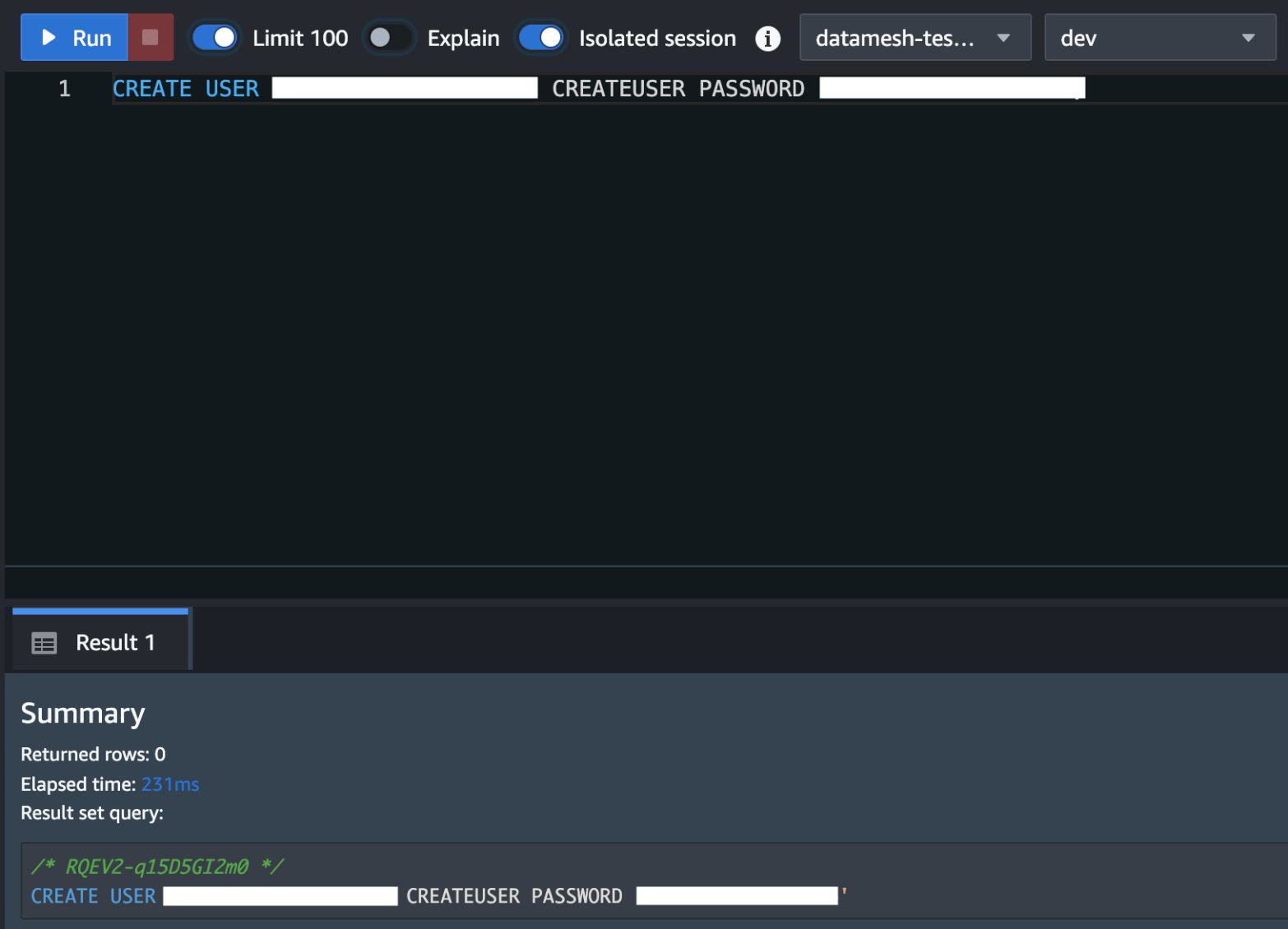
Neptune configuration:

  • Instance Class: db.r5d.4xlarge
  • Engine version: 1.2.0.1

LLMs:

Large language models (LLMs) like Llama-2, Mistral and Zephyr are used for extraction of sections and entities. Models like Flan-t5 were also used for extraction of other similar entities used in the procedures. These selected segments and entities are crucial for domain-specific searches and therefore receive higher priority in the learning-to-rank algorithm used for search.

Additionally, LLMs are used to generate a comprehensive summary of the top search results.

The LLMs are hosted on Amazon Elastic Kubernetes Service (Amazon EKS) with GPU-enabled node groups to ensure rapid inference processing. We’re using different models for different use cases. For example, to generate embeddings we deployed a BGE base model, while Mistral, Llama2, Zephyr, and others are used to extract specific medical entities, perform part extraction, and summarize search results. By using different LLMs for distinct tasks, we aim to enhance accuracy within narrow domains, thereby improving the overall relevance of the system.

Fine tuning :

Already fine-tuned models on pharma-specific documents were used. The models used were:

  • PharMolix/BioMedGPT-LM-7B (finetuned LLAMA-2 on medical)
  • emilyalsentzer/Bio_ClinicalBERT
  • stanford-crfm/BioMedLM
  • microsoft/biogpt

Re ranker, sorter, and filter stage:

Remove any stop words and special characters from the user input query to ensure a clean query. Upon pre-processing the query, create combinations of search terms by forming combinations of terms with varying n-grams. This step enriches the search scope and improves the chances of finding relevant results. For instance, if the input query is “machine learning algorithms,” generating n-grams could result in terms like “machine learning,” “learning algorithms,” and “machine learning algorithms”. Run the search terms simultaneously using the search API to access both Neptune graph and OpenSearch Service indexes. This hybrid approach broadens the search coverage, tapping into the strengths of both data sources. Specific weight is assigned to each result obtained from the data sources based on the domain’s specifications. This weight reflects the relevance and significance of the result within the context of the search query and the underlying domain. For example, a result from Neptune graph might be weighted higher if the query pertains to graph-related concepts, i.e. the search term is related directly to the subject or object of a triple, whereas a result from OpenSearch Service might be given more weightage if it aligns closely with text-based information. Documents that appear in both Neptune graph and OpenSearch Service receive the highest priority, because they likely offer comprehensive insights. Next in priority are documents exclusively sourced from the Neptune graph, followed by those solely from OpenSearch Service. This hierarchical arrangement ensures that the most relevant and comprehensive results are presented first. After factoring in these considerations, a final score is calculated for each result. Sorting the results based on their final scores ensures that the most relevant information is presented in the top n results.

Final UI

An evidence catalogue is aggregated from disparate systems. It provides a comprehensive repository of completed, ongoing and planned evidence generation activities. As evidence leads make forward-looking plans, the existing internal base of evidence is made readily available to inform decision-making.

The following video is a demonstration of an evidence catalog:

Customer impact

When completed, the solution provided the following customer benefits:

  • The search on multiple data source (structured and unstructured documents) enables visibility of complex hidden relationships and insights.
  • Clinical documents often contain a mix of structured and unstructured data. Neptune can store structured information in a graph format, while the vector database can handle unstructured data using embeddings. This integration provides a comprehensive approach to querying and analyzing diverse clinical information.
  • By building a knowledge graph using Neptune, you can enrich the clinical data with additional contextual information. This can include relationships between diseases, treatments, medications, and patient records, providing a more holistic view of healthcare data.
  • The search application helped in staying informed about the latest research, clinical developments, and competitive landscape.
  • This has enabled customers to make timely decisions, identify market trends, and help positioning of products based on a comprehensive understanding of the industry.
  • The application helped in monitoring adverse events, tracking safety signals, and ensuring that drug-related information is easily accessible and understandable, thereby supporting pharmacovigilance efforts.
  • The search application is currently running in production with 3000 active users.

Customer success criteria

The following success criteria were use to evaluate the solution:

  • Quick, high accuracy search results: The top three search results were 99% accurate with an overall latency of less than 3 seconds for users.
  • Identified, extracted portions of the protocol: The sections identified has a precision of 0.98 and recall of 0.87.
  • Accurate and relevant search results based on simple human language that answer the user’s question.
  • Clear UI and transparency on which portions of the aligned documents (protocol, clinical study reports, and publications) matched the text extraction.
  • Knowing what evidence is completed or in-process reduces redundancy in newly proposed evidence activities.

Challenges faced and learnings

We faced two main challenges in developing and deploying this solution.

Large data volume

The unstructured documents were required to be embedded completely and OpenSearch Service helped us achieve this with the right configuration. This involved deploying OpenSearch Service with master nodes and allocating sufficient storage capacity for embedding and storing unstructured document embeddings entirely. We stored up to 100 GB of embeddings in OpenSearch Service.

Inference time reduction

In the search application, it was vital that the search results were retrieved with lowest possible latency. With the hybrid graph and embedding search, this was challenging.

We addressed high latency issues by using an interconnected framework of graphs and embeddings. Each search method complemented the other, leading to optimal results. Our streamlined search approach ensures efficient queries of both the graph and the embeddings, eliminating any inefficiencies. The graph model was designed to minimize the number of hops required to navigate from one entity to another, and we improved its performance by avoiding the storage of bulky metadata. Any metadata too large for the graph was stored in OpenSearch, which served as our metadata store for graph and vector store for embeddings. Embeddings were generated using context-aware chunking of content to reduce the total embedding count and retrieval time, resulting in efficient querying with minimal inference time.

The Horizontal Pod Autoscaler (HPA) provided by Amazon EKS, intelligently adjusts pod resources based on user-demand or query loads, optimizing resource utilization and maintaining application performance during peak usage periods.

Conclusion

In this post, we described how to build an advanced information retrieval system designed to assist healthcare professionals and researchers in navigating through a diverse range of medical documents, including study protocols, evidence gaps, clinical activities, and publications. By using Amazon OpenSearch Service as a distributed search and vector database and Amazon Neptune as a knowledge graph, ZS was able to remove the undifferentiated heavy lifting associated with building and maintaining such a complex platform.

If you’re facing similar challenges in managing and searching through vast repositories of medical data, consider exploring the powerful capabilities of OpenSearch Service and Neptune. These services can help you unlock new insights and enhance your organization’s knowledge management capabilities.


About the authors

Abhishek Pan is a Sr. Specialist SA-Data working with AWS India Public sector customers. He engages with customers to define data-driven strategy, provide deep dive sessions on analytics use cases, and design scalable and performant analytical applications. He has 12 years of experience and is passionate about databases, analytics, and AI/ML. He is an avid traveler and tries to capture the world through his lens.

Gourang Harhare is a Senior Solutions Architect at AWS based in Pune, India. With a robust background in large-scale design and implementation of enterprise systems, application modernization, and cloud native architectures, he specializes in AI/ML, serverless, and container technologies. He enjoys solving complex problems and helping customer be successful on AWS. In his free time, he likes to play table tennis, enjoy trekking, or read books

Kevin Phillips is a Neptune Specialist Solutions Architect working in the UK. He has 20 years of development and solutions architectural experience, which he uses to help support and guide customers. He has been enthusiastic about evangelizing graph databases since joining the Amazon Neptune team, and is happy to talk graph with anyone who will listen.

Sandeep Varma is a principal in ZS’s Pune, India, office with over 25 years of technology consulting experience, which includes architecting and delivering innovative solutions for complex business problems leveraging AI and technology. Sandeep has been critical in driving various large-scale programs at ZS Associates. He was the founding member the Big Data Analytics Centre of Excellence in ZS and currently leads the Enterprise Service Center of Excellence. Sandeep is a thought leader and has served as chief architect of multiple large-scale enterprise big data platforms. He specializes in rapidly building high-performance teams focused on cutting-edge technologies and high-quality delivery.

Alex Turok has over 16 years of consulting experience focused on global and US biopharmaceutical companies. Alex’s expertise is in solving ambiguous, unstructured problems for commercial and medical leadership. For his clients, he seeks to drive lasting organizational change by defining the problem, identifying the strategic options, informing a decision, and outlining the transformation journey. He has worked extensively in portfolio and brand strategy, pipeline and launch strategy, integrated evidence strategy and planning, organizational design, and customer capabilities. Since joining ZS, Alex has worked across marketing, sales, medical, access, and patient services and has touched over twenty therapeutic categories, with depth in oncology, hematology, immunology and specialty therapeutics.

How HPE Aruba Supply Chain optimized cost and performance by migrating to an AWS modern data architecture

Post Syndicated from Hardeep Randhawa original https://aws.amazon.com/blogs/big-data/how-hpe-aruba-supply-chain-optimized-cost-and-performance-by-migrating-to-an-aws-modern-data-architecture/

This blog post is co-written with Hardeep Randhawa and Abhay Kumar from HPE.

HPE Aruba Networking, formerly known as Aruba Networks, is a Santa Clara, California-based security and networking subsidiary of Hewlett Packard Enterprise company. HPE Aruba Networking is the industry leader in wired, wireless, and network security solutions. Hewlett-Packard acquired Aruba Networks in 2015, making it a wireless networking subsidiary with a wide range of next-generation network access solutions.

Aruba offers networking hardware like access points, switches, routers, software, security devices, and Internet of Things (IoT) products. Their large inventory requires extensive supply chain management to source parts, make products, and distribute them globally. This complex process involves suppliers, logistics, quality control, and delivery.

This post describes how HPE Aruba automated their Supply Chain management pipeline, and re-architected and deployed their data solution by adopting a modern data architecture on AWS.

Challenges with the on-premises solution

As the demand surged with time, it was imperative that Aruba build a sophisticated and powerful supply chain solution that could help them scale operations, enhance visibility, improve predictability, elevate customer experience, and drive sustainability. To achieve their vision of a modern, scalable, resilient, secure, and cost-efficient architecture, they chose AWS as their trusted partner due to the range of low-cost, scalable, and reliable cloud services they offer.

Through a commitment to cutting-edge technologies and a relentless pursuit of quality, HPE Aruba designed this next-generation solution as a cloud-based cross-functional supply chain workflow and analytics tool. The application supports custom workflows to allow demand and supply planning teams to collaborate, plan, source, and fulfill customer orders, then track fulfillment metrics via persona-based operational and management reports and dashboards. This also includes building an industry standard integrated data repository as a single source of truth, operational reporting through real time metrics, data quality monitoring, 24/7 helpdesk, and revenue forecasting through financial projections and supply availability projections. Overall, this new solution has empowered HPE teams with persona-based access to 10 full-scale business intelligence (BI) dashboards and over 350 report views across demand and supply planning, inventory and order management, SKU dashboards, deal management, case management, backlog views, and big deal trackers.

Overview of the solution

This post describes how HPE Aruba automated their supply chain management pipeline, starting from data migration from varied data sources into a centralized Amazon Simple Storage Service (Amazon S3) based storage to building their data warehouse on Amazon Redshift with the publication layer built on a third-party BI tool and user interface using ReactJS.

The following diagram illustrates the solution architecture.

https://admin.pulse.aws/survey/Survey-2khLQ3YQTeQ1k3VcjAFdn5UsCYb/

In the following sections, we go through the key components in the diagram in more detail:

  1. Source systems
  2. Data migration
  3. Regional distribution
  4. Orchestration
  5. File processing
  6. Data quality checks
  7. Archiving processed files
  8. Copying to Amazon Redshift
  9. Running stored procedures
  10. UI integration
  11. Code Deployment
  12. Security & Encryption
  13. Data Consumption
  14. Final Steps

1. Source systems

Aruba’s source repository includes data from three different operating regions in AMER, EMEA, and APJ, along with one worldwide (WW) data pipeline from varied sources like SAP S/4 HANA, Salesforce, Enterprise Data Warehouse (EDW), Enterprise Analytics Platform (EAP) SharePoint, and more. The data sources include 150+ files including 10-15 mandatory files per region ingested in various formats like xlxs, csv, and dat. Aruba’s data governance guidelines required that they use a single centralized tool that could securely and cost-effectively review all source files with multiple formats, sizes, and ingestion times for compliance before exporting them out of the HPE environment. To achieve this, Aruba first copied the respective files to a centralized on-premises staging layer.
2. Data migration

Aruba chose AWS Transfer Family for SFTP for secure and efficient file transfers from an on-premises staging layer to an Amazon S3 based landing zone. AWS Transfer Family seamlessly integrates with other AWS services, automates transfer, and makes sure data is protected with encryption and access controls. To prevent deduplication issues and maintain data integrity, Aruba customized these data transfer jobs to make sure previous transfers are complete before copying the next set of files.

3. Regional distribution

On average, Aruba transfers approximately 100 files, with total size ranging from 1.5–2 GB into the landing zone daily. The data volume increases each Monday with the weekly file loads and at the beginning of each month with the monthly file loads. These files follow the same naming pattern, with a daily system-generated timestamp appended to each file name. Each file arrives as a pair with a tail metadata file in CSV format containing the size and name of the file. This metadata file is later used to read source file names during processing into the staging layer.

The source data contains files from three different operating Regions and one worldwide pipeline that needs to be processed per local time zones. Therefore, separating the files and running a distinct pipeline for each was necessary to decouple and enhance failure tolerance. To achieve this, Aruba used Amazon S3 Event Notifications. With each file uploaded to Amazon S3, an Amazon S3 PUT event invokes an AWS Lambda function that distributes the source and the metadata files Region-wise and loads them into the respective Regional landing zone S3 bucket. To map the file with the respective Region, this Lambda function uses Region-to-file mapping stored in a configuration table in Amazon Aurora PostgreSQL-Compatible Edition.

4. Orchestration

The next requirement was to set up orchestration for the data pipeline to seamlessly implement the required logic on the source files to extract meaningful data. Aruba chose AWS Step Functions for orchestrating and automating their extract, transform, and load (ETL) processes to run on a fixed schedule. In addition, they use AWS Glue jobs for orchestrating validation jobs and moving data through the data warehouse.

They used Step Functions with Lambda and AWS Glue for automated orchestration to minimize the cloud solution deployment timeline by reusing the on-premises code base, where possible. The prior on-premises data pipeline was orchestrated using Python scripts. Therefore, integrating the existing scripts with Lambda within Step Functions and AWS Glue helped accelerate their deployment timeline on AWS.

5. File processing

With each pipeline running at 5:00 AM local time, the data is further validated, processed, and then moved to the processing zone folder in the same S3 bucket. Unsuccessful file validation results in the source files being moved to the reject zone S3 bucket directory. The following file validations are run by the Lambda functions invoked by the Step Functions workflow:

  • The Lambda function validates if the tail file is available with the corresponding source data file. When each complete file pair lands in the Regional landing zone, the Step Functions workflow considers the source file transfer as complete.
  • By reading the metadata file, the file validation function validates that the names and sizes of the files that land in the Regional landing zone S3 bucket match with the files on the HPE on-premises server.

6. Data quality checks

When the files land in the processing zone, the Step Functions workflow invokes another Lambda function that converts the raw files to CSV format followed by stringent data quality checks. The final validated CSV files are loaded into the temp raw zone S3 folder.

The data quality (DQ) checks are managed using DQ configurations stored in Aurora PostgreSQL tables. Some examples of DQ checks include duplicate data check, null value check, and date format check. The DQ processing is managed through AWS Glue jobs, which are invoked by Lambda functions from within the Step Functions workflow. A number of data processing logics are also integrated in the DQ flow, such as the following:

  • Flag-based deduplication – For specific files, when a flag managed in the Aurora configuration table is enabled, the process removes duplicates before processing the data
  • Pre-set values replacing nulls – Similarly, a preset value of 1 or 0 would imply a NULL in the source data based on the value set in the configuration table

7. Archiving processed files

When the CSV conversion is complete, the original raw files in the processing zone S3 folder are archived for 6 months in the archive zone S3 bucket folder. After 6 months, the files on AWS are deleted, with the original raw files retained in the HPE source system.

8. Copying to Amazon Redshift

When the data quality checks and data processing are complete, the data is loaded from the S3 temp raw zone into the curated zone on an Redshift provisioned cluster, using the COPY command feature.

9. Running stored procedures

From the curated zone, they use AWS Glue jobs, where the Redshift stored procedures are orchestrated to load the data from the curated zone into the Redshift publish zone. The Redshift publish zone is a different set of tables in the same Redshift provisioned cluster. The Redshift stored procedures process and load the data into fact and dimension tables in a star schema.

10. UI integration

Amazon OpenSearch Service is also integrated with the flow for publishing mass notifications to the end-users through the user interface (UI). The users can also send messages and post updates via the UI with the OpenSearch Service integration.

11. Code Deployment

Aruba uses AWS CodeCommit and AWS CodePipeline to deploy and manage a bi-monthly code release cycle, the frequency for which can be increased on-demand as per deployment needs. The release happens across four environments – Development, Testing, UAT and Production – deployed through DevOps discipline, thus enabling shorter turnaround time to ever-changing user requirements and upstream data source changes.

12. Security & Encryption

User access to the Aruba SC360 portal is managed via SSO with MFA authentication and data security managed via direct integration of the AWS solution with HPE IT’s unified access management API. All the data pipelines between HPE on-premises sources and S3 are encrypted for enhanced security.

13. Data Consumption

Aruba SC360 application provides a ‘Private Space’ feature to other BI/Analytics teams within HPE to run and manage their own data ingestion pipeline. This has been built using Amazon Redshift data sharing feature, which has enabled Aruba to securely share access to live data in their Amazon Redshift cluster, without manually moving or copying the data. Thus, the HPE internal teams could build their own data workloads on core Aruba SC360 data while maintaining data security and code isolation.

14. Final Steps

The data is finally fetched into the publication layer, which consists of a ReactJS-based user interface accessing the data in the Amazon publish zone using Spring Boot REST APIs. Along with data from the Redshift data warehouse, notifications updated in the OpenSearch Service tables are also fetched and loaded into the UI. Amazon Aurora PostgreSQL is used to maintain the configuration values for populating the UI. To build BI dashboards, Aruba opted to continue using their existing third-party BI tool due to its familiarity among internal teams.

Conclusion

In this post, we showed you how HPE Aruba Supply Chain successfully re-architected and deployed their data solution by adopting a modern data architecture on AWS.

The new solution has helped Aruba integrate data from multiple sources, along with optimizing their cost, performance, and scalability. This has also allowed the Aruba Supply Chain leadership to receive in-depth and timely insights for better decision-making, thereby elevating the customer experience.

To learn more about the AWS services used to build modern data solutions on AWS, refer to the AWS public documentation and stay up to date through the AWS Big Data Blog.


About the authors

Hardeep Randhawa is a Senior Manager – Big Data & Analytics, Solution Architecture at HPE, recognized for stewarding enterprise-scale programs and deployments. He has led a recent Big Data EAP (Enterprise Analytics Platform) build with one of the largest global SAP HANA/S4 implementations at HPE.

Abhay Kumar is a Lead Data Engineer in Aruba Supply Chain Analytics and manages the Cloud Infrastructure for the Application at HPE. With 11+ years of experience in the IT industry domains like banking, supply chain and Abhay has a strong background in Cloud Technologies, Data Analytics, Data Management, and Big Data systems. In his spare time, he likes reading, exploring new places and watching movies.

Ritesh Chaman is a Senior Technical Account Manager at Amazon Web Services. With 14 years of experience in the IT industry, Ritesh has a strong background in Data Analytics, Data Management, Big Data systems and Machine Learning. In his spare time, he loves cooking, watching sci-fi movies, and playing sports.

Sushmita Barthakur is a Senior Solutions Architect at Amazon Web Services, supporting Enterprise customers architect their workloads on AWS. With a strong background in Data Analytics and Data Management, she has extensive experience helping customers architect and build Business Intelligence and Analytics Solutions, both on-premises and the cloud. Sushmita is based out of Tampa, FL and enjoys traveling, reading and playing tennis.

Harness Zero Copy data sharing from Salesforce Data Cloud to Amazon Redshift for Unified Analytics – Part 1

Post Syndicated from Rajkumar Irudayaraj original https://aws.amazon.com/blogs/big-data/harness-zero-copy-data-sharing-from-salesforce-data-cloud-to-amazon-redshift-for-unified-analytics-part-1/

This post is co-authored by Rajkumar Irudayaraj, Sr. Director of Product, Salesforce Data Cloud.

In today’s ever-evolving business landscape, organizations must harness and act on data to fuel analytics, generate insights, and make informed decisions to deliver exceptional customer experiences. Salesforce and Amazon have collaborated to help customers unlock value from unified data and accelerate time to insights with bidirectional Zero Copy data sharing between Salesforce Data Cloud and Amazon Redshift.

In a previous post, we showed how Zero Copy data federation empowers businesses to access Amazon Redshift data within the Salesforce Data Cloud to enrich customer 360 data with operational data. This two-part series explores how analytics teams can access customer 360 data from Salesforce Data Cloud within Amazon Redshift to generate insights on unified data without the overhead of extract, transform, and load (ETL) pipelines. In this post, we cover data sharing between Salesforce Data Cloud and customers’ AWS accounts in the same AWS Region. Part 2 covers cross-Region data sharing between Salesforce Data Cloud and customers’ AWS accounts.

What is Salesforce Data Cloud?

Salesforce Data Cloud is a data platform that unifies all of your company’s data into Salesforce’s Einstein 1 Platform, giving every team a 360-degree view of the customer to drive automation, create analytics, personalize engagement, and power trusted artificial intelligence (AI). Salesforce Data Cloud creates a holistic customer view by turning volumes of disconnected data into a unified customer profile that’s straightforward to access and understand. This unified view helps your sales, service, and marketing teams build personalized customer experiences, invoke data-driven actions and workflows, and safely drive AI across all Salesforce applications.

What is Amazon Redshift?

Amazon Redshift is a fast, fully managed, petabyte-scale data warehouse service that makes it simple and cost-effective to efficiently analyze all your data using your existing business intelligence (BI) tools. It’s optimized for datasets ranging from a few hundred gigabytes to petabytes and delivers better price-performance compared to other data warehousing solutions. With a fully managed, AI-powered, massively parallel processing (MPP) architecture, Amazon Redshift makes business decision-making quick and cost-effective. Amazon Redshift Spectrum enables querying structured and semi-structured data in Amazon Simple Storage Service (Amazon S3) without having to load the data into Redshift tables. Redshift Spectrum integration with AWS Lake Formation enables querying auto-mounted AWS Glue Data Catalog tables with AWS Identity and Access Management (IAM) credentials and harnessing Lake Formation for permission grants and access control policies on Data Catalog views. Salesforce Data Cloud Data sharing with Amazon Redshift leverages AWS Glue Data Catalog support for multi-engine views and Redshift Spectrum integration with Lake Formation.

What is Zero Copy data sharing?

Zero Copy data sharing enables Amazon Redshift customers to query customer 360 data stored in Salesforce Data Cloud without the need for traditional ETL to move or copy the data. Instead, you simply connect and use the data in place, unlocking its value immediately with on demand access to the most recent data. Data sharing is supported with both Amazon Redshift Serverless and provisioned RA3 clusters. Data can be shared with a Redshift Serverless or provisioned cluster in the same Region or with a Redshift Serverless cluster in a different Region. To get an overview of Salesforce Zero Copy integration with Amazon Redshift, please refer to this Salesforce Blog.

Solution overview

Salesforce Data Cloud provides a point-and-click experience to share data with a customer’s AWS account. On the Lake Formation console, you can accept the data share, create the resource link, mount Salesforce Data Cloud objects as data catalog views, and grant permissions to query the live and unified data in Amazon Redshift.

The following diagram depicts the end-to-end process involved for sharing Salesforce Data Cloud data with Amazon Redshift in the same Region using a Zero Copy architecture. This architecture follows the pattern documented in Cross-account data sharing best practices and considerations.

The data share setup consists of the following high-level steps:

  1. The Salesforce Data Cloud admin creates the data share target with the target account for the data share.
  2. The Salesforce Data Cloud admin selects the data cloud objects to be shared with Amazon Redshift and creates a data share.
  3. The Salesforce Data Cloud admin links the data share to the data share target, which invokes the following operations to create a cross-account resource share:
    1. Create a Data Catalog view for the Salesforce Data Cloud Apache Iceberg tables by invoking the Catalog API.
    2. Use Lake Formation sharing to create a cross-account Data Catalog share.
  4. In the customer AWS account, the Lake Formation admin logs in to the Lake Formation console to accept the resource share, create a resource link, and grant access permissions to the Redshift role.
  5. The data analyst launches the Amazon Redshift Query Editor with the appropriate role to query the data share and join with native Redshift tables.

Prerequisites

The following are the prerequisites to enable data sharing:

  • A Salesforce Data Cloud account.
  • An AWS account with AWS Glue and Lake Formation enabled.
  • Either a Redshift Serverless or a Redshift provisioned cluster with RA3 instance types (ra3.16xlarge, ra3.4xlarge, ra3.xlplus). Data sharing is not supported for other provisioned instance types like DC2 or DS2 and must be set up before accessing the data share. If you don’t have an existing provisioned Redshift RA3 cluster, we recommend using a Redshift Serverless namespace for ease of operations and maintenance.
  • The Amazon Redshift service must be running in the same Region where the Salesforce Data Cloud is running.
  • AWS admin roles for Lake Formation and Amazon Redshift:

Create the data share target

Complete the following steps to create the data share target:

  1. In Salesforce Data Cloud, choose App Launcher and choose Data Share Targets.
  1. Choose New and choose Amazon Redshift, then choose Next.
  1. Enter the details for Label, API Name, and Account for the data share target.
  2. Choose Save.

After you save these settings, the S3 Tenant Folder value is populated.

  1. Choose the S3 Tenant Folder link and copy the verification token.

If you’re not signed in to the AWS Management Console, you’ll be redirected to the login page.

  1. Enter the verification token and choose Save.

The data share target turns to active status.

Create a data share

Complete the following steps to create a data share:

  1. Navigate to the Data Share tab in your Salesforce org.
  2. Choose App Launcher and choose Data Shares.

Alternatively, you can navigate to the Data Share tab from your org’s home page.

  1. Choose New, then choose Next.
  1. Provide a label, name, data space, and description, then choose Next.
  1. Select the objects to be included in the share and choose Save.

Link the data share target to the data share

To link the data share target to the data share, complete the following steps:

  1. On the data share record home page, choose Link/Unlink Data Share Target.
  2. Select the data share target you want to link to the data share and choose Save.

The data share must be active before you can accept the resource share on the Lake Formation console.

Accept the data share in Lake Formation

This section provides the detailed steps for accepting the data share invite and configuration steps to mount the data share with Amazon Redshift.

  1. After the data share is successfully linked to the data share target, navigate to the Lake Formation console.

The data share invitation banner is displayed.

  1. Choose Accept and create.

The Accept and create page shows a resource link and provides the option to set up IAM permissions.

  1. In the Principals section, choose the IAM users and roles to grant the default permissions (describe and select) for the data share resource link.
  1. Choose Create.

The resource link created in the previous step appears next to the AWS Glue database resource share on the Lake Formation console.

Query the data share from Redshift Serverless

Launch the query editor for Redshift Serverless and log in as a federated user with the role that has describe and select permissions for the resource link.

The data share tables are auto-mounted, appear under awsdatacatalog, and can be queried as shown in the following screenshot.

Query the data share from the Redshift provisioned cluster

To query the data share from the Redshift provisioned cluster, log in to the provisioned cluster as the superuser.

On an editor tab, run the following SQL statement to grant an IAM user access to the Data Catalog:

GRANT USAGE ON DATABASE awsdatacatalog to "IAM:myIAMUser"

IAM:myIAMUser is an IAM user that you want to grant usage privilege to the Data Catalog. Alternatively, you can grant usage privilege to IAMR:myIAMRole for an IAM role. For more details, refer to Querying the AWS Glue Data Catalog.

Log in as the user with the role from the previous step using temporary credentials.

You should be able to expand awsdatacatalog and query the data share tables as shown in the following screenshot.

Conclusion

Zero Copy data sharing between Salesforce Data Cloud and Amazon Redshift represents a significant advancement in how organizations can use their customer 360 data. By eliminating the need for data movement, this approach offers real-time insights, reduced costs, and enhanced security. As businesses continue to prioritize data-driven decision-making, Zero Copy data sharing will play a crucial role in unlocking the full potential of customer data across platforms.

This integration empowers organizations to break down data silos, accelerate analytics, and drive more agile customer-centric strategies. To learn more, refer to the following resources:


About the Authors

Rajkumar Irudayaraj is a Senior Product Director at Salesforce with over 20 years of experience in data platforms and services, with a passion for delivering data-powered experiences to customers.

Jason Berkowitz is a Senior Product Manager with AWS Lake Formation. He comes from a background in machine learning and data lake architectures. He helps customers become data-driven.

Ravi Bhattiprolu is a Senior Partner Solutions Architect at AWS. Ravi works with strategic ISV partners, Salesforce and Tableau, to deliver innovative and well-architected products & solutions that help joint customers achieve their business and technical objectives.

Avijit Goswami is a Principal Solutions Architect at AWS specialized in data and analytics. He supports AWS strategic customers in building high-performing, secure, and scalable data lake solutions on AWS using AWS managed services and open source solutions. Outside of his work, Avijit likes to travel, hike, watch sports, and listen to music.

Ife Stewart is a Principal Solutions Architect in the Strategic ISV segment at AWS. She has been engaged with Salesforce Data Cloud over the last 2 years to help build integrated customer experiences across Salesforce and AWS. Ife has over 10 years of experience in technology. She is an advocate for diversity and inclusion in the technology field.

Michael Chess is a Technical Product Manager at AWS Lake Formation. He focuses on improving data permissions across the data lake. He is passionate about ensuring customers can build and optimize their data lakes to meet stringent security requirements.

Mike Patterson is a Senior Customer Solutions Manager in the Strategic ISV segment at AWS. He has partnered with Salesforce Data Cloud to align business objectives with innovative AWS solutions to achieve impactful customer experiences. In his spare time, he enjoys spending time with his family, sports, and outdoor activities.

Amazon EMR 7.1 runtime for Apache Spark and Iceberg can run Spark workloads 2.7 times faster than Apache Spark 3.5.1 and Iceberg 1.5.2

Post Syndicated from Hari Kishore Chaparala original https://aws.amazon.com/blogs/big-data/amazon-emr-7-1-runtime-for-apache-spark-and-iceberg-can-run-spark-workloads-2-7-times-faster-than-apache-spark-3-5-1-and-iceberg-1-5-2/

In this post, we explore the performance benefits of using the Amazon EMR runtime for Apache Spark and Apache Iceberg compared to running the same workloads with open source Spark 3.5.1 on Iceberg tables. Iceberg is a popular open source high-performance format for large analytic tables. Our benchmarks demonstrate that Amazon EMR can run TPC-DS 3 TB workloads 2.7 times faster, reducing the runtime from 1.548 hours to 0.564 hours. Additionally, the cost efficiency improves by 2.2 times, with the total cost decreasing from $16.09 to $7.23 when using Amazon Elastic Compute Cloud (Amazon EC2) On-Demand r5d.4xlarge instances, providing observable gains for data processing tasks.

The Amazon EMR runtime for Apache Spark offers a high-performance runtime environment while maintaining 100% API compatibility with open source Spark and Iceberg table format. In Run Apache Spark 3.5.1 workloads 4.5 times faster with Amazon EMR runtime for Apache Spark, we detailed some of the optimizations, showing a runtime improvement of 4.5 times faster and 2.8 times better price-performance compared to open source Spark 3.5.1 on the TPC-DS 3 TB benchmark. However, many of the optimizations are geared towards DataSource V1, whereas Iceberg uses Spark DataSource V2. Recognizing this, we have focused on migrating some of the existing optimizations in the EMR runtime for Spark to DataSource V2 and introducing Iceberg-specific enhancements. These improvements are built on top of the Spark runtime enhancements on query planning, physical plan operator improvements, and optimizations with Amazon Simple Storage Service (Amazon S3) and the Java runtime. We have added eight new optimizations incrementally since the Amazon EMR 6.15 release in 2023, which are present in Amazon EMR 7.1 and turned on by default. Some of the improvements include the following:

  • Optimizing DataSource V2 in Spark:
    • Dynamic filtering on non-partitioned columns
    • Removing redundant broadcast hash joins
    • Partial hash aggregate pushdowns
    • Bloom filter-based joins
  • Iceberg-specific enhancements:
    • Data prefetch
    • Support for file size-based estimations

Amazon EMR on EC2, Amazon EMR Serverless, Amazon EMR on Amazon EKS, and Amazon EMR on AWS Outposts all use the optimized runtimes. Refer to Working with Apache Iceberg in Amazon EMR and Best practices for optimizing Apache Iceberg workloads for more details.

Benchmark results for Amazon EMR 7.1 vs. open source Spark 3.5.1 and Iceberg 1.5.2

To assess the Spark engine’s performance with the Iceberg table format, we performed benchmark tests using the 3 TB TPC-DS dataset, version 2.13 (our results derived from the TPC-DS dataset are not directly comparable to the official TPC-DS results due to setup differences). Benchmark tests for the EMR runtime for Spark and Iceberg were conducted on Amazon EMR 7.1 clusters with Spark 3.5.0 and Iceberg 1.4.3-amzn-0 versions, and open source Spark 3.5.1 and Iceberg 1.5.2 was deployed on EC2 clusters designated for open source runs.

The setup instructions and technical details are available in our GitHub repository. To minimize the influence of external catalogs like AWS Glue and Hive, we used the Hadoop catalog for the Iceberg tables. This uses the underlying file system, specifically Amazon S3, as the catalog. We can define this setup by configuring the property spark.sql.catalog.<catalog_name>.type. The fact tables used the default partitioning by the date column, which have a number of partitions varying from 200–2,100. No precalculated statistics were used for these tables.

We ran a total of 104 SparkSQL queries in three sequential rounds, and the average runtime of each query across these rounds was taken for comparison. The average runtime for the three rounds on Amazon EMR 7.1 with Iceberg enabled was 0.56 hours, demonstrating a 2.7-fold speed increase compared to open source Spark 3.5.1 and Iceberg 1.5.2. The following figure presents the total runtimes in seconds.

The following table summarizes the metrics.

Metric Amazon EMR 7.1 on EC2 Open Source Spark 3.5.1 and Iceberg 1.5.2
Average runtime in seconds 2033.17 5575.19
Geometric mean over queries in seconds 10.13153 20.34651
Cost* $7.23 $16.09

*Detailed cost estimates are discussed later in this post.

The following chart demonstrates the per-query performance improvement of Amazon EMR 7.1 relative to open source Spark 3.5.1 and Iceberg 1.5.2. The extent of the speedup varies from one query to another, ranging from 9.6 times faster for q93 to 1.04 times faster for q34, with Amazon EMR outperforming the open source Spark with Iceberg tables. The horizontal axis arranges the TPC-DS 3 TB benchmark queries in descending order based on the performance improvement seen with Amazon EMR, and the vertical axis depicts the magnitude of this speedup in seconds.

Cost comparison

Our benchmark provides the total runtime and geometric mean data to assess the performance of Spark and Iceberg in a complex, real-world decision support scenario. For additional insights, we also examine the cost aspect. We calculate cost estimates using formulas that account for EC2 On-Demand instances, Amazon Elastic Block Store (Amazon EBS), and Amazon EMR expenses.

  • Amazon EC2 cost (includes SSD cost) = number of instances * r5d.4xlarge hourly rate * job runtime in hours
    • 4xlarge hourly rate = $1.152 per hour
  • Root Amazon EBS cost = number of instances * Amazon EBS per GB-hourly rate * root EBS volume size * job runtime in hours
  • Amazon EMR cost = number of instances * r5d.4xlarge Amazon EMR cost * job runtime in hours
    • 4xlarge Amazon EMR cost = $0.27 per hour
  • Total cost = Amazon EC2 cost + root Amazon EBS cost + Amazon EMR cost

The calculations reveal that the Amazon EMR 7.1 benchmark yields a 2.2-fold cost efficiency improvement over open source Spark 3.5.1 and Iceberg 1.5.2 in running the benchmark job.

Metric Amazon EMR 7.1 Open Source Spark 3.5.1 and Iceberg 1.5.2
Runtime in hours 0.564 1.548
Number of EC2 instances 9 9
Amazon EBS Size 20gb 20gb
Amazon EC2 cost $5.85 $16.05
Amazon EBS cost $0.01 $0.04
Amazon EMR cost $1.37 $0
Total cost $7.23 $16.09
Cost savings Amazon EMR 7.1 is 2.2 times better Baseline

In addition to the time-based metrics discussed so far, data from Spark event logs shows that Amazon EMR 7.1 scanned approximately 3.4 times less data from Amazon S3 and 4.1 times fewer records than the open source version in the TPC-DS 3 TB benchmark. This reduction in Amazon S3 data scanning contributes directly to cost savings for Amazon EMR workloads.

Run open source Spark benchmarks on Iceberg tables

We used separate EC2 clusters, each equipped with nine r5d.4xlarge instances, for testing both open source Spark 3.5.1 and Iceberg 1.5.2 and Amazon EMR 7.1. The primary node was equipped with 16 vCPU and 128 GB of memory, and the eight worker nodes together had 128 vCPU and 1024 GB of memory. We conducted tests using the Amazon EMR default settings to showcase the typical user experience and minimally adjusted the settings of Spark and Iceberg to maintain a balanced comparison.

The following table summarizes the Amazon EC2 configurations for the primary node and eight worker nodes of type r5d.4xlarge.

EC2 Instance vCPU Memory (GiB) Instance Storage (GB) EBS Root Volume (GB)
r5d.4xlarge 16 128 2 x 300 NVMe SSD 20 GB

Prerequisites

The following prerequisites are required to run the benchmarking:

  1. Using the instructions in the emr-spark-benchmark GitHub repo, set up the TPC-DS source data in your S3 bucket and on your local computer.
  2. Build the benchmark application following the steps provided in Steps to build spark-benchmark-assembly application and copy the benchmark application to your S3 bucket. Alternatively, copy spark-benchmark-assembly-3.5.1.jar to your S3 bucket.
  3. Create Iceberg tables from the TPC-DS source data. Follow the instructions on GitHub to create Iceberg tables using the Hadoop catalog. For example, the following code uses an EMR 7.1 cluster with Iceberg enabled to create the tables:
aws emr add-steps --cluster-id <cluster-id> --steps Type=Spark,Name="Create Iceberg Tables",
Args=[--class,com.amazonaws.eks.tpcds.CreateIcebergTables,
--conf,spark.sql.extensions=org.apache.iceberg.spark.extensions.IcebergSparkSessionExtensions,
--conf,spark.sql.catalog.hadoop_catalog=org.apache.iceberg.spark.SparkCatalog,
--conf,spark.sql.catalog.hadoop_catalog.type=hadoop,
--conf,spark.sql.catalog.hadoop_catalog.warehouse=s3://<bucket>/<warehouse_path>/,
--conf,spark.sql.catalog.hadoop_catalog.io-impl=org.apache.iceberg.aws.s3.S3FileIO,
s3://<bucket>/<jar_location>/spark-benchmark-assembly-3.5.1.jar,
s3://blogpost-sparkoneks-us-east-1/blog/BLOG_TPCDS-TEST-3T-partitioned/,
/home/hadoop/tpcds-kit/tools,parquet,3000,true,<database_name>,true,true],ActionOnFailure=CONTINUE 
--region <AWS region>

Note the Hadoop catalog warehouse location and database name from the preceding step. We use the same tables to run benchmarks with Amazon EMR 7.1 and open source Spark and Iceberg.

This benchmark application is built from the branch tpcds-v2.13_iceberg. If you’re building a new benchmark application, switch to the correct branch after downloading the source code from the GitHub repo.

Create and configure a YARN cluster on Amazon EC2

To compare Iceberg performance between Amazon EMR on Amazon EC2 and open source Spark on Amazon EC2, follow the instructions in the emr-spark-benchmark GitHub repo to create an open source Spark cluster on Amazon EC2 using Flintrock with eight worker nodes.

Based on the cluster selection for this test, the following configurations are used:

Run the TPC-DS benchmark with Apache Spark 3.5.1 and Iceberg 1.5.2

Complete the following steps to run the TPC-DS benchmark:

  1. Log in to the open source cluster primary using flintrock login $CLUSTER_NAME.
  2. Submit your Spark job:
    1. Choose the correct Iceberg catalog warehouse location and database that has the created Iceberg tables.
    2. The results are created in s3://<YOUR_S3_BUCKET>/benchmark_run.
    3. You can track progress in /media/ephemeral0/spark_run.log.
spark-submit \
--master yarn \
--deploy-mode client \
--class com.amazonaws.eks.tpcds.BenchmarkSQL \
--conf spark.driver.cores=4 \
--conf spark.driver.memory=10g \
--conf spark.executor.cores=16 \
--conf spark.executor.memory=100g \
--conf spark.executor.instances=8 \
--conf spark.network.timeout=2000 \
--conf spark.executor.heartbeatInterval=300s \
--conf spark.dynamicAllocation.enabled=false \
--conf spark.shuffle.service.enabled=false \
--conf spark.hadoop.fs.s3a.aws.credentials.provider=com.amazonaws.auth.InstanceProfileCredentialsProvider \
--conf spark.hadoop.fs.s3.impl=org.apache.hadoop.fs.s3a.S3AFileSystem \
--conf spark.jars.packages=org.apache.hadoop:hadoop-aws:3.3.4,org.apache.iceberg:iceberg-spark-runtime-3.5_2.12:1.5.2,org.apache.iceberg:iceberg-aws-bundle:1.5.2 \
--conf spark.sql.extensions=org.apache.iceberg.spark.extensions.IcebergSparkSessionExtensions   \
--conf spark.sql.catalog.local=org.apache.iceberg.spark.SparkCatalog    \
--conf spark.sql.catalog.local.type=hadoop  \
--conf spark.sql.catalog.local.warehouse=s3a://<YOUR_S3_BUCKET>/<warehouse_path>/ \
--conf spark.sql.defaultCatalog=local   \
--conf spark.sql.catalog.local.io-impl=org.apache.iceberg.aws.s3.S3FileIO   \
spark-benchmark-assembly-3.5.1.jar   \
s3://<YOUR_S3_BUCKET>/benchmark_run 3000 1 false  \
q1-v2.13,q10-v2.13,q11-v2.13,q12-v2.13,q13-v2.13,q14a-v2.13,q14b-v2.13,q15-v2.13,q16-v2.13,\
q17-v2.13,q18-v2.13,q19-v2.13,q2-v2.13,q20-v2.13,q21-v2.13,q22-v2.13,q23a-v2.13,q23b-v2.13,\
q24a-v2.13,q24b-v2.13,q25-v2.13,q26-v2.13,q27-v2.13,q28-v2.13,q29-v2.13,q3-v2.13,q30-v2.13,\
q31-v2.13,q32-v2.13,q33-v2.13,q34-v2.13,q35-v2.13,q36-v2.13,q37-v2.13,q38-v2.13,q39a-v2.13,\
q39b-v2.13,q4-v2.13,q40-v2.13,q41-v2.13,q42-v2.13,q43-v2.13,q44-v2.13,q45-v2.13,q46-v2.13,\
q47-v2.13,q48-v2.13,q49-v2.13,q5-v2.13,q50-v2.13,q51-v2.13,q52-v2.13,q53-v2.13,q54-v2.13,\
q55-v2.13,q56-v2.13,q57-v2.13,q58-v2.13,q59-v2.13,q6-v2.13,q60-v2.13,q61-v2.13,q62-v2.13,\
q63-v2.13,q64-v2.13,q65-v2.13,q66-v2.13,q67-v2.13,q68-v2.13,q69-v2.13,q7-v2.13,q70-v2.13,\
q71-v2.13,q72-v2.13,q73-v2.13,q74-v2.13,q75-v2.13,q76-v2.13,q77-v2.13,q78-v2.13,q79-v2.13,\
q8-v2.13,q80-v2.13,q81-v2.13,q82-v2.13,q83-v2.13,q84-v2.13,q85-v2.13,q86-v2.13,q87-v2.13,\
q88-v2.13,q89-v2.13,q9-v2.13,q90-v2.13,q91-v2.13,q92-v2.13,q93-v2.13,q94-v2.13,q95-v2.13,\
q96-v2.13,q97-v2.13,q98-v2.13,q99-v2.13,ss_max-v2.13    \
true <database> > /media/ephemeral0/spark_run.log 2>&1 &!

Summarize the results

After the Spark job finishes, retrieve the test result file from the output S3 bucket at s3://<YOUR_S3_BUCKET>/benchmark_run/timestamp=xxxx/summary.csv/xxx.csv. This can be done either through the Amazon S3 console by navigating to the specified bucket location or by using the Amazon Command Line Interface (AWS CLI). The Spark benchmark application organizes the data by creating a timestamp folder and placing a summary file within a folder labeled summary.csv. The output CSV files contain four columns without headers:

  • Query name
  • Median time
  • Minimum time
  • Maximum time

With the data from three separate test runs with one iteration each time, we can calculate the average and geometric mean of the benchmark runtimes.

Run the TPC-DS benchmark with the EMR runtime for Spark

Most of the instructions are similar to Steps to run Spark Benchmarking with a few Iceberg-specific details.

Prerequisites

Complete the following prerequisite steps:

  1. Run aws configure to configure the AWS CLI shell to point to the benchmarking AWS account. Refer to Configure the AWS CLI for instructions.
  2. Upload the benchmark application JAR file to Amazon S3.

Deploy the EMR cluster and run the benchmark job

Complete the following steps to run the benchmark job:

  1. Use the AWS CLI command as shown in Deploy EMR on EC2 Cluster and run benchmark job to spin up an EMR on EC2 cluster. Make sure to enable Iceberg. See Create an Iceberg cluster for more details. Choose the correct Amazon EMR version, root volume size, and same resource configuration as the open source Flintrock setup. Refer to create-cluster for a detailed description of the AWS CLI options.
  2. Store the cluster ID from the response. We need this for the next step.
  3. Submit the benchmark job in Amazon EMR using add-steps from the AWS CLI:
    1. Replace <cluster ID> with the cluster ID from Step 2.
    2. The benchmark application is at s3://<your-bucket>/spark-benchmark-assembly-3.5.1.jar.
    3. Choose the correct Iceberg catalog warehouse location and database that has the created Iceberg tables. This should be the same as the one used for the open source TPC-DS benchmark run.
    4. The results will be in s3://<your-bucket>/benchmark_run.
aws emr add-steps   --cluster-id <cluster-id>
--steps Type=Spark,Name="SPARK Iceberg EMR TPCDS Benchmark Job",
Args=[--class,com.amazonaws.eks.tpcds.BenchmarkSQL,
--conf,spark.driver.cores=4,
--conf,spark.driver.memory=10g,
--conf,spark.executor.cores=16,
--conf,spark.executor.memory=100g,
--conf,spark.executor.instances=8,
--conf,spark.network.timeout=2000,
--conf,spark.executor.heartbeatInterval=300s,
--conf,spark.dynamicAllocation.enabled=false,
--conf,spark.shuffle.service.enabled=false,
--conf,spark.sql.iceberg.data-prefetch.enabled=true,
--conf,spark.sql.extensions=org.apache.iceberg.spark.extensions.IcebergSparkSessionExtensions,
--conf,spark.sql.catalog.local=org.apache.iceberg.spark.SparkCatalog,
--conf,spark.sql.catalog.local.type=hadoop,
--conf,spark.sql.catalog.local.warehouse=s3://<your-bucket>/<warehouse-path>,
--conf,spark.sql.defaultCatalog=local,
--conf,spark.sql.catalog.local.io-impl=org.apache.iceberg.aws.s3.S3FileIO,
s3://<your-bucket>/spark-benchmark-assembly-3.5.1.jar,
s3://<your-bucket>/benchmark_run,3000,1,false,
'q1-v2.13\,q10-v2.13\,q11-v2.13\,q12-v2.13\,q13-v2.13\,q14a-v2.13\,
q14b-v2.13\,q15-v2.13\,q16-v2.13\,q17-v2.13\,q18-v2.13\,q19-v2.13\,
q2-v2.13\,q20-v2.13\,q21-v2.13\,q22-v2.13\,q23a-v2.13\,q23b-v2.13\,
q24a-v2.13\,q24b-v2.13\,q25-v2.13\,q26-v2.13\,q27-v2.13\,q28-v2.13\,
q29-v2.13\,q3-v2.13\,q30-v2.13\,q31-v2.13\,q32-v2.13\,q33-v2.13\,
q34-v2.13\,q35-v2.13\,q36-v2.13\,q37-v2.13\,q38-v2.13\,q39a-v2.13\,
q39b-v2.13\,q4-v2.13\,q40-v2.13\,q41-v2.13\,q42-v2.13\,q43-v2.13\,
q44-v2.13\,q45-v2.13\,q46-v2.13\,q47-v2.13\,q48-v2.13\,q49-v2.13\,
q5-v2.13\,q50-v2.13\,q51-v2.13\,q52-v2.13\,q53-v2.13\,q54-v2.13\,
q55-v2.13\,q56-v2.13\,q57-v2.13\,q58-v2.13\,q59-v2.13\,q6-v2.13\,
q60-v2.13\,q61-v2.13\,q62-v2.13\,q63-v2.13\,q64-v2.13\,q65-v2.13\,
q66-v2.13\,q67-v2.13\,q68-v2.13\,q69-v2.13\,q7-v2.13\,q70-v2.13\,
q71-v2.13\,q72-v2.13\,q73-v2.13\,q74-v2.13\,q75-v2.13\,q76-v2.13\,
q77-v2.13\,q78-v2.13\,q79-v2.13\,q8-v2.13\,q80-v2.13\,q81-v2.13\,
q82-v2.13\,q83-v2.13\,q84-v2.13\,q85-v2.13\,q86-v2.13\,q87-v2.13\,
q88-v2.13\,q89-v2.13\,q9-v2.13\,q90-v2.13\,q91-v2.13\,q92-v2.13\,
q93-v2.13\,q94-v2.13\,q95-v2.13\,q96-v2.13\,q97-v2.13\,q98-v2.13\,
q99-v2.13\,ss_max-v2.13',true,<database>],ActionOnFailure=CONTINUE 
--region <aws-region>

Summarize the results

After the step is complete, you can see the summarized benchmark result at s3://<YOUR_S3_BUCKET>/benchmark_run/timestamp=xxxx/summary.csv/xxx.csv in the same way as the previous run and compute the average and geometric mean of the query runtimes.

Clean up

To prevent any future charges, delete the resources you created by following the instructions provided in the Cleanup section of the GitHub repository.

Summary

Amazon EMR is consistently enhancing the EMR runtime for Spark when used with Iceberg tables, achieving a performance that is 2.7 times faster than open source Spark 3.5.1 and Iceberg 1.5.2 on TPC-DS 3 TB, v2.13. We encourage you to keep up to date with the latest Amazon EMR releases to fully benefit from ongoing performance improvements.

To stay informed, subscribe to the AWS Big Data Blog’s RSS feed, where you can find updates on the EMR runtime for Spark and Iceberg, as well as tips on configuration best practices and tuning recommendations.


About the authors

Hari Kishore Chaparala is a software development engineer for Amazon EMR at Amazon Web Services.

Udit Mehrotra is an Engineering Manager for EMR at Amazon Web Services.

How Kaplan, Inc. implemented modern data pipelines using Amazon MWAA and Amazon AppFlow with Amazon Redshift as a data warehouse

Post Syndicated from Jimy Matthews original https://aws.amazon.com/blogs/big-data/how-kaplan-inc-implemented-modern-data-pipelines-using-amazon-mwaa-and-amazon-appflow-with-amazon-redshift-as-a-data-warehouse/

This post is co-written with Hemant Aggarwal and Naveen Kambhoji from Kaplan.

Kaplan, Inc. provides individuals, educational institutions, and businesses with a broad array of services, supporting our students and partners to meet their diverse and evolving needs throughout their educational and professional journeys. Our Kaplan culture empowers people to achieve their goals. Committed to fostering a learning culture, Kaplan is changing the face of education.

Kaplan data engineers empower data analytics using Amazon Redshift and Tableau. The infrastructure provides an analytics experience to hundreds of in-house analysts, data scientists, and student-facing frontend specialists. The data engineering team is on a mission to modernize its data integration platform to be agile, adaptive, and straightforward to use. To achieve this, they chose the AWS Cloud and its services. There are various types of pipelines that need to be migrated from the existing integration platform to the AWS Cloud, and the pipelines have different types of sources like Oracle, Microsoft SQL Server, MongoDB, Amazon DocumentDB (with MongoDB compatibility), APIs, software as a service (SaaS) applications, and Google Sheets. In terms of scale, at the time of writing over 250 objects are being pulled from three different Salesforce instances.

In this post, we discuss how the Kaplan data engineering team implemented data integration from the Salesforce application to Amazon Redshift. The solution uses Amazon Simple Storage Service as a data lake, Amazon Redshift as a data warehouse, Amazon Managed Workflows for Apache Airflow (Amazon MWAA) as an orchestrator, and Tableau as the presentation layer.

Solution overview

The high-level data flow starts with the source data stored in Amazon S3 and then integrated into Amazon Redshift using various AWS services. The following diagram illustrates this architecture.

Amazon MWAA is our main tool for data pipeline orchestration and is integrated with other tools for data migration. While searching for a tool to migrate data from a SaaS application like Salesforce to Amazon Redshift, we came across Amazon AppFlow. After some research, we found Amazon AppFlow to be well-suited for our requirement to pull data from Salesforce. Amazon AppFlow provides the ability to directly migrate data from Salesforce to Amazon Redshift. However, in our architecture, we chose to separate the data ingestion and storage processes for the following reasons:

  • We needed to store data in Amazon S3 (data lake) as an archive and a centralized location for our data infrastructure.
  • From a future perspective, there might be scenarios where we need to transform the data before storing it in Amazon Redshift. By storing the data in Amazon S3 as an intermediate step, we can integrate transformation logic as a separate module without impacting the overall data flow significantly.
  • Apache Airflow is the central point in our data infrastructure, and other pipelines are being built using various tools like AWS Glue. Amazon AppFlow is one part of our overall infrastructure, and we wanted to maintain a consistent approach across different data sources and targets.

To accommodate these requirements, we divided the pipeline into two parts:

  • Migrate data from Salesforce to Amazon S3 using Amazon AppFlow
  • Load data from Amazon S3 to Amazon Redshift using Amazon MWAA

This approach allows us to take advantage of the strengths of each service while maintaining flexibility and scalability in our data infrastructure. Amazon AppFlow can handle the first part of the pipeline without the need for any other tool, because Amazon AppFlow provides functionalities like creating a connection to source and target, scheduling the data flow, and creating filters, and we can choose the type of flow (incremental and full load). With this, we were able to migrate the data from Salesforce to an S3 bucket. Afterwards, we created a DAG in Amazon MWAA that runs an Amazon Redshift COPY command on the data stored in Amazon S3 and moves the data into Amazon Redshift.

We faced the following challenges with this approach:

  • To do incremental data, we have to manually change the filter dates in the Amazon AppFlow flows, which isn’t elegant. We wanted to automate that date filter change.
  • Both parts of the pipeline were not in sync because there was no way to know if the first part of the pipeline was complete so that the second part of the pipeline could start. We wanted to automate these steps as well.

Implementing the solution

To automate and resolve the aforementioned challenges, we used Amazon MWAA. We created a DAG that acts as the control center for Amazon AppFlow. We developed an Airflow operator that can perform various Amazon AppFlow functions using Amazon AppFlow APIs like creating, updating, deleting, and starting flows, and this operator is used in the DAG. Amazon AppFlow stores the connection data in an AWS Secrets Manager managed secret with the prefix appflow. The cost of storing the secret is included with the charge for Amazon AppFlow. With this, we were able to run the complete data flow using a single DAG.

The complete data flow consists of the following steps:

  1. Create the flow in the Amazon AppFlow using a DAG.
  2. Update the flow with the new filter dates using the DAG.
  3. After updating the flow, the DAG starts the flow.
  4. The DAG waits for the flow complete by checking the flow’s status repeatedly.
  5. A success status indicates that the data has been migrated from Salesforce to Amazon S3.
  6. After the data flow is complete, the DAG calls the COPY command to copy data from Amazon S3 to Amazon Redshift.

This approach helped us resolve the aforementioned issues, and the data pipelines have become more robust, simple to understand, straightforward to use with no manual intervention, and less prone to error because we are controlling everything from a single point (Amazon MWAA). Amazon AppFlow, Amazon S3, and Amazon Redshift are all configured to use encryption to protect the data. We also performed logging and monitoring, and implemented auditing mechanisms to track the data flow and access using AWS CloudTrail and Amazon CloudWatch. The following figure shows a high-level diagram of the final approach we took.

Conclusion

In this post, we shared how Kaplan’s data engineering team successfully implemented a robust and automated data integration pipeline from Salesforce to Amazon Redshift, using AWS services like Amazon AppFlow, Amazon S3, Amazon Redshift, and Amazon MWAA. By creating a custom Airflow operator to control Amazon AppFlow functionalities, we orchestrated the entire data flow seamlessly within a single DAG. This approach has not only resolved the challenges of incremental data loading and synchronization between different pipeline stages, but has also made the data pipelines more resilient, straightforward to maintain, and less error-prone. We reduced the time for creating a pipeline for a new object from an existing instance and a new pipeline for a new source by 50%. This also helped remove the complexity of using a delta column to get the incremental data, which also helped reduce the cost per table by 80–90% compared to a full load of objects every time.

With this modern data integration platform in place, Kaplan is well-positioned to provide its analysts, data scientists, and student-facing teams with timely and reliable data, empowering them to drive informed decisions and foster a culture of learning and growth.

Try out Airflow with Amazon MWAA and other enhancements to improve your data orchestration pipelines.

For additional details and code examples of Amazon MWAA, refer to the Amazon MWAA User Guide and the Amazon MWAA examples GitHub repo.


About the Authors

Hemant Aggarwal is a senior Data Engineer at Kaplan India Pvt Ltd, helping in developing and managing ETL pipelines leveraging AWS and process/strategy development for the team.

Naveen Kambhoji is a Senior Manager at Kaplan Inc. He works with Data Engineers at Kaplan for building data lakes using AWS Services. He is the facilitator for the entire migration process. His passion is building scalable distributed systems for efficiently managing data on cloud.Outside work, he enjoys travelling with his family and exploring new places.

Jimy Matthews is an AWS Solutions Architect, with expertise in AI/ML tech. Jimy is based out of Boston and works with enterprise customers as they transform their business by adopting the cloud and helps them build efficient and sustainable solutions. He is passionate about his family, cars and Mixed martial arts.

Migrate Amazon Redshift from DC2 to RA3 to accommodate increasing data volumes and analytics demands

Post Syndicated from Valdiney Gomes original https://aws.amazon.com/blogs/big-data/migrate-amazon-redshift-from-dc2-to-ra3-to-accommodate-increasing-data-volumes-and-analytics-demands/

This is a guest post by Valdiney Gomes, Hélio Leal, Flávia Lima, and Fernando Saga from Dafiti.

As businesses strive to make informed decisions, the amount of data being generated and required for analysis is growing exponentially. This trend is no exception for Dafiti, an ecommerce company that recognizes the importance of using data to drive strategic decision-making processes. With the ever-increasing volume of data available, Dafiti faces the challenge of effectively managing and extracting valuable insights from this vast pool of information to gain a competitive edge and make data-driven decisions that align with company business objectives.

Amazon Redshift is widely used for Dafiti’s data analytics, supporting approximately 100,000 daily queries from over 400 users across three countries. These queries include both extract, transform, and load (ETL) and extract, load, and transform (ELT) processes and one-time analytics. Dafiti’s data infrastructure relies heavily on ETL and ELT processes, with approximately 2,500 unique processes run daily. These processes retrieve data from around 90 different data sources, resulting in updating roughly 2,000 tables in the data warehouse and 3,000 external tables in Parquet format, accessed through Amazon Redshift Spectrum and a data lake on Amazon Simple Storage Service (Amazon S3).

The growing need for storage space to maintain data from over 90 sources and the functionality available on the new Amazon Redshift node types, including managed storage, data sharing, and zero-ETL integrations, led us to migrate from DC2 to RA3 nodes.

In this post, we share how we handled the migration process and provide further impressions of our experience.

Amazon Redshift at Dafiti

Amazon Redshift is a fully managed data warehouse service, and was adopted by Dafiti in 2017. Since then, we’ve had the opportunity to follow many innovations and have gone through three different node types. We started with 115 dc2.large nodes and with the launch of Redshift Spectrum and the migration of our cold data to the data lake, then we considerably improved our architecture and migrated to four dc2.8xlarge nodes. RA3 introduced many features, allowing us to scale and pay for computing and storage independently. This is what brought us to the current moment, where we have eight ra3.4xlarge nodes in the production environment and a single node ra3.xlplus cluster for development.

Given our scenario, where we have many data sources and a lot of new data being generated every moment, we came across a problem: the 10 TB we had available in our cluster was insufficient for our needs. Although most of our data is currently in the data lake, more storage space was needed in the data warehouse. This was solved by RA3, which scales compute and storage independently. Also, with zero-ETL, we simplified our data pipelines, ingesting tons of data in near real time from our Amazon Relational Database Service (Amazon RDS) instances, while data sharing enables a data mesh approach.

Migration process to RA3

Our first step towards migration was to understand how the new cluster should be sized; for this, AWS provides a recommendation table.

Given the configuration of our cluster, consisting of four dc2.8xlarge nodes, the recommendation was to switch to ra3.4xlarge.

At this point, one concern we had was regarding reducing the amount of vCPU and memory. With DC2, our four nodes provided a total of 128 vCPUs and 976 GiB; in RA3, even with eight nodes, these values were reduced to 96 vCPUs and 768 GiB. However, the performance was improved, with processing of workloads 40% faster in general.

AWS offers Redshift Test Drive to validate whether the configuration chosen for Amazon Redshift is ideal for your workload before migrating the production environment. At Dafiti, given the particularities of our workload, which gives us some flexibility to make changes to specific windows without affecting the business, it wasn’t necessary to use Redshift Test Drive.
We carried out the migration as follows:

  1. We created a new cluster with eight ra3.4xlarge nodes from the snapshot of our four-node dc2.8xlarge cluster. This process took around 10 minutes to create the new cluster with 8.75 TB of data.
  2. We turned off our internal ETL and ELT orchestrator, to prevent our data from being updated during the migration period.
  3. We changed the DNS pointing to the new cluster in a transparent way for our users. At this point, only one-time queries and those made by Amazon QuickSight reached the new cluster.
  4. After the read query validation stage was complete and we were satisfied with the performance, we reconnected our orchestrator so that the data transformation queries could be run in the new cluster.
  5. We removed the DC2 cluster and completed the migration.

The following diagram illustrates the migration architecture.

Migrate architecture

During the migration, we defined some checkpoints at which a rollback would be performed if something unwanted happened. The first checkpoint was in Step 3, where the reduction in performance in user queries would lead to a rollback. The second checkpoint was in Step 4, if the ETL and ELT processes presented errors or there was a loss of performance compared to the metrics collected from the processes run in DC2. In both cases, the rollback would simply occur by changing the DNS to point to DC2 again, because it would still be possible to rebuild all processes within the defined maintenance window.

Results

The RA3 family introduced many features, allowed scaling, and enabled us to pay for compute and storage independently, which changed the game at Dafiti. Before, we had a cluster that performed as expected, but limited us in terms of storage, requiring daily maintenance to maintain control of disk space.

The RA3 nodes performed better and workloads ran 40% faster in general. It represents a significant decrease in the delivery time of our critical data analytics processes.

This improvement became even more pronounced in the days following the migration, due to the ability in Amazon Redshift to optimize caching, statistics, and apply performance recommendations. Additionally, Amazon Redshift is able to provide recommendations for optimizing our cluster based on our workload demands through Amazon Redshift Advisor recommendations, and offers automatic table optimization, which played a key role in achieving a seamless transition.

Moreover, the storage capacity leap from 10 TB to multiple PB solved Dafiti’s primary challenge of accommodating growing data volumes. This substantial increase in storage capabilities, combined with the unexpected performance enhancements, demonstrated that the migration to RA3 nodes was a successful strategic decision that addressed Dafiti’s evolving data infrastructure requirements.

Data sharing has been used since the moment of migration, to share data between the production and development environment, but the natural evolution is to enable the data mesh at Dafiti through this resource. The limitation we had was the need to activate case sensitivity, which is a prerequisite for data sharing, and which forced us to change some broken processes. But that was nothing compared to the benefits we’re seeing from migrating to RA3.

Conclusion

In this post, we discussed how Dafiti handled migrating to Redshift RA3 nodes, and the benefits of this migration.

Do you want to know more about what we’re doing in the data area at Dafiti? Check out the following resources:

 The content and opinions in this post are those of Dafiti’s authors and AWS is not responsible for the content or accuracy of this post.


About the Authors

Valdiney Gomes is Data Engineering Coordinator at Dafiti. He worked for many years in software engineering, migrated to data engineering, and currently leads an amazing team responsible for the data platform for Dafiti in Latin America.

Hélio Leal is a Data Engineering Specialist at Dafiti, responsible for maintaining and evolving the entire data platform at Dafiti using AWS solutions.

Flávia Lima is a Data Engineer at Dafiti, responsible for sustaining the data platform and providing data from many sources to internal customers.

Fernando Saga is a data engineer at Dafiti, responsible for maintaining Dafiti’s data platform using AWS solutions.

Code Clarity: Enhancing Code Understanding and Efficiency with Amazon Q Developer

Post Syndicated from Jehu Gray original https://aws.amazon.com/blogs/devops/code-clarity-enhancing-code-understanding-and-efficiency-with-amazon-q-developer/

“All code will become legacy”. This saying, widely recognized amongst software developers, highlights the reality of their day-to-day activities. While writing new code is an integral part of a developer’s role, a significant portion of their time is dedicated to refactoring and maintaining existing codebases.

Developers typically encounter numerous challenges when attempting to understand and work with existing codebases. One of the primary obstacles is the lack of proper code documentation. As projects evolve and developers come and go, the rationale behind design decisions and implementation details can become obscured, making it challenging for new team members to understand the intricacies of the codebase.

Another hurdle is the need to work with unfamiliar or legacy programming languages and frameworks. The rapid pace of technology advancements means that developers must constantly adapt to new tools and libraries, while also maintaining an understanding of older technologies that may still be in use.

Compounding these challenges is the inherent difficulty of understanding code written by others. Even with comprehensive documentation and adherence to best coding practices, the nuances of another developer’s thought process and design decisions can be challenging to decipher. This lack of familiarity can lead to increased risk of introducing bugs or breaking existing functionality during code modifications.

In a bid to address these challenges, organizations must explore innovative solutions that enhance code understanding and improve developer efficiency. By empowering developers with tools that streamline code maintenance and refactoring processes, organizations can unlock their potential for innovation and accelerate their ability to deliver high-quality software products to the market.

In this blog post, we explore how developers in organizations can leverage Amazon Q Developer to simplify the process of understanding and explaining code in order to boost productivity and efficiency.

Prerequisites

The following prerequisites are required to make use of Amazon Q Developer in your IDE:

Introduction to Amazon Q Developer as a solution for simplifying code comprehension

Amazon Q Developer is a generative AI-powered service that helps developers and IT professionals with all of their tasks across the software development lifecycle—from coding, testing, and upgrading, to troubleshooting, performing security scanning and fixes, optimizing AWS resources, and creating data engineering pipelines. Amazon Q Developer aims to simplify code comprehension for developers, making it easier to understand and navigate complex codebases. It leverages advanced machine learning and natural language processing techniques to provide intelligent code analysis and exploration capabilities.

Developers can ask questions about their codebase in natural language and receive concise, relevant answers. Amazon Q Developer can explain the purpose and functionality of code elements, identify dependencies, and provide insights into code structure and architecture. This can significantly reduce the time and effort required to onboard new team members, maintain legacy systems, or refactor existing code. This result in not just better code quality and consistency across teams and projects; Amazon Q Developer also helps developers unlock a new level of productivity and efficiency by allowing them to focus more on innovation.

 Understanding Amazon Q Developer’s ability to provide natural language explanations of code

One of the most powerful uses of Amazon Q Developer is getting natural language explanations of code directly within your integrated development environment (IDE). This can be an invaluable tool when trying to understand legacy code, review code you haven’t touched in a while, or learn how certain programming patterns or algorithms work. Rather than spending so much time reviewing code line-by-line or searching for tutorials, you can leverage Amazon Q Developer to provide insightful explanations.

The process is simple – highlight the section of code you need explained in your IDE, then right-click and select “Explain” from the Amazon Q Developer menu. Amazon Q Developer’s advanced language model will analyze the highlighted code and generate a plain English explanation breaking down what the code is doing line-by-line.

This image shows the user selecting the relevant code by highlighting or right-clicking on it

Figure 1 – Selecting the relevant code by highlighting or right-clicking on it.

This image shows the user selecting “Explain” to get natural language explanation from Amazon Q Developer.

Figure 2 – Selecting “Explain” to get natural language explanation from Amazon Q Developer

Let’s take a look at an example. If you highlight a few lines of code that creates a reference to an S3 bucket, Amazon Q Developer generates a natural language explanation such as:

 This image shows Amazon Q Developer analyzing the selected code and provides an explanation of what the code does in natural language

Figure 3 – Amazon Q Developer analyzes the selected code and provides an explanation of what the code does in natural language.

Amazon Q Developer continues providing clear explanations of how the code implementation works. This natural language explanation can provide much-needed context and clarity, especially for complex coding patterns. This allows you to quickly catch up on code you haven’t looked at in a while. It can also be an excellent learning tool when researching how certain algorithms or coding techniques work under the hood.

If any part of the explanation is unclear, you can ask Amazon Q Developer follow-up questions using natural language in the chat interface. Amazon Q Developer will use the conversation context and the code to provide clarifying responses to follow-up questions. You can continue the back-and-forth conversation until you fully comprehend the code functionality. Optionally, you can provide feedback to Amazon Q Developer on the quality of its code explanations to help improve the service.

The “Explain” functionality is just one of the ways Amazon Q Developer augments your coding workflow by providing generative AI-powered insights into your code on-demand, right within your familiar IDE environment.
Now let’s dive into more examples.

Example demonstrating how Amazon Q Developer breaks down complex code algorithms

In this example, let’s assume a developer is working on a coding project that involves path-finding, network optimization and latency. We will use Amazon Q Developer to review code that should find the shortest path tree from a single source node, by building a set of nodes that have minimum distance from the source. This is the popular Djikstra’s algorithm and can be complex for developers that are new to graph theory and its implementation.

The developer can use Amazon Q Developer to understand what the block of code is doing in simple terms.

Here’s the code implementing the algorithm:

This image shows a block of Python code in an IDE implementing Djikstra’s Algorithm for path-finding

Figure 4 – Python code in IDE implementing Djikstra’s Algorithm for path-finding.

This image shows that with Amazon Q Developer, you can Explain, Refactor, Fix or Optimize your code

Figure 5 – With Amazon Q Developer, you can Explain, Refactor, Fix or Optimize your code.

You can Right-click the highlighted code to open a context window. Choose Send to Amazon Q, then select Explain. Selecting the “Explain” option will prompt Amazon Q Developer to analyze the code and provide a natural language explanation of what the code does.

This image shows Amazon Q Developer analyzing the selected code and providing an explanation of what the code does in natural language

Figure 6 – Amazon Q Developer will analyze the selected code and provide an explanation of what the code does in natural language.

Amazon Q Developer opens a chat panel on the right within the IDE, where you see the result of choosing the “Explain” option. Amazon Q Developer has analyzed the highlighted code and provided a detailed, step-by-step explanation in the chat panel. This explanation breaks down the complex algorithm in plain, easy-to-understand language, helping the developer better comprehend the purpose and functionality of the code. You can follow-up by asking clarifying questions within the chat panel.

You can also Refactor your code with Amazon Q Developer in order to improve code readability or efficiency, among other improvements.

Here’s how:

This image shows how to use Amazon Q Developer to Refactor code

Figure 7 – Using Amazon Q Developer to Refactor code.

Highlight the code in the IDE and Refactor  the code by first right clicking and selecting “send to Amazon Q”. This allows Amazon Q Developer to analyze the code and suggest ways to improve its readability, efficiency, or other aspects of the implementation. The chat panel provides the developer with the recommended refactoring steps.

This image shows how Amazon Q Developer analyzes the selected code and provides an explanation of steps you can take to refactor your code in the chat panel.

Figure 8 – Amazon Q Developer analyzes the selected code and provides an explanation of steps you can take to refactor your code in the chat panel.

In the image above, Amazon Q Developer has carefully reviewed the code and provided a step-by-step plan for the developer to follow in order to refactor the code, making it more concise, maintainable, and aligned with best practices. This collaborative approach between the developer and Amazon Q Developer enables the efficient creation of high-quality, optimized code.

Conclusion

Amazon Q Developer is a game-changer for developers looking to streamline their understanding of complex code segments. By offering natural language explanations within the IDE, Amazon Q Developer eliminates the need for time-consuming manual research or reliance on outdated documentation. Amazon Q Developer’s ability to break down intricate algorithms and unfamiliar syntax, as shown in the preceding examples, empowers developers to tackle even the most challenging codebases with confidence.

Whether you’re a seasoned developer or just starting, Amazon Q Developer is an invaluable tool that simplifies the coding process and makes the coding environment more accessible and easier to navigate. With its seamless integration and user-friendly interface, Amazon Q Developer is poised to become an essential companion for developers worldwide, enabling them to write better code, learn more efficiently, and ultimately, deliver superior software solutions.

About the Authors:

Jehu Gray

Jehu Gray is a Prototyping Architect at Amazon Web Services where he helps customers design solutions that fits their needs. He enjoys exploring what’s possible with IaC.

Abiola Olanrewaju

Abiola Olanrewaju is an Enterprise Solutions Architect at Amazon Web Services where he helps customers design and implement scalable solutions that drive business outcomes. He has a keen interest in Data Analytics, Security and Automation.

Damola Oluyemo

Damola Oluyemo is Solutions Architect at Amazon Web Services focused on Small and Medium Businesses. He helps customers design cloud solutions while exploring the potential of Infrastructure as Code and generative AI in software development.

Folarin Alamu

Folarin Alamu is a Solutions Architect at AWS, where he supports small and medium-sized business (SMB) customers. He specializes in perimeter security, helping customers build robust and edge-secure architectures

How AppsFlyer modernized their interactive workload by moving to Amazon Athena and saved 80% of costs

Post Syndicated from Michael Pelts original https://aws.amazon.com/blogs/big-data/how-appsflyer-modernized-their-interactive-workload-by-moving-to-amazon-athena-and-saved-80-of-costs/

This post is co-written with Nofar Diamant and Matan Safri from AppsFlyer. 

AppsFlyer develops a leading measurement solution focused on privacy, which enables marketers to gauge the effectiveness of their marketing activities and integrates them with the broader marketing world, managing a vast volume of 100 billion events every day. AppsFlyer empowers digital marketers to precisely identify and allocate credit to the various consumer interactions that lead up to an app installation, utilizing in-depth analytics.

Part of AppsFlyer’s offering is the Audiences Segmentation product, which allows app owners to precisely target and reengage users based on their behavior and demographics. This includes a feature that provides real-time estimation of audience sizes within specific user segments, referred to as the Estimation feature.

To provide users with real-time estimation of audience size, the AppsFlyer team originally used Apache HBase, an open-source distributed database. However, as the workload grew to 23 TB, the HBase architecture needed to be revisited to meet service level agreements (SLAs) for response time and reliability.

This post explores how AppsFlyer modernized their Audiences Segmentation product by using Amazon Athena. Athena is a powerful and versatile serverless query service provided by AWS. It’s designed to make it straightforward for users to analyze data stored in Amazon Simple Storage Service (Amazon S3) using standard SQL queries.

We dive into the various optimization techniques AppsFlyer employed, such as partition projection, sorting, parallel query runs, and the use of query result reuse. We share the challenges the team faced and the strategies they adopted to unlock the true potential of Athena in a use case with low-latency requirements. Additionally, we discuss the thorough testing, monitoring, and rollout process that resulted in a successful transition to the new Athena architecture.

Audiences Segmentation legacy architecture and modernization drivers

Audience segmentation involves defining targeted audiences in AppsFlyer’s UI, represented by a directed tree structure with set operations and atomic criteria as nodes and leaves, respectively.

The following diagram shows an example of audience segmentation on the AppsFlyer Audiences management console and its translation to the tree structure described, with the two atomic criteria as the leaves and the set operation between them as the node.

Audience segmentation tool and its translation to a tree structure

To provide users with real-time estimation of audience size, the AppsFlyer team used a framework called Theta Sketches, which is an efficient data structure for counting distinct elements. These sketches enhance scalability and analytical capabilities. These sketches were originally stored in the HBase database.

HBase is an open source, distributed, columnar database, designed to handle large volumes of data across commodity hardware with horizontal scalability.

Original data structure

In this post, we focus on the events table, the largest table initially stored in HBase. The table had the schema date | app-id | event-name | event-value | sketch and was partitioned by date and app-id.

The following diagram showcases the high-level original architecture of the AppsFlyer Estimations system.

High level architecture of the Estimations system

The architecture featured an Airflow ETL process that initiates jobs to create sketch files from the source dataset, followed by the importation of these files into HBase. Users could then use an API service to query HBase and retrieve estimations of user counts according to the audience segment criteria set up in the UI.

To learn more about the previous HBase architecture, see Applied Probability – Counting Large Set of Unstructured Events with Theta Sketches.

Over time, the workload exceeded the size for which HBase implementation was originally designed, reaching a storage size of 23 TB. It became apparent that in order to meet AppsFlyer’s SLA for response time and reliability, the HBase architecture needed to be revisited.

As previously mentioned, the focus of the use case entailed daily interactions by customers with the UI, necessitating adherence to a UI standard SLA that provides quick response times and the capability to handle a substantial number of daily requests, while accommodating the current data volume and potential future expansion.

Furthermore, due to the high cost associated with operating and maintaining HBase, the aim was to find an alternative that is managed, straightforward, and cost-effective, that wouldn’t significantly complicate the existing system architecture.

Following thorough team discussions and consultations with the AWS experts, the team concluded that a solution using Amazon S3 and Athena stood out as the most cost-effective and straightforward choice. The primary concern was related to query latency, and the team was particularly cautious to avoid any adverse effects on the overall customer experience.

The following diagram illustrates the new architecture using Athena. Notice that import-..-sketches-to-hbase and HBase were omitted, and Athena was added to query data in Amazon S3.

High level architecture of the Estimations system using Athena

Schema design and partition projection for performance enhancement

In this section, we discuss the process of schema design in the new architecture and different performance optimization methods that the team used including partition projection.

Merging data for partition reduction

In order to evaluate if Athena can be used to support Audiences Segmentation, an initial proof of concept was conducted. The scope was limited to events arriving from three app-ids (approximated 3 GB of data) partitioned by app-id and by date, using the same partitioning schema that was used in the HBase implementation. As the team scaled up to include the entire dataset with 10,000 app-ids for a 1-month time range (reaching an approximated 150 GB of data), the team started to see more slow queries, especially for queries that spanned over significant time ranges. The team dived deep and discovered that Athena spent significant time at the query planning stage due to a large number of partitions (7.3 million) that it loaded from the AWS Glue Data Catalog (for more information about using Athena with AWS Glue, see Integration with AWS Glue).

This led the team to examine partition indexing. Athena partition indexes provide a way to create metadata indexes on partition columns, allowing Athena to prune the data scan at the partition level, which can reduce the amount of data that needs to be read from Amazon S3. Partition indexing shortened the time of partition discovery in the query planning stage, but the improvement wasn’t substantial enough to meet the required query latency SLA.

As an alternative to partition indexing, the team evaluated a strategy to reduce partition number by reducing data granularity from daily to monthly. This method consolidated daily data into monthly aggregates by merging day-level sketches into monthly composite sketches using the Theta Sketches union capability. For example, taking a data of a month range, instead of having 30 rows of data per month, the team united those rows into a single row, effectively slashing the row count by 97%.

This method greatly decreased the time needed for the partition discovery phase by 30%, which initially required approximately 10–15 seconds, and it also reduced the amount of data that had to be scanned. However, the expected latency goals based on the UI’s responsiveness standards were still not ideal.

Furthermore, the merging process inadvertently compromised the precision of the data, leading to the exploration of other solutions.

Partition projection as an enhancement multiplier

At this point, the team decided to explore partition projection in Athena.

Partition projection in Athena allows you to improve query efficiency by projecting the metadata of your partitions. It virtually generates and discovers partitions as needed without the need for the partitions to be explicitly defined in the database catalog beforehand.

This feature is particularly useful when dealing with large numbers of partitions, or when partitions are created rapidly, as in the case of streaming data.

As we explained earlier, in this particular use case, each leaf is an access pattern being translated into a query that must contain date range, app-id, and event-name. This led the team to define the projection columns by using date type for the date range and injected type for app-id and event-name.

Rather than scanning and loading all partition metadata from the catalog, Athena can generate the partitions to query using configured rules and values from the query. This avoids the need to load and filter partitions from the catalog by generating them in the moment.

The projection process helped avoid performance issues caused by a high number of partitions, eliminating the latency from partition discovery during query runs.

Because partition projection eliminated the dependency between number of partitions and query runtime, the team could experiment with an additional partition: event-name. Partitioning by three columns (date, app-id, and event-name) reduced the amount of scanned data, resulting in a 10% improvement in query performance compared to the performance using partition projection with data partitioned only by date and app-id.

The following diagram illustrates the high-level data flow of sketch file creation. Focusing on the sketch writing process (write-events-estimation-sketches) into Amazon S3 with three partition fields caused the process to run twice as long compared to the original architecture, due to an increased number of sketch files (writing 20 times more sketch files to Amazon S3).

High level data flow of Sketch file creation

This prompted the team to drop the event-name partition and compromise on two partitions: date and app-id, resulting in the following partition structure:

s3://bucket/table_root/date=${day}/app_id=${app_id}

Using Parquet file format

In the new architecture, the team used Parquet file format. Apache Parquet is an open source, column-oriented data file format designed for efficient data storage and retrieval. Each Parquet file contains metadata such as minimum and maximum value of columns that allows the query engine to skip loading unneeded data. This optimization reduces the amount of data that needs to be scanned, because Athena can skip or quickly navigate through sections of the Parquet file that are irrelevant to the query. As a result, query performance improves significantly.
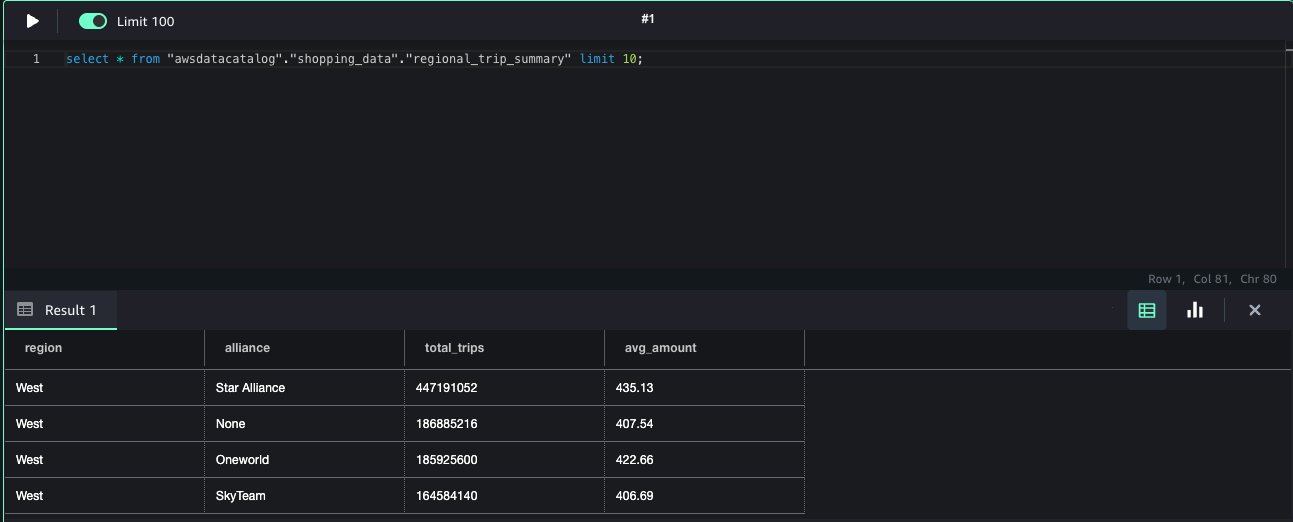
Parquet is particularly effective when querying sorted fields, because it allows Athena to facilitate predicate pushdown optimization and quickly identify and access the relevant data segments. To learn more about this capability in Parquet file format, see Understanding columnar storage formats.

Recognizing this advantage, the team decided to sort by event-name to enhance query performance, achieving a 10% improvement compared to non-sorted data. Initially, they tried partitioning by event-name to optimize performance, but this approach increased writing time to Amazon S3. Sorting demonstrated query time improvement without the ingestion overhead.

Query optimization and parallel queries

The team discovered that performance could be improved further by running parallel queries. Instead of a single query over a long window of time, multiple queries were run over shorter windows. Even though this increased the complexity of the solution, it improved performance by about 20% on average.

For instance, consider a scenario where a user requests the estimated size of app com.demo and event af_purchase between April 2024 and end of June 2024 (as illustrated earlier, the segmentation is defined by the user and then translated to an atomic leaf, which is then broken down to multiple queries depending on the date range). The following diagram illustrates the process of breaking down the initial 3-month query into two separate up to 60-day queries, running them simultaneously and then merging the results.

Splitting query by date range

Reducing results set size

In analyzing performance bottlenecks, examining the different types and properties of the queries, and analyzing the different stages of the query run, it became clear that specific queries were slow in fetching query results. This problem wasn’t rooted in the actual query run, but in data transfer from Amazon S3 at the GetQueryResults phase, due to query results containing a large number of rows (a single result can contain millions of rows).

The initial approach of handling multiple key-value permutations in a single sketch inflated the number of rows considerably. To overcome this, the team introduced a new event-attr-key field to separate sketches into distinct key-value pairs.

The final schema looked as follows:

date | app-id | event-name | event-attr-key | event-attr-value | sketch

This refactoring resulted in a drastic reduction of result rows, which significantly expedited the GetQueryResults process, markedly improving overall query runtime by 90%.

Athena query results reuse

To address a common use case in the Audiences Segmentation GUI where users often make subtle adjustments to their queries, such as adjusting filters or slightly altering time windows, the team used the Athena query results reuse feature. This feature improves query performance and reduces costs by caching and reusing the results of previous queries. This feature plays a pivotal role, particularly when taking into account the recent improvements involving the splitting of date ranges. The ability to reuse and swiftly retrieve results means that these minor—yet frequent—modifications no longer require a full query reprocessing.

As a result, the latency of repeated query runs was reduced by up to 80%, enhancing the user experience by providing faster insights. This optimization not only accelerates data retrieval but also significantly reduces costs because there’s no need to rescan data for every minor change.

Solution rollout: Testing and monitoring

In this section, we discuss the process of rolling out the new architecture, including testing and monitoring.

Solving Amazon S3 slowdown errors

During the solution testing phase, the team developed an automation process designed to assess the different audiences within the system, using the data organized within the newly implemented schema. The methodology involved a comparative analysis of results obtained from HBase against those derived from Athena.

While running these tests, the team examined the accuracy of the estimations retrieved and also the latency change.

In this testing phase, the team encountered some failures when running many concurrent queries at once. These failures were caused by Amazon S3 throttling due to too many GET requests to the same prefix produced by concurrent Athena queries.

In order to handle the throttling (slowdown errors), the team added a retry mechanism for query runs with an exponential back-off strategy (wait time increases exponentially with a random offset to prevent concurrent retries).

Rollout preparations

At first, the team initiated a 1-month backfilling process as a cost-conscious approach, prioritizing accuracy validation before committing to a comprehensive 2-year backfill.

The backfilling process included running the Spark job (write-events-estimation-sketches) in the desired time range. The job read from the data warehouse, created sketches from the data, and wrote them to files in the specific schema that the team defined. Additionally, because the team used partition projection, they could skip the process of updating the Data Catalog with every partition being added.

This step-by-step approach allowed them to confirm the correctness of their solution before proceeding with the entire historical dataset.

With confidence in the accuracy achieved during the initial phase, the team systematically expanded the backfilling process to encompass the full 2-year timeframe, assuring a thorough and reliable implementation.

Before the official release of the updated solution, a robust monitoring strategy was implemented to safeguard stability. Key monitors were configured to assess critical aspects, such as query and API latency, error rates, API availability.

After the data was stored in Amazon S3 as Parquet files, the following rollout process was designed:

  1. Keep both HBase and Athena writing processes running, stop reading from HBase, and start reading from Athena.
  2. Stop writing to HBase.
  3. Sunset HBase.

Improvements and optimizations with Athena

The migration from HBase to Athena, using partition projection and optimized data structures, has not only resulted in a 10% improvement in query performance, but has also significantly boosted overall system stability by scanning only the necessary data partitions. In addition, the transition to a serverless model with Athena has achieved an impressive 80% reduction in monthly costs compared to the previous setup. This is due to eliminating infrastructure management expenses and aligning costs directly with usage, thereby positioning the organization for more efficient operations, improved data analysis, and superior business outcomes.

The following table summarizes the improvements and the optimizations implemented by the team.

Area of Improvement Action Taken Measured Improvement
Athena partition projection Partition projection over the large number of partitions, avoiding limiting the number of partitions; partition by event_name and app_id Hundreds of percent improvement in query performance. This was the most significant improvement, which allowed the solution to be feasible.
Partitioning and sorting Partitioning by app_id and sorting event_name with daily granularity 100% improvement in jobs calculating the sketches. 5% latency in query performance.
Time range queries Splitting long time range queries into multiple queries running in parallel 20% improvement in query performance.
Reducing results set size Schema refactoring 90% improvement in overall query time.
Query result reuse Supporting Athena query results reuse 80% improvement in queries ran more than once in the given time.

Conclusion

In this post, we showed how Athena became the main component of the AppsFlyer Audiences Segmentation offering. We explored various optimization techniques such as data merging, partition projection, schema redesign, parallel queries, Parquet file format, and the use of the query result reuse.

We hope our experience provides valuable insights to enhance the performance of your Athena-based applications. Additionally, we recommend checking out Athena performance best practices for further guidance.


About the Authors

Nofar DiamantNofar Diamant is a software team lead at AppsFlyer with a current focus on fraud protection. Before diving into this realm, she led the Retargeting team at AppsFlyer, which is the subject of this post. In her spare time, Nofar enjoys sports and is passionate about mentoring women in technology. She is dedicated to shifting the industry’s gender demographics by increasing the presence of women in engineering roles and encouraging them to succeed.

Matan Safri Matan Safri is a backend developer focusing on big data in the Retargeting team at AppsFlyer. Before joining AppsFlyer, Matan was a backend developer in IDF and completed an MSC in electrical engineering, majoring in computers at BGU university. In his spare time, he enjoys wave surfing, yoga, traveling, and playing the guitar.

Michael PeltsMichael Pelts is a Principal Solutions Architect at AWS. In this position, he works with major AWS customers, assisting them in developing innovative cloud-based solutions. Michael enjoys the creativity and problem-solving involved in building effective cloud architectures. He also likes sharing his extensive experience in SaaS, analytics, and other domains, empowering customers to elevate their cloud expertise.

Orgad Kimchi Orgad Kimchi is a Senior Technical Account Manager at Amazon Web Services. He serves as the customer’s advocate and assists his customers in achieving cloud operational excellence focusing on architecture, AI/ML in alignment with their business goals.

Tenant portability: Move tenants across tiers in a SaaS application

Post Syndicated from Aman Lal original https://aws.amazon.com/blogs/architecture/tenant-portability-move-tenants-across-tiers-in-a-saas-application/

In today’s fast-paced software as a service (SaaS) landscape, tenant portability is a critical capability for SaaS providers seeking to stay competitive. By enabling seamless movement between tiers, tenant portability allows businesses to adapt to changing needs. However, manual orchestration of portability requests can be a significant bottleneck, hindering scalability and requiring substantial resources. As tenant volumes and portability requests grow, this approach becomes increasingly unsustainable, making it essential to implement a more efficient solution.

This blog post delves into the significance of tenant portability and outlines the essential steps for its implementation, with a focus on seamless integration into the SaaS serverless reference architecture. The following diagram illustrates the tier change process, highlighting the roles of tenants and admins, as well as the impact on new and existing services in the architecture. The subsequent sections will provide a detailed walkthrough of the sequence of events shown in this diagram.

Incorporating tenant portability within a SaaS serverless reference architecture

Figure 1. Incorporating tenant portability within a SaaS serverless reference architecture

Why do we need tenant portability?

  • Flexibility: Tier upgrades or downgrades initiated by the tenant help align with evolving customer demand, preferences, budget, and business strategies. These tier changes generally alter the service contract between the tenant and the SaaS provider.
  • Quality of service: Generally initiated by the SaaS admin in response to a security breach or when the tenant is reaching service limits, these incidents might require tenant migration to maintain service level agreements (SLAs).

High-level portability flow

Tenant portability is generally achieved through a well-orchestrated process that ensures seamless tier transitions. This process comprises of the following steps:

High-level tenant portability flow

Figure 2. High-level tenant portability flow

  1. Port identity stores: Evaluate the need for migrating the tenant’s identity store to the target tier. In scenarios where the existing identity store is incompatible with the target tier, you’ll need to provision a new destination identity store and administrative users.
  2. Update tenant configuration: SaaS applications store tenant configuration details such as tenant identifier and tier that are required for operation.
  3. Resource management: Initiate deployment pipelines to provision resources in the target tier and update infrastructure-tenant mapping tables.
  4. Data migration: Migrate tenant data from the old tier to the newly provisioned target tier infrastructure.
  5. Cutover: Redirect tenant traffic to the new infrastructure, enabling zero-downtime utilization of updated resources.

Consideration walkthrough

We’ll now delve into each step of the portability workflow, highlighting key considerations for a successful implementation.

1. Port identity stores

The key consideration for porting identity is migrating user identities while maintaining a consistent end-user experience, without requiring password resets or changes to user IDs.

Create a new identity store and associated application client that the frontend can use; after that, we’ll need a mechanism to migrate users. In the reference architecture using Amazon Cognito, a silo refers to each tenant having its own user pool, while a pool refers to multiple tenants sharing a user pool through user groups.

To ensure a smooth migration process, it’s important to communicate with users and provide them with options to avoid password resets. One approach is to notify users to log in before a deadline to avoid password resets. Employ just-in-time migration, enabling password retention during login for uninterrupted user experience with existing passwords.

However, this requires waiting for all users to migrate, potentially leading to a prolonged migration window. As a complementary measure, after the deadline, the remaining users can be migrated by using bulk import, which enforces password resets. This ensures a consistent migration within a defined timeframe, albeit inconveniencing some users.

2. Update tenant configuration

SaaS providers rely on metadata stores to maintain all tenant-related configuration. Updates to tenant metadata should be completed carefully during the porting process. When you update the tenant configuration for the new tier, two key aspects must be considered:

  • Retain tenant IDs throughout the porting process to ensure smooth integration of tenant logging, metrics, and cost allocation post-migration, providing a continuous record of events.
  • Establish new API keys and a throttling mechanism tailored to the new tier to accommodate higher usage limits for the tenants.

To handle this, a new tenant portability service can be introduced in the SaaS reference architecture. This service assigns a different AWS API Gateway usage plan to the tenant based on the requested tier change, and orchestrates calls to other downstream services. Subsequently, the existing tenant management service will need an extension to handle tenant metadata updates (tier, user-pool-id, app-client-id) based on the incoming porting request.

3. Resource management

Successful portability hinges on two crucial aspects during infrastructure provisioning:

  • Ensure tenant isolation constructs are respected in the porting process through mechanisms to prevent cross-tenant access. Either role-based access control (RBAC) or attribute-based-access control (ABAC) can be used to ensure this. ABAC isolation is generally easier to manage during porting if the tenant identifier is preserved, as in the previous step.
  • Ensure instrumentation and metric collection are set up correctly in the new tier. Recreate identical metric filters to ensure monitoring visibility for SaaS operations.

To handle infrastructure provisioning and deprovisioning in the reference architecture, extend the tenant provisioning service:

  • Update the tenant-stack mapping table to record migrated tenant stack details.
  • Initiate infrastructure provisioning or destruction pipelines as needed (for example, to run destruction pipelines after the data migration and user cutover steps).

Finally, ensure new resources comply with required compliance standards by applying relevant security configurations and deploying a compliant version of the application.

By addressing these aspects, SaaS providers can ensure a seamless transition while maintaining tenant isolation and operational continuity.

4. Data migration

The data migration strategy is heavily influenced by architectural decisions such as the storage engine and isolation approach. Minimizing user downtime during migration requires a focus on accelerating the migration process, maintaining service availability, and setting up a replication channel for incremental updates. Additionally, it’s crucial to address schema changes made by tenants in a silo model to ensure data integrity and avoid data loss when transitioning to a pool model.

Extending the reference architecture, a new data porting service can be introduced to enable Amazon DynamoDB data migration between different tiers. DynamoDB partition migration can be accomplished through multiple approaches, including AWS Glue, custom scripts, or duplicating DynamoDB tables and bulk-deleting partitions. We recommend a hybrid approach to achieve zero-downtime migration. This solution applies only when the DynamoDB schema remains consistent across tiers. If the schema has changed, a custom solution is required for data migration.

5. Cutover

The cutover phase involves redirecting users to the new infrastructure, disabling continuous data replication, and ensuring that compliance requirements are met. This includes running tests or obtaining audits/certifications, especially when moving to high-sensitivity silos. After a successful cutover, cleanup activities are necessary, including removing temporary infrastructure and deleting historical tenant data from the previous tier. However, before deleting data, ensure that audit trails are preserved and compliant with regulatory requirements, and that data deletion aligns with organizational policies.

Conclusion

In conclusion, portability is a vital feature for multi-tenant SaaS. It allows tenants to move data and configurations between tiers effortlessly and can be incorporated in reference architecture as above. Key considerations include maintaining consistent identities, staying compliant, reducing downtime and automating the process.

How Amazon GTTS runs large-scale ETL jobs on AWS using Amazon MWAA

Post Syndicated from Louis Hourcade original https://aws.amazon.com/blogs/big-data/how-amazon-gtts-runs-large-scale-etl-jobs-on-aws-using-amazon-mwaa/

The Amazon Global Transportation Technology Services (GTTS) team owns a set of products called INSITE (Insights Into Transportation Everywhere). These products are user-facing applications that solve specific business problems across different transportation domains: network topology management, capacity management, and network monitoring. As of this writing, GTTS serves around 10,000 customers globally on a monthly basis, managing the outbound transportation network.

INSITE applications are in general data intensive. They ingest and transform large volumes of data in different formats and processing patterns (such as batch and near real time) from various sources internal and external to Amazon. Datasets are often shared between applications both within domains and across domains, and are consumed in complex data pipelines that run under tight SLAs. To enable and meet these requirements, GTTS built its own data platform.

A critical component of the data platform is the data pipeline orchestrator. GTTS built its own orchestrator named Langley in 2018, and used it to schedule and monitor extract, transform, and load (ETL) jobs on a variety of compute platforms, such as Amazon EMR, Amazon Redshift, Amazon Relational Database Service (Amazon RDS).

As the Langley user base grew, GTTS engineers faced a couple of challenges on key dimensions, such as maintainability, scalability, multi-tenancy, observability, and interoperability.

Amazon GTTS partnered with AWS Professional Services to modernize their orchestration platform, relying as much as possible on managed services with auto scaling capabilities. After analyzing candidate solutions, the team decided to build a target solution relying on Amazon Managed Workflows for Apache Airflow (Amazon MWAA). This post elaborates on the drivers of the migration and its achieved benefits.

Legacy platform

Amazon GTTS works with diverse and distributed data stores, storing petabytes of data. Data engineers need a tool to define ETL jobs which run on various compute environments, as illustrated in the following diagram.

Amazon GTTS orchestration platfrom - high-level diagram

GTTS built Langley as their custom orchestrator in 2018, and have been operating it ever since. At a high level, the core of Langley’s architecture is based on a set of Amazon Simple Queue Service (Amazon SQS) queues and AWS Lambda functions, and a dedicated RDS database to store ETL job data and metadata. It also uses AWS Data Pipeline to run SQL-based workloads, Amazon Simple Storage Service (Amazon S3) to store configuration files, and Amazon CloudWatch for alarming on failures. Every day, Langley handles the lifecycle of more than 17,000 ETL jobs in Europe and 5,000 ETL jobs in North America.

The following diagram illustrates the Langley architecture.

Langley architecture diagram

Business challenges

Langley started as a simple solution to a team-internal problem, but its growth over the years surfaced key issues:

  • The maintenance of this custom solution requires considerable time from engineers, which increased over the years with the release of new features, increasing the overall complexity.
  • The Langley user base grew continuously and eventually became a key orchestration platform for multiple teams and products across Amazon. However, it wasn’t created with multi-tenancy in mind and therefore it didn’t provide the robustness and the appropriate level of isolation to guard each tenant from impacting others on the shared platform.
  • In 2023, AWS announced the upcoming deprecation of Data Pipeline, one of the core services used by Langley.

GTTS partnered with AWS to design and implement a solution to overcome those challenges. AWS used the following evaluation matrix to build a durable solution:

Maintainability The level of effort required to maintain the orchestrating system in a functional state, encompassing updates, patches, bug fixes, and routine checks for optimal performance.
Costs The overall expenditure associated with the orchestrator, including infrastructure costs, licensing fees, personnel expenses, and other relevant costs. This criterion particularly assesses the system’s ability to effectively control and reduce costs.
Scheduling The capabilities related to running and scheduling jobs, including the ability to resume an ETL job from a failed step.
User experience The overall satisfaction and usability of a system from the end-users’ perspective, considering factors such as responsiveness, accessibility, interoperability, and ease of use.
Security Mechanisms in place to safeguard data and applications from unauthorized access at all times.
Monitoring and alerting The continuous observation and analysis of system components and performance metrics to detect and address issues, optimize resource usage, and provide overall health and reliability.
Scalability The orchestrator’s capacity to efficiently adapt its resources to handle increased workload or demand, providing sustained performance.

Among the explored solutions, Amazon MWAA was finally determined as the best overall performer across this matrix.

The next section is a dive deep into the rationales that led GTTS and AWS Professional Services to choose Amazon MWAA as the best performer.

Benefits of migrating to Amazon MWAA

Amazon GTTS and AWS Professional Services worked together to release a Minimum Viable Product (MVP) of the solution described earlier, which showcases the benefits on the agreed decision criteria.

Maintainability

With their legacy system, Amazon GTTS had to manage the orchestrator database, web servers, activity queue, dispatch functions, and worker nodes.

Amazon MWAA eliminates the need for underlying infrastructure management. It takes care of provisioning and maintenance of the Apache Airflow web server, scheduler, worker nodes, and relational database, allowing GTTS teams to focus on building their ETL jobs.

Amazon MWAA offers one-click updates of the infrastructure for minor versions, like moving from Airflow version x.4.z to x.5.z. During the upgrade process, Amazon MWAA captures a snapshot of your environment metadata; upgrades the workers, schedulers, and web server to the new Airflow version; and finally restores the metadata database using the snapshot, backing it with an automated rollback mechanism.

Costs

Amazon MWAA contributes to a more cost-effective solution by automatically scaling workers depending on the workload. This dynamic scaling in and out avoids over-provisioning and allows the organization to pay for the compute they actually use, without the risk of downtime during activity spikes. Because this is an AWS-managed solution, it also reduced GTTS’s Total Cost of Ownership (TCO) by freeing up time from engineers that were managing the legacy system.

Scheduling

Amazon MWAA supports all the trigger mechanisms that the Amazon orchestrator needed:

  • Manual trigger – The users can simply invoke a Direct Acyclic Graph (DAG) using the Airflow API or even more simply via the User Interface (UI).
  • Scheduler – A scheduler can be defined as code, together with the DAG definition, to make sure it will run at specific rates (from hourly to yearly) or on specific cron schedules.
  • Event-driven trigger – Airflow provides native operators that enable invoking a downstream DAG from another DAG or from a dataset update (push approach). It also includes sensors that listen for the completion of a task external to the DAG (pull approach).
  • Partial runs on DAG failures – Another key feature for GTTS was the possibility the recover from partial DAG failures without having to rerun the whole DAG. Airflow provides task-level controls that makes this operation straightforward to implement.

User experience

In this section, we discuss three aspects of the user experience: the web UI, the interoperability, and the programming interface.

Web UI

Amazon MWAA comes with a managed web server that hosts the Airflow UI. As a result, and without any maintenance needed, you can use it to quickly run DAGs, check run history, visualize dependencies between DAGs, troubleshoot with a direct access to task logs, manage variables and database connections, and define granular permissions. The following screenshot shows an example of the UI.

Amazon MWAA User Interface - console screenshot

Interoperability

One of the most important features evaluated was the ability for the new orchestrator to effortlessly integrate with GTTS multiple data storage services, compute components, and monitoring services.

Amazon MWAA comes with a wide variety of providers preinstalled, such as apache-airflow-providers-amazon, apache-airflow-providers-postgres, and apache-airflow-providers-common-sql. This allowed GTTS to connect with those services using multiple connection methodologies, including AWS IAM Identity Center or AWS Secrets Manager password-based authentications, without having to write a single custom Airflow operator.

Amazon MWAA also makes it straightforward to upgrade providers version and install new ones. By providing a requirements.txt file, GTTS was able to change the major version of apache-airflow-providers-amazon and install the apache-airflow-providers-mysql provider.

Programming interface

Airflow is an orchestrator with a low barrier to entry, especially for those familiar with the Python programming language. Its workflow management is defined in Python scripts, with a well-documented set of native operators and external providers, making it straightforward for Python developers to get started with Airflow and create complex data pipelines.

The following are two key Airflow features:

  • TaskFlow API – The TaskFlow API removes a lot of the boilerplate code required by traditional operators by using Python decorators while simplifying the DAG editing process DAG with cleaner and more concise DAG files.
  • Dynamic DAG generation – The dynamic DAG generation capability allowed us to generate DAGs from the original legacy orchestrator’s configuration files. This enabled the platform team to build a centralized framework consumed by multiple teams to keep the code DRY (Don’t Repeat Yourself), providing a seamless migration journey from the legacy orchestrator.

The following screenshot shows an example of these features.

Airflow dynamic DAG definition - code sample

Security

The new Amazon MWAA-based architecture improves GTTS’s posture by introducing granular access control. Amazon MWAA integrates with AWS services such as AWS Key Management Service (AWS KMS), Secrets Manager, and IAM Identity Center to keep data safely encrypted at all times, both at rest and in transit using TLS-based communications. Airflow also includes a role-based access control (RBAC) model to determine what users can do on the platform and enforce the principle of least privilege. Amazon MWAA also natively integrates with AWS CloudTrail for auditing purposes.

The Airflow RBAC model enables administrators to define roles with specific privileges to access Airflow system settings and DAGs themselves. This granular access control reduces the risk of data breaches and malicious activities by limiting access to critical DAGs and sensitive Airflow environment variables. Airflow includes five default roles with different sets of permissions (as shown in the following screenshot), but it is possible to create new roles depending on your security requirements.

Airflow roles - console screenshot

GTTS used the Airflow RBAC model to restrict permissions of certain teams and consumers of the application. They also used priority weights and Airflow pools to prioritize tasks and control run concurrency. However, if you want to run a multi-tenant orchestration platform, it’s recommended to use a separate environment for each team. You can assume that everything accessible by the Amazon MWAA role is also accessible to users who can write DAGs to the environment.

To ease authentication in Amazon MWAA, GTTS federated their identity provider (IdP) through Amazon Cognito and SAML. With this integration, users log in to the Amazon MWAA UI using the same identity as in other internal systems, which removes the need for new credentials. The user’s group membership is retrieved from the IdP through Amazon Cognito, and a Lambda function redirects the user to Amazon MWAA with the appropriate Airflow role. This process is illustrated in the following architecture, and is abstracted from the user and attached to a public Application Load Balancer that redirects at the end of the process to an Amazon MWAA private cluster, making the authentication workflow seamless and secure. Refer to Accessing a private Amazon MWAA environment using federated identities to implement it using your own IdP.

Amazon MWAA federation - architecture diagram

Monitoring and alerting

Amazon MWAA integrates with CloudWatch, which manages all infrastructure logs for you. When creating an Amazon MWAA environment, you can configure what level of logs should be saved. GTTS enabled CloudWatch logging for all of the five types of components: Airflow task logs, Airflow web server logs, Airflow scheduler logs, Airflow worker logs, and Airflow DAG processing logs.

Amazon MWAA logging configuration - console screenshot

These logs are all accessible in CloudWatch for continuous monitoring, but Amazon MWAA users can also access task logs directly from the Airflow UI by looking at the DAG run history. The following screenshot shows an example of task-level logs in Airflow 2.5.1.

Amazon MWAA task-level logs - console screenshot

You can also build CloudWatch monitoring dashboards to keep an eye on the state of your environment and alert administrators when required. Amazon MWAA natively provides Airflow environment metrics and Amazon MWAA infrastructure-related metrics.

Scalability

Each Amazon MWAA environment includes the schedulers, web server, and worker nodes. Scheduler nodes are responsible for the overall orchestration and parsing of DAG files. These tasks happen in worker nodes that Amazon MWAA auto scales up and down according to system load. When creating a new Amazon MWAA environment, you need to specify the type of worker nodes, the minimum and maximum number of worker nodes, and the scheduler count, as shown in the following screenshot.

Amazon MWAA environment classes - console screenshot

There are notably two ways GTTS controlled how Amazon MWAA scales to handle the load:

  • Minimum and maximum worker count – Amazon MWAA automatically adds or deletes workers within the boundaries you set, depending on the number of tasks that are waiting to be processed. As indicated in the AWS documentation, it is possible to request a quota increase to run up to 50 workers in a single environment.
  • Size of the node – Larger worker nodes can run more concurrent tasks. For example, mw1.small instances run 5 concurrent tasks by default, whereas mw1.large instances run 20 concurrent tasks by default. The following figure shows the specification for each instance type.

Amazon MWAA environment sizes - console screenshot

With Amazon MWAA, GTTS can therefore run up to 4,000 concurrent tasks in a single Amazon MWAA environment (50 worker nodes x 80 tasks per node with mw1.2xlarge). This remains an order of magnitude for the load that can fit into the workers vCPUs and RAM, but it is possible to edit the default configuration to add even more tasks per worker. For more information regarding Amazon MWAA automatic scaling, see Configuring Amazon MWAA automatic scaling.

The Amazon MWAA based orchestration platform

After selecting Amazon MWAA as the core service for their orchestrating system, Amazon GTTS and AWS worked together to develop an end-to-end data platform with automation capabilities, access management, monitoring, and integration with downstream systems. The following diagram illustrates the solution architecture.

MWAA-based platform - architecture diagram

The following are notable components of the architecture:

  1. DAG update – GTTS Developers manage the creation, update, and deletion of Amazon MWAA DAGs through a dedicated code repository. When a developer edits DAG definitions and commits changes to the code repository, a CI/CD pipeline automatically packages the DAG definition and stores it in Amazon S3, which automatically updates DAGs in Amazon MWAA.
  2. Infrastructure as code – The entire stack is defined as IaC with the AWS CDK, which eases the process of updating components, and makes it repeatable if GTTS wants to extend the solution and redeploy the stack in multiple AWS Regions.
  3. Authentication, authorizations, and Permissions – Permissions are centrally managed with AWS Identity and Access Management (IAM) together with Airflow roles. GTTS integrated their identity provider with Amazon Cognito and Amazon MWAA, so Amazon employees can connect to the Amazon MWAA UI with the same authentication tool they are used to, and see only the DAGs they are allowed to access.
  4. UI and DAG runs – Amazon MWAA includes an AWS-managed web server that exposes the Airflow UI. Amazon employees can connect to this UI to list DAGs, run DAGs, and track their status. In addition, GTTS used the native Amazon MWAA scheduler to automatically invoke DAGs at a specific time.
  5. Airflow workers – The users can use Airflow native providers to run custom Shell or Python code directly on the workers nodes. For compute-intensive jobs, the Amazon MWAA worker can delegate the compute to a more suitable AWS service, such as Apache Spark running on Amazon EMR on Amazon EKS, which will provide compute resources only for the duration of the job, helping in optimizing costs.
  6. Data stores and external computes services – Amazon MWAA comes also with the AWS provider preloaded, allowing a seamless connectivity with more than 23 AWS compute and data services. GTTS can extend the connectivity to other AWS or external services by using Boto3 with the PythonOperator or creating dedicated custom operators.
  7. Logging and alerting – Amazon MWAA is seamlessly integrated with CloudWatch and CloudTrail to publish DAG logs, audit logs, and metrics. This enables GTTS to track completion, troubleshoot, and create an automated alerting and notifications system so DAGs owners can take remediation actions as fast as possible.

Conclusion

Amazon GTTS partnered with AWS Professional Services to overcome the challenges faced by their legacy custom orchestrator against various dimensions such as maintainability, cost efficiency, security, scalability, and observability.

The new Amazon MWAA-based architecture offers significant improvements in the context of the AWS Well-Architected Framework compared to their former system. In terms of operational excellence, the new orchestration platform is built with evolutivity in mind and enables the GTTS team to use the most adapted ETL service to run their jobs. Regarding performance efficiency, GTTS observed up to 70% improvement in end-to-end runtime on their jobs running in Amazon MWAA. In terms of security, the new solution implements best practices such as the deployment in private subnets, authentication of users through Amazon internal federation systems, and data encryption at rest and in transit. Reliability is achieved with Multi-AZ failover and built-in auto scaling to meet the workload demand at all times. Finally, cost is reduced because Amazon MWAA is an AWS-managed service, which decreases the human effort from GTTS to maintain the orchestration platform.

Amazon GTTS is now bringing the MVP into production, where it is planned to handle petabytes of data and host more than 2,000 jobs migrated from the legacy system. Additionally, the migration to Amazon MWAA has empowered GTTS to enhance its operational scalability, paving the way for the integration of new jobs and further expansion with greater efficiency and confidence.

To learn more, refer to the following resources:


About the Authors

Béntor Bautista is a Senior Data Engineer at Amazon GTTS
Louis Hourcade is a Solutions Architect at AWS
Raphael Ducay is a Senior DataOps Architect at AWS
Konstantin Zarudaev is a DevOps Consultant at AWS
Dorra Elboukari is a DevOps Architect at AWS
Marcin Zapal is an Engagement Manager at AWS
Grigorios Pikoulas is a Strategic Program Lead at AWS
Antonio Cennamo is a Senior Customer Practice Manager at AWS

How to deploy an Amazon OpenSearch cluster to ingest logs from Amazon Security Lake

Post Syndicated from Kevin Low original https://aws.amazon.com/blogs/security/how-to-deploy-an-amazon-opensearch-cluster-to-ingest-logs-from-amazon-security-lake/

January 30, 2025: This post was republished to make the instructions clearer and compatible with OCSF 1.1.


Customers often require multiple log sources across their AWS environment to empower their teams to respond and investigate security events. In part one of this two-part blog post, I show you how you can use Amazon OpenSearch Service to ingest logs collected by Amazon Security Lake to facilitate near real-time monitoring.

Many customers use Security Lake to automatically centralize security data from Amazon Web Services (AWS) environments, software as a service (SaaS) providers, on-premises workloads, and cloud sources into a purpose-built data lake in their AWS environment. OpenSearch Service is a managed service that customers can use to deploy, operate, and scale OpenSearch clusters in the AWS Cloud. It natively integrates with Security Lake to enable customers to perform interactive log analytics and searches across large datasets, create enterprise visualization and dashboards, and perform analysis across disparate applications and logs. With Amazon OpenSearch Security Analytics, customers can also gain visibility into the security posture of their organization’s infrastructure, monitor for anomalous activity, detect potential security threats in near real time, and initiate alerts to pre-configured destinations.

Without using Amazon OpenSearch Service, customers would need to build, deploy and manage infrastructure for an analytics solution, such as an ELK stack.

Prerequisites

Security Lake should already be deployed. For details on how to deploy Security Lake, see Getting started with Amazon Security Lake. You will need AWS Identity and Access Management (IAM) permissions to manage Security Lake, OpenSearch Service, Amazon Cognito, AWS Secrets Manager, and Amazon Elastic Compute Cloud (Amazon EC2), and to create IAM roles to follow along with this post. The solution can be deployed in any AWS Region that has at least 3 Availability Zones, supports Security Lake, OpenSearch, and OpenSearch Ingestion.

Solution overview

The architecture diagram in Figure 1 shows the completed architecture of the solution.

  1. The OpenSearch Service cluster is deployed within a virtual private cloud (VPC) across three Availability Zones for high availability.
  2. The OpenSearch Service cluster ingests logs from Security Lake using an OpenSearch Ingestion pipeline.
  3. The cluster is accessed by end users through a public-facing proxy hosted on an Amazon EC2 instance.
    1. To reduce costs, the template doesn’t deploy a dead letter queue (DLQ) for the OpenSearch Ingestion pipeline. You can add one later if you want.
    2. Instead of a public facing proxy, you can deploy a VPN to access your cluster.
  4. Authentication to the cluster is managed with Amazon Cognito.

Figure 1: Solution architecture

Figure 1: Solution architecture

Planning the deployment

This section will help you plan your OpenSearch service deployment, including what nodes you should choose, the amount of storage to allocate, and where to deploy the cluster.

Deciding instances for the OpenSearch Service master and data nodes

First, determine what instance type to use for the master and data nodes. If your workload generates less than 100 GB of Security Lake logs per day, we recommend using three m6g.large.search master nodes and three r6g.large.search data nodes. You can start small and scale up or scale out later. For more information about deciding the size and number of instances, see Get started with Amazon OpenSearch Service. Note the instance types that you have selected on a text editor because you will use this as an input for the AWS CloudFormation template that you will deploy later.

Configuring storage

To optimize your storage costs, you need to plan your data strategy. In this architecture, Security Lake is used for long-term log storage. Because Security Lake uses Amazon Simple Storage Service (Amazon S3), you can optimize long-term storage costs. You can configure OpenSearch Service to ingest priority logs based on the recent data that you can use for near-real time detection and alerting. Your team can query logs in Security Lake using its Zero-ETL integration with OpenSearch Service to analyze older logs.

Therefore, Security Lake should serve as your primary long-term log storage, with OpenSearch Service storing only the most recent logs.

The number of days of logs in OpenSearch Service will depend on how many days’ worth of data you need to investigate at a given time. I recommend storing 15 days of data in OpenSearch Service. This allows you to react to and investigate the most immediate security events while optimizing storage costs for older logs.

The next step is to determine the volume of logs generated by Security Lake.

  1. Sign in to the Security Lake delegated administrator account.
  2. Go to the AWS Management Console for Security Lake. Choose Usage in the navigation pane.
  3. On the Usage screen, select Last 30 days as the range of usage.
  4. Add the total Actual usage for the last 30 days for the data sources that you intend to send to OpenSearch. If you have used Security Lake for less than 30 days, you can use the Total predicted usage per month. Divide this figure by 30 to get the daily data volume.

Figure 2: Select range of usage

Figure 2: Select range of usage

To determine the total storage needed, multiply the data generated by Security Lake per day by the retention period you chose, then by 1.1 to account for the indexes, then multiply that number by 1.15 for overhead storage. For more information about calculating storage, see Get started with Amazon OpenSearch Service.

To determine the amount of Amazon Elastic Block Store (Amazon EBS) storage that you need per node, take the total amount of storage and divide it by the number of nodes that you have. Round that number up to the nearest whole number. You can increase the amount of storage after deployment when you have a better understanding of your workload. Make a note of this number in a text editor because you’ll use it as an input in the CloudFormation template later.

Example 1: 10 GB of Security Lake logs generated per day, stored for 30 days in OpenSearch Service in three nodes

  • 10 GB of Security Lake logs stored for 30 days = 10 GB * 30 = 300 GB
  • Account for additional space for indexes and overhead space = 300 GB * 1.1 * 1.15 = 379.5 GB
  • Divide the storage required across three nodes, rounded up = 379.5/3 ≈ 127 GB per node
  • You would need 127 GB per node in OpenSearch Service

Example 2: 200 GB of Security Lake logs generated per day, stored for 15 days in OpenSearch Service across six nodes

  • 200 GB of Security Lake logs stored for 15 days = 200 GB * 15 = 3000 GB
  • Account for additional space for indexes and overhead space = 3000 GB * 1.1 * 1.15 = 3795 GB
  • Divide the storage required across three nodes, rounded up = 3795/6 ≈ 633 GB per node
  • You would need 633 GB per node in OpenSearch Service

Where to deploy the cluster?

If you have an AWS Control Tower deployment or have a deployment modelled after the AWS Security Reference Architecture (AWS SRA), Security Lake should be deployed in the Log Archive account. Because security best practices recommend that the Log Archive account should not be frequently accessed, the OpenSearch Service cluster should be deployed into your Audit account or Security Tooling account.

You need to deploy your Security Lake subscriber in the same Region as your Security Lake roll-up Region. If you have more than one roll-up Region, choose the Region that collects logs from the Regions you want to monitor.

Your cluster needs to be deployed in the same Region as your Security Lake subscriber be able to access data.

Setting up the Security Lake subscriber

Before deploying the solution, create a Security Lake subscriber in your Security Lake roll-up Region so that OpenSearch Service can access data from Amazon Security Lake.

  1. Access the Security Lake console in your Log Archive account.
  2. Choose Subscribers in the navigation pane.
  3. Choose Create subscriber.
  4. On the Create subscriber page, enter a name, such as OpenSearch-subscriber.
  5. Under Data Access, select Under S3 notification type, select SQS queue.
  6. Under Subscriber credentials, enter the AWS account ID for the account you plan to deploy the OpenSearch cluster to, which should be your Security Tooling
  7. Enter OpenSearchIngestion-<AWS account ID> under External ID.

    Figure 3: Configuring the Security Lake subscriber

    Figure 3: Configuring the Security Lake subscriber

  8. Leave All log and event sources selected and choose Create.

After the subscriber has been created, you will need to collect information to facilitate the deployment.

To gather necessary information:

  1. Select the subscriber that you just created.
  2. Derive the S3 bucket name from the S3 bucket ARN and store it in a text editor. The Amazon Resource Name (ARN) is formatted as arn:aws:s3:::<bucket name>. The bucket name should look like aws-security-data-lake-<region>-xxxxx.

    Figure 4: Derive the S3 bucket name from the Subscriber details page

    Figure 4: Derive the S3 bucket name from the Subscriber details page

  3. Go to the Amazon Simple Queue Service (Amazon SQS) console and select the SQS queue created as part of the Security Lake subscriber. It should look like AmazonSecurityLake-xxxxxxxxx-Main-Queue. Note the queue’s ARN and URL in your text editor.

    Figure 5: Relevant details from the SQS queue

    Figure 5: Relevant details from the SQS queue

Deploy the solution

To deploy the solution in your Security Tooling account, use a CloudFormation template. This template deploys the OpenSearch Service cluster, OpenSearch Ingestion pipeline, and an AWS Lambda function to initialize the cluster.

To deploy the OpenSearch cluster:

  1. To deploy the CloudFormation template that builds the OpenSearch service cluster, select the Launch Stack button.

    Select this image to open a link that starts building the CloudFormation stack

  2. In the CloudFormation console, make sure that you are in the correct AWS account. You should be in your Security Tooling account. Also make sure that you have selected the same Region as your Security Lake subscriber.
  3. Enter a name for your stack. A name like os-stack-<day>-<month> can help you keep track of deployments.
  4. Enter the instance types and Amazon EBS volume size that you noted earlier.
  5. Enter the IP address range that you want to allow to access the proxy’s security group. You should limit this to your corporate IP range. You can set it as 0.0.0/0 if you want to expose it to the public internet.
  6. Fill in the details of the Security Lake bucket and the subscriber Amazon SQS queue ARN, URL, and Region.

    Figure 6: Add stack parameters

    Figure 6: Add stack parameters

  7. Check the acknowledgements in the Capabilities section.
  8. Choose Create stack to begin deploying the resources.
  9. It will take 20–30 minutes to deploy the multiple nested templates. Wait for the main stack (not the nested ones) to achieve the CREATE_COMPLETE status before proceeding to the next step.

    Note: If you encounter failures while deployment, you can download the CloudFormation file here and select Preserve successfully provisioned resources under Stack failure options while deploying. This will allow you to troubleshoot the stack deployment.

  10. Go to the Outputs pane of the main CloudFormation stack. Save the DashboardsProxyURL, OpenSearchInitRoleARN, and PipelineRole values in a text editor to refer to later.

    Figure 7: The stacks in the CREATE_COMPLETE state with the outputs panel shown

    Figure 7: The stacks in the CREATE_COMPLETE state with the outputs panel shown

  11. Open the DashboardsProxyURL value in a new tab.

    Note: Because the proxy relies on a self-signed certificate, you will get an insecure certificate warning. You can safely ignore this warning and proceed. For a production workload, you should issue a trusted private certificate from your internal public key infrastructure or use AWS Private Certificate Authority.

  12. You will be presented with the Amazon Cognito sign-in page. Use administrator as the username.
  13. Access Secrets Manager to find the password. Select the secret that was created as part of the stack.

    Figure 9: Retrieve the secret value

    Figure 8: The Cognito password in Secrets Manager

  14. Choose Retrieve secret value to get the password.

    Figure 9: Retrieve the secret value

    Figure 9: Retrieve the secret value

  15. After signing in, you will be prompted to change your password and will be redirected to the OpenSearch dashboard.
  16. If you see a pop-up that states Start by adding your own data, select Explore on my own. On the next page, Introducing new OpenSearch Dashboards look & feel, choose Dismiss.
  17. If you see a pop-up that states Select your tenant, select Global, and then choose Confirm.

    Figure 10: Select and confirm your tenant

    Figure 10: Select and confirm your tenant

To initialize the OpenSearch cluster:

  1. Choose the menu icon (three stacked horizontal lines) on the top left and select Security under the Management section.

    Figure 11: Navigating to the Security page in the OpenSearch console

    Figure 11: Navigating to the Security page in the OpenSearch console

  2. Select Roles. On the Roles page, search for the all_access role and select it.
  3. Select Mapped users, and then select Manage mapping.
  4. On the Map user screen, choose Add another backend role. Paste the value for the OpenSearchInitRoleARN from the list of CloudFormation outputs. Choose Map.

    Figure 12: Mapping the role on the Security page in the OpenSearch console

    Figure 12: Mapping the role on the Security page in the OpenSearch console

  5. Leave this tab open and return to the AWS Management console. Go to the AWS Lambda console and select the function named xxxxxx-OS_INIT.
  6. In the function screen, choose Test, and then Create new test event.

    Figure 13: Creating the test event in the Lambda console

    Figure 13: Creating the test event in the Lambda console

  7. Choose Invoke. The function should run for about 30 seconds. The execution results should show the component templates that have been created. This Lambda function creates the component and index templates to ingest Open Cybersecurity Framework (OCSF) formatted data, a set of indices and aliases that correspond with the OCSF classes generated by Security Lake, and a rollover policy that will rollover the index daily or if it becomes larger than 40 GB.

    Figure 14: Invoking the Lambda function in the Lambda console

    Figure 14: Invoking the Lambda function in the Lambda console

To set up the pipeline

  1. Return to the Map user page on the OpenSearch console.
  2. Choose Add another backend role. Paste the value of the PipelineRole from the CloudFormation template output. Choose This will allow the OpenSearch Ingestion to write to the cluster.

    Figure 15: Mapping the OpenSearch Ingestion role

    Figure 15: Mapping the OpenSearch Ingestion role

  3. Access the Amazon S3 console in the Log Archive account where Security Lake is hosted.
  4. Select the Security Lake bucket in your roll-up Region. It should look like aws-security-data-lake-region-xxxxxxxxxx.
  5. Choose Permissions, then Edit under Bucket policy.
  6. Add this policy to the end of the existing bucket policy. Replace the Principal with the ARN of the PipelineRole and the name of your Security Lake bucket in the Resource section.
    {
                "Sid": "Cross Account Permissions",
                "Effect": "Allow",
                "Principal": {
                    "AWS": "<Pipeline role ARN>"
                },
                "Action": "s3:*",
                "Resource": [
                    "arn:aws:s3:::<Security Lake bucket name>/*",
                    "arn:aws:s3:::<Security Lake bucket name>"
                ]
            }

    Figure 16: The modified S3 bucket access policy

    Figure 16: The modified S3 bucket access policy

  7. Choose Save changes.

To upload the index patterns and dashboards

  1. Download the Security-lake-objects.ndjson file by right-clicking on this link and selecting Save link as.
  2. Access the Dashboards Management page through the navigation menu.
  3. Choose Saved objects in the navigation pane.
  4. On the Saved Objects page, choose Import on the right side of the screen.

    Figure 17: Import saved objects

    Figure 17: Import saved objects

  5. Choose Import and select the Security-lake-objects.ndjson file that you downloaded previously.
  6. Leave Create new objects with unique IDs selected and choose Import.
  7. You can now view the ingested logs on the Discover page and visualizations on the Dashboards page, which you can find on the navigation bar.

    Figure 18: The Discover page displaying ingested logs

    Figure 18: The Discover page displaying ingested logs

Clean up

To avoid unwanted charges, delete the main CloudFormation template, named os-stack-<day>-<month> (not the nested stacks).

Figure 19: Select the main stack in the CloudFormation console

Figure 19: Select the main stack in the CloudFormation console

Modify the Security Lake bucket policy in the logging account to remove the section you added that trusted the PipelineRole. Be careful not to modify the rest of the policy because it could impact the functioning of Security Lake and other subscribers.

Figure 20: The S3 bucket policy with the relevant sections that needed to be deleted

Figure 20: The S3 bucket policy with the relevant sections that needed to be deleted

Conclusion

In this post, you learned how to plan an OpenSearch deployment with Amazon OpenSearch Service to ingest logs from Amazon Security Lake. With this solution, you’re able to aggregate and manage logs with Security Lake and visualize and monitor those logs with OpenSearch Service. After deployment, monitor the OpenSearch Service metrics to determine if you need to scale this up or out for improved performance. In part 2, I will show you how to set up the Security Analytics detector to generate alerts to security findings in near-real time.

If you have feedback about this post, submit comments in the Comments section below. If you have questions about this post, contact AWS Support.
 

Kevin Low
Kevin Low

Kevin is a Security Solutions Architect at AWS who helps the largest customers across ASEAN build securely. He specializes in threat detection and incident response and is passionate about integrating resilience and security. Outside of work, he loves spending time with his wife and dog, a poodle called Noodle.

How Volkswagen streamlined access to data across multiple data lakes using Amazon DataZone – Part 1

Post Syndicated from Bandana Das original https://aws.amazon.com/blogs/big-data/how-volkswagen-streamlined-access-to-data-across-multiple-data-lakes-using-amazon-datazone-part-1/

Over the years, organizations have invested in creating purpose-built, cloud-based data lakes that are siloed from one another. A major challenge is enabling cross-organization discovery and access to data across these multiple data lakes, each built on different technology stacks. A data mesh addresses these issues with four principles: domain-oriented decentralized data ownership and architecture, treating data as a product, providing self-serve data infrastructure as a platform, and implementing federated governance. Data mesh enables organizations to organize around data domains with a focus on delivering data as a product.

In 2019, Volkswagen AG (VW) and Amazon Web Services (AWS) formed a strategic partnership to co-develop the Digital Production Platform (DPP), aiming to enhance production and logistics efficiency by 30 percent while reducing production costs by the same margin. The DPP was developed to streamline access to data from shop-floor devices and manufacturing systems by handling integrations and providing standardized interfaces. However, as applications evolved on the platform, a significant challenge emerged: sharing data across applications stored in multiple isolated data lakes in Amazon Simple Storage Service (Amazon S3) buckets in individual AWS accounts without having to consolidate data into a central data lake. Another challenge is discovering available data stored across multiple data lakes and facilitating a workflow to request data access across business domains within each plant. The current method is largely manual, relying on emails and general communication, which not only increases overhead but also varies from one use case to another in terms of data governance. This blog post introduces Amazon DataZone and explores how VW used it to build their data mesh to enable streamlined data access across multiple data lakes. It focuses on the key aspect of the solution, which was enabling data providers to automatically publish data assets to Amazon DataZone, which served as the central data mesh for enhanced data discoverability. Additionally, the post provides code to guide you through the implementation.

Introduction to Amazon DataZone

Amazon DataZone is a data management service that makes it faster and easier for customers to catalog, discover, share, and govern data stored across AWS, on premises, and third-party sources. Key features of Amazon DataZone include a business data catalog that allows users to search for published data, request access, and start working on data in days instead of weeks. Amazon DataZone projects enable collaboration with teams through data assets and the ability to manage and monitor data assets across projects. It also includes the Amazon DataZone portal, which offers a personalized analytics experience for data assets through a web-based application or API. Lastly, Amazon DataZone governed data sharing ensures that the right data is accessed by the right user for the right purpose with a governed workflow.

Architecture for Data Management with Amazon DataZone

Figure 1: Data mesh pattern implementation on AWS using Amazon DataZone

The architecture diagram (Figure 1) represents a high-level design based on the data mesh pattern. It separates source systems, data domain producers (data publishers), data domain consumers (data subscribers), and central governance to highlight key aspects. This cross-account data mesh architecture aims to create a scalable foundation for data platforms, supporting producers and consumers with consistent governance.

  1. A data domain producer resides in an AWS account and uses Amazon S3 buckets to store raw and transformed data. Producers ingest data into their S3 buckets through pipelines they manage, own, and operate. They are responsible for the full lifecycle of the data, from raw capture to a form suitable for external consumption.
  2. A data domain producer maintains its own ETL stack using AWS Glue, AWS Lambda to process, AWS Glue Databrew to profile the data and prepare the data asset (data product) before cataloguing it into AWS Glue Data Catalog in their account.
  3. A second pattern could be that a data domain producer prepares and stores the data asset as table within Amazon Redshift using AWS S3 Copy.
  4. Data domain producers publish data assets using datasource run to Amazon DataZone in the Central Governance account. This populates the technical metadata in the business data catalog for each data asset. The business metadata, can be added by business users to provide business context, tags, and data classification for the datasets. Producers control what to share, for how long, and how consumers interact with it.
  5. Producers can register and create catalog entries with AWS Glue from all their S3 buckets. The central governance account securely shares datasets between producers and consumers via metadata linking, with no data (except logs) existing in this account. Data ownership remains with the producer.
  6. With Amazon DataZone, once data is cataloged and published into the DataZone domain, it can be shared with multiple consumer accounts.
  7. The Amazon DataZone Data portal provides a personalized view for users to discover/search and submit requests for subscription of data assets using a web-based application. The data domain producer receives the notification of subscription requests in the Data portal and can approve/reject the requests.
  8. Once approved, the consumer account can read and further process data assets to implement various use cases with AWS Lambda, AWS Glue, Amazon Athena, Amazon Redshift query editor v2, Amazon QuickSight (Analytics use cases) and with Amazon Sagemaker (Machine learning use cases).

Manual process to publish data assets to Amazon DataZone

To publish a data asset from the producer account, each asset must be registered in Amazon DataZone as a data source for consumer subscription. The Amazon DataZone User Guide provides detailed steps to achieve this. In the absence of an automated registration process, all required tasks must be completed manually for each data asset.

How to automate publishing data assets from AWS Glue Data Catalog from the producer account to Amazon DataZone

Using the automated registration workflow, the manual steps can be automated for any new data asset that needs to be published in an Amazon DataZone domain or when there’s a schema change in an already published data asset.

The automated solution reduces the repetitive manual steps to publish the data sources (AWS Glue tables) into an Amazon DataZone domain.

Architecture for automated data asset publish

Figure 2 Architecture for automated data publish to Amazon DataZone

To automate publishing data assets:

  1. In the producer account (Account B), the data to be shared resides in an Amazon S3 bucket (Figure 2). An AWS Glue crawler is configured for the dataset to automatically create the schema using AWS Cloud Development Kit (AWS CDK).
  2. Once configured, the AWS Glue crawler crawls the Amazon S3 bucket and updates the metadata in the AWS Glue Data Catalog. The successful completion of the AWS Glue crawler generates an event in the default event bus of Amazon EventBridge.
  3. An EventBridge rule is configured to detect this event and invoke a dataset-registration AWS Lambda function.
  4. The AWS Lambda function performs all the steps to automatically register and publish the dataset in Amazon Datazone.

Steps performed in the dataset-registration AWS Lambda function

    • The AWS Lambda function retrieves the AWS Glue database and Amazon S3 information for the dataset from the Amazon Eventbridge event triggered by the successful run of the AWS Glue crawler.
    • It obtains the Amazon DataZone Datalake blueprint ID from the producer account and the Amazon DataZone domain ID and project ID by assuming an IAM role in the central governance account where the Amazon Datazone domain exists.
    • It enables the Amazon DataZone Datalake blueprint in the producer account.
    • It checks if the Amazon Datazone environment already exists within the Amazon DataZone project. If it does not, then it initiates the environment creation process. If the environment exists, it proceeds to the next step.
    • It registers the Amazon S3 location of the dataset in Lake Formation in the producer account.
    • The function creates a data source within the Amazon DataZone project and monitors the completion of the data source creation.
    • Finally, it checks whether the data source sync job in Amazon DataZone needs to be started. If new AWS Glue tables or metadata is created or updated, then it starts the data source sync job.

Prerequisites

As part of this solution, you will publish data assets from an existing AWS Glue database in a producer account into an Amazon DataZone domain for which the following prerequisites need to be performed.

  1. You need two AWS accounts to deploy the solution.
    • One AWS account will act as the data domain producer account (Account B) which will contain the AWS Glue dataset to be shared.
    • The second AWS account is the central governance account (Account A), which will have the Amazon DataZone domain and project deployed. This is the Amazon DataZone account.
    • Ensure that both the AWS accounts belong to the same AWS Organization
  2. Remove the IAMAllowedPrincipals permissions from the AWS Lake Formation tables for which Amazon DataZone handles permissions.
  3. Make sure in both AWS accounts that you have cleared the checkbox for Default permissions for newly created databases and tables under the Data Catalog settings in Lake Formation (Figure 3).

    Figure 3: Clear default permissions in AWS Lake Formation

  4. Sign in to Account A (central governance account) and make sure you have created an Amazon DataZone domain and a project within the domain.
  5. If your Amazon DataZone domain is encrypted with an AWS Key Management Service (AWS KMS) key, add Account B (producer account) to the key policy with the following actions:
    {
      "Sid": "Allow use of the key",
      "Effect": "Allow",
      "Principal": {
        "AWS": "arn:aws:iam::<Account B>:root"
      },
      "Action": [
        "kms:Encrypt",
        "kms:Decrypt",
        "kms:ReEncrypt*",
        "kms:GenerateDataKey*",
        "kms:DescribeKey"
      ],
      "Resource": "*"
    }

  6. Ensure you have created an AWS Identity and Access Management (IAM) role that Account B (producer account) can assume and this IAM role is added as a member (as contributor) of your Amazon DataZone project. The role should have the following permissions:
    • This IAM role is called dz-assumable-env-dataset-registration-role in this example. Adding this role will enable you to successfully run the dataset-registration Lambda function. Replace the account-region, account id, and DataZonekmsKey in the following policy with your information. These values correspond to where your Amazon DataZone domain is created and the AWS KMS key Amazon Resource Name (ARN) used to encrypt the Amazon DataZone domain.
      {
          "Version": "2012-10-17",
          "Statement": [
               {
                  "Action": [
                      "DataZone:CreateDataSource",
                     "DataZone:CreateEnvironment",
                     "DataZone:CreateEnvironmentProfile",
                     "DataZone:GetDataSource",
                     "DataZone:GetEnvironment",
                     "DataZone:GetEnvironmentProfile",
                     "DataZone:GetIamPortalLoginUrl",
                     "DataZone:ListDataSources",
                      "DataZone:ListDomains",
                      "DataZone:ListEnvironmentProfiles",
                      "DataZone:ListEnvironments",
                      "DataZone:ListProjectMemberships",
                     "DataZone:ListProjects",
                      "DataZone:StartDataSourceRun"
                  ],
                  "Resource": "*",
                  "Effect": "Allow"
              },
              {
                  "Action": [
                       "kms:Decrypt",
                      "kms:DescribeKey",
                      "kms:GenerateDataKey"
                  ],
                 "Resource": "arn:aws:kms:${account_region}:${account_id}:key/${DataZonekmsKey}",
                  "Effect": "Allow"
              }
          ]
      }

    • Add the AWS account in the trust relationship of this role with the following trust relationship. Replace ProducerAccountId with the AWS account ID of Account B (data domain producer account).
      {
          "Version": "2012-10-17",
          "Statement": [
              {
                  "Effect": "Allow",
                  "Principal": {
                      "AWS": [
                          "arn:aws:iam::${ProducerAccountId}:root",
                      ]
                  },
                  "Action": "sts:AssumeRole"
              }
          ]
      } }

  7. The following tools are needed to deploy the solution using AWS CDK:

Deployment Steps

After completing the pre-requisites, use the AWS CDK stack provided on GitHub to deploy the solution for automatic registration of data assets into DataZone domain

  1. Clone the repository from GitHub to your preferred IDE using the following commands.
    git clone https://github.com/aws-samples/automate-and-simplify-aws-glue-data-asset-publish-to-amazon-datazone.git
    
    cd automate-and-simplify-aws-glue-data-asset-publish-to-amazon-datazone

  2. At the base of the repository folder, run the following commands to build and deploy resources to AWS.
    npm install 
    npm run lint

  3. Sign in to the AWS account B (the data domain producer account) using AWS Command Line Interface (AWS CLI) with your profile name.
  4. Ensure you have configured the AWS Region in your credential’s configuration file.
  5. Bootstrap the CDK environment with the following commands at the base of the repository folder. Replace <PROFILE_NAME> with the profile name of your deployment account (Account B). Bootstrapping is a one-time activity and is not needed if your AWS account is already bootstrapped.
    export AWS_PROFILE=<PROFILE_NAME>
    npm run cdk bootstrap

  6. Replace the placeholder parameters (marked with the suffix _PLACEHOLDER) in the file config/DataZoneConfig.ts (Figure 4).
    • Amazon DataZone domain and project name of your Amazon DataZone instance. Make sure all names are in lowercase.
    • The AWS account ID and Region.
    • The assumable IAM role from the prerequisites.
    • The deployment role starting with cfn-xxxxxx-cdk-exec-role-.

Figure 4: Edit the DataZoneConfig file

  1. In the AWS Management Console for Lake Formation, select Administrative roles and tasks from the navigation pane (Figure 5) and make sure the IAM role for AWS CDK deployment that starts with cfn-xxxxxx-cdk-exec-role- is selected as an administrator in Data lake administrators. This IAM role needs permissions in Lake Formation to create resources, such as an AWS Glue database. Without these permissions, the AWS CDK stack deployment will fail.

Figure 5: Add cfn-xxxxxx-cdk-exec-role- as a Data Lake administrator

  1. Use the following command in the base folder to deploy the AWS CDK solution
    npm run cdk deploy --all

During deployment, enter y if you want to deploy the changes for some stacks when you see the prompt Do you wish to deploy these changes (y/n)?

  1. After the deployment is complete, sign in to your AWS account B (producer account) and navigate to the AWS CloudFormation console to verify that the infrastructure deployed. You should see a list of the deployed CloudFormation stacks as shown in Figure 6.

Figure 6: Deployed CloudFormation stacks

Test automatic data registration to Amazon DataZone

To test, we use the Online Retail Transactions dataset from Kaggle as a sample dataset to demonstrate the automatic data registration.

  1. Download the Online Retail.csv file from Kaggle dataset.
  2. Login to AWS Account B (producer account) and navigate to the Amazon S3 console, find the DataZone-test-datasource S3 bucket, and upload the csv file there (Figure 7).

Figure 7: Upload the dataset CSV file

  1. The AWS Glue crawler is scheduled to run at a specific time each day. However for testing, you can manually run the crawler by going to the AWS Glue console and selecting Crawlers from the navigation pane. Run the on-demand crawler starting with DataZone-. After the crawler has run, verify that a new table has been created.
  2. Go to the Amazon DataZone console in AWS account A (central governance account) where you deployed the resources. Select Domains in the navigation pane (Figure 8), then Select and open your domain.

    Figure 8: Amazon DataZone domains

  3. After you open the Datazone Domain, you can find the Amazon Datazone data portal URL in the Summary section (Figure 9). Select and open data portal.

    Figure 9: Amazon DataZone data portal URL

  4. In the data portal find your project (Figure 10). Then select the Data tab at the top of the window.

    Figure 10: Amazon DataZone Project overview

  5. Select the section Data Sources (Figure 11) and find the newly created data source DataZone-testdata-db.

    Figure 11:  Select Data sources in the Amazon Datazone Domain Data portal

  6. Verify that the data source has been successfully published (Figure 12).

    Figure 12:  The data sources are visible in the Published data section

  7. After the data sources are published, users can discover the published data and can submit a subscription request. The data producer can approve or reject requests. Upon approval, users can consume the data by querying data in Amazon Athena. Figure 13 illustrates data discovery in the Amazon DataZone data portal.

    Figure 13: Example data discovery in the Amazon DataZone portal

Clean up

Use the following steps to clean up the resources deployed through the CDK.

  1. Empty the two S3 buckets that were created as part of this deployment.
  2. Go to the Amazon DataZone domain portal and delete the published data assets that were created in the Amazon DataZone project by the dataset-registration Lambda function.
  3. Delete the remaining resources created using the following command in the base folder:
    npm run cdk destroy --all

Conclusion

By using AWS Glue and Amazon DataZone, organizations can make their data management easier and allow teams to share and collaborate on data smoothly. Automatically sending AWS Glue data to Amazon DataZone not only makes the process simple but also keeps the data consistent, secure, and well-governed. Simplify and standardize publishing data assets to Amazon DataZone and streamline data management with Amazon DataZone. For guidance on establishing your organization’s data mesh with Amazon DataZone, contact your AWS team today.


About the Authors

Bandana Das is a Senior Data Architect at Amazon Web Services and specializes in data and analytics. She builds event-driven data architectures to support customers in data management and data-driven decision-making. She is also passionate about enabling customers on their data management journey to the cloud.

Anirban Saha is a DevOps Architect at AWS, specializing in architecting and implementation of solutions for customer challenges in the automotive domain. He is passionate about well-architected infrastructures, automation, data-driven solutions and helping make the customer’s cloud journey as seamless as possible. Personally, he likes to keep himself engaged with reading, painting, language learning and traveling.

Chandana Keswarkar is a Senior Solutions Architect at AWS, who specializes in guiding automotive customers through their digital transformation journeys by using cloud technology. She helps organizations develop and refine their platform and product architectures and make well-informed design decisions. In her free time, she enjoys traveling, reading, and practicing yoga.

Sindi Cali is a ProServe Associate Consultant with AWS Professional Services. She supports customers in building data driven applications in AWS.

How Zurich Insurance Group built a log management solution on AWS

Post Syndicated from Jake Obi original https://aws.amazon.com/blogs/big-data/how-zurich-insurance-group-built-a-log-management-solution-on-aws/

This post is written in collaboration with Clarisa Tavolieri, Austin Rappeport and Samantha Gignac from Zurich Insurance Group.

The growth in volume and number of logging sources has been increasing exponentially over the last few years, and will continue to increase in the coming years. As a result, customers across all industries are facing multiple challenges such as:

  • Balancing storage costs against meeting long-term log retention requirements
  • Bandwidth issues when moving logs between the cloud and on premises
  • Resource scaling and performance issues when trying to analyze massive amounts of log data
  • Keeping pace with the growing storage requirements, while also being able to provide insights from the data
  • Aligning license costs for Security Information and Event Management (SIEM) vendors with log processing, storage, and performance requirements. SIEM solutions help you implement real-time reporting by monitoring your environment for security threats and alerting on threats once detected.

Zurich Insurance Group (Zurich) is a leading multi-line insurer providing property, casualty, and life insurance solutions globally. In 2022, Zurich began a multi-year program to accelerate their digital transformation and innovation through the migration of 1,000 applications to AWS, including core insurance and SAP workloads.

The Zurich Cyber Fusion Center management team faced similar challenges, such as balancing licensing costs to ingest and long-term retention requirements for both business application log and security log data within the existing SIEM architecture. Zurich wanted to identify a log management solution to work in conjunction with their existing SIEM solution. The new approach would need to offer the flexibility to integrate new technologies such as machine learning (ML), scalability to handle long-term retention at forecasted growth levels, and provide options for cost optimization. In this post, we discuss how Zurich built a hybrid architecture on AWS incorporating AWS services to satisfy their requirements.

Solution overview

Zurich and AWS Professional Services collaborated to build an architecture that addressed decoupling long-term storage of logs, distributing analytics and alerting capabilities, and optimizing storage costs for log data. The solution was based on categorizing and prioritizing log data into priority levels between 1–3, and routing logs to different destinations based on priority. The following diagram illustrates the solution architecture.

Flow of logs from source to destination. All logs are sent to Cribl which routes portions of logs to the SIEM, portions to Amazon OpenSearch, and copies of logs to Amazon S3.

The workflow steps are as follows:

  1. All of the logs (P1, P2, and P3) are collected and ingested into an extract, transform, and load (ETL) service, AWS Partner Cribl’s Stream product, in real time. Capturing and streaming of logs is configured per use case based on the capabilities of the source, such as using built-in forwarders, installing agents, using Cribl Streams, and using AWS services like Amazon Data Firehose. This ETL service performs two functions before data reaches the analytics layer:
    1. Data normalization and aggregation – The raw log data is normalized and aggregated in the required format to perform analytics. The process consists of normalizing log field names, standardizing on JSON, removing unused or duplicate fields, and compressing to reduce storage requirements.
    2. Routing mechanism – Upon completing data normalization, the ETL service will apply necessary routing mechanisms to ingest log data to respective downstream systems based on category and priority.
  2. Priority 1 logs, such as network detection & response (NDR), endpoint detection and response (EDR), and cloud threat detection services (for example, Amazon GuardDuty), are ingested directly to the existing on-premises SIEM solution for real-time analytics and alerting.
  3. Priority 2 logs, such as operating system security logs, firewall, identity provider (IdP), email metadata, and AWS CloudTrail, are ingested into Amazon OpenSearch Service to enable the following capabilities. Previously, P2 logs were ingested into the SIEM.
    1. Systematically detect potential threats and react to a system’s state through alerting, and integrating those alerts back into Zurich’s SIEM for larger correlation, reducing by approximately 85% the amount of data ingestion into Zurich’s SIEM. Eventually, Zurich plans to use ML plugins such as anomaly detection to enhance analysis.
    2. Develop log and trace analytics solutions with interactive queries and visualize results with high adaptability and speed.
    3. Reduce the average time to ingest and average time to search that accommodates the increasing scale of log data.
    4. In the future, Zurich plans to use OpenSearch’s security analytics plugin, which can help security teams quickly detect potential security threats by using over 2,200 pre-built, publicly available Sigma security rules or create custom rules.
  4. Priority 3 logs, such as logs from enterprise applications and vulnerability scanning tools, are not ingested into the SIEM or OpenSearch Service, but are forwarded to Amazon Simple Storage Service (Amazon S3) for storage. These can be queried as needed using one-time queries.
  5. Copies of all log data (P1, P2, P3) are sent in real time to Amazon S3 for highly durable, long-term storage to satisfy the following:
    1. Long-term data retentionS3 Object Lock is used to enforce data retention per Zurich’s compliance and regulatory requirements.
    2. Cost-optimized storageLifecycle policies automatically transition data with less frequent access patterns to lower-cost Amazon S3 storage classes. Zurich also uses lifecycle policies to automatically expire objects after a predefined period. Lifecycle policies provide a mechanism to balance the cost of storing data and meeting retention requirements.
    3. Historic data analysis – Data stored in Amazon S3 can be queried to satisfy one-time audit or analysis tasks. Eventually, this data could be used to train ML models to support better anomaly detection. Zurich has done testing with Amazon SageMaker and has plans to add this capability in the near future.
  6. One-time query analysis – Simple audit use cases require historical data to be queried based on different time intervals, which can be performed using Amazon Athena and AWS Glue analytic services. By using Athena and AWS Glue, both serverless services, Zurich can perform simple queries without the heavy lifting of running and maintaining servers. Athena supports a variety of compression formats for reading and writing data. Therefore, Zurich is able to store compressed logs in Amazon S3 to achieve cost-optimized storage while still being able to perform one-time queries on the data.

As a future capability, supporting on-demand, complex query, analysis, and reporting on large historical datasets could be performed using Amazon OpenSearch Serverless. Also, OpenSearch Service supports zero-ETL integration with Amazon S3, where users can query their data stored in Amazon S3 using OpenSearch Service query capabilities.

The solution outlined in this post provides Zurich an architecture that supports scalability, resilience, cost optimization, and flexibility. We discuss these key benefits in the following sections.

Scalability

Given the volume of data currently being ingested, Zurich needed a solution that could satisfy existing requirements and provide room for growth. In this section, we discuss how Amazon S3 and OpenSearch Service help Zurich achieve scalability.

Amazon S3 is an object storage service that offers industry-leading scalability, data availability, security, and performance. The total volume of data and number of objects you can store in Amazon S3 are virtually unlimited. Based on its unique architecture, Amazon S3 is designed to exceed 99.999999999% (11 nines) of data durability. Additionally, Amazon S3 stores data redundantly across a minimum of three Availability Zones (AZs) by default, providing built-in resilience against widespread disaster. For example, the S3 Standard storage class is designed for 99.99% availability. For more information, check out the Amazon S3 FAQs.

Zurich uses AWS Partner Cribl’s Stream solution to route copies of all log information to Amazon S3 for long-term storage and retention, enabling Zurich to decouple log storage from their SIEM solution, a common challenge facing SIEM solutions today.

OpenSearch Service is a managed service that makes it straightforward to run OpenSearch without having to manage the underlying infrastructure. Zurich’s current on-premises SIEM infrastructure is comprised of more than 100 servers, all of which have to be operated and maintained. Zurich hopes to reduce this infrastructure footprint by 75% by offloading priority 2 and 3 logs from their existing SIEM solution.

To support geographies with restrictions on cross-border data transfer and to meet availability requirements, AWS and Zurich worked together to define an Amazon OpenSearch Service configuration that would support 99.9% availability using multiple AZs in a single region.

OpenSearch Service supports cross-region and cross-cluster queries, which helps with distributing analysis and processing of logs without moving data, and provides the ability to aggregate information across clusters. Since Zurich plans to deploy multiple OpenSearch domains in different regions, they will use cross-cluster search functionality to query data seamlessly across different regional domains without moving data. Zurich also configured a connector for their existing SIEM to query OpenSearch, which further allows distributed processing from on premises, and enables aggregation of data across data sources. As a result, Zurich is able to distribute processing, decouple storage, and publish key information in the form of alerts and queries to their SIEM solution without having to ship log data.

In addition, many of Zurich’s business units have logging requirements that could also be satisfied using the same AWS services (OpenSearch Service, Amazon S3, AWS Glue, and Amazon Athena). As such, the AWS components of the architecture were templatized using Infrastructure as Code (IaC) for consistent, repeatable deployment. These components are already being used across Zurich’s business units.

Cost optimization

In thinking about optimizing costs, Zurich had to consider how they would continue to ingest 5 TB per day of security log information just for their centralized security logs. In addition, lines of businesses needed similar capabilities to meet requirements, which could include processing 500 GB per day.

With this solution, Zurich can control (by offloading P2 and P3 log sources) the portion of logs that are ingested into their primary SIEM solution. As a result, Zurich has a mechanism to manage licensing costs, as well as improve the efficiency of queries by reducing the amount of information the SIEM needs to parse on search.

Because copies of all log data are going to Amazon S3, Zurich is able to take advantage of the different Amazon S3 storage tiers, such as using S3 Intelligent-Tiering to automatically move data among Infrequent Access and Archive Access tiers, to optimize the cost of retaining multiple years’ worth of log data. When data is moved to the Infrequent Access tier, costs are reduced by up to 40%. Similarly, when data is moved to the Archive Instant Access tier, storage costs are reduced by up to 68%.

Refer to Amazon S3 pricing for current pricing, as well as for information by region. Moving data to S3 Infrequent Access and Archive Access tiers provides a significant cost savings opportunity while meeting long-term retention requirements.

The team at Zurich analyzed priority 2 log sources, and based on historical analytics and query patterns, determined that only the most recent 7 days of logs are typically required. Therefore, OpenSearch Service was right-sized for retaining 7 days of logs in a hot tier. Rather than configuring UltraWarm and cold storage tiers for OpenSearch Service, copies of the remaining logs were simultaneously being sent to Amazon S3 for long-term retention and could be queried using Athena.

The combination of cost-optimization options is projected to reduce by 53% the cost of per GB of log data ingested and stored for 13 months when compared to the previous approach.

Flexibility

Another key consideration for the architecture was the flexibility to integrate with existing alerting systems and data pipelines, as well as the ability to incorporate new technology into Zurich’s log management approach. For example, Zurich also configured a connector for their existing SIEM to query OpenSearch, which further allows distributed processing from on premises and enables aggregation of data across data sources.

Within the OpenSearch Service software, there are options to expand log analysis using security analytics with predefined indicators of compromise across common log types. OpenSearch Service also offers the capability to integrate with ML capabilities such as anomaly detection and alert correlation to enhance log analysis.

With the introduction of Amazon Security Lake, there is another opportunity to expand the solution to more efficiently manage AWS logging sources and add to this architecture. For example, you can use Amazon OpenSearch Ingestion to generate security insights on security data from Amazon Security Lake.

Summary

In this post, we reviewed how Zurich was able to build a log data management architecture that provided the scalability, flexibility, performance, and cost-optimization mechanisms needed to meet their requirements.

To learn more about components of this solution, visit the Centralized Logging with OpenSearch implementation guide, review Querying AWS service logs, or run through the SIEM on Amazon OpenSearch Service workshop.


About the Authors

Clarisa Tavolieri is a Software Engineering graduate with qualifications in Business, Audit, and Strategy Consulting. With an extensive career in the financial and tech industries, she specializes in data management and has been involved in initiatives ranging from reporting to data architecture. She currently serves as the Global Head of Cyber Data Management at Zurich Group. In her role, she leads the data strategy to support the protection of company assets and implements advanced analytics to enhance and monitor cybersecurity tools.

Austin RappeportAustin Rappeport is a Computer Engineer who graduated from the University of Illinois Urbana/Champaign in 2011 with a focus in Computer Security. After graduation, he worked for the Federal Energy Regulatory Commission in the Office of Electric Reliability, working with the North American Electric Reliability Corporation’s Critical Infrastructure Protection Standards on both the audit and enforcement side, as well as standards development. Austin currently works for Zurich Insurance as the Global Head of Detection Engineering and Automation, where he leads the team responsible for using Zurich’s security tools to detect suspicious and malicious activity and improve internal processes through automation.

Samantha Gignac is a Global Security Architect at Zurich Insurance. She graduated from Ferris State University in 2014 with a Bachelor’s degree in Computer Systems & Network Engineering. With experience in the insurance, healthcare, and supply chain industries, she has held roles such as Storage Engineer, Risk Management Engineer, Vulnerability Management Engineer, and SOC Engineer. As a Cybersecurity Architect, she designs and implements secure network systems to protect organizational data and infrastructure from cyber threats.

Claire Sheridan is a Principal Solutions Architect with Amazon Web Services working with global financial services customers. She holds a PhD in Informatics and has more than 15 years of industry experience in tech. She loves traveling and visiting art galleries.

Jake Obi is a Principal Security Consultant with Amazon Web Services based in South Carolina, US, with over 20 years’ experience in information technology. He helps financial services customers improve their security posture in the cloud. Prior to joining Amazon, Jake was an Information Assurance Manager for the US Navy, where he worked on a large satellite communications program as well as hosting government websites using the public cloud.

Srikanth Daggumalli is an Analytics Specialist Solutions Architect in AWS. Out of 18 years of experience, he has over a decade of experience in architecting cost-effective, performant, and secure enterprise applications that improve customer reachability and experience, using big data, AI/ML, cloud, and security technologies. He has built high-performing data platforms for major financial institutions, enabling improved customer reach and exceptional experiences. He is specialized in services like cross-border transactions and architecting robust analytics platforms.

Freddy Kasprzykowski is a Senior Security Consultant with Amazon Web Services based in Florida, US, with over 20 years’ experience in information technology. He helps customers adopt AWS services securely according to industry best practices, standards, and compliance regulations. He is a member of the Customer Incident Response Team (CIRT), helping customers during security events, a seasoned speaker at AWS re:Invent and AWS re:Inforce conferences, and a contributor to open source projects related to AWS security.

How PostNL processes billions of IoT events with Amazon Managed Service for Apache Flink

Post Syndicated from Çağrı Çakır original https://aws.amazon.com/blogs/big-data/how-postnl-processes-billions-of-iot-events-with-amazon-managed-service-for-apache-flink/

This post is co-written with Çağrı Çakır and Özge Kavalcı from PostNL.

PostNL is the designated universal postal service provider for the Netherlands and has three main business units offering postal delivery, parcel delivery, and logistics solutions for ecommerce and cross-border solutions. With 5,800 retail points, 11,000 mailboxes, and over 900 automated parcel lockers, the company plays an important role in the logistics value chain. It aims to be the delivery organization of choice by making it as easy as possible to send and receive parcels and mail. With almost 34,000 employees, PostNL is at the heart of society. On a typical weekday, the company delivers an average of 1.1 million parcels and 6.9 million letters across Belgium, Netherlands, and Luxemburg.

In this post, we describe the legacy PostNL stream processing solution, its challenges, and why PostNL chose Amazon Managed Service for Apache Flink to help modernize their Internet of Things (IoT) data stream processing platform. We provide a reference architecture, describe the steps we took to migrate to Apache Flink, and the lessons learned along the way.

With this migration, PostNL has been able to build a scalable, robust, and extendable stream processing solution for their IoT platform. Apache Flink is a perfect fit for IoT. Scaling horizontally, it allows processing the sheer volume of data generated by IoT devices. With event time semantics, you can correctly handle events in the order they were generated, even from occasionally disconnected devices.

PostNL is excited about the potential of Apache Flink, and now plans to use Managed Service for Apache Flink with other streaming use cases and shift more business logic upstream into Apache Flink.

Apache Flink and Managed Service for Apache Flink

Apache Flink is a distributed computation framework that allows for stateful real-time data processing. It provides a single set of APIs for building batch and streaming jobs, making it straightforward for developers to work with bounded and unbounded data. Managed Service for Apache Flink is an AWS service that provides a serverless, fully managed infrastructure for running Apache Flink applications. Developers can build highly available, fault-tolerant, and scalable Apache Flink applications with ease and without needing to become an expert in building, configuring, and maintaining Apache Flink clusters on AWS.

The challenge of real-time IoT data at scale

Today, PostNL’s IoT platform, Roller Cages solution, tracks more than 380,000 assets with Bluetooth Low Energy (BLE) technology in near real time. The IoT platform was designed to provide availability, geofencing, and bottom state events of each asset by using telemetry sensor data such as GPS points and accelerometers that are coming from Bluetooth devices. Those events are used by different internal consumers to make logistical operations straightforward to plan, more efficient, and sustainable.

PostNL Roller cages tracking solution

Tracking this high volume of assets emitting different sensor readings inevitably creates billions of raw IoT events for the IoT platform as well as for the downstream systems. Handling this load repeatedly both within the IoT platform and throughout the downstream systems was neither cost-efficient nor easy to maintain. To reduce the cardinality of events, the IoT platform uses stream processing to aggregate data over fixed time windows. These aggregations must be based on the moment when the device emitted the event. This type of aggregation based on event time becomes complex when messages may be delayed and arrive out of order, which may frequently happen with IoT devices that can get disconnected temporarily.

The following diagram illustrates the overall flow from edge to the downstream systems.

PostNL IoT workflow

The workflow consists of the following components:

  1. The edge architecture includes IoT BLE devices that serve as sources of telemetry data, and gateway devices that connect these IoT devices to the IoT platform.
  2. Inlets contain a set of AWS services such as AWS IoT Core and Amazon API Gateway to collect IoT detections using MQTTS or HTTPS and deliver them to the source data stream using Amazon Kinesis Data Streams.
  3. The aggregation application filters IoT detections, aggregates them for a fixed time window, and sinks aggregations to the destination data stream.
  4. Event producers are the combination of different stateful services that generate IoT events such as geofencing, availability, bottom state, and in-transit.
  5. Outlets, including services such as Amazon EventBridge, Amazon Data Firehose, and Kinesis Data Streams, deliver produced events to consumers.
  6. Consumers, which are internal teams, interpret IoT events and build business logic based on them.

The core component of this architecture is the aggregation application. This component was originally implemented using a legacy stream processing technology. For several reasons, as we discuss shortly, PostNL decided to evolve this critical component. The journey of replacing the legacy stream processing with Managed Service for Apache Flink is the focus of the rest of this post.

The decision to migrate the aggregation application to Managed Service for Apache Flink

As the number of connected devices grows, so does the necessity for a robust and scalable platform capable of handling and aggregating massive volumes of IoT data. After thorough analysis, PostNL opted to migrate to Managed Service for Apache Flink, driven by several strategic considerations that align with evolving business needs:

  • Enhanced data aggregation – Using Apache Flink’s strong capabilities in real-time data processing enables PostNL to efficiently aggregate raw IoT data from various sources. The ability to extend the aggregation logic beyond what was provided by the current solution can unlock more sophisticated analytics and more informed decision-making processes.
  • Scalability – The managed service provides the ability to scale your application horizontally. This allows PostNL to handle increasing data volumes effortlessly as the number of IoT devices grows. This scalability means that data processing capabilities can expand in tandem with the business.
  • Focus on core business – By adopting a managed service, the IoT platform team can focus on implementing business logic and develop new use cases. The learning curve and overhead of operating Apache Flink at scale would have diverted valuable energies and resources of the relatively small team, slowing down the adoption process.
  • Cost-effectiveness – Managed Service for Apache Flink employs a pay-as-you-go model that aligns with operational budgets. This flexibility is particularly beneficial for managing costs in line with fluctuating data processing needs.

Challenges of handling late events

Common stream processing use cases require aggregating events based on when they were generated. This is called event time semantics. When implementing this type of logic, you may encounter the problem of delayed events, in which events reach your processing system late, long after other events generated around the same time.

Late events are common in IoT due to reasons inherent to the environment, such as network delays, device failures, temporarily disconnected devices, or downtime. IoT devices often communicate over wireless networks, which can introduce delays in transmitting data packets. And sometimes they may experience intermittent connectivity issues, resulting in data being buffered and sent in batches after connectivity is restored. This may result in events being processed out of order—some events may be processed several minutes after other events that were generated around the same time.

Imagine you want to aggregate events generated by devices within a specific 10-second window. If events can be several minutes late, how can you be sure you have received all events that were generated in those 10 seconds?

A simple implementation may just wait for several minutes, allowing late events to arrive. But this method means that you can’t calculate the result of your aggregation until several minutes later, increasing the output latency. Another solution would be waiting a few seconds, and then dropping any events arriving later.

Increasing latency or dropping events that may contain critical information are not palatable options for the business. The solution must be a good compromise, a trade-off between latency and completeness.

Apache Flink offers event time semantics out of the box. In contrast to other stream processing frameworks, Flink offers multiple options for dealing with late events. We dive into how Apache Flink deal with late events next.

A powerful stream processing API

Apache Flink provides a rich set of operators and libraries for common data processing tasks, including windowing, joins, filters, and transformations. It also includes over 40 connectors for various data sources and sinks, including streaming systems like Apache Kafka and Amazon Managed Streaming for Apache Kafka, or Kinesis Data Streams, databases, and also file system and object stores like Amazon Simple Storage Service (Amazon S3).

But the most important characteristic for PostNL is that Apache Flink offers different APIs with different level of abstractions. You can start with a higher level of abstraction, SQL, or Table API. These APIs abstract streaming data as more familiar tables, making them easier to learn for simpler use cases. If your logic becomes more complex, you can switch to the lower level of abstraction of the DataStream API, where streams are represented natively, closer to the processing happening inside Apache Flink. If you need the finest-grained level of control on how each single event is handled, you can switch to the Process Function.

A key learning has been that choosing one level of abstraction for your application is not an irreversible architectural decision. In the same application, you can mix different APIs, depending on the level of control you need at that specific step.

Scaling horizontally

To process billions of raw events and grow with the business, the ability to scale was an essential requirement for PostNL. Apache Flink is designed to scale horizontally, distributing processing and application state across multiple processing nodes, with the ability to scale out further when the workload grows.

For this particular use case, PostNL had to aggregate the sheer volume of raw events with similar characteristics and over time, to reduce their cardinality and make the data flow manageable for the other systems downstream. These aggregations go beyond simple transformations that handle one event at a time. They require a framework capable of stateful stream processing. This is exactly the type of use case Apache Flink was designed for.

Advanced event time semantics

Apache Flink emphasizes event time processing, which enables accurate and consistent handling of data with respect to the time it occurred. By providing built-in support for event time semantics, Flink can handle out-of-order events and late data gracefully. This capability was fundamental for PostNL. As mentioned, IoT generated events may arrive late and out of order. However, the aggregation logic must be based on the moment the measurement was actually taken by the device—the event time—and not when it’s processed.

Resiliency and guarantees

PostNL had to make sure no data sent from the device is lost, even in case of failure or restart of the application. Apache Flink offers strong fault tolerance guarantees through its distributed snapshot-based checkpointing mechanism. In the event of failures, Flink can recover the state of the computations and achieve exactly-once semantics of the result. For example, each event from a device is never missed nor counted twice, even in the event of an application failure.

The journey of choosing the right Apache Flink API

A key requirement of the migration was reproducing exactly the behavior of the legacy aggregation application, as expected by the downstream systems that can’t be modified. This introduced several additional challenges, in particular around windowing semantics and late event handling.

As we have seen, in IoT, events may be out of order by several minutes. Apache Flink offers two high-level concepts for implementing event time semantics with out-of-order events: watermarks and allowed lateness.

Apache Flink provides a range of flexible APIs with different levels of abstraction. After some initial research, Flink-SQL and the Table API were discarded. These higher levels of abstraction provide advanced windowing and event time semantics, but couldn’t provide the fine-grained control PostNL needed to reproduce exactly the behavior of the legacy application.

The lower level of abstraction of the DataStream API also offers windowing aggregation capabilities, and allows you to customize the behaviors with custom triggers, evictors, and handling late events by setting an allowed lateness.

Unfortunately, the legacy application was designed to handle late events in a peculiar way. The result was a hybrid event time and processing time logic that couldn’t be easily reproduced using high-level Apache Flink primitives.

Fortunately, Apache Flink offers a further lower level of abstraction, the ProcessFunction API. With this API, you have the finest-grained control on application state, and you can use timers to implement virtually any custom time-based logic.

PostNL decided to go in this direction. The aggregation was implemented using a KeyedProcessFunction that provides a way to perform arbitrary stateful processing on keyed streams—logically partitioned streams. Raw events from each IoT device are aggregated based on their event time (the timestamp written on the event by the source device) and the results of each window is emitted based on processing time (the current system time).

This fine-grained control finally allowed PostNL to reproduce exactly the behavior expected by the downstream applications.

The journey to production readiness

Let’s explore the journey of migrating to Managed Service for Apache Flink, from the start of the project to the rollout to production.

Identifying requirements

The first step of the migration process focused on thoroughly understanding the existing system’s architecture and performance metrics. The goal was to provide a seamless transition to Managed Service for Apache Flink with minimal disruption to ongoing operations.

Understanding Apache Flink

PostNL needed to familiarize themselves with the Managed Service for Apache Flink application and its streaming processing capabilities, including built-in windowing strategies, aggregation functions, event time vs. processing time differences, and finally KeyProcessFunction and mechanisms for handling late events.

Different options were considered, using primitives provided by Apache Flink out of the box, for event time logic and late events. The biggest requirement was to reproduce exactly the behavior of the legacy application. The ability to switch to using a lower level of abstraction helped. Using the finest-grained control allowed by the ProcessFunction API, PostNL was able to handle late events exactly as the legacy application.

Designing and implementing ProcessFunction

The business logic is designed using ProcessFunction to emulate the peculiar behavior of the legacy application in handling late events without excessively delaying the initial results. PostNL decided to use Java for the implementation, because Java is the primary language for Apache Flink. Apache Flink allows you to develop and test your application locally, in your preferred integrated development environment (IDE), using all the available debug tools, before deploying it to Managed Service for Apache Flink. Java 11 with Maven compiler was used for implementation. For more information about IDE requirements, refer to Getting started with Amazon Managed Service for Apache Flink (DataStream API).

Testing and validation

The following diagram shows the architecture used to validate the new application.

Testing architecture

To validate the behavior of the ProcessFunction and late event handling mechanisms, integration tests were designed to run both the legacy application and the Managed Service for Flink application in parallel (Steps 3 and 4). This parallel execution allowed PostNL to directly compare the results generated by each application under identical conditions. Multiple integration test cases push data to the source stream (2) in parallel (7) and wait until their aggregation window is complete, then they pull the aggregated results from the destination stream to compare (8). Integration tests are automatically triggered by the CI/CD pipeline after deployment of the infrastructure is complete. During the integration tests, the primary focus was on achieving data consistency and processing accuracy between the legacy application and the Managed Service for Flink application. The output streams, aggregated data, and processing latencies were compared to validate that the migration didn’t introduce any unexpected discrepancies. For writing and running the integration tests, Robot Framework, an open source automation framework, was utilized.

After the integration tests are passed, there is one more validation layer: end-to-end tests. Similar to the integration tests, end-to-end tests are automatically invoked by the CI/CD pipeline after the deployment of the platform infrastructure is complete. This time, multiple end-to-end test cases send data to AWS IoT Core (1) in parallel (9) and check the aggregated results from the destination S3 bucket (5, 6) dumped from the output stream to compare (10).

Deployment

PostNL decided to run the new Flink application on shadow mode. The new application ran for some time in parallel with the legacy application, consuming exactly the same inputs, and sending output from both applications to a data lake on Amazon S3. This allowed them to compare the results of the two applications using real production data, and also to test the stability and performance of the new one.

Performance optimization

During migration, the PostNL IoT platform team learned how the Flink application can be fine-tuned for optimal performance, considering factors such as data volume, processing speed, and efficient late event handling. A particularly interesting aspect was to verify that the state size wasn’t increasing unbounded over the long term. A risk of using the finest-grained control of ProcessFunction is state leak. This happens when your implementation, directly controlling the state in the ProcessFunction, misses some corner cases where a state is never deleted. This causes the state to grow unbounded. Because streaming applications are designed to run continuously, an expanding state can degrade performance and eventually exhaust memory or local disk space.

With this phase of testing, PostNL found the right balance of application parallelism and resources—including compute, memory, and storage—to process the normal daily workload profile without lag, and handle occasional peaks without over-provisioning, optimizing both performance and cost-effectiveness.

Final switch

After running the new application in shadow mode for some time, the team decided the application was stable and emitting the expected output. The PostNL IoT platform finally switched over to production and shut down the legacy application.

Key takeaways

Among the several learnings gathered in the journey of adopting Managed Service for Apache Flink, some are particularly important, and proving key when expanding to new and diverse use cases:

  • Understand event time semantics – A deep understanding of event time semantics is crucial in Apache Flink for accurately implementing time-dependent data operations. This knowledge makes sure events are processed correctly relative to when they actually occurred.
  • Use the powerful Apache Flink API – Apache Flink’s API allows for the creation of complex, stateful streaming applications beyond basic windowing and aggregations. It’s important to fully grasp the extensive capabilities offered by the API to tackle sophisticated data processing challenges.
  • With power comes more responsibility – The advanced functionality of Apache Flink’s API brings significant responsibility. Developers must make sure applications are efficient, maintainable, and stable, requiring careful resource management and adherence to best practices in coding and system design.
  • Don’t mix event time and processing time logic – Combining event time and processing time for data aggregation presents unique challenges. It prevents you from using higher-level functionalities provided out of the box by Apache Flink. The lowest level of abstractions among Apache Flink APIs allow for implementing custom time-based logic, but require a careful design to achieve accuracy and timely results, alongside extensive testing to validate good performance.

Conclusion

In the journey of adopting Apache Flink, the PostNL team learned how the powerful Apache Flink APIs allow you to implement complex business logic. The team came to appreciate how Apache Flink can be utilized to solve several and diverse problems, and they are now planning to extend it to more stream processing use cases.

With Managed Service for Apache Flink, the team was able to focus on the business value and implementing the required business logic, without worrying about the heavy lifting of setting up and managing an Apache Flink cluster.

To learn more about Managed Service for Apache Flink and choosing the right managed service option and API for your use case, see What is Amazon Managed Service for Apache Flink. To experience hands-on how to develop, deploy, and operate Apache Flink applications on AWS, see the Amazon Managed Service for Apache Flink Workshop.


About the Authors

Çağrı ÇakırÇağrı Çakır is the Lead Software Engineer for the PostNL IoT platform, where he manages the architecture that processes billions of events each day. As an AWS Certified Solutions Architect Professional, he specializes in designing and implementing event-driven architectures and stream processing solutions at scale. He is passionate about harnessing the power of real-time data, and dedicated to optimizing operational efficiency and innovating scalable systems.

Ozge KavalciÖzge Kavalcı works as Senior Solution Engineer for the PostNL IoT platform and loves to build cutting-edge solutions that integrate with the IoT landscape. As an AWS Certified Solutions Architect, she specializes in designing and implementing highly scalable serverless architectures and real-time stream processing solutions that can handle unpredictable workloads. To unlock the full potential of real-time data, she is dedicated to shaping the future of IoT integration.

Amit SinghAmit Singh works as a Senior Solutions Architect at AWS with enterprise customers on the value proposition of AWS, and participates in deep architectural discussions to make sure solutions are designed for successful deployment in the cloud. This includes building deep relationships with senior technical individuals to enable them to be cloud advocates. In his free time, he likes to spend time with his family and learn more about everything cloud.

Lorenzo NicoraLorenzo Nicora works as Senior Streaming Solutions Architect at AWS helping customers across EMEA. He has been building cloud-centered, data-intensive systems for several years, working in the finance industry both through consultancies and for fintech product companies. He has used open-source technologies extensively and contributed to several projects, including Apache Flink.

Protein similarity search using ProtT5-XL-UniRef50 and Amazon OpenSearch Service

Post Syndicated from Camillo Anania original https://aws.amazon.com/blogs/big-data/protein-similarity-search-using-prott5-xl-uniref50-and-amazon-opensearch-service/

A protein is a sequence of amino acids that, when chained together, creates a 3D structure. This 3D structure allows the protein to bind to other structures within the body and initiate changes. This binding is core to the working of many drugs.

A common workflow within drug discovery is searching for similar proteins, because similar proteins likely have similar properties. Given an initial protein, researchers often look for variations that exhibit stronger binding, better solubility, or reduced toxicity. Despite advances in protein structure prediction, it’s still sometimes necessary to predict protein properties based on sequence alone. Thus, there is a need to quickly and at-scale get similar sequences based on an input sequence. In this blog post, we propose a solution based on Amazon OpenSearch Service for similarity search and the pretrained model ProtT5-XL-UniRef50, which we will use to generate embeddings. A repository providing such solution is available here. ProtT5-XL-UniRef50 is based on the t5-3b model and was pretrained on a large corpus of protein sequences in a self-supervised fashion.

Before diving into our solution, it’s important to understand what embeddings are and why they’re crucial for our task. Embeddings are dense vector representations of objects—proteins in our case—that capture the essence of their properties in a continuous vector space. An embedding is essentially a compact vector representation that encapsulates the significant features of an object, making it easier to process and analyze. Embeddings play an important role in understanding and processing complex data. They not only reduce dimensionality but also capture and encode intrinsic properties. This means that objects (such as words or proteins) with similar characteristics result in embeddings that are closer in the vector space. This proximity allows us to perform similarity searches efficiently, making embeddings invaluable for identifying relationships and patterns in large datasets.

Consider the analogy of fruits and their properties. In an embedding space, fruits such as mandarins and oranges would be close to each other because they share some characteristics, such as being round, color, and having similar nutritional properties. Similarly, bananas would be close to plantains, reflecting their shared properties. Through embeddings, we can understand and explore these relationships intuitively.

ProtT5-XL-UniRef50 is a machine learning (ML) model specifically designed to understand the language of proteins by converting protein sequences into multidimensional embeddings. These embeddings capture biological properties, allowing us to identify proteins with similar functions or structures in a multi-dimensional space because similar proteins will be encoded close together. This direct encoding of proteins into embeddings is crucial for our similarity search, providing a robust foundation for identifying potential drug targets or understanding protein functions.

Embeddings for the UniProtKB/Swiss-Prot protein database, which we use for this post, have been pre-computed and are available for download. If you have your own novel proteins, you can compute embeddings using ProtT5-XL-UniRef50, and then use these pre-computed embeddings to find known proteins with similar properties

In this post, we outline the broad functionalities of the solution and its components. Following this, we provide a brief explanation of what embeddings are, discussing the specific model used in our example. We then show how you can run this model on Amazon SageMaker. In addition, we dive into how to use the OpenSearch Service as a vector database. Finally, we demonstrate some practical examples of running similarity searches on protein sequences.

Solution overview

Let’s walk through the solution and all its components. Code for this solution is available on GitHub.

  1. We use OpenSearch Service vector database (DB) capabilities to store a sample of 20 thousand pre-calculated embeddings. These will be used to demonstrate similarity search. OpenSearch Service has advanced vector DB capabilities supporting multiple popular vector DB algorithms. For an overview of such capabilities see Amazon OpenSearch Service’s vector database capabilities explained.
  2. The open source prot_t5_xl_uniref50 ML model, hosted on Huggingface Hub, was used to calculate protein embeddings. We use the SageMaker Huggingface Inference Toolkit to quickly customize and deploy the model on SageMaker.
  3. The model is deployed and the solution is ready to calculate embeddings on any input protein sequence and perform similarity search against the protein embeddings we have preloaded on OpenSearch Service.
  4. We use a SageMaker Studio notebook to show how to deploy the model on SageMaker and then use an endpoint to extract protein features in the form of embeddings.
  5. After we have generated the embeddings in real time from the SageMaker endpoint, we run a query on OpenSearch Service to determine the five most similar proteins currently stored on OpenSearch Service index.
  6. Finally, the user can see the result directly from the SageMaker Studio notebook.
  7. To understand if the similarity search works well, we choose the Immunoglobulin Heavy Diversity 2/OR15-2A protein and we calculate its embeddings. The embeddings returned by the model are pre-residue, which is a detailed level of analysis where each individual residue (amino acid) in the protein is considered. In our case, we want to focus on the overall structure, function, and properties of the protein, so we calculate the per-protein embeddings. We achieve that by doing dimensionality reduction, calculating the mean overall per-residue features. Finally, we use the resulting embeddings to perform a similarity search and the first five proteins ordered by similarity are:
    • Immunoglobulin Heavy Diversity 3/OR15-3A
    • T Cell Receptor Gamma Joining 2
    • T Cell Receptor Alpha Joining 1
    • T Cell Receptor Alpha Joining 11
    • T Cell Receptor Alpha Joining 50

These are all immune cells with T cell receptors being a subtype of immunoglobulin. The similarity surfaced proteins that are all bio-functionally similar.

Costs and clean up

The solution we just walked through creates an OpenSearch Service domain which is billed according to number and instance type selected during creation time, see the OpenSearch Service Pricing page for the rate of those. You will also be charged for the SageMaker endpoint created by the deploy-and-similarity-search notebook, which is currently using a ml.g4dn.8xlarge instance type. See SageMaker pricing for details.

Finally, you are charged for the SageMaker Studio Notebooks according to the instance type you are using as detailed on the pricing page.

To clean up the resources created by this solution:

Conclusion

In this blog post we described a solution capable of calculating protein embeddings and performing similarity searches to find similar proteins. The solution uses the open source ProtT5-XL-UniRef50 model to calculate the embeddings and it deploys it on SageMaker Inference. We used OpenSearch Service as the vector DB. OpenSearch Service is pre-populated with 20 thousand human proteins from UniProt. Finally, the solution was validated by performing a similarity search on the Immunoglobulin Heavy Diversity 2/OR15-2A protein. We successfully evaluated that the proteins returned from OpenSearch Service are all in the immunoglobulin family and are bio-functionally similar. Code for this solution is available in GitHub.

The solution can be further tuned by testing different supported OpenSearch Service KNN algorithms and scaled by importing additional protein embeddings into OpenSearch Service indexes.

Resources:

  • Elnaggar A, et al. “ProtTrans: Toward Understanding the Language of Life Through Self-Supervised Learning”. IEEE Trans Pattern Anal Mach Intell. 2020.
  • Mikolov, T.; Yih, W.; Zweig, G. “Linguistic Regularities in Continuous Space Word Representations”. HLT-Naacl: 746–751. 2013.

About the Authors

that's meCamillo Anania is a Senior Solutions Architect at AWS. He is a tech enthusiast who loves helping healthcare and life science startups get the most out of the cloud. With a knack for cloud technologies, he’s all about making sure these startups can thrive and grow by leveraging the best cloud solutions. He is excited about the new wave of use cases and possibilities unlocked by GenAI and does not miss a chance to dive into them.

Adam McCarthy is the EMEA Tech Leader for Healthcare and Life Sciences Startups at AWS. He has over 15 years’ experience researching and implementing machine learning, HPC, and scientific computing environments, especially in academia, hospitals, and drug discovery.

How EchoStar ingests terabytes of data daily across its 5G Open RAN network in near real-time using Amazon Redshift Serverless Streaming Ingestion

Post Syndicated from Balaram Mathukumilli original https://aws.amazon.com/blogs/big-data/how-echostar-ingests-terabytes-of-data-daily-across-its-5g-open-ran-network-in-near-real-time-using-amazon-redshift-serverless-streaming-ingestion/

This post was co-written with Balaram Mathukumilli, Viswanatha Vellaboyana and Keerthi Kambam from DISH Wireless, a wholly owned subsidiary of EchoStar.

EchoStar, a connectivity company providing television entertainment, wireless communications, and award-winning technology to residential and business customers throughout the US, deployed the first standalone, cloud-native Open RAN 5G network on AWS public cloud.

Amazon Redshift Serverless is a fully managed, scalable cloud data warehouse that accelerates your time to insights with fast, simple, and secure analytics at scale. Amazon Redshift data sharing allows you to share data within and across organizations, AWS Regions, and even third-party providers, without moving or copying the data. Additionally, it allows you to use multiple warehouses of different types and sizes for extract, transform, and load (ETL) jobs so you can tune your warehouses based on your write workloads’ price-performance needs.

You can use the Amazon Redshift Streaming Ingestion capability to update your analytics data warehouse in near real time. Redshift Streaming Ingestion simplifies data pipelines by letting you create materialized views directly on top of data streams. With this capability in Amazon Redshift, you can use SQL to connect to and directly ingest data from data streams, such as Amazon Kinesis Data Streams or Amazon Managed Streaming for Apache Kafka (Amazon MSK), and pull data directly to Amazon Redshift.

EchoStar uses Redshift Streaming Ingestion to ingest over 10 TB of data daily from more than 150 MSK topics in near real time across its Open RAN 5G network. This post provides an overview of real-time data analysis with Amazon Redshift and how EchoStar uses it to ingest hundreds of megabytes per second. As data sources and volumes grew across its network, EchoStar migrated from a single Redshift Serverless workgroup to a multi-warehouse architecture with live data sharing. This resulted in improved performance for ingesting and analyzing their rapidly growing data.

“By adopting the strategy of ‘parse and transform later,’ and establishing an Amazon Redshift data warehouse farm with a multi-cluster architecture, we leveraged the power of Amazon Redshift for direct streaming ingestion and data sharing.

“This innovative approach improved our data latency, reducing it from two–three days to an average of 37 seconds. Additionally, we achieved better scalability, with Amazon Redshift direct streaming ingestion supporting over 150 MSK topics.”

—Sandeep Kulkarni, VP, Software Engineering & Head of Wireless OSS Platforms at EchoStar

EchoStar use case

EchoStar needed to provide near real-time access to 5G network performance data for downstream consumers and interactive analytics applications. This data is sourced from the 5G network EMS observability infrastructure and is streamed in near real-time using AWS services like AWS Lambda and AWS Step Functions. The streaming data produced many small files, ranging from bytes to kilobytes. To efficiently integrate this data, a messaging system like Amazon MSK was required.

EchoStar was processing over 150 MSK topics from their messaging system, with each topic containing around 1 billion rows of data per day. This resulted in an average total data volume of 10 TB per day. To use this data, EchoStar needed to visualize it, perform spatial analysis, join it with third-party data sources, develop end-user applications, and use the insights to make near real-time improvements to their terrestrial 5G network. EchoStar needed a solution that does the following:

  • Optimize parsing and loading of over 150 MSK topics to enable downstream workloads to run simultaneously without impacting each other
  • Allow hundreds of queries to run in parallel with desired query throughput
  • Seamlessly scale capacity with the increase in user base and maintain cost-efficiency

Solution overview

EchoStar migrated from a single Redshift Serverless workgroup to a multi-warehouse Amazon Redshift architecture in partnership with AWS. The new architecture enables workload isolation by separating streaming ingestion and ETL jobs from analytics workloads across multiple Redshift compute instances. At the same time, it provides live data sharing using a single copy of the data between the data warehouse. This architecture takes advantage of AWS capabilities to scale Redshift streaming ingestion jobs and isolate workloads while maintaining data access.

The following diagram shows the high-level end-to-end serverless architecture and overall data pipeline.

Architecture Diagram

The solution consists of the following key components:

  • Primary ETL Redshift Serverless workgroup – A primary ETL producer workgroup of size 392 RPU
  • Secondary Redshift Serverless workgroups – Additional producer workgroups of varying sizes to distribute and scale near real-time data ingestion from over 150 MSK topics based on price-performance requirements
  • Consumer Redshift Serverless workgroup – A consumer workgroup instance to run analytics using Tableau

To efficiently load multiple MSK topics into Redshift Serverless in parallel, we first identified the topics with the highest data volumes in order to determine the appropriate sizing for secondary workgroups.

We began by sizing the system initially to Redshift Serverless workgroup of 64 RPU. Then we onboarded a small number of MSK topics, creating related streaming materialized views. We incrementally added more materialized views, evaluating overall ingestion cost, performance, and latency needs within a single workgroup. This initial benchmarking gave us a solid baseline to onboard the remaining MSK topics across multiple workgroups.

In addition to a multi-warehouse approach and workgroup sizing, we optimized such large-scale data volume ingestion with an average latency of 37 seconds by splitting ingestion jobs into two steps:

  • Streaming materialized views – Use JSON_PARSE to ingest data from MSK topics in Amazon Redshift
  • Flattening materialized views – Shred and perform transformations as a second step, reading data from the respective streaming materialized view

The following diagram depicts the high-level approach.

MSK to Redshift

Best practices

In this section, we share some of the best practices we observed while implementing this solution:

  • We performed an initial Redshift Serverless workgroup sizing based on three key factors:
    • Number of records per second per MSK topic
    • Average record size per MSK topic
    • Desired latency SLA
  • Additionally, we created only one streaming materialized view for a given MSK topic. Creation of multiple materialized views per MSK topic can slow down the ingestion performance because each materialized view becomes a consumer for that topic and shares the Amazon MSK bandwidth for that topic.
  • While defining the streaming materialized view, we avoided using JSON_EXTRACT_PATH_TEXT to pre-shred data, because json_extract_path_text operates on the data row by row, which significantly impacts ingestion throughput. Instead, we adopted JSON_PARSE with the CAN_JSON_PARSE function to ingest data from the stream at lowest latency and to guard against errors. The following is a sample SQL query we used for the MSK topics (the actual data source names have been masked due to security reasons):
CREATE MATERIALIZED VIEW <source-name>_streaming_mvw AUTO REFRESH YES AS
SELECT
    kafka_partition,
    kafka_offset,
    refresh_time,
    case when CAN_JSON_PARSE(kafka_value) = true then JSON_PARSE(kafka_value) end as Kafka_Data,
    case when CAN_JSON_PARSE(kafka_value) = false then kafka_value end as Invalid_Data
FROM
    external_<source-name>."<source-name>_mvw";
  • We kept the streaming materialized views simple and moved all transformations like unnesting, aggregation, and case expressions to a later step as flattening materialized views. The following is a sample SQL query we used to flatten data by reading the streaming materialized views created in the previous step (the actual data source and column names have been masked due to security reasons):
CREATE MATERIALIZED VIEW <source-name>_flatten_mvw AUTO REFRESH NO AS
SELECT
    kafka_data."<column1>" :: integer as "<column1>",
    kafka_data."<column2>" :: integer as "<column2>",
    kafka_data."<column3>" :: bigint as "<column3>",
    … 
    …
    …
    …
FROM
    <source-name>_streaming_mvw;
  • The streaming materialized views were set to auto refresh so that they can continuously ingest data into Amazon Redshift from MSK topics.
  • The flattening materialized views were set to manual refresh based on SLA requirements using Amazon Managed Workflows for Apache Airflow (Amazon MWAA).
  • We skipped defining any sort key in the streaming materialized views to further accelerate the ingestion speed.
  • Lastly, we used SYS_MV_REFRESH_HISTORY and SYS_STREAM_SCAN_STATES system views to monitor the streaming ingestion refreshes and latencies.

For more information about best practices and monitoring techniques, refer to Best practices to implement near-real-time analytics using Amazon Redshift Streaming Ingestion with Amazon MSK.

Results

EchoStar saw improvements with this solution in both performance and scalability across their 5G Open RAN network.

Performance

By isolating and scaling Redshift Streaming Ingestion refreshes across multiple Redshift Serverless workgroups, EchoStar met their latency SLA requirements. We used the following SQL query to measure latencies:

WITH curr_qry as (
    SELECT
        mv_name,
        cast(partition_id as int) as partition_id,
        max(query_id) as current_query_id
    FROM
        sys_stream_scan_states
    GROUP BY
        mv_name,
        cast(partition_id as int)
)
SELECT
    strm.mv_name,
    tmp.partition_id,
    min(datediff(second, stream_record_time_max, record_time)) as min_latency_in_secs,
    max(datediff(second, stream_record_time_min, record_time)) as max_latency_in_secs
FROM
    sys_stream_scan_states strm,
    curr_qry tmp
WHERE
    strm.query_id = tmp.current_query_id
    and strm.mv_name = tmp.mv_name
    and strm.partition_id = tmp.partition_id
GROUP BY 1,2
ORDER BY 1,2;

When we further aggregate the preceding query to only the mv_name level (removing partition_id, which uniquely identifies a partition in an MSK topic), we find the average daily performance results we achieved on a Redshift Serverless workgroup size of 64 RPU as shown in the following chart. (The actual materialized view names have been hashed for security reasons because it maps to an external vendor name and data source.)

S.No. stream_name_hash min_latency_secs max_latency_secs avg_records_per_day
1 e022b6d13d83faff02748d3762013c 1 6 186,395,805
2 a8cc0770bb055a87bbb3d37933fc01 1 6 186,720,769
3 19413c1fc8fd6f8e5f5ae009515ffb 2 4 5,858,356
4 732c2e0b3eb76c070415416c09ffe0 3 27 12,494,175
5 8b4e1ffad42bf77114ab86c2ea91d6 3 4 149,927,136
6 70e627d11eba592153d0f08708c0de 5 5 121,819
7 e15713d6b0abae2b8f6cd1d2663d94 5 31 148,768,006
8 234eb3af376b43a525b7c6bf6f8880 6 64 45,666
9 38e97a2f06bcc57595ab88eb8bec57 7 100 45,666
10 4c345f2f24a201779f43bd585e53ba 9 12 101,934,969
11 a3b4f6e7159d9b69fd4c4b8c5edd06 10 14 36,508,696
12 87190a106e0889a8c18d93a3faafeb 13 69 14,050,727
13 b1388bad6fc98c67748cc11ef2ad35 25 118 509
14 cf8642fccc7229106c451ea33dd64d 28 66 13,442,254
15 c3b2137c271d1ccac084c09531dfcd 29 74 12,515,495
16 68676fc1072f753136e6e992705a4d 29 69 59,565
17 0ab3087353bff28e952cd25f5720f4 37 71 12,775,822
18 e6b7f10ea43ae12724fec3e0e3205c 39 83 2,964,715
19 93e2d6e0063de948cc6ce2fb5578f2 45 45 1,969,271
20 88cba4fffafd085c12b5d0a01d0b84 46 47 12,513,768
21 d0408eae66121d10487e562bd481b9 48 57 12,525,221
22 de552412b4244386a23b4761f877ce 52 52 7,254,633
23 9480a1a4444250a0bc7a3ed67eebf3 58 96 12,522,882
24 db5bd3aa8e1e7519139d2dc09a89a7 60 103 12,518,688
25 e6541f290bd377087cdfdc2007a200 71 83 176,346,585
26 6f519c71c6a8a6311f2525f38c233d 78 115 100,073,438
27 3974238e6aff40f15c2e3b6224ef68 79 82 12,770,856
28 7f356f281fc481976b51af3d76c151 79 96 75,077
29 e2e8e02c7c0f68f8d44f650cd91be2 92 99 12,525,210
30 3555e0aa0630a128dede84e1f8420a 97 105 8,901,014
31 7f4727981a6ba1c808a31bd2789f3a 108 110 11,599,385

All 31 materialized views running and refreshing concurrently and continuously show a minimum latency of 1 second and a maximum latency of 118 seconds over the last 7 days, meeting EchoStar’s SLA requirements.

Scalability

With this Redshift data sharing enabled multi-warehouse architecture approach, EchoStar can now quickly scale their Redshift compute resources on demand by using the Redshift data sharing architecture to onboard the remaining 150 MSK topics. In addition, as their data sources and MSK topics increase further, they can quickly add additional Redshift Serverless workgroups (for example, another Redshift Serverless 128 RPU workgroup) to meet their desired SLA requirements.

Conclusion

By using the scalability of Amazon Redshift and a multi-warehouse architecture with data sharing, EchoStar delivers near real-time access to over 150 million rows of data across over 150 MSK topics, totaling 10 TB ingested daily, to their users.

This split multi-producer/consumer model of Amazon Redshift can bring benefits to many workloads that have similar performance characteristics as EchoStar’s warehouse. With this pattern, you can scale your workload to meet SLAs while optimizing for price and performance. Please reach out to your AWS Account Team to engage an AWS specialist for additional help or for a proof of concept.


About the authors

Balaram Mathukumilli is Director, Enterprise Data Services at DISH Wireless. He is deeply passionate about Data and Analytics solutions. With 20+ years of experience in Enterprise and Cloud transformation, he has worked across domains such as PayTV, Media Sales, Marketing and Wireless. Balaram works closely with the business partners to identify data needs, data sources, determine data governance, develop data infrastructure, build data analytics capabilities, and foster a data-driven culture to ensure their data assets are properly managed, used effectively, and are secure

Viswanatha Vellaboyana, a Solutions Architect at DISH Wireless, is deeply passionate about Data and Analytics solutions. With 20 years of experience in enterprise and cloud transformation, he has worked across domains such as Media, Media Sales, Communication, and Health Insurance. He collaborates with enterprise clients, guiding them in architecting, building, and scaling applications to achieve their desired business outcomes.

Keerthi Kambam is a Senior Engineer at DISH Network specializing in AWS Services. She builds scalable data engineering and analytical solutions for dish customer faced applications. She is passionate about solving complex data challenges with cloud solutions.

Raks KhareRaks Khare is a Senior Analytics Specialist Solutions Architect at AWS based out of Pennsylvania. He helps customers across varying industries and regions architect data analytics solutions at scale on the AWS platform. Outside of work, he likes exploring new travel and food destinations and spending quality time with his family.

Adi Eswar has been a core member of the AI/ML and Analytics Specialist team, leading the customer experience of customer’s existing workloads and leading key initiatives as part of the Analytics Customer Experience Program and Redshift enablement in AWS-TELCO customers. He spends his free time exploring new food, cultures, national parks and museums with his family.

Shirin Bhambhani is a Senior Solutions Architect at AWS. She works with customers to build solutions and accelerate their cloud migration journey. She enjoys simplifying customer experiences on AWS.

Vinayak Rao is a Senior Customer Solutions Manager at AWS. He collaborates with customers, partners, and internal AWS teams to drive customer success, delivery of technical solutions, and cloud adoption.