Tag Archives: Best practices

Running AWS Lambda functions on AWS Outposts using AWS IoT Greengrass

Post Syndicated from Sheila Busser original https://aws.amazon.com/blogs/compute/running-aws-lambda-functions-on-aws-outposts-using-aws-iot-greengrass/

This blog post is written by Adam Imeson, Sr. Hybrid Edge Specialist Solution Architect.

Today, AWS customers can deploy serverless applications in AWS Regions using a variety of AWS services. Customers can also use AWS Outposts to deploy fully managed AWS infrastructure at virtually any datacenter, colocation space, or on-premises facility.

AWS Outposts extends the cloud by bringing AWS services to customers’ premises to support their hybrid and edge workloads. This post will describe how to deploy Lambda functions on an Outpost using AWS IoT Greengrass.

Consider a customer who has built an application that runs in an AWS Region and depends on AWS Lambda. This customer has a business need to enter a new geographic market, but the nearest AWS Region is not close enough to meet application latency or data residency requirements. AWS Outposts can help this customer extend AWS infrastructure and services to their desired geographic region. This blog post will explain how a customer can move their Lambda-dependent application to an Outpost.

Overview

In this walkthrough you will create a Lambda function that can run on AWS IoT Greengrass and deploy it on an Outpost. This architecture results in an AWS-native Lambda function running on the Outpost.

Architecture overview - Lambda functions on AWS Outposts

Deploying Lambda functions on Outposts rack

Prerequisites: Building a VPC

To get started, build a VPC in the same Region as your Outpost. You can do this with the create VPC option in the AWS console. The workflow allows you to set up a VPC with public and private subnets, an internet gateway, and NAT gateways as necessary. Do not consume all of the available IP space in the VPC with your subnets in this step, because you will still need to create Outposts subnets after this.

Now, build a subnet on your Outpost. You can do this by selecting your Outpost in the Outposts console and choosing Create Subnet in the drop-down Actions menu in the top right.

Confirm subnet details

Choose the VPC you just created and select a CIDR range for your new subnet that doesn’t overlap with the other subnets that are already in the VPC. Once you’ve created the subnet, you need to create a new subnet route table and associate it with your new subnet. Go into the subnet route tables section of the VPC console and create a new route table. Associate the route table with your new subnet. Add a 0.0.0.0/0 route pointing at your VPC’s internet gateway. This sets the subnet up as a public subnet, which for the purposes of this post will make it easier to access the instance you are about to build for Greengrass Core. Depending on your requirements, it may make more sense to set up a private subnet on your Outpost instead. You can also add a route pointing at your Outpost’s local gateway here. Although you won’t be using the local gateway during this walkthrough, adding a route to the local gateway makes it possible to trigger your Outpost-hosted Lambda function with on-premises traffic.

Create a new route table

Associate the route table with the new subnet

Add a 0.0.0.0/0 route pointing at your VPC’s internet gateway

Setup: Launching an instance to run Greengrass Core

Create a new EC2 instance in your Outpost subnet. As long as your Outpost has capacity for your desired instance type, this operation will proceed the same way as any other EC2 instance launch. You can check your Outpost’s capacity in the Outposts console or in Amazon CloudWatch:

I used a c5.large instance running Amazon Linux 2 with 20 GiB of Amazon EBS storage for this walkthough. You can pick a different instance size or a different operating system in accordance with your application’s needs and the AWS IoT Greengrass documentation. For the purposes of this tutorial, we assign a public IP address to the EC2 instance on creation.

Step 1: Installing the AWS IoT Greengrass Core software

Once your EC2 instance is up and running, you will need to install the AWS IoT Greengrass Core software on the instance. Follow the AWS IoT Greengrass documentation to do this. You will need to do the following:

  1. Ensure that your EC2 instance has appropriate AWS permissions to make AWS API calls. You can do this by attaching an instance profile to the instance, or by providing AWS credentials directly to the instance as environment variables, as in the Greengrass documentation.
  2. Log in to your instance.
  3. Install OpenJDK 11. For Amazon Linux 2, you can use sudo amazon-linux-extras install java-openjdk11 to do this.
  4. Create the default system user and group that runs components on the device, with
    sudo useradd —system —create-home ggc_user
    sudo groupadd —system ggc_group
  5. Edit the /etc/sudoers file with sudo visudosuch that the entry for the root user looks like root ALL=(ALL:ALL) ALL
  6. Enable cgroups and enable and mount the memory and devices cgroups. In Amazon Linux 2, you can do this with the grubby utility as follows:
    sudo grubby --args="cgroup_enable=memory cgroup_memory=1 systemd.unified_cgroup_hierarchy=0" --update-kernel /boot/vmlinuz-$(uname -r)
  7. Type sudo reboot to reboot your instance with the cgroup boot parameters enabled.
  8. Log back in to your instance once it has rebooted.
  9. Use this command to download the AWS IoT Greengrass Core software to the instance:
    curl -s https://d2s8p88vqu9w66.cloudfront.net/releases/greengrass-nucleus-latest.zip > greengrass-nucleus-latest.zip
  10. Unzip the AWS IoT Greengrass Core software:
    unzip greengrass-nucleus-latest.zip -d GreengrassInstaller && rm greengrass-nucleus-latest.zip
  11. Run the following command to launch the installer. Replace each argument with appropriate values for your particular deployment, particularly the aws-region and thing-name arguments.
    sudo -E java -Droot="/greengrass/v2" -Dlog.store=FILE \
    -jar ./GreengrassInstaller/lib/Greengrass.jar \
    --aws-region region \
    --thing-name MyGreengrassCore \
    --thing-group-name MyGreengrassCoreGroup \
    --thing-policy-name GreengrassV2IoTThingPolicy \
    --tes-role-name GreengrassV2TokenExchangeRole \
    --tes-role-alias-name GreengrassCoreTokenExchangeRoleAlias \
    --component-default-user ggc_user:ggc_group \
    --provision true \
    --setup-system-service true \
    --deploy-dev-tools true
  12. You have now installed the AWS IoT Greengrass Core software on your EC2 instance. If you type sudo systemctl status greengrass.service then you should see output similar to this:

Step 2: Building and deploying a Lambda function

Now build a Lambda function and deploy it to the new Greengrass Core instance. You can find example local Lambda functions in the aws-greengrass-lambda-functions GitHub repository. This example will use the Hello World Python 3 function from that repo.

  1. Create the Lambda function. Go to the Lambda console, choose Create function, and select the Python 3.8 runtime:

  1. Choose Create function at the bottom of the page. Once your new function has been created, copy the code from the Hello World Python 3 example into your function:

  1. Choose Deploy to deploy your new function’s code.
  2. In the top right, choose Actions and select Publish new version. For this particular function, you would need to create a deployment package with the AWS IoT Greengrass SDK for the function to work on the device. I’ve omitted this step for brevity as it is not a main focus of this post. Please reference the Lambda documentation on deployment packages and the Python-specific deployment package docs if you want to pursue this option.

  1. Go to the AWS IoT Greengrass console and choose Components in the left-side pop-in menu.
  2. On the Components page, choose Create component, and then Import Lambda function. If you prefer to do this programmatically, see the relevant AWS IoT Greengrass documentation or AWS CloudFormation documentation.
  3. Choose your new Lambda function from the drop-down.

Create component

  1. Scroll to the bottom and choose Create component.
  2. Go to the Core devices menu in the left-side nav bar and select your Greengrass Core device. This is the Greengrass Core EC2 instance you set up earlier. Make a note of the core device’s name.

  1. Use the left-side nav bar to go to the Deployments menu. Choose Create to create a new deployment, which will place your Lambda function on your Outpost-hosted core device.
  2. Give the deployment a name and select Core device, providing the name of your core device. Choose Next.

  1. Select your Lambda function and choose Next.

  1. Choose Next again, on both the Configure components and Configure advanced settings On the last page, choose Deploy.

You should see a green message at the top of the screen indicating that your configuration is now being deployed.

Clean up

  1. Delete the Lambda function you created.
  2. Terminate the Greengrass Core EC2 instance.
  3. Delete the VPC.

Conclusion

Many customers use AWS Outposts to expand applications into new geographies. Some customers want to run Lambda-based applications on Outposts. This blog post shows how to use AWS IoT Greengrass to build Lambda functions which run locally on Outposts.

To learn more about Outposts, please contact your AWS representative and visit the Outposts homepage and documentation.

Optimizing your AWS Lambda costs – Part 1

Post Syndicated from James Beswick original https://aws.amazon.com/blogs/compute/optimizing-your-aws-lambda-costs-part-1/

This post is written by Chris Williams, Solutions Architect and Thomas Moore, Solutions Architect, Serverless.

When you develop and architect solutions, cost-optimization should always be part of the process. This is no different for serverless applications that have been developed using AWS Lambda.

Your workloads may vary in terms of complexity, usage patterns, and technology. However, the following advice is applicable to all customers when deciding how to prioritize cost optimization with the tradeoffs of developing the application:

  • Efficient code makes better use of resources.
  • Consider the downstream services in architectural decisions.
  • Optimization should be a continuous cycle of improvement.
  • Prioritize changes that make the greatest improvements first.

The Optimizing your AWS Lambda costs blog series reviews operational and architectural guidance. It can be applied to existing Lambda functions and those that you develop in the future.

Introduction to Lambda pricing

Lambda pricing is calculated as a combination of:

  • Total number of requests
  • Total duration of invocations
  • Configured memory allocated

When you optimize Lambda functions, each of these components impacts the total monthly cost. This pricing applies after you exceed the AWS Free Tier that is offered for Lambda.

Right-Sizing

Right-sizing is a good starting point in the process of cost optimization. This exercise helps to identify the lowest cost for applications without affecting performance or requiring code changes.

For Lambda, this is accomplished by configuring the memory for a function, ranging anywhere from 128 MB up to 10,240 MB (10 GB). By adjusting the memory configuration, you also adjust the amount of vCPU that is available to the function during invocation. Tuning these settings provides memory- or CPU-bound applications with access to additional resources during the execution, which may lead to an overall reduced duration of invocation.

Identifying the optimal configuration for your Lambda functions may be manually intensive, especially if changes are made frequently. The AWS Lambda Power Tuning tool provides a solution powered by AWS Step Functions that can help identify the appropriate configuration. It analyzes a set of memory configurations against an example payload.

In the following example, as the memory increases for this Lambda function, the total invocation time improves. This leads to a reduction in the cost for the total execution without affecting the original performance of the function. For this function, the optimal memory configuration for the function is 512 MB, as this is where the resource utilization is most efficient for the total cost of each invocation. This varies per function, and using the tool on your Lambda functions can identify if they benefit from right-sizing.

Power Tuning results

This exercise should be completed regularly, especially if code is released frequently. Once you have identified the appropriate memory setting for your Lambda functions, you should add right-sizing to your processes. The AWS Lambda Power Tuning tool generates programmatic output that can be used by your CI/CD workflows during the release of new code, allowing the automation of memory configuration.

Performance efficiency

A key component to Lambda pricing is the total duration of the invocation. The longer the function takes to run, the more it costs and the higher the latency in your application. For this reason, it is important to ensure the code you write is as efficient as possible and follows the Lambda best practices.

At a high level, to optimize code :

  • Minimize deployment package size to its runtime necessities. This reduces the amount of time it takes for the package to be downloaded and unpacked.
  • Minimize the complexity of dependencies. Simpler frameworks often load faster.
  • Take advantage of execution reuse. Initialize SDK clients and database connections outside the function handler, and cache static assets locally in the /tmp directory. Subsequent invocations can reuse open connections and resources in memory and in /tmp.
  • Follow general coding performance best practices for your chosen language and runtime.

To help visualize the components of your application and identify performance bottlenecks, use AWS X-Ray with Lambda. You can enable X-Ray active tracing on new and existing functions by editing the function configuration. For example, with the AWS CLI:

aws lambda update-function-configuration --function-name my-function \
--tracing-config Mode=Active

The AWS X-Ray SDK can be used to trace all AWS SDK calls inside Lambda functions. This helps to identify any bottlenecks in the application performance. The X-Ray SDK for Python can be used to capture data for other libraries such as requests, sqlite3, and httplib, as shown in the following example:

Segments timeline

Amazon CodeGuru Profiler is another tool that can help with code optimization. It uses machines learning algorithms to help find the most expensive lines of code and suggests ways to improve efficiency. It can be enabled on existing Lambda functions by enabling code profiling in the function configuration.

The CodeGuru console shows the results as a series of visualizations and recommendations.

Code Guru recommendations

Use these tools together with the documented best practices to evaluate your code’s performance when developing your serverless applications. Efficient code often means faster applications and reduced costs.

AWS Graviton2

In September 2021, Lambda functions powered by Arm-based AWS Graviton2 processors became generally available. Graviton2 functions are designed to deliver up to 19% better performance at 20% lower cost than x86. In addition to the lower billing cost when using Arm, you could also see a reduction in the function duration due to the CPU performance improvement, reducing costs even further.

You can configure both new and existing functions to target the AWS Graviton2 processor. Functions are invoked in the same way and integrations with services, applications and tools are not affected by the architecture change. Many functions only need the configuration change to take advantage of the price/performance of Graviton2. Others may require repackaging to use Arm-specific dependencies.

It’s always recommended to test your workloads before making the change. To see how much your code benefits from using Graviton2, use the Lambda Power Tuning tool to compare against x86. The tool allows you to compare two results on the same chart:

AWS Lambda Power Tuning Results

Provisioned concurrency

Where customers are looking to reduce their Lambda function cold starts or avoid burst throttling, provisioned concurrency provides execution environments that are ready to be invoked. It can also reduce total Lambda cost when there is a consistent volume of traffic. This is because the provisioned concurrency pricing model offers a lower total price when it is fully used.

Similar to the standard Lambda function pricing, there are price components for total requests, total duration, and memory configuration. In addition, there is the cost of each provisioned concurrency environment (based on its memory configuration). When this execution environment is fully utilized, the combined cost of the invocation and the execution environment can offer up to 16% savings on duration cost when compared to the regular on-demand pricing.

If you cannot maximize usage in an execution environment, provisioned concurrency can still offer a lower total price per invocation. In the following example, once it’s consumed for more than 60% of the available time, it becomes cheaper than using the on-demand pricing model. The savings increase in line with capacity usage.

PC vs on-demand comparison

To identify the invocation baseline of a Lambda function, look at the average concurrent execution metrics per hour over the previous 24 hours. This helps you to find a consistent baseline throughout the day where you are consistently using multiple execution environments.

For Lambda functions where peak invocation levels are only expected during particular windows of time, take advantage of a scheduled scaling action. Where traffic patterns are not easy to determine, you can implement Application Auto Scaling to adjust based on the current level of utilization.

Compute savings plans

AWS Savings Plans is a flexible pricing model offering lower prices compared to on-demand pricing, in exchange for a specific usage commitment (measured in $/hour) for a one- or three-year period.

Compute Savings Plans include Amazon EC2, AWS Fargate and Lambda. Lambda usage for duration and provisioned concurrency are charged at a discounted Savings Plans rate of up to 17% for a 1- or 3-year term.

You can implement Savings Plans without any function code or configuration changes. They can be a simpler way to save money for Lambda-based workloads. Before deciding to use a savings plan, analyze previous patterns to understand any variations in your month to month usage.

Conclusion

This blog post explains how Lambda pricing works and how right-sizing applications and tuning them for performance efficiency offers a more cost-efficient utilization model. The results can also reduce latency, creating a better experience for your end users.

The post explores how architectural changes such as moving to Graviton2 and configuring provisioned concurrency can provide cost reductions for the same operations. Finally, you can use Compute Savings Plans to add an additional cost reduction once you establish a baseline of usage per month.

Part 2 introduces further optimization opportunities for reducing Lambda invocations, moving to an asynchronous model, and reducing logging costs.

For more serverless learning resources, visit Serverless Land.

Making your Go workloads up to 20% faster with Go 1.18 and AWS Graviton

Post Syndicated from Sheila Busser original https://aws.amazon.com/blogs/compute/making-your-go-workloads-up-to-20-faster-with-go-1-18-and-aws-graviton/

This blog post was written by Syl Taylor, Professional Services Consultant.

In March 2022, the highly anticipated Go 1.18 was released. Go 1.18 brings to the language some long-awaited features and additions, such as generics. It also brings significant performance improvements for Arm’s 64-bit architecture used in AWS Graviton server processors. In this post, we show how migrating Go workloads from Go 1.17.8 to Go 1.18 can help you run your applications up to 20% faster and more cost-effectively. To achieve this goal, we selected a series of realistic and relatable workloads to showcase how they perform when compiled with Go 1.18.

Overview

Go is an open-source programming language which can be used to create a wide range of applications. It’s developer-friendly and suitable for designing production-grade workloads in areas such as web development, distributed systems, and cloud-native software.

AWS Graviton2 processors are custom-built by AWS using 64-bit Arm Neoverse cores to deliver the best price-performance for your cloud workloads running in Amazon Elastic Compute Cloud (Amazon EC2). They provide up to 40% better price/performance over comparable x86-based instances for a wide variety of workloads and they can run numerous applications, including those written in Go.

Web service throughput

For web applications, the number of HTTP requests that a server can process in a window of time is an important measurement to determine scalability needs and reduce costs.

To demonstrate the performance improvements for a Go-based web service, we selected the popular Caddy web server. To perform the load testing, we selected the hey application, which was also written in Go. We deployed these packages in a client/server scenario on m6g Graviton instances.

Relative performance comparison for requesting a static webpage

The Caddy web server compiled with Go 1.18 brings a 7-8% throughput improvement as compared with the variant compiled with Go 1.17.8.

We conducted a second test where the client downloads a dynamic page on which the request handler performs some additional processing to write the HTTP response content. The performance gains were also noticeable at 10-11%.

Relative performance comparison for requesting a dynamic webpage

Regular expression searches

Searching through large amounts of text is where regular expression patterns excel. They can be used for many use cases, such as:

  • Checking if a string has a valid format (e.g., email address, domain name, IP address),
  • Finding all of the occurrences of a string (e.g., date) in a text document,
  • Identifying a string and replacing it with another.

However, despite their efficiency in search engines, text editors, or log parsers, regular expression evaluation is an expensive operation to run. We recommend identifying optimizations to reduce search time and compute costs.

The following example uses the Go regexp package to compile a pattern and search for the presence of a standard date format in a large generated string. We observed a 13.5% increase in completed executions with a 12% reduction in execution time.

Relative performance comparison for using regular expressions to check that a pattern exists

In a second example, we used the Go regexp package to find all of the occurrences of a pattern for character sequences in a string, and then replace them with a single character. We observed a 12% increase in evaluation rate with an 11% reduction in execution time.

Relative performance comparison for using regular expressions to find and replace all of the occurrences of a pattern

As with most workloads, the improvements will vary depending on the input data, the hardware selected, and the software stack installed. Furthermore, with this use case, the regular expression usage will have an impact on the overall performance. Given the importance of regex patterns in modern applications, as well as the scale at which they’re used, we recommend upgrading to Go 1.18 for any software that relies heavily on regular expression operations.

Database storage engines

Many database storage engines use a key-value store design to benefit from simplicity of use, faster speed, and improved horizontal scalability. Two implementations commonly used are B-trees and LSM (log-structured merge) trees. In the age of cloud technology, building distributed applications that leverage a suitable database service is important to make sure that you maximize your business outcomes.

B-trees are seen in many database management systems (DBMS), and they’re used to efficiently perform queries using indexes. When we tested a sample program for inserting and deleting in a large B-tree structure, we observed a 10.5% throughput increase with a 10% reduction in execution time.

Relative performance comparison for inserting and deleting in a B-Tree structure

On the other hand, LSM trees can achieve high rates of write throughput, thus making them useful for big data or time series events, such as metrics and real-time analytics. They’re used in modern applications due to their ability to handle large write workloads in a time of rapid data growth. The following are examples of databases that use LSM trees:

  • InfluxDB is a powerful database used for high-speed read and writes on time series data. It’s written in Go and its storage engine uses a variation of LSM called the Time-Structured Merge Tree (TSM).
  • CockroachDB is a popular distributed SQL database written in Go with its own LSM tree implementation.
  • Badger is written in Go and is the engine behind Dgraph, a graph database. Its design leverages LSM trees.

When we tested an LSM tree sample program, we observed a 13.5% throughput increase with a 9.5% reduction in execution time.

We also tested InfluxDB using comparison benchmarks to analyze writes and reads to the database server. On the load stress test, we saw a 10% increase of insertion throughput and a 14.5% faster rate when querying at a large scale.

Relative performance comparison for inserting to and querying from an InfluxDB database

In summary, for databases with an engine written in Go, you’ll likely observe better performance when upgrading to a version that has been compiled with Go 1.18.

Machine learning training

A popular unsupervised machine learning (ML) algorithm is K-Means clustering. It aims to group similar data points into k clusters. We used a dataset of 2D coordinates to train K-Means and obtain the cluster distribution in a deterministic manner. The example program uses an OOP design. We noticed an 18% improvement in execution throughput and a 15% reduction in execution time.

Relative performance comparison for training a K-means model

A widely-used and supervised ML algorithm for both classification and regression is Random Forest. It’s composed of numerous individual decision trees, and it uses a voting mechanism to determine which prediction to use. It’s a powerful method for optimizing ML models.

We ran a deterministic example to train a dense Random Forest. The program uses an OOP design and we noted a 20% improvement in execution throughput and a 15% reduction in execution time.

Relative performance comparison for training a Random Forest model

Recursion

An efficient, general-purpose method for sorting data is the merge sort algorithm. It works by repeatedly breaking down the data into parts until it can compare single units to each other. Then, it decides their order in the intermediary steps that will merge repeatedly until the final sorted result. To implement this divide-and-conquer approach, merge sort must use recursion. We ran the program using a large dataset of numbers and observed a 7% improvement in execution throughput and a 4.5% reduction in execution time.

Relative performance comparison for running a merge sort algorithm

Depth-first search (DFS) is a fundamental recursive algorithm for traversing tree or graph data structures. Many complex applications rely on DFS variants to solve or optimize hard problems in various areas, such as path finding, scheduling, or circuit design. We implemented a standard DFS traversal in a fully-connected graph. Then we observed a 14.5% improvement in execution throughput and a 13% reduction in execution time.

Relative performance comparison for running a DFS algorithm

Conclusion

In this post, we’ve shown that a variety of applications, not just those primarily compute-bound, can benefit from the 64-bit Arm CPU performance improvements released in Go 1.18. Programs with an object-oriented design, recursion, or that have many function calls in their implementation will likely benefit more from the new register ABI calling convention.

By using AWS Graviton EC2 instances, you can benefit from up to a 40% price/performance improvement over other instance types. Furthermore, you can save even more with Graviton through the additional performance improvements by simply recompiling your Go applications with Go 1.18.

To learn more about Graviton, see the Getting started with AWS Graviton guide.

Amazon EC2 DL1 instances Deep Dive

Post Syndicated from Sheila Busser original https://aws.amazon.com/blogs/compute/amazon-ec2-dl1-instances-deep-dive/

This post is written by Amr Ragab, Principal Solutions Architect, Amazon EC2.

AWS is excited to announce that the new Amazon Elastic Compute Cloud (Amazon EC2) DL1 instances are now generally available in US-East (N. Virginia) and US-West (Oregon). DL1 provides up to 40% better price performance for training deep learning models as compared to current generation GPU-based EC2 instances. The dl1.24xlarge instance type features eight Intel-Habana Gaudi accelerators, which are custom-built to train deep learning models. Each Gaudi accelerator has 32 GB of high bandwidth memory (HBM2) and a peer-to-peer bidirectional bandwidth of 100 Gbps RoCE, for a total bidirectional interconnect bandwidth of 700 Gbps per card. Further instance specifications are as follows:

Instance Size vCPU Instance Memory (GiB) Gaudi Accelerators Network Bandwidth (Gbps) Total Accelerator Interconnect (Gbs) Local Instance Storage EBS Bandwidth (Gbps)
d1.24xlarge 96 768 8 4×100 Gbps 700 4x1TB NVMe 19

Instance Architecture

System architecture of the amazon ec2 dl1 instances.

As the preceding instance architecture indicates, pairs of Gaudi accelerators (e.g., Gaudi0 and Gaudi1) are attached directly through a PCIe Gen3x16 link. Additionally, peer-to-peer networking via 100 Gbps RoCEv2 links – with seven active links per card – provides a torus configuration with a total of 700 Gbps of interconnect bandwidth per card. This topology is a separate interconnect outside of the two NUMA domains. Furthermore, the instance supports four EFA ENIs and 4x1TB of local NVMe SSD storage. We will provide a peer-direct driver over EFA, which will let you utilize high throughput, low latency peer-direct networking between accelerators across multiple instances to efficiently scale multi-node distributed training workloads.

Quick Start

Quickly get started with DL1 and SynapseAI SDK through with the following options:

1) Habana Deep Learning AMIs provided by AWS.

2) AWS Marketplace AMIs provided by Habana.

3) Using Packer to build a custom Amazon Machine Images (AMI) provided by this GitHub repo. This repo also provides build scripts to create Amazon Elastic Container Service (Amazon ECS) and Amazon Elastic Kubernetes Service (Amazon EKS) AMIs.

After selecting an AMI, launch a dl1.24xlarge instance in either us-east-1 or us-west-2. To help identify in which availability zone(s) dl1.24xlarge is available, run the following command:

aws ec2 describe-instance-type-offerings \
--location-type availability-zone \
--filters Name=instance-type,Values=dl1.24xlarge \
--region us-west-2 \
--output table

Once launched, you can connect to the instance over SSH (with the correct security group attached).

Habana Collectives Communication Library (HCL/HCCL)

As part of the Habana SynapseAI SDK, Habana Gaudi’s use the HCCL library for handling the collectives between HPUs. Get more information on HCCL here. On DL1 through the HCL-tests, we can confirm close to 700 Gbps (689 Gbps) per card for the collectives tested as follows.

You can confirm these tests by cloning the github repo here.

Habana DL1 HCCL tests.

Amazon EKS Quick Start

Support for DL1 on Amazon EKS is available today with Amazon EKS versions > 1.19. The following is a quick start to get up and running quickly with DL1.

The following dependencies will be needed:

eksctl – You need version 0.70.0+ of eksctl.
kubectl – You use Kubernetes version 1.20 in this post.

Create EKS cluster:

eksctl create cluster --region us-east-1 --without-nodegroup \
--vpc-public-subnets subnet-037d8e430963c2d3e,subnet-0abe898359a7d43e9

Nodegroup configuration – save the following codeblock to a file called dl1-managed-ng.yaml. Replace the AMI ID in the code block with the AMI created earlier.

apiVersion: eksctl.io/v1alpha5
kind: ClusterConfig

metadata:
  name: fabulous-rainbow-1635807811
  region: us-west-2

vpc:
  id: vpc-34f1894c
  subnets:
    public:
      endpoint-one:
        id: subnet-4532e73d
      endpoint-two:
        id: subnet-8f8b7dc5

managedNodeGroups:
  - name: dl1-ng-1d
    instanceType: dl1.24xlarge
    volumeSize: 200
    instancePrefix: dl1-ng-1d-worker
    ami: ami-072c632cbbc2255b3
    iam:
      withAddonPolicies:
        imageBuilder: true
        autoScaler: true
        ebs: true
        fsx: true
        cloudWatch: true
    ssh:
      allow: true
      publicKeyName: amrragab-aws
    subnets:
    - endpoint-one
    minSize: 1
    desiredCapacity: 1
    maxSize: 4
    overrideBootstrapCommand: |
      #!/bin/bash
      /etc/eks/bootstrap.sh fabulous-rainbow-1635807811

Create the managed nodegroup with the following command:

eksctl create nodegroup -f dl1-managed-ng.yaml

Once the nodegroup has been completed, you must apply the habana-k8s-device-plugin

kubectl create -f https://vault.habana.ai/artifactory/docker-k8s-device-plugin/habana-k8s-device-plugin.yaml

Once completed, you should see the Gaudi devices as an allocatable resource in your EKS
cluster, presenting 8 Gaudi accelerators per DL1 node in the cluster.

Allocatable:

attachable-volumes-aws-ebs: 39
cpu:                        95690m
ephemeral-storage:          192188443124
habana.ai/gaudi:            8
hugepages-1Gi:              0
hugepages-2Mi:              30000Mi
memory:                     753055132Ki
pods:                       15

Example Distributed Machine Learning (ML) Workloads

The following tables are examples of Mixed Precision/FP32 training results comparing DL1 to the common GPU instances used for ML training.

Model: ResNet50
Framework: TensorFlow 2
Dataset: Imagenet2012
GitHub: https://github.com/HabanaAI/Model-
References/tree/master/TensorFlow/computer_vision/Resnets/resnet_keras

Instance Type Batch Size
Mixed Precision Training Throughput (images/sec)
8x Gaudi – 32 GB (dl1.24xlarge) 256 13036
8x A100 – 40 GB (p4d.24xlarge) 256 17921
8x V100 – 32 GB (p3dn.24xlarge) 256 9685
8x V100 – 16GB (p3.16xlarge) 256 8945

Model: Bert Large – Pretraining
Framework: Pytorch 1.9
Dataset: Wikipedia/BooksCorpus
GitHub: https://github.com/HabanaAI/Model-References/tree/master/PyTorch/nlp/bert

Instance Type Batch Size
@128 Sequence
Length
Mixed Precision Training Throughput (seq/sec)
8x Gaudi – 32 GB (dl1.24xlarge) 256 1318
8x A100 – 40 GB (p4d.24xlarge) 8192 2979
8x V100 – 32 GB (p3dn.24xlarge) 8192 1458
8x V100 – 16GB (p3.16xlarge) 8192 1013

You can find a more comprehensive list of ML models supported with performance data here. Support for containers with TensorFlow and Pytorch are also available. Furthermore, you can stay up-to-date with the operator support for TensorFlow and Pytorch.

CONCLUSION

We are excited to innovate on behalf of our customers and provide a diverse choice in ML accelerators with DL1 instances. The DL1 instances powered by Gaudi accelerators can provide up to 40% better price performance for training deep learning models as compared to current generation GPU-based EC2 instances. DL1 instances use the Habana SynapseAI SDK with framework support in Pytorch and TensorFlow. Additional future support for EFA with peer direct HPUs across nodes will also be supported. Now it’s time to go power up your ML workloads with Amazon EC2 DL1 instances.

Extend your pre-commit hooks with AWS CloudFormation Guard

Post Syndicated from Joaquin Manuel Rinaudo original https://aws.amazon.com/blogs/security/extend-your-pre-commit-hooks-with-aws-cloudformation-guard/

Git hooks are scripts that extend Git functionality when certain events and actions occur during code development. Developer teams often use Git hooks to perform quality checks before they commit their code changes. For example, see the blog post Use Git pre-commit hooks to avoid AWS CloudFormation errors for a description of how the AWS Integration and Automation team uses various pre-commit hooks to help reduce effort and errors when they build AWS Quick Starts.

This blog post shows you how to extend your Git hooks to validate your AWS CloudFormation templates against policy-as-code rules by using AWS CloudFormation Guard. This can help you verify that your code follows organizational best practices for security, compliance, and more by preventing you from commit changes that fail validation rules.

We will also provide patterns you can use to centrally maintain a list of rules that security teams can use to roll out new security best practices across an organization. You will learn how to configure a pre-commit framework by using an example repository while you store Guard rules in both a central Amazon Simple Storage Service (Amazon S3) bucket or in versioned code repositories (such as AWS CodeCommit, GitHub, Bitbucket, or GitLab).

Prerequisites

To complete the steps in this blog post, first perform the following installations.

  1. Install AWS Command Line Interface (AWS CLI).
  2. Install the Git CLI.
  3. Install the pre-commit framework by running the following command.
    pip install pre-commit
  4. Install the Rust programming language by following these instructions.
  5. (Windows only) Install the version of Microsoft Visual C++ Build Tools 2019 that provides just the Visual C++ build tools. 

Solution walkthrough

In this section, we walk you through an exercise to extend a Java service on an Amazon EKS example repository with Git hooks by using AWS CloudFormation Guard. You can choose to upload your Guard rules in either a separate GitHub repository or your own S3 bucket.

First, download the sample repository that you will add the pre-commit framework to.

To clone the test repository

  • Clone the repo to a local directory by running the following command in your local terminal.

    git clone https://github.com/aws-samples/amazon-eks-example-for-stateful-java-service.git

Next, create Guard rules that reflect the organization’s policy-as-code best practices and store them in an S3 bucket.

To set up an S3 bucket with your Guard rules

  1. Create an S3 bucket by running the following command in the AWS CLI.

    aws s3 mb s3://<account-id>-cfn-guard-rules --region <aws-region>

    where <account-id> is the ID of the AWS account you’re using and <aws-region> is the AWS Region you want to use.

  2. (Optional) Alternatively, you can follow the Getting started with Amazon S3 tutorial to create the bucket and upload the object (as described in step 4 that follows) by using the AWS Management Console.

    When you store your Guard rules in an S3 bucket, you can make the rules accessible to other member accounts in your organization by using the aws:PrincipalOrgID condition and setting the value to your organization ID in the bucket policy.

  3. Create a file that contains a Guard rule named rules.guard, with the following content.
    let eks_cluster = Resources.* [ Type == 'AWS::EKS::Cluster' ]
    rule eks_public_disallowed when %eks_cluster !empty {
          %eks_cluster.Properties.ResourcesVpcConfig.EndpointPublicAccess == false
    }

    This rule will verify that public endpoints are disabled by checking that resources that are created by using the AWS::EKS::Cluster resource type have the EndpointPublicAccess property set to false. For more information about authoring your own rules using Guard domain-specific language (DSL), see Introducing AWS CloudFormation Guard 2.0.

  4. Upload the rule set to your S3 bucket by running the following command in the AWS CLI.

    aws s3 cp rules.guard s3://<account-id>-cfn-guard-rules/rules/rules.guard

In the next step, you will set up the pre-commit framework in the repository to run CloudFormation Guard against code changes.

To configure your pre-commit hook to use Guard

  1. Run the following command to create a new branch where you will test your changes.
    git checkout -b feature/guard-hook
  2. Navigate to the root directory of the project that you cloned earlier and create a .pre-commit-config.yaml file with the following configuration.
    repos:
      - repo: local
        hooks:
          -   id: cfn-guard-rules
              name: Rules for AWS
              description: Download Organization rules
              entry: aws s3 cp --recursive s3://<account-id>-cfn-guard-rules/rules  guard-rules/org-rules/
              language: system
              pass_filenames: false
          -   id: cfn-guard
              name: AWS CloudFormation Guard
              description: Validate code against your Guard rules
              entry: bash -c 'for template in "$@"; do cfn-guard validate -r guard-rules -d "$template" || SCAN_RESULT="FAILED"; done; if [[ "$SCAN_RESULT" = "FAILED" ]]; then exit 1; fi'
              language: rust
              files: \.(json|yaml|yml|template\.json|template)$
              additional_dependencies:
                - cli:cfn-guard

    You will need to replace the <account-id> placeholder value with the AWS account ID you entered in the To set up an S3 bucket with your Guard rules procedure.

    This hook configuration uses local pre-commit hooks to download the latest version of Guard rules from the bucket you created previously. This allows you to set up a centralized set of Guard rules across your organization.

    Alternatively, you can create and use a code repository such as GitHub, AWS CodeCommit, or Bitbucket to keep your rules in version control. To do so, replace the command in the Download Organization rules step of the .pre-commit-config.yaml file with:

    bash -c ‘if [ -d guard-rules/org-rules ]; then cd guard-rules/org-rules && git pull; else git clone <guard-rules-repository-target> guard-rules/org-rules; fi’

    Where <guard-rules-repository-target> is the HTTPS or SSH URL of your repository. This command will clone or pull the latest rules from your Git repo by using your Git credentials.

    The hook will also install Guard as an additional dependency by using a Rust hook. Using Guard, it will run the code changes in the repository directory against the downloaded rule set. When misconfigurations are detected, the hook stops the commit.

    You can further extend your organization rules with your own Guard rules by adding them to the cfn-guard-rules folder. You should commit these rules in your repository and add cfn-guard-rules/org-rules/* to your .gitignore file.

  3. Run a pre-commit install command to install the hooks you just created.

Finally, test that the pre-commit’s Guard hook fails commits of code changes that do not follow organizational best practices.

To test pre-commit hooks

  1. Add EndpointPublicAccess: true in cloudformation/eks.template.yaml, as shown following. This describes the test-only intent (meaning that you want to detect and flag errors in your rule) of adding public access to the Amazon Elastic Kubernetes Service (Amazon EKS) cluster.
      EKSCluster:
        Type: AWS::EKS::Cluster
        Properties:
          Name: java-app-demo-cluster
          ResourcesVpcConfig:
            EndpointPublicAccess: true
            SecurityGroupIds:
              - !Ref EKSControlPlaneSecurityGroup

  2. Add your changes with the git add command.

    git add .pre-commit-config.yaml

    git add cloudformation/eks.template.yaml

  3. Commit changes with the following command.

    git commit -m bad config

    You should see the following error that disallows the commit to the local repository and shows which one of your Guard rules failed.

    amazon-eks-controlplane.template.yaml Status = FAIL
    		
    FAILED rules
    		
    rules.guard/eks_public_disallowed    FAIL
    		
    ---
    		
    Evaluation of rules rules.guard against data amazon-eks-controlplane.template.yaml
    		
    ---
    		
    Property
    [/Resources/EKS/Properties/ResourcesVpcConfig/EndpointPublicAccess] in data
    [eks.template.yaml] is not compliant with [rules.guard/eks_public_disallowed] 
    because provided value [true] did not match expected value [false]. 
    Error Message []

  4. (Optional) You can also test hooks before committing by using the pre-commit run command to see similar output.

Cleanup

To avoid incurring ongoing charges, follow these cleanup steps to delete the resources and files you created as you followed along with this blog post.

To clean up resources and files

  1. Remove your local repository.
    rm -rf /path/to/repository
  2. Delete the S3 bucket you created by running the following command.
    aws s3 rb s3://<account-id>-cfn-guard-rules --force
  3. (Optional) Remove the pre-commit hooks framework by running this command.
    pip uninstall pre-commit

Conclusion

In this post, you learned how to use AWS CloudFormation Guard with the pre-commit framework locally to validate your infrastructure-as-code solutions before you push remote changes to your repositories.

You also learned how to extend the solution to use a centralized list of security rules that is stored in versioned code repositories (GitHub, Bitbucket, or GitLab) or an S3 bucket. And you learned how to further extend the solution with your own rules. You can find examples of rules to use in Guard’s Github repository or refer to write preventative compliance rules for AWS CloudFormation templates the cfn-guard way. You can then further configure other repositories to prevent misconfigurations by using the same Guard rules.

 
If you have feedback about this post, submit comments in the Comments section below. If you have questions about this post, start a new thread on the KMS re:Post or contact AWS Support.

Want more AWS Security news? Follow us on Twitter.

Author

Joaquin Manuel Rinaudo

Joaquin is a Senior Security Architect with AWS Professional Services. He is passionate about building solutions that help developers improve their software quality. Prior to AWS, he worked across multiple domains in the security industry, from mobile security to cloud and compliance related topics. In his free time, Joaquin enjoys spending time with family and reading science-fiction novels.

New features from Apache Hudi 0.9.0 on Amazon EMR

Post Syndicated from Kunal Gautam original https://aws.amazon.com/blogs/big-data/new-features-from-apache-hudi-0-9-0-on-amazon-emr/

Apache Hudi is an open-source transactional data lake framework that greatly simplifies incremental data processing and data pipeline development. It does this by providing transaction support and record-level insert, update, and delete capabilities on data lakes on Amazon Simple Storage Service (Amazon S3) or Apache HDFS. Apache Hudi is integrated with open-source big data analytics frameworks, such as Apache Spark, Apache Hive, Presto, and Trino. Furthermore, Apache Hudi lets you maintain data in Amazon S3 or Apache HDFS in open formats such as Apache Parquet and Apache Avro.

Common use cases where we see customers use Apache Hudi are as follows:

  • To simplify data ingestion pipelines that deal with late-arriving or updated records from streaming and batch data sources.
  • To ingest data using Change Data Capture (CDC) from transactional systems.
  • To implement data-deletion pipelines to comply with data privacy regulations, e.g., GDPR (General Data Protection Regulation) compliance. Conforming to GDPR is a necessity of today’s modern data architectures, which includes the features of “right to erasure” or “right to be forgotten”, and it can be implemented using Apache Hudi capabilities in place of deletes and updates.

We are excited to announce that Apache Hudi 0.9.0 is available on Amazon EMR 5.34 and EMR 6.5.0. This is a major release, which includes Spark SQL DML and DDL support as its highlight, along with several other writer/reader side improvements. The 3x query performance improvement that we observe over Hudi 0.6.0 is especially remarkable so if you are looking to implement a transactional data lake with record level upserts and deletes or are using an older version of Hudi, this is a great version to use. In this post, we’ll focus on the following new features and improvements that come with the 0.9.0 release:

  • Spark SQL DML and DDL Support: Explore Spark SQL DML and DDL support.
  • Performance Improvements: Explore the performance improvements and new performance related features introduced on the writer and query side.
  • Additional Features: Explore additional useful features, such as Amazon DynamoDB-based locks for Optimistic Concurrency Control (OCC), delete partitions operation, etc.

Spark SQL DML and DDL support

The most exciting new feature is that Apache Hudi 0.9.0 adds support for DDL/DMLs using Spark SQL. This takes a huge step toward making Hudi more easily accessible, operable by all people (non-engineers, analysts, etc.). Moreover, it enables existing datasets to be easily migrated to Apache Hudi tables, and it takes a step closer to a low-code paradigm using Spark SQL DML and DDL hence eliminating the need to write scala/python code.

Users can now create tables using CREATE TABLE....USING HUDI and CREATE TABLE .. AS SELECT SQL statements to directly manage tables in AWS Glue catalog.

Then, users can use INSERT, UPDATE, MERGE INTO, and DELETE SQL statements to manipulate data. The INSERT OVERWRITE statement can be used to overwrite existing data in the table or partition for existing batch ETL pipelines.

Let’s run through a quick example where we create a Hudi table amazon_customer_review_hudi resembling the schema of Amazon Customer reviews Public Dataset and perform the following activities:

  • Pre-requisite: Create Amazon Simple Storage Service (S3) Buckets s3://EXAMPLE-BUCKET and s3://EXAMPLE-BUCKET-1
  • Create a partitioned Hudi table amazon_product_review_hudi
  • Create a source Hudi table amazon_customer_review_parquet_merge_source with contents that will be merged with the amazon_product_review_hudi table
  • Insert data into amazon_customer_review_parquet_merge_source and amazon_product_review_hudi as well as perform a merge operation by reading the data from
    amazon_customer_review_parquet_merge_source and merging with the Hudi table amazon_product_review_hudi
  • Perform a delete operation on amazon_customer_review_hudi over the previously inserted records

Configure Spark Session

We use the following script via EMR studio notebook, to configure Spark Session to work with Apache Hudi DML and DDL support. The following examples demonstrate how to launch the interactive Spark shell, use Spark submit, or use Amazon EMR Notebooks to work with Hudi on Amazon EMR. We recommend launching your EMR cluster with the following Apache Livy configuration:

[
    {
        "Classification": "livy-conf",
        "Properties": {
            "livy.file.local-dir-whitelist": "/usr/lib/hudi"
        }
    }
]

The above configuration lets you directly refer to the local /usr/lib/hudi/hudi-spark-bundle.jar on the EMR leader node while configuring the Spark session. Alternatively, you can also copy /usr/lib/hudi/hudi-spark-bundle.jar over to an HDFS location and refer to that while initializing Spark session. Here is a command for initializing the Spark session from a notebook:

%%configure -f
{
    "conf" : {
        "spark.jars":"file:///usr/lib/hudi/hudi-spark-bundle.jar",
        "spark.serializer":"org.apache.spark.serializer.KryoSerializer",
        "spark.sql.extensions":"org.apache.spark.sql.hudi.HoodieSparkSessionExtension"
    }
}

Create a Table

Let’s create the following Apache Hudi tables amazon_customer_review_hudi and amazon_customer_review_parquet_merge_source

amazon_customer_review_hudi and amazon_customer_review_parquet_merge_source

%%sql 

/****************************
Create a HUDI table having schema same as of Amazon customer reviews table containing selected columns 
*****************************/

-- Hudi 0.9.0 configuration https://hudi.apache.org/docs/configurations
-- Hudi configurations can be set in options block as hoodie.datasource.hive_sync.assume_date_partitioning = 'false',


create table if not exists amazon_customer_review_hudi
    ( marketplace string, 
      review_id string, 
      customer_id string,
      product_title string,
      star_rating int,
      timestamp long ,
      review_date date,
      year string,
      month string ,
      day string
      )
      using hudi
      location 's3://EXAMPLE-BUCKET/my-hudi-dataset/'
      options ( 
      type = 'cow',  
      primaryKey = 'review_id', 
      preCombineField = 'timestamp',
      hoodie.datasource.write.hive_style_partitioning = 'true'
      )
      partitioned by (year,month,day);
      

-- Change Location 's3://EXAMPLE-BUCKET/my-hudi-dataset/' to appropriate S3 bucket you have created in your AWS account

%%sql 
/****************************
Create amazon_customer_review_parquet_merge_source  to be used as source for merging into amazon_customer_review_hudi.
The table contains deleteRecord column to track if deletion of record is needed
*****************************/


create table if not exists amazon_customer_review_parquet_merge_source 
       (
        marketplace string, 
        review_id string, 
        customer_id string,
        product_title string,
        star_rating int,
        review_date date,
        deleteRecord string
       )
       STORED AS PARQUET
       LOCATION 's3://EXAMPLE-BUCKET-1/toBeMergeData/'


-- Change Location (s3://EXAMPLE-BUCKET-1/toBeMergeData/') to appropriate S3 bucket you have created in your AWS account

For comparison if, amazon_customer_review_hudi was to be created using programmatic approach the PySpark sample code is as follows.

# Create a DataFrame
inputDF = spark.createDataFrame(
    [
         ("Italy", "11", "1111", "table", 5, 1648126827, "2015/05/02", "2015", "05", "02"),
         ("Spain", "22", "2222", "chair", 5, 1648126827, "2015/05/02", "2015", "05", "02")        
    ],
    ["marketplace", "review_id", "customer_id", "product_title", "star_rating", "timestamp", "review_date", "year", "month", "day" ]
)

# Print Schema of inputDF 
inputDF.printSchema()

# Specify common DataSourceWriteOptions in the single hudiOptions variable
hudiOptions = {
"hoodie.table.name": "amazon_customer_review_hudi",
"hoodie.datasource.write.recordkey.field": "review_id",
"hoodie.datasource.write.partitionpath.field": "year,month,day",
"hoodie.datasource.write.precombine.field": "timestamp",
"hoodie.datasource.write.hive_style_partitioning": "true", 
"hoodie.datasource.hive_sync.enable": "true",
"hoodie.datasource.hive_sync.table": " amazon_customer_review_hudi",
"hoodie.datasource.hive_sync.partition_fields": "year,month,day",
"hoodie.datasource.hive_sync.partition_extractor_class": "org.apache.hudi.hive.MultiPartKeysValueExtractor"
}


# Create Hudi table and insert data into my_hudi_table_1 hudi table at the S3 location specified 
inputDF.write \
       .format("org.apache.hudi")\
       .option("hoodie.datasource.write.operation", "insert")\
       .options(**hudiOptions)\
       .mode("append")\
       .save("s3://EXAMPLE-BUCKET/my-hudi-dataset/") 

Insert data into the Hudi tables

Let’s insert records into the table amazon_customer_review_parquet_merge_source to be used for the merge operation. This includes inserting a row for fresh insert, update, and delete.

%%sql 

/****************************
 Insert a record into amazon_customer_review_parquet_merge_source for deletion 
*****************************/

-- The record will be deleted from amazon_customer_review_hudi after merge as deleteRecord  is set to yes

insert into amazon_customer_review_parquet_merge_source
    select
    'italy',
    '11',
    '1111',
    'table',
     5,
    TO_DATE(CAST(UNIX_TIMESTAMP('2015/05/02', 'yyyy/MM/dd') AS TIMESTAMP)) as  review_date,
    'yes' 


%%sql
/****************************
 Insert a record into amazon_customer_review_parquet_merge_source used for update
*****************************/

-- The record will be updated from amazon_customer_review_hudi with new Star rating and product_title after merge

insert into amazon_customer_review_parquet_merge_source
    select
    'spain',
    '22',
    '2222',
    'Relaxing chair',
     4,
    TO_DATE(CAST(UNIX_TIMESTAMP('2015/05/02', 'yyyy/MM/dd') AS TIMESTAMP)) as  review_date,
    'no' 


%%sql
/****************************
 Insert a record into amazon_customer_review_parquet_merge_source for insert 
*****************************/

-- The record will be inserted into amazon_customer_review_hudi after merge 

insert into amazon_customer_review_parquet_merge_source
    select
    'uk',
    '33',
    '3333',
    'hanger',
     3,
    TO_DATE(CAST(UNIX_TIMESTAMP('2015/05/02', 'yyyy/MM/dd') AS TIMESTAMP)) as  review_date,
    'no' 

Now let’s insert records into the amazon_customer_review_hudi table used as the destination table for the merge operation.

%%sql

/****************************
 Insert a record into amazon_customer_review_hudi table for deletion after merge 
*****************************/

-- Spark SQL date time functions https://spark.apache.org/docs/latest/api/sql/index.html#date_add

insert into amazon_customer_review_hudi 
    select 
    'italy',
    '11',
    '1111',
    'table',
     5,
    unix_timestamp(current_timestamp()) as timestamp,
    TO_DATE(CAST(UNIX_TIMESTAMP('2015/05/02', 'yyyy/MM/dd') AS TIMESTAMP)) as  review_date,
    date_format(date '2015-05-02', "yyyy") as year, 
    date_format(date '2015-05-02', "MM") as month,
    date_format(date '2015-05-02', "dd") as day  


%%sql
/****************************
 Insert a record into amazon_customer_review_hudi table for update after merge 
*****************************/

insert into  amazon_customer_review_hudi
    select 
    'spain',
    '22',
    '2222',
    'chair ',
     5,
    unix_timestamp(current_timestamp()) as timestamp,
    TO_DATE(CAST(UNIX_TIMESTAMP('2015/05/02', 'yyyy/MM/dd') AS TIMESTAMP)) as  review_date,
    date_format(date '2015-05-02', "yyyy") as year, 
    date_format(date '2015-05-02', "MM") as month,
    date_format(date '2015-05-02', "dd") as day  

Merge into

Let’s perform the merge from amazon_customer_review_parquet_merge_source into amazon_customer_review_hudi.

%%sql 

/*************************************
MergeInto : Merge Source Into Traget 
**************************************/

-- Source amazon_customer_review_parquet_merge_source 
-- Taget amazon_customer_review_hudi

merge into amazon_customer_review_hudi as target
using ( 
        select
        marketplace, 
        review_id, 
        customer_id,
        product_title,
        star_rating,
        review_date,
        deleteRecord,
        date_format(review_date, "yyyy") as year,
        date_format(review_date, "MM") as month,
        date_format(review_date, "dd") as day
        from amazon_customer_review_parquet_merge_source ) source
on target.review_id = source.review_id 
when matched and deleteRecord != 'yes' then 

update set target.timestamp = unix_timestamp(current_timestamp()),  
target.star_rating = source.star_rating, 
target.product_title = source.product_title

when matched and deleteRecord = 'yes' then delete

when not matched then insert 
      ( target.marketplace, 
        target.review_id, 
        target.customer_id,
        target.product_title,
        target.star_rating,
        target.timestamp ,
        target.review_date,
        target.year ,
        target.month  ,
        target.day
      ) 
      values
      (
        source.marketplace,
        source.review_id, 
        source.customer_id,
        source.product_title,
        source.star_rating,
        unix_timestamp(current_timestamp()),
        source.review_date,
        source.year , 
        source.month ,
        source.day 
       )

Considerations and Limitations

  • The merge-on condition can only be applied on primary key as of now.
    -- The merge condition is possible only on primary keys
    on target.review_id = source.review_id
  • Support for partial updates is supported for the Copy on Write (CoW) table, but it isn’t supported for the Merge on Read (MoR) tables.
  • The target table’s fields cannot be the right-value of the update expression for the MoR table:
    -- The update will result in an error as target columns are present on right hand side of the expression
    update set target.star_rating =  target.star_rating +1 

Delete a Record

Now let’s delete the inserted record.

%%sql

/*************************************
Delete the inserted record from amazon_customer_review_hudi table 
**************************************/
Delete from amazon_customer_review_hudi where review_id == '22'


%%sql 
/*************************************
Query the deleted record from amazon_customer_review_hudi table 
**************************************/
select * from amazon_customer_review_hudi where review_id == '22'

Schema Evolution

Hudi supports common schema evolution scenarios, such as adding a nullable field or promoting the datatype of a field. Let’s add a new column ssid (type int) to existing amazon_customer_review_hudi table, and insert a record with extra column. Hudi allows for querying both old and new data with the updated table schema.

%%sql

/*************************************
Adding a new column name ssid of type int to amazon_customer_review_hudi table
**************************************/

ALTER TABLE amazon_customer_review_hudi ADD COLUMNS (ssid int)

%%sql
/*************************************
Adding a new record to altered table amazon_customer_review_hudi 
**************************************/
insert into amazon_customer_review_hudi
    select 
    'germany',
    '55',
    '5555',
    'car',
     5,
    unix_timestamp(current_timestamp()) as timestamp,
    TO_DATE(CAST(UNIX_TIMESTAMP('2015/05/02', 'yyyy/MM/dd') AS TIMESTAMP)) as  review_date,
    10 as ssid,
    date_format(date '2015-05-02', "yyyy") as year, 
    date_format(date '2015-05-02', "MM") as month,
    date_format(date '2015-05-02', "dd") as day  

%%sql 
/*************************************
Promoting ssid type from int to long  
**************************************/
ALTER TABLE amazon_customer_review_hudi CHANGE COLUMN ssid ssid long


%%sql 
/*************************************
Querying data from amazon_customer_review_hudi table
**************************************/
select * from amazon_customer_review_hudi where review_id == '55'

Spark Performance Improvements

Query Side Improvements

Apache Hudi tables are now registered with the metastore as Spark Data Source tables. This enables Spark SQL queries on Hudi tables to use Spark’s native Parquet Reader in case of Copy on Write tables, and Hudi’s custom MergeOnReadSnapshotRelation in case of Merge on Read tables. Therefore, it no longer depends on Hive Input Format fallback within Spark, which isn’t as maintained and efficient as Spark’s native readers. This unlocks many optimizations, such as the use of Spark’s native parquet readers, and implementing Hudi’s own Spark FileIndex implementation. The File Index helps improve file listing performance via optimized caching, support for partition pruning, as well as the ability to list files via Hudi metadata table (instead of listing directly from Amazon S3). In addition, Hudi now supports time travel query via Spark data source, which lets you query snapshot of the dataset as of a historical time instant.

Other important things to note are:

  • Configurations such as spark.sql.hive.convertMetastoreParquet=false and mapreduce.input.pathFilter.class=org.apache.hudi.hadoop.HoodieROTablePathFilter are no longer needed while querying via Spark SQL.
  • Now you can use a non-globbed query path when querying Hudi datasets via Data Source API. This lets you query the table via base path without having to specify * in the query path.

We ran a performance benchmark derived from the 3 TB scale TPC-DS benchmark to determine the query performance improvements for Hudi 0.9.0 on EMR 6.5.0, relative to Hudi 0.6.0 on EMR 6.2.0 (at the beginning of 2021) for Copy on Write tables. The queries were run on 5-node c5.9xlarge EMR clusters.

In terms of Geometric Mean, the queries with Hudi 0.9.0 are three times faster than they were with Hudi 0.6.0. The following graphs compare the total aggregate runtime and geometric mean of runtime for all of the queries in the TPC-DS 3 TB query dataset between the two Amazon EMR/Hudi releases (lower is better):

Hudi-0.9 TPC-DS-1

In terms of Geometric Mean the queries with Hudi 0.9.0 are 3 times faster than they were with Hudi 0.6.0.

Writer side improvements

Virtual Keys Support

Apache Hudi maintains metadata by adding additional columns to the datasets. This lets it support upsert/delete operations and various capabilities around it, such as incremental queries, compaction, etc. These metadata columns (namely _hoodie_commit_time, _hoodie_record_key, _hoodie_partition_path, _hoodie_file_name and _hoodie_commit_seqno) let Hudi uniquely identify a record, the partition/file in which a record exists, and the latest commit that updated a record.

However, generating and maintaining these metadata columns increases the storage footprint for Hudi tables on disk. Some of these columns, such as _hoodie_record_key and _hoodie_partition_path, can be constructed from other data columns already stored in the datasets. Apache Hudi 0.9.0 has introduced support for Virtual Keys. This lets users disable the generation of these metadata columns, and instead depend on actual data columns to construct the record key/partition paths dynamically using appropriate key generators. This helps in reducing the storage footprint, as well as improving ingestion time. However, this feature comes with the following caveats:

  • This is only meant to be used for Append Only / Immutable data. It can’t be used for use cases requiring upserts and deletes, which requires metadata columns such as _hoodie_record_key and _hoodie_partition_path for bloom indexes to work.
  • Incremental queries will not be supported, because they need _hoodie_commit_time to filter records written/updated at a specific time.
  • Once this feature is enabled, it can’t be turned off for an existing table.

The feature is turned off by default, and it can be enabled by setting hoodie.populate.meta.fields to false. We measured the write performance and storage footprint improvements using Bulk Insert with public Amazon Customer Reviews dataset. Here is the code snippet that we used:

import org.apache.hudi.DataSourceWriteOptions
import org.apache.hudi.config.HoodieWriteConfig
import org.apache.spark.sql.SaveMode

var srcPath = "s3://amazon-reviews-pds/parquet/"
var tableName = "amazon_reviews_table"
var tablePath = "s3://<bucket>/<prefix>/" + tableName

val inputDF = spark.read.format("parquet").load(srcPath)

inputDF.write.format("hudi")
 .option(HoodieWriteConfig.TABLE_NAME, tableName)
 .option(DataSourceWriteOptions.OPERATION_OPT_KEY, DataSourceWriteOptions.BULK_INSERT_OPERATION_OPT_VAL)
 .option(DataSourceWriteOptions.TABLE_TYPE_OPT_KEY, DataSourceWriteOptions.COW_TABLE_TYPE_OPT_VAL)
 .option(DataSourceWriteOptions.RECORDKEY_FIELD_OPT_KEY, "review_id")
 .option(DataSourceWriteOptions.PARTITIONPATH_FIELD_OPT_KEY, "product_category") 
 .option(DataSourceWriteOptions.PRECOMBINE_FIELD_OPT_KEY, "review_date")
 .option("hoodie.populate.meta.fields", "<true/false>")
 .mode(SaveMode.Overwrite)
 .save(tablePath)

The experiment was run on a four node c4.2xlarge EMR cluster (one leader, three core). We observed a 10.63% improvement in the write runtime performance, and a 8.67% reduction in storage footprint with virtual keys enabled. The following graph compares the bulk insert runtime and table size with and without virtual keys (lower is better):

BDB-2071-Virtual_key_1

BDB-2071-Virtual_key_2” width=

Timeline Server-based Marker Mechanism

Apache Hudi supports the automatic cleaning up of uncommitted data written during write operations. This cleaning is supported by generating marker files corresponding to each data file, which serves as a method to track data files of interest rather than having to scan the entire table by listing all of the files. Although the existing marker mechanism is much more efficient than scanning the entire table for uncommitted data files, it can still have a performance impact for Amazon S3 data lakes. For example, writing a significant number of marker files (one per-data file) and then deleting them following a successful commit could take a non-trivial amount of time, sometimes in the order of several minutes. In addition, it has the potential to hit Amazon S3 throttling limits when a significant number of data/marker files are being written concurrently.

Apache Hudi 0.9.0 introduces a new timeline server based implementation of this marker mechanism. This makes it more efficient for Amazon S3 workloads by improving the overall write performance, as well as significantly decreasing the probability of hitting Amazon S3 throttle limits. The new mechanism uses Hudi’s timeline server component as a central place for processing all of the marker creation/deletion requests (from all executors), which allows for batching of these requests and reducing the number of requests to Amazon S3. Therefore, users with Amazon S3 data lakes can leverage this to improve write operations performance and avoid throttling due to marker files management. It would be especially impactful for scenarios where a significant number of data files (e.g., 10k or more) are being written.

This new mechanism is not enabled by default, and it can be enabled by setting hoodie.write.markers.type to timeline_server_based, for the write operation. For more details about the feature, refer to this blog post by the Apache Hudi community.

Additional Improvements

DynamoDB-based Locking

Optimistic Concurrency Control was one of the major features introduced with Apache Hudi 0.8.0 to allow multiple concurrent writers to ingest data into the same Hudi table. The feature requires acquiring locks for which either Zookeeper (default on EMR) or Hive Metastore could be used. However, these lock providers require all of the writers to be running on the same cluster on which the Zookeeper/Hive Metastore is running.

Apache Hudi 0.9.0 on Amazon EMR has introduced DynamoDB as a lock provider. This would let multiple writers running across different clusters ingest data into the same Hudi table. This feature was originally added to Hudi 0.9.0 on Amazon EMR, and it contributed back to open source Hudi in version 0.10.0. To configure this, the following properties should be set:

Configuration Value Description Required
hoodie.write.lock.provider org.apache.hudi.client.
transaction.lock.
DynamoDBBasedLockProvider
Lock Provider implementation to be used Yes
hoodie.write.lock.dynamodb.
table
<String> DynamoDB table name to be used for acquiring locks. If the table doesn’t exist, it will be created. The same table can be used across all of your Hudi jobs operating on the same or different tables Yes
hoodie.write.lock.dynamodb.
partition_key
<String> String Value to be used for the locks table partition key attribute. It must be a string that uniquely identifies a Hudi table, such as the Hudi table name No. Default: Hudi Table Name
hoodie.write.lock.dynamodb.
region
<String> AWS Region in which the DynamoDB locks table exists, or must be created.

No. Default:

us-east-1

hoodie.write.lock.dynamodb.
billing_mode
<String> DynamoDB billing mode to be used for the locks table while creating. If the table already exists, then this doesn’t have an effect No. Default:
PAY_PER_REQUEST
hoodie.write.lock.dynamodb.
read_capacity
<Integer> DynamoDB read capacity to be used for the locks table while creating. If the table already exists, then this doesn’t have an effect No. Default: 20
hoodie.write.lock.dynamodb.
write_capacity
<Integer> DynamoDB write capacity to be used for the locks table while creating. If the table already exists, then this doesn’t have an effect No. Default: 10

Furthermore, Optimistic Concurrency Control must be enabled via the following:

hoodie.write.concurrency.mode = optimistic_concurrency_control
hoodie.cleaner.policy.failed.writes = LAZY

You can seamlessly configure these properties at the cluster level, using EMR Configurations API with hudi-defaults classification, to avoid having to configure it with every job.

Delete partitions

Apache Hudi 0.9.0 introduces a DELETE_PARTITION operation for its Spark Data Source API that can be leveraged to delete partitions. Here is a scala example of how to leverage this operation:

import org.apache.hudi.DataSourceWriteOptions
import org.apache.hudi.config.HoodieWriteConfig
import org.apache.spark.sql.SaveMode

val deletePartitionDF = spark.emptyDataFrame

deletePartitionDF.write.format("hudi")
 .option(HoodieWriteConfig.TABLE_NAME, "<table name>")
 .option(DataSourceWriteOptions.OPERATION_OPT_KEY, DataSourceWriteOptions.DELETE_PARTITION_OPERATION_OPT_VAL)
 .option(DataSourceWriteOptions.PARTITIONS_TO_DELETE.key(), "<partition_value1>,<partition_value2>")
 .option(DataSourceWriteOptions.TABLE_TYPE_OPT_KEY, DataSourceWriteOptions.COW_TABLE_TYPE_OPT_VAL)
 .option(DataSourceWriteOptions.RECORDKEY_FIELD_OPT_KEY, "<record key(s)>")
 .option(DataSourceWriteOptions.PARTITIONPATH_FIELD_OPT_KEY, "<partition field(s)>") 
 .option(DataSourceWriteOptions.PRECOMBINE_FIELD_OPT_KEY, "<precombine key>")
 .mode(SaveMode.Append)
 .save("<table path>")

However, there is a known issue:

  • Hive Sync fails when performed along with DELETE_PARTITION operation because of a bug. Hive Sync will succeed for any future insert/upsert/delete operation performed following the delete partition operation. This bug has been fixed in Hudi release 0.10.0.

Asynchronous Clustering

Apache Hudi 0.9.0 introduces support for asynchronous clustering via Spark structured streaming sink and Delta Streamer. This lets users continue ingesting data into the data lake, while the clustering service continues to run in the background to reorganize data for improved query performance and optimal file sizes. This is made possible with the Optimistic Concurrency Control feature introduced in Hudi 0.8.0. Currently, clustering can only be scheduled for partitions that aren’t receiving any concurrent updates. Additional details on how to get started with this feature can be found in this blog post.

Conclusion

In this post, we shared some of the new and exciting features in Hudi 0.9.0 available on Amazon EMR versions 5.34 and 6.5.0 and later. These new features enable the ability for data pipelines to be built solely with SQL statements, thereby making it easier to build transactional data lakes on Amazon S3.

As a next step, for a hands on experience on Hudi 0.9.0 on EMR, try out the notebook here on EMR Studio using Amazon EMR version 6.5.0 and let us know your feedback.


About the Authors

Kunal Gautam is a Senior Big Data Architect at Amazon Web Services. Having experience in building his own Startup and working along with enterprises, he brings a unique perspective to get people, business and technology work in tandem for customers. He is passionate about helping customers in their digital transformation journey and enables them to build scalable data and advance analytics solutions to gain timely insights and make critical business decisions. In his spare time, Kunal enjoys Marathons, Tech Meetups and Meditation retreats.

Gabriele Cacciola is a Senior Data Architect working for the Professional Service team with Amazon Web Services. Coming from a solid Startup experience, he currently helps enterprise customers across EMEA implement their ideas, innovate using the latest tech and build scalable data and analytics solutions to make critical business decisions. In his free time, Gabriele enjoys football and cooking.

Udit Mehrotra is a software development engineer at Amazon Web Services and an Apache Hudi PMC member/committer. He works on cutting-edge features of Amazon EMR and is also involved in open-source projects such as Apache Hudi, Apache Spark, Apache Hadoop, and Apache Hive. In his spare time, he likes to play guitar, travel, binge watch, and hang out with friends.

What to consider when migrating data warehouse to Amazon Redshift

Post Syndicated from Lewis Tang original https://aws.amazon.com/blogs/big-data/what-to-consider-when-migrating-data-warehouse-to-amazon-redshift/

Customers are migrating data warehouses to Amazon Redshift because it’s fast, scalable, and cost-effective. However, data warehouse migration projects can be complex and challenging. In this post, I help you understand the common drivers of data warehouse migration, migration strategies, and what tools and services are available to assist with your migration project.

Let’s first discuss the big data landscape, the meaning of a modern data architecture, and what you need to consider for your data warehouse migration project when building a modern data architecture.

Business opportunities

Data is changing the way we work, live, and play. All of this behavior change and the movement to the cloud has resulted in a data explosion over the past 20 years. The proliferation of Internet of Things and smart phones have accelerated the amount of the data that is generated every day. Business models have shifted, and so have the needs of the people running these businesses. We have moved from talking about terabytes of data just a few years ago to now petabytes and exabytes of data. By putting data to work efficiently and building deep business insights from the data collected, businesses in different industries and of various sizes can achieve a wide range of business outcomes. These can be broadly categorized into the following core business outcomes:

  • Improving operational efficiency – By making sense of the data collected from various operational processes, businesses can improve customer experience, increase production efficiency, and increase sales and marketing agility
  • Making more informed decisions – Through developing more meaningful insights by bringing together full picture of data across an organization, businesses can make more informed decisions
  • Accelerating innovation – Combining internal and external data sources enable a variety of AI and machine learning (ML) use cases that help businesses automate processes and unlock business opportunities that were either impossible to do or too difficult to do before

Business challenges

Exponential data growth has also presented business challenges.

First of all, businesses need to access all data across the organization, and data may be distributed in silos. It comes from a variety of sources, in a wide range of data types and in large volume and velocity. Some data may be stored as structured data in relational databases. Other data may be stored as semi-structured data in object stores, such as media files and the clickstream data that is constantly streaming from mobile devices.

Secondly, to build insights from data, businesses need to dive deep into the data by conducting analytics. These analytics activities generally involve dozens and hundreds of data analysts who need to access the system simultaneously. Having a performant system that is scalable to meet the query demand is often a challenge. It gets more complex when businesses need to share the analyzed data with their customers.

Last but not least, businesses need a cost-effective solution to address data silos, performance, scalability, security, and compliance challenges. Being able to visualize and predict cost is necessary for a business to measure the cost-effectiveness of its solution.

To solve these challenges, businesses need a future proof modern data architecture and a robust, efficient analytics system.

Modern data architecture

A modern data architecture enables organizations to store any amount of data in open formats, break down disconnected data silos, empower users to run analytics or ML using their preferred tool or technique, and manage who has access to specific pieces of data with the proper security and data governance controls.

The AWS data lake architecture is a modern data architecture that enables you to store data in a data lake and use a ring of purpose-built data services around the lake, as shown in the following figure. This allows you to make decisions with speed and agility, at scale, and cost-effectively. For more details, refer to Modern Data Architecture on AWS.

Modern data warehouse

Amazon Redshift is a fully managed, scalable, modern data warehouse that accelerates time to insights with fast, easy, and secure analytics at scale. With Amazon Redshift, you can analyze all your data and get performance at any scale with low and predictable costs.

Amazon Redshift offers the following benefits:

  • Analyze all your data – With Amazon Redshift, you can easily analyze all your data across your data warehouse and data lake with consistent security and governance policies. We call this the modern data architecture. With Amazon Redshift Spectrum, you can query data in your data lake with no need for loading or other data preparation. And with data lake export, you can save the results of an Amazon Redshift query back into the lake. This means you can take advantage of real-time analytics and ML/AI use cases without re-architecture, because Amazon Redshift is fully integrated with your data lake. With new capabilities like data sharing, you can easily share data across Amazon Redshift clusters both internally and externally, so everyone has a live and consistent view of the data. Amazon Redshift ML makes it easy to do more with your data—you can create, train, and deploy ML models using familiar SQL commands directly in Amazon Redshift data warehouses.
  • Fast performance at any scale – Amazon Redshift is a self-tuning and self-learning system that allows you to get the best performance for your workloads without the undifferentiated heavy lifting of tuning your data warehouse with tasks such as defining sort keys and distribution keys, and new capabilities like materialized views, auto-refresh, and auto-query rewrite. Amazon Redshift scales to deliver consistently fast results from gigabytes to petabytes of data, and from a few users to thousands. As your user base scales to thousands of concurrent users, the concurrency scaling capability automatically deploys the necessary compute resources to manage the additional load. Amazon Redshift RA3 instances with managed storage separate compute and storage, so you can scale each independently and only pay for the storage you need. AQUA (Advanced Query Accelerator) for Amazon Redshift is a new distributed and hardware-accelerated cache that automatically boosts certain types of queries.
  • Easy analytics for everyone – Amazon Redshift is a fully managed data warehouse that abstracts away the burden of detailed infrastructure management or performance optimization. You can focus on getting to insights, rather than performing maintenance tasks like provisioning infrastructure, creating backups, setting up the layout of data, and other tasks. You can operate data in open formats, use familiar SQL commands, and take advantage of query visualizations available through the new Query Editor v2. You can also access data from any application through a secure data API without configuring software drivers, managing database connections. Amazon Redshift is compatible with business intelligence (BI) tools, opening up the power and integration of Amazon Redshift to business users who operate from within the BI tool.

A modern data architecture with a data lake architecture and modern data warehouse with Amazon Redshift helps businesses in all different sizes address big data challenges, make sense of a large amount of data, and drive business outcomes. You can start the journey of building a modern data architecture by migrating your data warehouse to Amazon Redshift.

Migration considerations

Data warehouse migration presents a challenge in terms of project complexity and poses a risk in terms of resources, time, and cost. To reduce the complexity of data warehouse migration, it’s essential to choose a right migration strategy based on your existing data warehouse landscape and the amount of transformation required to migrate to Amazon Redshift. The following are the key factors that can influence your migration strategy decision:

  • Size – The total size of the source data warehouse to be migrated is determined by the objects, tables, and databases that are included in the migration. A good understanding of the data sources and data domains required for moving to Amazon Redshift leads to an optimal sizing of the migration project.
  • Data transfer – Data warehouse migration involves data transfer between the source data warehouse servers and AWS. You can either transfer data over a network interconnection between the source location and AWS such as AWS Direct Connect or transfer data offline via the tools or services such as the AWS Snow Family.
  • Data change rate – How often do data updates or changes occur in your data warehouse? Your existing data warehouse data change rate determines the update intervals required to keep the source data warehouse and the target Amazon Redshift in sync. A source data warehouse with a high data change rate requires the service switching from the source to Amazon Redshift to complete within an update interval, which leads to a shorter migration cutover window.
  • Data transformation – Moving your existing data warehouse to Amazon Redshift is a heterogenous migration involving data transformation such as data mapping and schema change. The complexity of data transformation determines the processing time required for an iteration of migration.
  • Migration and ETL tools – The selection of migration and extract, transform, and load (ETL) tools can impact the migration project. For example, the efforts required for deployment and setup of these tools can vary. We look closer at AWS tools and services shortly.

After you have factored in all these considerations, you can pick a migration strategy option for your Amazon Redshift migration project.

Migration strategies

You can choose from three migration strategies: one-step migration, two-step migration, or wave-based migration.

One-step migration is a good option for databases that don’t require continuous operation such as continuous replication to keep ongoing data changes in sync between the source and destination. You can extract existing databases as comma separated value (CSV) files, or columnar format like Parquet, then use AWS Snow Family services such as AWS Snowball to deliver datasets to Amazon Simple Storage Service (Amazon S3) for loading into Amazon Redshift. You then test the destination Amazon Redshift database for data consistency with the source. After all validations have passed, the database is switched over to AWS.

Two-step migration is commonly used for databases of any size that require continuous operation, such as the continuous replication. During the migration, the source databases have ongoing data changes, and continuous replication keeps data changes in sync between the source and Amazon Redshift. The breakdown of the two-step migration strategy is as follows:

  • Initial data migration – The data is extracted from the source database, preferably during non-peak usage to minimize the impact. The data is then migrated to Amazon Redshift by following the one-step migration approach described previously.
  • Changed data migration – Data that changed in the source database after the initial data migration is propagated to the destination before switchover. This step synchronizes the source and destination databases. After all the changed data is migrated, you can validate the data in the destination database and perform necessary tests. If all tests are passed, you then switch over to the Amazon Redshift data warehouse.

Wave-based migration is suitable for large-scale data warehouse migration projects. The principle of wave-based migration is taking precautions to divide a complex migration project into multiple logical and systematic waves. This strategy can significantly reduce the complexity and risk. You start from a workload that covers a good number of data sources and subject areas with medium complexity, then add more data sources and subject areas in each subsequent wave. With this strategy, you run both the source data warehouse and Amazon Redshift production environments in parallel for a certain amount of time before you can fully retire the source data warehouse. See Develop an application migration methodology to modernize your data warehouse with Amazon Redshift for details on how to identify and group data sources and analytics applications to migrate from the source data warehouse to Amazon Redshift using the wave-based migration approach.

To guide your migration strategy decision, refer to the following table to map the consideration factors with a preferred migration strategy.

. One-Step Migration Two-Step Migration Wave-Based Migration
The number of subject areas in migration scope Small Medium to Large Medium to Large
Data transfer volume Small to Large Small to Large Small to Large
Data change rate during migration None Minimal to Frequent Minimal to Frequent
Data transformation complexity Any Any Any
Migration change window for switching from source to target Hours Seconds Seconds
Migration project duration Weeks Weeks to Months Months

Migration process

In this section, we review the three high-level steps of the migration process. The two-step migration strategy and wave-based migration strategy involve all three migration steps. However, the wave-based migration strategy includes a number of iterations. Because only databases that don’t require continuous operations are good fits for one-step migration, only Steps 1 and 2 in the migration process are required.

Step 1: Convert schema and subject area

In this step, you make the source data warehouse schema compatible with the Amazon Redshift schema by converting the source data warehouse schema using schema conversion tools such as AWS Schema Conversion Tool (AWS SCT) and the other tools from AWS partners. In some situations, you may also be required to use custom code to conduct complex schema conversions. We dive deeper into AWS SCT and migration best practices in a later section.

Step 2: Initial data extraction and load

In this step, you complete the initial data extraction and load the source data into Amazon Redshift for the first time. You can use AWS SCT data extractors to extract data from the source data warehouse and load data to Amazon S3 if your data size and data transfer requirements allow you to transfer data over the interconnected network. Alternatively, if there are limitations such as network capacity limit, you can load data to Snowball and from there data gets loaded to Amazon S3. When the data in the source data warehouse is available on Amazon S3, it’s loaded to Amazon Redshift. In situations when the source data warehouse native tools do a better data unload and load job than AWS SCT data extractors, you may choose to use the native tools to complete this step.

Step 3: Delta and incremental load

In this step, you use AWS SCT and sometimes source data warehouse native tools to capture and load delta or incremental changes from sources to Amazon Redshift. This is often referred to change data capture (CDC). CDC is a process that captures changes made in a database, and ensures that those changes are replicated to a destination such as a data warehouse.

You should now have enough information to start developing a migration plan for your data warehouse. In the following section, I dive deeper into the AWS services that can help you migrate your data warehouse to Amazon Redshift, and the best practices of using these services to accelerate a successful delivery of your data warehouse migration project.

Data warehouse migration services

Data warehouse migration involves a set of services and tools to support the migration process. You begin with creating a database migration assessment report and then converting the source data schema to be compatible with Amazon Redshift by using AWS SCT. To move data, you can use the AWS SCT data extraction tool, which has integration with AWS Data Migration Service (AWS DMS) to create and manage AWS DMS tasks and orchestrate data migration.

To transfer source data over the interconnected network between the source and AWS, you can use AWS Storage Gateway, Amazon Kinesis Data Firehose, Direct Connect, AWS Transfer Family services, Amazon S3 Transfer Acceleration, and AWS DataSync. For data warehouse migration involving a large volume of data, or if there are constraints with the interconnected network capacity, you can transfer data using the AWS Snow Family of services. With this approach, you can copy the data to the device, send it back to AWS, and have the data copied to Amazon Redshift via Amazon S3.

AWS SCT is an essential service to accelerate your data warehouse migration to Amazon Redshift. Let’s dive deeper into it.

Migrating using AWS SCT

AWS SCT automates much of the process of converting your data warehouse schema to an Amazon Redshift database schema. Because the source and target database engines can have many different features and capabilities, AWS SCT attempts to create an equivalent schema in your target database wherever possible. If no direct conversion is possible, AWS SCT creates a database migration assessment report to help you convert your schema. The database migration assessment report provides important information about the conversion of the schema from your source database to your target database. The report summarizes all the schema conversion tasks and details the action items for schema objects that can’t be converted to the DB engine of your target database. The report also includes estimates of the amount of effort that it will take to write the equivalent code in your target database that can’t be converted automatically.

Storage optimization is the heart of a data warehouse conversion. When using your Amazon Redshift database as a source and a test Amazon Redshift database as the target, AWS SCT recommends sort keys and distribution keys to optimize your database.

With AWS SCT, you can convert the following data warehouse schemas to Amazon Redshift:

  • Amazon Redshift
  • Azure Synapse Analytics (version 10)
  • Greenplum Database (version 4.3 and later)
  • Microsoft SQL Server (version 2008 and later)
  • Netezza (version 7.0.3 and later)
  • Oracle (version 10.2 and later)
  • Snowflake (version 3)
  • Teradata (version 13 and later)
  • Vertica (version 7.2 and later)

At AWS, we continue to release new features and enhancements to improve our product. For the latest supported conversions, visit the AWS SCT User Guide.

Migrating data using AWS SCT data extraction tool

You can use an AWS SCT data extraction tool to extract data from your on-premises data warehouse and migrate it to Amazon Redshift. The agent extracts your data and uploads the data to either Amazon S3 or, for large-scale migrations, an AWS Snowball Family service. You can then use AWS SCT to copy the data to Amazon Redshift. Amazon S3 is a storage and retrieval service. To store an object in Amazon S3, you upload the file you want to store to an S3 bucket. When you upload a file, you can set permissions on the object and also on any metadata.

In large-scale migrations involving data upload to a AWS Snowball Family service, you can use wizard-based workflows in AWS SCT to automate the process in which the data extraction tool orchestrates AWS DMS to perform the actual migration.

Considerations for Amazon Redshift migration tools

To improve and accelerate data warehouse migration to Amazon Redshift, consider the following tips and best practices. Tthis list is not exhaustive. Make sure you have a good understanding of your data warehouse profile and determine which best practices you can use for your migration project.

  • Use AWS SCT to create a migration assessment report and scope migration effort.
  • Automate migration with AWS SCT where possible. The experience from our customers shows that AWS SCT can automatically create the majority of DDL and SQL scripts.
  • When automated schema conversion is not possible, use custom scripting for the code conversion.
  • Install AWS SCT data extractor agents as close as possible to the data source to improve data migration performance and reliability.
  • To improve data migration performance, properly size your Amazon Elastic Compute Cloud (Amazon EC2) instance and its equivalent virtual machines that the data extractor agents are installed on.
  • Configure multiple data extractor agents to run multiple tasks in parallel to improve data migration performance by maximizing the usage of the allocated network bandwidth.
  • Adjust AWS SCT memory configuration to improve schema conversion performance.
  • Use Amazon S3 to store the large objects such as images, PDFs, and other binary data from your existing data warehouse.
  • To migrate large tables, use virtual partitioning and create sub-tasks to improve data migration performance.
  • Understand the use cases of AWS services such as Direct Connect, the AWS Transfer Family, and the AWS Snow Family. Select the right service or tool to meet your data migration requirements.
  • Understand AWS service quotas and make informed migration design decisions.

Summary

Data is growing in volume and complexity faster than ever. However, only a fraction of this invaluable asset is available for analysis. Traditional on-premises data warehouses have rigid architectures that don’t scale for modern big data analytics use cases. These traditional data warehouses are expensive to set up and operate, and require large upfront investments in both software and hardware.

In this post, we discussed Amazon Redshift as a fully managed, scalable, modern data warehouse that can help you analyze all your data, and achieve performance at any scale with low and predictable cost. To migrate your data warehouse to Amazon Redshift, you need to consider a range of factors, such as the total size of the data warehouse, data change rate, and data transformation complexity, before picking a suitable migration strategy and process to reduce the complexity and cost of your data warehouse migration project. With AWS services such AWS SCT and AWS DMS, and by adopting the tips and the best practices of these services, you can automate migration tasks, scale migration, accelerate the delivery of your data warehouse migration project, and delight your customers.


About the Author

Lewis Tang is a Senior Solutions Architect at Amazon Web Services based in Sydney, Australia. Lewis provides partners guidance to a broad range of AWS services and help partners to accelerate AWS practice growth.

Choosing the right solution for AWS Lambda external parameters

Post Syndicated from Julian Wood original https://aws.amazon.com/blogs/compute/choosing-the-right-solution-for-aws-lambda-external-parameters/

This post is written by Thomas Moore, Solutions Architect, Serverless.

When using AWS Lambda to build serverless applications, customers often need to retrieve parameters from an external source at runtime. This allows you to share parameter values across multiple functions or microservices, providing a single source of truth for updates. A common example is retrieving database connection details from an external source and then using the retrieved hostname, user name, and password to connect to the database:

Lambda function retrieving database credentials from an external source

Lambda function retrieving database credentials from an external source

AWS provides a number of options to store parameter data, including AWS Systems Manager Parameter Store, AWS AppConfig, Amazon S3, and Lambda environment variables. This blog explores the different parameter data that you may need to store. I cover considerations for choosing the right parameter solution and how to retrieve and cache parameter data efficiently within the Lambda function execution environment.

Common use cases

Common parameter examples include:

  • Securely storing secret data, such as credentials or API keys.
  • Database connection details such as hostname, port, and credentials.
  • Schema data (for example, a structured JSON response).
  • TLS certificate for mTLS or JWT validation.
  • Email template.
  • Tenant configuration in a multitenant system.
  • Details of external AWS resources to communicate with such as an Amazon SQS queue URL, Amazon EventBridge event bus name, or AWS Step Functions ARN.

Key considerations

There are a number of key considerations when choosing the right solution for external parameter data.

  1. Cost – how much does it cost to store the data and retrieve it via an API call?
  2. Security – what encryption and fine-grained access control is required?
  3. Performance – what are the retrieval latency requirements?
  4. Data size – how much data is there to store and retrieve?
  5. Update frequency – how often does the parameter change and how does the function handle stale parameters?
  6. Access scope – do multiple functions or services access the parameter?

These considerations help to determine where to store the parameter data and how often to retrieve it.

For example, a 4KB parameter that updates hourly and is used by hundreds of functions needs to be optimized for low retrieval costs and high performance. Choosing a solution that supports low-cost API GET requests at a high transaction per second (TPS) would be better than one that supports large data.

AWS service options

There are a number of AWS services available to store external parameter data.

Amazon S3

S3 is an object storage service offering 99.999999999% (11 9s) of data durability and virtually unlimited scalability at low cost. Objects can be up to 5 TB in size in any format, making S3 a good solution to store larger parameter data.

Amazon DynamoDB

Amazon DynamoDB is a fully managed, serverless, key-value NoSQL database designed for single-digit millisecond performance at any scale. Due to the high performance of this service, it’s a great place to store parameters when low retrieval latency is important.

AWS Secrets Manager

AWS Secrets Manager makes it easier to rotate, manage, and retrieve secret data. This makes it the ideal place to store sensitive parameters such as passwords and API keys.

AWS Systems Manager Parameter Store

Parameter Store provides a centralized store to manage configuration data. This data can be plaintext or encrypted using AWS Key Management Service (KMS). Parameters can be tagged and organized into hierarchies for simpler management. Parameter Store is a good default choice for general-purpose parameters in AWS. The standard version (no additional charge) can store parameters up to 4 KB in size and the advanced version (additional charges apply) up to 8 KB.

For a code example using Parameter Store for Lambda parameters, see the Serverless Land pattern.

AWS AppConfig

AppConfig is a capability of AWS Systems Manager to create, manage, and quickly deploy application configurations. AppConfig allows you to validate changes during roll-outs and automatically roll back, if there is an error. AppConfig deployment strategies help to manage configuration changes safely.

AppConfig also provides a Lambda extension to retrieve and locally cache configuration data. This results in fewer API calls and reduced function duration, reducing costs.

AWS Lambda environment variables

You can store parameter data as Lambda environment variables as part of the function’s version-specific configuration. Lambda environment variables are stored during function creation or updates. You can access these variables directly from your code without needing to contact an external source. Environment variables are ideal for parameter values that don’t need updating regularly and help make function code reusable across different environments. However, unlike the other options, values cannot be accessed centrally by multiple functions or services.

Lambda execution lifecycle

It is worth understanding the Lambda execution lifecycle, which has a number of stages. This helps to decide when to handle parameter retrieval within your Lambda code, including cache management.

Lambda execution lifecycle

Lambda execution lifecycle

When a Lambda function is invoked for the first time, or when Lambda is scaling to handle additional requests, an execution environment is created. The first phase in the execution environment’s lifecycle is initialization (Init), during which the code outside the main handler function runs. This is known as a cold start.

The execution environment can then be re-used for subsequent invocations. This means that the Init phase does not need to run again and only the main handler function code runs. This is known as a warm start.

An execution environment can only run a single invocation at a time. Concurrent invocations require additional execution environments. When a new execution environment is required, this starts a new Init phase, which runs the cold start process.

Caching and updates

Retrieving the parameter during Init

Retrieving the parameter during Init

Retrieving the parameter during Init

As Lambda execution environments are re-used, you can improve the performance and reduce the cost of retrieving an external parameter by caching the value. Writing the value to memory or the Lambda /tmp file system allows it to be available during subsequent invokes in the same execution environment.

This approach reduces API calls, as they are not made during every invocation. However, this can cause an out-of-date parameter and potentially different values across concurrent execution environments.

The following Python example shows how to retrieve a Parameter Store value outside the Lambda handler function during the Init phase.

import boto3
ssm = boto3.client('ssm', region_name='eu-west-1')
parameter = ssm.get_parameter(Name='/my/parameter')
def lambda_handler(event, context):
    # My function code...

Retrieving the parameter on every invocation

Retrieving the parameter on every invocation

Retrieving the parameter on every invocation

Another option is to retrieve the parameter during every invocation by making the API call inside the handler code. This keeps the value up to date, but can lead to higher retrieval costs and longer function durations due to the added API call during every invocation.

The following Python example shows this approach:

import boto3
ssm = boto3.client('ssm', region_name='eu-west-1')
def lambda_handler(event, context):
    parameter = ssm.get_parameter(Name='/my/parameter')
    # My function code...

Using AWS AppConfig Lambda extension

Using AWS AppConfig Lambda extension

Using AWS AppConfig Lambda extension

AppConfig allows you to retrieve and cache values from the service using a Lambda extension. The extension retrieves the values and makes them available via a local HTTP server. The Lambda function then queries the local HTTP server for the value. The AppConfig extension refreshes the values at a configurable poll interval, which defaults to 45 seconds. This improves performance and reduces costs, as the function only needs to make a local HTTP call.

The following Python code example shows how to access the cached parameters.

import urllib.request
def lambda_handler(event, context):
    url = f'http://localhost:2772/applications/application_name/environments/environment_name/configurations/configuration_name'
    config = urllib.request.urlopen(url).read()
    # My function code...

For caching secret values using a Lambda extension local HTTP cache and AWS Secrets Manager, see the AWS Prescriptive Guidance documentation.

Using Lambda Powertools for Python or Java

Lambda Powertools for Python or Lambda Powertools for Java contains utilities to manage parameter caching. You can configure the cache interval, which defaults to 5 seconds. Supported parameter stores include Secrets Manager, AWS Systems Manager Parameter Store, AppConfig, and DynamoDB. You also have the option to bring your own provider. The following example shows the Powertools for Python parameters utility retrieving a single value from Systems Manager Parameter Store.

from aws_lambda_powertools.utilities import parameters
def handler(event, context):
    value = parameters.get_parameter("/my/parameter")
    # My function code…

Security

Parameter security is a key consideration. You should evaluate encryption at rest, in-transit, private network access, and fine-grained permissions for each external parameter solution based on the use case.

All services highlighted in this post support server-side encryption at rest, and you can choose to use AWS KMS to manage your own keys. When accessing parameters using the AWS SDK and CLI tools, connections are encrypted in transit using TLS by default. You can force most to use TLS 1.2.

To access parameters from inside an Amazon Virtual Private Cloud (Amazon VPC) without internet access, you can use AWS PrivateLink and create a VPC endpoint for each service. All the services mentioned in this post support AWS PrivateLink connections.

Use AWS Identity and Access Management (IAM) policies to manage which users or roles can access specific parameters.

General guidance

This blog explores a number of considerations to make when using an external source for Lambda parameters. The correct solution is use-case dependent. There are some general guidelines when selecting an AWS service.

  • For general-purpose low-cost parameters, use AWS Systems Manager Parameter Store.
  • For single function, small parameters, use Lambda environment variables.
  • For secret values that require automatic rotation, use AWS Secrets Manager.
  • When you need a managed cache, use the AWS AppConfig Lambda extension or Lambda Powertools for Python/Java.
  • For items larger than 400 KB, use Amazon S3.
  • When access frequency is high, and low latency is required, use Amazon DynamoDB.

Conclusion

External parameters provide a central source of truth across distributed systems, allowing for efficient updates and code reuse. This blog post highlights a number of considerations when using external parameters with Lambda to help you choose the most appropriate solution for your use case.

Consider how you cache and reuse parameters inside the Lambda execution environment. Doing this correctly can help you reduce costs and improve the performance of your Lambda functions.

There are a number of services to choose from to store parameter data. These include DynamoDB, S3, Parameter Store, Secrets Manager, AppConfig, and Lambda environment variables. Each comes with a number of advantages, depending on the use case. This blog guidance, along with the AWS documentation and Service Quotas, can help you select the most appropriate service for your workload.

For more serverless learning resources, visit Serverless Land.

Managing and Securing AWS Outposts Instances using AWS Systems Manager, Amazon Inspector, and Amazon GuardDuty

Post Syndicated from sbbusser original https://aws.amazon.com/blogs/compute/managing-and-securing-aws-outposts-instances-using-aws-systems-manager-amazon-inspector-and-amazon-guardduty/

This post is written by Sumeeth Siriyur, Specialist Solutions Architect.

AWS Outposts is a family of fully managed solutions that deliver AWS infrastructure and services to virtually any on-premises or edge location for a truly consistent hybrid experience. Outposts is ideal for workloads that need low latency access to on-premises applications or systems, local data processing, and secure storage of sensitive customer data that must remain anywhere without an AWS region, including inside company-controlled environments or a specific country.

A key feature of Outposts is that it offers the same AWS hardware infrastructure, services, APIs, and tools to build and run your applications on-premises and “in AWS Regions”. Outposts is part of the cloud for a truly consistent hybrid experience. AWS compute, storage, database, and other services run locally on Outposts, and you can access the full range of AWS services available in the Region to build, manage, and scale your on-premises applications using familiar AWS services and tools.

Outposts comes in a variety of form factors, from 1U and 2U servers to 42U Outposts rack. This post focuses on the 42U form factor of Outposts.

This post demonstrates how to use some of the existing AWS services in the Region, such as AWS System Manager (SSM), Amazon Inspector, and Amazon GuardDuty to manage and secure your workload environment on Outposts rack. This is no different from how you use these services for workloads in the AWS Regions.

Solution overview

In this scenario, Outposts rack is locally installed in a customer premises. The service link connectivity to the AWS Region can be either via an AWS Direct Connect private virtual interface, a public virtual interface, or the public internet.

The local gateway (LGW) provides connectivity between the Outposts instances and the local on-premises network.

A virtual private cloud (VPC) spans all Availability Zones in its AWS Region. You can extend the VPC in the Region to the Outpost by adding an Outpost subnet. To add an Outpost subnet to a VPC, specify the Amazon Resource Name (ARN) – arn:aws:outposts:region:account-id – of the Outpost when you create the subnet. Outposts rack support multiple subnets. In this scenario, we have extended the VPC from the Region (us-west-2) to the Outpost.

To improve the security posture of the Outposts instance, you can configure AWS SSM to use an interface VPC endpoint in Amazon Virtual Private Cloud (VPC). An interface VPC endpoint lets you connect to services powered by AWS PrivateLink, a technology that lets you privately access AWS SSM APIs by using private IP addresses. See the details in the following AWS SSM section for the VPC endpoints.

Most importantly, to leverage any of the AWS services in the Region, Outposts rack relies on connectivity to the parent AWS Region. Outposts rack is not designed for disconnected operations or environments with limited to no connectivity. We recommend that you have highly-available networking connections back to your AWS Region. For an optimal experience and resiliency, AWS recommends that you use redundant connectivity of at least 500 Mbps (1 Gbps or higher) for the service link connection to the AWS Region.

An overview of the AWS Outposts setup and connectivity back to the region.

Outposts offers a consistent experience with the same hardware infrastructure, services, APIs, management, and operations on-premises as in the AWS Regions. Unlike other hybrid solutions that require different APIs, manual software updates, and purchase of third-party hardware and support, Outposts enables developers and IT operations teams to achieve the same pace of innovation across different environments.

In the first section, let’s see how we can use AWS SSM services for managing and operating Outposts instances.

Managing Outposts instances using AWS SSM

The Amazon Systems Manager Agent (SSM Agent) is installed and running on the Outposts instances.

SSM Agent is installed by default on Amazon Linux, Amazon Linux 2, Ubuntu Server16.04 and Ubuntu Server 18.04 LTS based Amazon Elastic Compute Cloud (EC2) AMIs. If SSM Agent isn’t preinstalled, then you must manually install the agent. Agent communication with SSM is via TCP port 443.

Linux: Manually install SSM Agent on EC2 instances for Linux

Windows: Manually install SSM Agent on EC2 instances for Windows Server

  1. Create an IAM instance profile for SSM

By default, SSM doesn’t have permission to perform actions on your instances. Grant access by using an AWS Identity and Access Management (IAM) instance profile. An instance profile is a container that passes IAM role information to an Amazon EC2 instance at launch. You can create an instance profile for SSM by attaching one or more IAM policies that define the necessary permissions to a new role or to a role that you already created. Make sure that you follow AWS best practices by having a least-privileges policy created.

  1. Create VPC endpoints for SSM.

a. amazonaws.us-west-2.ssm: The endpoint for the Systems Manager service.

b. amazonaws.us-west-2.ec2messages: Systems Manager uses this endpoint to make calls from the SSM Agent to the Systems Manager service.

c. amazonaws.us-west-2.ec2: If you’re using Systems Manager to create VSS-enabled snapshots, then you must make sure that you have an endpoint to the EC2 service. Without the EC2 endpoint defined, a call to enumerate attached Amazon Elastic Block Storage (EBS) volumes fails, which causes the Systems Manager command to fail.

d. amazonaws.us-west-2.ssmmessages: This endpoint is for connecting to your instances with a secure data channel using Session Manager.

e. amazonaws.us-west-2.s3: Systems Manager uses this endpoint to update SSM agent, perform patch operation, and for uploading logs into Amazon Simple Storage Service (S3) buckets.

  1. Once the SSM agent has been installed and the necessary permission has been provided for the Systems Manager, log in to Systems Manager Console and navigate to Fleet Manager to discover the Outposts instances as shown in the following image.

Fleet Manager to discover the Outposts instances.

4. You can use compliance to scan the Outposts instances for patch compliance and configuration inconsistencies.

Compliance to scan the Outposts instances for patch compliance and configuration inconsistencies.

5. AWS Systems Manager Inventory provides visibility into your Outposts computing environment. You can use this inventory to collect metadata about the instances.

AWS SSM inventory to collect metadata about the instances.

6. With Session Manager, you can log into your Outposts instances. You can use either an interactive one-click browser-based shell, or the AWS Command Line Interface (CLI) for Linux based EC2 instances. For Windows instances, you can connect using Remote Desktop Protocol (RDP). For better SEO, suggest replacing this with “Check out”, attach the link to “how to connect to Windows instances from the Fleet Manager console”, and delete can be found here. here.

Note that accessing the Outposts EC2 instances through SSH or RDP via the Region based Session Manager will have more latency via service link than accessing via the LGW.

Session Manager to connect to Outposts EC2 instances.

7. Patch Manager automated the process of patching the Outposts instances with both security-related and other types of updates. In the following you can see that one of the Outposts instances is scanned and updated with an operational update.

AWS SSM Patch Manager to patch the Outposts Instances.

Security at AWS is the highest priority. Security is a shared responsibility between AWS and customers. We offer the security tools and procedures to secure the Outposts instances as in the AWS region. By using AWS services, you can enhance your security posture on Outposts rack in these areas.

In the second section, let’s see how we can use Amazon Inspector running in the AWS Region to scan for vulnerabilities within the Outposts environment. Amazon Inspector uses the widely deployed SSM Agent to automatically scan for vulnerabilities on Outposts instances.

Scan Outposts instances for vulnerabilities using Amazon Inspector

Amazon Inspector is an automated vulnerability management service that continually scans AWS workloads for software vulnerabilities and unintended network exposure. Amazon Inspector automatically discovers all of the Outposts EC2 instances (installed with SSM Agent) and container images residing in Amazon Elastic Container Registry (ECR) that are identified for scanning. Then, it immediately starts scanning them for software vulnerabilities and unintended network exposure.

All workloads are continually rescanned when a new Common Vulnerabilities And Exposures (CVE) is published, or when there are changes in the workloads, such as installation of new software in an Outposts EC2 instance.

Amazon Inspector uses the widely deployed SSM Agent (deployed in the previous scenario) to collect the software inventory and configurations from your Outposts EC2 instances. Use the VPC interface endpoint – com.amazonaws.us-west-2.inspector2 – to privately access Amazon Inspector. The collected application inventory and configurations are used to assess workloads for vulnerabilities.

  1. The following Summary Dashboard provides information on how many Outposts EC2 instances and the container repositories are scanned and discovered.

Amazon Inspector Summary Console.

2. The findings by Vulnerability tab help to identify the most vulnerable Outposts EC2 instances in your environment. In the following, you can see Outposts instances with the following vulnerability highlighted.

a. Port range 0 to 65535 is reachable from an Internet Gateway

b. Port 22 is reachable from an Internet Gateway

Amazon Inspector Vulnerability console.

3. The findings by instance tab shows you all of the active findings for a Single Outposts instance in your environment. In the following, you can see that for this instance there are a total of 12 high and 19 medium findings based on the rules in the Common Vulnerabilities And Exposures (CVE) package.

Amazon Inspector Instances Console.

In the last section, let’s see how we can use GuardDuty to detect any threats within the Outposts environment.

Threat Detection service for your AWS accounts and Outposts workloads using Amazon GuardDuty

GuardDuty is a threat detection service that continuously monitors your AWS accounts and workloads for malicious activities and delivers detailed security findings for visibility and remediation.

GuardDuty continuously monitors and analyses the Outposts instances and reports suspicious activities using the GuardDuty console. It gets this information from CloudTrail Management Events, VPC Flow Logs, and DNS logs.

In this scenario, GuardDuty has detected an SSH brute force attack against an Outposts instance.

Amazon GuardDuty threat detection console.

Costs associated with the scenario

  • Systems Manager: With AWS Systems Manager, you pay only for what you use on the priced feature. In this scenario, we have used the following features.
    1. Inventory – No additional charges
    2. Session Manager – No additional charges
    3. Patch Manager – No additional charges

*Note that there will be charges for the VPC endpoint created.

  • Amazon Inspector: Costs for Amazon Inspector are based on container images scanned to ECR and the EC2 instances being scanned.
    1. The average number of EC2 instances scanned per month in US-WEST-2 region is $1.258 per instance. In the above scenario, there are three instances within the Outposts at $1.258 = $3.774
  • Amazon GuardDuty: VPC Flow logs and CloudWatch logs are used for GuardDuty analysis. In this scenario, Only VPC Flow logs are considered.
    1. VPC Flow log is charged per GB/month. In US-WEST-2 region – the First 500 GB/month is $1 per GB. In the above scenario, there are three instances within the Outposts that would generate approximately 80 MB of data, which is still within the 500 GB limit.
  • Understand more about AWS Outposts rack pricing on our website.

Cleaning up

Please delete example resources if they are no longer needed to avoid incurring future costs.

  • Amazon Inspector: Disable Amazon Inspector from the Amazon Inspector Console.
  • Amazon GuardDuty: You can use the GuardDuty console to suspend or disable GuardDuty. You are not charged for using GuardDuty when the service is suspended.
  • Delete unused IAM policies

Conclusion

On-premises data centers traditionally use a variety of infrastructure, tools, and APIs. This disparate assortment of hardware and software solutions results in complexity. In turn, this leads to greater management costs, inability of staff to translate skills from one setting to another, and limits in innovation and knowledge-sharing between environments.

Using a common set of tools, services in the AWS Regions and on Outposts on premises allows you to have a consistent operation environment, thereby delivering a true hybrid cloud experience. Equally, by using the same tools to deploy and manage workloads in both environments, you can reduce operational overhead.

To get started with Outposts, see AWS Outposts Family. For more information about Outposts availability, see the Outposts rack FAQ.

Automate the Creation of On-Demand Capacity Reservations for running EC2 instances

Post Syndicated from sbbusser original https://aws.amazon.com/blogs/compute/automate-the-creation-of-on-demand-capacity-reservations-for-running-ec2-instances/

This post is written by Ballu Singh a Principal Solutions Architect at AWS, Neha Joshi a Senior Solutions Architect at AWS, and Naveen Jagathesan a Technical Account Manager at AWS.

Customers have asked how they can “create On-Demand Capacity Reservations (ODCRs) for their existing instances during events, such as the holiday season, Black Friday, marketing campaigns, or others?”

ODCRs let you reserve compute capacity for your your Amazon Elastic Compute Cloud (Amazon EC2) instances. ODCRs further make sure that you always have EC2 capacity access when required, and for as long as you need it. Customers who want to make sure that any instances that are stopped/started during the critical event and are available when needed should be covered by ODCRs.

ODCRs let you reserve compute capacity for your Amazon EC2 instances in a specific availability zone for any duration. This means that you can create and manage capacity reservations independently from the billing discounts offered by Savings Plans or Regional Reserved Instances. You can create ODCR at any time, without entering into a one-year or three-year term commitment, and the capacity is available immediately. Billing starts as soon as the ODCR enters the active state. When you no longer need it, cancel the ODCR to stop incurring charges.

At the time of this blog publication, if you need to create ODCR for existing running instances, you must manually identify your running instances configuration with matching attributes, such as instance type, platform, and Availability Zone. This is a time and resource consuming process.

In this post, we provide an automated way to manage ODCR operations. This includes creating, modifying, and cancelling ODCRs for the running instances across regions in an account, all without requiring any manual intervention of specifying instance configuration attributes. Additionally, it creates an Amazon CloudWatch Alarm for InstanceUtilization and an Amazon Simple Notification Service (Amazon SNS) topic with topic name ODCRAlarmNotificationTopic to notify when the threshold breaches.

Note: This will not create cluster placement group ODCRs. For details on capacity reservations in cluster placement groups, refer here.

Getting started

Before you create Capacity Reservations, note the limitations and restrictions here.

To get started, download the scripts for registering, modifying, and canceling ODCRs and associated requirements.txt, as well as AWS Identity and Access Management (IAM) policy from the GitHub link here.

Pre-requisites

To implement these scripts, you need the following prerequisites:

  1. Access to AWS Management Console, AWS Command Line Interface (CLI),or AWS SDK for ODCR.
  2. The following IAM role permissions for IAM users using the solution as provided in ODCR_IAM.json.
  3. Amazon EC2 instance having supported platform for capacity reservation. Capacity Reservations support the following platforms listed here for Linux and Windows.
  4. Refer to the above GitHub link for the code, and save the requirements.txt file in the same directory with other python scripts. You may want to run the requirements.txt file if you don’t have appropriate dependency to run the rest of the python scripts. You can run this using the following command:
pip3 install -r requirements.txt

Implementation Details

To create ODCR capacity reservation

The following instructions will guide you through creating a capacity reservation of running instances across all of the Regions within an AWS account.
Input variables needed from users:

  • EndDateType (String) – Indicates how the Capacity Reservation ends. A Capacity Reservation can have one of the following end types:
      • unlimited – The Capacity Reservation remains active until you explicitly cancel it. Don’t provide an EndDate if the EndDateType is unlimited.
      • limited – The Capacity Reservation expires automatically at a specified date and time. You must provide an EndDate value if the EndDateType value is limited.
  • EndDate (datetime) – The date and time when the Capacity Reservation expires. When a Capacity Reservation expires, the reserved capacity is released and you can no longer launch instances into it. The Capacity Reservation’s state changes to expired when it reaches its end date and time.

You must provide EndDateType as ‘limited’ and the EndDate in standard UTC format to secure instances for a limited period. Command to execute register ODCR script with limited period:

You must provide EndDateType as ‘unlimited’ to secure instances for unlimited period. Command to execute register ODCR script with unlimited period:

registerODCR.py '<EndDateType>' '<EndDate>'
    Example- registerODCR.py 'limited' '2022-01-31 14:30:00'
  • You must provide EndDateType as ‘unlimited’ to secure instances for unlimited period. Command to execute register ODCR script with unlimited period:
registerODCR.py 'EndDateType'
    Example- registerODCR.py 'unlimited'

This registerODCR.py script does following four things:

1. Describe instances cross-region in an account. It checks for the instance that has:

    • No Capacity reservation
    • State of the instance is running
    • Tenancy is default
    • InstanceLifecycle is None indicates whether this is a Spot Instance or a Scheduled Instance

Note: Describe instances API call is counted toward your account API limit. Therefore, it is advisable to run the script during non-peak hours or before the short-term scaling event begins. Work with AWS Support team if you run into API throttling.

2. Aggregates instances with similar attributes, such as InstanceType, AvailabilityZone, Tenancy, and Platform.

3. Describe reserved instances cross-region in an account. It checks for instance(s) that have Zonal Reservation Instances (ZRIs) and compares them with aggregated instances with similar attributes.

4. Finally,

    • Reserves ODCR(s) for existing running instances with matching attributes for which ZRIs do not exist.

Note: If you have one or more ZRIs in an account, then the script compares them with the existing instances with matching characteristics – Instance Type, AZ, and Platform – and does NOT create ODCR for the ZRIs to avoid incurring redundant charges. If there are more running instances than ZRIs, then the script creates an ODCR for just the delta.

    • Creates an SNS topic with the topic name – ODCRAlarmNotificationTopic in the region where you’re registering ODCR, if it doesn’t already exist.
    • Creates CloudWatch alarm for InstanceUtilization using the best practices, which can be found here.

Note: You must subscribe and confirm to the SNS topic, if you haven’t already, to receive notifications.

The CloudWatch alarm is also created on your behalf in the region for each ODCR. This alarm monitors your ODCR metric- InstanceUtilization. Whenever it breaches threshold (50% in this case), it enters the alarm state and sends an SNS notification using the topic that was created for you if you subscribed to it.

Note: You can change the alarm threshold based on your specific needs.

  • You will receive an email notification when CloudWatch Alarm State changes to Alarm with:
    • SNS Subject (Assuming CW alarms triggers in US East region).
ALARM: "ODCRAlarm-cr-009969c7abf4daxxx" in US East (N. Virginia)
    • SNS Body will have the details
      • CW alarm, region, link to view the alarm, alarm details, and state change actions.

With this, if your ODCR InstanceUtilization drops, then you will be notified in near-real time to help you optimize the capacity and stop unnecessary payments for unused capacity.

To modify ODCR capacity reservation

To modify the attributes of an active capacity reservation after you have created it, adhere to the following instructions.

Note: When modifying a Capacity Reservation, you can only increase or decrease the quantity and change how it is released. You can’t change the instance type, EBS optimization, instance store settings, platform, Availability Zone, or instance eligibility of a Capacity Reservation. If you must modify any of these attributes, then we recommend that you cancel the reservation, and then create a new one with the required attributes. You can’t modify a Capacity Reservation after it has expired or after you have explicitly canceled it.

  • Input variables needed from users:
    • CapacityReservationID – The ID of the Capacity Reservation that you want to modify.
    • InstanceCount (integer) – The number of instances for which to reserve capacity. The number of instances can’t be increased or decreased by more than 1000 in a single request.
    • EndDateType (String) – Indicates how the Capacity Reservation ends. A Capacity Reservation can have one of the following end types:
      • unlimited – The Capacity Reservation remains active until you explicitly cancel it. Don’t provide an EndDate if the EndDateType is unlimited.
      • limited – The Capacity Reservation expires automatically at a specified date and time. You must provide an EndDate value if the EndDateType value is limited.
    • EndDate (datetime) – The date and time of when the Capacity Reservation expires. When a Capacity Reservation expires, the reserved capacity is released, and you can no longer launch
    • instances into it. The Capacity Reservation’s state changes to expired when it reaches its end date and time.
      Example to run the modify ODCR script for ‘limited’ period:
    • You must provide EndDateType as ‘unlimited’ to modify instances for an unlimited period. Command to the run modify ODCR script with unlimited period:
  • Command to execute modify ODCR script:
    modifyODCR.py <CapacityReservationId> <InstanceCount> <EndDateType> <EndDate> 
  • Example to execute the modify ODCR script for limited period:
modifyODCR.py 'cr-05e6a94b99915xxxx' '1' 'limited' '2022-01-31 14:30:00'

Note: EndDate is in the standard UTC time.

  • You must provide EndDateType as ‘unlimited’ to modify instances for unlimited period. Command to execute modify ODCR script with unlimited period:
modifyODCR.py <CapacityReservationId> <InstanceCount> <EndDateType>
  • Example to execute the modify ODCR script for unlimited period:
modifyODCR.py 'cr-05e6a94b99915xxxx' '1' 'unlimited'

To cancel ODCR capacity reservation

To cancel the ODCR that are in the “Active” state, follow these instructions:

Note: Once the cancellation request succeeds, the reservation status will be marked as “cancelled”.

  • Input variables needed from users:
    • CapacityReservationID – The ID of the Capacity Reservation to cancel.
  • You must provide one parameter while executing the cancellation script.
  • Command to execute cancel ODCR script:
cancelODCR.py <CapacityReservationId> 
  • Example to execute the cancel ODCR script:
Example - cancelODCR.py 'cr-05e6a94b99915xxxx'

Monitoring

CloudWatch metrics let you monitor the unused capacity in your Capacity Reservations to optimize the ODCR. ODCRs send metric data to CloudWatch every five minutes. Although Capacity Reservation usage metrics are UsedInstanceCount, AvailableInstanceCount, TotalInstanceCount, and InstanceUtilization, for this solution we will be using the InstanceUtilization metric. This shows the percentage of reserved capacity instances that are currently in use. This will be useful for monitoring and optimizing ODCR consumption.

For example, if your On-Demand Capacity Reservation is for four instances and with matching criteria only one EC2 instance is currently running, then the InstanceUtilization metric will be 25% for your respective capacity reservation.

Let’s look at the steps to create the CloudWatch monitoring dashboard for your On-Demand Capacity Reservation solution:

  1. Open the CloudWatch console at https://console.aws.amazon.com/cloudwatch/.
  2. If necessary, change the Region. From the navigation bar, select the Region where your Capacity Reservation resides. For more information, see Regions and Endpoints.
  3. In the navigation pane, choose Metrics.

Amazon CloudWatch Dashboard

For All metrics, choose EC2 Capacity Reservations.

Amazon CloudWatch Dashboard: Metrics

4. Choose the metric dimension By Capacity Reservation. Metrics will be grouped by

Amazon CloudWatch Metrics: Capacity Reservation Ids

5. Select the dropdown arrow for InstanceUtilization, and select Search for this only.

Amazon CloudWatch Metrics Filter

Once we see the InstanceUtilization metric in the filter list, select Graph Search.

Amazon CloudWatch Metrics: Graph Search

This displays the InstanceUtilization metrics for the selected period.

Amazon CloudWatch Metrics Duration

OPTIONAL: To display the Capacity Reservation IDs for active metrics only:

    • Navigate to Graphed metrics.

Amazon CloudWatch: Graphed Metrics

    • Under Details column, select Edit math expression.

Amazon CloudWatch Metrics: Math Expression

    • Edit the math expression with the following, and select Apply:
REMOVE_EMPTY(SEARCH('{AWS/EC2CapacityReservations,CapacityReservationId} MetricName="InstanceUtilization"', 'Average', 300))

Amazon CloudWatch Graphed Metrics: Math Expression Apply

This displays the Capacity Reservation IDs for active metrics only.

Amazon CloudWatch Metrics: Active Capacity Reservation Ids

With this configuration, whenever new Capacity Reservations are created, the InstanceUtilization metric for respective Capacity Reservation IDs will be populated.

6. From the Actions drop-down menu, select Add to dashboard.

Amazon CloudWatch Metrics: Add to Dashboard

Select Create new to create a new dashboard for monitoring your ODCR metrics.

Amazon CloudWatch: Creat New Dashboard

Specify the new dashboard name, and select Add to dashboard.

Amazon CloudWatch: Create New Dashboard

7. These configuration steps will navigate you to your newly created CloudWatch dashboard under Dashboards.

Amazon CloudWatch Dashboard: ODCR Metrics

Once this is created, if you create new Capacity Reservations, or new instances get added to existing reservations, then those metrics will be automatically be added to your CloudWatch Dashboard.

Note: You may see a delay of approximately 5-10 minutes from the point when changes are made to your environment (ODCR operations or instances launch/termination activities) to those changes getting reflected on your CloudWatch Dashboard metrics.

Conclusion

In this post, we discussed a solution for automating ODCR operations for existing EC2 instances. This included creating capacity reservation, modifying capacity reservation, and cancelling capacity reservation operations that inherit your existing EC2 instances for attribute details. We also discussed monitoring aspects of ODCR metrics using CloudWatch. This solution allows you to automate some of the ODCR operations for existing instances, thereby optimizing and speeding up the entire process.

For more information, see Target a group of Amazon EC2 On-Demand Capacity Reservations blog and Capacity Reservations documentation.

If you have feedback or questions about this post, please submit your comments in the comments section or contact AWS Support.

Queueing Amazon Pinpoint API calls to distribute SMS spikes

Post Syndicated from satyaso original https://aws.amazon.com/blogs/messaging-and-targeting/queueing-amazon-pinpoint-api-calls-to-distribute-sms-spikes/

Organizations across industries and verticals have user bases spread around the globe. Amazon Pinpoint enables them to send SMS messages to a global audience through a single API endpoint, and the messages are routed to destination countries by the service. Amazon Pinpoint utilizes downstream SMS providers to deliver the messages and these SMS providers offer a limited country specific threshold for sending SMS (referred to as Transactions Per Second or TPS). These thresholds are imposed by telecom regulators in each country to prohibit spamming. If customer applications send more messages than the threshold for a country, downstream SMS providers may reject the delivery.

Such scenarios can be avoided by ensuring that upstream systems do not send more than the permitted number of messages per second. This can be achieved using one of the following mechanisms:

  • Implement rate-limiting on upstream systems which call Amazon Pinpoint APIs.
  • Implement queueing and consume jobs at a pre-configured rate.

While rate-limiting and exponential backoffs are regarded best practices for many use cases, they can cause significant delays in message delivery in particular instances when message throughput is very high. Furthermore, utilizing solely a rate-limiting technique eliminates the potential to maximize throughput per country and priorities communications accordingly. In this blog post, we evaluate a solution based on Amazon SQS queues and how they can be leveraged to ensure that messages are sent with predictable delays.

Solution Overview

The solution consists of an Amazon SNS topic that filters and fans-out incoming messages to set of Amazon SQS queues based on a country parameter on the incoming JSON payload. The messages from the queues are then processed by AWS Lambda functions that in-turn invoke the Amazon Pinpoint APIs across one or more Amazon Pinpoint projects or accounts. The following diagram illustrates the architecture:

Step 1: Ingesting message requests

Upstream applications post messages to a pre-configured SNS topic instead of calling the Amazon Pinpoint APIs directly. This allows applications to post messages at a rate that is higher than Amazon Pinpoint’s TPS limits per country. For applications that are hosted externally, an Amazon API Gateway can also be configured to receive the requests and publish them to the SNS topic – allowing features such as routing and authentication.

Step 2: Queueing and prioritization

The SNS topic implements message filtering based on the country parameter and sends incoming JSON messages to separate SQS queues. This allows configuring downstream consumers based on the priority of individual queues and processing these messages at different rates.

The algorithm and attribute used for implementing message filtering can vary based on requirements. Similarly, filtering can be enabled based on business use-cases such as “REMINDERS”,   “VERIFICATION”, “OFFERS”, “EVENT NOTIFICATIONS” etc. as well. In this example, the messages are filtered based on a country attribute shown below:

Based on the filtering logic implemented, the messages are delivered to the corresponding SQS queues for further processing. Delivery failures are handled through a Dead Letter Queue (DLQ), enabling messages to be retried and pushed back into the queues.

Step 3: Consuming queue messages at fixed-rate

The messages from SQS queues are consumed by AWS Lambda functions that are configured per queue. These are light-weight functions that read messages in pre-configured batch sizes and call the Amazon Pinpoint Send Messages API. API call failures are handled through 1/ Exponential Backoff within the AWS SDK calls and 2/ DLQs setup as Destination Configs on the Lambda functions. The Amazon Pinpoint Send Messages API is a batch API that allows sending messages to 100 recipients at a time. As such, it is possible to have requests succeed partially – messages, within a single API call, that fail/throttle should also be sent to the DLQ and retried again.

The Lambda functions are configured to run at a fixed reserve concurrency value. This ensures that a fixed rate of messages is fetched from the queue and processed at any point of time. For example, a Lambda function receives messages from an SQS queue and calls the Amazon Pinpoint APIs. It has a reserved concurrency of 10 with a batch size of 10 items. The SQS queue rapidly receives 1,000 messages. The Lambda function scales up to 10 concurrent instances, each processing 10 messages from the queue. While it takes longer to process the entire queue, this results in a consistent rate of API invocations for Amazon Pinpoint.

Step 4: Monitoring and observability

Monitoring tools record performance statistics over time so that usage patterns can be identified. Timely detection of a problem (ideally before it affects end users) is the first step in observability. Detection should be proactive and multi-faceted, including alarms when performance thresholds are breached. For the architecture proposed in this blog, observability is enabled by using Amazon Cloudwatch and AWS X-Ray.

Some of the key metrics that are monitored using Amazon Cloudwatch are as follows:

  • Amazon Pinpoint
    • DirectSendMessagePermanentFailure
    • DirectSendMessageTemporaryFailure
    • DirectSendMessageThrottled
  • AWS Lambda
    • Invocations
    • Errors
    • Throttles
    • Duration
    • ConcurrentExecutions
  • Amazon SQS
    • ApproximateAgeOfOldestMessage
    • NumberOfMessagesSent
    • NumberOfMessagesReceived
  • Amazon SNS
    • NumberOfMessagesPublished
    • NumberOfNotificationsDelivered
    • NumberOfNotificationsFailed
    • NumberOfNotificationsRedrivenToDlq

AWS X-Ray helps developers analyze and debug production, distributed applications, such as those built using a microservices architecture. With X-Ray, you can understand how the application and its underlying services are performing, to identify and troubleshoot the root cause of performance issues and errors. X-Ray provides an end-to-end view of requests as they travel through your application, and shows a map of your application’s underlying components.

Notes:

  1. If you are using Amazon Pinpoint’s Campaign or Journey feature to deliver SMS to recipients in various countries, you do not need to implement this solution. Amazon Pinpoint will drain messages depending on the MessagesPerSecond configuration pre-defined in the campaign/journey settings.
  2. If you need to send transactional SMS to a small number of countries (one or two), you should work with AWS support to define your SMS sending throughput for those countries to accommodate spikey SMS message traffic instead.

Conclusion

This post shows how customers can leverage Amazon Pinpoint along with Amazon SQS and AWS Lambda to build, regulate and prioritize SMS deliveries across multiple countries or business use-cases. This leads to predictable delays in message deliveries and provides customers with the ability to control the rate and priority of messages sent using Amazon Pinpoint.


About the Authors

Satyasovan Tripathy works as a Senior Specialist Solution Architect at AWS. He is situated in Bengaluru, India, and focuses on the AWS Digital User Engagement product portfolio. He enjoys reading and travelling outside of work.

Rajdeep Tarat is a Senior Solutions Architect at AWS. He lives in Bengaluru, India and helps customers architect and optimize applications on AWS. In his spare time, he enjoys music, programming, and reading.

Women write blogs: a selection of posts from AWS Solutions Architects

Post Syndicated from Bonnie McClure original https://aws.amazon.com/blogs/architecture/women-write-blogs/

This International Women’s Day, we’re featuring more than a week’s worth of posts that highlight female builders and leaders. We’re showcasing women in the industry who are building, creating, and, above all, inspiring, empowering, and encouraging everyone—especially women and girls—in tech.


A blog can be a great starting point for you in finding and implementing a particular solution; learning about new features, services, and products; keeping up with the latest trends and ideas; or even understanding and resolving a tricky problem. Today, as part of our International Women’s Day celebration, we’re showcasing blogs written by women that do just that and more.

We’ve included all kinds of posts for you to peruse:

  • Architecture overview posts
  • Best practices posts
  • Customer/partner (co-written/sponsored/partnered) posts that highlight architectural solutions built with AWS services
  • How-to tutorials that explain the steps the reader needs to take to complete a task

Architecture overviews

How a Grocer Can Deliver Personalized Experiences with Recipes

by Chara Gravani and Stefano Vozza

Chara and Stefano bring us a way to differentiate and reinvent the customer journey for a grocery retailer. Their solution uses Amazon Personalize to deliver personalized recipe recommendations to increase customer satisfaction and loyalty, and in turn, increase revenue. They consider a customer who is shopping for groceries online. As they place products in their basket, they are presented with a list of recipes that contain the same ingredients as those products added to the basket. The suggested recipes are then personalized based on the customer’s profile and historical product preferences.

Best practices posts

Best practices for migrating self-hosted Prometheus on Amazon EKS to Amazon Managed Service for Prometheus

by Elamaran Shanmugam, Deval Parikh, and Ramesh Kumar Venkatraman

With a focus on the five pillars of the AWS Well-Architected Framework, Elamaran, Deval, and Ramesh examine some of the best practices to follow if you’re moving a self-managed Prometheus workload on Amazon Elastic Kubernetes Service (Amazon EKS) to Amazon Managed Service for Prometheus.

Optimizing your AWS Infrastructure for Sustainability Series

by Katja Philipp, Aleena Yunus, Otis Antoniou, and Ceren Tahtasiz

As organizations align their business with sustainable practices, it is important to review every functional area. If you’re building, deploying, and maintaining an IT stack, improving its environmental impact requires informed decision making. In this three-part blog series, Katja, Aleena, Otis, and Cern provide strategies to optimize your AWS architecture within compute, storage, and networking.

Customer/partner posts

Scaling DLT to 1M TPS on AWS: Optimizing a Regulated Liabilities Network

by Erica Salinas and Jack Iu

Erica and Jack discuss how they partnered with SETL to jointly stand up a basic Regulated Liabilities Network (RLN) and refine the scalability of the environment to at least 1 million transactions per second. They show you how scaling characteristics were achieved while maintaining the business requirements of atomicity and finality and discuss how each RLN component was optimized for high performance.

How-to tutorials

Monitor and visualise building occupancy with AWS IoT Core, Amazon QuickSight and Raspberry Pi

by Jamila Jamilova

Occupancy monitoring in buildings is a valuable tool across different industries. For example, museums can analyze occupancy data in near real-time to understand the popularity and number of visitors to decide where a particular gallery should be located. To help with cases like this, Jamila brings you a solution that monitors how building space is being utilized. It shows how busy each area of a building gets during different times of the day based on a motion sensor’s location. This device, a Raspberry Pi with a passive infrared (PIR) sensor, senses motion in direct proximity (in other words, if a human has moved in or out of the sensor’s range) and will generate data that is stored, analyzed, and visualized to help you understand how best to use your space.

Create an iOS tracker application with Amazon Location Service and AWS Amplify

by Panna Shetty and Fernando Rocha

Emergency management teams venture into dangerous situations to rescue those in need, potentially risking their own lives. To keep themselves safe during an event where they cannot easily track each other by line of sight, a muster point is established as a designated safety zone, or a geofence. This geofence may change in response to evolving conditions. One way to improve this process is automating member tracking and response activity, so that emergency managers can quickly account for all members and ensure they are safe. Panna and Fernando bring you a solution to apply to this situation and others like it. It uses Amazon Location Service to create a serverless architecture that is capable of tracking the user’s current location and identify if they are in a safe area or not.

Optimize workforce in your store using Amazon Rekognition

by Laura Reith and Kayla Jing

Retailers often need to make decisions to improve the in-store customer experience through personnel management. Having too few or too many employees working can be detrimental to the business. When store traffic outpaces staffing, it can result in long checkout lines and limited customer interface, creating a poor customer experience. The opposite can be true as well by having too many employees during periods of low traffic, which generates wasted operating costs. In this post, Laura and Kayla show you how to use Amazon Rekognition and AWS DeepLens to detect and analyze occupancy in a retail business to optimize workforce utilization.

Adding Build MLOps workflows with Amazon SageMaker projects, GitLab, and GitLab pipelines

by Lauren Mullennex, Indrajit Ghosalkar, and Kirit Thadaka

In this post, Lauren, Indrajit, and Kirit walk you through using a custom Amazon SageMaker machine learning operations project template to automatically build and configure a continuous integration/continuous delivery (CI/CD) pipeline. This pipeline incorporates your existing CI/CD tooling with SageMaker features for data preparation, model training, model evaluation, and model deployment. In their use case, they focus on using GitLab and GitLab pipelines with SageMaker projects and pipelines.

Deploying Sample UI Forms using React, Formik, and AWS CDK

by Kevin Rivera, Mark Carlson, Shruti Arora, and Britney Tong

Many companies use UI forms to collect customer data for account registrations, online shopping, and surveys. These forms can be difficult to write, maintain, and test. To help with this, Kevin, Mark, Shruti, and Britney show you how to use the JavaScript libraries React and Formik. These third-party libraries provide front-end developers with tools to implement simple forms for a user interface.

Multi-Region Migration using AWS Application Migration Service

by Shreya Pathak and Medha Shree

Shreya and Medha demonstrate how AWS Application Migration Service simplifies, expedites, and reduces the cost of migrating Amazon Elastic Compute Cloud (Amazon EC2)-hosted workloads from one AWS Region to another. It integrates with AWS Migration Hub, which allows you to organize your servers into applications. With the migration services they discuss, you can track the progress of your migration at the server and application level, even as you move servers into multiple Regions.

Tracking Overall Equipment Effectiveness with AWS IoT Analytics and Amazon QuickSight

by Shailaja Suresh and Michael Brown

To drive process efficiencies and optimize costs, manufacturing organizations need a scalable approach to access data across disparate silos across their organization. In this post, Shailaja and Michael demonstrate how overall equipment effectiveness can be calculated, monitored, and scaled out using two key services: AWS IoT Analytics and Amazon QuickSight.

Use AnalyticsIQ with Amazon QuickSight to gain insights for your business

by Sumitha AP

Sumitha shows you how to use the AnalyticsIQ Social Determinants of Health Sample Data dataset to gain insights into society’s health and wellness and how to generate easy-to-understand visualizations using QuickSight that could improve healthcare professionals’ decision making.

We’ve got more content for International Women’s Day!

For more than a week we’re sharing content created by women. Check it out!

Other ways to participate

Deploying service-mesh-based architectures using AWS App Mesh and Amazon ECS

Post Syndicated from Kesha Williams original https://aws.amazon.com/blogs/architecture/deploying-service-mesh-based-architectures-using-aws-app-mesh-and-amazon-ecs/

This International Women’s Day, we’re featuring more than a week’s worth of posts that highlight female builders and leaders. We’re showcasing women in the industry who are building, creating, and, above all, inspiring, empowering, and encouraging everyone—especially women and girls—in tech.


Service-mesh-based architectures provide visibility and control for microservices (a group of loosely coupled services that function together to make an application operate) by providing a consistent way to route and monitor traffic between them. They often appear in concert with containers and microservices in modern, cloud-native development. Containers help simplify the build, test, and deploy phases of the code pipeline for a given microservice. Microservices also offer many benefits over monoliths: faster speed-to-market; better resiliency; increased scalability; and independent, reusable components.

Despite these benefits, not all organizations use containers and microservices. Why? Because refactoring monoliths can be architecturally challenging. It increases the complexity of your workload by adding many, sometimes thousands, of services. These services must then be monitored. The services also have to communicate with each other, so you need to properly route and monitor traffic. Adding services also means there are more APIs and databases that need protection.

If this sounds like an issue you’ve encountered or one you might need help with in the future, you’ll benefit from using a service mesh, a dedicated infrastructure layer for governing microservices and facilitating service-to-service communications. In this post, we’ll explain how to use AWS App Mesh to provide visibility and control for microservices by providing a consistent way to route and monitor traffic between them.

How will a service mesh help me govern my workload?

A service mesh helps you run a fast, reliable, and secure network of microservices, and it can help alleviate many of the pain points encountered when running microservices:

  1. Decouples governance from business logic
  2. Adds service discovery
  3. Maintains load balancing
  4. Provides traffic control
  5. Provides additional observability and monitoring capabilities
  6. Adds resiliency and health checks
  7. Increases security

How does a service mesh work?

A service mesh consists of two high-level components: a control plane and a data plane.

The control plane manages all of the individual microservices in the data plane and provides processes to manipulate and observe the entire application.

The data plane intercepts and processes calls between the different microservices. The data plane is typically implemented as a proxy, which runs alongside each microservice as a sidecar. A sidecar is a container that is automatically injected into the microservice at run time.

Architecture walkthrough

The example architecture in Figure 1 shows a microservices architecture for an Ordering application. It contains four microservices: Inventory, Order, and UI.

This example is a deliberately small and simple example to explore the concepts. Here’s how it works:

  1. The control plane is the central component that manages all the individual microservices in the data plane.
  2. The data plane intercepts and processes calls between the different microservices.
  3. App Mesh forms the service mesh and supports the services registered with AWS Cloud Map.
  4. AWS Cloud Map provides service discovery.
  5. Containers are defined in an ECS task definition.
  6. Envoy is the service mesh proxy that is deployed alongside the microservice container.
  7. The application container represents the application components that run in a Docker container.
  8. Service communication traces are made available to AWS X-Ray.
  9. Service-level logs and metrics are made available to Amazon CloudWatch.
Microservices architecture for an Ordering application managed by App Mesh

Figure 1. Microservices architecture for an Ordering application managed by App Mesh

Implementing the service mesh with App Mesh

To use App Mesh, you’ll need to have an existing service running on Amazon Elastic Container Service (Amazon ECS) and be registered with AWS Cloud Map.

App Mesh forms a service mesh for your application by providing an AWS-managed control plane. The control plane helps you run microservices by providing consistent visibility and network traffic controls for each microservice in your application.

App Mesh separates the logic needed for monitoring and controlling communications into a proxy that runs sideloaded to every microservice. App Mesh works with an open-source, high-performing network proxy called Envoy. After implementing your service mesh, you’ll update your services to use Envoy, which requires the services to communicate with each other through the proxy instead of directly with each other. All service-to-service traffic goes through the Envoy proxy allowing traffic routes to be configured and metrics, logs, and traces exported.

Components

There are several components needed to support the service mesh:

  • Virtual services – Virtual services are abstractions of actual microservices provided by a virtual node through a virtual router.
  • Virtual nodes – Virtual nodes are logical pointers to a particular task group, like an Amazon ECS service. You’ll need to provide the service discovery name found in AWS Cloud Map to connect your microservice.
  • Envoy proxy – The Envoy proxy configures your microservice task group to use App Mesh’s virtual routers and nodes.
  • Virtual routers – Virtual routers route traffic for one or more virtual services within your mesh.
  • Routes – Routes are used by the virtual router to match requests and direct traffic to one or more virtual nodes.

Integrating App Mesh with Amazon ECS

App Mesh integrates with your containerized microservices running on Amazon ECS (and other compute services). Amazon ECS is a container orchestration service that helps you deploy, manage, and scale containerized applications.

With Amazon ECS, your containers are defined in a task definition; you’ll need to add an Envoy proxy Docker container image to the task definition and register the microservices for discovery through AWS Cloud Map.

Conclusion

This post shows how App Mesh helps you solve some of the most common pitfalls of managing microservice architectures. It also shows you how to use App Mesh to provide visibility and control for microservices on AWS by providing a consistent way to route and monitor traffic between them.

App Mesh works as the control plane and uses the open-source Envoy proxy to provide the data plane that intercepts and processes calls between the different microservices. Through integrations with CloudWatch and X-Ray, you’re able to capture application-level metrics, logs, and traces.

Ready to get started? Check out the Learning AWS App Mesh post on the Database blog, the Using Service Meshes in AWS whitepaper, and Introduction to AWS App Mesh AWS Online Tech Talk to learn more. You can connect with Kesha on LinkedIn if you have questions.

Looking for more architecture content? AWS Architecture Center provides reference architecture diagrams, vetted architecture solutions, Well-Architected best practices, patterns, icons, and more!

What is cryptographic computing? A conversation with two AWS experts

Post Syndicated from Supriya Anand original https://aws.amazon.com/blogs/security/a-conversation-about-cryptographic-computing-at-aws/

Joan Feigenbaum
Joan Feigenbaum
Amazon Scholar, AWS Cryptography
Bill Horne
Bill Horne
Principal Product Manager, AWS Cryptography

AWS Cryptography tools and services use a wide range of encryption and storage technologies that can help customers protect their data both at rest and in transit. In some instances, customers also require protection of their data even while it is in use. To address these needs, Amazon Web Services (AWS) is developing new techniques for cryptographic computing, a set of technologies that allow computations to be performed on encrypted data, so that sensitive data is never exposed. This foundation is used to help protect the privacy and intellectual property of data owners, data users, and other parties involved in machine learning activities.

We recently spoke to Bill Horne, Principal Product Manager in AWS Cryptography, and Joan Feigenbaum, Amazon Scholar in AWS Cryptography, about their experiences with cryptographic computing, why it’s such an important topic, and how AWS is addressing it.

Tell me about yourselves: what made you decide to work in cryptographic computing? And, why did you come to AWS to do cryptographic computing?

Joan: I’m a computer science professor at Yale and an Amazon Scholar. I started graduate school at Stanford in Computer Science in the fall of 1981. Before that, I was an undergraduate math major at Harvard. Almost from the beginning, I have been interested in what has now come to be called cryptographic computing. During the fall of 1982, Andrew Yao, who was my PhD advisor, published a paper entitled “Protocols for Secure Computation,” which introduced the millionaire’s problem: Two millionaires want to run a protocol at the end of which they will know which one of them has more millions, but not know exactly how many millions the other one has. If you dig deeper, you’ll find a few antecedents, but that’s the paper that’s usually credited with launching the field of cryptographic computing. Over the course of my 40 years as a computer scientist, I’ve worked in many different areas of computer science research, but I’ve always come back to cryptographic computing, because it’s absolutely fascinating and has many practical applications.

Bill: I originally got my PhD in Machine Learning in 1993, but I switched over to security in the late 1990s. I’ve spent most of my career in industrial research laboratories, where I was always interested in how to bring technology out of the lab and get it into real products. There’s a lot of interest from customers right now around cryptographic computing, and so I think that we’re at a really interesting point in time, where this could take off in the next few years. Being a part of something like this is really exciting.

What exactly is cryptographic computing?

Bill: Cryptographic computing is not a single thing. Rather, it is a methodology for protecting data in use—a set of techniques for doing computation over sensitive data without revealing that data to other parties. For example, if you are a financial services company, you might want to work with other financial services companies to develop machine learning models for credit card fraud detection. You might need to use sensitive data about your customers as training data for your models, but you don’t want to share your customer data in plaintext form with the other companies, and vice versa. Cryptographic computing gives organizations a way to train models collaboratively without exposing plaintext data about their customers to each other, or even to an intermediate third party such as a cloud provider like AWS.

Why is it challenging to protect data in use? How does cryptographic computing help with this challenge?

Bill: Protecting data-at-rest and data-in-transit using cryptography is very well understood.

Protecting data-in-use is a little trickier. When we say we are protecting data-in-use, we mean protecting it while we are doing computation on it. One way to do that is with other types of security mechanisms besides encryption. Specifically, we can use isolation and access control mechanisms to tightly control who or what can gain access to those computations. The level of control can vary greatly from standard virtual machine isolation, all the way down to isolated, hardened, and constrained enclaves backed by a combination of software and specialized hardware. The data is decrypted and processed within the enclave, and is inaccessible to any external code and processes. AWS offers Nitro Enclaves, which is a very tightly controlled environment that uses this kind of approach.

Cryptographic computing offers a completely different approach to protecting data-in-use. Instead of using isolation and access control, data is always cryptographically protected, and the processing happens directly on the protected data. The hardware doing the computation doesn’t even have access to the cryptographic keys used to encrypt the data, so it is computationally intractable for that hardware, any software running on that hardware, or any person who has access to that hardware to learn anything about your data. In fact, you arguably don’t even need isolation and access control if you are using cryptographic computing, since nothing can be learned by viewing the computation.

What are some cryptographic computing techniques and how do they work?

Bill: Two applicable fundamental cryptographic computing techniques are homomorphic encryption and secure multi-party computation. Homomorphic encryption allows for computation on encrypted data. Basically, the idea is that there are special cryptosystems that support basic mathematical operations like addition and multiplication which work on encrypted data. From those simple operations, you can form complex circuits to implement any function you want.

Secure multi-party computation is a very different paradigm. In secure multi-party computation, you have two or more parties who want to jointly compute some function, but they don’t want to reveal their data to each other. An example might be that you have a list of customers and I have a list of customers, and we want to find out what customers we have in common without revealing anything else about our data to each other, in order to protect customer privacy. That’s a special kind of multi-party computation called private set intersection (PSI).

Joan: To add some detail to what Bill said, homomorphic encryption was heavily influenced by a 2009 breakthrough by Craig Gentry, who is now a Research Fellow at the Algorand Foundation. If a customer has dataset X, needs f(X), and is willing to reveal X to the server, he uploads X and has the cloud service compute Y= f(X) and return Y. If he wants (or is required by law or policy) to hide X from the cloud provider, he homomorphically encrypts X on the client side to get X’, uploads it, receives an encrypted result Y’, and homomorphically decrypts Y’ (again on the client side) to get Y. The confidential data, the result, and the cryptographic keys all remain on the client side.

In secure multi-party computation, there are n ≥ 2 parties that have datasets X1, X2, …, Xn, and they wish to compute Y=f(X1, X2, …, Xn). No party wants to reveal to the others anything about his own data that isn’t implied by the result Y. They execute an n-party protocol in which they exchange messages and perform local computations; at the end, all parties know the result, but none has obtained additional information about the others’ inputs or the intermediate results of the (often multi-round) distributed computation. Multi-party computation might use encryption, but often it uses other data-hiding techniques such as secret sharing.

Cryptographic computing seems to be appearing in the popular technical press a lot right now and AWS is leading work in this area. Why is this a hot topic right now?

Joan: There’s strong motivation to deploy this stuff now, because cloud computing has become a big part of our tech economy and a big part of our information infrastructure. Parties that might have previously managed compute environments on-premises where data privacy is easier to reason about are now choosing third-party cloud providers to provide this compute environment. Data privacy is harder to reason about in the cloud, so they’re looking for techniques where they don’t have to completely rely on their cloud provider for data privacy. There’s a tremendous amount of confidential data—in health care, medical research, finance, government, education, and so on—data which organizations want to use in the cloud to take advantage of state-of-the-art computational techniques that are hard to implement in-house. That’s exactly what cryptographic computing is intended for: using data without revealing it.

Bill: Data privacy has become one the most important issues in security. There is clearly a lot of regulatory pressure right now to protect the privacy of individuals. But progressive companies are actually trying to go above and beyond what they are legally required to do. Cryptographic computing offers customers a compelling set of new tools for being able to protect data throughout its lifecycle without exposing it to unauthorized parties.

Also, there’s a lot of hype right now about homomorphic encryption that’s driving a lot of interest in the popular tech press. But I don’t think people fully understand its power, applicability, or limitations. We’re starting to see homomorphic encryption being used in practice for some small-scale applications, but we are just at the beginning of what homomorphic encryption can offer. AWS is actively exploring ideas and finding new opportunities to solve customer problems with this technology.

Can you talk about the research that’s been done at AWS in cryptographic computing?

Joan: We researched and published on a novel use of homomorphic encryption applied to a popular machine learning algorithm called XGBoost. You have an XGBoost model that has been trained in the standard way, and a large set of users that want to query that model. We developed PPXGBoost inference (where the “PP” stands for privacy preserving). Each user stores a personalized, encrypted version of the model on a remote server, and then submits encrypted queries to that server. The user receives encrypted inferences, which are decrypted and stored on a personal device. For example, imagine a healthcare application, where over time the device uses these inferences to build up a health profile that is stored locally. Note that the user never reveals any personal health data to the server, because the submitted queries are all encrypted.

There’s another application our colleague Eric Crockett, Sr. Applied Scientist, published a paper about. It deals with a standard machine-learning technique called logistic regression. Crockett developed HELR, an application that trains logistic-regression models on homomorphically encrypted data.

Both papers are available on the AWS Cryptographic Computing webpage. The HELR code and PPXGBoost code are available there as well. You can download that code, experiment with it, and use it in your applications.

What are you working on right now that you’re excited about?

Bill: We’ve been talking with a lot of internal and external customers about their data protection problems, and have identified a number of areas where cryptographic computing offers solutions. We see a lot of interest in collaborative data analysis using secure multi-party computation. Customers want to jointly compute all sorts of functions and perform analytics without revealing their data to each other. We see interest in everything from simple comparisons of data sets through jointly training machine learning models.

Joan: To add to what Bill said: We’re exploring two use cases in which cryptographic computing (in particular, secure multi-party computation and homomorphic encryption) can be applied to help solve customers’ security and privacy challenges at scale. The first use case is privacy-preserving federated learning, and the second is private set intersection (PSI).

Federated learning makes it possible to take advantage of machine learning while minimizing the need to collect user data. Imagine you have a server and a large set of clients. The server has constructed a model and pushed it out to the clients for use on local devices; one typical use case is voice recognition. As clients use the model, they make personalized updates that improve it. Some of the local improvements made locally in my environment could also be relevant in millions of other users’ environments. The server gathers up all these local improvements and aggregates them into one improvement to the global model; then the next time it pushes out a new model to existing and new clients, it has an improved model to push out. To accomplish privacy-preserving federated learning, one uses cryptographic computing techniques to ensure that individual users’ local improvements are never revealed to the server or to other users in the process of computing a global improvement.

Using PSI, two or more AWS customers who have related datasets can compute the intersection of their datasets—that is, the data elements that they all have in common—while hiding crucial information about the data elements that are not common to all of them. PSI is a key enabler in several business use cases that we have heard about from customers, including data enrichment, advertising, and healthcare.

This post is meant to introduce some of the cryptographic computing and novel use cases AWS is exploring. If you are serious about exploring this approach, we encourage you to reach out to us and discuss what problems you are trying to solve and whether cryptographic computing can help you. Learn more and get in touch with us at our Cryptographic Computing webpage or send us an email at [email protected]

Want more AWS Security news? Follow us on Twitter.

Author

Supriya Anand

Supriya is a Senior Digital Strategist at AWS, focused on marketing, encryption, and emerging areas of cybersecurity. She has worked to drive large scale marketing and content initiatives forward in a variety of regulated industries. She is passionate about helping customers learn best practices to secure their AWS cloud environment so they can innovate faster on behalf of their business.

Author

Maddie Bacon

Maddie (she/her) is a technical writer for AWS Security with a passion for creating meaningful content. She previously worked as a security reporter and editor at TechTarget and has a BA in Mathematics. In her spare time, she enjoys reading, traveling, and all things Harry Potter.

How to mount Linux volume and keep mount point consistency

Post Syndicated from limillan original https://aws.amazon.com/blogs/compute/how-to-mount-linux-volume-and-keep-mount-point-consistency/

This post is written by: Leonardo Azize Martins, Cloud Infrastructure Architect, Professional Services

Customers often use Amazon Elastic Compute Cloud (Amazon EC2) Linux based instances with many Amazon Elastic Block Store (Amazon EBS) volumes attached. In this case, device name can vary depending on some facts, such as virtualization type, instance type, or operating system. As the device name can change, the customer shouldn’t rely on the device name to mount volumes from it. The customer wants to avoid the situation where a volume is mounted on a different mount point just because the device name changed, or the device name doesn’t exist because the name pattern changed.

Customers who want to utilize the latest instance family usually change the instance type when a new one is available. The device name can be different between instance families, such as T2 and T3. T2 uses /dev/sd[a-z], while T3 uses /dev/nvme[0-26]n1. If you mount a device on T2 called /dev/sdc, when you change the instance family to T3 the same device won’t be called /dev/sdc anymore. In this case, it will fail to mount.

Amazon EBS volumes are exposed as NVMe block devices on instances built on the AWS Nitro System. The block device driver can assign NVMe device names in a different order than what you specified for the volumes in the block device mapping. In this situation, a device that should be mounted on /data could end-up being mounted on /logs.

On Linux, you can use the fstab file to mount devices using kernel name descriptors (the traditional way), file system labels, or the file system UUID. Kernel name descriptors aren’t persistent and can change each boot. Therefore, they shouldn’t be used in configuration files.

UUID is a mechanism for giving each filesystem a unique identifier. These identifiers’ attributes are generated by filesystem utilities (mkfs.*) when the device is formatted, and they’re designed so that collisions are unlikely. All GNU/Linux filesystems (including swap and LUKS headers of raw encrypted devices) support UUID.

As UUID is a filesystem attribute, it can also be used with Logical Volume Manager (LVM) and Linux software RAID (mdadm).

Depending on the fstab file configuration, you may find that you can’t access your instance, which requires you to follow a rescue process to fix issues. This is the case if you configure the fstab file with the device name and change the instance type.

This post shows how to mount Linux volumes and keep mount points preserved when the instance type is changed or the instance is rebooted.

Overview of solution

When you create an instance, you specify block devices mapping. It doesn’t mean that the Linux device has the same name or can be discovered in the same order as specified on the instance mapping. This situation can be more evident when using applications that require more volumes.

Using UUID to mount volumes lets you mitigate future issues when you stop and start your instance or change the instance type.

EC2 instance block device mapping

Figure 1: EC2 instance block device mapping

Walkthrough

You will create one instance with three volumes: one root volume and two data volumes. We use Amazon Linux 2 in this post. In this instance type, volumes have a specific name format. Later, you will change the instance type. The new instance type volumes will have another name format.

Follow these steps:

  • Create an instance with three volumes
  • Create the filesystem on the volumes and mount them
  • Change the instance type

Prerequisites

For this walkthrough, you should have the following prerequisites:

Create instance

Create one instance with three volumes: a root volume and two data volumes. Use Launch Instance Wizard with the following details.

Launch Amazon Linux 2 instance

  1. On Step 1, choose Amazon Linux 2 AMI (HVM), SSD Volume Type.
  2. On Step 2, choose micro.
  3. On Step 3, choose Next.
  4. On Step 4, add two new volumes, device /dev/sdb 10 GiB and device /dev/sdc 12 GiB.

Launch instances, add storage

Figure 2: Launch instances, add storage

Create filesystem and mount

Connect to your instance using EC2 Instance Connect or any other method that feels comfortable for you. Mount the device using UUID instead of the device name. Run the following instructions as the user root.

Format and mount the device

  1. Run the following command to confirm that you have three disks:
    $ lsblk
  2. Format disk as xfs, and run the following commands:
    mkfs.xfs /dev/xvdb
    mkfs.xfs /dev/xvdc
  3. Create mount point, and run the following commands:
    mkdir /mnt/disk1
    mkdir /mnt/disk2
  4. Add mount instructions, and run the following commands:
    echo "$(blkid /dev/xvdb | awk '{print $2}') /mnt/disk1 xfs defaults,noatime" | tee -a /etc/fstab
    echo "$(blkid /dev/xvdc | awk '{print $2}') /mnt/disk2 xfs defaults,noatime" | tee -a /etc/fstab
  5. Mount volumes, create dummy file, and run the following commands:
    mount -a
    touch /mnt/disk1/file1.txt
    touch /mnt/disk2/file2.txt

You will have an fstab file like the following:

cat /etc/fstab
UUID=7b355c6b-f82b-4810-94b9-4f3af651f629     /           xfs    defaults,noatime  1   1
UUID="2c160dd6-586c-4258-84bb-c79933b9ae02" /mnt/disk1 xfs defaults,noatime
UUID="3e7a0c28-7cf1-40dc-82a1-2f5cfb53f9a4" /mnt/disk2 xfs defaults,noatime

Change instance type

Change the instance type from t2.micro to t3.micro.

Launch Amazon Linux 2 instance

  1. Stop instance.
  2. Change the instance type to micro.
  3. Start instance.
  4. Connect to your instance using EC2 Instance Connect.
  5. Check the device name, and run the following command:
lsblk
  1. List files, and run the following command:
ls -l /mnt/*

Note that the device names are changed from xvd* to nvme*. All of the devices are mounted without any issue and with the correct mount points.

Cleaning up

To avoid incurring future charges, delete the instance and all of the volumes that you created in this post.

The other side

UUID is an attribute of the filesystem that was generated when you formatted your device. Therefore, it will follow your device even if you create an AMI or snapshot. So you don’t need to worry about a restore process, and it will smoothly proceed to an instance restore. You must be careful if you restore a snapshot from one volume and attach it to the same instance, as you will end-up with two volumes that are using the same UUID. If you try to mount the restored volume on the same instance, then it will fail and you will find this message on /var/log/messages file. kernel: XFS (xvdf1): Filesystem has duplicate UUID f6646b81-f2a6-46ca-9f3d-c746cf015379 - can't mount It is even more important to be careful if you attach a volume created from the snapshot of the root volume and restart your instance. Since both volumes have the same UUID, you may find that a volume other than the one attached to /dev/xvda or /dev/sda has become the root volume of your instance. See the following example for details. Note that both volumes have the same UUID, but the one mounted on / is /dev/xvdf1, not /dev/xvda1, which is the real root volume for this instance.

$ blkid
/dev/xvda1: LABEL="/" UUID="f6646b81-f2a6-46ca-9f3d-c746cf015379" TYPE="xfs" PARTLABEL="Linux" PARTUUID="79fae994-3708-4293-bb29-4d069d1c786b"
/dev/xvdf1: LABEL="/" UUID="f6646b81-f2a6-46ca-9f3d-c746cf015379" TYPE="xfs" PARTLABEL="Linux" PARTUUID="79fae994-3708-4293-bb29-4d069d1c786b"
$ lsblk
NAME    MAJ:MIN RM SIZE RO TYPE MOUNTPOINT
xvda    202:0    0   8G  0 disk
└─xvda1 202:1    0   8G  0 part
xvdf    202:80   0   8G  0 disk
└─xvdf1 202:81   0   8G  0 part /

Conclusion

In this post, we covered how to use UUID to mount Linux devices using fstab file. This keeps the mount point on the correct device. It also lets you change the instance type without changes to the fstab file. You can use UUID with LVM and Linux software RAID (mdadm), UUID, as an attribute of the filesystem, will be the same even after a backup and restore process, snapshot, or clone. To learn more, check out our block device mappings and device names on Linux instances documentation.

Expanding Your EC2 Possibilities By Utilizing the CPU Launch Options

Post Syndicated from limillan original https://aws.amazon.com/blogs/compute/expanding-your-ec2-possibilities-by-utilizing-the-cpu-launch-options/

This post is written by: Matthew Brunton, Senior Solutions Architect – WWPS

To ensure our customers have the appropriate machines available for their workloads, AWS offers a wide range of hardware options that include hundreds of types of instances that help customers achieve the best price performance for their workloads.  In some specialized circumstances, our customers need an even wider range of options, or more flexibility. This could be driven by a desire to optimize licensing costs, or the customer wanting more hardware configuration options. Some high performance workloads can improve by turning off simultaneous multithreading. In our AWS Well Architected Framework – High Performance Computing Lens we have the following recommendation “Unless an application has been tested with hyperthreading enabled, it is recommended that hyperthreading be disabled”. With these factors in mind, AWS offers the ability to configure some options regarding the CPU configuration in launched instances.

Our larger instance types that have a higher number of cores, and offer multithreaded cores will translate to a larger combination of potential options. The valid combinations of cores and threads per core can be found here. To consider utilizing the CPU options for both cores and threads per core, you will need to consider instance types that have multiple CPU’s and/or cores.

You can specify numerous CPU options for some of our larger instances via the console, command line interface, or the API. Moreover, you can remove CPUs from the launch configuration, or deactivate threading within CPUs that have multiple threads per core. Amazon Elastic Compute Cloud (Amazon EC2) FAQ’s for the Optimize CPU’s feature can be found here. You should be aware that this feature is only available during instance launch and cannot be modified after launch. The launch options persist after you reboot, stop, or start an instance.

You can easily determine how many CPUs and threads a machine has. There are numerous ways to see this via the AWS Management Console and the AWS Command Line Interface (CLI).

Within the AWS Management Console, under the ‘Instance Details’ section, opening up the ‘Host and placement group’ item reveals the number of vCPUs that your machine has.

Instance Details showing the number of vCPU's a particular EC2 machine has

Figure 1: Console details showing number of vCPU’s

This information is also available using the AWS CLI as follows:

aws ec2 describe-instances --region us-east-1 --filters "Name=instance-type,Values='c6i.*large'"

...
    "Instances": [
        {
            "Monitoring": {
                "State": "disabled"
            }, 
            "PrivateDnsName": "ip-172-31-44-121.ec2.internal",
 "PrivateIpAddress": "172.31.44.121",                              
 "State": {
                "Code": 16, 
                "Name": "running"
            }, 
            "EbsOptimized": false, 
            "LaunchTime": "2021-11-22T01:46:58+00:00",
            "ProductCodes": [], 
            "VpcId": " vpc-7f7f1502", 
            "CpuOptions": { "CoreCount": 32, "ThreadsPerCore": 1 }, 
            "StateTransitionReason": "", 
            ...
        }
    ]
...

Figure 2: ec2 describe-instances cli output

A handy AWS CLI command ‘describe-instance-types’ will show the list of valid cores, the possible threads-per-core, and the default values for the vCPUs and cores. These are listed in the ‘DefaultVCpus’ and ‘DefaultCores’ items in the returned JSON listed as follows.

aws ec2 describe-instance-types --region us-east-1 --filters "Name=instance-type,Values='c6i.*'"
{
    "InstanceTypes": [
        {
            "InstanceType": "c6i.4xlarge",
            "CurrentGeneration": true,
            "FreeTierEligible": false,
            "SupportedUsageClasses": [
                "on-demand",
                "spot"
            ],
            "SupportedRootDeviceTypes": [
                "ebs"
            ],
            "SupportedVirtualizationTypes": [
                "hvm"
            ],
            "BareMetal": false,
            "Hypervisor": "nitro",
            "ProcessorInfo": {
                "SupportedArchitectures": [
                    "x86_64"
                ],
                "SustainedClockSpeedInGhz": 3.5
            },
            "VCpuInfo": { "DefaultVCpus": 16, "DefaultCores": 8, "DefaultThreadsPerCore": 2, "ValidCores": [ 2, 4, 6, 8 ], "ValidThreadsPerCore": [ 1, 2 ] },
            "MemoryInfo": {
                "SizeInMiB": 32768
            },


Figure 3: ec2 describe-instance-types cli output

To utilize the AWS CLI to launch one or multiple instances, you should use the run instances CLI command.

The following is the shorthand syntax:

aws ec2 run-instances --image-id xxx --instance-type xxx --cpu-options “CoreCount=xx,ThreadsPerCore=xx” --key-name xxx --region xxx

For example, the following command launches a 32-core machine with only 1 thread per core instead of the standard 2 threads per core:

aws ec2 run-instances --image-id ami-0c2b8ca1dad447f8a --instance-type c6i.16xlarge
--cpu-options " CoreCount =32, ThreadsPerCore =1" --key-name MyKeyPair --region xxx

If you are using the CPU options parameters in CloudFormation templates, then the following applies:

https://docs.aws.amazon.com/AWSCloudFormation/latest/UserGuide/aws-properties-ec2-instance-cpuoptions.html

The following is an example of the YAML syntax for specifying the CPU configuration.

Resources:
  CustomEC2Instance:
    Type: "AWS::EC2::Instance"
    Properties:
      InstanceType: xxx
      ImageId: xxx
      CpuOptions:
CoreCount: xx
ThreadsPerCore: x

As can be seen in the following table, there are a number of valid CPU core options, as well as the option to set one or two threads per core for each CPU for certain instance types. This significantly opens up the number of combinations and permutations to meet your specific workload need. In the case of the c6i instance listed in the following table, there are an additional 32 CPU core and threading combinations available to customers.

Instance type Default vCPUs Default CPU cores Default threads per core Valid CPU cores Valid threads per core
c6i.16xlarge 64 32 2 2, 4, 6, 8, 10, 12, 14, 16, 18, 20, 22, 24, 26, 28, 30, 32 1, 2

Figure 4: Valid Core and Thread Launch Options

Note that you still pay the same amount for the EC2 instance, even if you deactivate some of the cores or threads.

Conclusion

This approach can let customers customize the EC2 hardware options even further to ensure a wider range of CPU/memory combinations over and above the already extensive AWS instance options. This lets customers finely tune hardware for their exact application requirements, whether that is running High Performance workloads or trying to save money where license restrictions mean you can benefit from a specific CPU configuration.

We have run through various scenarios in this post, which detailed how to launch instances with alternate CPU configurations, easily check the current configuration of your running instances via our API and console, and how to configure the options in CloudFormation templates.

We love to see our customers maximizing the flexibility of the AWS platform to deliver outstanding results. Have a look at some of your High Performance workloads and give the threading options a try, or take a deep dive into any of your more expensive licenses to see if you could benefit from an alternate CPU configuration. In order to get started, check out our detailed developer documentation for the optimize CPU options.

How to use tokenization to improve data security and reduce audit scope

Post Syndicated from Tim Winston original https://aws.amazon.com/blogs/security/how-to-use-tokenization-to-improve-data-security-and-reduce-audit-scope/

Tokenization of sensitive data elements is a hot topic, but you may not know what to tokenize, or even how to determine if tokenization is right for your organization’s business needs. Industries subject to financial, data security, regulatory, or privacy compliance standards are increasingly looking for tokenization solutions to minimize distribution of sensitive data, reduce risk of exposure, improve security posture, and alleviate compliance obligations. This post provides guidance to determine your requirements for tokenization, with an emphasis on the compliance lens given our experience as PCI Qualified Security Assessors (PCI QSA).

What is tokenization?

Tokenization is the process of replacing actual sensitive data elements with non-sensitive data elements that have no exploitable value for data security purposes. Security-sensitive applications use tokenization to replace sensitive data, such as personally identifiable information (PII) or protected health information (PHI), with tokens to reduce security risks.

De-tokenization returns the original data element for a provided token. Applications may require access to the original data, or an element of the original data, for decisions, analysis, or personalized messaging. To minimize the need to de-tokenize data and to reduce security exposure, tokens can retain attributes of the original data to enable processing and analysis using token values instead of the original data. Common characteristics tokens may retain from the original data are:

Format attributes

Length for compatibility with storage and reports of applications written for the original data
Character set for compatibility with display and data validation of existing applications
Preserved character positions such as first 6 and last 4 for credit card PAN

Analytics attributes

Mapping consistency where the same data always results in the same token
Sort order

Retaining functional attributes in tokens must be implemented in ways that do not defeat the security of the tokenization process. Using attribute preservation functions can possibly reduce the security of a specific tokenization implementation. Limiting the scope and access to tokens addresses limitations introduced when using attribute retention.

Why tokenize? Common use cases

I need to reduce my compliance scope

Tokens are generally not subject to compliance requirements if there is sufficient separation of the tokenization implementation and the applications using the tokens. Encrypted sensitive data may not reduce compliance obligations or scope. Such industry regulatory standards as PCI DSS 3.2.1 still consider systems that store, process, or transmit encrypted cardholder data as in-scope for assessment; whereas tokenized data may remove those systems from assessment scope. A common use case for PCI DSS compliance is replacing PAN with tokens in data sent to a service provider, which keeps the service provider from being subject to PCI DSS.

I need to restrict sensitive data to only those with a “need-to-know”

Tokenization can be used to add a layer of explicit access controls to de-tokenization of individual data items, which can be used to implement and demonstrate least-privileged access to sensitive data. For instances where data may be co-mingled in a common repository such as a data lake, tokenization can help ensure that only those with the appropriate access can perform the de-tokenization process and reveal sensitive data.

I need to avoid sharing sensitive data with my service providers

Replacing sensitive data with tokens before providing it to service providers who have no access to de-tokenize data can eliminate the risk of having sensitive data within service providers’ control, and avoid having compliance requirements apply to their environments. This is common for customers involved in the payment process, which provides tokenization services to merchants that tokenize the card holder data, and return back to their customers a token they can use to complete card purchase transactions.

I need to simplify data lake security and compliance

A data lake centralized repository allows you to store all your structured and unstructured data at any scale, to be used later for not-yet-determined analysis. Having multiple sources and data stored in multiple structured and unstructured formats creates complications for demonstrating data protection controls for regulatory compliance. Ideally, sensitive data should not be ingested at all; however, that is not always feasible. Where ingestion of such data is necessary, tokenization at each data source can keep compliance-subject data out of data lakes, and help avoid compliance implications. Using tokens that retain data attributes, such as data-to-token consistency (idempotence) can support many of the analytical capabilities that make it useful to store data in the data lake.

I want to allow sensitive data to be used for other purposes, such as analytics

Your organization may want to perform analytics on the sensitive data for other business purposes, such as marketing metrics, and reporting. By tokenizing the data, you can minimize the locations where sensitive data is allowed, and provide tokens to users and applications needing to conduct data analysis. This allows numerous applications and processes to access the token data and maintain security of the original sensitive data.

I want to use tokenization for threat mitigation

Using tokenization can help you mitigate threats identified in your workload threat model, depending on where and how tokenization is implemented. At the point where the sensitive data is tokenized, the sensitive data element is replaced with a non-sensitive equivalent throughout the data lifecycle, and across the data flow. Some important questions to ask are:

  • What are the in-scope compliance, regulatory, privacy, or security requirements for the data that will be tokenized?
  • When does the sensitive data need to be tokenized in order to meet security and scope reduction objectives?
  • What attack vector is being addressed for the sensitive data by tokenizing it?
  • Where is the tokenized data being hosted? Is it in a trusted environment or an untrusted environment?

For additional information on threat modeling, see the AWS security blog post How to approach threat modeling.

Tokenization or encryption consideration

Tokens can provide the ability to retain processing value of the data while still managing the data exposure risk and compliance scope. Encryption is the foundational mechanism for providing data confidentiality.

Encryption rarely results in cipher text with a similar format to the original data, and may prevent data analysis, or require consuming applications to adapt.

Your decision to use tokenization instead of encryption should be based on the following:

Reduction of compliance scope As discussed above, by properly utilizing tokenization to obfuscate sensitive data you may be able to reduce the scope of certain framework assessments such as PCI DSS 3.2.1.
Format attributes Used for compatibility with existing software and processes.
Analytics attributes Used to support planned data analysis and reporting.
Elimination of encryption key management A tokenization solution has one essential API—create token—and one optional API—retrieve value from token. Managing access controls can be simpler than some non-AWS native general purpose cryptographic key use policies. In addition, the compromise of the encryption key compromises all data encrypted by that key, both past and future. The compromise of the token database compromises only existing tokens.

Where encryption may make more sense

Although scope reduction, data analytics, threat mitigation, and data masking for the protection of sensitive data make very powerful arguments for tokenization, we acknowledge there may be instances where encryption is the more appropriate solution. Ask yourself these questions to gain better clarity on which solution is right for your company’s use case.

Scalability If you require a solution that scales to large data volumes, and have the availability to leverage encryption solutions that require minimal key management overhead, such as AWS Key Management Services (AWS KMS), then encryption may be right for you.
Data format If you need to secure data that is unstructured, then encryption may be the better option given the flexibility of encryption at various layers and formats.
Data sharing with 3rd parties If you need to share sensitive data in its original format and value with a 3rd party, then encryption may be the appropriate solution to minimize external access to your token vault for de-tokenization processes.

What type of tokenization solution is right for your business?

When trying to decide which tokenization solution to use, your organization should first define your business requirements and use cases.

  1. What are your own specific use cases for tokenized data, and what is your business goal? Identifying which use cases apply to your business and what the end state should be is important when determining the correct solution for your needs.
  2. What type of data does your organization want to tokenize? Understanding what data elements you want to tokenize, and what that tokenized data will be used for may impact your decision about which type of solution to use.
  3. Do the tokens need to be deterministic, the same data always producing the same token? Knowing how the data will be ingested or used by other applications and processes may rule out certain tokenization solutions.
  4. Will tokens be used internally only, or will the tokens be shared across other business units and applications? Identifying a need for shared tokens may increase the risk of token exposure and, therefore, impact your decisions about which tokenization solution to use.
  5. How long does a token need to be valid? You will need to identify a solution that can meet your use cases, internal security policies, and regulatory framework requirements.

Choosing between self-managed tokenization or tokenization as a service

Do you want to manage the tokenization within your organization, or use Tokenization as a Service (TaaS) offered by a third-party service provider? Some advantages to managing the tokenization solution with your company employees and resources are the ability to direct and prioritize the work needed to implement and maintain the solution, customizing the solution to the application’s exact needs, and building the subject matter expertise to remove a dependency on a third party. The primary advantages of a TaaS solution are that it is already complete, and the security of both tokenization and access controls are well tested. Additionally, TaaS inherently demonstrates separation of duties, because privileged access to the tokenization environment is owned by the tokenization provider.

Choosing a reversible tokenization solution

Do you have a business need to retrieve the original data from the token value? Reversible tokens can be valuable to avoid sharing sensitive data with internal or third-party service providers in payments and other financial services. Because the service providers are passed only tokens, they can avoid accepting additional security risk and compliance scope. If your company implements or allows de-tokenization, you will need to be able to demonstrate strict controls on the management and use of de-tokenization privilege. Eliminating the implementation of de-tokenization is the clearest way to demonstrate that downstream applications cannot have sensitive data. Given the security and compliance risks of converting tokenized data back into its original data format, this process should be highly monitored, and you should have appropriate alerting in place to detect each time this activity is performed.

Operational considerations when deciding on a tokenization solution

While operational considerations are outside the scope of this post, they are important factors for choosing a solution. Throughput, latency, deployment architecture, resiliency, batch capability, and multi-regional support can impact the tokenization solution of choice. Integration mechanisms with identity and access control and logging architectures, for example, are important for compliance controls and evidence creation.

No matter which deployment model you choose, the tokenization solution needs to meet security standards, similar to encryption standards, and must prevent determining what the original data is from the token values.

Conclusion

Using tokenization solutions to replace sensitive data offers many security and compliance benefits. These benefits include lowered security risk and smaller audit scope, resulting in lower compliance costs and a reduction in regulatory data handling requirements.

Your company may want to use sensitive data in new and innovative ways, such as developing personalized offerings that use predictive analysis and consumer usage trends and patterns, fraud monitoring and minimizing financial risk based on suspicious activity analysis, or developing business intelligence to improve strategic planning and business performance. If you implement a tokenization solution, your organization can alleviate some of the regulatory burden of protecting sensitive data while implementing solutions that use obfuscated data for analytics.

On the other hand, tokenization may also add complexity to your systems and applications, as well as adding additional costs to maintain those systems and applications. If you use a third-party tokenization solution, there is a possibility of being locked into that service provider due to the specific token schema they may use, and switching between providers may be costly. It can also be challenging to integrate tokenization into all applications that use the subject data.

In this post, we have described some considerations to help you determine if tokenization is right for you, what to consider when deciding which type of tokenization solution to use, and the benefits. disadvantages, and comparison of tokenization and encryption. When choosing a tokenization solution, it’s important for you to identify and understand all of your organizational requirements. This post is intended to generate questions your organization should answer to make the right decisions concerning tokenization.

You have many options available to tokenize your AWS workloads. After your organization has determined the type of tokenization solution to implement based on your own business requirements, explore the tokenization solution options available in AWS Marketplace. You can also build your own solution using AWS guides and blog posts. For further reading, see this blog post: Building a serverless tokenization solution to mask sensitive data.

If you have feedback about this post, submit comments in the Comments section below. If you have questions about this post, start a new thread on the Amazon Security Assurance Services or contact AWS Support.

Want more AWS Security news? Follow us on Twitter.

Author

Tim Winston

Tim is a Senior Assurance Consultant with AWS Security Assurance Services. He leverages more than 20 years’ experience as a security consultant and assessor to provide AWS customers with guidance on payment security and compliance. He is a co-author of the “Payment Card Industry Data Security Standard (PCI DSS) 3.2.1 on AWS”.

Author

Kristine Harper

Kristine is a Senior Assurance Consultant and PCI DSS Qualified Security Assessor (QSA) with AWS Security Assurance Services. Her professional background includes security and compliance consulting with large fintech enterprises and government entities. In her free time, Kristine enjoys traveling, outdoor activities, spending time with family, and spoiling her pets.

Author

Michael Guzman

Michael is an Assurance Consultant with AWS Security Assurance Services. Michael is a PCI QSA and HITRUST CCSFP, along with holding several AWS certifications. His background is in Financial Services IT Operations and Administrations, with over 20 years experience within that industry. In his spare time Michael enjoy’s spending time with his family, continuing to improve his golf skills and perfecting his Tri-Tip recipe.

Migrating AWS Lambda functions to Arm-based AWS Graviton2 processors

Post Syndicated from Julian Wood original https://aws.amazon.com/blogs/compute/migrating-aws-lambda-functions-to-arm-based-aws-graviton2-processors/

AWS Lambda now allows you to configure new and existing functions to run on Arm-based AWS Graviton2 processors in addition to x86-based functions. Using this processor architecture option allows you to get up to 34% better price performance. This blog post highlights some considerations when moving from x86 to arm64 as the migration process is code and workload dependent.

Functions using the Arm architecture benefit from the performance and security built into the Graviton2 processor, which is designed to deliver up to 19% better performance for compute-intensive workloads. Workloads using multithreading and multiprocessing, or performing many I/O operations, can experience lower invocation time, which reduces costs.

Duration charges, billed with millisecond granularity, are 20 percent lower when compared to current x86 pricing. This also applies to duration charges when using Provisioned Concurrency. Compute Savings Plans supports Lambda functions powered by Graviton2.

The architecture change does not affect the way your functions are invoked or how they communicate their responses back. Integrations with APIs, services, applications, or tools are not affected by the new architecture and continue to work as before.

The following runtimes, which use Amazon Linux 2, are supported on Arm:

  • Node.js 12 and 14
  • Python 3.8 and 3.9
  • Java 8 (java8.al2) and 11
  • .NET Core 3.1
  • Ruby 2.7
  • Custom runtime (provided.al2)

Lambda@Edge does not support Arm as an architecture option.

You can create and manage Lambda functions powered by Graviton2 processor using the AWS Management Console, AWS Command Line Interface (AWS CLI), AWS CloudFormation, AWS Serverless Application Model (AWS SAM), and AWS Cloud Development Kit (AWS CDK). Support is also available through many AWS Lambda Partners.

Understanding Graviton2 processors

AWS Graviton processors are custom built by AWS. Generally, you don’t need to know about the specific Graviton processor architecture, unless your applications can benefit from specific features.

The Graviton2 processor uses the Neoverse-N1 core and supports Arm V8.2 (include CRC and crypto extensions) plus several other architectural extensions. In particular, Graviton2 supports the Large System Extensions (LSE), which improve locking and synchronization performance across large systems.

Migrating x86 Lambda functions to arm64

Many Lambda functions may only need a configuration change to take advantage of the price/performance of Graviton2. Other functions may require repackaging the Lambda function using Arm-specific dependencies, or rebuilding the function binary or container image.

You may not require an Arm processor on your development machine to create Arm-based functions. You can build, test, package, compile, and deploy Arm Lambda functions on x86 machines using AWS SAM and Docker Desktop. If you have an Arm-based system, such as an Apple M1 Mac, you can natively compile binaries.

Functions without architecture-specific dependencies or binaries

If your functions don’t use architecture-specific dependencies or binaries, you can switch from one architecture to the other with a single configuration change. Many functions using interpreted languages such as Node.js and Python, or functions compiled to Java bytecode, can switch without any changes. Ensure you check binaries in dependencies, Lambda layers, and Lambda extensions.

To switch functions from x86 to arm64, you can change the Architecture within the function runtime settings using the Lambda console.

Edit AWS Lambda function Architecture

Edit AWS Lambda function Architecture

If you want to display or log the processor architecture from within a Lambda function, you can use OS specific calls. For example, Node.js process.arch or Python platform.machine().

When using the AWS CLI to create a Lambda function, specify the --architectures option. If you do not specify the architecture, the default value is x86-64. For example, to create an arm64 function, specify --architectures arm64.

aws lambda create-function \
    --function-name MyArmFunction \
    --runtime nodejs14.x \
    --architectures arm64 \
    --memory-size 512 \
    --zip-file fileb://MyArmFunction.zip \
    --handler lambda.handler \
    --role arn:aws:iam::123456789012:role/service-role/MyArmFunction-role

When using AWS SAM or CloudFormation, add or amend the Architectures property within the function configuration.

MyArmFunction:
  Type: AWS::Lambda::Function
  Properties:
    Runtime: nodejs14.x
    Code: src/
    Architectures:
  	- arm64
    Handler: lambda.handler
    MemorySize: 512

When initiating an AWS SAM application, you can specify:

sam init --architecture arm64

When building Lambda layers, you can specify CompatibleArchitectures.

MyArmLayer:
  Type: AWS::Lambda::LayerVersion
  Properties:
    ContentUri: layersrc/
    CompatibleArchitectures:
      - arm64

Building function code for Graviton2

If you have dependencies or binaries in your function packages, you must rebuild the function code for the architecture you want to use. Many packages and dependencies have arm64 equivalent versions. Test your own workloads against arm64 packages to see if your workloads are good migration candidates. Not all workloads show improved performance due to the different processor architecture features.

For compiled languages like Rust and Go, you can use the provided.al2 custom runtime, which supports Arm. You provide a binary that communicates with the Lambda Runtime API.

When compiling for Go, set GOARCH to arm.

GOOS=linux GOARCH=arm go build

When compiling for Rust, set the target.

cargo build --release -- target-cpu=neoverse-n1

The default installation of Python pip on some Linux distributions is out of date (<19.3). To install binary wheel packages released for Graviton, upgrade the pip installation using:

sudo python3 -m pip install --upgrade pip

The Arm software ecosystem is continually improving. As a general rule, use later versions of compilers and language runtimes whenever possible. The AWS Graviton Getting Started GitHub repository includes known recent changes to popular packages that improve performance, including ffmpeg, PHP, .Net, PyTorch, and zlib.

You can use https://pkgs.org/ as a package repository search tool.

Sometimes code includes architecture specific optimizations. These can include code optimized in assembly using specific instructions for CRC, or enabling a feature that works well on particular architectures. One way to see if any optimizations are missing for arm64 is to search the code for __x86_64__ ifdefs and see if there is corresponding arm64 code included. If not, consider alternative solutions.
For additional language-specific considerations, see the links within the GitHub repository.

The Graviton performance runbook is a performance profiling reference by the Graviton to benchmark, debug, and optimize application code.

Building functions packages as container images

Functions packaged as container images must be built for the architecture (x86 or arm64) they are going to use. There are arm64 architecture versions of the AWS provided base images for Lambda. To specify a container image for arm64, use the arm64 specific image tag, for example, for Node.js 14:

  • public.ecr.aws/lambda/nodejs:14-arm64
  • public.ecr.aws/lambda/nodejs:latest-arm64
  • public.ecr.aws/lambda/nodejs:14.2021.10.01.16-arm64

Arm64 Images are also available from Docker Hub.

You can also use arbitrary Linux base images in addition to the AWS provided Amazon Linux 2 images. Images that support arm64 include Alpine Linux 3.12.7 or later, Debian 10 and 11, Ubuntu 18.04 and 20.04. For more information and details of other supported Linux versions, see Operating systems available for Graviton based instances.

Migrating a function

Here is an example of how to migrate a Lambda function from x86 to arm64 and take advantage of newer software versions to improve price and performance. You can follow a similar approach to test your own code.

I have an existing Lambda function as part of an AWS SAM template configured without an Architectures property, which defaults to x86_64.

  Imagex86Function:
    Type: AWS::Serverless::Function
    Properties:
      CodeUri: src/
      Handler: app.lambda_handler
      Runtime: python3.9

The Lambda function code performs some compute intensive image manipulation. The code uses a dependency configured with the following version:

{
  "dependencies": {
    "imagechange": "^1.1.1"
  }
}

I duplicate the Lambda function within the AWS SAM template using the same source code and specify arm64 as the Architectures.

  ImageArm64Function:
    Type: AWS::Serverless::Function
    Properties:
      CodeUri: src/
      Handler: app.lambda_handler
      Runtime: python3.9
      Architectures:
        - arm64

I use AWS SAM to build both Lambda functions. I specify the --use-container flag to build each function within its architecture-specific build container.
sam build –use-container

I can use sam local invoke to test the arm64 function locally even on an x86 system.

AWS SAM local invoke

AWS SAM local invoke

I then use sam deploy to deploy the functions to the AWS Cloud.

The AWS Lambda Power Tuning open-source project runs your functions using different settings to suggest a configuration to minimize costs and maximize performance. The tool allows you to compare two results on the same chart and incorporate arm64-based pricing. This is useful to compare two versions of the same function, one using x86 and the other arm64.

I compare the performance of the X86 and arm64 Lambda functions and see that the arm64 Lambda function is 12% cheaper to run:

Compare x86 and arm64 with dependency version 1.1.1

Compare x86 and arm64 with dependency version 1.1.1

I then upgrade the package dependency to use version 1.2.1, which has been optimized for arm64 processors.

{
  "dependencies": {
    "imagechange": "^1.2.1"
  }
}

I use sam build and sam deploy to redeploy the updated Lambda functions with the updated dependencies.

I compare the original x86 function with the updated arm64 function. Using arm64 with a newer dependency code version increases the performance by 30% and reduces the cost by 43%.

Compare x86 and arm64 with dependency version 1.2.1

Compare x86 and arm64 with dependency version 1.2.1

You can use Amazon CloudWatch,to view performance metrics such as duration, using statistics. You can then compare average and p99 duration between the two architectures. Due to the Graviton2 architecture, functions may be able to use less memory. This could allow you to right-size function memory configuration, which also reduces costs.

Deploying arm64 functions in production

Once you have confirmed your Lambda function performs successfully on arm64, you can migrate your workloads. You can use function versions and aliases with weighted aliases to control the rollout. Traffic gradually shifts to the arm64 version or rolls back automatically if any specified CloudWatch alarms trigger.

AWS SAM supports gradual Lambda deployments with a feature called Safe Lambda deployments using AWS CodeDeploy. You can compile package binaries for arm64 using a number of CI/CD systems. AWS CodeBuild supports building Arm based applications natively. CircleCI also has Arm compute resource classes for deployment. GitHub Actions allows you to use self-hosted runners. You can also use AWS SAM within GitHub Actions and other CI/CD pipelines to create arm64 artifacts.

Conclusion

Lambda functions using the Arm/Graviton2 architecture provide up to 34 percent price performance improvement. This blog discusses a number of considerations to help you migrate functions to arm64.

Many functions can migrate seamlessly with a configuration change, others need to be rebuilt to use arm64 packages. I show how to migrate a function and how updating software to newer versions may improve your function performance on arm64. You can test your own functions using the Lambda PowerTuning tool.

Start migrating your Lambda functions to Arm/Graviton2 today.

For more serverless learning resources, visit Serverless Land.

Top 10 security best practices for securing backups in AWS

Post Syndicated from Ibukun Oyewumi original https://aws.amazon.com/blogs/security/top-10-security-best-practices-for-securing-backups-in-aws/

Security is a shared responsibility between AWS and the customer. Customers have asked for ways to secure their backups in AWS. This post will guide you through a curated list of the top ten security best practices to secure your backup data and operations in AWS. While this blog post focuses on backup data and operations in AWS Backup service, the recommended security best practices can be leveraged by organizations that utilize other backup solutions, such as backup tools from the AWS Marketplace.

Since security practices constantly evolve to mitigate new risks, it’s important that you conduct regular risk assessments to determine the applicability of security controls, and implement multiple layers of controls to mitigate risks to your data.

#1 – Implement a backup strategy

A comprehensive backup strategy is an essential part of an organization’s data protection plan to withstand, recover, and reduce any impact that might be sustained due to a security event. You should create an extensive backup strategy that defines which data must be backed up, how often data must be backed up, and monitoring of backup and recovery tasks. When you develop a comprehensive strategy for backing up and restoring data, you should first identify interruptions that may occur, and their potential business impact.

Your objective should be building a recovery strategy that brings your workload back up or avoids downtime within the acceptable Recovery Time Objective (RTO) and Recovery Point Objective (RPO). RTO is the acceptable delay between the interruption of service and restoration of service, and RPO is the acceptable amount of time since the last data recovery point. You should consider a granular backup strategy that includes all of the following: continuous backup cadence, Point-in-Time Recovery (PITR), file-level recovery, application data–level recovery, volume-level recovery, instance-level recovery, etc.

A well-designed backup strategy should include actions that can protect and recover your resources from ransomware, with detailed recovery requirements for your applications and their data dependencies. For example, while you establish preventive and detective controls to mitigate the risk of ransomware, you should also design the appropriate level of granularity for cross-region and/or cross-account copy and restore patterns, to ensure that administrators do not restore corrupt backup data in the event of a security event.

In some industries, when developing a backup strategy, you must also consider the regulations for data retention requirements. You should make sure your backup strategy is designed with the necessary retention requirements (per data classification level and/or resource type) sufficient to meet your regulatory needs.

Consult your security compliance teams to validate whether your backup resources and operations should be included or segmented from the scope of your compliance programs. In my experience as a PCI DSS Qualified Security Assessor (QSA), I’ve seen successful/more mature customers include backup and recovery as critical parts of their security program. This helps them understand where data is across their environment and appropriately define compliance scope.

Refer to Backup and Recovery Approaches Using AWS and the Reliability Pillar of the AWS Well-Architected Framework for architectural best practices for designing and operating reliable, secure, efficient, and cost-effective workloads in the cloud.

#2 – Incorporate backup in DR and BCP

Disaster recovery (DR) is the process of preparing, responding, and recovering from a disaster. It is an important part of your resiliency strategy, and concerns how your workload responds when a disaster strikes. A disaster could be a technical failure, human action, or natural event. A Business Continuity Plan (BCP) outlines how an organization intends to continue normal business operations during an unplanned disruption.

Your disaster recovery plan should be a subset of your organization’s business continuity plan (BCP) and you should incorporate AWS Backup procedures in your enterprise business continuity plan. For example, a security event that affects production data might require you to invoke a disaster recovery plan that fails over to backup data from another AWS Region. You should ensure that your employees are familiar with and have practiced using AWS Backup along with your organizational procedures, so that if disaster strikes, your organization can continue its normal operations with little or no service disruption.

#3 – Automate backup operations

Organizations should configure their backup plans and resource assignments to reflect their enterprise data protection policies. Automating and deploying backup policies or organization-wide backup plans allows you to standardize and scale your backup strategy. You can leverage AWS Organizations to centrally automate backup policies to implement, configure, manage, and govern backup activity across supported AWS resources by scheduling backup operations.
You should consider implementing infrastructure as code (IaC) and event-driven architecture as essential parts of your digital transformation and backup strategy, to improve productivity and govern infrastructure operations across multi-account environments. Automating backups allows you to reduce manual overhead from time-consuming configuration of your backups, minimizes the risk for errors, provides visibility on drift detection, and enhances backup policy compliance across multiple AWS workloads or accounts.

Implementing backup policies as code can help you meet data protection regulations, by configuring different requirements for your resource types, scaling your enterprise data protection strategy, and implementing lifecycle rules to specify how long before a recovery point either transitions to cold storage or is deleted, which can help optimize your costs.

When automating your backup operations, you can scale resource assignment options using AWS Tags and Resource IDs to automatically identify the AWS resources that store data for your business-critical applications and protect your data using immutable backups. This can help you prioritize security controls, such as access permissions and backup plans or policies.

#4 – Implement access control mechanisms

When thinking about security in the cloud, your foundational strategy should begin with a strong identity foundation to ensure a user has the right permissions to access data. Appropriate authentication and authorization can mitigate the risk of security events. The shared responsibility model requires AWS customers to implement access control policies. You can use AWS Identity and Access Management (IAM) service to create and manage access policies at scale.

When configuring access rights and permissions, you should implement the principle of least privilege by ensuring each user or system accessing your backup data or Vault is only given the permissions necessary to fulfill their job duties. Using AWS Backup, you should implement access control policies by setting access policies on backup vaults to protect your cloud workloads.

For example, implementing access control policies allows you to grant users access to create backup plans and on-demand backups, but still limit their ability to delete recovery points once they’ve been created. Using vault access policies, you can share a destination backup vault with a source AWS Account, user, or IAM role, as required by your business needs. Access policy can also allow you to share a backup vault with one or multiple accounts, or with your entire organization in AWS Organizations.

As you scale your workloads or migrate into AWS, you may need to centrally manage permissions to your backup vaults and operations. You should use service control policies (SCPs) to implement centralized control over the maximum available permissions for all accounts in your organization. This offers defense in depth, and ensures your users stay within the defined access control guidelines. To learn more, read how you can secure your AWS Backup data and operations using service control policies (SCPs).
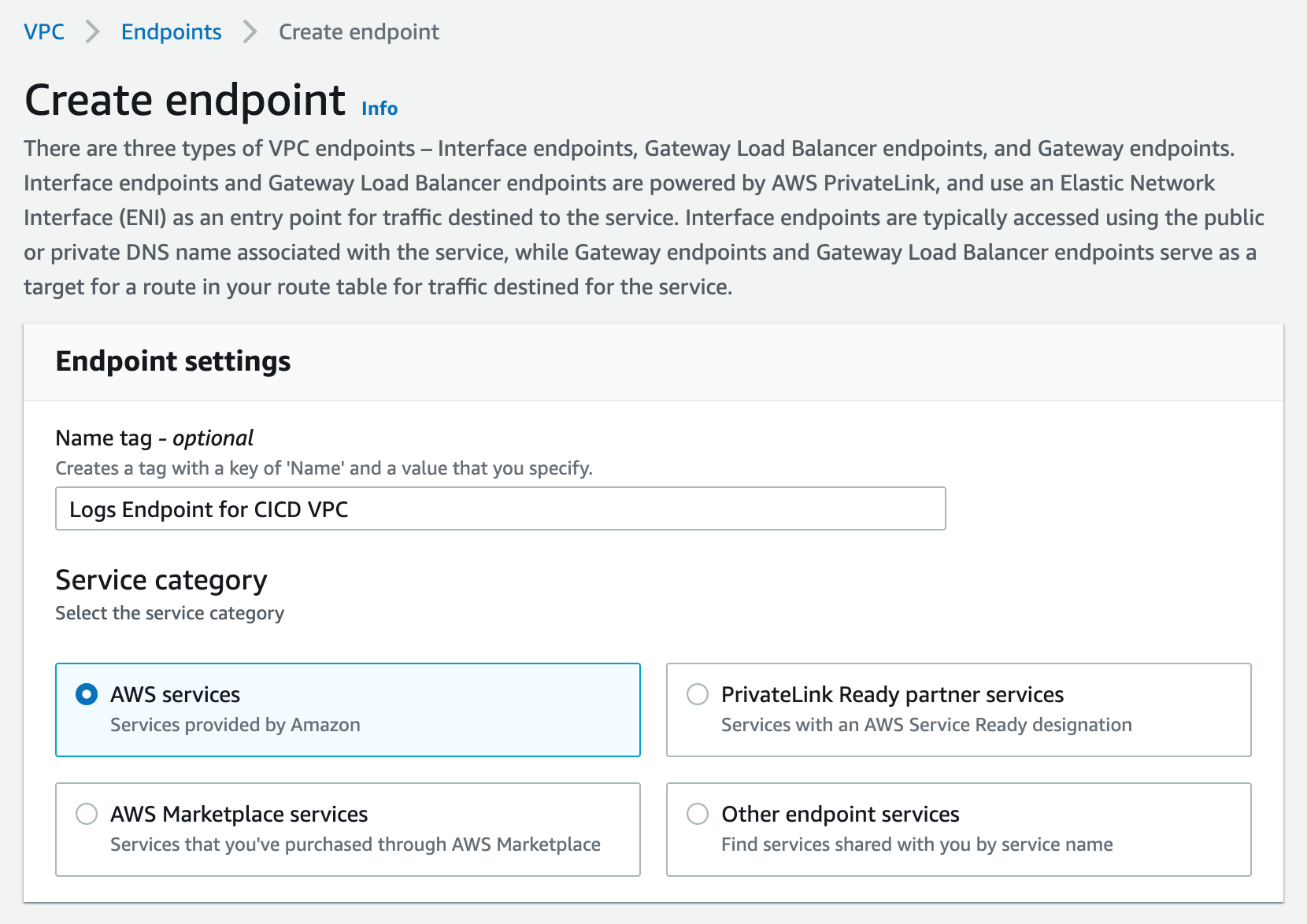
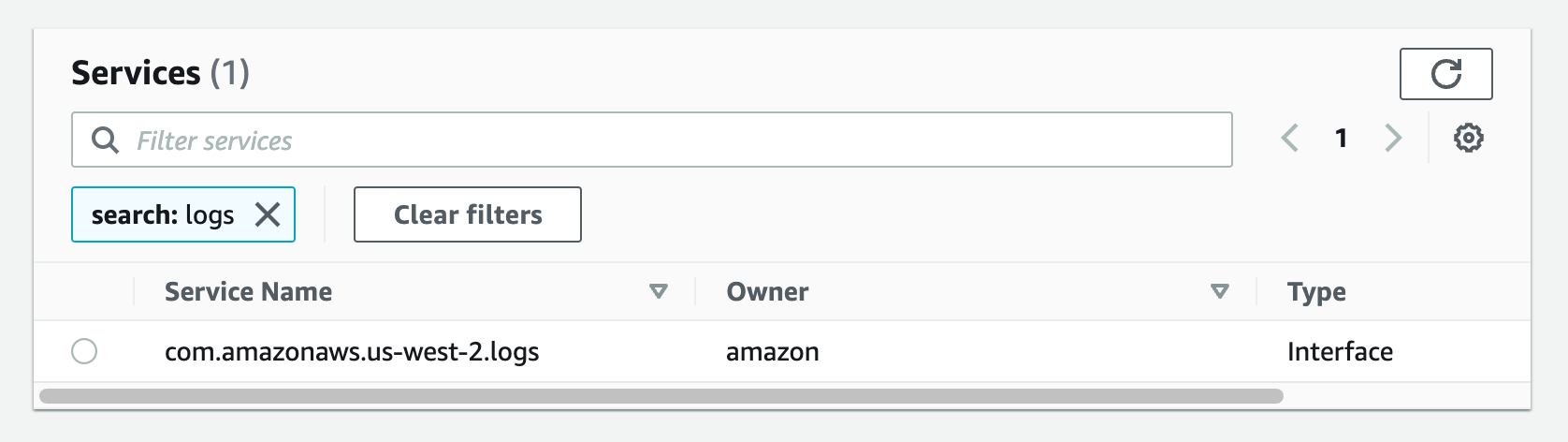
To mitigate security risks such as unintended access to your backup resources and data, use AWS IAM Access Analyzer to identify any AWS Backup IAM role shared with an external entity such as AWS account, a root user, an IAM user or role, a federated user, an AWS service, an anonymous user, or other entity that you can use to create a filter.

#5 – Encrypt backup data and vault

Organizations increasingly need to improve their data security strategy, and may be required to meet data protection regulations as they scale in the cloud. The correct implementation of encryption methods can provide an additional layer of protection above foundational access control mechanisms providing a mitigation if your primary access control policies fail.

For example, if you configure overly permissive access control policies on your Backup data, your key management system or process can mitigate the maximum impact of a security event, since there are separate authorization mechanisms to access your data and encryption key which means that the backup data is only viewable as cipher text.

To get the most from AWS cloud encryption, you should encrypt data both in transit and at rest. To protect data in transit, AWS uses published API calls to access AWS Backup through the network using Transport Layer Security (TLS) protocol to provide encryption between you, your application and the Backup service. To protect data at rest, AWS offers cloud-native options of using AWS Key Managed System (KMS) or AWS CloudHSM which leverages Advanced Encryption Standard (AES) with 256-bit keys (AES-256), a strong industry-adopted algorithm for encrypting data. You should evaluate your data governance and regulatory requirements, and select the appropriate encryption service to encrypt your cloud data and backup vaults.

Encryption configuration differs depending on the resource type and backup operations across accounts or Regions. Certain resource types support the ability to encrypt your backups using a separate encryption key from the key used to encrypt the source resource. Since you are responsible for managing access controls to determine who can access your Backup data or vault encryption keys and under which conditions, you should use the policy language offered by AWS KMS to define access controls on keys. You can also use AWS Backup Audit Manager to confirm that your backup is properly encrypted.

To learn more, refer to the documentation on encryption for backups and backup copies.

AWS KMS multi-Region keys allows you to replicate keys from one Region into another. Multi-Region keys are designed to simplify encryption management when your encrypted data has to be copied into other Regions for disaster recovery. You should evaluate the need to implement multi-region KMS keys as part of your overall backup strategy.

#6 – Safeguard backups using immutable storage

Immutable storage allows organizations to write data in a Write Once Read Many (WORM) state. While in a WORM state, data can be written one time, read and used as often as needed after it has been committed or written to the storage medium. Immutable storage ensures data integrity is maintained and provides protection against deletes, overwrites, inadvertent and unauthorized access, ransomware compromise etc. Immutable storage offers an efficient mechanism to address potential security events with real impacts on your business operations.

Immutable storage can be used for better governance when paired with strong SCP restrictions, or can be used in a compliance WORM mode when the letter of the law (such as a legal hold) requires access to immutable data.

You can maintain data availability and integrity with AWS Backup Vault Lock to protect your backups* such that unauthorized entities cannot erase, alter or corrupt your customer or business data during the required retention period. AWS Backup Vault Lock helps you meet your organization’s data protection policies by preventing deletions by privileged users (including the AWS account root user), changes to your backup lifecycle settings, and updates that alter your defined retention period.

AWS Backup Vault Lock ensures immutability and adds an additional layer of defense that protects backups (recovery points) in your Backup Vaults, especially in highly- regulated industries with stringent integrity needs for backups and archives. AWS Backup Vault Lock makes sure your data is preserved along with a backup to recover from in case of unintended or malicious actions.

*The feature has not yet been assessed for compliance with the Securities and Exchange Commission (SEC) rule 17a-4(f) and the Commodity Futures Trading Commission (CFTC) in regulation 17 C.F.R. 1.31(b)-(c).

#7 – Implement backup monitoring and alerting

Backup jobs can fail. A failed job, such as backup, restore, or copy task, may have impact on subsequent steps in a process. When the initial backup job fails, there’s a high probability that other succeeding tasks will also fail. In such a scenario, you can best understand the course of events through monitoring and notification.

Enabling and configuring notifications to generate emails to monitor AWS Backup jobs gives you awareness of your backup activities, ensures you meet critical service-level agreements (SLAs), enhances your business-as-usual monitoring, and helps you meet compliance obligations. You can implement backup monitoring for your workloads by integrating AWS Backup with other AWS services and ticketing systems to perform automated investigation and escalation flows.

For example, use Amazon CloudWatch to track metrics, create alarms, and view dashboards, Amazon EventBridge to monitor AWS Backup processes and events, AWS CloudTrail to monitor AWS Backup API calls with detailed information on the time, source IP, users, and accounts making those calls, and Amazon Simple Notification Service (Amazon SNS) to subscribe to AWS Backup-related topics such as backup, restore, and copy events. Monitoring and alerting can provide organizational awareness for your backup jobs, which helps you respond to backup failures.

You can use AWS Backup Audit Manager to automatically generate evidence of your daily backup audit reports per account and Region. You can also scale your backup monitoring across multiple accounts by using a set of automation templates and dashboards (known as the backup observer solution) to obtain aggregated daily cross-account multi-Region AWS Backup reporting.

#8 – Audit backup configuration

Organizations should audit the compliance of AWS Backup policies against defined controls such as defined backup frequency. You should continuously and automatically track your backup activity and generate automatic reports to find and investigate backup operations or resources which are not compliant with your business requirements.

AWS Backup Audit Manager provides built-in, customizable, compliance controls that align with your business compliance and regulatory requirements. AWS Backup Audit Manager provides five backup governance control templates, including backup resources protected by backup plans, backup plan with a minimum frequency and minimum retention, etc. If you leverage infrastructure-as-code automation, you can use AWS Backup Audit Manager with AWS CloudFormation.

AWS Security Hub provides you with a comprehensive view of your security state in AWS and helps you check your environment against security best practices and industry standards such as AWS Foundational Security Best Practices controls. If you leverage AWS Security Hub within your cloud environment, we recommend you enable the AWS Foundational Security Best Practices, as it includes detective controls that can help with securing backups in AWS. The detective controls in AWS Backup Audit Manager and Security Hub are also mostly available as AWS managed rules in AWS Config.

#9 – Test data recovery capabilities

Ideally, any data stored as a backup must be able to be successfully restored when required. Your backup strategy must include testing your backups. A backup strategy is not effective if backed up data cannot be restored. You should regularly test your ability to find certain recovery points and restore them. While AWS Backup automatically copies tags from the resources it protects to the recovery points, tags are not copied from recovery points to the corresponding restored resources. To scale your inventory management and locate recovery points, you should consider retaining your tags on resources created by AWS Backup restore jobs, using AWS Backup events to trigger a tag replication process.

You can start your data recovery workflow by establishing data recovery patterns and then regularly test them. You should create a simple and repeatable process that allows you to perform continuous data recovery testing to increase confidence in your ability to recover backup data. For example, you can create a pattern to test a cross-account, cross-region restore operation from a central DR backup vault encrypted with a customer-managed KMS key to a source account backup vault encrypted with a different customer-managed KMS key.

If you don’t frequently test such restore operations, you may find that your assumptions on KMS encryption for cross-account, cross-region operations are incorrect. Oftentimes, the only backup recovery pattern that actually works is the path you test frequently. Through routine testing of supported backup resource types, you can spot early warnings that could potentially cause future disturbances and loss of critical data. If possible, maintain a limited but feasible number of recovery paths and patterns to prevent wasted storage space, optimize costs, and save time. It’s easier to fix the problem when a recovery test fails than losing valuable or critical data.

#10 – Incorporate backup in incident response plan

Security Incident Response Simulations (SIRS) are internal events that provide a structured opportunity to practice your incident response plan and procedures during a realistic scenario. It’s valuable to test your backup data and operations in creative SIRS activities to test yourself against the unexpected. This helps you validate your organizational readiness and develop comfort with the rare and unexpected. Your simulations must be realistic, and should involve cross-functional organizational teams required to respond to events.

Start with basic and easy simulation exercises, and work towards a full, complex event. For example, you can build a realistic model that consists of an Amazon Virtual Private Cloud and associated resources that simulate inadvertent overexposure of information or a potential data breach due to changes to policies and access control lists. Document lessons learned to evaluate how well your incident response plan worked, and to identify improvements that need to be made to future response procedures.

You can use AWS Backup to set up automated instance-level backups as AMIs and volume-level backups as snapshots across multiple AWS accounts. This can help your incident response team enhance their forensic process such as automated forensic disk collection, by providing a restore point that could reduce the scope and impact of potential security events such as ransomware.

Conclusion

In this blog post, I showed you the top ten security best practices and controls to protect your backup data in AWS. I encourage you to use these best practices to design and implement a backup and recovery strategy and architecture with multiple layers of controls that scales and achieves your business needs. To learn more about AWS Backup, refer to the AWS Backup documentation.

If you have feedback about this post, submit comments in the Comments section below. If you have questions about this post, start a new thread on the AWS Backup forum or contact AWS Support.

Further reading

Additional resources to consider:

Prescriptive Guidance: Backup and recovery approaches on AWS

Blog: Automate centralized backup at scale across AWS services using AWS Backup

Blog: Disaster Recovery (DR) Architecture on AWS, Part I: Strategies for Recovery in the Cloud

Blog: The importance of encryption and how AWS can help

Blog: Enhance the security posture of your backups with AWS Backup Vault Lock

Blog: Monitor, Evaluate, and Demonstrate Backup Compliance with AWS Backup Audit Manager

Blog: Create and share encrypted backups across accounts and Regions using AWS Backup

Blog: Simplify auditing your data protection policies with AWS Backup Audit Manager

Blog: Managing access to backups using service control policies with AWS Backup

Blog: Obtain aggregated daily cross-account multi-Region AWS Backup reporting

Want more AWS Security news? Follow us on Twitter.

Author

Ibukun Oyewumi

Ibukun is a Security Assurance Consultant at AWS. He focuses on helping customers architect, build, scale, and optimize security controls, risk management, and compliance.

Configure AWS SSO ABAC for EC2 instances and Systems Manager Session Manager

Post Syndicated from Rodrigo Ferroni original https://aws.amazon.com/blogs/security/configure-aws-sso-abac-for-ec2-instances-and-systems-manager-session-manager/

In this blog post, I show you how to configure AWS Single Sign-On to define attribute-based access control (ABAC) permissions to manage Amazon Elastic Compute Cloud (Amazon EC2) instances and AWS Systems Manager Session Manager for federated users. This combination allows you to control access to specific Amazon EC2 instances based on users’ attributes. I show you how defined AWS SSO identity source attributes like login and department can be used, and how custom attributes like SSMSessionRunAs can be used to pass these attributes into Amazon Web Services (AWS) from an external identity provider (IdP) using  SAML 2.0 assertion.

AWS SSO added support for ABAC to enable you to create fine-grained permissions for your workforce in AWS using user attributes. Using user attributes as tags in AWS helps you simplify the process of creating fine-grained permissions in AWS and enables you to ensure that your workforce has access only to the AWS resources with matching tags.

The new feature works with any supported AWS SSO identity source. This post walks you through the steps to enable attributes for access control, create permission sets and manage assignments when using a supported external IdP as your identity source.

Solution overview

The following architecture diagram—Figure 1—presents an overview of the solution.

Figure 1: Solution architecture diagram

Figure 1: Solution architecture diagram

In the example in Figure 1, Alice and Bob are users who each have the attributes
login
, department, and SSMSessionRunAs. These attributes are created and updated in the external directory—Okta in this example—under those users’ profiles. The first two attributes are automatically synchronized by using System for Cross-domain Identity Management (SCIM) protocol between AWS SSO and Okta and configured within AWS SSO settings. The third custom attribute is passed directly from Okta into the AWS accounts as a new SAML assertion.

Both users are using the same AWS SSO custom permission set that allows them to launch a new Amazon EC2 instance with proper tags enforcement. Based on those tags, they can start, stop, and restart the EC2 instance if they are in the same department, and to terminate it if they are the owner. Also, they can connect using Session Manager if they’re in the same department. Users can sign in to those instances using the Linux OS user defined in the attribute SSMSessionRunAs.

Prerequisites

To perform the steps to use AWS SSO attributes for ABAC, you must already have deployed AWS SSO for your AWS Organizations and have connected with an external identity source using SAML and SCIM protocols. For more information, see Checklist: Configuring ABAC in AWS using AWS SSO.

You need two test users for implementing and testing the solution. You can use two existing users, or create new users named Alice and Bob to match the solution and testing described in the following sections.

Implement the solution

The basic steps to implement the solution are:

  1. Confirm in AWS SSO settings that you have defined an external IdP, authentication via SAML 2.0, and provisioning via SCIM protocol.
  2. Enable attributes for access control and define the two supported attributes: login and department.
  3. Create a new user attribute in the Okta Directory.
  4. Edit and confirm the users’ attributes defined in the Okta Directory profile.
  5. Configure the SAML attribute statement in the Okta AWS SSO application.
  6. Create a new permission set using an ABAC policy.
  7. Create an AWS account assignment to the users using the permission set created in the previous step.

Confirm AWS SSO configuration

In this first step, you confirm that AWS SSO has been properly configured. Go to AWS SSO console SSO settings to check that the configuration of your identity source, authentication, and provisioning is as follows:

Identity source: External Identity Provider
Authentication: SAML 2.0
Provisioning: SCIM

  1. Confirm authentication is working as expected, by going to your user portal URL in a new browser instance (to ensure your user authentication doesn’t overwrite your existing authentication). The user portal offers a single place to access all the assigned AWS accounts, roles, and applications. For example, it should look like https://exampledomain.awsapps.com/start. Once you access it, the process automatically redirects the request to your external provider for authentication, and then returns the user to the AWS SSO user portal.
  2. To confirm provisioning, go to the AWS SSO console and choose Users from the right panel. You should see your Okta users assigned to the AWS SSO application being synchronized by SCIM protocol. Select any user to see the Created by SCIM and Updated by SCIM information for that user.

Enable AWS SSO attributes for access control

In this step, you enable ABAC and then configure AWS SSO attributes. This solution uses the Attributes for access control page in the AWS Management Console to enter the key and value pairs.

To enable attributes for access control

  1. Open the AWS SSO console.
  2. Choose Settings.
  3. On the Settings page, under Identity source, next to Attributes for access control, select Enable. As shown in Figure 2.
Figure 2: Attributes for access control settings (enable ABAC)

Figure 2: Attributes for access control settings (enable ABAC)

Once ABAC is enabled, you can select the attributes to be synchronized. For this use case, select login and department.

To select your attributes using the AWS SSO console

  1. Open the AWS SSO console.
  2. Choose Settings.
  3. On the Settings page, under Identity source, next to Attributes for access control, choose View details.
  4. On the Attributes for access control page, notice the Key and Value columns. This is where you will be mapping the attribute from your identity source to an attribute that AWS SSO passes as a session tag. Set the first key and value pair by entering login as the key and ${path:userName} as the value. Set the second key and value pair to department and ${path:enterprise.department}. The settings are shown in Figure 3 below.

    Figure 3: Map attributes using the Attributes for access control page

    Figure 3: Map attributes using the Attributes for access control page

  5. Choose Save changes.

Create a new attribute in Okta Directory

In this third step, you create the new custom attribute SSMSessionRunAs.

To create a new user attribute

  1. Open the Okta console.
  2. Under Directory, choose Profile Editor.
  3. Choose Edit Profile for Okta User (default).
  4. Under Attributes, choose Add Attribute as follows:
    Data type: Select String
    Display Name: Enter SSMSessionRunAs
    Variable Name: Enter SSMSessionRunAs
    Attribute Length: Select Less than and enter 10 (max).
  5. Choose Save.

Edit and confirm users’ attributes defined in Okta Directory profile

Now that you have the new attribute SSMSessionRunAs created, go to the users’ profiles to enter the Department and SSMSessionRunAs values for both users.

To edit and confirm users’ attributes

  1. Open the Okta console.
  2. Under Directory, choose People.
  3. Select user Bob.
  4. Under Profile tab choose Edit as follows:

    For the key Department, enter blue as the value.

    For the key SSMSessionRunAs, enter bob as the value.

  5. Choose Save.
  6. Repeat steps 1 through 5 for Alice. For the key Department, enter amber as the value and for SSMSessionRunAs, enter alice as the value.
  7. Confirm that the attributes of both users are defined in the external directory as follows:Username (login): [email protected]
    First name (firstName): Bob
    Last name (lastName): Rodriguez
    Display name (displayName): Bob
    Department (department): blue
    SSMSessionRunAs (SSMSessionRunAs): bob

    Username (login): [email protected]
    First name (firstName): Alice
    Last name (lastName): Rosalez
    Display name (displayName): Alice
    Department (department): amber
    SSMSessionRunAs (SSMSessionRunAs): alice

Configure SAML attribute statement in Okta AWS SSO application

The attribute SSMSessionRunAs isn’t available as an attribute within AWS SSO. However, you can include it by defining SAML attribute statements, which are inserted into the SAML assertions.

To create a new SAML attribute

  1. Open the Okta Application console.
  2. Choose AWS Single Sign-on application.
  3. On the Sign On tab, choose Edit Settings.
  4. Under SAML 2.0 Attributes Statements enter the following:
    • For Name, enter https://aws.amazon.com/SAML/Attributes/AccessControl:SSMSessionRunAs
    • For Name format, select URI Reference
    • For Value, enter user.SSMSessionRunAs
  5. Choose Save.

Create a new permission set using an ABAC policy

In this step, you create a permissions policy that determines who can access your AWS resources based on the configured attribute value. When you enable ABAC and specify attributes, AWS SSO passes the attribute value of the authenticated user into AWS Identity and Access Management (IAM) for use in policy evaluation.

To create a permission set

  1. Open the AWS SSO console.
  2. Choose AWS accounts.
  3. Select the Permission sets tab.
  4. Choose Create permission set.
  5. On the Create new permission set page, choose Create a custom permission set.
    1. Choose Next: Details.
    2. Under Create a custom permission set, enter a name that will identify this permission set in AWS SSO. This name will also appear as an IAM role in the user portal for any users who have access to it. For this solution, name it myCustomPermissionSetEC2SSM.
    3. Choose Create a custom permissions policy and paste in the following ABAC policy document:
      {
        "Version": "2012-10-17",
        "Statement": [
          {
            "Sid": "AllowDescribeList",
            "Action": [
              "ec2:Describe*",
              "ssm:Describe*",
              "ssm:Get*",
              "ssm:List*",
              "iam:ListInstanceProfiles",
              "cloudwatch:DescribeAlarms"
            ],
            "Effect": "Allow",
            "Resource": "*"
          },
          {
            "Sid": "AllowRunInstancesResources",
            "Effect": "Allow",
            "Action": "ec2:RunInstances",
            "Resource": [
              "arn:aws:ec2:*::image/*",
              "arn:aws:ec2:*::snapshot/*",
              "arn:aws:ec2:*:*:subnet/*",
              "arn:aws:ec2:*:*:key-pair/*",
              "arn:aws:ec2:*:*:security-group/*",
              "arn:aws:ec2:*:*:network-interface/*"
            ]
          },
          {
            "Sid": "AllowRunInstancesConditions",
            "Effect": "Allow",
            "Action": "ec2:RunInstances",
            "Resource": [
              "arn:aws:ec2:*:*:instance/*",
              "arn:aws:ec2:*:*:volume/*",
              "arn:aws:ec2:*:*:network-interface/*"
            ],
            "Condition": {
              "StringLike": {
                "aws:RequestTag/Name": "*"
              },
              "StringEquals": {
                "aws:RequestTag/Owner": "${aws:PrincipalTag/login}",
                "aws:RequestTag/Department": "${aws:PrincipalTag/department}"
              },
              "ForAllValues:StringEquals": {
                "aws:TagKeys": [
                  "Name",
                  "Owner",
                  "Department"
                ]
              }
            }
          },
          {
            "Sid": "AllowCreateTagsOnRunInstance",
            "Effect": "Allow",
            "Action": "ec2:CreateTags",
            "Resource": [
              "arn:aws:ec2:*:*:volume/*",
              "arn:aws:ec2:*:*:instance/*",
              "arn:aws:ec2:*:*:network-interface/*"
            ],
            "Condition": {
              "StringEquals": {
                "ec2:CreateAction": "RunInstances"
              }
            }
          },
          {
            "Sid": "AllowPassRoleSpecificRole",
            "Effect": "Allow",
            "Action": "iam:PassRole",
            "Resource": "arn:aws:iam::*:role/EC2UbuntuSSMRole"
          },
          {
            "Sid": "AllowEC2ActionsConditions",
            "Effect": "Allow",
            "Action": [
              "ec2:StartInstances",
              "ec2:StopInstances",
              "ec2:RebootInstances"
            ],
            "Resource": "*",
            "Condition": {
              "StringEquals": {
                "ec2:ResourceTag/Department": "${aws:PrincipalTag/department}"
              }
            }
          },
          {
            "Sid": "AllowTerminateConditions",
            "Effect": "Allow",
            "Action": [
              "ec2:TerminateInstances"
            ],
            "Resource": "*",
            "Condition": {
              "StringEquals": {
                "ec2:ResourceTag/Owner": "${aws:PrincipalTag/login}"
              }
            }
          },
          {
            "Sid": "AllowStartSessionConditions",
            "Effect": "Allow",
            "Action": [
              "ssm:StartSession"
            ],
            "Resource": "*",
            "Condition": {
              "StringEquals": {
                "ssm:resourceTag/Department": "${aws:PrincipalTag/department}"
              }
            }
          },
          {
            "Sid": "AllowTerminateSessionConditions",
            "Effect": "Allow",
            "Action": [
              "ssm:TerminateSession"
            ],
            "Resource": [
              "arn:aws:ssm:*:*:session/${aws:PrincipalTag/login}-*"
            ]
          }
        ]
      }
      

    4. Choose Next: Tags.
    5. Review the selections you made, and then choose Create.

The policy described above uses SAML session tags for the ABAC to define permissions based on attributes. These attributes are the tags passed in the AssumeRoleWithSAML operation when the SAML-based federation occurs.

A combination of global (aws:TagKeys, aws:PrincipalTag, aws:RequestTag) and service (ec2:ResourceTag, ec2:CreateAction, ssm:resourceTag) condition keys is used to assign the permissions.

To learn more about AWS global and service conditions keys, see AWS global condition context keys and The condition keys table for AWS services.

Assign users to an AWS account

In this step, you use the permission set created in the previous step to assign access to the users for a specified AWS account.

To assign access to users

  1. Open the AWS SSO console.
  2. Choose AWS accounts.
  3. Under the AWS organization tab, in the list of AWS accounts, select one or more accounts to which you want to assign access.
  4. Choose Assign users.
  5. On the Select users or groups page, select both test users from the list of users as shown in Figure 4.

    Note: You can use the search box to look for specific users.

    Figure 4: Select users to assign to AWS accounts

    Figure 4: Select users to assign to AWS accounts

  6. Choose Next: Permission sets.
  7. On the Select permission sets page, select the permission sets that you created in step 5 to apply to the users from the table as shown in Figure 5.

    Figure 5: Select permissions sets

    Figure 5: Select permissions sets

  8. Choose Finish to start the configuration of your AWS account. When configuration is complete, a message is displayed stating that you have successfully configured your AWS account as shown in Figure 6.

    Figure 6: Confirmation that configuration is complete

    Figure 6: Confirmation that configuration is complete

Test the solution

Now that you have everything in place, let’s test the solution. To test the solution, you’ll log in to AWS SSO, access the AWS account and check the event logs, and test the Amazon EC2 operations.

Log in to AWS SSO as Bob through your external IdP

Enter the user portal URL in a browser window and log in to AWS SSO as Bob. AWS SSO redirects to the external provider for the log in process. After successful authentication, the external provider redirects to the AWS SSO portal, which shows you a list of the AWS accounts that you have access to. In this case, Bob has access to one AWS account as shown in Figure 7.

Figure 7: AWS SSO showing AWS accounts that the user has access to

Figure 7: AWS SSO showing AWS accounts that the user has access to

Access the AWS account using the permission set and confirm the event logs

Select the Management console link for the AWS account that has the myCustomPermissionSetEC2SSM permission set that you created earlier. This action federates into the AWS account and is logged in to AWS CloudTrail with the API AssumeRoleWithSAML. To confirm that the SAML session tags are being passed in the session, look at the API event log in the CloudTrail Event history console. In the following example, you can check the principalTags keys and their values under requestParameters.

{
     "eventVersion": "1.08",
     "userIdentity": {
          "type": "SAMLUser",
          "principalId": "d/UbWH0ijLBmlakaboZwi5CA/30=:[email protected]",
          "userName": "[email protected]",
          "identityProvider": "d/UbWH0ijLBmlakaboZwi5CA/30="
},
     "eventTime": "2021-05-13T16:08:48Z",
     "eventSource": "sts.amazonaws.com",
     "eventName": "AssumeRoleWithSAML",
     ...
     "requestParameters": {
        "sAMLAssertionID": "_5072d119-64f5-4341-aeed-30d9b7c24b5b",
        "roleSessionName": "[email protected]",
        "principalTags": {
            "SSMSessionRunAs": "bob",
            "department": "blue",
            "login": "[email protected]"
        },
        "durationSeconds": 3600,
        "roleArn": "arn:aws:iam::555555555555:role/aws-reserved/sso.amazonaws.com/AWSReservedSSO_myCustomPermissionSetEC2SSM_9e80ec498218bbea",
        "principalArn": "arn:aws:iam::555555555555:saml-provider/AWSSSO_5f872b6782a0507a_DO_NOT_DELETE"
    },
     "responseElements": {
     ...

Test EC2 operations

  1. Open the Amazon EC2 console:
    For this example, when opening the Amazon EC2 console there are already three running EC2 instances to test the ABAC policy that have been created with proper tags explained in the following step. From the top menu, you can also confirm the federated login AWSReservedSSO_myCustomPermissionSetEC2SSM_9e80ec498218bbea/[email protected] that represents the AWS SSO managed role and the user as shown in Figure 8.

    Figure 8: EC2 instances and user information

    Figure 8: EC2 instances and user information

  2. Launch a new EC2 instance:
    Start testing the ABAC policy by launching a new EC2 instance. This action is authorized only when you fill in the three required tags: Name, Owner, and Department.

    1. From the Amazon EC2 console, choose Launch Instances.
    2. Set the AMI, for this example select an Ubuntu-based OS.
    3. Set the Instance Type, a t2.micro will work.
    4. Configure the EC2 instance. Choose an IAM role to allow Systems Manager to manage the new EC2 instance. In this case, you have to create the IAM role EC2UbuntuSSMRole with the AWS managed policy AmazonEC2RoleforSSM attached in advanced with proper IAM permissions since the user Bob is not allow to do so. Then, you must use the user data to create the OS Ubuntu user—Bob—that you need to log in to the EC2 instance by using Session Manager. You can copy and paste the following to create the user “Bob”:#!/bin/bash
      sudo useradd -m bob
    5. Add storage using the default settings.
    6. Add tags. From the ABAC policy previously created, you can confirm that tag key Name can be anything as the condition StringLike is indicated with a wildcard (*). The tag keys Owner and Department have to match the principal session tags passed through federation. In this case, enter [email protected] as the key Owner, and enter blue as the Department, as shown in Figure 9.

      Figure 9: EC2 tags describing key value pairs

      Figure 9: EC2 tags describing key value pairs

    7. Configure security groups. When configuring security groups, you can choose an existing security group that doesn’t allow any inbound traffic to the SSH port. Since when using Session Manager you connect to the EC2 instance through an API that is going to be an outbound connection. This way you can safely leave the security group inbound rules close.
    8. Review and launch. It will ask you about selecting or creating a key pair. You don’t need one, because you’re using Session Manager. Proceed without selecting or creating a new SSH key pair. When launching the EC2 instance with the correct tag keys and values, you get the success message shown in Figure 10.
      Figure 10: EC2 success message launching an instance with the correct tags

      Figure 10: EC2 success message launching an instance with the correct tags

      If there are any missing tag keys or the values aren’t correct, the action will be denied as shown in Figure 11. For more information, you can decode the authorization error message using the API DecodeAuthorizationMessage.

      Figure 11: EC2 failed message launching an instance with incorrect tags

      Figure 11: EC2 failed message launching an instance with incorrect tags

  3. Stop, reboot, and terminate EC2 instances.
    The next tests are to be stop, reboot, and terminate the EC2 instances. In the ABAC policy you defined that only users who have the same department value as the resource can perform the first two actions. You can terminate and EC2 instance only if you are an owner. To stop, reboot, and terminate instances, open the EC2 Console, choose Instances, and select the instance you want to affect. Choose Instance state and choose the action you want to test: Stop instance, Reboot instance or Terminate instance.

    Trying to stop the EC2 instance amber-instance where Department is amber is shown in Figure 12.

    Figure 12: EC2 console showing how to stop an instance

    Figure 12: EC2 console showing how to stop an instance

    The action should fail as shown in Figure 13.

    Figure 13: EC2 instance failure message stopping an instance with wrong tags

    Figure 13: EC2 instance failure message stopping an instance with wrong tags

    Only when the department value of the EC2 instance is blue is it possible to stop or reboot the instance as shown in Figure 14.

    Figure 14: EC2 success message stopping an instance with correct tags

    Figure 14: EC2 success message stopping an instance with correct tags

    Only when the owner who launched the EC2 instance matches with the federated login is it possible to terminate the instance. Trying to terminate an EC2 instance that was launched by anyone other than the owner will lead to a failed action as shown in Figure 15.

    Figure 15: EC2 failed message terminating an instance with incorrect tags

    Figure 15: EC2 failed message terminating an instance with incorrect tags

  4. Try to modify tags. Because ABAC policies rely on tags, you cannot modify tags after the resources have been created. This is set in the ABAC policy statement AllowCreateTagsOnRunInstance in Create a new permission set using an ABAC policy. If you try to modify any tag keys or values on existing resources, the changes will be denied. For example, if you try to modify the owner of a tag on an existing EC2 instance, you get the “Failed to update tags” error message as shown in Figure 16.

    Figure 16: Failed message when attempting to modify tags

    Figure 16: Failed message when attempting to modify tags

  5. Connect to the EC2 instance using Session Manager.
    1. Test logging in to the EC2 instance by choosing the new instance and choosing Connect as shown in Figure 17.

      Figure 17: EC2 console selecting an instance to connect

      Figure 17: EC2 console selecting an instance to connect

    2.  Then choose the Session Manager tab and choose Connect as shown in Figure 18.
      Figure 18: EC2 console selecting Session Manager to connect

      Figure 18: EC2 console selecting Session Manager to connect

      This will open a new tab in the browser redirecting to a Systems Manager session where you can confirm that the Ubuntu OS user is Bob as shown in Figure 19.

      Figure 19: Systems Manager session started confirming Ubunto OS user

      Figure 19: Systems Manager session started confirming Ubunto OS user

      Note: By default, sessions are launched using the credentials of a system-generated account named ssm-user that is created on a managed instance. However, you can instead launch sessions using any OS user by enabling the run as feature in SSM. To learn more about this, see Enable run as support for Linux and macOS instances in the Systems Manager Session Manager user guide.

    3. Performing the same action in an EC2 instance with a different Department tag will lead to a denied action as shown in Figure 20. This is because the ABAC policy allows the StartSession action only when the Department key matches the Department value in the EC2 instance.

      Figure 20: Systems Manager StartSession failed message

      Figure 20: Systems Manager StartSession failed message

Conclusion

In this blog post, you learned how to use AWS SSO with the two methods of passing attributes to AWS account using session tags for ABAC. You also learned how to build policies with tags as conditions to simplify and reuse custom permission sets. You have seen working examples with services like EC2, and Systems Manager Session Manager. To learn more about ABAC policies, SAML session tags, and how to pass session tags in federation, see IAM tutorial: Use SAML session tags for ABAC and Passing session tags using AssumeRoleWithSAML.

If you have feedback about this post, submit comments in the Comments section below.

Want more AWS Security news? Follow us on Twitter.

Author

Rodrigo Ferroni

Rodrigo Ferroni is a senior Security Specialist at AWS Enterprise Support. He is certified in CISSP, AWS Security Specialist, and AWS Solutions Architect Associate. He enjoys helping customers to continue adopting AWS security services to improve their security posture in the cloud. Outside of work, he loves to travel as much as he can. In every winter he enjoys snowboarding with his friends.