Amazon Web Services (AWS) provides service reference information in JSON format to help you automate policy management workflows. With the service reference information, you can access available actions across AWS services from machine-readable files. The service reference information helps to address a key customer need: keeping up with the ever-growing list of services and actions in AWS. As new services launch and existing services expand their capabilities, you can now conveniently identify and incorporate available actions, resources, and condition keys for each AWS service into your policy authoring and validation workflows. As your business expands and your AWS footprint grows, you might decide to automate your policy management workflows. With the service authorization reference, you can build custom tools to make it easier to evaluate and use new actions, resources, and condition keys that AWS services introduce.
Getting started with service reference information
The service reference information is static information about the actions, resources, and condition keys available for each service in AWS. To obtain the list of AWS services for which reference information is available, go to the following URL: https://servicereference.us-east-1.amazonaws.com/v1/service-list.json
This URL endpoint provides a JSON file that contains an up-to-date catalog of AWS services with available reference information. By querying this endpoint, you can retrieve the most current list of services supported by the AWS Service Reference Information feature.
To retrieve the list of actions, resources, and condition keys for a specific AWS service, go to the following URL: https://servicereference.us-east-1.amazonaws.com/v1/<service-name>/<service-name>.json
Replace <service-name> with the name of the desired AWS service (for example, “s3” for Amazon Simple Storage service (Amazon S3) or “ec2” for Amazon Elastic Compute Cloud (Amazon EC2)). This URL endpoint provides a JSON file that contains the comprehensive list of actions, resources, and condition keys that are available for that particular service.
The following example shows the format of the output from the service-list.json file, which contains the service names and URLs for each service’s reference information:
You can navigate to the service information page by using the url field to view the list of permissions for the service. You can also download the JSON file to use in your policy authoring workflows. For example, you can download the permissions for Amazon S3 by following this URL: https://servicereference.us-east-1.amazonaws.com/v1/s3/s3.json
The following example shows a partial output of the permissions for Amazon S3. The AWS Identity and Access Management (IAM) actions are available in JSON format, and each action is its own JSON object. The Name field for those objects provides the name of the IAM action, the ActionConditionKeys field provides the available condition keys for this action, and the Resources field provides the available resources for this action.
What can you build with the service reference information?
Let’s explore how you can make use of the service reference information through practical examples. To help you get started, here are two custom tools that use the service reference information. You can find these tools in our GitHub repository, ready for you to use and adapt to your specific needs. You can download the source code for these tools by visiting the following links:
The SCP pre-processor provides a convenient way to write SCPs. You run the SCP pre-processor as a command-line tool. The tool takes a single, monolithic JSON file and runs a series of transformations and optimizations, then outputs a collection of valid service control policies that fit within policy size quotas. The tool uses AWS service reference information data in order to optimize lists of IAM actions.
Notification tool for new or removed IAM actions
You might find yourself needing to update various policies throughout your AWS environment when new IAM actions or services are released. You can use this tool to notify you when new services or new actions are added or removed. It works by downloading the service reference information and comparing it to the previous version of the file when the tool last ran. You can use these notifications to perform actions like automatically updating IAM policies when new actions are added or manually reviewing the notifications for new, sensitive actions.
The AWS service reference information makes it easier for you to create automation for policy authoring and validation. By providing the AWS service actions reference in JSON format, this feature enables you to create custom tools for policy authoring and management.
We’re excited to know what kind of policy authoring tools you can think up.
If you have feedback about this post, submit comments in the Comments section below. If you have questions about this post, contact AWS Support.
Architecture decision records (ADRs) help you document and communicate important process and architecture decisions in your engineering projects. Based on our experience implementing over 200 ADRs across multiple projects, we’ve developed best practices that can help you streamline your decision-making processes and improve team collaboration.
In this post, you’ll learn:
How to implement ADRs in your organization
Best practices based on more than 200 ADRs across multiple projects
Practical tips for streamlining architectural decision-making
Real-world examples from projects with 10 to more than 100 team members
Common challenges in architecture decision-making
Before implementing ADRs, your teams might face these common challenges:
Team alignment – Development teams spend a huge part of their time (20 –30%, based on our project experience of the past 3 years) coordinating with other teams, which can slow down feature deployment and increase costs through repeated architecture refactoring
Design flexibility – Finding the right balance between upfront design and evolving architecture when working with agile and DevOps approaches
Nonfunctional requirements – Making trade-offs between security, maintainability, and scalability requirements
Changing requirements – Adapting architectural decisions to evolving business goals while maintaining system integrity
Knowledge transfer – Onboard new team members efficiently and make sure they follow the team’s current way of working
How to streamline the decision-making process
We base the recommendations in this post on our experience with several projects, working with teams with fewer than 10 team members as well as complex projects with 100 team members across 10 work streams. We embarked on ambitious projects with a green-field start as well as projects covering ongoing development of new features in production. Especially in teams with 100 people contributing to the code base, we faced the challenge of making sure that collaboration was seamless and decision-making consistent.
To address this challenge, we implemented an ADR mechanism, which served as our guiding light throughout the project’s lifecycle. After more than 3 years of following this approach, we’ve amassed a wealth of experience and best practices that we’re excited to share with the software development community. By capturing the context, alternatives considered, and the rationale behind each decision, ADRs foster transparency, knowledge-sharing, and accountability within teams. Our goal is to guide you through the process of writing effective ADRs with the following best practice recommendations:
Keep ADR meetings short and focused – Effective ADR meetings should be concise and time-bound. Aim to keep them 30–45 minutes maximum. This focused approach keeps discussions on track and participants engaged throughout the process.
Embrace the readout meeting style – Adopt the readout meeting style, where participants spend 10–15 minutes reading the ADR document. Encourage attendees to provide written comments on sections, paragraphs, or sentences that require clarification or where they have differing opinions. This approach promotes active engagement and fosters a bias for action and frugality.
Maintain a cross-functional yet lean participant list – Invite representatives from each team that might be affected by the architectural decision but strive to keep the total number of participants below 10. This cross-functional representation provides diverse perspectives while maintaining a lean and efficient decision-making process, aligning with the principles of frugality and bias for action.
Focus on a single decision – Keep ADRs concise by focusing on a single decision. Don’t hesitate to split up decisions if necessary. Concentrating on one decision at a time simplifies the decision-making process so that participants can thoroughly evaluate the impact during readout sessions. This approach aligns with the principles of ownership and customer obsession.
Separate design from decision – Use a separate design document mechanism to explore alternative options thoroughly. Reference these design documents within the ADR, adhering to the principles of invention and simplification.
Address comments and resolve feedback – Actively follow up on comments received during the ADR review process. Resolve all comments, either by incorporating changes or by discussing and reaching a consensus with the comment author. This practice demonstrates a commitment to delivering results and fostering a sense of ownership.
Push for a timely decision – Avoid prolonged discussions and multiple readout meetings. Based on our experience, one to three ADR readouts should be sufficient. If more sessions are required, reevaluate the dependencies and consider reducing the number of invitees or reducing the scope of the ADR. Most of the decisions are two-way door decisions, meaning that they can be changed with little impact in the future. It’s always better to make a decision and try it fast instead of endlessly discussing it. This approach aligns with the AWS principles of working backwards, customer obsession, delivering results, and being right a lot.
Embrace team collaboration – Approving an ADR is a team effort. The author must own the document and gather feedback from all affected teams before finalizing the decision. This practice encourages having backbone, disagreeing and committing, and fostering a collaborative environment.
Maintain and follow the process – Keep ADRs up to date and follow the established process. If an ADR supersedes a previous one, document the change and link the new ADR in the superseded document. Insist on the highest standards by adhering to the defined processes—consider ADRs as a team law.
Centralize ADR storage – Store ADRs in a central location accessible to all project members, regardless of their team affiliation. This practice promotes transparency and makes sure that architectural decisions are readily available to everyone involved.
Implementation tips and success measures
When implementing these practices, we recommend that you start small with a pilot team, create clear templates, and establish review cycles. Defining success measures such as the time to decision, team satisfaction, architecture rework reduction, or cross-team collaboration improvement help to evaluate your decision-making process
Conclusion
By implementing these best practices for ADRs, you’ll streamline your decision-making processes, foster collaboration, and make sure that architectural decisions are well-documented, communicated, and aligned with your organization’s principles and goals. Embrace these practices and witness the positive impact they have on the success of your software projects.
Developers face numerous challenges when building telephony applications: managing unpredictable user responses, handling disconnections, processing incorrect inputs, and addressing errors. These challenges extend development cycles and create unstable applications that fail to meet user expectations.
This blog demonstrates how Amazon Web Services (AWS) Step Functions, combined with Amazon Chime SDK Public Switched Telephone Network (PSTN) audio service, offers a solution to overcome these challenges.
Overview of the solution
To demonstrate our solution, we built a sample telephony application that lets business owners manage customer calls through a dedicated business phone number. This solution helps small business owners separate personal and business communications, while managing all calls from their existing phone.
The beta version of this sample application delivers these six core call flows:
During business hours: Routes incoming customer calls to the business owner
After hours: Enables customers to leave voice messages
Message retrieval: Allows owner to access customer voice messages
Business caller ID: Enables owner to call customers using the business number
Call scheduling: Permits owner to schedule customer calls for later in the day
Automated calling: Initiates scheduled calls between owner and customer automatically
Using Workflow Studio, we built a Step Functions workflow (Figure 1) that processes all six call flows and handles unexpected scenarios.
Figure 1 – Step Functions telephony workflow designed in Workflow Studio
How it works
AWS Step Functions enable agile visual workflow design, through pre-built components and error handling rules. This creates workflows composed of event-driven states that input, process, and output JavaScript Object Notation (JSON)-formatted messages. The PSTN audio service streamlines telephony applications through its serverless approach using a request/response programming model. It invokes AWS Lambda functions with Events and waits for Actions responses, both in predefined JSON formats. This shared JSON format enables seamless integration between the PSTN audio service and Step Functions, leading us to design a serverless architecture (Figure 2) that allows for bidirectional JSON message exchange between the two services.
Figure 2 – Serverless architecture for Step Functions and PSTN audio service integration
Main components:
eventRouter: Lambda function managing JSON message exchange
Update the eventRouter Lambda function’s “CallFlowsDIDMap” environment variable to map phone numbers to their workflow Amazon Resource Name (ARN)
Set workflow variables in the “Init” state Variables tab (Figure 3). The eventRouter function automatically sets “QueueUrl”, and adding other variables here removes the need for external storage
Figure 3 – Step Functions “Init” state Variables tab showing workflow data configuration
Configure Choice state rules to route calls based on conditions. Rules one through three (Figure 4) handle call routing based on inbound/outbound direction, owner/customer identification, while the default rule manages unexpected scenarios.
Figure 4 – Step Functions Choice state defines rules for call routing decisions
Configure the SQS: SendMessage state (Figure 5) to instruct the next action to the PSTN audio service by:
Formatting the message content to match supported actions for the PSTN audio service
Setting TransactionAttributes to pass back and forth the values of the “WaitToken” and “QueueUrl” throughout the call duration
Enabling the Wait for Callback with a Task Token integration pattern
Figure 5 – SQS: SendMessage state configuration for PSTN audio service callback integration
Example: Use a DynamoDB PutItem state (Figure 6) to store Amazon Simple Storage Service (Amazon S3) recording files, including bucket name and key, in Amazon DynamoDB.
Figure 6 – AWS service integration states enable direct service connections without custom code
Utilize JSONata expressions (Figure 7) to minimize the number of Lambda functions.
Example: For Amazon EventBridge scheduling, compute time expressions using JSONata functions [$fromMillis(), $millis(), number()] and string concatenation to handle customer call scheduling.
Figure 7 – JSONata expressions for direct data transformation without Lambda functions
Use Step Functions error handling with success and fail states (Figure 8) to manage error paths and call termination results.
Figure 8 – Call error handling and termination setup
Key benefits
This approach for building telephony applications offers multiple advantages:
Visual workflow-based designer
Self-document call flow logic
Managed versioning and publishing
Native integration with AWS Services
Visual log and inspection for each call
Auto-scalable
Pay-per-use pricing
Deploying the solution
The following steps allows you to deploy the sample telephony application together with the serverless architecture (Figure 2).
AWS Command Line Interface (AWS CLI) installed and configured
Walkthrough:
The Cloud Development Kit (CDK) project on the AWS GitHub repository will deploy the following resources:
phoneNumberBusiness – Provisioned phone number for the sample application
sipMediaApp – SIP media application that routes calls to lambdaProcessPSTNAudioServiceCalls
sipRule – SIP rule that directs calls from phoneNumberBusiness to sipMediaApp.
stepfunctionBusinessProxyWorkflow – Step Functions workflow for the sample application
roleStepfuntionBusinessProxyWorkflow – IAM Role for stepfunctionBusinessProxyWorkflow
lambdaProcessPSTNAudioServiceCalls – Lambda function for call processing
roleLambdaProcessPSTNAudioServiceCalls – IAM Role for lambdaProcessPSTNAudioServiceCalls
dynamoDBTableBusinessVoicemails – DynamoDB table to store customer voicemails
s3BucketApp –S3 bucket for storing system recordings and customer voicemails
s3BucketPolicy – IAM Policy granting PSTN audio service access to s3BucketApp
lambdaOutboundCall – Lambda function for placing scheduled customer calls
roleLambdaOutboundCall – IAM Role for lambdaOutboundCall
roleEventBridgeLambdaCall – IAM Role to allow the EventBridge service to execute lambdaOutboundCall
Follow these steps to deploy the CDK stack:
Clone the repository
git clone https://github.com/aws-samples/amazon-chime-sdk-visual-media-applications
cd amazon-chime-sdk-visual-media-applications
npm install
Bootstrap the stack
#default AWS CLI credentials are used, otherwise use the –-profile parameter
#provide the <account-id> and <region> to deploy this stack
cdk bootstrap aws://<account-id>/<region>
Deploy the stack
#default AWS CLI credentials are used, otherwise use the –-profile parameter
#personalNumber: the personal phone number of the business owner in E.164 format
#businessAreaCode: the United States area code used to provision the business number
cdk deploy –-context personalNumber=+1NPAXXXXXXX –-context businessAreaCode=NPA
Call the provisioned phone number to test the sample application. Optionally, edit the workflow to update the business name and working hours on the “Init” Task state, in the Variables tab.
Cleaning up:
To clean up this demo, execute:
cdk destroy
Conclusion
This blog demonstrates how combining AWS Step Functions and Amazon Chime SDK PSTN audio service streamlines the development of reliable telephony applications through visual workflow design and managed error handling. We provided a sample application, implementing six core business phone features, showcasing how the solution effectively manages multiple conditional paths and edge cases like disconnections and invalid inputs.
The serverless architecture created enables seamless integration between the two services through JSON-based communication, while providing automatic scaling and pay-per-use pricing. Together, these components create a robust foundation for building sophisticated telephony applications that reduce maintenance costs and enhance reliability.
Contact an AWS Representative to know how we can help accelerate your business.
AWS Key Management Service (AWS KMS) is pleased to launch key-level filtering for AWS KMS API usage in Amazon CloudWatch metrics, providing enhanced visibility to help customers improve their operational efficiency and aid in security and compliance risk management.
AWS KMS currently publishes account-level AWS KMS API usage metrics to Amazon CloudWatch, enabling you to monitor and manage your API usage. However, if you’re using numerous KMS keys, pinpointing the ones with the highest request rate quota usage or significant API costs becomes challenging. For example, if you have more than 10 active KMS keys in your account, prior to this launch you would have needed to build a custom CloudTrail and Amazon Athena based solution to locate which specific keys are driving the majority of API usage and costs. With the new CloudWatch metrics, which are available under the AWS/KMS namespace in CloudWatch, you can track, understand, and set alerts on detailed API usage at the individual KMS key level without building a costly customized solution.
This blog post explores several use cases to help you better take advantage of these newly introduced CloudWatch metrics to manage your AWS KMS API usage and costs. The use cases cover viewing and understanding your API usage at the key level, and creating CloudWatch alerts to detect unintentional runaway usage.
Overview of new CloudWatch metrics for KMS keys
With CloudWatch metrics for KMS keys, you can now do the following:
View the API usage for a specific KMS key, filtered by individual API operations (for example, Encrypt, Decrypt, or GenerateDataKey).
See the aggregated usage across cryptographic operations for a given KMS key.
Set up an alarm if a specific KMS key exceeds a specified threshold on a single API operation, or a set of API operations.
This streamlined approach allows you to quickly monitor, understand, and troubleshoot the API usage patterns of your KMS keys, without the overhead of the previous multi-step process. Let’s detail how these key-level API usage metrics can be used in two real-world examples.
Example 1: How to locate the KMS keys that consume the most API usage quota or contribute the most API charges
When you surpass your AWS KMS API request rate quotas, you can view your AWS KMS API utilization within the Service Quotas console. However, you might still find it cumbersome to identify the KMS keys that consume the largest amount of your request quota. When you receive the AWS KMS API charges that exceed your expectation, you can check the detailed billing usage in each AWS Region in Cost Explorer, but you cannot easily locate the KMS keys with the most API charges. This process becomes even more challenging when you manage a large number of KMS keys.
With the key-level API usage CloudWatch metrics, you can use the advanced metric query option to query CloudWatch Metrics Insights data with a user-friendly dialect of SQL to locate the KMS keys that consume the largest portion of the API usage quota or contribute the most API charges.
Walkthrough
To use Amazon CloudWatch Metrics Insights to identify the top 20 KMS keys that have the most cryptographic API usage up to the last 3 hours, complete the following steps:
In the navigation pane, choose Metrics, and then choose All metrics.
Choose the Multi source query tab.
For the data source, choose CloudWatch Metrics Insights.
You can enter the following example query in Editor view:
Note: In Builder view, the metric namespace, metric name, filter by, group by, order by, and limit options are shown. In Editor view, the same options as in Builder view are shown in query format.
SELECT SUM(SuccessfulRequest)
FROM SCHEMA("AWS/KMS", KeyArn, Operation)
GROUP BY KeyArn
ORDER BY MAX () DESC
LIMIT 20
Choose Run in the Editor view or Graph query in the Builder view.
Example 2: How to set a new detailed alarm on unintentional runaway AWS KMS API usage
Running big data processing workflows that read Amazon Simple Storage Service (Amazon S3) files encrypted by KMS keys is a common scenario for analytics, business reporting, or machine learning projects. Typically, these workflows read a limited number of files from S3 on each invocation. However, misconfigured workflows could unintentionally read a large number of S3 files, which could result in exceeding your AWS KMS API request rate quotas or incurring undesirable charges due to spiky AWS KMS API usage. Historically, to address this issue, you would have had to build a customized alarm system by following these steps: 1) send AWS CloudTrail events generated by AWS KMS to Amazon CloudWatch Logs; 2) write queries in Amazon CloudWatch Logs Insights to track your API request usage; and 3) enable anomaly detection on the corresponding CloudWatch Log Insights math expression.
Now, with key-level API usage CloudWatch metrics, you can directly enable anomaly detection on these metrics to set up alarms for anomalous AWS KMS API usage patterns. This provides a more streamlined and efficient way to monitor and detect potential runaway workflows. By using these CloudWatch metrics and anomaly detection capabilities, you can proactively identify and address unintended increases in AWS KMS API usage, helping to avoid unexpected charges or service disruptions in your analytics, reporting, or machine learning pipelines.
Walkthrough
Consider a scenario where you have an analytics workflow that runs frequently, which uses the Decrypt AWS KMS API operation on a KMS key to decrypt and read data from S3. You would like to enable anomaly detection on the KMS key to trigger an alarm when the Decrypt call volume to the specific KMS key sees a discernible trend or pattern. To do so, complete the following steps:
In the navigation pane, choose Metrics, and then choose All metrics.
Choose KMS, and then choose KeyArn, Operation.
In the search bar, enter the Amazon Resource Name (ARN) of the key, and then choose Search. Select the CloudWatch metric you would like to enable anomaly detection for.
Navigate to Graphed metrics, and using the Statistic and Period drop-down lists, choose the statistic and period that you would like to monitor. Then you can enable anomaly detection by selecting the Pulse icon.
Figure 1: How to enable anomaly detection on a SuccessfulRequest metric
Figure 2: Anomaly detection is enabled on the SuccessfulRequest metric. The gray band illustrates the expected range of values and the anomaly is in red
Conclusion
This blog post highlighted the newly introduced key-level filtering capability for the AWS KMS API usage in CloudWatch. We showed two real-world use cases to demonstrate how you can use the new CloudWatch metrics. These use cases include improving operational visibility, setting up proactive alarms on anomalies in KMS API usage patterns, and potentially tracking detailed key usage for compliance purposes.
If you have feedback about this blog post, submit comments in the Comments section below. If you have questions about this blog post, start a new thread in the AWS Key Management Service re:Post.
Organizations rely on Amazon EMR on EC2 clusters to process large-scale data workloads using frameworks like Apache Spark, Apache Hive, and Trino. Events such as TV advertisements or unplanned promotions might lead to an increase in demand of compute capacity, making effective capacity planning necessary to make sure your workloads don’t hit capacity limits or job failures.
A common scenario is to run daily Spark jobs on Amazon EMR using consistent Amazon Elastic Compute Cloud (Amazon EC2) instance types (for example, a single instance size and family for the cluster). Although this might work well to sustain the baseline, spikes can trigger auto scaling, which narrows the chances of capacity availability when trying to stop and relaunch a larger EMR cluster, because the specific on-demand instance pool might lack capacity to meet the demand.
In this post, we show how to optimize capacity by analyzing EMR workloads and implementing strategies tailored to your workload patterns. We walk through assessing the historical compute usage of a workload and use a combination of strategies to reduce the likelihood of InsufficientCapacityExceptions (ICE) when Amazon EMR launches specific EC2 instance types. We implement flexible instance fleet strategies to reduce dependency on specific instance types and use Amazon EC2 On-Demand Capacity Reservation (ODCRs) for predictable, steady-state workloads. Following this approach can help prevent job failures due to capacity limits while optimizing your cluster for cost and performance.
Solution overview
Instance fleets in Amazon EMR offer a flexible and robust way to manage EC2 instances within your cluster. This feature allows you to specify target capacities for On-Demand and Spot Instances, select up to five EC2 instance types per fleet (or 30 when using the AWS Command Line Interface [AWS CLI] and API with an allocation strategy), and use multiple subnets across different Availability Zones. Importantly, instance fleets support the use of ODCRs, enabling you to align your EMR clusters with pre-purchased EC2 capacity. You can configure your instance fleet to prefer or require capacity reservations, making sure that your EMR clusters use your reserved capacity efficiently.
EMR workload patterns typically fall into two categories: stable and variable (spiky). In the following sections, we explore how to optimize for each pattern using various options available with instance fleets, starting with stable workloads and then addressing variable workloads.
Stable workloads are workloads with a predictable pattern of resource utilization over time; for example, a pharmaceutical provider needs to process 21 TB of research data, patient records, and other information daily. The workload is consistent and needs to run reliably every day on long-running persistent clusters. For critical business operations requiring high reliability and guaranteed capacity, we recommend reserving the baseline capacity as part of your capacity planning. We demonstrate the following steps:
Spiky workloads are defined by unpredictable and often significant fluctuations in processing demands. These surges can be triggered by various factors (such as batch processing, real-time data streaming, or seasonal business fluctuations) that trigger Amazon EMR to request more capacity to match the demand. We address the resource allocation by using instance and Availability Zone flexibility, with the following steps:
Introduce EC2 instance flexibility with EMR instance fleets.
Achieve resiliency through intelligent subnet selection with EMR instance fleets.
Use managed scaling to automatically manage scaling in and out.
Stable workloads
In this section, we demonstrate how to define your baseline, configure AWS Identity and Access Management (IAM) permissions, create an ODCR, and associate your reservations to a capacity group and configure Amazon EMR to use targeted ODCRs. You can opt for a mixed ODCR strategy—for example, one ODCR with a short period of duration that supports the launch of your EMR cluster, and another ODCR with a longer period of duration that supports your task nodes based on the baseline capacity reservation.
Estimate the baseline
Make sure to activate the AWS generated cost allocation tag aws:elasticmapreduce:job-flow-id. This enables the field resource_tags_aws_elasticmapreduce_job_flow_id in the AWS CUR to be populated with the EMR cluster ID and is used by the SQL queries in the solution. To activate the cost allocation tag from the AWS Billing Console, complete the following steps:
On the AWS Billing and Cost Management console, choose Cost allocation tags in the navigation pane.
Under AWS generated cost allocation tags, choose the aws:elasticmapreduce:job-flow-id tag.
Choose Activate.
It can take up to 24 hours for tags to activate. For more information, see here.
After the tags are activated, you can use AWS CUR and perform the following query on Amazon Athena to find the compute resources used by the EMR cluster ID vs. the timeline of usage. For more details, see Querying Cost and Usage Reports using Amazon Athena. Update the following query with your CUR table name, EMR cluster ID, desired timestamps, and AWS account ID, and run the query on Athena:
SELECT bill_payer_account_id as Payer,
product_product_family as PFamily,
product_product_name as PName,
resource_tags_aws_elasticmapreduce_job_flow_id,
line_item_usage_account_id as LinkedAccount,
line_item_usage_start_date as UsageDate,
bill_billing_period_start_date as BillingDate,
SPLIT_PART(line_item_usage_type, ':', 2) AS InstanceType,
line_item_availability_zone AS AvailabilityZone,
COUNT(line_item_resource_id) as ResourceIDCount
FROM <YOUR_CUR_TABLE_NAME>
WHERE (
line_item_usage_start_date BETWEEN TIMESTAMP 'YYYY-MM-DD 00:00:00'
AND TIMESTAMP 'YYYY-MM-DD 23:59:59'
)
AND line_item_operation LIKE '%%RunInstance%%'
AND line_item_line_item_type LIKE '%%Usage%%'
AND product_product_family NOT IN ('Data Transfer')
AND resource_tags_aws_elasticmapreduce_job_flow_id LIKE '%%<emr-cluster-id>%%'
AND line_item_usage_account_id IN (
'<aws_account_id>'
)
GROUP BY 1,2,3,4,5,6,7,8,9
As an example, the preceding query filters instances usage per hour for a given account and EMR cluster for the period of 6 months, to generate the following figure. You can export the results in CSV format and analyze the data. Now that you have a visual representation of your workloads’ baseline and bursts, you can define the strategy and configuration of your EMR cluster.
With an open ODCR, new instances and existing instances that have matching attributes (such as operating system or instance type) will run using the capacity reservation attributes first.
With a targeted ODCR, instances must match the attributes of the ODCR specification and the ODCR is specifically targeted at launch. This approach is recommended if you have multiple concurrent EMR clusters consuming capacity from the shared On-Demand pool of EC2 instances. EMR clusters larger than the targeted ODCR quantity will fall back to On-Demand Instances that are in the same Availability Zone.
In this example, we use a targeted ODCR with an EMR instance fleet in the us-east-1a Availability Zone. The following diagram illustrates the workflow.
Complete the following steps:
Use the create-capacity-reservation AWS CLI command to create the ODCR and make a note of the CapacityReservationArn value in the output:
aws ec2 create-capacity-reservation \
--availability-zone <Input Your Availability Zone> \
--instance-type r8g.2xlarge \
--instance-match-criteria targeted \
--instance-platform Linux/UNIX \
--instance-count <enter the number of instances out of your baseline estimation>
Use the following code to associate the capacity reservation to the resource group. You can have multiple capacity reservations associated to a resource group.
As a best practice for effective management and cleanup, Create a tag Purpose=EMR-Spark-Steady-State for the newly created ODCR and the resource group.
# Tag your Capacity Reservation
aws ec2 create-tags \
--resources cr-0123456f9907xxxxx \
--tags Key=Purpose,Value=EMR-Spark-Steady-State
# Tag your Resource Group
aws resource-groups tag \
--arn "arn:aws:resource-groups:us-east-1:XXXX:group/EMRSparkSteadyStateGroup" --tags Purpose=EMR-Spark-Steady-State
Implement Amazon EMR with ODCR
Complete the following steps to create an EMR cluster tagged with the specific targeted ODCR:
Add required permissions to the EMR service role before using capacity reservations. With these permissions, you can lock down the resource with the specific Amazon Resource Name (ARN) of the group name to be created with the following code:
Configure the EMR cluster to use ODCR with instance fleets. We use the CapacityReservationOptions parameter to configure the EMR cluster, as shown in the following example:
The following step-by-step breakdown illustrates the Amazon EMR decision-making process when prioritizing targeted capacity reservations, from core node provisioning through task node allocation:
Cluster provisioning initiation:
The user chooses to override the lowest-price allocation strategy.
The user specifies targeted capacity reservations in the launch request.
Core node provisioning:
Amazon EMR evaluates all EC2 instance capacity pools with targeted capacity reservations, and selects the pool with the lowest price that has sufficient capacity for all requested core nodes.
If no pool with targeted reservations has sufficient capacity, Amazon EMR reevaluates all specified EC2 instance capacity pools and selects the lowest-priced pool with sufficient capacity for core nodes. Available open capacity reservations are applied automatically.
Availability Zone selection:
After the core capacity is acquired, Amazon EMR locks in the Availability Zone for your cluster.
Primary and task node provisioning:
Amazon EMR evaluates EC2 instance capacity pools within that Availability Zone for primary and task fleets. First, Amazon EMR evaluates all the pools with targeted ODCRs specified in the request, ordered by lowest price by default.
From the ordered list, Amazon EMR launches as much capacity as possible from the unused targeted ODCRs of each instance pool until the request is fulfilled.
If the unused targeted ODCRs don’t fulfill the request yet, Amazon EMR continues to launch the remaining capacity into On-Demand pools, in the lowest-price order by default.
Spiky workloads are defined by unpredictable and often significant fluctuations in processing demands, triggered by factors such as infrequent but resource-intensive periodic batch processing jobs. For example, a geographic information system processes location data from millions of users in real time to provide up-to-date traffic information, calculate routes, and suggest points of interest. User location data is constantly being generated, but the volume can spike dramatically during rush hour or special events, as illustrated in the following figure. This graph shows the number of used resources (Amazon EC2) by hour; it varies from 1 when the cluster scales in, waiting for jobs, to spikes of 1,000 nodes.
If you’re running spiky workloads with limited flexibility in instance type, family, and Availability Zone, you might face ICE errors when the available capacity can’t meet the cluster’s scaling requirements. To address this, we explore a set of best practices for EMR cluster creation to maximize availability and balance price-performance. Although spiky workloads present a unique challenge in resource management, configuring EMR instance fleets offers a powerful solution. By using diverse instance types, prioritized allocation strategies, Availability Zone flexibility, and managed scaling, organizations can create a robust, cost-effective infrastructure capable of handling unpredictable workload patterns. This configuration offers the following benefits:
Improved availability – By diversifying instance types and using multiple Availability Zones, the cluster mitigates insufficient capacity issues
Cost savings – Allocation strategies reduce costs while minimizing interruptions
Resilience for spiky workloads – Prioritizing instance generations provides seamless scaling under varying demands
Introduce EC2 instance flexibility and instance fleets with a prioritized allocation strategy
Amazon EMR supports instance flexibility with instance fleet deployment. Instance fleets give you a wider variety of options and intelligence around instance provisioning. You can now provide a list of up to 30 instance types with corresponding weighted capacities and spot bid prices (including spot blocks) using the AWS CLI or AWS CloudFormation. Amazon EMR will automatically provision On-Demand and Spot capacity across these instance types when creating your cluster. This can make it more straightforward and more cost-effective to quickly obtain and maintain your desired capacity for your clusters. In August 2024, Amazon EMR introduced the prioritized allocation strategy to enhance instance flexibility with instance fleets. This feature allows you to specify priority levels for your instance types, enabling Amazon EMR to allocate capacity to the highest-priority instances first. This strategy helps improve cost savings and reduces the time required to launch clusters, even in scenarios with limited capacity. For more details, see Amazon EMR support prioritized and capacity-optimized-prioritized allocation strategies for EC2 instances. To maximize cost-efficiency and availability for spiky workloads, combine the price-performance advantages of new-generation instances with the broader availability of previous-generation instances. For workloads with strict latency requirements, fix the instance size to maintain consistent performance. This approach takes advantage of the strengths of both instance generations, providing flexibility and reliability decreasing the likelihood of capacity constraints. For On-Demand nodes, choose the prioritized allocation strategy, so the cluster tries to use newer-generation instances first. While configuring the instance fleet, arrange instances in a prioritized order reflecting price-performance and availability trade-offs, for example:
For Spot Instances, make sure the capacity-optimized prioritized allocation strategy is selected to reduce interruptions. See the following CloudFormation template snippet as an example:
When creating a cluster, specify multiple EC2 subnets within a virtual private cloud (VPC), each corresponding to a different Availability Zone. Amazon EMR provides multiple subnet (Availability Zone) options by employing subnet filtering at cluster launch, and selects one of the subnets that has adequate available IP addresses to successfully launch all instance fleets. If Amazon EMR can’t find a subnet with sufficient IP addresses to launch the whole cluster, it will prioritize the subnet that can at least launch the core and primary instance fleets.
Use managed scaling
Managed scaling is another powerful feature of Amazon EMR that automatically adjusts the number of instances in your cluster based on workload demands. This makes sure that your cluster scales up during periods of high demand to meet processing requirements and scales down during idle times to save costs. With managed scaling, you can set minimum and maximum scaling limits, giving you control over costs while benefiting from an optimized and efficient cluster performance.
The following workflow illustrates Amazon EMR configured with instance fleets and managed scaling.
The workflow consists of the following steps:
The user defines the EMR instance configurations and instance types, along with their launch priority.
The user selects subnets for the Amazon EMR configuration to provide Availability Zone flexibility.
Amazon EMR calls the Amazon EC2 Fleet API to provision instances based on the allocation strategy.
The EMR instance fleet is launched.
The cycle is repeated for scaling operations within the launched Availability Zone, providing optimized performance and scalability.
Conclusion
In this post, we demonstrated how to optimize capacity by analyzing EMR workloads and implementing strategies tailored to your workload patterns. As you implement any of the preceding strategies, remember to continuously monitor your cluster’s performance and adjust configurations based on your specific workload patterns and business needs. With the right approach, the challenges of spiky workloads can be transformed into opportunities for optimized performance and cost savings.
To effectively manage workloads with both baseline demands and unexpected spikes, consider implementing a hybrid approach in Amazon EMR. Use ODCRs for consistent baseline capacity and configure instance fleets with a strategic mix of ODCR, On-Demand, and Spot Instances prioritizing ODCR usage.
Try these strategies with your own use case, and leave your questions in the comments.
About the Authors
Deepmala Agarwal works as an AWS Data Specialist Solutions Architect. She is passionate about helping customers build out scalable, distributed, and data-driven solutions on AWS. When not at work, Deepmala likes spending time with family, walking, listening to music, watching movies, and cooking!
Suba Palanisamy is a Senior Technical Account Manager, helping customers achieve operational excellence on AWS. Suba is passionate about all things data and analytics. She enjoys traveling with her family and playing board games.
Flavio Torres is a Principal Technical Account Manager at AWS. Flavio helps Enterprise Support customers design, deploy, and scale resilient cloud applications. Outside of work, he enjoys hiking and barbecuing.
Containerization offers organizations significant benefits such as portability, scalability, and efficient resource utilization. However, managing access control and authorization for containerized workloads across diverse environments—from on-premises to multi-cloud setups—can be challenging.
This blog post explores four architectural patterns that use Amazon Verified Permissions for application authorization in Kubernetes environments. Verified Permissions is a scalable permissions management and fine-grained authorization service for your applications.
In this blog post, we cover the following patterns and discuss their trade-offs:
Calling Verified Permissions from an Amazon API Gateway API fronting your application in Kubernetes
Calling Verified Permissions from a Kubernetes Ingress controller component
Calling Verified Permissions from a sidecar container running in the same pod as the application container
Calling Verified Permissions from the application container
Understanding these patterns and their implications can help you implement secure and consistent authorization mechanisms across your entire infrastructure without compromising the scalability, portability, and resource efficiency of your containerized workloads.
Consistent authorization through centralized policy management
Access to application resources can be secured more effectively with a centralized and consistent approach to authorization. Especially in containerized environments with distributed architectures and shared resources, traditional access control methods, like embedding authorization logic within individual application code or relying on local access control policies, can become difficult to manage and prone to errors. This becomes even more challenging when you have a combination of on-premises and cloud setups.
A centralized authorization solution empowers developers to implement consistent access control across individual components of an application efficiently. Benefits include reduced duplicate work, an improved security posture, and lower complexity in managing and enforcing access control policies.
Verified Permissions benefits in a containerized environment
Amazon Verified Permissions provides several key benefits as an external authorization service:
Benefits for the platform engineering team – Centralized authorization enables platform engineering teams to implement, maintain, and govern authorization policies across the organization without requiring changes to individual applications. This aligns with modern platform engineering practices, where platform engineering teams can provide authorization as a service to application teams, promoting consistent security standards while reducing the operational burden on development teams.
Consistent authorization across environments – With Verified Permissions, you can define and manage access control policies in a centralized location. This makes it easier to apply consistent authorization rules across your entire infrastructure, including on-premises deployments and different cloud environments.
Simplified application development – Externalizing authorization logic from applications reduces development complexity. Developers can focus on core application functionality without having to implement and maintain authorization mechanisms within each service or component. This separation of concerns promotes code modularity, reusability, and faster iteration cycles.
Scalable and highly available – Verified Permissions is a managed service, designed to be scalable and highly available out of the box. As your containerized workloads grow in scale and complexity, Verified Permissions can handle increasing authorization request volumes while maintaining performance and availability.
Fine-grained access control – Verified Permissions supports attribute-based access control (ABAC) and role-based access control (RBAC). This allows you to define granular policies in the open source Cedar language based on various attributes like user roles, resource properties, environmental factors, and more.
Integration patterns for authorization
Kubernetes provides many options for architecting applications. Therefore, there are multiple locations in a typical architecture where authorization decisions can be enforced, as shown in Figure 1.
Figure 1: Integration points for authorization in containerized workloads
The workflow is as follows:
API Gateway. Organizations can use entry points to the application outside of the Kubernetes cluster, such as an API gateway, to obtain an authorization decision. In AWS, Amazon API Gateway enables customers to use authorizer Lambda functions to send an authorization request to Verified Permissions.
Ingress controller. The Kubernetes API defines Ingress objects, which provide load balancing and routing functions on layer 7. Common Ingress controllers like Traefik offer the option to integrate external authorization services.
Sidecar proxy container. You can intercept every request routed to the application by using a sidecar container running in the same pod as the application container. This sidecar container calls Verified Permissions for authorization decisions.
Application container. Developers can use the Amazon SDK to communicate with Verified Permissions from inside the application when an authorization decision is needed.
In the following sections, we explore each of these patterns in detail, examining their implementation, use cases, and specific considerations. At the end of our discussion, we provide a comprehensive comparison table to help you choose the most appropriate pattern based on factors such as scalability, performance, maintenance overhead, and specific use case requirements. This will help you make an informed decision about which pattern best suits your application’s needs.
Authorization workflow
Independent of which of the four mentioned options for authorization you choose, the overall authorization workflow, shown in Figure 2, will stay the same.
Figure 2: Authorization workflow with Amazon Verified Permissions
The workflow is as follows:
Authentication. The user first authenticates with an identity provider to obtain a JSON Web Token (JWT). You can configure the identity provider to write relevant information like user roles, tenant ID, or other needed user attributes into the JWT. You can then use this information later to make an authorization decision.
API request. The user makes a request to your application that includes the JWT.
Authorization information. Your application extracts the relevant information that is needed to make an authorization decision from the request. This can include principal information from the JWT, information about the resource that the user requests, and what action the user wants to perform.
(Optional) Policy information point lookup. Depending on your policies, you might need additional information in order for Verified Permissions to make an authorization decision. For example, you can query ownership details for a document from a database.
Authorization decision. You then send the relevant information to Verified Permissions, which returns a decision stating whether the request is permitted or forbidden.
Authorization enforcement. You then enforce the decision from Verified Permissions in your application by allowing or denying an action. For a REST API, this would result in sending back an HTTP 403 forbidden status if the request was denied, or processing the request if it was allowed and sending an HTTP 200 OK status.
Authorization outside of the cluster by using Amazon API Gateway
In this pattern, authorization decisions are made at the API gateway layer before requests reach the Kubernetes cluster. When a request arrives at the API gateway, it triggers an authorization check with Verified Permissions to evaluate the request against defined policies. Based on the Verified Permissions response, the gateway either forwards the request to the containerized application or denies access.
This pattern excels in scenarios where you need coarse-grained access control that can be enforced with information accessible at the API level (such as an HTTP header or ID or access token) and that supports RBAC and ABAC. Consider a document management application where different users have access to different documents based on group membership or identity attribute.
This approach to authorization works consistently regardless of whether your application runs in containers, virtual machines, or serverless environments. The API gateway acts as a unified control point for enforcing access policies across backend services.
For implementations that use Amazon API Gateway specifically, you can use Lambda authorizers to integrate with Verified Permissions. For each incoming API request, API Gateway invokes the authorizer Lambda function, which makes a call to Verified Permissions to evaluate the request against the defined authorization policies, as shown in Figure 3.
Figure 3: Integration of Amazon Verified Permissions in Amazon API Gateway
Another option to implement coarse-grained access control in use cases as described in the previous section is to use a Kubernetes Ingress layer. Some customers prefer Kubernetes-native solutions, especially if they need to run Kubernetes clusters within and outside of AWS.
Kubernetes provides an API to create and maintain Ingress objects, operating at layer 7 (the application layer), which enables routing decisions based on HTTP attributes. This layer 7 capability makes Ingress controllers ideal for implementing authorization checks.
One Kubernetes Ingress controller that supports external authorization is Traefik Proxy. With this feature, you can delegate authorization decisions to an external service like Verified Permissions before routing requests to the application container.
Assuming that the authorization endpoint is backed by a service in the same Kubernetes cluster, the architecture looks as shown in Figure 4.
Figure 4: Integration of Amazon Verified Permissions in a Kubernetes Ingress
The workflow is as follows:
Authenticated users access the service through an Elastic Load Balancer of type Network Load Balancer (NLB).
The NLB—operating at layer 4—exposes a Kubernetes Ingress inside the cluster that provides layer 7 capabilities. The Ingress object is implemented by an Ingress controller that supports external authorization, as described earlier.
The Ingress forwards the request—or parts of it—that needs authorization to a local authorization service in the cluster. We use a dedicated authorization service in this architecture because the Ingress backend service allows an external endpoint to be called for authorization.
The authorization service is deployed into its own Kubernetes namespace with a dedicated Kubernetes service account. EKS Pod Identity provides the ability to link the service account in this namespace to an AWS Identity and Access Management (IAM) role that grants access to Verified Permissions by injecting temporary AWS access credentials into the pod at runtime.
The authorization service extracts relevant information from the request and sends it to Verified Permissions for an authorization decision.
The Ingress for the backend service awaits the response of the authorization service and forwards it to the backend service, if access is granted. The Ingress expects the authorization service to respond with HTTP status code 200 for authorized requests. If the Ingress receives HTTP status code 403, the requester is not allowed to access the requested resource, and the Ingress will block the request at this stage.
Only authorized requests are forwarded to registered backend pods.
Because integration with external authorization services is not part of the Kubernetes Ingress API, you need to consult the documentation of the Ingress controller that you decide to use to determine the availability of this feature and its implementation details. Forward authentication of the Traefik Kubernetes Ingress supports this pattern and can be configured with the vendor-specific annotations described in the Traefik documentation.
Authorization in sidecar containers
Not all Ingress controllers support integration with an external authorization service. Amazon Elastic Kubernetes Service (Amazon EKS) customers might prefer the AWS Load Balancer Controller to manage the lifecycle of NLBs and ALBs for their services. Customers can continue using their existing Ingress controller, even if it does not support calling external authorization services today. You can move the authorization of requests behind the Ingress layer with the sidecar container pattern.
Sidecar containers are a common pattern for extending an application’s functionality in Kubernetes. A sidecar is a container running in the same pod as the application it relates to. This means that the sidecar and application follow the same lifecycle and share resources, such as the network ID. This pattern is a good fit when the authorization logic is service-specific. Because the authorization service is deployed alongside the application, this pattern also provides better support in situations where changes to the application demand changes in the authorization logic.
Consider a document management system where access control depends on document metadata and team structures. When a user attempts to edit a document, the sidecar queries the document’s metadata, such as the classification level, tags, and department ownership. The sidecar can also check the organizational team hierarchy to understand reporting relationships and access privileges. This context enables fine-grained authorization decisions that consider not just who the user is, but also, for example, their organizational context or the individual document’s metadata.
Although it’s possible to configure sidecar proxies such as Envoy for individual pods manually, the more convenient option is to introduce a service mesh. A service mesh provides a control plane to manage proxies, including centralized configuration, automated injection of sidecars, and an Ingress layer for traffic routing. Istio is a popular option for a service mesh in Kubernetes.
The diagram in Figure 5 shows the deployment architecture to implement authorization with Verified Permissions in a service mesh.
Figure 5: Integration of Amazon Verified Permissions in a Kubernetes Ingress
The workflow is as follows:
Authenticated users access the application through an NLB.
The request is routed through an Ingress in the Kubernetes cluster.
The Ingress forwards the request directly to the backend service.
Pods of the backend service consist of multiple containers. Each request is routed through an Envoy proxy first.
The Envoy proxy forwards the request to a co-located container running the authorization service.
Pod Identity is used to map an IAM role to a Kubernetes service account bound to the pod, which enables the authorization sidecar to invoke Verified Permissions for an authorization decision. Note that each container in this pod has access to the IAM credentials that are mapped to the service account.
The Envoy proxy awaits the response of the authorization sidecar and blocks or forwards the request to the backend container, depending on the Verified Permissions authorization decision.
When Istio is deployed into a Kubernetes cluster, it introduces Custom Resource Definitions (CRDs) for managing the service mesh. The authorization workflow can be implemented using the ServiceEntry CRD and an Istio Authorization Policy. The authorization service running as a local container in the application pod becomes a registered service entry in the mesh. This service entry can then be configured in an authorization policy as the target for request authorization in the proxy. For more details, see the External Authorization section in the Istio documentation.
Application container
When it comes to integrating Verified Permissions directly within your application container, you have the advantage of fine-grained control over authorization decisions at the application level. This approach allows for more context-aware authorization checks and can be useful when you need to make authorization decisions based on application-specific data that you can query from a policy information point.
Unlike the sidecar pattern, where authorization happens before the request reaches your application code, this approach lets you gather the necessary context from your application state, databases, or other services before making the authorization call. This is particularly valuable when the authorization logic is deeply intertwined with business logic or requires data that’s only available within the application context. This pattern also supports minimizing the number of authorization requests, if, for example, only a subset of requests processed by a monolithic service require authorization.
However, it’s important to note that this tight coupling between authorization and business logic makes the system more brittle and susceptible to breakage when functional or business logic changes occur. This means that modifications to your application code might require careful consideration of their impact on the authorization logic, potentially increasing maintenance complexity.
The architecture for authorization requests from the application container is shown in Figure 6.
Figure 6: Integration of Amazon Verified Permissions in the application container
The workflow is as follows:
Authenticated users access the application through an Elastic Load Balancer—either Application Load Balancer (ALB) or NLB depending on workload requirements.
The Kubernetes service or Ingress for the backend application is directly registered at the ALB or NLB by the AWS Load Balancer Controller.
Requests are directly routed to a pod that is backing the service.
The backend application’s logic is responsible for identifying whether a request needs authorization. The backend uses an IAM role injected at runtime through Pod Identity, when an authorization decision from Verified Permission is needed. The backend application returns HTTP status code 403 if the decision is a deny; otherwise it will continue processing the request.
You now have a set of patterns to introduce authorization into your containerized workloads. You need to consider multiple factors and understand the trade-offs that come with each pattern to identify the best option for a given scenario. In the following table, we list certain areas with influence on your architectural decisions.
Granularity of authorization decisions
API gateway
Authorization on API or service level
Decision based on information from HTTP request
Suitable for consistent coarse-grained authorization
Ingress controller
Authorization on API or service level
Decision based on information from HTTP request
Suitable for consistent coarse-grained authorization
Sidecar proxy
Authorization on service level
Decision based on information from HTTP request and service domain (such as policy information point or static service-specific rules)
Suitable for service-specific authorization with low or mid-level complexity for decisions
Application container
Authorization on code level
Decision based on information from HTTP request and arbitrary business logic
Unauthorized requests don’t consume application pod resources
Sidecar proxy
Authorization services increases resource demand of each pod in the cluster
Unauthorized requests consume application pod resources
Application container
Authorization service consumes resources only when authorization is performed
Unauthorized requests consume CPU cycles of application logic until the authorization logic is triggered
Scalability
API gateway
Fully managed serverless service
Ingress controller
Scaling of Ingress pods needs to be defined
Cluster auto-scaling or capacity planning for compute resources in cluster needed
Sidecar proxy
Existing scaling policies can be leveraged
Application container
Existing scaling policies can be leveraged
Performance
API gateway
Invokes Verified Permission in AWS for each request that needs authorization
Supports caching to reduce number of requests to Verified Permission out of the box
Ingress controller
Invokes Verified Permission in AWS for each request that needs authorization
(Optional) Integration of avp-local-agent to minimize number of requests to Verified Permissions
Sidecar proxy
Invokes Verified Permissions in AWS for each request that needs authorization
(Optional) Integration of avp-local-agent to minimize number of requests to Verified Permissions
Application container
Invokes Verified Permissions in AWS only if the business logic processing a request requires authorization
(Optional) Integration of avp-local-agent to minimize number of requests to Verified Permissions
Cost
API gateway
Consumption-based costs depending on requests received and data transferred out, and optionally cache size
Consumption-based costs to invoke Verified Permissions
Enabling a cache potentially reduces costs per requests
Ingress controller
Adds to infrastructure costs depending on the underlying compute resources needed to run the fleet of pods for Ingress and authorization service
Consumption-based costs to invoke Verified Permissions, which can be minimized by integrating avp-local-agent
Sidecar proxy
Adds to infrastructure costs depending on the underlying compute resources needed to run the sidecar containers for the proxy and authorization service in each pod
Consumption-based costs to invoke Verified Permissions, which can be minimized by integrating avp-local-agent
Application container
Typically minimal additional costs, since authorization code shares the application’s resources
Consumption-based costs to invoke Verified Permissions, which can be minimized by integrating avp-local-agent
Portability
API gateway
Portability is limited and depends on API Gateway with functionality for custom authorization
Ingress controller
Portable across Kubernetes environments with Ingress controller supporting external authorization
Sidecar proxy
Portable across Kubernetes environments
Application container
Highly portable without dependencies to underlying components
Complexity
API gateway
Offered as central component by platform engineering team to offload complexity of authorization from product teams
Changes in authorization service impact product teams
Ingress controller
Offered as central component by platform engineering team to offload complexity of authorization from product teams
Changes in authorization service impact product teams
Sidecar proxy
Platform engineering teams provide standardized patterns (and optionally implementation) for authorization that can be integrated and implemented by product teams
Increases autonomy of individual teams
Application container
Full responsibility for authorization lies with the product teams
Increases autonomy of individual teams
Not all services have the same requirements for authorization. You can also combine the patterns discussed in this post. You can, for example, put a basic authorization workflow with coarse-grained access control in front of the majority of your services. You can then rely on sidecar proxies with policy information points to inject additional, dynamic context into authorization decisions for specific services. Lastly, if certain use cases of a service demand complex authorization decisions, you can fall back to application-level authorization for specific parts of your code base.
Conclusion
In this blog post, we explored four patterns for integrating Verified Permissions into a containerized environment. We discussed the benefits and considerations of implementing Verified Permissions at different levels: from an API gateway outside of Kubernetes clusters, by means of Ingress controllers and sidecar proxies as network components inside the Kubernetes cluster, to authorization within the application itself. We saw how each pattern offers unique advantages. We also discussed considerations for finding a suitable option for your situation and when to combine patterns.
By using Verified Permissions, organizations can implement consistent, fine-grained authorization across their containerized workloads, whether they’re running on-premises, in the cloud, or in hybrid environments. This centralized approach to authorization can enhance security and simplify policy management and application development.
[Amazon Simple Email Service] provides a secure email solution that scales with your business needs. Unfortunately, all email systems, including Amazon SES, remain the primary target for spammers and bad actors due to email’s widespread use and accessibility.
While SES offers powerful features for application-based email sending, its SMTP credentials require careful management to prevent unauthorized access. Compromised credentials enable bad actors to send malicious emails through legitimate domains, which can bypass security filters and damage sender reputation.
To protect your SES implementation, you must encrypt SMTP credentials during storage and transmission. Additionally, implementing role-based access controls helps restrict credential access to authorized personnel only. Regular credential rotation at fixed intervals, typically every 90 days, minimizes potential security breaches. Automating this rotation process eliminates human error and ensures consistent security practices across your organization.
Problem Statement
Imagine you are the administrator for a large financial institution. You recently began using Amazon SES to send email from two dozen on-premises servers. Your email servers authenticate with SES using SMTP credentials to access the SES SMTP interface. Your organization’s security policies mandate regular credential rotation, including the ability to rotate them on-demand. How can you automate SMTP credential rotation such that you can meet your organization’s security policies?
This blog post will present two solutions that automate the secure management and automatic rotation of SMTP credentials for Amazon SES. Each will help enhance email security, comply with regulations, and minimize operational overhead.
Both solutions provide SES customers who use SMTP with additional tools to improve email security, ensure compliance, and reduce operational overhead. You can deploy the option that best suites your needs by following the guidance in this blog post.
If your environment supports automated rotation, AWS Systems Manager Documents (SSM Documents) can help by providing pre-defined or custom automation workflows for securely managing secrets rotation, deploy Option 1.
If your environment does not support automated rotation, you can still implement an auditable, managed rotation solution by storing your secrets in AWS Systems Manager Parameter Store by deploying Option 2.
As a pay-per-use platform, the underlying AWS services used in either deployment option will only charge you for the resources that you actually consume. You can leverage the AWS Pricing Calculator to estimate the run-time costs for your specific workload. Alternatively, you can work directly with your AWS account team to understand the pricing for these solutions.
Getting SES SMTP Credentials
To send emails through the Amazon SES SMTP interface, email servers must first authenticate with SES using dedicated SES SMTP credentials. Typically, a systems administrator logs into the AWS SES console, clicks the Create SMTP Credentials button, and navigates to the AWS Identity and Access Management] (IAM) console. There, the administrator creates an IAM user with permissions for SES. The administrator then uses the IAM user’s secret access key to generate the SES SMTP password, which they use to configure their email servers or SMTP-enabled applications for use with SES.
The SES SMTP interface authenticates requests using an SMTP credential derived from an IAM user’s access key ID and secret access key. Since temporary access keys cannot be used to derive SES SMTP credentials, you must deploy and regularly rotate a long-lived key.
While the manual process of creating SES SMTP credentials works for a small number of credentials, it becomes cumbersome for customers with numerous email servers or strict password rotation policies. These customers may find the automated credential rotation mechanisms described in the following solutions better suited to their production needs.
Option 1 – Fully Automated Credential Rotation:
The fully automated version of this solution uses a custom Lambda function to create an SMTP password, which is stored in AWS Secrets Manager. AWS Secrets Manager’s built-in rotation feature then triggers the rotation of SES SMTP credentials. AWS Systems Manager Documents utilize AWS Systems Manager Agents to automatically make the changes to the authentication configuration on email servers.
The key advantages of using AWS Systems Manager to make the email server configuration changes include:
Ability to deploy changes to on-premises and Amazon EC2 hosts, allowing rotation of secrets across a hybrid estate. Customization of the document to specific email software configurations. Targeting the secret (SMTP credential) rotation document on all email servers based on tags.
Let’s dive deep into Option 1 – Fully Automated Credential Rotation.
How Option 1 works:
Refer to the image above for the workflow:
AWS Secrets Manager initiates a rotation request, either on a schedule or via an authorized user’s request, triggering the “rotation Lambda” to rotate the SES SMTP credentials.
The SES Secret Rotation Function Lambda (see figure x above):
a. Creates a new IAM secret access key for the designated SES IAM user, derives the new SES SMTP password, and stores it in AWS Secrets Manager.
b. Connects to SES to verify the new SMTP password can authenticate.
c. Initiates an AWS Systems Manager Run Command to update the new SMTP password on target email servers using a pre-configured Systems Manager Document.
d. (and e.) Monitors the status of the Systems Manager Document execution until all updates complete successfully
f. Deletes the old IAM access and secret access keys.
With this fully automated solution, SES SMTP credentials can be rotated on a schedule or triggered manually, with no impact to email service uptime.
Deploying the Fully Automated Solution in Your AWS Account (Option 1)
Prerequisites for the Fully Automated Solution
AWS Account Access, typically with admin-level permission to allow for the deployment.
Alternatively, you can use the AWS CLI from the AWS CloudShell in your browser.
Clone the Github repository (for this solution, you only need the README.md and sesautomaticrotation.yaml files found in /ses-credential-rotation/automatic-rotation).
Note – We follow the principles of least privilege in this solution. The CloudFormation templates we’ve supplied require you to specify an identity, or configuration-set resource to use in the SES sending operation. You can find guidance on defining these values at Actions, resources, and condition keys for Amazon SES. Additionally, we’ve limited the IAM User to the ses:SendRawEmail action, which you can adjust as appropriate).
Console access to your AWS SES account that is properly configured to send emails via at least one verified identity.
Target email server(s) properly configured to send email via SES using SES SMTP authentication.
The AWS Systems Manager agent(s) must be correctly installed and configured on your target email server(s) as detailed in Setting up AWS Systems Manager.
The target email servers must be decorated with the tag (“SSMServerTag“) and value (“SSMServerTagValue“). These values allow the Systems Manager Document to identify them.
We use the tag “EmailServer” and the value “True” in our example, but you can use any tag and value that you wish).
An email address (or list) to receive SMTP rotation notifications.
Console access to your AWS Secrets Manager.
Console access to your AWS Systems Manager.
Deployment Steps
Clone the GitHub repository to your IDE
If using AWS CloudShell, ensure you are in the same region as your AWS Systems and Secrets Manager
Update the appropriate AWS Systems Manager sample document created by the CloudFormation Template to reflect your email server environments. These can be found in the AWS Systems Manager console under Documents > Owned by me
The ExampleWindowsIISSMTPSESpasswordrotator sample provides an example for Microsoft Windows hosts using the runPowerShellScript action to update the server’s SMTP credentials.
The ExamplePostfixSESpasswordrotator sample provides an example for Linux hosts using the runShellScript action to update the server’s SMTP credentials.
The partially automated version uses a custom AWS Lambda function to create an SMTP password, which is stored in AWS Systems Manager Parameter Store. This solution simplifies credential rotation, where manual changes must be conducted by support staff. By wrapping the manual change process with AWS Step Functions, you can ensure a robust and auditable process to regularly rotate the SES SMTP credential.
How Option 2 works:
The credential rotation AWS Step Function creates a new SES SMTP credential and updates it in AWS Systems Manager Parameter Store.
It retrieves a list of servers from an Amazon DynamoDB table and launches a manual confirmation AWS Step Function execution for each server to initiate and track the manual step.
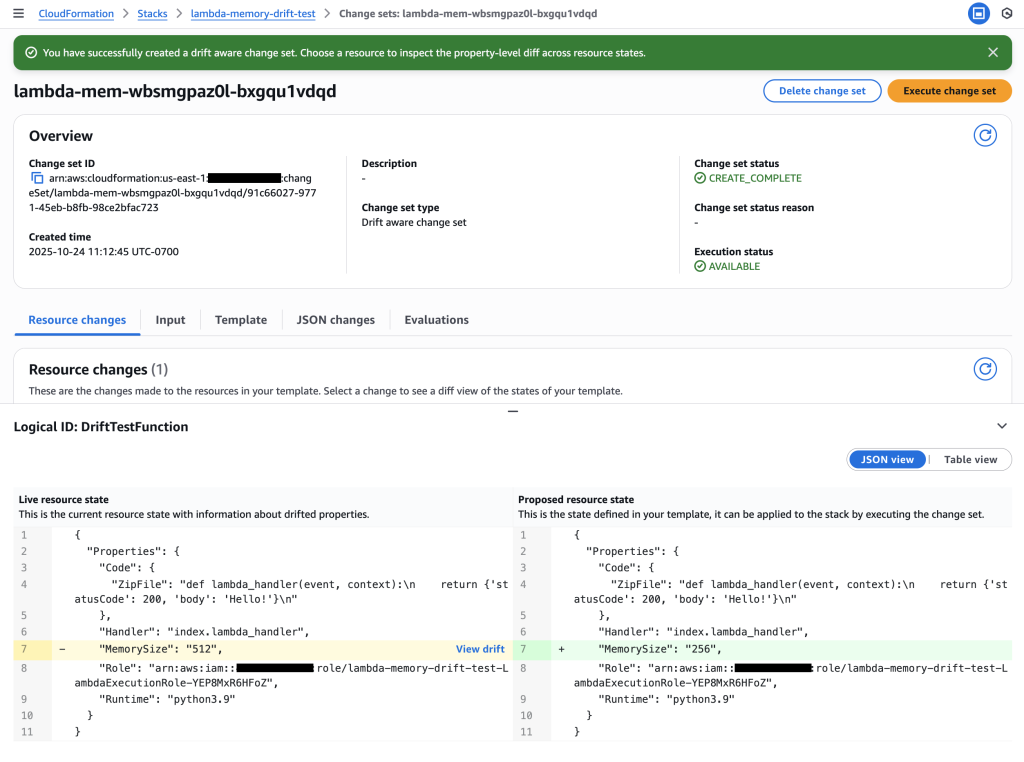
The manual confirmation AWS Step Function emails the designated address, requesting support staff to arrange the rotation. The email includes a link specific to that server.
The person completing the manual change confirms back to the AWS Step Function via the link that the rotation is complete.
Once the rotation on a server is confirmed, the manual confirmation AWS Step Function for that server is marked as complete.
After all server rotations are complete, the credential rotation AWS Step Function continues, disabling the old SES SMTP credential and deleting it after a few days.
AWS Step Function executions can last up to 365 days, providing sufficient time for the manual rotation and confirmation.
The screenshot below shows a graphical representation of the credential rotation AWS Step Function execution status, providing a real-time view of the rotation progress.
You can also track the status of individual servers via the manual rotation step function execution list.
The partially automated solution for rotating Amazon SES SMTP credentials is illustrated and detailed below:
Refer to the image above for the option 2 workflow:
EventBridge Scheduler Trigger: An EventBridge scheduler rule triggers a custom Starter Function Lambda (SF Lambda) on the last day of every 3rd month (this can be adjusted to suit your needs in the CloudFormation template).
Credential Rotation Step Function: The Starter Function Lambda triggers the Credential Rotation AWS Step Function, providing a clearly defined name to facilitate auditing (“password-rotation-dd-mm-yy“).
Credential Rotation Step Function Actions:
Creates a new IAM (Identity and Access Management) secret access key for the SES IAM user.
Triggers the SMTP Credential Generator Lambda to derive the SES SMTP password from the newly created IAM secret access key (using the algorithm provided in the SES documentation.
Reads a list of servers that are utilizing this credential from a DynamoDB table.
Manual Confirmation Step Function:
For each server, a manual confirmation AWS Step Function is triggered, sending a message on the Amazon Simple Notification Service (SNS) topic.
The SNS notification prompts the server administrator via email to manually rotate the SMTP credentials on the on-premises email server.
The server administrator uses a link in the email to confirm the credential has been rotated and tested on the server.
The link triggers the Confirmation Lambda exposed via API Gateway, which marks the ManualConfirmation step function as complete.
Credential Rotation Completion: The CredentialRotation step function waits until all manual confirmation step functions have completed before proceeding.
Old IAM Access Key Deletion: Once confirmation has been received for all servers, the step function deletes the old IAM access key.
Deployment
To deploy the partially automated solution in your AWS account, you will need the following prerequisites:
Prerequisites for the Partially Automated Solution
AWS Account Access, typically with admin-level permission to allow for the deployment.
SES enabled, configured, and properly sending emails.
External email server(s) currently configured to use SES with SMTP.
Administrator email address to receive notifications.
AWS Secrets Manager and AWS Systems Manager set up.
AWS Systems Manager agent(s) correctly installed and configured on your target email servers as detailed in Setting up AWS Systems Manager.
Amazon EC2 instance with Postfix configured to send emails through SES
Target email servers must be decorated with a tag (“SSMServerTag“) and value (“SSMServerTagValue“) that will be used to identify them by the Systems Manager Document (we used “server” and “email”)
AWS Parameter Store and AWS Step Functions.
Once you have the prerequisites in place, follow the instructions in the GitHub project.
Conclusion
Implementing an automated credential rotation process for Amazon SES SMTP enhances security and compliance, streamlines operations, and reduces the risk of downtime and human error. By leveraging AWS Secrets Manager and AWS Systems Manager (option 1) or AWS Systems Manager Parameter Store and Step Functions (option 2), organizations can centralize SES SMTP credential management, maintain an audit trail, and quickly update email application servers with new SMTP credentials.
Need additional guidance?
Join the conversation and connect with other administrators and security professionals on the AWS re:Post community to share insights and learn best practices.
Landing Zone Accelerator on AWS (LZA) enables customers to deploy a flexible, configuration-driven solution to establish a landing zone while also leveraging AWS Control Tower. At AWS Professional Services, we’ve helped customers deploy and configure LZA hundreds of times. A common request we encounter is integrating LZA configuration into customers’ existing GitOps workflows. GitOps has emerged as a leading model for Infrastructure as Code (IaC), helping organizations automate and manage their cloud infrastructure. The model uses Git repositories as the single source of truth for infrastructure configuration, enabling teams to maintain consistent, version-controlled environments.
In this blog, we will focus on common LZA implementation steps based on our experience, helping customers jump-start their LZA environment and implement GitOps for their AWS infrastructure management. First, we will demonstrate how to leverage LZA while complying with your organization’s policies such as private package repositories. Next, we will guide you through a new installation of LZA that takes advantage of an auto-generated starter set of configuration files. Finally, we will direct you to another blog post that will enable you to leverage GitOps for ongoing management of your LZA configuration.
Architecture overview
The LZA solution leverages two distinct repositories; one for the LZA source code, and another for your organization’s specific configuration files. LZA creates two separate AWS CodePipelines , which are used to install the LZA solution and apply your organization’s specific configuration. Figure 1 illustrates the association between repositories and pipelines. By default, when installing LZA, the solution uses GitHub as the source and pulls the installation files published by AWS from the official LZA GitHub repository.
Figure 1. Landing Zone Accelerator solution components
Deploy LZA as a new install
Step 1: Preparing your enterprise private GitHub to host LZA source code. Customers may choose to deploy LZA from the official AWS GitHub repository for LZA, but we often we find customers have policies in place that require these types of packages to be deployed from a private repository managed by the organization. For customers using GitHub privately in their enterprise, this can be as easy as cloning the LZA source code repository into your own private GitHub repository, enabling you to take advantage of policies and controls within your organization. Before moving to the next step, take a moment and clone the repository into your own private repository. A GitHub personal access token stored in AWS Secrets Manager is required to enable the stack to access your private repository. Before deploying LZA, follow these instructions to enable stack access to your repository.
Step 2: In the organization management account, install LZA as a CloudFormation Stack.
To get started, we will be going through a new installation of the LZA solution. The following steps provide specific parameter options to the CloudFormation template to support a new installation of LZA.
Specify the following parameters for Source Code Repository Configuration, see Figure 2.
For Stack name, specify a name you like.
For Source Location, choose github.
For Repository Owner, specify your GitHub account owner ID.
For Repository Name, specify your cloned LZA source code repository
For Branch Name, specify the branch name of your LZA source code repository.
We intentionally want to use S3 for the configuration repository because as the LZA solution is installed, it will auto-generate a set of starter configuration YAML files and deploy them for us in S3. This makes it very easy to get started with an initial set of customized YAML files for your environment. We choose “No” in the Use Existing Config Repository field, to have LZA to perform a new LZA installation.
Choose Next, and complete the remainder of the stack settings.
Finally, choose Create stack to launch the CloudFormation stack.
The installer stack typically takes minutes to complete (See Figure 4).
Figure 4. LZA installer stack completion
Step 3: Validate two LZA pipelines are created and successfully completed in AWS CodePipeline console.
After the CloudFormation stack completes, open the AWS CodePipeline console. You’ll see a new pipeline named “AWSAccelerator-Installer” running (See Figure 5). This is the LZA Installer pipeline, and it’s connected to the GitHub source repository you specified in Step 2 above with parameters from 2 to 5. This Installer pipeline automatically generates a set of LZA configuration files stored as a compressed ZIP archive in Amazon S3. It will be designated as configuration repository of the LZA solution.
When the AWSAccelerator-Installer pipeline completes, the solution automatically creates and runs a second pipeline named “AWSAccelerator-Pipeline” as shown in Figure 6. This pipeline connects to both the GitHub source repository, and the newly created configuration repository in Amazon S3. The AWSAccelerator-Pipeline is the pipeline that manages your landing zone deployment and customization.
Figure 6. AWSAccelerator-Pipeline created from the AWSAccelerator-Installer pipeline
After the AWSAccelerator-Pipeline completes, your LZA solution is ready for customization.
Step 4: Migrate the LZA configuration repository from S3 to GitHub
With the AWSAccelerator-Pipeline completed, your initial landing zone is now deployed, leveraging the configuration stored in your S3 bucket. For some customers, they may need to ensure that changes to the landing zone configuration are controlled through their existing GitOps processes and tooling. See Figure 7 as an example where the S3 configuration files have been copied to a customer owned GitHub repository. This transition step can be performed in future LZA upgrade window when there is a new release of LZA source code, or right after the initial LZA installation completes in Step 3. For more information on migrating from S3 to GitHub, follow this guide to configure your AWSAccelerator-Pipelines with AWS CodeConnection.
Figure 7. CodeConnection based LZA Configuration Repository
Conclusion
In this post, we explored key steps to streamline your LZA implementation journey. By demonstrating how to work with your private package repositories, providing guidance on leveraging auto-generated configuration files, and introducing GitOps-based management, we’ve outlined a practical path to establish and maintain a robust AWS infrastructure foundation. These approaches can significantly reduce the time and complexity typically associated with LZA deployments while ensuring compliance with organizational policies. We encourage you to try these implementation steps and explore the referenced resources to enhance your AWS cloud operations. For more information about Landing Zone Accelerator, visit the AWS Landing Zone Accelerator on GitHub.
In modern data architectures, the need to manage and query vast datasets efficiently, consistently, and accurately is paramount. For organizations that deal with big data processing, managing metadata becomes a critical concern. This is where Hive Metastore (HMS) can serve as a central metadata store, playing a crucial role in these modern data architectures.
HMS is a central repository of metadata for Apache Hive tables and other data lake table formats (for example, Apache Iceberg), providing clients (such as Apache Hive, Apache Spark, and Trino) access to this information using the Metastore Service API. Over time, HMS has become a foundational component for data lakes, integrating with a diverse ecosystem of open source and proprietary tools.
In non-containerized environments, there was typically only one approach to implementing HMS—running it as a service in an Apache Hadoop cluster. With the advent of containerization in data lakes through technologies such as Docker and Kubernetes, multiple options for implementing HMS have emerged. These options offer greater flexibility, allowing organizations to tailor HMS deployment to their specific needs and infrastructure.
In this post, we will explore the architecture patterns and demonstrate their implementation using Amazon EMR on EKS with Spark Operator job submission type, guiding you through the complexities to help you choose the best approach for your use case.
Solution overview
Prior to Hive 3.0, HMS was tightly integrated with Hive and other Hadoop ecosystem components. Hive 3.0 introduced a Standalone Hive Metastore. This new version of HMS functions as an independent service, decoupled from other Hive and Hadoop components such as HiveServer2. This separation enables various applications, such as Apache Spark, to interact directly with HMS without requiring a full Hive and Hadoop environment installation. You can learn more about other components of Apache Hive on the Design page.
In this post, we will use a Standalone Hive Metastore to illustrate the architecture and implementation details of various design patterns. Any reference to HMS refers to a Standalone Hive Metastore.
The HMS broadly consists of two main components:
Backend database: The database is a persistent data store that holds all the metadata, such as table schemas, partitions, and data locations.
Metastore service API: The Metastore service API is a stateless service that manages the core functionality of the HMS. It handles read and write operations to the backend database.
Containerization and Kubernetes offers various architecture and implementation options for HMS, including, running:
In this post, we’ll use Apache Spark as the data processing framework to demonstrate these three architectural patterns. However, these patterns aren’t limited to Spark and can be applied to any data processing framework, such as Hive or Trino, that relies on HMS for managing metadata and accessing catalog information.
Note that in a Spark application, the driver is responsible for querying the metastore to fetch table schemas and locations, then distributes this information to the executors. Executors process the data using the locations provided by the driver, never needing to query the metastore directly. Hence, in the three patterns described in the following sections, only the driver communicates with the HMS, not the executors.
HMS as sidecar container
In this pattern, HMS runs as a sidecar container within the same pod as the data processing framework, such as Apache Spark. This approach uses Kubernetes multi-container pod functionality, allowing both HMS and the data processing framework to operate together in the same pod. The following figure illustrates this architecture, where the HMS container is part of Spark driver pod.
This pattern is suited for small-scale deployments where simplicity is the priority. Because HMS is co-located with the Spark driver, it reduces network overhead and provides a straightforward setup. However, it’s important to note that in this approach HMS operates exclusively within the scope of the parent application and isn’t accessible by other applications. Additionally, row conflicts might arise when multiple jobs attempt to insert data into the same table simultaneously. To address this, you should make sure that no two jobs are writing to the same table simultaneously.
Consider this approach if you prefer a basic architecture. It’s ideal for organizations where a single team manages both the data processing framework (for example, Apache Spark) and HMS, and there’s no need for other applications to use HMS.
Cluster dedicated HMS
In this pattern, HMS runs in multiple pods managed through a Kubernetes deployment, typically within a dedicated namespace in the same data processing EKS cluster. The following figure illustrates this setup, with HMS decoupled from Spark driver pods and other workloads.
This pattern works well for medium-scale deployments where moderate isolation is enough, and compute and data needs can be handled within a few clusters. It provides a balance between resource efficiency and isolation, making it ideal for use cases where scaling metadata services independently is important, but complete decoupling isn’t necessary. Additionally, this pattern works well when a single team manages both the data processing frameworks and HMS, ensuring streamlined operations and alignment with organizational responsibilities.
By decoupling HMS from Spark driver pods, it can serve multiple clients, such as Apache Spark and Trino, while sharing cluster resources. However, this approach might lead to resource contention during periods of high demand, which can be mitigated by enforcing tenant isolation on HMS pods.
External HMS
In this architecture pattern, HMS is deployed in its own EKS cluster deployed using Kubernetes deployment and exposed as a Kubernetes Service using AWS Load Balancer Controller, separate from the data processing clusters. The following figure illustrates this setup, where HMS is configured as an external service, separate from the data processing clusters.
This pattern suits scenarios where you want a centralized metastore service shared across multiple data processing clusters. HMS allows different data teams to manage their own data processing clusters while relying on the shared metastore for metadata management. By deploying HMS in a dedicated EKS cluster, this pattern provides maximum isolation, independent scaling, and the flexibility to operate and managed as its own independent service.
While this approach offers clear separation of concerns and the ability to scale independently, it also introduces higher operational complexity and potentially increased costs because of the need to manage an additional cluster. Consider this pattern if you have strict compliance requirements, need to ensure complete isolation for metadata services, or want to provide a unified metadata catalog service for multiple data teams. It works well in organizations where different teams manage their own data processing frameworks and rely on a shared metadata store for data processing needs. Additionally, the separation enables specialized teams to focus on their respective areas.
Deploy the solution
In the remainder of this post, you will explore the implementation details for each of the three architecture patterns, using EMR on EKS with Spark Operator job submission type as an example to demonstrate their implementation. Note that this implementation hasn’t been tested with other EMR on EKS Spark job submission types. You will begin by deploying the common components that serve as the foundation for all the architecture patterns. Next, you’ll deploy the components specific to each pattern. Finally, you’ll execute Spark jobs to connect to the HMS implementation unique to each pattern and verify the successful execution and retrieval of data and metadata.
To streamline the setup process, we’ve automated the deployment of common infrastructure components so you can focus on the essential aspects of each HMS architecture. We’ll provide detailed information to help you understand each step, simplifying the setup while preserving the learning experience.
Scenario
To showcase the patterns, you will create three clusters:
Two EMR on EKS clusters: analytics-cluster and datascience-cluster
An EKS cluster: hivemetastore-cluster
Both analytics-cluster and datascience-cluster serve as data processing clusters that run Spark workloads, while the hivemetastore-cluster hosts the HMS.
You will use analytics-cluster to illustrate the HMS as sidecar and cluster dedicated pattern. You will use all three clusters to demonstrate the external HMS pattern.
Source code
You can find the codebase in the AWS Samples GitHub repository.
Prerequisites
Before you deploy this solution, make sure that the following prerequisites are in place:
Begin by setting up the infrastructure components that are common to all three architectures.
Clone the repository to your local machine and set the two environment variables. Replace <AWS_REGION> with the AWS Region where you want to deploy these resources.
git clone https://github.com/aws-samples/sample-emr-eks-hive-metastore-patterns.git
cd sample-emr-eks-hive-metastore-patterns
export REPO_DIR=$(pwd)
export AWS_REGION=<AWS_REGION>
Execute the following script to create the shared infrastructure.
cd ${REPO_DIR}/setup
./setup.sh
To verify successful infrastructure deployment, navigate to the AWS Management Console for AWS CloudFormation, select your stack, and check the Events, Resources, and Outputs tabs for completion status, details, and list of resources created.
You have completed the setup of the common components that serve as the foundation for all architectures. You will now deploy the components specific to each architecture and execute Apache Spark jobs to validate the successful implementation.
HMS in a sidecar container
To implement HMS using the sidecar container pattern, the Spark application requires setting both sidecar and catalog properties in the job configuration file.
Execute the following script to configure the analytics-cluster for sidecar pattern. For this post, we stored the HMS database credentials into a Kubernetes Secret object. We recommend using Kubernetes External Secrets Operator to fetch HMS database credentials from AWS Secrets Manager.
cd ${REPO_DIR}/hms-sidecar
./configure-hms-sidecar.sh analytics-cluster
Review the Spark job manifest file spark-hms-sidecar-job.yaml. This file was created by substituting variables in the spark-hms-sidecar-job.tpl template in the previous step. The following samples highlight key sections of the manifest file.
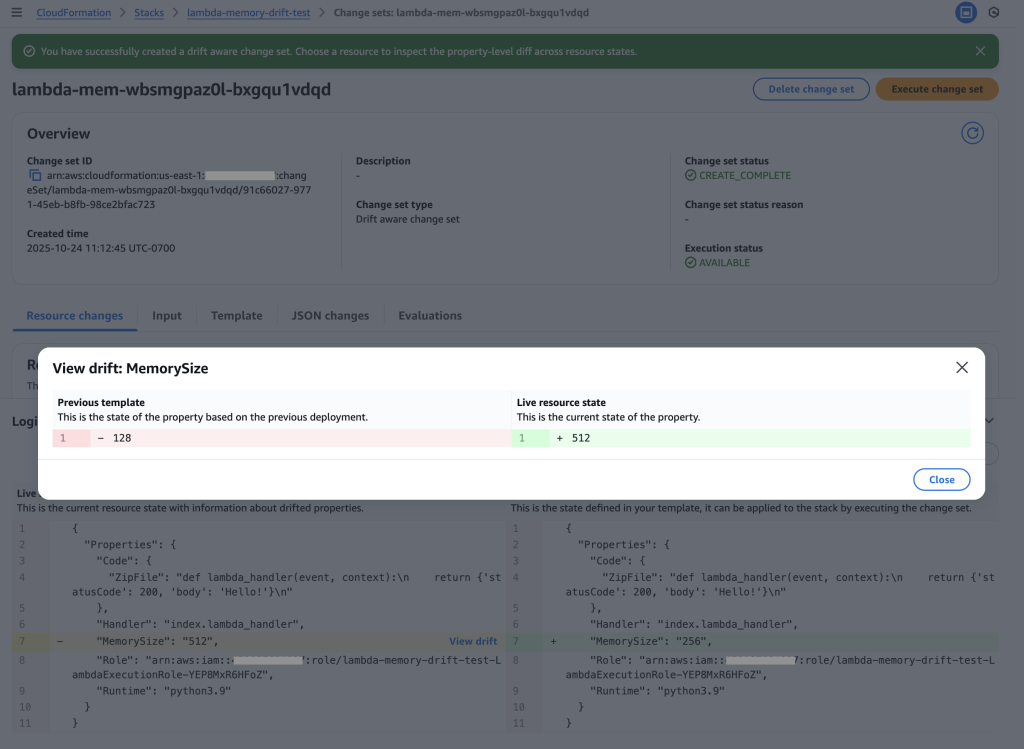
spec:
driver:
...
sidecars:
# Hive Metastore Sidecar container
- name: hive-metastore
image: ${AWS_ACCOUNT_ID}.dkr.ecr.${AWS_REGION}.amazonaws.com/hive-metastore:latest
env:
# These settings configure metastore to use Amazon Postgres RDS as backend database, connecting to it via jdbc URL.
- name: HIVE_METASTORE_DB_TYPE
value: postgres
- name: HIVE_METASTORE_DB_DRIVER
value: org.postgresql.Driver
- name: HIVE_METASTORE_DB_URL
value: jdbc:postgresql://${HMS_RDS_PROXY_ENDPOINT}:5432/hivemetastore
# The warehouse location is specified as an S3 bucket
- name: HIVE_METASTORE_WAREHOUSE_LOC
value: s3a://${S3_BUCKET_NAME}/warehouse
- name: AWS_REGION
value: ${AWS_REGION}
# The database username and password are passed via environment variables. The password is retrieved from a Kubernetes secret
- name: HIVE_METASTORE_DB_USER
value: hive_metastore_user
- name: HIVE_METASTORE_DB_PASSWORD
valueFrom:
secretKeyRef:
name: hms-rds-password
key: HIVE_METASTORE_DB_PASSWORD
Spark job configuration
spec:
sparkConf:
# Hive Catalog properties
# Sets spark to use Hive as the catalog for SQL operations
spark.sql.catalogImplementation: "hive"
# HMS is exposed on localhost:8080 since the sidecar runs in the same pod. Spark connects to the sidecar via this URI
spark.hadoop.hive.metastore.uris: "thrift://localhost:9083"
# The data location is set to S3 bucket
spark.sql.warehouse.dir: "s3a://${S3_BUCKET_NAME}/warehouse"
# Retrieve temporary AWS credentials by assuming a role using a web identity token
spark.hadoop.fs.s3a.aws.credentials.provider: "com.amazonaws.auth.WebIdentityTokenCredentialsProvider"
# Configure Spark to use S3A filesystem
spark.hadoop.fs.s3a.impl: "org.apache.hadoop.fs.s3a.S3AFileSystem"
Submit the Spark job and verify the HMS as sidecar container setup
In this pattern, you will submit Spark jobs in analytics-cluster. The Spark jobs will connect to the HMS service running as a sidecar container in the driver pod.
Run the Spark job to verify that the setup was successful.
List the pods and observe the number of containers attached to the driver pod. Wait until the Status changes from ContainerCreating to Running (should take just a few seconds).
If you encounter the following error, wait for a few minutes and rerun the previous command.
Error from server (BadRequest): container "spark-kubernetes-driver" in pod "spark-hms-sidecar-driver" is waiting to start: ContainerCreating
After successful completion of the job, you see the following message in the logs. The tabular output successfully validates the setup of HMS as a sidecar container.
...
24/09/17 21:44:00 INFO metastore: Trying to connect to metastore with URI thrift://localhost:9083
24/09/17 21:44:00 INFO metastore: Opened a connection to metastore, current connections: 1
24/09/17 21:44:00 INFO metastore: Connected to metastore.
...
...
+-------+---+-------+---+
|pattern|id |name |age|
+-------+---+-------+---+
|Sidecar|1 |Alice |30 |
|Sidecar|2 |Bob |25 |
|Sidecar|3 |Charlie |35 |
+-------+---+-------+---+
Cluster dedicated HMS
To implement HMS using a cluster dedicated HMS pattern, the Spark application requires setting up HMS URI and catalog properties in the job configuration file.
Execute the following script to configure the analytics-cluster for cluster dedicated pattern.
cd ${REPO_DIR}/hms-cluster-dedicated
./configure-hms-cluster-dedicated.sh analytics-cluster
Verify the HMS deployment by listing the pods and viewing the logs. No Java exceptions in the logs confirms that the Hive Metastore service is running successfully.
kubectl get pods --namespace hive-metastore
kubectl logs <HMS-PODNAME> --namespace hive-metastore
Review the Spark job manifest file, spark-hms-cluster-dedicated-job.yaml. This file is created by substituting variables in the spark-hms-cluster-dedicated-job.tpl template in the previous step. The following sample highlights key sections of the manifest file.
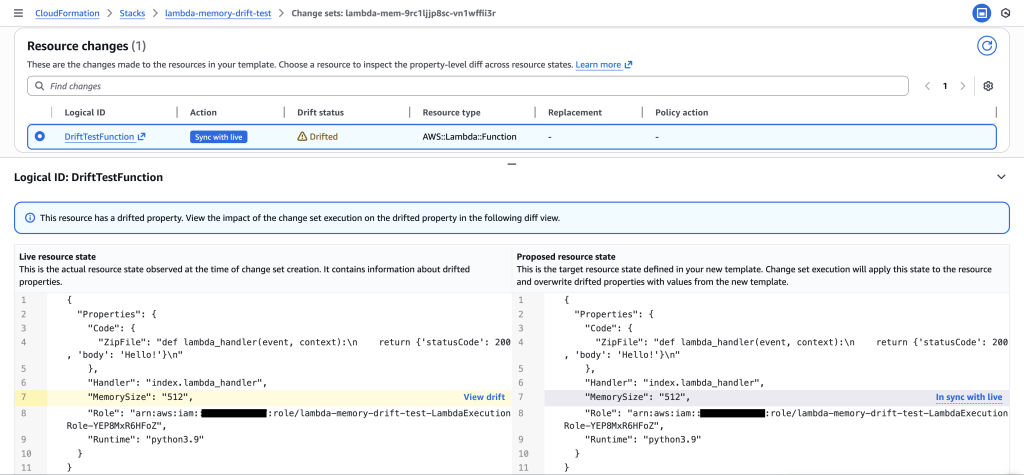
spec:
sparkConf:
# Hive Catalog properties
# Sets spark to use Hive as the catalog for SQL operations
spark.sql.catalogImplementation: "hive"
# HMS is running in a pod and we can connect to it in the same EKS cluster via this URI
spark.hadoop.hive.metastore.uris: "thrift://hive-metastore-svc.hive-metastore.svc.cluster.local:9083"
# The data location is set to S3 bucket
spark.sql.warehouse.dir: "s3a://${S3_BUCKET_NAME}/warehouse"
# Retrieve temporary AWS credentials by assuming a role using a web identity token
spark.hadoop.fs.s3a.aws.credentials.provider: "com.amazonaws.auth.WebIdentityTokenCredentialsProvider"
# Configure Spark to use S3A filesystem
spark.hadoop.fs.s3a.impl: "org.apache.hadoop.fs.s3a.S3AFileSystem"
Submit the Spark job and verify the cluster dedicated HMS setup
In this pattern, you will submit Spark jobs in analytics-cluster. The Spark jobs will connect to the HMS service in the same data processing EKS cluster.
Describe driver pod and observe the number of containers attached to the driver pod. Wait until the status changes from ContainerCreating to Running (should take just a few seconds).
After successful completion of the job, you should see the following message in the logs. The tabular output successfully validates the setup of cluster dedicated HMS.
...
24/09/17 21:44:00 INFO metastore: Trying to connect to metastore with URI thrift://hive-metastore-svc.hive-metastore.svc.cluster.local:9083
24/09/17 21:44:00 INFO metastore: Opened a connection to metastore, current connections: 1
24/09/17 21:44:00 INFO metastore: Connected to metastore.
...
...
+-----------------+---+-------+---+
|pattern |id |name |age|
+-----------------+---+-------+---+
|Cluster Dedicated|1 |Alice |30 |
|Cluster Dedicated|2 |Bob |25 |
|Cluster Dedicated|3 |Charlie|35 |
+-----------------+---+-------+---+
External HMS
To implement an external HMS pattern, the Spark application requires setting up an HMS URI for the service endpoint exposed by hivemetastore-cluster.
Execute the following script to configure hivemetastore-cluster for External HMS pattern.
cd ${REPO_DIR}/hms-external
./configure-hms-external.sh
Review the Spark job manifest file spark-hms-external-job.yaml. This file is created by substituting variables in the spark-hms-external-job.tpl template during the setup process. The following sample highlights key sections of the manifest file.
spec:
sparkConf:
# Hive Catalog properties
# Sets spark to use Hive as the catalog for SQL operations
spark.sql.catalogImplementation: "hive"
# HMS is running in a cluster and we can connect to it in the EKS cluster via this URI
spark.hadoop.hive.metastore.uris: "thrift://${HMS_URI_ENDPOINT}:9083"
# The data location is set to S3 bucket
spark.sql.warehouse.dir: "s3a://${S3_BUCKET_NAME}/warehouse"
# Retrieve temporary AWS credentials by assuming a role using a web identity token
spark.hadoop.fs.s3a.aws.credentials.provider: "com.amazonaws.auth.WebIdentityTokenCredentialsProvider"
# Configure Spark to use S3A filesystem
spark.hadoop.fs.s3a.impl: "org.apache.hadoop.fs.s3a.S3AFileSystem"
Submit the Spark job and verify the HMS in a separate EKS cluster setup
To verify the setup, submit Spark jobs in analytics-cluster and datascience-cluster. The Spark jobs will connect to the HMS service in the hivemetastore-cluster.
Use the following steps for analytics-cluster and then for datascience-cluster to verify that both clusters can connect to the HMS on hivemetastore-cluster.
Run the spark job to test the successful setup. Replace <CONTEXT_NAME> with Kubernetes context for analytics-cluster and then for datascience-cluster.
List the pods and observe the number of containers attached to the driver pod. Wait until the status changes from ContainerCreating to Running (should take just a few seconds).
kubectl get pods -n emr
View the driver logs to validate the output on the data processing cluster.
The output should look like the following. The tabular output successfully validates the setup of HMS in a separate EKS cluster.
After successful completion of the job, you should be able to see the below message in the logs.
...
24/09/17 21:44:00 INFO metastore: Trying to connect to metastore with URI thrift://k8s-hivemeta-hmsexter-xxxxxx.elb.us-east-1.amazonaws.com:9083
24/09/17 21:44:00 INFO metastore: Opened a connection to metastore, current connections: 1
24/09/17 21:44:00 INFO metastore: Connected to metastore.
...
...
+--------+---+-------+---+
|pattern |id |name |age|
+--------+---+-------+---+
|External|1 |Alice |30 |
|External|2 |Bob |25 |
|External|3 |Charlie|35 |
+--------+---+-------+---+
Clean up
To avoid incurring future charges from the resources created in this tutorial, clean up your environment after you’ve completed the steps. You can do this by running the cleanup.sh script, which will safely remove all the resources provisioned during the setup.
cd ${REPO_DIR}/setup
./cleanup.sh
Conclusion
In this post, we’ve explored the design patterns for implementing the Hive Metastore (HMS) with EMR on EKS with Spark Operator, each offering distinct advantages depending on your requirements. Whether you choose to deploy HMS as a sidecar container within the Apache Spark Driver pod, or as a Kubernetes deployment in the data processing EKS cluster, or as an external HMS service in a separate EKS cluster, the key considerations revolve around communication efficiency, scalability, resource isolation, high availability, and security.
We encourage you to experiment with these patterns in your own setups, adapting them to fit your unique workloads and operational needs. By understanding and applying these design patterns, you can optimize your Hive Metastore deployments for performance, scalability, and security in your EMR on EKS environments. Explore further by deploying the solution in your AWS account and share your experiences and insights with the community.
About the Authors
Avinash Desireddy is a Cloud Infrastructure Architect at AWS, passionate about building secure applications and data platforms. He has extensive experience in Kubernetes, DevOps, and enterprise architecture, helping customers containerize applications, streamline deployments, and optimize cloud-native environments.
Suvojit Dasgupta is a Principal Data Architect at AWS. He leads a team of skilled engineers in designing and building scalable data solutions for AWS customers. He specializes in developing and implementing innovative data architectures to address complex business challenges.
Effective data governance has long been a critical priority for organizations seeking to maximize the value of their data assets. It encompasses the processes, policies, and practices an organization uses to manage its data resources. The key goals of data governance are to make data discoverable and usable by those who need it, accurate and consistent, secure and protected from unauthorized access or misuse, and compliant with relevant regulations and standards. Data governance involves establishing clear ownership and accountability for data, including defining roles, responsibilities, and decision-making authority related to data management.
Traditionally, data governance frameworks have been designed to manage data at rest—the structured and unstructured information stored in databases, data warehouses, and data lakes. Amazon DataZone is a data governance and catalog service from Amazon Web Services (AWS) that allows organizations to centrally discover, control, and evolve schemas for data at rest including AWS Glue tables on Amazon Simple Storage Service (Amazon S3), Amazon Redshift tables, and Amazon SageMaker models.
However, the rise of real-time data streams and streaming data applications impacts data governance, necessitating changes to existing frameworks and practices to effectively manage the new data dynamics. Governing these rapid, decentralized data streams presents a new set of challenges that extend beyond the capabilities of many conventional data governance approaches. Factors such as the ephemeral nature of streaming data, the need for real-time responsiveness, and the technical complexity of distributed data sources require a reimagining of how we think about data oversight and control.
In this post, we explore how AWS customers can extend Amazon DataZone to support streaming data such as Amazon Managed Streaming for Apache Kafka (Amazon MSK) topics. Developers and DevOps managers can use Amazon MSK, a popular streaming data service, to run Kafka applications and Kafka Connect connectors on AWS without becoming experts in operating it. We explain how they can use Amazon DataZone custom asset types and custom authorizers to: 1) catalog Amazon MSK topics, 2) provide useful metadata such as schema and lineage, and 3) securely share Amazon MSK topics across the organization. To accelerate the implementation of Amazon MSK governance in Amazon DataZone, we use the Data Solutions Framework on AWS (DSF), an opinionated open source framework that we announced earlier this year. DSF relies on AWS Cloud Development Kit (AWS CDK) and provides several AWS CDK L3 constructs that accelerate building data solutions on AWS, including streaming governance.
High-level approach for governing streaming data in Amazon DataZone
To anchor the discussion on supporting streaming data in Amazon DataZone, we use Amazon MSK as an integration example, but the approach and the architectural patterns remain the same for other streaming services (such as Amazon Kinesis Data Streams). At a high level, to integrate streaming data, you need the following capabilities:
A mechanism for the Kafka topic to be represented in the Amazon DataZone catalog for discoverability (including the schema of the data flowing inside the topic), tracking of lineage and other metadata, and for consumers to request access against.
A mechanism to handle the custom authorization flow when a consumer triggers the subscription grant to an environment. This flow consists of the following high-level steps:
Collect metadata of target Amazon MSK cluster or topic that’s being subscribed to by the consumer
Update the producer Amazon MSK cluster’s resource policy to allow access from the consumer role
Provide Kafka topic level AWS Identity and Access Management (IAM) permission to the consumer roles (more on this later) so that it has access to the target Amazon MSK cluster
Finally, update the internal metadata of Amazon DataZone so that it’s aware of the existing subscription between producer and consumer
Amazon DataZone catalog
Before you can represent the Kafka topic as an entry in the Amazon DataZone catalog, you need to define:
A custom asset type that describes the metadata that’s needed to describe a Kafka topic. To describe the schema as part of the metadata, use the built-in form type amazon.datazone.RelationalTableFormType and create two more custom form types:
MskSourceReferenceFormType that contains the cluster_ARN and the cluster_type. The type is used to determine whether the Amazon MSK cluster is provisioned or serverless, given that there’s a different process to grant consume permissions.
KafkaSchemaFormType, which contains various metadata on the schema, including the kafka_topic, the schema_version, schema_arn, registry_arn, compatibility_mode (for example, backward-compatible or forward-compatible) and data_format (for example, Avro or JSON), which is helpful if you plan to integrate with the AWS Glue Schema registry.
After the custom asset type has been defined, you can now create an asset based on the custom asset type. The asset describes the schema, the Amazon MSK cluster, and the topic that you want to be made discoverable and accessible to consumers.
Data source for Amazon MSK clusters with AWS Glue Schema registry
In Amazon DataZone, you can create data sources for AWS Glue Data Catalog to import technical metadata of database tables from AWS Glue and have the assets registered in the Amazon DataZone project. For importing metadata related to Amazon MSK, you need to use a custom data source, which can be an AWS Lambda function, using the Amazon DataZone APIs.
We provide as part of the solution a custom Amazon MSK data source with the AWS Glue Schema registry, for automating the creation, update, and deletion of custom Amazon MSK assets. It uses AWS Lambda to extract schema definitions from a Schema registry and metadata from the Amazon MSK clusters and then creates or updates the corresponding assets in Amazon DataZone.
Before explaining how the data source works, you need to know that every custom asset in Amazon DataZone has a unique identifier. When the data source creates an asset, it stores the asset’s unique identifier in Parameter Store, a capability of AWS Systems Manager.
The steps for how the data source works are as follows:
The Amazon MSK AWS Glue Schema registry data source can be scheduled to be triggered on a given interval or by listening to AWS Glue Schema events such as Create, Update or Delete Schema. It can also be invoked manually through the AWS Lambda console.
When triggered, it retrieves all the existing unique identifiers from Parameter Store. These parameters serve as reference to identify if an Amazon MSK asset already exists in Amazon DataZone.
The function lists the Amazon MSK clusters and retrieves the Amazon Resource Name (ARN) for the given Amazon MSK name and additional metadata related to the Amazon MSK cluster type (serverless or provisioned). This metadata will be used later by the custom authorization flow.
Then the function lists all the schemas in the Schema registry for a given registry name. For each schema, it retrieves the latest version and schema definition. The schema definition is what will allow you to add schema information when creating the asset in Amazon DataZone.
For each schema retrieved in the Schema registry, the Lambda function checks if the assets already exist by looking into the Systems Manager parameters retrieved in the second step.
If the asset exists, the Lambda function updates the asset in Amazon DataZone, creating a new revision with the updated schema or forms.
If the asset doesn’t exist, the Lambda function creates the asset in Amazon DataZone and stores its unique identifier in Systems Manager for future reference.
If there are schemas registered in Parameter Store that are no longer in the Schema registry, the data source deletes the corresponding Amazon DataZone assets and removes the associated parameters from Systems Manager.
The Amazon MSK AWS Glue Schema registry data source for Amazon DataZone enables seamless registration of Kafka topics as custom assets in Amazon DataZone. It does require that the topics in the Amazon MSK cluster are using the Schema registry for schema management.
Custom authorization flow
For managed assets such as AWS Glue Data Catalog and Amazon Redshift assets, the process to grant access to the consumer is managed by Amazon DataZone. Custom asset types are considered unmanaged assets, and the process to grant access needs to be implemented outside of Amazon DataZone.
The high-level steps for the end-to-end flow are as follows:
(Conditional) If the consumer environment doesn’t have a subscription target, create it through the CreateSubscriptionTarget API call. The subscription target tells Amazon DataZone which environments are compatible with an asset type.
The consumer triggers a subscription request by subscribing to the relevant streaming data asset through the Amazon DataZone portal.
The producer receives the subscription request and approves (or denies) the request.
After the subscription request has been approved by the producer, the consumer can observe the streaming data asset in their project under the Subscribed data section.
The consumer can opt to trigger a subscription grant to a target environment directly from the Amazon DataZone portal, and this action triggers the custom authorization flow.
For steps 2–4, you rely on the default behavior of Amazon DataZone and no change is required. The focus of this section is then step 1 (subscription target) and step 5 (subscription grant process).
Subscription target
Amazon DataZone has a concept called environments within a project, which indicates where the resources are located and the related access configuration (for example, the IAM role) that is used to access those resources. To allow an environment to have access to the custom asset type, consumers have to use the Amazon DataZone CreateSubscriptionTarget API prior to the subscription grants. The creation of the subscription target is a one-time operation per custom asset type per environment. In addition, the authorizedPrincipals parameter inside the CreateSubscriptionTarget API lists the various IAM principals given access to the Amazon MSK topic as part of the grant authorization flow. Lastly, when calling CreateSubscriptionTarget, the underlying principle used to call the API must belong to the target environment’s AWS account ID.
After the subscription target has been created for a custom asset type and environment, the environment is eligible as a target for subscription grants.
Subscription grant process
Amazon DataZone emits events based on user actions, and you use this mechanism to trigger the custom authorization process when a subscription grant has been triggered for Amazon MSK topics. Specifically, you use the Subscription grant requested event. These are the steps of the authorization flow:
A Lambda function collects metadata on the following:
Producer Amazon MSK cluster or Kinesis data stream that the consumer is requesting access to. Metadata is collected using the GetListingAPI.
Metadata about the target environment using a call to GetEnvironmentAPI.
Metadata about the subscription target using a call to GetSubscriptionTargetAPI to collect the consumer roles to grant.
In parallel, Amazon DataZone internal metadata about the status of the subscription grant needs to be updated, and this happens in this step. Depending on the type of action that’s being done (such as GRANT or REVOKE), the status of the subscription grant is updated respectively (for example, GRANT_IN_PROGRESS, REVOKE_IN_PROGRESS).
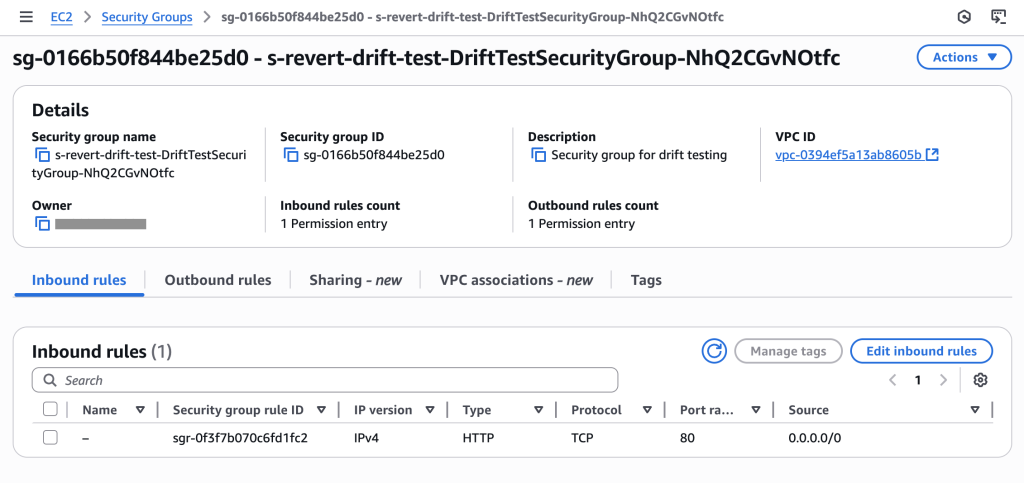
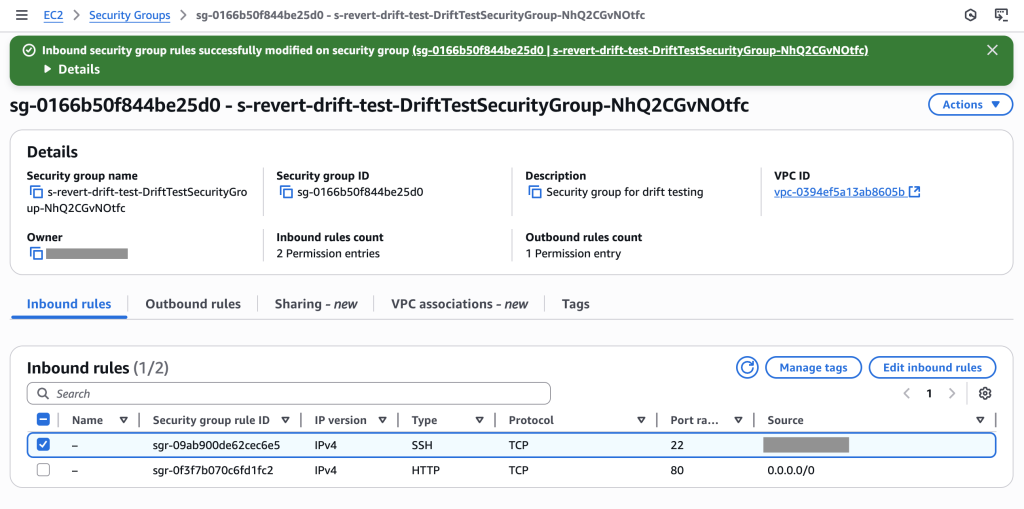
After the metadata has been collected, it’s passed downstream as part of the AWS Step Functions state.
Update the resource policy of the target resource (for example, Amazon MSK cluster or Kinesis data stream) in the producer account. The update allows authorized principals from the consumer to access or read the target resource. Example of the policy is as follows:
Update the configured authorized principals by attaching additional IAM permissions depending on specific scenarios. The following examples illustrate what’s being added.
The base access or read permissions are as follows:
If there’s an AWS Glue Schema registry ARN provided as part of the AWS CDK construct parameter, then additional permissions are added to allow access to both the registry and the specific schema:
If this grant is for a consumer in a different account, the following permissions are also added to allow managed VPC connections to be created by the consumer:
Update the Amazon DataZone internal metadata on the progress of the subscription grant (for example, GRANTED or REVOKED). If there’s an exception in a step, it’s handled inside Step Functions and the subscription grant metadata is updated with a failed state (for example, GRANT_FAILED or REVOKE_FAILED).
Because Amazon DataZone supports multi-account architecture, the subscription grant process is a distributed workflow that needs to perform actions across different accounts, and it’s orchestrated from the Amazon DataZone domain account where all the events are received.
Implement streaming governance in Amazon DataZone with DSF
In this section, we deploy an example to illustrate the solution using DSF on AWS, which provides all the required components to accelerate the implementation of the solution. We use the following CDK L3 constructs from DSF:
DataZoneMskAssetType creates the custom asset type representing an Amazon MSK topic in Amazon DataZone
DataZoneGsrMskDataSource automatically creates Amazon MSK topic assets in Amazon DataZone based on schema definitions in the Schema registry
DataZoneMskCentralAuthorizer and DataZoneMskEnvironmentAuthorizer implement the subscription grant process for Amazon MSK topics and IAM authentication
The following diagram is the architecture for the solution.
In this example, we use Python for the example code. DSF also supports TypeScript.
Deployment steps
Follow the steps in the data-solutions-framework-on-aws README to deploy the solution. You need to deploy the CDK stack first, then create the custom environment and redeploy the stack with additional information.
Verify the example is working
To verify the example is working, produce sample data using the Lambda function StreamingGovernanceStack-ProducerLambda. Follow these steps:
Use the AWS Lambda console to test the Lambda function by running a sample test event. The event JSON should be empty. Save your test event and click Test.
Producing test events will generate a new schema producer-data-product in the Schema registry. Check the schema is created from the AWS Glue console using the Data Catalog menu from the left and selecting Stream schema registries.
New data assets should be in the Amazon DataZone portal, under the PRODUCER project
On the DATA tab, in the left navigation pane, select Inventory data, as shown in the following screenshot
Select producer-data-product
Select the BUSINESS METADATA tab to view the business metadata, as shown in the following screenshot.
To view the schema, select the SCHEMA tab, as shown in the following screenshot
To view the lineage, select the LINEAGE tab
To publish the asset, select PUBLISH ASSET, as shown in the following screenshot
Subscribe
To subscribe, follow these steps:
Switch to the consumer project by selecting CONSUMER in the top left of the screen
Select Browse Catalog
Choose producer-data-product and choose SUBSCRIBE, as shown in the following screenshot
Return to the PRODUCER project and choose producer-data-product, as shown in the following screenshot
Choose APPROVE, as shown in the following screenshot
Go to the AWS Identity and Access Management (IAM) console and search for the consumer role. In the role definition, you should see an IAM inline policy with permissions on the Amazon MSK cluster, the Kafka topic, the Kafka consumer group, the AWS Glue schema registry and the schema from the producer.
Now let’s switch to the consumer’s environment in the Amazon Managed Service for Apache Flink console and run the Flink application called flink-consumer using the Run button.
Go back to the Amazon DataZone portal, and confirm that the lineage under the CONSUMER project was updated and the new Flink job run node was added to the lineage graph, as shown in the following screenshot
Clean up
To clean up the resources you created as part of this walkthrough, follow these steps:
Stop the Amazon Managed Streaming for Apache Flink job.
Revoke the subscription grant from the Amazon DataZone console.
Run cdk destroy in your local terminal to delete the stack. Because you marked the constructs with a RemovalPolicy.DESTROY and configured DSF to remove data on destroy, running cdk destroy or deleting the stack from the AWS CloudFormation console will clean up the provisioned resources.
Conclusion
In this post, we shared how you can integrate streaming data from Amazon MSK within Amazon DataZone to create a unified data governance framework that spans the entire data lifecycle, from the ingestion of streaming data to its storage and eventual consumption by diverse producers and consumers.
We also demonstrated how to use the AWS CDK and the DSF on AWS to quickly implement this solution using built-in best practices. In addition to the Amazon DataZone streaming governance, DSF supports other patterns, such as Spark data processing and Amazon Redshift data warehousing. Our roadmap is publicly available, and we look forward to your feature requests, contributions, and feedback. You can get started using DSF by following our Quick start guide.
About the Authors
Vincent Gromakowski is a Principal Analytics Solutions Architect at AWS where he enjoys solving customers’ data challenges. He uses his strong expertise on analytics, distributed systems and resource orchestration platform to be a trusted technical advisor for AWS customers.
Francisco Morillo is a Sr. Streaming Solutions Architect at AWS, specializing in real-time analytics architectures. With over five years in the streaming data space, Francisco has worked as a data analyst for startups and as a big data engineer for consultancies, building streaming data pipelines. He has deep expertise in Amazon Managed Streaming for Apache Kafka (Amazon MSK) and Amazon Managed Service for Apache Flink. Francisco collaborates closely with AWS customers to build scalable streaming data solutions and advanced streaming data lakes, ensuring seamless data processing and real-time insights.
Jan Michael Go Tan is a Principal Solutions Architect for Amazon Web Services. He helps customers design scalable and innovative solutions with the AWS Cloud.
Sofia Zilberman is a Sr. Analytics Specialist Solutions Architect at Amazon Web Services. She has a track record of 15 years of creating large-scale, distributed processing systems. She remains passionate about big data technologies and architecture trends, and is constantly on the lookout for functional and technological innovations.
As your Amazon Web Services (AWS) environment grows, you might develop a need to grant cross-account access to resources. This could be for various reasons, such as enabling centralized operations across multiple AWS accounts, sharing resources across teams or projects within your organization, or integrating with third-party services. However, granting cross-account access requires careful consideration of your security, availability, and manageability requirements.
In this blog post, we explore four different ways to grant cross-account access using resource-based policies. Each method has its own unique tradeoffs, and the best choice depends on your specific requirements and use case.
Evaluating different techniques for granting cross-account access
Your choice of how to specify the principal in a resource-based policy impacts some aspects of both the confidentiality and the availability of your solution. Understanding this impact and making the right tradeoffs for your use case is the focus of this post.
An example scenario
Imagine that you have an S3 bucket in your AWS account (Account A) that needs to be accessed by different principals in another AWS account (Account B). For this scenario, we assume that the principals in Account B have the necessary access to S3 in their identity-based policies, and we will focus on authoring the resource-based policies in Account A. While the methods explained here use Amazon S3, the concepts discussed apply to all AWS services that support resource-based policies. In the following sections, we walk through four different ways to grant cross-account access in this scenario and discuss the tradeoffs of each.
Method 1: Grant access to a specific IAM role using the Principal element of the resource-based policy
In this example, you use an S3 bucket policy to grant access to a specific IAM role (RoleFromAccountB) in Account B by specifying the IAM role’s Amazon Resource Name (ARN) in the Principal element of the policy in Account A.
Using this bucket policy, if someone in Account B deletes or recreates the role (RoleFromAccountB), then that role can no longer access the amzn-s3-demo-bucket-account-a bucket, even if that role is recreated with the same name. The reason is that when you save this policy, the role ARN is mapped to the unique ID of the role, which looks something like this: AROADBQP57FF2AEXAMPLE. You will see a role identifier in the Principal element of your resource-based policies if you view them after you delete the role that they referenced.
This behavior is intentional. The resource-based policy only allows the specific instance of the role that you set as principal at the time of policy creation. This helps prevent unintended access to your resources if you delete a role, but forget to update your resource-based policy to remove that role. This behavior can also cause an availability risk because the role (RoleFromAccountB) will have a new unique ID when it is recreated and will no longer have access to the bucket. Roles can be recreated for a number of reasons, including accidentally when you use tools such as infrastructure as code.
You might consider choosing this method if:
You own the roles in both Account A and Account B and can control the creation and deletion of these roles.
You want your resource-based policy in Account A to stop granting access when the specified role (RoleFromAccountB) is deleted.
You prioritize granular access control over potential availability concerns if the role (RoleFromAccountB) is deleted.
Method 2: Grant access to an account using the Principal element of the resource-based policy
In this example, you grant access to a specific account in the Principal element of the resource-based policy. This resource-based policy of Account A allows any user or role from Account B that also has an identity-based policy that grants them access to read the objects.
Note: You can use either "Principal": {"AWS": "111122223333"} or "Principal": {"AWS": "arn:aws:iam::111122223333:root"} in the Principal element. They are equivalent, and the long-form ARN does not represent the root user.
This resource-based policy helps avoid the potential availability issue discussed for Method 1. If a role in Account B that needs to have access to the bucket is recreated, it will still have access after the recreation of that role. This is because you don’t specify a role in the Principal element—instead, you specify an account. If you use Method 2, you must be comfortable delegating access control decisions to the owner of that account.
This approach explicitly delegates access control decisions to IAM in the other account (Account B). Principals in Account B have access to this bucket if allowed by their identity-based policies.
You might consider choosing this method if:
You need to grant access to many principals in Account B.
You want to delegate the access decision in the account where the principal exists (Account B).
You prioritize ease of management and availability over granular access control.
Method 3: Grant access to a specific IAM role using the aws:PrincipalArn condition
This method expands on Method 2 and adds a condition that grants access only to a specific IAM role. Similar to Method 2, you use the account number as the value of the Principal element, but also use the aws:PrincipalArn condition key to limit access to a specific principal in Account B.
The aws:PrincipalArn condition key is a global condition key that compares the ARN of the principal that made the request with the ARN that you specify in the policy. For IAM roles, the request context returns the ARN of the role, not the ARN of the user that assumed the role.
This policy comes with the same availability benefits as the policy in Method 2: access to this resource will survive role recreation. This is because the role is translated to its unique identifier only when it is used in the Principal element. It is not translated to a unique identifier when it is used in a condition. If the role (RoleFromAccountB) in Account B is recreated, accidentally or intentionally, the policy will continue to grant access because the role matches the role ARN specified in the condition key of the resource-based policy in Account A. As a result, Method 3 provides a balanced approach to availability and security.
You might consider choosing this method if:
You are comfortable that this policy will continue to grant access to the role specified in the aws:PrincipalArn condition key if that role (RoleFromAccountB) is recreated.
You don’t own the Account B you are granting access to and don’t control when that role may be recreated.
You want a balance of availability and confidentiality.
Method 4: Grant access to an entire AWS Organizations organization
This method is focused on a different use case and is not an alternative to the methods listed earlier. Use this method if you have a resource (an S3 bucket, in this example) that you want to share with your entire organization, but not share with anyone outside of it.
There is no way to specify an organization by using the Principal element of a resource-based policy, so you must use the aws:PrincipalOrgId condition key to restrict access to a specific organization. In this policy, you specify a wildcard in the Principal element, which says that anyone can access the bucket. Then the condition reduces “anyone” to just those AWS account principals that belong to the specified organization and have an identity-based policy that allows them access.
You then add an additional conditional block that compares the aws:PrincipalAccount condition key to the aws:ResourceAccount condition key by using a policy variable. This extra conditional block is optional and excludes the account that owns the bucket (Account A) from the allow statement. The reason for using this extra conditional block is so that principals in Account A still require an allow statement in their identity-based policy to access this bucket. If you choose to exclude this aws:PrincipalAccount comparison, principals in Account A are granted access to the bucket without an explicit allow statement in their identity-based policy. Policy evaluation logic only requires either the identity-based policy or the resource-based policy (but not both) to allow a request when the principal and resource are in the same account.
You might consider choosing this method if:
You have a shared resource that should be accessible to your entire organization.
Conclusion
Choosing a method to grant cross-account access requires careful consideration of your requirements and use case. Each of the four methods discussed in this blog post has its own advantages and tradeoffs. By understanding these methods and their implications, you can decide on the most appropriate approach to grant cross-account access to your AWS resources. Remember to regularly review and audit your resource-based policies to verify that they align with your security and access requirements.
Securing your business email is more critical than ever in today’s digital workplace. To help you protect your users and data in Amazon WorkMail, we have introduced enhanced security features that give organizations more control and protection for their communication platforms. With the integration of AWS Identity and Access Management (IAM) Identity Center, WorkMail now offers robust multi-factor authentication and personal access token capabilities that can help prevent unauthorized access to user accounts and protect sensitive business communications. In this post, we’ll explore how these new security features can strengthen your organization’s email security strategy
Introduction
Email remains a critical business communication channel, yet it’s also one of the most targeted by cybercriminals. When you’re managing an organization’s communications, a single compromised account can lead to significant financial losses, damage your reputation, and serve as a gateway for additional cyber attacks. Traditional username and password protection is no longer adequate against growing cyber threats.
With Amazon WorkMail, you now have powerful tools to enhance your email security. Our support for Multi-Factor Authentication (MFA) and Personal Access Token (PAT) capabilities provides administrators with essential additional security layers to prevent unauthorized account access.
This blog demonstrates WorkMail’s integration with the IAM Identity Center’s default identity store to enable these advanced security features. If you’re using third-party identity providers like Microsoft Entra ID or Okta Universal Directory, you’ll find dedicated integration guides in our documentation.
High-level Overview
Amazon WorkMail’s default authentication is established via a unique username & password:
Users of the WorkMail web-app sign in using their username and password.
Users who access WorkMail from a desktop &/or mobile email application sign in using their username and password.
After you integrate WorkMail with IAM Identity Center, Amazon WorkMail can be configured with enhanced authentication that requires:
Users of the WorkMail web-app will log-in via their unique AWS Access Portal using username, password and a MFA token. Upon successful log-in, they select and are redirected into the WorkMail web-app.
Users who access WorkMail from a desktop &/or mobile email app continue to sign in to WorkMail using their username, however they must use a personal access token (PAT) instead of their WorkMail password.
More details about WorkMail authentication can be found in our documentation.
Prerequisites
Administrator access to an AWS account
You can evaluate the integration in this post for a limited period of time using an AWS Free Tier Account (link = https://aws.amazon.com/free )
Administrator access to an Amazon WorkMail Organization
Your WorkMail organization should have at least 3 or more users for testing
Administrator access to Amazon IAM Identity Center
Your WorkMail and IAM Identity Center must be in the same AWS region
High-level Configuration Steps
Configure Identity Center (see our documentation for detailed information).
Configure WorkMail to use Identity Center (see our documentation for detailed information).
Assign IAM Identity Center users/groups to WorkMail organization
Associate Amazon WorkMail users with IAM Identity Center users (this step is not necessary if your IdC and WorkMail user names are exactly the same, see our documentation for details)
Check Authentication mode (see documentation) & Personal access token configuration (see documentation).
Allow both WorkMail Directory (no MFA/PAT) and Identity Center (requires MFA & PAT) modes for testing.
Test your users’ access to WorkMail with MFA & PAT
Notify your WorkMail users of upcoming changes to login procedures.
Switch WorkMail Authentication Mode to Identity Center only.
When your users are ready for MFA and PAT, switch authentication mode to require MFA and desktop and mobile email clients to use PAT.
Review additional WorkMail security guidance in AWS blogs and documentation to ensure you are up to date with the latest security guidance.
Detailed Configuration Guidance
Configure AWS IAM Identity Center
Open the IdC console in the same AWS region as your WorkMail organization.
If this is your first time accessing IAM Identity Center, you’ll be greeted with the IdC console home page and “Enable IAM Identity Center”. Click the **`Enable`** button.
In a new browser window, open the WorkMail console in the same AWS region as the IdC you created above.
Arrange the IdC console browser next to the WorkMail console browser window so you can easily copy/paste between the two services.
In the IdC console’s left navigation rail, choose users and click add user.
Create several IdC user accounts with the same usernames and email addresses as your WorkMail users.
Using identical usernames in Amazon WorkMail and IAM Identity Center simplifies user synchronization and reduces authentication errors during integration. This alignment streamlines troubleshooting and user lifecycle management while ensuring consistent access control across both services.)
Make sure the “Send an email to this user with password setup instructions.” is selected.
The user will receive an email with a link to set up a password and instructions to connect to the AWS access portal. The link will be valid for up to 7 days. You can grant this user permissions to accounts or applications (such as WorkMail) when they sign in to the AWS access portal.
In IdC’s left navigation rail, choose groups and create a new group called “workmail_users”.
Add the IdC users created above to the IdC workmail_users group.
Configure WorkMail to use Identity Center
In the WorkMail console’s left navigation rail, click the link for Identity Center.
Click the down arrow for Multi-factor authentication setup guide
Click Step 1 – Enable identity center and click Enable.
Assign IAM Identity Center users/groups to WorkMail organization
Click the down arrow for Multi-factor authentication setup guide
Click Step 2 – Add and Assign users and click Next
Assigning users and groups – Users and groups synced to your Identity Center directory are available to assign to your application. Learn more
Click Get Started
Type workmail_users and select it from the drop-down list.
Click Assign
You will get a message “Successfully assigned group workmail_users. Please continue with step 3 by associating users within this group with WorkMail users.”
Authentication mode & Personal access token configuration
The default Authentication mode is set to WorkMail directory and Identity center. Don’t change this yet.
This will allow WorkMail web-app users to continue to login to the WorkMail client directly, without MFA.
The Personal access token configuration default is set to active, and token lifespan set to 365 days. PATs are used by desktop and mobile email clients to login to WorkMail.
This will allow desktop and mobile email clients to continue to login to the WorkMail with their username and password, without a PAT.
Test WorkMail logins to verify a few users can properly access their WorkMail accounts via both the WorkMail web-app and your organization’s unique AWS access portal URL.
Open the Amazon WorkMail web application and login as one of your test users.
You should have an email invitation to join AWS IAM Identity Center.
Accept the invitation.
Create a IdC password.
Use your username and the new password to login to IdC.
Register an MFA device
Click Next
You’ll be redirected to the AWS access portal.
Enter your user name and password
Provide your MFA token
Click the tile for Amazon WorkMail to login to the WorkMail web-app
Desktop or mobile email software users need to create PATs to access WorkMail (once the WorkMail administrator disables the WorkMail directory Authentication mode and logins are via the Identity center AWS access portal URL only). Note – PATs are retrieved by individual users from within the WorkMail web-client after logging in via the AWS access portal URL (with MFA).
Open the AWS access portal URL and login
You can find the URL from the Identity Center console > Settings > AWS access portal URL
Login via your username password
Register an MFA device
You’ll be redirected to the AWS access portal.
Enter your user name and password
Provide your MFA token
Click the tile for Amazon WorkMail to login to the WorkMail web-app
In the web-app, click the settings (gear in top right) icon
In settings, click Personal access token and Create token
Enter a token name (typically the device on which you’ll use this PAT) and select create token.
Copy the token value (this is the only time you can retrieve this token value).
Open your desktop or mobile email software, enter your username and your PAT (the PAT replaces your existing user password).
Notify your WorkMail users of upcoming changes to login procedures
Once you have tested the integration between Amazon WorkMail and IAM Identity Center with a few test users, you should prepare your WorkMail users for the increased login security. For example, you could send them an email that explains:
The organization is adding an additional login security step to help protect their inboxes.
Inform them that they should anticipate an email from the AWS IAM Identity Center with info about the upcoming implementation of MFA for web-app users and PATs for desktop and mobile client users.
Users should accept the invitation and create a new password for the AWS IAM Identity Center.
Inform them that once WorkMail MFA is enabled, all WorkMail web-app users will be required to use their username, password and MFA.
Inform them that once WorkMail PATs are enabled, all WorkMail desktop and mobile email client users will need to login to the WorkMail web client (with MFA) via the AWS access portal URL, create one PAT per software client (the same PAT can not be used on desktop and mobile). They then must update their desktop or mobile email software to use their username and PAT, instead of their current password. Explain that the PAT is now their email client application password and their personal desktop or mobile email software passwords will no longer work.
Provide users with a way to request support.
Switch WorkMail Authentication Mode to Identity Center only
Once you are satisfied that your WorkMail users have incorporated MFA and/or PATs into their WorkMail login routines, the WorkMail administrator should disable the WorkMail directory Authentication mode found in the WorkMail console under Organization > Identity Center.
Review additional guidance to improve WorkMail security via AWS blogs and documentation.
For comprehensive security guidelines, refer to the Amazon WorkMail Security Documentation: https://docs.aws.amazon.com/workmail/latest/adminguide/security.html
Conclusion – Strengthen your Amazon WorkMail security with IAM Identity Center
By integrating Amazon WorkMail with IAM Identity Center you can more fully protect your organization’s email communications. This integration also centralizes user access management, allowing you to:
Manage WorkMail access alongside other AWS applications
Reduce security risks in a landscape of constant cyber threats
Simplify administrative tasks through a single dashboard
To keep your email environment secure, we recommend you:
Regularly review your organization’s WorkMail audit logs for unauthorized access attempts and other unusual activity
Join the conversation and connect with other administrators and security professionals on the AWS re:Post community to share insights and learn best practices.
AWS CloudFormation enables you to model and provision your cloud application infrastructure as code-base templates. Whether you prefer writing templates directly in JSON or YAML, or using programming languages like Python, Java, and TypeScript with the AWS Cloud Development Kit (CDK), CloudFormation and CDK provide the flexibility you need. For organizations adopting multi-account strategies, CloudFormation StackSets offers a powerful capability to deploy resources across multiple regions and accounts in parallel.
Last year, we delivered broad set of enhancements that accelerated the development cycle, simplified troubleshooting, and introduced new deployment safety and configuration governance capabilities. Let’s dive into the key launches that shaped CloudFormation in 2024.
Development cycle improvements
Deploy stacks up to 40% faster with optimistic stabilization and configuration complete
In March, we introduced optimistic stabilization with the new CONFIGURATION_COMPLETE event, delivering up to 40% faster stack creation times. This new event signals that CloudFormation has created the resource and applied the configuration as defined in the stack template, allowing us to begin parallel creation of dependent resources. For example, if your stack contains resource B that depends on resource A, CloudFormation will now start provisioning resource B when resource A reaches the CONFIGURATION_COMPLETE state, rather than waiting for full stabilization. Read How we sped up AWS CloudFormation deployments with optimistic stabilization to learn more.
Figure 1: CloudFormation’s old and new deployment strategy
Catch template errors before deployment with early validation
In March, we launched early resource properties validation checks. This feature validates your stack operation upfront for invalid resource property errors, helping you fail fast and minimize the steps required for a successful deployment. Previously, you had to wait until CloudFormation attempted to provision a resource before discovering property-related errors. Now, we validate your template before deploying the first resource and provide clear error messages upfront.
Figure 2: CloudFormation’s early template properties validation feature
Safely clean up failed stacks with enhanced deletion controls
In May, we enhanced the DeleteStack API with a new DeletionMode parameter, allowing you to safely delete stacks that are in DELETE_FAILED state. By passing the FORCE_DELETE_STACK value to this parameter, you can now resolve stuck stacks more efficiently during your development and testing cycles.
Accelerate feedback loops with CloudFormation custom resource timeout controls
In June, we introduced the ServiceTimeout property for custom resources. This new capability allows you to set custom timeout values for your custom resource logic execution. Previously, custom resources had a fixed one-hour timeout, which could lead to long wait times when debugging custom resource logic. Now, you can set appropriate timeout values to accelerate your development feedback loops. Refer to the custom resourcesdocumentation to learn more about the ServiceTimeout property.
Figure 3: CloudFormation’s ServiceTimeout property for Custom resource
Streamlined Troubleshooting Experience
Resolve deployment issues faster with one-click CloudTrail access
In May, we launched integration with AWS CloudTrail in the Events tab of the CloudFormation console. Troubleshooting some failed stack operations can be time-consuming, so we have streamlined this process by providing direct links from stack operation events to relevant CloudTrail events. When you click ‘Detect Root Cause’ in the CloudFormation Console, you’ll now see a pre-configured CloudTrail deep-link to the API events generated by your stack operation, eliminating multiple manual steps from the troubleshooting process.
Figure 4: CloudFormation troubleshooting with CloudTrail integration
Visualize your entire deployment process with timeline view
In November, we launched deployment timeline view. It gives you unprecedented visibility into your stack operations. This visual tool shows the sequence of actions CloudFormation takes during a deployment, helping you understand resource dependencies and provisioning duration. You can see which resources are being created in parallel, track their status through color-coding, and quickly identify bottlenecks in your deployments.
Get instant troubleshooting help with Amazon Q Developer
We integrated Amazon Q Developer to provide AI-powered assistance for troubleshooting. When you encounter a failed stack operation, you can now click “Diagnose with Q” to receive a clear, human-readable analysis of the error. Need more help? The “Help me resolve” button provides actionable steps tailored to your specific scenario.
Figure 6: CloudFormation troubleshooting with Q feature
We’ve also improved how change sets handle references. When referenced values are available before deployment, Change sets can now resolve them to their expected values, giving you a more accurate preview of your planned changes.
Figure 7: CloudFormation’s change sets feature
Easy onboarding to Infrastructure-as-Code (IaC)
Eliminate weeks of manual effort with IaC Generator
In February, we launched the CloudFormation IaC Generator, a capability addressing one of our customers’ biggest challenges: onboarding existing cloud resources to CloudFormation. This feature makes it easier to generate CloudFormation templates for existing AWS resources. You can now onboard workloads to IaC in minutes instead of spending weeks writing templates manually.
The IaC generator supports over 600 AWS resource types and provides recommendations for related resources. For instance, when you select an S3 bucket, it automatically suggests including associated bucket policies. You can use the generated templates to import resources into CloudFormation, download them for deployment.
Figure 8: CloudFormation’s IaC Generator
In August, we enhanced the IaC Generator with two improvements. First, we added a graphical summary view that helps you quickly find resources after the account scan completes. Second, we integrated with AWS Infrastructure Composer to visualize your application architecture, making it easier to understand resource relationships and configurations.
Figure 9: IaC generator resource scan
Proactive Control Improvements
In November, we launched major enhancements to CloudFormation Hooks, giving you easier ways to author proactive configuration controls and more points to enforce them with your cloud infrastructure provisioning.
CloudFormation Hooks for stack and change set target invocation points
First, we introduced stack and change set target invocation points for CloudFormation Hooks. This extends Hooks beyond individual resource validation, allowing you to run validation checks against entire templates and examine resource relationships. For example, you can now create hooks that validate architectural patterns across multiple resources or enforce team-specific deployment standards. With the change set invocation point, you can automate your change set reviews and reduce the time needed to resolve compliance issues. Refer to the Hooks developer guide to learn more.
Figure 10: CloudFormation’s Hooks for stack and change set target invocation points
Managed hooks for the CloudFormation Guard domain specific language
We introduced the managed hooks to author configuration controls using CloudFormation Guard domain-specific language. This simplifies the hook creation process—you can now write hooks by providing your Guard rule set stored as an S3 object. This is particularly valuable if you’re already using Guard for static template validation, as you can extend these rules to dynamic checks before deployments. To learn more about the Guard hook, check out the AWS DevOps Blog or refer to the Guard Hook User Guide.
Figure 11: CloudFormation Hooks’ Guard language feature
Figure 12: CloudFormation Hooks’ Lambda function feature
CloudFormation Hooks for AWS Cloud Control API target invocation points
Lastly, we extended Hooks to support AWS Cloud Control API (CCAPI) resource configurations. This means your existing resource Hooks can now evaluate configurations from CCAPI create and update operations, allowing you to standardize your proactive control evaluation regardless your IaC tool. If you’re already using pre-built Lambda or Guard hooks, you simply need to specify “Cloud_Control” as a target in your hooks’ configuration to extend their coverage. Learn the detail of this feature from this AWS DevOps Blog. Figure 13: CloudFormation Hooks for AWS Cloud Control API target invocation point
Additional Platform Improvements
StackSets ListStackSetAutoDeploymentTargets API
In March, we enhanced StackSets with the ListStackSetAutoDeploymentTargets API. This new capability gives you better visibility into your auto-deployment configurations by allowing you to list existing target Organizational Units (OUs) and AWS Regions for a given stack set. Instead of logging into individual accounts to understand your deployment scope, you can now get this information in a single API call.
CloudFormation Git sync with request review support
In September, we improved CloudFormation Git sync with pull request workflow support. When you create or update a pull request in a linked repository, CloudFormation automatically posts change set information as PR comments. This integration provides a clear overview of proposed changes within your familiar Git workflow, allowing team members to review infrastructure changes alongside code changes. Visit our user guide and launch blog to learn more.
Figure 14: CloudFormation Git sync with request review support feature
Early 2025 improvements
Reshape your AWS CloudFormation stacks seamlessly with stack refactoring
In February 2025, CloudFormation introduced a new capability called stack refactoring that makes it easy to reorganize cloud resources across your CloudFormation stacks. Stack refactoring enables you to move resources from one stack to another, split monolithic stacks into smaller components, and rename the logical name of resources within a stack. This enables you to adapt your stacks to meet architectural patterns, operational needs, or business requirements. To explore an example scenario, read Introducing AWS CloudFormation Stack Refactoring.
Learn more
Here are some resources to help you get started learning and using CloudFormation to manage your cloud infrastructure:
As we are starting 2025, our focus remains on making infrastructure deployment faster, safer, and more manageable. These enhancements reflect our commitment to solving real customer challenges and improving the CloudFormation experience. We are excited about the roadmap ahead and look forward to bringing you more innovations in 2025.
We encourage you to try these new features and share your feedback. For more detailed information about any of these launches, visit our documentation or check out the AWS DevOps Blog.
As software development continues to evolve at a rapid pace, developers are constantly seeking tools that can streamline their workflow, improve code quality, and boost productivity. Amazon Web Services (AWS) has answered this call with the introduction of powerful new AI agents for Amazon Q Developer.
AI-powered agents transform the way developers approach documentation, unit testing, and code reviews. Agents are autonomous software programs that can interact with their environment, gather data, and use that data to perform tasks independently to achieve pre-defined goals. They are rational, making informed decisions based on their perceptions and data to optimize performance. AI agents can bring benefits like improved productivity, reduced costs, better decision-making, and enhanced customer experience. Amazon Q Developer has three new agents: /doc, /test, and /review. In this post, we’ll explore each of them in a bit more detail and talk about how you can incorporate them into your daily development workflow.
The first agent released for Amazon Q Developer was the software developer agent launched last year. The /dev agent allows you to generate new code or make code changes directly within your IDE to implement new features or fix issues in your projects. Simply provide a description of the task you want to accomplish, and Q Developer will analyze select context from your current codebase to generate the necessary code changes. Q Developer can help you build new AWS applications or update existing ones, providing a step-by-step summary of the changes it’s making and allowing you to easily accept or reject the proposed modifications. Q Developer has the ability to handle everything from creating new API endpoints to optimizing database queries, the /dev feature is a must-try tool for any developer working on anything from simple to complex tasks.
In the coming sections, let’s dive into how we can put these new agents to use with an application use case.
Prerequisites
To begin using Amazon Q Developer, the following are required:
Note: Amazon Q Developer supports additional IDEs such as Eclipse and Visual Studio Pro, but only the those listed above have agent support enabled.
Application Overview
You are a software engineer at a technology firm and have been tasked to develop documentation, integrate unit tests and enhance security posture of the application shown below. The application uses serverless architecture with Amazon API Gateway, AWS Lambda and Amazon DynamoDB services and implements RESTful APIs in Python.
We have learned that Q Developer’s new documentation, test, and security scanning agents can assist with the application software development lifecycle (SDLC). SDLC is a flywheel with several stages such as Planning and Research, Coding, Documentation, Testing, Build and Deploy, Operations and Maintenance.
With the new Q Developer agents, let’s see how we can put these into practice with the above application as part of the SDLC.
Documentation Generation (/doc)
Creating and maintaining application documentation is often one of the most time-consuming and frequently overlooked aspects of software development. Detailed documentation empowers team members and stakeholders about code, design, and architecture. It enhances readability, facilitates rapid onboarding to accelerate new feature and functionality development and streamlines SDLC tasks. The introduction of the /docagent in Amazon Q Developer makes this process both easier and faster. Amazon Q Developer can now automatically generate new README files at any level of your project by analyzing the code in your selected folder or review code changes and recommend corresponding updates to existing documentation. Additionally, developers can leverage natural language to request specific modifications to their files to include custom summarizations, making the entire process more intuitive and user-friendly. These capabilities help reduce the burden on development teams while maintaining accurate and up-to-date project documentation as teams operate the applications.
The above application doesn’t have a detailed README and the following example shows how you can leverage /doc agent of Q Developer in Visual Studio Code (VS Code) IDE to help generate detailed documentation for the application codebase.
Prompt:
/doc Create a README
Best practices when using Q Developer /doc agent:
For large repositories, consider requesting documentation by targeting specific directories for documentation.
Maintain well-commented and organized code with good naming conventions to improve the quality of generated documentation.
Be specific when describing desired changes to your README.
Note: The /doc feature supports various file types, including .template files, requirements.txt, package.json, tsconfig.json, Dockerfile, and more. It’s important to note that there are quotas in place, such as a maximum existing README size of 15 KB and a code project size limit of 200 MB uncompressed or 50 MB compressed.
Unit Test Generation (/test)
Test driven development is a common SDLC best practice. Part of it is Unit testing, which is a cornerstone for maintaining code quality. Unit testing helps catch bugs early on and minimize tech debt. However, the process of writing comprehensive tests has traditionally demanded significant time and effort from development teams. The new /test agent in Amazon Q Developer is a groundbreaking solution that automates the testing process and enables developers to channel more energy into feature development and problem solving. The tool comes equipped with several powerful capabilities that streamline the testing workflow. It automatically identifies necessary test cases, generates appropriate mocks and stubs for isolated testing scenarios, and produces test code based on the identified cases. Currently supporting both Java and Python projects, the feature seamlessly integrates with popular development environments including VS Code and JetBrains IDEs, making it an invaluable asset for modern development teams looking to enhance their testing practices while maximizing productivity.
With the new Q Developer /test agent, you can generate unit tests by specifying section of code such as class, function or method and also highlight code to generate tests within the IDE. In the following example, you can see the use of /test agent to generate unit tests for open Python file (add_item.py) that adds new items to the DynamoDB table.
Prompt:
/test generate unit tests for the lambda_handler method that is adding items to dynamodb table
Using Amazon Q Developer /test agent to generate unit tests
Using Amazon Q Developer Generate Tests within IDE from code selection to develop unit tests
Note: The Q Developer agent for unit tests supports Java and Python projects in VS Code and JetBrains IDEs. see Language and framework support for unit test generation with /test. The /test feature handles various special cases, such as unsupported languages or frameworks, non-public methods in Java, and reaching monthly usage limits. It’s designed to provide a smooth user experience with helpful guidance throughout the process.
Enhancing Code Quality and Security (/review)
Code reviews have become an indispensable part of maintaining high standards in software development, and Amazon Q Developer’s new /review feature is transforming this critical process with powerful AI-driven code analysis. This innovative tool brings comprehensive code analysis capabilities right to your fingertips, enabling development teams to identify and address potential issues before they evolve into serious problems. Users can benefit from continuous code scanning that works seamlessly as they write, while receiving detailed issue reports complete with clear explanations and actionable recommendations. The feature even goes a step further by offering in-place code fixes, making it easier than ever to implement necessary improvements directly within your code.
The /review feature’s security detection capabilities cover a range of potential issues, ensuring thorough code analysis across multiple dimensions. Q Developer /review feature performs static application security testing (SAST) to identify security vulnerabilities, implements secrets detection to prevent the exposure of sensitive information, and analyzes infrastructure as code (IaC) files for potential issues. This essentially shifting security further left in the SDLC enabling developers to detect security vulnerabilities early in the development cycle before code gets committed to the repository thus improving overall security posture and code quality. Additionally, the tool evaluates code quality factors that might affect maintainability and efficiency, assesses potential deployment risks, and conducts software composition analysis (SCA) for third-party code. This comprehensive approach to code review helps development teams maintain high-quality, secure, and efficient codebases while significantly streamlining the review process.
In the below example, you can see how you can leverage /review feature to perform code scanning across the entire application workspace that includes both application python code and infrastructure terraform code and subsequently remediate it. Optionally, you can also choose to scan active opened files in the IDE.
Prompt:
/review
Note: The /review feature maintains quotas to ensure optimal performance, with limits on input artifact size and source code size for both auto reviews and full project scans. More details can be found here
Conclusion
The innovative agents in Amazon Q Developer – /doc, /test, and /review – directly address some of the most challenging and time-intensive aspects of the development lifecycle, from documentation management to testing and code review. By automating crucial tasks like README creation or maintenance, unit test generation, and comprehensive code analysis, development teams can significantly enhance their productivity while maintaining high standards of code quality and security. The ability to catch potential issues early and streamline development lifecycle empowers teams to work more efficiently and effectively than ever before. However, it’s crucial to remember that these AI-powered features are designed to complement rather than replace human expertise – they serve as intelligent assistants that augment developers’ capabilities while still relying on their professional judgment to ensure optimal project outcomes. These tools stand as prime examples of how AI can be leveraged to overcome traditional development challenges while enabling teams to focus on what matters most: creating exceptional software. Embrace these new features, and take your development process to the next level with Amazon Q Developer. To learn more about Amazon Q Developer and explore innovative ways of accelerating software development refer to the Q Developer documentation. These agents are part of Q Developer’s expansive free tier of features, you can get started with them today!
Amazon Managed Streaming for Apache Kafka (Amazon MSK) now offers a new broker type called Express brokers. It’s designed to deliver up to 3 times more throughput per broker, scale up to 20 times faster, and reduce recovery time by 90% compared to Standard brokers running Apache Kafka. Express brokers come preconfigured with Kafka best practices by default, support Kafka APIs, and provide the same low latency performance that Amazon MSK customers expect, so you can continue using existing client applications without any changes. Express brokers provide straightforward operations with hands-free storage management by offering unlimited storage without pre-provisioning, eliminating disk-related bottlenecks. To learn more about Express brokers, refer to Introducing Express brokers for Amazon MSK to deliver high throughput and faster scaling for your Kafka clusters.
Creating a new cluster with Express brokers is straightforward, as described in Amazon MSK Express brokers. However, if you have an existing MSK cluster, you need to migrate to a new Express based cluster. In this post, we discuss how you should plan and perform the migration to Express brokers for your existing MSK workloads on Standard brokers. Express brokers offer a different user experience and a different shared responsibility boundary, so using them on an existing cluster is not possible. However, you can use Amazon MSK Replicator to copy all data and metadata from your existing MSK cluster to a new cluster comprising of Express brokers.
MSK Replicator offers a built-in replication capability to seamlessly replicate data from one cluster to another. It automatically scales the underlying resources, so you can replicate data on demand without having to monitor or scale capacity. MSK Replicator also replicates Kafka metadata, including topic configurations, access control lists (ACLs), and consumer group offsets.
In the following sections, we discuss how to use MSK Replicator to replicate the data from a Standard broker MSK cluster to an Express broker MSK cluster and the steps involved in migrating the client applications from the old cluster to the new cluster.
Planning your migration
Migrating from Standard brokers to Express brokers requires thorough planning and careful consideration of various factors. In this section, we discuss key aspects to address during the planning phase.
Assessing the source cluster’s infrastructure and needs
It’s crucial to evaluate the capacity and health of the current (source) cluster to make sure it can handle additional consumption during migration, because MSK Replicator will retrieve data from the source cluster. Key checks include:
CPU utilization – The combined CPU User and CPU System utilization per broker should remain below 60%.
Network throughput – The cluster-to-cluster replication process adds extra egress traffic, because it might need to replicate the existing data based on business requirements along with the incoming data. For instance, if the ingress volume is X GB/day and data is retained in the cluster for 2 days, replicating the data from the earliest offset would cause the total egress volume for replication to be 2X GB. The cluster must accommodate this increased egress volume.
Let’s take an example where in your existing source cluster you have an average data ingress of 100 MBps and peak data ingress of 400 MBps with retention of 48 hours. Let’s assume you have one consumer of the data you produce to your Kafka cluster, which means that your egress traffic will be same compared to your ingress traffic. Based on this requirement, you can use the Amazon MSK sizing guide to calculate the broker capacity you need to safely handle this workload. In the spreadsheet, you will need to provide your average and maximum ingress/egress traffic in the cells, as shown in the following screenshot. Because you need to replicate all the data produced in your Kafka cluster, the consumption will be higher than the regular workload. Taking this into account, your overall egress traffic will be at least twice the size of your ingress traffic. However, when you run a replication tool, the resulting egress traffic will be higher than twice the ingress because you also need to replicate the existing data along with the new incoming data in the cluster. In the preceding example, you have an average ingress of 100 MBps and you retain data for 48 hours, which means that you have a total of approximately 18 TB of existing data in your source cluster that needs to be copied over on top of the new data that’s coming through. Let’s further assume that your goal for the replicator is to catch up in 30 hours. In this case, your replicator needs to copy data at 260 MBps (100 MBps for ingress traffic + 160 MBps (18 TB/30 hours) for existing data) to catch up in 30 hours. The following figure illustrates this process. Therefore, in the sizing guide’s egress cells, you need to add an additional 260 MBps to your average data out and peak data out to estimate the size of the cluster you should provision to complete the replication safely and on time. Replication tools act as a consumer to the source cluster, so there is a chance that this replication consumer can consume higher bandwidth, which can negatively impact the existing application client’s produce and consume requests. To control the replication consumer throughput, you can use a consumer-side Kafka quota in the source cluster to limit the replicator throughput. This makes sure that the replicator consumer will throttle when it goes beyond the limit, thereby safeguarding the other consumers. However, if the quota is set too low, the replication throughput will suffer and the replication might never end. Based on the preceding example, you can set a quota for the replicator to be at least 260 MBps, otherwise the replication will not finish in 30 hours.
Volume throughput – Data replication might involve reading from the earliest offset (based on business requirement), impacting your primary storage volume, which in this case is Amazon Elastic Block Store (Amazon EBS). The VolumeReadBytes and VolumeWriteBytes metrics should be checked to make sure the source cluster volume throughput has additional bandwidth to handle any additional read from the disk. Depending on the cluster size and replication data volume, you should provision storage throughput in the cluster. With provisioned storage throughput, you can increase the Amazon EBS throughput up to 1000 MBps depending on the broker size. The maximum volume throughput can be specified depending on broker size and type, as mentioned in Manage storage throughput for Standard brokers in a Amazon MSK cluster. Based on the preceding example, the replicator will start reading from the disk and the volume throughput of 260 MBps will be shared across all the brokers. However, existing consumers can lag, which will cause reading from the disk, thereby increasing the storage read throughput. Also, there is storage write throughput due to incoming data from the producer. In this scenario, enabling provisioned storage throughput will increase the overall EBS volume throughput (read + write) so that existing producer and consumer performance doesn’t get impacted due to the replicator reading data from EBS volumes.
Balanced partitions – Make sure partitions are well-distributed across brokers, with no skewed leader partitions.
Depending on the assessment, you might need to vertically scale up or horizontally scale out the source cluster before migration.
Assessing the target cluster’s infrastructure and needs
Use the same sizing tool to estimate the size of your Express broker cluster. Typically, fewer Express brokers might be needed compared to Standard brokers for the same workload because depending on the instance size, Express brokers allow up to three times more ingress throughput.
Configuring Express Brokers
Express brokers employ opinionated and optimized Kafka configurations, so it’s important to differentiate between configurations that are read-only and those that are read/write during planning. Read/write broker-level configurations should be configured separately as a pre-migration step in the target cluster. Although MSK Replicator will replicate most topic-level configurations, certain topic-level configurations are always set to default values in an Express cluster: replication-factor, min.insync.replicas, and unclean.leader.election.enable. If the default values differ from the source cluster, these configurations will be overridden.
As part of the metadata, MSK Replicator also copies certain ACL types, as mentioned in Metadata replication. It doesn’t explicitly copy the write ACLs except the deny ones. Therefore, if you’re using SASL/SCRAM or mTLS authentication with ACLs rather than AWS Identity and Access Management (IAM) authentication, write ACLs need to be explicitly created in the target cluster.
Client connectivity to the target cluster
Deployment of the target cluster can occur within the same virtual private cloud (VPC) or a different one. Consider any changes to client connectivity, including updates to security groups and IAM policies, during the planning phase.
Migration strategy: All at once vs. wave
Two migration strategies can be adopted:
All at once – All topics are replicated to the target cluster simultaneously, and all clients are migrated at once. Although this approach simplifies the process, it generates significant egress traffic and involves risks to multiple clients if issues arise. However, if there is any failure, you can roll back by redirecting the clients to use the source cluster. It’s recommended to perform the cutover during non-business hours and communicate with stakeholders beforehand.
Wave – Migration is broken into phases, moving a subset of clients (based on business requirements) in each wave. After each phase, the target cluster’s performance can be evaluated before proceeding. This reduces risks and builds confidence in the migration but requires meticulous planning, especially for large clusters with many microservices.
Each strategy has its pros and cons. Choose the one that aligns best with your business needs. For insights, refer to Goldman Sachs’ migration strategy to move from on-premises Kafka to Amazon MSK.
Cutover plan
Although MSK Replicator facilitates seamless data replication with minimal downtime, it’s essential to devise a clear cutover plan. This includes coordinating with stakeholders, stopping producers and consumers in the source cluster, and restarting them in the target cluster. If a failure occurs, you can roll back by redirecting the clients to use the source cluster.
Schema registry
When migrating from a Standard broker to an Express broker cluster, schema registry considerations remain unaffected. Clients can continue using existing schemas for both producing and consuming data with Amazon MSK.
Solution overview
In this setup, two Amazon MSK provisioned clusters are deployed: one with Standard brokers (source) and the other with Express brokers (target). Both clusters are located in the same AWS Region and VPC, with IAM authentication enabled. MSK Replicator is used to replicate topics, data, and configurations from the source cluster to the target cluster. The replicator is configured to maintain identical topic names across both clusters, providing seamless replication without requiring client-side changes.
During the first phase, the source MSK cluster handles client requests. Producers write to the clickstream topic in the source cluster, and a consumer group with the group ID clickstream-consumer reads from the same topic. The following diagram illustrates this architecture.
When data replication to the target MSK cluster is complete, we need to evaluate the health of the target cluster. After confirming the cluster is healthy, we need to migrate the clients in a controlled manner. First, we need to stop the producers, reconfigure them to write to the target cluster, and then restart them. Then, we need to stop the consumers after they have processed all remaining records in the source cluster, reconfigure them to read from the target cluster, and restart them. The following diagram illustrates the new architecture.
After verifying that all clients are functioning correctly with the target cluster using Express brokers, we can safely decommission the source MSK cluster with Standard brokers and the MSK Replicator.
Deployment Steps
In this section, we discuss the step-by-step process to replicate data from an MSK Standard broker cluster to an Express broker cluster using MSK Replicator and also the client migration strategy. For the purpose of the blog, “all at once” migration strategy is used.
Provision the MSK cluster
Download the AWS CloudFormationtemplate to provision the MSK cluster. Deploy the following in us-east-1 with stack name as migration.
This will create the VPC, subnets, and two Amazon MSK provisioned clusters: one with Standard brokers (source) and another with Express brokers (target) within the VPC configured with IAM authentication. It will also create a Kafka client Amazon Elastic Compute Cloud (Amazon EC2) instance where from we can use the Kafka command line to create and view Kafka topics and produce and consume messages to and from the topic.
Configure the MSK client
On the Amazon EC2 console, connect to the EC2 instance named migration-KafkaClientInstance1 using Session Manager, a capability of AWS Systems Manager.
After you log in, you need to configure the source MSK cluster bootstrap address to create a topic and publish data to the cluster. You can get the bootstrap address for IAM authentication from the details page for the MSK cluster (migration-standard-broker-src-cluster) on the Amazon MSK console, under View Client Information. You also need to update the producer.properties and consumer.properties files to reflect the bootstrap address of the standard broker cluster.
sudo su - ec2-user
export BS_SRC=<<SOURCE_MSK_BOOTSTRAP_ADDRESS>>
sed -i "s/BOOTSTRAP_SERVERS_CONFIG=/BOOTSTRAP_SERVERS_CONFIG=${BS_SRC}/g" producer.properties
sed -i "s/bootstrap.servers=/bootstrap.servers=${BS_SRC}/g" consumer.properties
Create a topic
Create a clickstream topic using the following commands:
Keep the producer and consumer running. If not interrupted, the producer and consumer will run for 60 minutes before it exits. The -rf parameter controls how long the producer and consumer will run.
Create an MSK replicator
To create an MSK replicator, complete the following steps:
On the Amazon MSK console, choose Replicators in the navigation pane.
Choose Create replicator.
In the Replicator details section, enter a name and optional description.
In the Source cluster section, provide the following information:
For Cluster region, choose us-east-1.
For MSK cluster, enter the MSK cluster Amazon Resource Name (ARN) for the Standard broker.
After the source cluster is selected, it automatically selects the subnets associated with the primary cluster and the security group associated with the source cluster. You can also select additional security groups.
Make sure that the security groups have outbound rules to allow traffic to your cluster’s security groups. Also make sure that your cluster’s security groups have inbound rules that accept traffic from the replicator security groups provided here.
In the Target cluster section, for MSK cluster¸ enter the MSK cluster ARN for the Express broker.
After the target cluster is selected, it automatically selects the subnets associated with the primary cluster and the security group associated with the source cluster. You can also select additional security groups.
Now let’s provide the replicator settings.
In the Replicator settings section, provide the following information:
For the purpose of the example, we have kept the topics to replicate as a default value that would replicate all topics from primary to secondary cluster.
For Replicator starting position, we configure it to replicate from the earliest offset, so that we can get all the events from the start of the source topics.
To configure the topic name in the secondary cluster as identical to the primary cluster, we select Keep the same topic names for Copy settings. This makes sure that the MSK clients don’t need to add a prefix to the topic names.
For this example, we keep the Consumer Group Replication setting as default (make sure it’s enabled to allow redirected clients resume processing data from the last processed offset).
We set Target Compression type as None.
The Amazon MSK console will automatically create the required IAM policies. If you’re deploying using the AWS Command Line Interface (AWS CLI), SDK, or AWS CloudFormation, you have to create the IAM policy and use it as per your deployment process.
Choose Create to create the replicator.
The process will take around 15–20 minutes to deploy the replicator. When the MSK replicator is running, this will be reflected in the status.
Monitor replication
When the MSK replicator is up and running, monitor the MessageLag metric. This metric indicates how many messages are yet to be replicated from the source MSK cluster to the target MSK cluster. The MessageLag metric should come down to 0.
Migrate clients from source to target cluster
When the MessageLag metric reaches 0, it indicates that all messages have been replicated from the source MSK cluster to the target MSK cluster. At this stage, you can cut over client applications from the source to the target cluster. Before initiating this step, confirm the health of the target cluster by reviewing the Amazon MSK metrics in Amazon CloudWatch and making sure that the client applications are functioning properly. Then complete the following steps:
Stop the producers writing data to the source (old) cluster with Standard brokers and reconfigure them to write to the target (new) cluster with Express brokers.
Before migrating the consumers, make sure that the MaxOffsetLag metric for the consumers has dropped to 0, confirming that they have processed all existing data in the source cluster.
When this condition is met, stop the consumers and reconfigure them to read from the target cluster.
The offset lag happens if the consumer is consuming slower than the rate the producer is producing data. The flat line in the following metric visualization shows that the producer has stopped producing to the source cluster while the consumer attached to it continues to consume the existing data and eventually consumes all the data, therefore the metric goes to 0.
Now you can update the bootstrap address in properties and consumer.properties to point to the target Express based MSK cluster. You can get the bootstrap address for IAM authentication from the MSK cluster (migration-express-broker-dest-cluster) on the Amazon MSK console under View Client Information.
export BS_TGT=<<TARGET_MSK_BOOTSTRAP_ADDRESS>>
sed -i "s/BOOTSTRAP_SERVERS_CONFIG=.*/BOOTSTRAP_SERVERS_CONFIG=${BS_TGT}/g" producer.properties
sed -i "s/bootstrap.servers=.*/bootstrap.servers=${BS_TGT}/g" consumer.properties
Run the clickstream producer to generate events in the clickstream topic:
We can see that the producers and consumers are now producing and consuming to the target Express based MSK cluster. The producers and consumers will run for 60 seconds before they exit.
The following screenshot shows producer-produced messages to the new Express based MSK cluster for 60 seconds.
Migrate stateful applications
Stateful applications such as Kafka Streams, KSQL, Apache Spark, and Apache Flink use their own checkpointing mechanisms to store consumer offsets instead of relying on Kafka’s consumer group offset mechanism. When migrating topics from a source cluster to a target cluster, the Kafka offsets in the source will differ from those in the target. As a result, migrating a stateful application along with its state requires careful consideration, because the existing offsets are incompatible with the target cluster’s offsets. Before migrating stateful applications, it is crucial to stop producers and make sure that consumer applications have processed all data from the source MSK cluster.
Migrate Kafka Streams and KSQL applications
Kafka Streams and KSQL store consumer offsets in internal changelog topics. It is advisable not to replicate these internal changelog topics to the target MSK cluster. Instead, the Kafka Streams application should be configured to start from the earliest offset of the source topics in the target cluster. This allows the state to be rebuilt. However, this method results in duplicate processing, because all the data in the topic is reprocessed. Therefore, the target destination (such as a database) must be idempotent to handle these duplicates effectively.
Express brokers don’t allow configuring segment.bytes to optimize performance. Therefore, the internal topics need to be manually created before the Kafka Streams application is migrated to the new Express based cluster. For more information, refer to Using Kafka Streams with MSK Express brokers and MSK Serverless.
Migrate Spark applications
Spark stores offsets in its checkpoint location, which should be a file system compatible with HDFS, such as Amazon Simple Storage Service (Amazon S3). After migrating the Spark application to the target MSK cluster, you should remove the checkpoint location, causing the Spark application to lose its state. To rebuild the state, configure the Spark application to start processing from the earliest offset of the source topics in the target cluster. This will lead to re-processing all the data from the start of the topic and therefore will generate duplicate data. Consequently, the target destination (such as a database) must be idempotent to effectively handle these duplicates.
Migrate Flink applications
Flink stores consumer offsets within the state of its Kafka source operator. When checkpoints are completed, the Kafka source commits the current consuming offset to provide consistency between Flink’s checkpoint state and the offsets committed on Kafka brokers. Unlike other systems, Flink applications don’t rely on the __consumer_offsets topic to track offsets; instead, they use the offsets stored in Flink’s state.
During Flink application migration, one approach is to start the application without a Savepoint. This approach discards the entire state and reverts to reading from the last committed offset of the consumer group. However, this prevents the application from accurately rebuilding the state of downstream Flink operators, leading to discrepancies in computation results. To address this, you can either avoid replicating the consumer group of the Flink application or assign a new consumer group to the application when restarting it in the target cluster. Additionally, configure the application to start reading from the earliest offset of the source topics. This enables re-processing all data from the source topics and rebuilding the state. However, this method will result in duplicate data, so the target system (such as a database) must be idempotent to handle these duplicates effectively.
Alternatively, you can reset the state of the Kafka source operator. Flink uses operator IDs (UIDs) to map the state to specific operators. When restarting the application from a Savepoint, Flink matches the state to operators based on their assigned IDs. It is recommended to assign a unique ID to each operator to enable seamless state restoration from Savepoints. To reset the state of the Kafka source operator, change its operator ID. Passing the operator ID as a parameter in a configuration file can simplify this process. Restart the Flink application with parameter --allowNonRestoredState (if you are running self-managed Flink). This will reset only the state of the Kafka source operator, leaving other operator states unaffected. As a result, the Kafka source operator resumes from the last committed offset of the consumer group, avoiding full reprocessing and state rebuilding. Although this might still produce some duplicates in the output, it results in no data loss. This approach is applicable only when using the DataStream API to build Flink applications.
Conclusion
Migrating from a Standard broker MSK cluster to an Express broker MSK cluster using MSK Replicator provides a seamless, efficient transition with minimal downtime. By following the steps and strategies discussed in this post, you can take advantage of the high-performance, cost-effective benefits of Express brokers while maintaining data consistency and application uptime.
Ready to optimize your Kafka infrastructure? Start planning your migration to Amazon MSK Express brokers today and experience improved scalability, speed, and reliability. For more details, refer to the Amazon MSK Developer Guide.
About the Author
Subham Rakshit is a Senior Streaming Solutions Architect for Analytics at AWS based in the UK. He works with customers to design and build streaming architectures so they can get value from analyzing their streaming data. His two little daughters keep him occupied most of the time outside work, and he loves solving jigsaw puzzles with them. Connect with him on LinkedIn.
Generative AI applications often involve a combination of various services and features—such as Amazon Bedrock and large language models (LLMs)—to generate content and to access potentially confidential data. This combination requires strong identity and access management controls and is special in the sense that those controls need to be applied on various levels. In this blog post, you will review the scenarios and approaches where you can apply least privilege access to applications using Amazon Bedrock. To fully benefit from the guidance in this post, you need an understanding of AWS APIs, AWS Identity and Access Management (IAM) policies, and AWS security services.
Let’s start by defining the principle of least privilege (PoLP): The PoLP is a security concept that advises granting the minimal level of access—or permissions—necessary for users, programs, or systems to perform their tasks. The main idea is that the fewer permissions an entity has, the lower the risk of malicious or accidental damage. Applying the PoLP to your use of AWS serves two purposes:
Security: By limiting access, you reduce the potential impact of a security incident. If a user or service has minimal permissions, the scope for any damage can be significantly reduced.
Operational simplicity: Managing permissions can become complex if not properly managed and maintained. Applying the PoLP to your access controls early helps keep configurations as manageable as possible. Finally, there are regulatory frameworks that require separation of duty between roles and a documented strategy for access controls, which can be achieved in part by adhering to the PoLP.
Amazon Bedrock is a fully managed AWS service that makes high-performing foundation models (FMs) available through a single unified API. You use Amazon Bedrock through AWS APIs, which expose actions for the control plane and administration such as the configuration of Amazon Bedrock Guardrails and Amazon Bedrock Agents, in addition to data plane functional actions such as inference.
Generally, the path to using Amazon Bedrock for a production workload includes the following stages:
Model selection: Decide on the required features (Retrieval Augmented Generation (RAG), fine-tuning, and so on), evaluate and select a model, and approve a EULA if necessary.
Model adaptation: Prompt engineering, integration of Amazon Bedrock into the application, and addition of model customization if desired.
Model testing: Validate and test the solution.
Model operation: Deploy the solution and make it available. Monitor and operate the solution.
In the following sections, we go through each phase and outline how you can apply the PoLP.
Model selection
In this phase, you choose the features and models that are needed to fulfill your requirements and define how you will apply the PoLP. These can include, for example, model customization, Retrieval Augmented Generation (RAG) or the use of agents.
Security should be integrated into the design so that the defined controls can be implemented during the development phase. One approach to define the necessary security controls is threat modeling. Doing this exercise early in the process will simplify the upcoming phases. The results can be used later to decide on the required guardrails, potential changes to the architecture, and test cases.
In this phase, you will also decide how the solution should be deployed. Customers typically operate in a multi-account setup; therefore, the selection of target organizational units (OUs) and accounts is required. We recommend creating a new OU for generative AI applications. For details, see the deep-dive chapter on generative AI in the AWS Security Reference Architecture. We will talk later about service control policies (SCPs) and how they can be used to restrict permissions. The generative AI OU is a good place to enforce those guardrails.
Amazon Bedrock provides access to a variety of high-performing FMs from leading AI companies such as AI21 Labs, Anthropic, Cohere, Meta, Mistral AI, Stability AI, and Amazon. In this stage, you need to choose the models that you’ll use and approve them. With a third-party FM, approval might include accepting a EULA. You can limit identities and the models that they can subscribe to in order to follow compliance with EULAs that have been reviewed by your legal department. The following is an example of an SCP that allows account operators to enable all Anthropic FMs and a single Meta Llama FM.
While this approach works well if you’re only allowlisting actions, you might have highly privileged users that already have broad access to AWS Marketplace APIs. In such a case, you can follow a deny all except a few approach. Such a policy, using the same models as before, would look like the following example:
In this phase, the solution is built—that is, code is written. This is mostly identical to traditional software development, however there are some areas specific to generative AI, such as prompt engineering, prompt guardrails, model monitoring, and agent design. In this post, we focus solely on the identity and access management aspects.
Adaptation is the phase where the detailed permission sets are created. Data perimeters can be used as a conceptual tool to define and implement guardrails. Because data perimeters are typically coarse grained, they aren’t sufficient to achieve the goal of the PoLP. However, in combination with fine-grained policies, they support a defense-in-depth approach. The following data perimeters exist:
Identity: Only trusted identities are allowed in my network, only trusted identities can access my resources.
Resource: My identities can access only trusted resources, only trusted resources can be accessed from my network.
Network: My identities can access resources only from expected networks, my resources can only be accessed from expected networks.
For applications that use Amazon Bedrock, you can use a virtual private cloud (VPC) network construct with Amazon Virtual Private Cloud (Amazon VPC) to host them. Doing so means that you can then use AWS PrivateLink to create VPC endpoints for both data and control plane APIs. Using PrivateLink to create endpoints, it’s possible to provide access to Amazon Bedrock for VPC-bound compute resources (such as Amazon Elastic Compute Cloud (Amazon EC2), or AWS Lambda) without the need for an internet gateway. In other words, you can deploy these resources entirely in private subnets. By using resource-based policies on these endpoints, you can restrict the principals, actions, resources, and conditions related to making API calls.
Let’s assume you have a VPC with an EC2 instance running in a private subnet hosting an application that uses Amazon Bedrock model invocations and have created an interface VPC endpoint to connect to the Amazon Bedrock data plane. The EC2 instance is configured to use an instance profile using the <rolename> IAM role and needs to be able to invoke a single Anthropic’s Claude Instant FM through an Amazon Bedrock InvokeModel API call. You can apply the PoLP to the containing VPC, and thus the EC2 instance, with a custom policy on the Amazon Bedrock interface VPC endpoint. To use the following policy in your own account, replace the default interface VPC endpoint policy with the following example, replacing <rolename> with the role you want to allow and <account-id> with your 12-digit account number.
You can define the allowed models that can be used in Amazon Bedrock directly in the policy. However, if you have multiple applications that use Amazon Bedrock, you might have to update multiple policies when a new model is allowed to be used. To complement the data perimeter approach, you can add an SCP to limit the models that can be used for inference. Because Amazon Bedrock is using a simple API (InvokeModel and Converse) for inference, a condition element in an IAM policy can be used to deny the use of unapproved models. Note that while the two policies (the SCP and the VPC endpoint policy) look similar, they work differently: VPC endpoint policies are enforced provided that the network path through PrivateLink is enforced; SCPs are applied to principals within the account or OU they’re attached to. Be extra careful if the calling identity resides outside of your account, because only the VPC endpoint policy will apply.
For example, imagine that you wanted to block the invocation of all Anthropic FMs across your organizations within AWS Organizations, in all AWS Regions. The following SCP example applied to the OUs or AWS accounts in scope would achieve that outcome:
A solution built on Amazon Bedrock might include model customization. The common denominator of the different customization approaches is that they include data, which is assumed to be confidential and thus in-scope for applying the PoLP. Here, we take a scenario where data is stored in Amazon S3 and can be encrypted using a customer managed AWS Key Management Service (AWS KMS) key.
Measures can be taken on multiple levels, as conceptualized in data perimeters: network, identity, and resource. Amazon Bedrock model customization uses service roles, which allows you to apply fine-grained and least-privilege access end-to-end. These service roles will be assumed by the Amazon Bedrock service principal, so that it can execute actions on your behalf. To allow the Amazon Bedrock service principal to assume the role in your account, you need to attach a trust policy to the role.
Let’s imagine that you’re running an Amazon Bedrock customization job in the us-east-1 (N. Virginia) Region. Using the following trust policy example will allow only the Amazon Bedrock service principal to assume your role.
Make sure to replace <account-id> in the preceding example trust policy with your own 12-digit account number. The policy contains a condition that provides cross-service confused deputy prevention by adding the aws:SourceAccount condition. The confused deputy problem is a situation where an entity that doesn’t have permission to perform an action can coerce a more privileged entity to perform the action. In AWS, cross-service impersonation can result in the confused deputy problem. Cross-service impersonation can occur when one service (the calling service) calls another service (the called service). AWS provides tools to help you protect your data for all services with service principals that have been given access to resources in your account. Both the aws:SourceArn and aws:SourceAccount global condition context keys in the role’s trust policy limit the permissions that Amazon Bedrock gives another service (in the preceding case, to the customization job) to the resource. aws:SourceArn is the more restrictive approach here, because it defines the specific source of the assume request, and not just the AWS account.
You should provide only the permissions that are required to fulfill the model customization task. For example, imagine that you want to limit access to your training data, the validation data bucket, and the output bucket (where Amazon Bedrock will deliver output metrics). The following policy, attached to that same service role, provides only those permissions. Replace the <training-bucket> placeholder with the bucket name that contains your training data, <validation-bucket> with your validation bucket, and <output-bucket> with the bucket where you want to store metrics.
Complementing this approach, we recommend using a VPC for the model customization job to restrict access to the training data. Technically, this again involves a VPC endpoint resource policy because the network is using interface VPC endpoints to access your S3 bucket. This allows you to define another network control, specifically an S3 bucket policy that only allows access through a specific VPC endpoint. So, for the situation where you want to limit access for the customization job itself, you can apply a bucket policy such as the following example, replacing <training-bucket> with the bucket name that contains your training data, and <vpce-id> with the ID of the VPC endpoint that resides in your VPC:
In addition, you would restrict the principals that can access your VPC endpoint and the actions they’re allowed to take in Amazon S3. For simplicity, we’re omitting an example policy here because it’s very similar to the one we have in the Amazon Bedrock invocation section earlier in this post.
If you need to enforce encryption in Amazon S3 using a customer managed AWS KMS key (SSE-KMS), you will need to do the following:
Update the bucket policy with a statement denying unencrypted content being uploaded.
Update the KMS key policy to allow the service role to decrypt and describe the key.
The next policy example should be added to the bucket policy and demonstrates how to deny unencrypted objects being added to an S3 bucket. Again, replace <training-bucket> with the name of the S3 bucket that contains your training data:
Finally, in the KMS key policy, you need a statement similar to the following to allow the Amazon Bedrock service role access to the KMS key. Replace <account-id> with your 12-digit account number and <bedrock-service-role> with the role you created, which will be assumed by the Amazon Bedrock service principal. Make sure to only give the required access to decrypt data with the KMS key to the IAM role:
Amazon Bedrock can also encrypt a customized model with a customer managed KMS key. Amazon Bedrock uses KMS key grants to encrypt the customized model and to decrypt it later when you deploy it for inference. Therefore, you need to grant the same IAM role permissions to create KMS key grants in the KMS key policy. The KMS key you use for this purpose is typically different than the one you used to encrypt the training data to allow fine-grained permissions on both keys.
So, let’s imagine that you want to use two different roles to encrypt and decrypt the customized models. To allow the role that executes the model customization job to use your KMS key, you need to add the following policy statements to the KMS key policy, replacing <account-id> with your 12-digit account number, <region> with the Region where you run Amazon Bedrock, <bedrock-model-customization-role> with the role name you use to run the model customization job, and <invocation-role> with the name of the role you use for inference.
By using KMS key grants, you can revoke the permissions you granted to the service role after the customization job is done, thus reducing the permissions to least privilege. Also, Amazon Bedrock uses secondary KMS key grants for model encryption, which means that they’re automatically retired as soon as the operation that Amazon Bedrock performs on behalf of the customer is completed. The Encryption of model customization jobs and artifacts describes in more detail how grants are used.
To completement these IAM policy guardrails, you can add network controls to reduce the scope of the permissions of the process. Because we focus on IAM policies in this post, we won’t go into details here but only mention how the process works.
When you start a model customization job, a model training job is triggered within the model deployment account. The training job takes a base model from its S3 bucket, then connects to the S3 bucket that holds the customization training data to start the customization. This can be done through your VPC, where you specify a VPC configuration such as subnets and security groups, and the training job places an elastic network interface (ENI) into that VPC as specified. A request to the S3 bucket to read the training data now adheres to whatever routing rules are present in the VPC for that ENI. The VPC routing and security group attached to the ENI can be used to limit networking access to the model customization job.
Amazon Bedrock Agents
Amazon Bedrock Agents offers the capability to build and configure autonomous agents for applications. You can find more information about Amazon Bedrock Agents in Automate tasks in your application using AI agents.
Using an Amazon Bedrock agent also provides certain security properties that are applied to an inference task. For example, at the time of writing, there is no IAM condition key for the bedrock:InvokeModel API to require an Amazon Bedrock guardrail being attached to that same call. However, you can require that inferences are invoked through a call to an agent that has specific Amazon Bedrock guardrails configured.
Let’s say that you want to create a role that explicitly is only allowed to invoke Amazon Bedrock models through a specific Amazon Bedrock agent. The following IAM principal permissions policy example implies that the Amazon Bedrock agent specified has approved Amazon Bedrock guardrails configured. Again replace <region>, <account-id>, <bedrock-agent-id>, and <bedrock-agent-alias-id> with the values of your Amazon Bedrock agent.
Provided that the Amazon Bedrock agent is configured by a systems administrator or operator with an approved Amazon Bedrock guardrail, the principal with the preceding policy attached to it will be able to invoke it with a prompt, and won’t directly invoke an Amazon Bedrock model. This strategy for making sure that Amazon Bedrock guardrails are applied to all Amazon Bedrock invocations is currently not possible with the bedrock:InvokeModel and bedrock:InvokeModelWithResponseStream APIs, because they don’t have a condition key to match an Amazon Bedrock guardrail to. In addition, denying bedrock:InvokeModel and bedrock:InvokeModelWithResponseStream also denies the Converse APIs and StartAsyncInvoke APIs, so there’s no need to add these separately to the Deny statement.
Because this strategy verifies the use of specific Amazon Bedrock guardrails, you can also use it for the enforcement of specific prompts, IAM service roles, knowledge bases, prompt and completion content restrictions, KMS keys, and FMs in inference invocations. For this approach to be effective, you need to also limit the principals that can create and update Amazon Bedrock agent configurations. Again, this can be restricted using an IAM policy, which is attached to only specific principals.
The following is an example IAM policy statement that gives an attached IAM principal the ability to update the configuration of a specific Amazon Bedrock agent, replacing <region>, <account-id>, and <agent-id> with the Region, account and identifier, and agent identifier that you’re using. If you want this to apply to all agents, replace <agent-id> with an asterisk (*).
Where agents aren’t suitable, users or applications performing inference against the Amazon Bedrock models will need permissions to call the bedrock:InvokeModel, bedrock:InvokeModelWithResponseStream, or bedrock:CreateModelInvocationJob actions. In these cases, it can be desirable to limit the target models, following an allowlisting approach. Also, such permissions would only be attached to roles or applications that need to use them.
The following is an example of such a policy that restricts invocation to Anthropic’s Claude Instant.
You can include detective or reactive controls using Amazon CloudWatch EventBridge rules to detect model invocations that don’t use appropriate Amazon Bedrock guardrails, but that’s outside the scope of this post.
Model testing
Testing is the last step before the solution is deployed. Types of tests include unit tests, integration tests, user acceptance tests, penetration testing, and more. In this phase, you can again verify that the permissions that were assigned are indeed least privilege.
Especially in functional tests where data is involved, it’s important to consider that the data used for testing might be confidential. This is typically true when no synthetic test data is generated for the testing process. Controls to restrict access to the data and logs that are produced and might contain pieces of this data need to be the same as you will apply in a production environment. That you are only testing the solution doesn’t automatically mean that data access controls aren’t needed.
As discussed earlier in this post, controls are activated not only on identities, but also on the network and on resources. All of these should be validated and their effectiveness confirmed in this phase. Tests include but aren’t limited to:
Validate that you can only perform allowed actions in Amazon Bedrock through VPC endpoints, and that actions that don’t use VPC endpoints are blocked.
Validate the effectiveness of the resource policies on VPC endpoints by making sure that they can only be used by authenticated and authorized principals.
When using knowledge bases, validate that only the Amazon Bedrock service principal can access them.
When using Amazon Bedrock guardrails, evaluate their effectiveness. Because of the nature of generative AI applications, the diversity in input and output data can be big. Therefore, make sure to test guardrails with a reasonably large number of prompts.
If model invocation logging is activated, validate that logs are correctly written and protected with IAM permissions and encryption.
Validate that only the required personnel can access these logs, because they might contain sensitive data. Consider automatically sanitizing and forwarding them to a new CloudWatch log group.
Validate that all relevant Amazon Bedrock API calls are being properly logged in AWS CloudTrail, and that you can effectively monitor and alert on any suspicious activity.
Make sure that sensitive information—such as prompts and responses—isn’t being stored in the CloudTrail logs or in any trace output.
The threat modelling that you have potentially created in the design phase can provide valuable inputs that you can use for security-related test cases.
Model operation
In this phase, the solution is finally deployed into production. Operators need Amazon Bedrock control plane permissions to provision and manage Amazon Bedrock resources such as agents, guardrails, prompt libraries, and knowledge bases. They should only get the control plane permissions to provision and manage the Amazon Bedrock features that are being used. These same operators should have access to invoke or configure the Amazon Bedrock service features or their resources (Amazon Bedrock Agents, Amazon Bedrock Guardrails, and prompt libraries) only through an authorized pipeline. This immutable infrastructure approach restricts human users from creating situations or configurations that would otherwise allow unapproved access to the data plane, untracked changes to the control plane, or potentially disruptive updates to your application.
Alternatively, to reduce the assigned permissions to the absolute minimum, automated deployments using pipelines and pipeline roles can be used. This will not only provide versioned infrastructure but also adheres to PoLP by not providing access to human identities.
After deployment, the solution is live and being accessed by real users. At this point, topics such as monitoring, logging, and incident response become relevant. While Amazon Bedrock by default doesn’t store inference or response data, it’s recommended that you activate logging of those elements to constantly verify the accuracy of your generative AI application.
By using this solution, you reduce access to a minimum in the following areas:
Logged prompts and responses
Data available through knowledge bases, RAG, or similar sources
The ability to change the infrastructure
Use multiple, dedicated, least privileged roles for each task. This helps reduce the permissions scope to a minimum. Also, because least privilege enforces using a specific role for a specific task, it reduces the risk of unintended changes by requiring the assumption of a specific role.
By following the AWS Security Reference Architecture, security monitoring data is consolidated in a central security account. This allows a comprehensive, central overview of the security posture of your infrastructure.
Logging sensitive information
An important operational aspect is logging potentially sensitive data that’s sent to or received from the LLM. While Amazon Bedrock doesn’t store prompts or responses, you can use model invocation logging to collect invocation logs, model input data, and model output data for all invocations in your AWS account used in Amazon Bedrock. Model invocation logging isn’t enabled by default. After it’s enabled, prompts, completions, or both for all invocations of all approved models are then logged to the configured log destination. Valid log destinations for prompt and completion logs are Amazon S3 and CloudWatch. When writing logs to these destinations, they can optionally be encrypted using a supplied KMS key.
The contents of these logs might contain sensitive information in the prompt provided by the user or the reply generated by the model. As such, access to these logs should be restricted to personnel and machine processes that require and are authorized to access this classification of data. There are strategies such as using Amazon Macie on the Amazon S3 logs and CloudWatch Logs data protection capabilities to detect, monitor, and redact this sensitive information from logs, but that’s outside the scope of this post.
Even with Amazon Bedrock guardrails in place, the contents of these logs contain the pre-guardrailed user input, and so you must assume that these prompt and completion logs contain sensitive information. In this case, best practice is to encrypt log data with a KMS key, apply a data protection policy to the log group, and define at least three IAM roles:
BasicCompletionLogReviewer: An IAM role whose sole purpose is to access and review the redacted version of these logs.
SensitiveDataCompletionLogReviewer: A restricted IAM role whose sole purpose is to access and review the unredacted version of these logs.
CompletionLogAdmin: A restricted IAM role whose sole purpose is to create, view, and delete data protection policies that can send audit findings to Amazon S3 and CloudWatch destinations.
To allow reading log events in a specific log group, use a policy such as the following and attach it to the BasicCompletionLogReviewer role, replacing <region>, <account-id>, <log-group-name>, and <alias-name> with values that match your CloudWatch log group and the KMS key that encrypts it.
With an active data protection policy in place, the preceding policy won’t allow access to the unredacted version of these logs. To allow access to the unredacted versions to the SensitiveDataCompletionLogReviewer role, you need to add an additional action, replacing <region>, <account-id>, <log-group-name>, and <alias-name> with values that match your CloudWatch log group and the KMS key that encrypts it.
The policy for the CompletionLogAdmin role requires different permissions; the following sample policy allows a user to create, view, and delete data protection policies that can send audit findings to all three types of audit destinations. It doesn’t permit the user to view unmasked data. This policy will look like the following example, replacing <delivery-stream-id>, <bucket-name>, <log-group-name>, and <alias-name> with the values that match your setup. Note that this includes a statement that explicitly denies the attached role access to decrypt the logs with the configured KMS key, aligning with the PoLP:
This approach helps to avoid inadvertent access to or exposure of this sensitive data source and upholds the PoLP by separating duties.
Review IAM permissions on a periodic basis
Managing permissions is an ongoing effort because requirements and functionality change over time. Therefore, we recommend regularly reviewing the assigned permissions and verifying that they aren’t overly permissive. For example, if you have a Lambda function that makes API calls to Amazon Bedrock, and changes are made to that function that require additional permissions (perhaps the use of a new model), then it’s acceptable to update the policy attached to the IAM role that the function uses. It’s not always obvious that permissions for using the earlier model are still needed in the same policy; or permissions might be widened unnecessarily to include all models. When applying the PoLP, it’s important that policies be tested at the time they’re deployed to make sure that they meet the exact application needs and no more, but also that the presumed needs are reviewed periodically.
Using AWS IAM Access Analyzer, you can review and simulate proposed changes to IAM policies to ensure their suitability for a given application or function. You can also use IAM Access Analyzer to review unused permissions over time. This gives system operators an opportunity to inspect and then inform the removal of unused permissions in policies used with Amazon Bedrock applications. Remember that some permissions are dormant and ready for periodic use, such as incident response, recovery and other rare use cases, so your review shouldn’t assume that an unused permission is unnecessary, but an opportunity to review the need for the permission.
Finally, align monitoring of new Amazon Bedrock APIs with your IAM strategy. Especially when using denylisting approaches, it’s important to consider that services will announce new APIs, capabilities, and FMs over time. An example for this was the announcement of the new Converse API. This API provides functionality similar to Invoke, but in a consistent and thus simpler way. Considering such changes is therefore an integral part of your regular policy review processes.
Strong identity and access management is a journey, not a one-time action.
Conclusion
In this post, we have demonstrated some ways that you can apply the principle of least privilege (PoLP) to large language model (LLM)-based applications that use Amazon Bedrock. We have discussed the security considerations of each phase of the development lifecycle and provided examples that you can use as a starting point to implement your own PoLP strategy. It’s important that security doesn’t start late in the process; think about risks and the required actions as early as possible to make sure that your strategy is effective when your application goes live.
Finally, remember that the field of generative AI is moving quickly. We believe that it has the potential to transform virtually every customer experience. From a security perspective, this means that the threat landscape will change and evolve over time. Make sure to constantly adapt to new risks; evaluate and integrate them into your PoLP strategy.
Your AWS account team and specialists are happy to assist you on this journey.
If you have feedback about this post, submit comments in the Comments section below. If you have questions about this post, contact AWS Support.
If you’d like to skip directly to the detailed mapping between the CISA guidance and AWS security controls and best practices, visit our Github page.
Implementing CISA’s enhanced visibility and hardening guidance for communications infrastructure
In response to recent cybersecurity incidents attributed to actors from the People’s Republic of China, a number of cybersecurity agencies led by the U.S. Cybersecurity and Infrastructure Security Agency (CISA) have jointly released comprehensive guidance for securing communications infrastructure. As communications service providers (CSPs) migrate their workloads to the cloud, they must take steps to implement these security measures effectively in cloud environments.
This blog post describes how CSPs can use Amazon Web Services (AWS) capabilities to implement this guidance while benefiting from the advantages of the cloud.
The guidance focuses on two key domains:
Strengthening visibility: Enabling security teams to monitor, detect, and respond to potential threats through comprehensive visibility into digital assets
Hardening systems and devices: Implementing robust security controls and configurations to minimize vulnerabilities and help prevent unauthorized access
Overview of fundamental cloud concepts
Before exploring the specific guidance in this post, it’s important to understand how security recommendations apply differently to public cloud environments than to private infrastructure. A common tendency in the telecommunications industry is to treat public clouds as merely scaled-up versions of private clouds. This can result in a misunderstanding of security capabilities and underutilization of cloud-native security features of the public cloud.
The fundamental difference lies in how public clouds are architected—specifically for multi-tenancy, with strong tenant isolation as a cornerstone of their design. In AWS, virtual resources are isolated by default and require explicit configuration to interconnect. For example, when you create a virtual private cloud (VPC) with Amazon VPC, this logically isolated network does not permit inbound or outbound traffic until specific routes and ports are deliberately configured. Similarly, Amazon Simple Storage Service (Amazon S3) buckets are private by default, requiring explicit configuration to grant access. This isolation extends to the core of our virtualization infrastructure through the AWS Nitro System, which provides unprecedented workload isolation—even AWS operators with the highest privileges have no technical access to customer workloads. Furthermore, data moving between Nitro System based virtual machines or across our global backbone network is automatically encrypted, providing additional layers of protection beyond customer-implemented encryption.
This secure-by-design and secure-by-default philosophy permeates throughout AWS service design and operations. It isn’t merely a design choice—it’s a business imperative driven by the critical need for operational resilience and customer trust in the public cloud model. Our commitment to principles of this sort is reflected in our participation as a signatory to CISA’s Secure by Design Pledge.
When AWS customers operate in the public cloud, understanding the shared responsibility model is paramount. This model clearly delineates security responsibilities: AWS is responsible for security of the cloud, while customers are responsible for security in the cloud. This division of responsibilities significantly reduces your operational burden, because AWS assumes responsibility for securing everything about and inside the cloud services it provides, all the way down to the physical protection of data centers. As a result, you can concentrate your security resources where they matter most—protecting your applications and workloads—while AWS handles the undifferentiated heavy lifting of infrastructure security.
This shared responsibility model becomes even more advantageous when considering the economies of scale inherent to public cloud operations. The massive scale of AWS allows us to invest more in securing the foundations than a single enterprise could achieve independently, creating a security multiplier effect that benefits all customers. A compelling example of this scale advantage is our comprehensive threat intelligence program, which deploys honeypot sensors throughout our global network. These sensors observe more than 100 million potential threat interactions and probes daily. Using artificial intelligence and machine learning (AI/ML), we analyze this information and take swift, often automated actions to mitigate threats. In the first half of 2023 alone, this program enabled us to dismantle the sources of approximately 230,000 Layer 7 distributed denial of service (DDoS) events. We also provide this intelligence to customers through services like Amazon GuardDuty, extending the benefits of our scale to our customers.
The scale of AWS operations not only enables exemplary threat intelligence, but also necessitates extensive automation of our security operations. Several routine tasks, such as feature and patch deployments and configuration updates, are fully automated through deployment pipelines. Automation has the added benefit of taking humans out of the loop, thereby decreasing opportunities for mistakes.
Our scale also facilitates our comprehensive compliance with security standards across multiple industries and jurisdictions. Our global presence and diverse customer base necessitate adherence to the most stringent security requirements worldwide. Through the AWS Compliance Program, we’ve achieved 143 security standards and compliance certifications, ranging from ISO standards for cloud security and privacy to industry-specific regulations in finance and healthcare, as well as government security programs. This includes independent verification of our claims on the isolation properties of our Nitro System virtualization infrastructure. Consequently, you benefit from this scale-driven compliance, gaining access to a secure, certified infrastructure that implements state-of-the-art security systems.
These are a few reasons why, in a blog post titled Why cloud first is not a security problem, the UK’s National Cyber Security Centre concluded that “using the cloud securely should be your primary concern – not the underlying security of the public cloud.”
Private clouds, on the other hand, are typically within the control of a single organization and are single-tenanted, offering relatively weak workload isolation. Virtual resources in private clouds usually default to being interconnected upon creation, and so require explicit steps to increase isolation. Manual operations, with their opportunities for mistakes as well as potential involvement of threat actors, are often still a large part of private cloud workflows. Rarely do they undergo the level of security scrutiny that public clouds are routinely subjected to. These, and other differences, mean that security risks in each offering are inherently different, so correspondingly distinct security controls and solution architectures are needed to mitigate these risks.
Implementing hardening guidance with AWS
Your cloud resources and data are contained in an AWS account. An account acts as an identity and access management isolation boundary. When you need to share resources and data between two accounts, you must explicitly allow this access. This reduces the risk of lateral movement between accounts.
Designing your AWS environment correctly lays a strong foundation that can help you meet the CISA cybersecurity guidance. AWS Control Tower, working with AWS Organizations, enables you to establish a well-architected, multi-account environment based on security best practices.
For detailed guidance on creating a secure landing zone for telecom workloads, refer to our comprehensive blog post on this topic.
We’ve analyzed the recommendations in CISA’s guidance and grouped them into six categories across the two key domains. Refer to the GitHub page linked at the bottom of this post, which has further detailed guidance on the relevant AWS services that can assist your implementation of each individual security measure in the guidance.
Logging and monitoring
The guidance in this category emphasizes the importance of increasing visibility to understand network activity, which is essential for detecting anomalies and responding to incidents. Key security controls include the following: have a robust asset management capability, enable logging at various levels, centralize logging, protect the logging and monitoring infrastructure, and use security tools to detect anomalies and incidents.
Enhanced visibility is an inherent advantage of the public cloud model, particularly in AWS. This transparency is not just a bolted-on feature, but a fundamental necessity driven by the API-centric, pay-as-you-go business model. To accurately bill customers, AWS has built comprehensive tracking and logging capabilities into its core architecture. As a result, AWS provides robust tools that allow you to capture, centralize, and monitor logs across every layer of your network workload. This level of visibility extends far beyond what’s typically achievable in traditional infrastructure, offering you unprecedented insight into your IT assets and user activities.
Another key guidance is this area is to centralize security-related logging while isolating the logging infrastructure from other production environments. You can implement this guidance in AWS by using Amazon Security Lake together with OpenSearch implemented in separate accounts, with access restricted to just the security organization. Alternatively, this solution provides a best-practice implementation of creating collection and ingestion pipelines to allow for centralization and inspection of log sources across your AWS workloads without the use of Security Lake.
Configuration and change management
The guidance in this category emphasizes the centralization, security, and protection of configurations. It highlights the importance of detecting and providing alerts for unauthorized modifications, auditing configurations for compliance, and a change management process that automates routine changes to minimize unintended drift.
In AWS, you can implement infrastructure and configuration as code, which allows for central storage of configuration in repositories, tracking changes through version control, and implementing changes through approved change management processes. You can use code repositories and continuous integration and continuous delivery (CI/CD) pipelines to automate the implementation of these configurations, helping you increase deployment speed, maintain consistency, simplify management, and implement a rigorous and auditable change control process.
Regardless of how infrastructure is deployed and managed, you can use the AWS Config service to automatically track the current state and history of a wide set of configuration information across more than 100 AWS services and hundreds of their resource types. You can also write custom AWS Config rules to take automatic actions whenever sensitive resources are modified, or take advantage of more than 400 AWS managed rules in AWS Config that send alerts or create automatic remediations when critical resources change state.
Identity and access management
The guidance in this category emphasizes the importance of active account and permissions management, use of phishing-resistant authentication methods, implementing least privilege through role-based access controls, managing emergency access, and limiting sessions.
Authentication and authorization, which are critical components of access control, are managed through AWS Identity and Access Management (IAM), AWS IAM Identity Center, and AWS Organizations. AWS provides you with capabilities to manage permissions at scale across identities, resources, and services, including mandating the use of multi-factor authentication (MFA) for logins. Furthermore, these capabilities support customers adhering to the principle of least privilege by encouraging time-bound, session-based credential management by using AWS Security Token Service (AWS STS).
The guidance in this category emphasizes segmenting workloads and networks to limit the potential for lateral movement and exposure to the internet, monitoring and regulating traffic flows by using policies, and securing unused ports.
You can achieve network micro-segmentation, a critical aspect of modern security architecture, through VPCs and subnets. You can, for example, segregate internet-facing components of your application from those that don’t require such access by placing them in separate VPCs and enabling internet access only on the VPC that requires it. You can control traffic flows within and between segments by using a variety of network services—routing tables, internet gateways, transit gateways, and firewall services, to name a few. This segmentation minimizes your risk from unauthorized activity that originates from the internet and limits the potential for lateral movement in the event of a breach.
To implement the guidance regarding out-of-band management, you can architect your network connections to separate management traffic from network signaling traffic by using subnets—for example, a single EC2 instance can have multiple elastic network interfaces (ENIs) attached to different subnets or even different VPCs: one that permits only management traffic and another that permits only signaling traffic.
Strong cryptography to encrypt data at rest and in traffic
The guidance in this category emphasizes using strong cipher suites, secure versions of encryption protocols, and PKI-based certificates to protect data at rest and in transit.
Encryption, a cornerstone of data protection, is comprehensively addressed in AWS offerings. API endpoints of AWS services support TLS 1.3 (and a minimum of TLS 1.2) with secure standards-based cipher suites, encryption keys, and advanced security features like HKDF (HMAC-based extract-and-expand key derivation function) for added security. AWS services that manage customer secrets sent over the wire also support post-quantum cryptography. For example, AWS Key Management Service (AWS KMS), AWS Certificate Manager, and AWS Secrets Manager support a hybrid post-quantum key exchange option for the TLS network encryption protocol. In its use of the Border Gateway Protocol (BGP), AWS uses Resource Public Key Infrastructure (RPKI) and Route Origin Authorization (ROA) to protect the Amazon IP address space and routes from misconfigurations and hijacking.
You can also use AWS cryptographic services such as AWS KMS, AWS CloudHSM, and AWS Certificate Manager to help secure your data in transit and at rest. Keys that you create in AWS KMS are protected by FIPS 140-2 Level 3 validated hardware security modules (HSMs), and there is no mechanism for anyone, including AWS service operators, to view, access, or export plaintext key material.
AWS Secrets Manager helps you securely manage, retrieve, and rotate database credentials, application credentials, OAuth tokens, API keys, and other secrets throughout their lifecycles. For more details on AWS cryptography solutions and best practices, refer to Encryption best practices for AWS services.
Vulnerability management
This guidance emphasizes minimizing exploitation risks through proper lifecycle management, regular patching, and elimination of insecure protocols. AWS helps address these requirements through both shared responsibility and innovative architectural approaches.
Under the shared responsibility model, AWS manages the security of underlying infrastructure. This includes maintaining up-to-date systems and services, disabling insecure protocols and unused ports, and providing Security Bulletins for timely vulnerability notifications. AWS services are supported through contractually defined terms, so that you don’t need to worry about end-of-life infrastructure components.
For your applications, AWS enables a transformative approach to vulnerability management through ephemeral resources and immutable infrastructure. Instead of maintaining long-lived instances that require continuous patching, you can maintain a single, hardened, and frequently updated Amazon Machine Image (AMI) as your golden image. When updates are needed, rather than patching running instances, you simply deploy new instances with your application code installed from an updated AMI. Similar approaches also apply to container-based workloads. Workloads based on AWS Lambda reduce your patching responsibility even further, because only the code that contains your business logic (and any supporting layers you have chosen) needs to be updated—AWS patches the underlying hypervisors, operating systems, and containers automatically. This approach enables you to keep your systems in a known, secure state while reducing both the threat surface and operational overhead. You can further enhance security by using AWS networking features like security groups to disable insecure protocols, such as enforcing HTTPS rather than HTTP.
Conclusion
The comprehensive guidance from cybersecurity agencies provides a crucial framework for securing telecommunications infrastructure. As demonstrated throughout this post, AWS offers a robust set of native services and capabilities that align with the recommendations from CISA and allied governments. From enhanced visibility through logging and monitoring, to strong identity management, network segmentation, encryption, and vulnerability management, AWS provides the tools you need to implement these security controls effectively while maintaining operational efficiency. The shared responsibility model, combined with AWS continuous innovation in security, enables telecommunications companies to build and maintain resilient, secure cloud environments.
Operators, administrators, developers, and many other personas leveraging AWS come across multiple use cases and common issues such as lack of permissions, bugs in code in AWS Lambda, and more when leveraging the AWS console. To help alleviate this burden when using the console, AWS released Amazon Q to assist with users accessing the console with these use cases. Amazon Q is AWS’s generative AI-powered assistant that helps write code, answer questions, generate content, solve problems, manage AWS resources, and take actions. A component of Amazon Q is Amazon Q Developer. One way to interact with the service is to chat with Amazon Q Developer in the AWS Management Console, the AWS Console Mobile Application, on AWS websites, AWS Documentation websites, and chat channels integrated with AWS Chatbot to learn about AWS services. You can ask Q Developer about best practices, recommendations, step-by-step instructions for AWS tasks, and architecting your AWS resources and workflows.
In this blog post, we will highlight best practices for interacting with Q Developer in the console including topics such as using Q Developer in the console to generate code snippets, architect workloads, and understand your costs.
Prerequisites
To follow along with these examples, the following prerequisites are required:
Please Note – Amazon Q in Console may generate different output than shown in examples below due to its non-deterministic nature.
To start, access the Amazon Q Developer service by signing into the AWS console and clicking the Amazon Q icon on the right-hand panel as shown below in Figure 1. Authenticate if necessary:
Figure 1: Accessing Amazon Q Chat
Use Q to learn about AWS services and best practices
In this section, we will look at how Amazon Q can help you learn about AWS services and also outline the best practices for using those services
Learn about services available in AWS
Whether someone is just learning or an experienced user, Amazon Q provides a simple way to discover AWS capabilities and get helpful information whenever needed. For example, if you are looking to learn on how to auto-scale your compute instances based on a metric you can ask Amazon Q in console.
Sample prompt – I need to set a autoscaling group for EC2 instances with this requirement, if CPU utilization goes above 50% for 5 minutes then it should add new instance and if CPU utilization drops below 50% for 5 minutes then it should delete 1 instance.
Figure 2: User Prompt and Response from Amazon Q for Auto Scaling Compute Instance based on a specific metric and threshold
The response from Amazon Q lists down all the steps to set an Auto Scaling Group based on the requirements provided in the prompt.
Ask specific questions about AWS services
Amazon Q in console can also help you to run systems to deliver business value keeping best practices in mind. With natural language prompts, you can learn the best practices when using AWS services.
Sample Prompt –
I am using API Gateway for REST APIs. I have configured timeout for requests. I would like to learn additional best practices to reduce and handle long running requests.
Figure 3: User Prompt and Response from Amazon Q keeping compute costs low
As shown above in Figure 3, Amazon Q then summarizes various ways to optimize for long running requests in Amazon API Gateway, for example, implement timeouts, use asynchronous invocation for long running operation if possible and several other ways to optimize.
Use Q to generate code snippets or scripts to automate tasks using AWS SDK or AWS CLI
Developers or System Administrators can use Q to generate code snippets or scripts to automate tasks instead of spending time going through documentation.
How to write an AWS Lambda function to read data from S3
For example, a developer may way to get started writing an AWS Lambda function that reads data from an Amazon S3 bucket but doesn’t know how to get started, Amazon Q can help.
Figure 4: User Prompt and Response from Amazon Q on instructions to write a Lambda function
Figure 5: Response from Amazon Q with sample code to write a Lambda function
As shown above in Figure 4 & 5, Amazon Q returns step-by-step instructions on how to write the Lambda function, including sample code for reference.
How do I upload a file to an S3 bucket using the AWS CLI?
If a developer or IT Professional uses the AWS CLI frequently but struggle with finding right commands to accomplish a task, then Amazon Q is definitely helpful
Sample Prompt –
How do I upload a file to an S3 bucket using the AWS CLI?
Figure 6: User Prompt and Response from Q with CLI command to upload file to S3 bucket
As shown above in Figure 6, Amazon Q returns the CLI command to upload a file to an S3 bucket. The response also suggests the command to verify the upload.
Use Console-to-Code to write code to automate use of other services
Console-to-Code records your console actions, then uses generative AI to suggest code in your preferred language which currently supports CLI commands, CDK Java, CDK Python, CDK TypeScript, CloudFormation JSON/YAML.
Let’s say a developer wants to generate a CloudFormation YAML with an Amazon EC2 instance and Amazon RDS database instance. For this, the developer can go to the console of Amazon EC2 and Amazon RDS. On the right side, choose Console-to-Code icon and choose Start Recording.
As shown in the figures below, once an Amazon EC2 instance and then Amazon RDS DB instance is launched, stop the recording and simply download the CloudFormation YAML template.
Figure 8: Generate Infrastructure-As-Code from the Console-to-Code recording
Figure 9: Generated CloudFormation YAML template from the Console-to-Code recording
Use Q to architect a workload & optimize
In this section, we will focus on leveraging Amazon Q to architect new workloads and optimize existing workloads.
Architecting Workloads
Now, a developer wants to build a new financial services application with the following requirements:
Architecture must be serverless & event driven
It must provide functionality as deposits and withdrawals
It should use low-cost, efficient AWS services.
It should scale with traffic spikes that can reach thousands of requests per second.
Should support REST APIs
Let’s prompt Amazon Q Developer by copying the following prompt below and pasting it into the chat window:
Sample Prompt:
How can I build a new financial services application with the following requirements: it should be serverless and event driven, must provide functionality as deposits and withdrawals, It should use low-cost efficient AWS services, It should scale with traffic spikes that can reach thousands of requests per second, and lastly it should support REST APIs.
Amazon Q should provide a response on how to architect this workload. Here is a sample response received from Amazon Q:
Figure 10: Response from Amazon Q for architecture
Amazon Q was able to provide the following response in full:
________________________________________________
To build a new financial services application with the requirements you described, I would recommend the following AWS services and architecture:
Serverless and Event-Driven Architecture:
Use AWS Lambda for the core application logic, which will allow you to run your code without provisioning or managing servers. Integrate AWS Lambda with other serverless services like Amazon API Gateway for the REST API, Amazon DynamoDB for the database, and Amazon SNS/SQS for event-driven messaging.
Deposits and Withdrawals Functionality:
Use Amazon DynamoDB as the database to store customer account information and transaction details.
Implement the deposit and withdrawal logic in AWS Lambda functions, which can be triggered by events from Amazon API Gateway or Amazon SNS/SQS.
Low-Cost and Efficient AWS Services:
Leverage AWS Lambda, which charges only for the compute time you consume, and Amazon DynamoDB, which provides a pay-per-request pricing model.
Use Amazon API Gateway’s pay-per-call pricing to keep costs low for the REST API.
Consider using Amazon SQS and Amazon SNS for their low-cost, highly available, and scalable messaging capabilities.
Scalability and High-Performance:
AWS Lambda and the other serverless services you choose will automatically scale to handle traffic spikes of thousands of requests per second.
You can further optimize performance by using features like Amazon API Gateway’s caching, Amazon DynamoDB’s auto-scaling, and Amazon SQS’s message batching.
REST API Support:
Integrate your application logic in AWS Lambda with Amazon API Gateway to expose a RESTful API. Amazon API Gateway will handle the API management, including routing, authentication, and throttling.
To get started, I recommend reviewing the following AWS documentation:
As shown above, Amazon Q was able to provide the service recommendations for our architecture based on the requirements provided along with links to services recommended based on the requirements
Optimizing workloads
Now, let’s a developer or IT professional has an architecture that revolves around Amazon EC2 and an instance deployed called Server-1-demo in AWS and wants to optimize to help save on costs.
Similar to the previous section, open a new chat window within the Amazon Q chat in the console and enter the following prompt:
Sample Prompt:
Based on the current CPU utilization of my EC2 Server-1-demo, what do you recommend I do to cost optimize?
As a result, Q provides the following response:
Figure 11: Optimization Response from Amazon Q
As shown, Amazon Q took in the context of the CPU utilization for Server-1-demo and made recommendations to leverage new instance types such as AWS Graviton which is designed to deliver the best price performance for your cloud workloads running in Amazon Elastic Compute Cloud (Amazon EC2) along with other recommendations.
Use Q to understand your costs
Another way to leverage Q in the console is to analyze costs. A developer or IT professional can use Amazon Q, to retrieve and analyze cost data from AWS Cost Explorer, being able ask questions about AWS costs and receive answers in natural language that reflect the actual costs of your AWS account.
Now, open a new Amazon Q in Console chat window and lets try the following prompt as an example:
Sample Prompt:
Show me the breakdown of EC2 costs by instance type for the last 30 days.
Figure 12: Response from Amazon Q for the breakdown of EC2 costs in the last month
As shown above in Figure 12, Q Developer provides a detailed breakdown of the EC2 instance types for the last 30 days.
Now, trying another example:
Sample Prompt:
What was my cost breakdown by service for the past three months?
Figure 13: Response from Amazon Q for last 3 months spend analysis
As shown in figure 13, Amazon Q provides detailed cost breakdowns, including percentages of total spend, making it easy to understand your AWS usage and expenses. This feature allows you to quickly identify your highest-cost services and track spending trends over time. Always verify your cost data with AWS Cost Explorer for the most accurate information. For more details and information on this capability, check out this blog covering the feature in more detail.
Best practices for using Amazon Q in the console
The previous sections showcased examples of leveraging Amazon Q capabilities for AWS application architecture and account management. In both cases, the input given to Amazon Q directly affects its output quality. Your question should be concise, clear and contain the necessary details for the tool to understand the scenario and what should be answered. The recommended approach for providing effective input to a generative AI chat bot is called Prompt Engineering. By adhering to the following best practices, you can achieve improved outcomes when using Amazon Q:
Specify the task you want Q to do: explain a concept, compare services, list pros and cons, generate a CLI command, generate a code snippet, suggest architecture options for a scenario.
Provide context: Why do you need to know this concept? For which part of your application or architecture will you apply the knowledge?
Figure 14: Amazon Q asks for additional details to better answer the question.
In this example, we asked for scenarios, which is what type of answer we want. We also specified the service we want scenarios about, and the edge case of the scenario (after instance creation). Amazon Q summarized our question and provided scenarios and sources in accordance with what we asked.
Break a series of questions into multiple questions.
Ask for one task at a time.
Don’t stop at the first answer; keep asking questions that use the information to help Q provide more enriched responses.
Figure 15: Amazon Q uses chat context to give an answer.
In this scenario, the provided input was not enough for Q to provide a good answer, so it asked for more details and considered both inputs as a context to the answer.
Be mindful about security related questions about your account- Amazon Q in console may not provide answers that address security in your account
Your input must have the maximum of 1000 characters. This is another reason to be concise while providing an input.
Create a new conversation if you are going to start a new topic discussion. Unnecessary context will reduce Q answers specificity to your new situation.
Figure 16: Amazon Q does not provide security tips. Create a new conversation. Maximum allowed characters are 1000.
Conclusion
In this blog post, we explored the various ways in which Amazon Q, AWS’s generative AI-powered assistant, is used in the AWS Console to enhance productivity and reduce ramp-up time for developers, DevOps engineers, and architects. Amazon Q functions as an AWS consultant, offering advice on various tasks, such as understanding AWS services and implementing best practices, as well as generating code snippets and automating CLI commands. The tool’s capability to help architect new workloads and enhance existing ones based on specific needs was demonstrated with detailed examples. The importance of prompt engineering – crafting clear, concise prompts to elicit high-quality responses from the AI assistant – was also discussed. By embracing the capabilities of Amazon Q in the console, AWS users will streamline their workflows and speed up their cloud journey. Whether you’re a seasoned cloud architect or starting out, this AI-powered assistant will serve as a partner, helping you navigate the AWS landscape and unlock new levels of efficiency. As you continue exploring the possibilities of Amazon Q, follow the best practices outlined in this post, experiment!
Data streaming applications continuously process incoming data, much like a never-ending query against a database. Unlike traditional database queries where you request data one time and receive a single response, streaming data applications constantly receive new data in real time. This introduces some complexity, particularly around error handling. This post discusses the strategies for handling errors in Apache Flink applications. However, the general principles discussed here apply to stream processing applications at large.
Error handling in streaming applications
When developing stream processing applications, navigating complexities—especially around error handling—is crucial. Fostering data integrity and system reliability requires effective strategies to tackle failures while maintaining high performance. Striking this balance is essential for building resilient streaming applications that can handle real-world demands. In this post, we explore the significance of error handling and outline best practices for achieving both reliability and efficiency.
Before we can talk about how to handle errors in our consumer applications, we first need to consider the two most common types of errors that we encounter: transient and nontransient.
Transient errors, or retryable errors, are temporary issues that usually resolve themselves without requiring significant intervention. These can include network timeouts, temporary service unavailability, or minor glitches that don’t indicate a fundamental problem with the system. The key characteristic of transient errors is that they’re often short-lived and retrying the operation after a brief delay is usually enough to successfully complete the task. We dive deeper into how to implement retries in your system in the following section.
Nontransient errors, on the other hand, are persistent issues that don’t go away with retries and may indicate a more serious underlying problem. These could involve things such as data corruption or business logic violations. Nontransient errors require more comprehensive solutions, such as alerting operators, skipping the problematic data, or routing it to a dead letter queue (DLQ) for manual review and remediation. These errors need to be addressed directly to prevent ongoing issues within the system. For these types of errors, we explore DLQ topics as a viable solution.
Retries
As previously mentioned, retries are mechanisms used to handle transient errors by reprocessing messages that initially failed due to temporary issues. The goal of retries is to make sure that messages are successfully processed when the necessary conditions—such as resource availability—are met. By incorporating a retry mechanism, messages that can’t be processed immediately are reattempted after a delay, increasing the likelihood of successful processing.
We explore this approach through the use of an example based on the Amazon Managed Service for Apache Flinkretries with Async I/O code sample. The example focuses on implementing a retry mechanism in a streaming application that calls an external endpoint during processing for purposes such as data enrichment or real-time validation
The application does the following:
Generates data simulating a streaming data source
Makes an asynchronous API call to an Amazon API Gateway or AWS Lambda endpoint, which randomly returns success, failure, or timeout. This call is made to emulate the enrichment of the stream with external data, potentially stored in a database or data store.
Processes the application based on the response returned from the API Gateway endpoint:
If the API Gateway response is successful, processing will continue as normal
If the API Gateway response times out or returns a retryable error, the record will be retried a configurable number of times
Reformats the message in a readable format, extracting the result
Sends messages to the sink topic in our streaming storage layer
In this example, we use an asynchronous request that allows our system to handle many requests and their responses concurrently—increasing the overall throughput of our application. For more information on how to implement asynchronous API calls in Amazon Managed Service for Apache Flink, refer to Enrich your data stream asynchronously using Amazon Kinesis Data Analytics for Apache Flink.
Before we explain the application of retries for the Async function call, here is the AsyncInvoke implementation that will call our external API:
@Override
public void asyncInvoke(IncomingEvent incomingEvent, ResultFuture<ProcessedEvent> resultFuture) {
// Create a new ProcessedEvent instance
ProcessedEvent processedEvent = new ProcessedEvent(incomingEvent.getMessage());
LOG.debug("New request: {}", incomingEvent);
// Note: The Async Client used must return a Future object or equivalent
Future<Response> future = client.prepareGet(apiUrl)
.setHeader("x-api-key", apiKey)
.execute();
// Process the request via a Completable Future, in order to not block request synchronously
// Notice we are passing executor service for thread management
CompletableFuture.supplyAsync(() ->
{
try {
LOG.debug("Trying to get response for {}", incomingEvent.getId());
Response response = future.get();
return response.getStatusCode();
} catch (InterruptedException | ExecutionException e) {
LOG.error("Error during async HTTP call: {}", e.getMessage());
return -1;
}
}, org.apache.flink.util.concurrent.Executors.directExecutor()).thenAccept(statusCode -> {
if (statusCode == 200) {
LOG.debug("Success! {}", incomingEvent.getId());
resultFuture.complete(Collections.singleton(processedEvent));
} else if (statusCode == 500) { // Retryable error
LOG.error("Status code 500, retrying shortly...");
resultFuture.completeExceptionally(new Throwable(statusCode.toString()));
} else {
LOG.error("Unexpected status code: {}", statusCode);
resultFuture.completeExceptionally(new Throwable(statusCode.toString()));
}
});
}
This example uses an AsyncHttpClient to call an HTTP endpoint that is a proxy to calling a Lambda function. The Lambda function is relatively straightforward, in that it merely returns SUCCESS. Async I/O in Apache Flink allows for making asynchronous requests to an HTTP endpoint for individual records and handles responses as they arrive back to the application. However, Async I/O can work with any asynchronous client that returns a Future or CompletableFuture object. This means that you can also query databases and other endpoints that support this return type. If the client in question makes blocking requests or can’t support asynchronous requests with Future return types, there isn’t any benefit to using Async I/O.
Increasing the capacity parameter in your Async I/O function call will increase the number of in-flight requests. Keep in mind this will cause some overhead on checkpointing, and will introduce more load to your external system.
Keep in mind that your external requests are saved in application state. If the resulting object from the Async I/O function call is complex, object serialization may fall back to Kryo serialization which can impact performance.
The Async I/O function can process multiple requests concurrently without waiting for each one to be complete before processing the next. Apache Flink’s Async I/O function provides functionality for both ordered and unordered results when receiving responses back from an asynchronous call, giving flexibility based on your use case.
Errors during Async I/O requests
In the case that there is a transient error in your HTTP endpoint, there could be a timeout in the Async HTTP request. The timeout could be caused by the Apache Flink application overwhelming your HTTP endpoint, for example. This will, by default, result in an exception in the Apache Flink job, forcing a job restart from the latest checkpoint, effectively retrying all data from an earlier point in time. This restart strategy is expected and typical for Apache Flink applications, built to withstand errors without data loss or reprocessing of data. Restoring from the checkpoint should result in a fast restart with 30 seconds (P90) of downtime.
Because network errors could be temporary, backing off for a period and retrying the HTTP request could have a different result. Network errors could mean receiving an error status code back from the endpoint, but it could also mean not getting a response at all, and the request timing out. We can handle such cases within the Async I/O framework and use an Async retry strategy to retry the requests as needed. Async retry strategies are invoked when the ResultFuture request to an external endpoint is complete with an exception that you define in the preceding code snippet. The Async retry strategy is defined as follows:
// async I/O transformation with retry
AsyncRetryStrategy retryStrategy =
new AsyncRetryStrategies.FixedDelayRetryStrategyBuilder<ProcessedEvent>(
3, 1000) // maxAttempts=3, initialDelay=1000 (in ms)
.ifResult(RetryPredicates.EMPTY_RESULT_PREDICATE)
.ifException(RetryPredicates.HAS_EXCEPTION_PREDICATE)
.build();
When implementing this retry strategy, it’s important to have a solid understanding of the system you will be querying. How will retries impact performance? In the code snippet, we’re using a FixedDelayRetryStrategy that retries requests upon error one time every second with a delay of one second. The FixedDelayRetryStrategy is only one of several available options. Other retry strategies built into Apache Flink’s Async I/O library include the ExponentialBackoffDelayRetryStrategy, which increases the delay between retries exponentially upon every retry. It’s important to tailor your retry strategy to the specific needs and constraints of your target system.
Additionally, within the retry strategy, you can optionally define what happens when there are no results returned from the system or when there are exceptions. The Async I/O function in Flink uses two important predicates: isResult and isException.
The isResult predicate determines whether a returned value should be considered a valid result. If isResult returns false, in the case of empty or null responses, it will trigger a retry attempt.
The isException predicate evaluates whether a given exception should lead to a retry. If isException returns true for a particular exception, it will initiate a retry. Otherwise, the exception will be propagated and the job will fail.
If there is a timeout, you can override the timeout function within the Async I/O function to return zero results, which will result in a retry in the preceding block. This is also true for exceptions, which will result in retries, depending on the logic you determine to cause the .compleExceptionally() function to trigger.
By carefully configuring these predicates, you can fine-tune your retry logic to handle various scenarios, such as timeouts, network issues, or specific application-level exceptions, making sure your asynchronous processing is robust and efficient.
One key factor to keep in mind when implementing retries is the potential impact on overall system performance. Retrying operations too aggressively or with insufficient delays can lead to resource contention and reduced throughput. Therefore, it’s crucial to thoroughly test your retry configuration with representative data and loads to make sure you strike the right balance between resilience and efficiency.
Although retries are effective for managing transient errors, not all issues can be resolved by reattempting the operation. Nontransient errors, such as data corruption or validation failures, persist despite retries and require a different approach to protect the integrity and reliability of the streaming application. In these cases, the concept of DLQs comes into play as a vital mechanism for capturing and isolating individual messages that can’t be processed successfully.
DLQs are intended to handle nontransient errors affecting individual messages, not system-wide issues, which require a different approach. Additionally, the use of DLQs might impact the order of messages being processed. In cases where processing order is important, implementing a DLQ may require a more detailed approach to make sure it aligns with your specific business use case.
Data corruption can’t be handled in the source operator of the Apache Flink application and will cause the application to fail and restart from the latest checkpoint. This issue will persist unless the message is handled outside of the source operator, downstream in a map operator or similar. Otherwise, the application will continue retrying and retrying.
In this section, we focus on how DLQs in the form of a dead letter sink can be used to separate messages from the main processing application and isolate them for a more focused or manual processing mechanism.
Consider an application that is receiving messages, transforming the data, and sending the results to a message sink. If a message is identified by the system as corrupt, and therefore can’t be processed, merely retrying the operation won’t fix the issue. This could result in the application getting stuck in a continuous loop of retries and failures. To prevent this from happening, such messages can be rerouted to a dead letter sink for further downstream exception handling.
This implementation results in our application having two different sinks: one for successfully processed messages (sink-topic) and one for messages that couldn’t be processed (exception-topic), as shown in the following diagram. To achieve this data flow, we need to “split” our stream so that each message goes to its appropriate sink topic. To do this in our Flink application, we can use side outputs.
The diagram demonstrates the DLQ concept through Amazon Managed Streaming for Apache Kafka topics and an Amazon Managed Service for Apache Flink application. However, this concept can be implemented through other AWS streaming services such as Amazon Kinesis Data Streams.
Side outputs
Using side outputs in Apache Flink, you can direct specific parts of your data stream to different logical streams based on conditions, enabling the efficient management of multiple data flows within a single job. In the context of handling nontransient errors, you can use side outputs to split your stream into two paths: one for successfully processed messages and another for those requiring additional handling (i.e. routing to a dead letter sink). The dead letter sink, often external to the application, means that problematic messages are captured without disrupting the main flow. This approach maintains the integrity of your primary data stream while making sure errors are managed efficiently and in isolation from the overall application.
The following shows how to implement side outputs into your Flink application.
Consider the example that you have a map transformation to identify poison messages and produce a stream of tuples:
Based on the processing result, you know whether you want to send this message to your dead letter sink or continue processing it in your application. Therefore, you need to split the stream to handle the message accordingly:
// Create an invalid events tag
private static final OutputTag<IncomingEvent> invalidEventsTag = new OutputTag<IncomingEvent>("invalid-events") {};
// Split the stream based on validation
SingleOutputStreamOperator<IncomingEvent> mainStream = validatedStream
.process(new ProcessFunction<Tuple2<IncomingEvent, ProcessingOutcome>, IncomingEvent>() {
@Override
public void processElement(Tuple2<IncomingEvent, ProcessingOutcome> value, Context ctx,
Collector<IncomingEvent> out) throws Exception {
if (value.f1.equals(ProcessingOutcome.ERROR)) {
// Invalid event (true), send to DLQ sink
ctx.output(invalidEventsTag, value.f0);
} else {
// Valid event (false), continue processing
out.collect(value.f0);
}
}
});
// Retrieve exception stream as Side Output
DataStream<IncomingEvent> exceptionStream = mainStream.getSideOutput(invalidEventsTag);
First create an OutputTag to route invalid events to a side output stream. This OutputTag is a typed and named identifier you can use to separately manage and direct specific events, such as invalid ones, to a distinct stream for further handling.
Next, apply a ProcessFunction to the stream. The ProcessFunction is a low-level stream processing operation that gives access to the basic building blocks of streaming applications. This operation will process each event and decide its path based on its validity. If an event is marked as invalid, it’s sent to the side output stream defined by the OutputTag. Valid events are emitted to the main output stream, allowing for continued processing without disruption.
Then retrieve the side output stream for invalid events using getSideOutput(invalidEventsTag). You can use this to independently access the events that were tagged and send them to the dead letter sink. The remainder of the messages will remain in the mainStream , where they can either continue to be processed or be sent to their respective sink:
After successfully routing problematic messages to a DLQ using side outputs, the next step is determining how to handle these messages downstream. There isn’t a one-size-fits-all approach for managing dead letter messages. The best strategy depends on your application’s specific needs and the nature of the errors encountered. Some messages might be resolved though specialized applications or automated processing, while others might require manual intervention. Regardless of the approach, it’s crucial to make sure there is sufficient visibility and control over failed messages to facilitate any necessary manual handling.
A common approach is to send notifications through services such as Amazon Simple Notification Service (Amazon SNS), alerting administrators that certain messages weren’t processed successfully. This can help make sure that issues are promptly addressed, reducing the risk of prolonged data loss or system inefficiencies. Notifications can include details about the nature of the failure, enabling quick and informed responses.
Another effective strategy is to store dead letter messages externally from the stream, such as in an Amazon Simple Storage Service (Amazon S3) bucket. By archiving these messages in a central, accessible location, you enhance visibility into what went wrong and provide a long-term record of unprocessed data. This stored data can be reviewed, corrected, and even re-ingested into the stream if necessary.
Ultimately, the goal is to design a downstream handling process that fits your operational needs, providing the right balance of automation and manual oversight.
Conclusion
In this post, we looked at how you can leverage concepts such as retries and dead letter sinks for maintaining the integrity and efficiency of your streaming applications. We demonstrated how you can implement these concepts through Apache Flink code samples highlighting Async I/O and Side Output capabilities:
To supplement, we’ve included the code examples highlighted in this post in the above list. For more details, refer to the respective code samples. It’s best to test these solutions with sample data and known results to understand their respective behaviors.
About the Authors
Alexis Tekin is a Solutions Architect at AWS, working with startups to help them scale and innovate using AWS services. Previously, she supported financial services customers by developing prototype solutions, leveraging her expertise in software development and cloud architecture. Alexis is a former Texas Longhorn, where she graduated with a degree in Management Information Systems from the University of Texas at Austin.
Jeremy Ber has been in the software space for over 10 years with experience ranging from Software Engineering, Data Engineering, Data Science and most recently Streaming Data. He currently serves as a Streaming Specialist Solutions Architect at Amazon Web Services, focused on Amazon Managed Streaming for Apache Kafka (MSK) and Amazon Managed Service for Apache Flink (MSF).
Clinical trials involve the ingestion and processing of vast amounts of highly regulated data, including complex protocol documents that describe how the trial will be conducted. Managing this volume of information can be overwhelming, but generative AI offers a solution by helping automate the process and enabling clinical researchers to quickly focus on the most relevant information. Currently, the drug approval process takes on average 10–12 years, with clinical trial study startup time accounting for 1 year of that timeframe. Much of the challenge with study startup lies in the complex and non-standard nature of protocol documents. These often require weeks or months of effort to review and assess. This review time adds to the already long cycle time to bring a new drug to market.
In this post, we show how Clario uses the AWS platform to accelerate clinical document analysis.
About Clario
Clario is a leading provider of endpoint data solutions to the clinical trials industry providing regulatory-grade clinical evidence for pharmaceutical, biotech, and medical device partners. Since Clario’s founding more than 50 years ago, their endpoint data solutions have supported clinical trials more than 26,000 times with over 700 regulatory approvals across more than 100 countries. One of the critical challenges Clario faces is the time-consuming process of generating documentation for clinical trials, which can take weeks or months.
The business challenge
Clinical trials are essential for the approval of new health innovations, including treatments, procedures, and medical devices. They require the collection of vast quantities of complex data from dispersed clinical trial sites to support assessments of medical benefits and risks, all while maintaining privacy and regulatory compliance. To make matters even more challenging, capturing data in clinical trial occurs not only in healthcare centers but also through remote capture through various aspects of trial participants’ daily activities.
Partners like Clario understand the challenges faced by life sciences companies when it comes to analyzing large volumes of complex clinical documents, such as study protocols. These documents often contain a mix of structured and unstructured data, including tables, images, and diagrams, making it difficult to accurately interpret and extract key information at scale. In this post, we explore how Clario has used the power of generative AI on AWS to efficiently analyze clinical documents and drive better outcomes for its clients.
Harnessing the power of large language models
The rapid progress in large language models (LLMs) has expanded the potential applications of natural language processing beyond simple conversational AI assistants. Clario has experimented with various techniques, such as zero-shot learning, few-shot learning, classification, entity extraction, and summarization, for the effective use of LLMs in specialized use cases. By employing prompt engineering, AI orchestration, and content retrieval, Clario can guide the models to accurately generate insights and extract relevant information from key clinical research documents, including complex clinical trial protocols.
Four pillars of effective document analysis on AWS
Through its research and development efforts, Clario has identified four core pillars that enable effective document analysis using generative AI on AWS:
Parsing – Clario uses AWS services such as Amazon Textract and Amazon Comprehend to extract text, images, and tables from clinical documents, maintaining both data privacy and security.
Retrieval – By using embedding models and vector databases like Amazon OpenSearch Service, Clario efficiently stores and retrieves relevant information from large document collections based on similarity search. The team has experimented with various chunking and retrieval strategies to optimize accuracy and performance.
Prompting – Using techniques like zero-shot and few-shot learning, Clario has enhanced the accuracy of LLMs for classifying and extracting information . AWS services such as and Amazon Bedrock simplify experimentation with different prompting strategies and the evaluation of model performance.
Generation – Clario carefully considers factors such as context size, reasoning capabilities, and latency when selecting the appropriate LLMs for generating structured outputs. AWS offers a range of pre-trained models and frameworks that seamlessly integrate into Clario’s pipeline.
Solution overview
To tackle the unique challenges associated with analyzing clinical documents, Clario has built a custom generative AI platform on AWS. This platform incorporates an orchestration engine that combines multiple LLMs and deep learning models, enabling it to extract key information accurately and at scale. By using AWS services such as Amazon Elastic Compute Cloud (Amazon EC2), Amazon Elastic Kubernetes Service (Amazon EKS), Amazon Simple Storage Service (Amazon S3), SageMaker, and AWS Lambda, Clario can efficiently process thousands of documents in a matter of seconds.
The following diagram illustrates the solution architecture.
The workflow consists of the following steps:
Documents are collected on premises (1) and uploaded using AWS Direct Connect (2) with encryption in transit to Amazon S3 (3). All uploaded documents are then automatically and securely stored with server-side object-level encryption.
After the documents are uploaded and the user has reviewed them, the Clario AI Orchestration Engine (4) determines the best document parsing strategy based on file type, and extracts text using Amazon Textract (5). Once extracted, the text is vectorized and stored in the Amazon OpenSearch Service vector engine (6) for later semantic retrieval.
After vectorization, the Clario AI Orchestration Engine (4), which runs as a distributed service in Amazon EKS, launches a document classification async task using Amazon MQ. Amazon EC2 and Lambda are used for additional processing if needed. This triggers the Document Classification Agent, which uses Amazon Bedrock LLMs (8), for automatically determining the document type.
After the documents are classified, the Clario AI Orchestration Engine (4) launches the appropriate document analysis agent for further background processing. In the case of study protocols, the engine launches the Protocol Analysis agent, which uses a predefined analysis graph configuration stored in Amazon Relational Database Service (Amazon RDS) (7), as well as a combination of retrieval strategies and AI models, including custom deep learning models on SageMaker (9), and pre-trained LLMs on Amazon Bedrock (8). This orchestration powers advanced document analysis, transforming massive amounts of unstructured multi-modal data into structured data and insights.
Following the analysis, all structured data is then persisted to Amazon RDS (7) for later visualization, review, and querying.
Recommendations and best practices
Based on their experience developing and deploying generative AI solutions on AWS, Clario learned the following best practices:
Adopt an incremental and iterative development approach to gradually build and refine your models
Follow a standard machine learning approach for evaluating and validating model performance using representative test sets
Optimize the four pillars of document analysis before investing in fine-tuning and continuous pre-training of LLMs
Tailor your approaches to specific use cases, because not all problems require the same models or techniques
Conclusion
By using the power of generative AI on AWS, Clario has been able to efficiently analyze complex clinical trial documents and extract valuable insights for its clients in the life sciences industry. Through a combination of careful model selection, iterative development, and adherence to best practices, Clario has built a scalable and accurate document analysis pipeline using AWS. Unlock the full potential of your clinical trial data by applying these best practices with an AWS generative AI solution today.
About the Authors
The collective thoughts of the interwebz
Manage Consent
To provide the best experiences, we use technologies like cookies to store and/or access device information. Consenting to these technologies will allow us to process data such as browsing behavior or unique IDs on this site. Not consenting or withdrawing consent, may adversely affect certain features and functions.
Functional
Always active
The technical storage or access is strictly necessary for the legitimate purpose of enabling the use of a specific service explicitly requested by the subscriber or user, or for the sole purpose of carrying out the transmission of a communication over an electronic communications network.
Preferences
The technical storage or access is necessary for the legitimate purpose of storing preferences that are not requested by the subscriber or user.
Statistics
The technical storage or access that is used exclusively for statistical purposes.The technical storage or access that is used exclusively for anonymous statistical purposes. Without a subpoena, voluntary compliance on the part of your Internet Service Provider, or additional records from a third party, information stored or retrieved for this purpose alone cannot usually be used to identify you.
Marketing
The technical storage or access is required to create user profiles to send advertising, or to track the user on a website or across several websites for similar marketing purposes.